

So, you’ve taken the plunge. You’re launching a new company, a venture fueled by passion, innovation, and a healthy dose of ambition. You’ve got your business plan, your product or service is polished, and your marketing strategy is taking shape. But there’s a crucial piece of the puzzle you can’t overlook: your website. In today’s digital landscape, your website isn’t just an online brochure; it’s your virtual storefront, your primary communication channel, and often, the first impression potential customers will have of your brand. And at the heart of every successful website lies robust, reliable hosting. Choosing the best hosting for your new company website isn’t a decision to be taken lightly. It can impact everything from your site’s speed and security to its scalability and search engine ranking. This guide will walk you through the essential considerations, helping you navigate the sometimes-overwhelming world of web hosting and ensuring you make an informed choice that sets your new company up for digital success.
Before you even start looking at hosting providers, you need to understand your own requirements. Think of it like buying a house; you wouldn’t just walk into the first open house you see. You’d consider your family size, your budget, your desired location, and your future plans. The same logic applies to web hosting.
What Kind of Website Are You Building?
The type of website you’re launching will heavily influence your hosting needs. A simple brochure site with a few static pages will have vastly different requirements than an e-commerce store with hundreds of products and frequent transactions.
- Static informational website: If your primary goal is to present information, generate leads through contact forms, and have minimal dynamic content, your hosting needs will be relatively light. You’ll prioritize reliability and basic security.
- Blog or content-heavy site: If your business revolves around publishing regular articles, images, and videos, you’ll need hosting that can handle a larger database, higher traffic volumes, and potentially media streaming.
- E-commerce store: This is where hosting becomes critical. You’ll need robust security (SSL certificates are non-negotiable), high performance for fast loading times (abandoned carts are a real threat), reliable uptime to ensure constant availability, and scalability to handle seasonal peaks.
- Web application or SaaS: If your company is offering a web-based application, your hosting will need to support specific programming languages, databases, and potentially integrate with APIs. Performance, security, and developer tools will be paramount.
Anticipating Your Traffic Volume
It’s tempting to think your new website will immediately attract millions of visitors, but it’s more realistic to start with a conservative estimate and plan for growth.
- Initial traffic projections: Be honest with yourself. How many visitors do you realistically expect in the first month, three months, or six months? Tools like Google Analytics (once your site is live) and market research can help you refine these numbers.
- Scalability for future growth: Even if your initial traffic is low, you need a hosting plan that can easily scale up as your company grows. Switching hosts later can be a complex and disruptive process. Look for providers that offer easy upgrades between different hosting tiers.
Budgeting for Hosting
While it’s not the most exciting part, your budget will play a significant role in your decision. Hosting costs can range from a few dollars a month to hundreds or even thousands.
- Don’t automatically opt for the cheapest option: While saving money is always good, incredibly cheap hosting often comes with compromises in performance, security, and support. A slow or insecure website can cost you far more in lost business than the few dollars you saved.
- Consider long-term costs: Many hosts offer attractive introductory rates that jump significantly upon renewal. Understand the renewal pricing before you commit. Also, factor in potential costs for add-ons like extra storage, dedicated IP addresses, or advanced security features.
When selecting the right hosting for your new company website, it’s essential to consider various factors such as performance, security, and customer support. For those looking to expand their online presence further, you might find it helpful to read the article on how to start a blog in 2023. This resource provides valuable insights into creating engaging content and effectively utilizing your hosting service. You can check it out here: How to Start a Blog in 2023.
Exploring Different Hosting Types
Once you have a clear understanding of your needs, you can start exploring the various types of web hosting available. Each type offers different levels of resources, control, and technical expertise required.
Shared Hosting
This is the most common and often the most affordable type of hosting, ideal for new companies with smaller websites and limited traffic.
- How it works: Your website shares server resources (CPU, RAM, disk space, bandwidth) with many other websites on the same physical server.
- Pros: Very cost-effective, easy to set up and manage (often with a user-friendly control panel like cPanel), suitable for small to medium-sized websites, and typically includes basic security and support.
- Cons: Performance can be affected by other websites on the same server (the “noisy neighbor” effect), less control over server configurations, security can be a concern if another site on the server is compromised, and limited scalability for rapid growth.
- Best for: Small business websites, personal blogs, portfolios, and informational sites that are just starting out and have predictable, low-to-moderate traffic.
When selecting the right hosting for your new company website, it’s essential to understand the different types of hosting options available. For instance, many businesses consider shared hosting as a cost-effective solution. If you’re curious about whether shared hosting is suitable for your needs, you can read more in this insightful article on shared hosting. This resource provides valuable information that can help you make an informed decision tailored to your company’s requirements.
Virtual Private Server (VPS) Hosting
VPS hosting offers a good balance between shared hosting and dedicated hosting, providing more resources and control at a moderate price point.
- How it works: A physical server is partitioned into several virtual private servers, each acting like an independent dedicated server. You get your own allocated resources, even though you’re still sharing the physical hardware.
- Pros: Better performance and reliability than shared hosting, more control over server environment (root access), improved security as your site is isolated, and scalable for growing businesses.
- Cons: More expensive than shared hosting, requires a bit more technical knowledge to manage (though managed VPS options exist), and resource allocation is still limited by the physical server.
- Best for: Growing businesses with increasing traffic, e-commerce stores, web applications, and those who need more control and flexibility than shared hosting offers without the cost of a dedicated server.
Dedicated Server Hosting
As the name suggests, dedicated hosting means you get an entire physical server all to yourself.
- How it works: You rent an entire physical server, giving you exclusive access to all its resources.
- Pros: Maximum performance, highest level of security and control, complete customization of server environment, and excellent scalability for very high traffic.
- Cons: Most expensive hosting option, requires significant technical expertise to manage (unless opting for a fully managed service), and not always necessary for new companies.
- Best for: Large enterprises, high-traffic e-commerce sites, complex web applications, and businesses with very specific security or performance requirements. This is rarely the starting point for a new company unless you have immediate, massive traffic projections or highly specialized needs.
Cloud Hosting
Cloud hosting is a flexible and scalable option that leverages a network of interconnected servers.
- How it works: Your website is hosted on a virtual partition that draws resources from a vast network of physical servers, rather than a single server. This allows for immense flexibility and redundancy.
- Pros: High scalability (can easily scale resources up or down on demand), excellent reliability and uptime (if one server fails, others in the network pick up the slack), pay-as-you-go pricing (you only pay for the resources you use), and often comes with advanced features like load balancing.
- Cons: Pricing can be complex and unpredictable if not monitored carefully, requires some technical understanding, and not all cloud providers are created equal in terms of performance and support.
- Best for: Businesses with fluctuating traffic (e.g., seasonal e-commerce), applications requiring high availability, and companies looking for ultimate scalability and redundancy.
Managed WordPress Hosting
If your company website is built on WordPress (which is likely, given its popularity), managed WordPress hosting is a specialized solution.
- How it works: The hosting provider optimizes their servers specifically for WordPress, handles all technical aspects like updates, security, and backups, and often provides specialized WordPress support.
- Pros: Blazing fast performance for WordPress sites, enhanced security tailored for WordPress vulnerabilities, automatic updates and backups, expert WordPress support, and often includes staging environments for testing changes.
- Cons: Generally more expensive than shared hosting, can be less flexible if you need to run non-WordPress applications, and locks you into the WordPress ecosystem.
- Best for: Any company building their website on WordPress, especially those without in-house technical expertise for server management.
Key Factors to Evaluate in a Hosting Provider
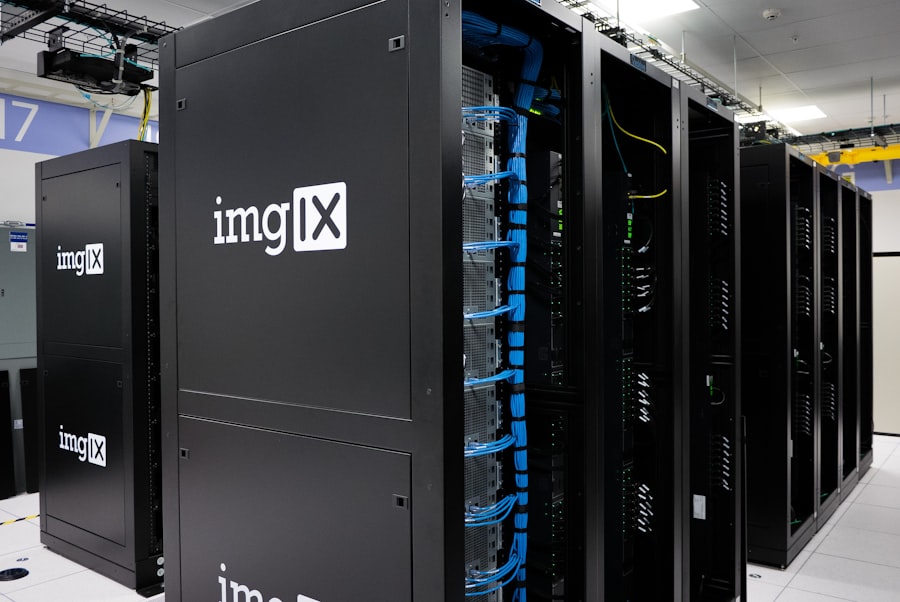
Once you have a general idea of the hosting type that fits your needs, it’s time to dig into the specifics of what makes a good hosting provider. Don’t just look at the price tag; consider these critical factors.
Performance and Speed
Website speed is paramount. Slow loading times frustrate users, increase bounce rates, and negatively impact your search engine rankings.
- Uptime guarantee: Look for providers offering 99.9% uptime or higher. This indicates how often their servers are operational and your website is accessible. Anything less than 99.9% is generally unacceptable for a business website.
- Server response time: This is the time it takes for the server to respond to a user’s request. Faster response times lead to quicker loading pages. Look for providers that optimize their infrastructure for speed.
- CDN integration: A Content Delivery Network (CDN) caches your website content on servers around the world, delivering it to users from the closest server. This significantly speeds up loading times, especially for a global audience. Many good hosts offer CDN integration or add-ons.
- Server location: Choose a host with servers located geographically close to your target audience. This reduces latency and improves loading speeds.
Security Features
Your company’s website is a prime target for cyberattacks. Robust security is non-negotiable to protect your data, your customers’ data, and your brand reputation.
- SSL certificates: Essential for encrypting data between your website and visitors. Google also favors sites with SSL (HTTPS) in search rankings. Most reputable hosts offer free SSL certificates (like Let’s Encrypt) or easy integration for paid ones.
- Firewalls and DDoS protection: These protect your server from malicious traffic and denial-of-service attacks, keeping your website online and accessible.
- Malware scanning and removal: Regular scanning helps detect and remove malicious software that could compromise your site.
- Automated backups: This is your lifeline if something goes wrong. Ensure the host provides regular, automated backups and allows you to easily restore your site to a previous version.
- SFTP/SSH access: For more advanced users, secure file transfer and shell access provide a more secure way to manage your files.
Customer Support
When something goes wrong – and it inevitably will at some point – you need reliable and responsive support.
- Availability: Look for 24/7/365 support via multiple channels (live chat, phone, email, ticketing system).
- Knowledgeable staff: There’s nothing more frustrating than dealing with support staff who don’t understand your issue. Read reviews about the quality of their support.
- Response times: How quickly do they respond to queries? For critical issues, rapid response is crucial.
- Self-help resources: A comprehensive knowledge base, FAQs, and tutorials can help you troubleshoot minor issues independently.
Scalability and Flexibility
As your company grows, your website needs will change. Your hosting should be able to keep pace.
- Easy upgrades/downgrades: Can you easily upgrade to a higher plan (e.g., from shared to VPS) or downgrade if necessary, without major downtime or complex migrations?
- Resource allocation: Can you easily add more CPU, RAM, or disk space as needed?
- Operating system and software support: Does the host support the operating system (Linux, Windows) and software (PHP, Python, Node.js, databases) your website or application requires?
- Control panel: A user-friendly control panel like cPanel or Plesk simplifies website management tasks.
Reputation and Reviews
Don’t just take a hosting provider’s word for it. Do your research.
- Independent reviews: Check reputable review sites (e.g., Trustpilot, G2, PCMag) and tech blogs. Pay attention to both positive and negative feedback regarding uptime, speed, support, and billing.
- Forums and communities: Search relevant webmaster forums or social media groups for discussions about potential hosts. Real-world experiences often paint a clearer picture.
- Years in business: While newer companies can be excellent, a long-standing reputation often indicates stability and reliability.
Practical Steps to Choosing Your Host

Now that you’re armed with knowledge, here are some actionable steps to narrow down your choices and make a final decision.
List Your Specific Requirements
Before you even open a browser to look at hosting providers, sit down and make a detailed list of what you need.
- Website type: E-commerce, blog, informational, web app?
- Estimated traffic: Initial and projected growth.
- Budget: Monthly or annual allocation.
- Technical expertise: Do you have an in-house tech team, or do you need a fully managed solution?
- Specific software/CMS: WordPress, Joomla, Drupal, custom framework?
- Required features: SSL, backups, CDN, email hosting, staging environment, specific programming languages.
Research and Shortlist Providers
Based on your requirements, start researching providers. Don’t be afraid to cast a wide net initially, then narrow it down.
- Start with popular, reputable providers: Companies like SiteGround, Bluehost, WP Engine (for WordPress), A2 Hosting, HostGator, and InMotion Hosting are often good starting points, but don’t limit yourself.
- Compare plans: Look at the specific features offered within different plans for each provider. Don’t just compare prices; compare value.
- Read the fine print: Understand renewal rates, hidden fees, and any limitations (e.g., “unlimited” storage often has fair-use policies).
Test Drive and Ask Questions
Many hosts offer money-back guarantees or trials. Take advantage of them.
- Utilize trials/money-back guarantees: If possible, try out a provider for a short period. Test their control panel, try uploading a small test site, and assess their support.
- Contact customer support: Even if you don’t have a burning question, interact with their support team before committing. This gives you a feel for their responsiveness and helpfulness.
- Look for reviews about their migration process: If you’re building your site elsewhere and then moving it, a smooth migration process is a huge plus. Some hosts offer free migration services.
Make Your Decision and Monitor
Once you’ve weighed all the factors, it’s time to choose.
- Don’t overthink it to the point of paralysis: While it’s an important decision, perfection is the enemy of good. Make an informed choice and move forward.
- Install monitoring tools: Once your site is live, use tools like UptimeRobot, Google Analytics, and Google Search Console to monitor your site’s performance, uptime, and traffic. This will help you identify any hosting-related issues early on.
- Be prepared to adjust: Your initial choice might not be perfect forever. As your company evolves, your hosting needs will too. Be open to re-evaluating your hosting provider every few years.
Choosing the best hosting for your new company website is a foundational step that will influence your online presence for years to come. By thoroughly understanding your needs, exploring the available options, and diligently evaluating providers based on critical factors like performance, security, and support, you can make a decision that empowers your company to thrive in the digital world. Invest wisely in your hosting, and you’ll be investing directly in the future success and stability of your new venture.
FAQs
1. What factors should be considered when choosing hosting for a new company website?
Factors to consider when choosing hosting for a new company website include the website’s traffic volume, storage and bandwidth requirements, uptime guarantees, customer support, security features, and scalability options.
2. What are the different types of hosting options available for a new company website?
The different types of hosting options available for a new company website include shared hosting, virtual private server (VPS) hosting, dedicated server hosting, and cloud hosting. Each option offers different levels of control, performance, and scalability.
3. How important is uptime and reliability when choosing hosting for a new company website?
Uptime and reliability are crucial factors to consider when choosing hosting for a new company website. A reliable hosting provider should offer a high uptime guarantee, ensuring that the website is accessible to visitors at all times.
4. What security features should be prioritized when selecting hosting for a new company website?
When selecting hosting for a new company website, it is important to prioritize security features such as SSL certificates, regular backups, firewalls, malware scanning, and DDoS protection to safeguard the website and its data from potential threats.
5. How can scalability options impact the choice of hosting for a new company website?
Scalability options can impact the choice of hosting for a new company website by allowing the website to easily accommodate growth in traffic and resource demands. It is important to choose a hosting provider that offers flexible scalability options to support the company’s future expansion.









Add comment