

You’ve poured your heart and soul into building your small business. You’ve crafted the perfect product or service, honed your marketing message, and painstakingly designed your branding. Now, it’s time for your website to truly shine as the digital storefront it’s meant to be. But is it? In today’s hyper-connected world, your website isn’t just a brochure; it’s a critical component of your customer experience, your sales funnel, and your overall brand reputation. If your site is sluggish, vulnerable, or leaves you stranded when issues arise, you’re not just missing opportunities – you’re actively deterring potential customers.
This article will guide you through the essential steps to supercharge your small business website. We’ll explore how to drastically improve its speed, fortify its defenses against cyber threats, and ensure you always have a helping hand when you need it most. By focusing on these three pillars – speed, security, and support – you’ll not only enhance your online presence but also cultivate a more trustworthy and reliable brand that keeps customers coming back.
You’ve heard the adage, “time is money,” and nowhere is that truer than on the internet. In an age of instant gratification, your website’s loading speed can make or break a customer’s first impression and their willingness to stick around. Think about your own online habits: how long are you willing to wait for a page to load before you hit the back button? Chances are, not very long. Your customers are no different.
The Impact of Slow Loading Times on Your Business
A slow website isn’t just an annoyance; it’s a direct impediment to your business goals. Studies consistently show a direct correlation between page load times and various key performance indicators (KPIs) that matter to your bottom line.
Decreased User Engagement and Higher Bounce Rates
When your website takes too long to load, visitors get frustrated. Their patience wears thin, and they’re more likely to abandon your site before they even see your content. This leads to a higher bounce rate, meaning a larger percentage of visitors leave after viewing only one page. A high bounce rate signals to search engines that your site might not be providing a good user experience, which can negatively impact your search engine rankings.
Lower Conversion Rates
Every extra second your page takes to load directly translates to a drop in your conversion rate. Whether you’re aiming for sales, lead generation, or email sign-ups, slow loading times create friction in the user journey. Customers are less likely to complete a purchase or fill out a form if they’re constantly waiting for pages to respond. This directly impacts your revenue and growth potential.
Negative SEO Impact
Search engines like Google prioritize user experience, and website speed is a significant factor in their ranking algorithms. A slow website will be penalized in search results, pushing your business further down the page and making it harder for potential customers to find you organically. This means less visibility, less traffic, and ultimately, fewer opportunities.
Strategies to Turbocharge Your Website Speed
The good news is that many common causes of slow websites are easily fixable. By implementing a few key strategies, you can significantly improve your site’s performance.
Optimize Your Images
One of the biggest culprits for slow loading times is unoptimized images. High-resolution images, while beautiful, can be massive file sizes that bog down your site.
Compress and Resize Images
Before uploading any image to your website, make sure it’s properly compressed and resized. There are numerous free online tools and plugins for content management systems (CMS) like WordPress that can help you do this automatically. Aim for the smallest possible file size without sacrificing visual quality.
Choose the Right File Format
Different image formats are better suited for different purposes. JPEG is generally best for photographs, while PNG is better for images with transparency or sharp edges. WebP is a newer format that offers superior compression without loss of quality and is increasingly supported by modern browsers.
Leverage Browser Caching
Browser caching stores static elements of your website (like images, CSS, and JavaScript files) on a visitor’s computer after their first visit. This means that when they return to your site, these elements don’t need to be re-downloaded, leading to significantly faster loading times for repeat visitors.
Configure Caching through Your Hosting Provider or Plugins
Many hosting providers offer caching solutions, or you can implement caching through plugins if you’re using a CMS. Ensure your caching settings are configured correctly to maximize their benefits.
Minimize and Combine Files
Your website relies on various files, including HTML, CSS, and JavaScript. The more of these files your browser has to download, the longer it takes for your page to render.
Minify CSS, JavaScript, and HTML
Minification involves removing unnecessary characters, such as whitespace and comments, from your code without changing its functionality. This reduces file sizes and speeds up download times.
Combine CSS and JavaScript Files
If your website uses multiple CSS or JavaScript files, combining them into fewer files can reduce the number of HTTP requests your browser needs to make, thus speeding up page load times.
Choose a Reputable Hosting Provider
Your web host plays a crucial role in your website’s speed. A cheap, unreliable host can negate all your optimization efforts. Invest in a quality hosting provider that offers fast servers, ample bandwidth, and good uptime.
Consider a Content Delivery Network (CDN)
A CDN stores copies of your website’s static content on servers located around the world. When a user visits your site, the content is delivered from the server geographically closest to them, significantly reducing latency and improving loading speeds, especially for a global audience.
In today’s digital landscape, having a robust online presence is essential for small businesses, and a key aspect of this is ensuring that their websites are optimized for speed, security, and support. For those looking to understand the foundational elements of effective business hosting, a related article titled “What is Business Hosting? A Beginner’s Guide” provides valuable insights. You can read it here: What is Business Hosting? A Beginner’s Guide. This resource elaborates on how the right hosting solutions can significantly enhance website performance and reliability, which are crucial for attracting and retaining customers.
Fortifying Your Digital Fortress: Enhanced Security Measures
In an increasingly digital world, cyber threats are a constant and evolving danger. For a small business, a security breach can be catastrophic, leading to data loss, reputational damage, legal liabilities, and significant financial setbacks. You can’t afford to be complacent when it comes to your website’s security.
The Real Cost of a Security Breach for Small Businesses
Many small business owners mistakenly believe they are too small to be a target for cybercriminals. This couldn’t be further from the truth. Small businesses are often seen as easier targets with weaker defenses compared to larger corporations.
Financial Losses and Operational Disruptions
A security breach can lead to immediate financial losses through data theft, ransomware payments, and the cost of incident response. Beyond direct financial impact, your operations can grind to a halt, leading to lost productivity and revenue.
Reputational Damage and Loss of Customer Trust
News of a data breach spreads quickly. If your customers lose faith in your ability to protect their information, they will take their business elsewhere. Rebuilding trust can be a long and arduous process, if it’s even possible.
Legal and Regulatory Penalties
Depending on the type of data compromised and your industry, you could face significant legal fines and penalties for failing to protect customer information. Compliance with regulations like GDPR or CCPA is not just for large enterprises; small businesses must also adhere to these standards if they handle personal data.
Implementing Robust Security Protocols
Proactive security measures are your best defense. By implementing a multi-layered security approach, you can significantly reduce your risk of becoming a victim.
Secure Sockets Layer (SSL) Certificate
An SSL certificate encrypts the data exchanged between your website and your visitors’ browsers, protecting sensitive information like login credentials and payment details. You’ll recognize a secure site by the “https://” in the URL and a padlock icon in the browser address bar.
Why SSL is Non-Negotiable
Beyond data encryption, SSL certificates are a trust signal for your customers and a ranking factor for search engines. Websites without SSL certificates are often flagged as “not secure” by browsers, deterring visitors.
Regular Software Updates
Outdated software is one of the most common vulnerabilities exploited by hackers. Every plugin, theme, and core software (like WordPress or Joomla) you use needs to be kept up to date.
Automate Updates Where Possible
Many CMS platforms and hosting providers offer automatic update features. While it’s always good to have a backup before major updates, automating minor patches can ensure you’re always running the latest, most secure versions.
Strong Passwords and Two-Factor Authentication (2FA)
Weak passwords are an open invitation for attackers. Encourage or enforce the use of strong, unique passwords for all accounts associated with your website.
Implement 2FA for All Admin Access
Two-factor authentication adds an extra layer of security by requiring a second form of verification (like a code from your phone) in addition to your password. This drastically reduces the risk of unauthorized access even if your password is compromised.
Regular Website Backups
No security measure is foolproof. In the event of a breach, data corruption, or accidental deletion, having recent backups is your lifeline.
Store Backups Offsite
Ensure your backups are stored securely in a separate location from your main server. This protects them in case your primary server is compromised or physically damaged.
Test Your Backups Regularly
Don’t just create backups; test them periodically to ensure they are functional and that you can successfully restore your website from them. There’s nothing worse than needing a backup only to find it’s corrupted.
Web Application Firewall (WAF)
A WAF acts as a shield between your website and the internet, filtering out malicious traffic and protecting against common web-based attacks like SQL injection and cross-site scripting (XSS).
Consider a Cloud-Based WAF Solution
Cloud-based WAFs are often easier to implement and manage for small businesses, providing robust protection without the need for extensive in-house IT expertise.
The Lifeline You Need: Reliable Support When You Need It
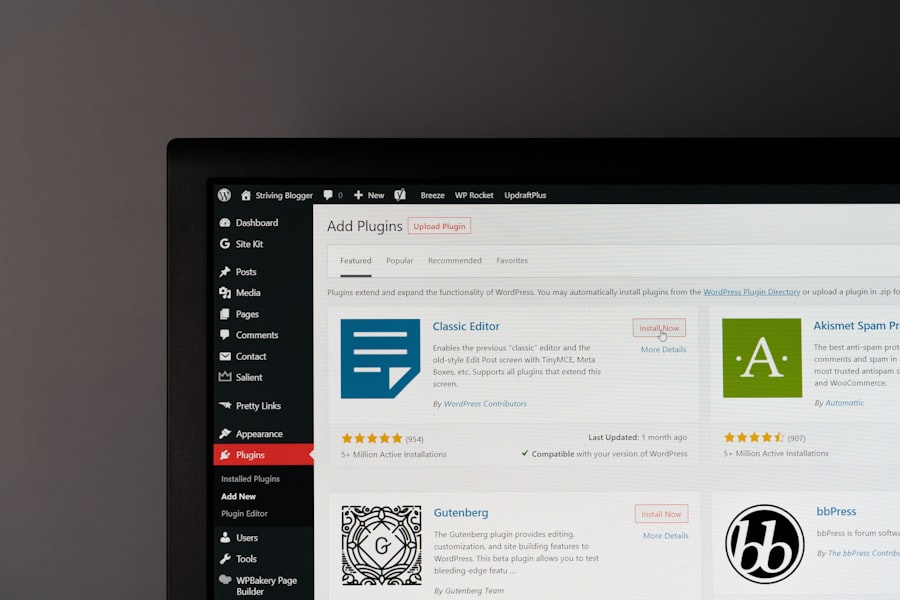
Even with the fastest and most secure website, issues can arise. Websites are complex systems, and things can go wrong. When they do, having access to reliable, knowledgeable support can be the difference between a minor blip and a prolonged outage that costs you customers and revenue.
The Pitfalls of Inadequate Support
Many small businesses overlook the importance of support when choosing hosting or other web services. This oversight can lead to significant frustration and business disruption down the line.
Prolonged Downtime and Lost Revenue
If your website goes down and you can’t get timely assistance, every minute it’s offline is a minute you’re losing potential sales, leads, and customer trust. A few hours of downtime can translate into substantial financial losses.
Wasted Time and Frustration
Instead of focusing on growing your business, you might find yourself spending hours trying to diagnose and fix technical issues you’re not equipped to handle. This is a massive drain on your time and energy.
Security Vulnerabilities Left Unaddressed
If you encounter a security issue and can’t get expert help, your website remains vulnerable, putting your data and your customers’ data at risk for longer.
What to Look for in a Support System
When evaluating web hosting providers or other web services, don’t just look at features and price. Dig into their support offerings.
24/7 Availability
Technical issues don’t adhere to business hours. Ensure your provider offers 24/7 support, so you can get help no matter when a problem arises.
Multiple Support Channels
Look for providers that offer various ways to get help, such as live chat, phone support, email, and a comprehensive knowledge base. Different issues sometimes warrant different communication methods.
Knowledgeable and Responsive Staff
It’s not enough to just have support available; the support staff needs to be competent and able to quickly understand and resolve your issues. Look for providers with a reputation for excellent customer service and technical expertise.
Fast Response and Resolution Times
In a crisis, every minute counts. Inquire about average response times and resolution times. A good support team will prioritize urgent issues and communicate clearly about progress.
Proactive Monitoring and Maintenance
The best support often comes from providers who are proactively monitoring their systems and your website. This allows them to identify and often fix issues before they even impact your site.
Regular Backups and Recovery Options
While you should always maintain your own backups, a reliable support system from your host often includes robust backup and recovery services as part of their offering. This provides an additional safety net.
The Synergistic Power of Speed, Security, and Support
You might be tempted to prioritize one aspect over the others, but the true strength of your small business website lies in the harmonious integration of speed, security, and support. A lightning-fast site that’s constantly getting hacked will quickly lose its audience. A perfectly secure site that takes ages to load will drive users away. And even the most optimized site will eventually face issues that require expert intervention.
When these three pillars are strong, they create a virtuous cycle. A fast, secure website builds trust and credibility with your audience. This leads to better engagement, higher conversion rates, and improved search engine rankings. With reliable support, you can maintain this high level of performance, quickly addressing any hiccups that arise, ensuring your online presence remains a powerful asset rather than a liability.
In today’s digital landscape, the performance and security of small business websites are more crucial than ever, as highlighted in a related article discussing essential strategies for enhancing online presence. For small businesses, having a website that loads quickly and is secure can significantly impact customer retention and satisfaction. To explore more about optimizing website layouts and improving user experience, you can read the full article here. By investing in better speed, security, and support, small businesses can ensure they remain competitive in an increasingly crowded market.
Making the Investment: It’s Not an Expense, It’s an Asset
| Metrics | Data |
|---|---|
| Website Speed | Slow websites lead to higher bounce rates and lower conversion rates |
| Website Security | Small business websites are frequent targets for cyber attacks |
| Website Support | Quick and reliable support can help in resolving technical issues and improving user experience |
Investing in a faster, more secure website with robust support isn’t an expenditure; it’s a strategic investment in the future of your small business. The ROI is clear: increased customer satisfaction, higher conversion rates, improved SEO, enhanced brand reputation, and peace of mind knowing your digital storefront is protected and always performing at its best.
Take the time now to audit your current website’s performance. Are there areas where you can improve speed? Are your security measures up to par? Do you have a reliable support system in place? Addressing these questions proactively will empower your small business to thrive in the competitive online landscape, ensuring your website works tirelessly for you, attracting new customers and retaining existing ones. Your business deserves a website that is not just present, but truly powerful.
FAQs
1. Why is speed important for small business websites?
Speed is important for small business websites because it directly impacts user experience and search engine rankings. Faster websites lead to higher user engagement, lower bounce rates, and better conversion rates. Additionally, search engines like Google prioritize faster websites in their search results.
2. Why is security crucial for small business websites?
Security is crucial for small business websites because they often handle sensitive customer information such as personal details and payment information. A breach in security can lead to loss of customer trust, financial loss, and legal consequences. Implementing strong security measures helps protect both the business and its customers.
3. How does better support benefit small business websites?
Better support benefits small business websites by ensuring that any technical issues or website downtime are quickly addressed and resolved. This helps minimize disruptions to the business and ensures that the website is always available to customers. Additionally, having reliable support can provide guidance and assistance in optimizing the website for better performance.
4. What are some common factors that affect website speed for small businesses?
Common factors that affect website speed for small businesses include large image and media files, excessive use of plugins or scripts, inadequate web hosting, and lack of caching and optimization. Addressing these factors can significantly improve website speed and overall performance.
5. How can small businesses improve the speed, security, and support of their websites?
Small businesses can improve the speed, security, and support of their websites by investing in reliable web hosting, optimizing website content and code, implementing security measures such as SSL certificates and regular security audits, and partnering with a reputable web development and support team. Regular monitoring and maintenance are also essential for ongoing improvement.









Add comment