
So, you’ve built a fantastic small business. You’ve poured your heart, soul, and probably a significant amount of sleepless nights into it. You’ve perfected your product or service, cultivated a loyal customer base, and you’re ready for the next leap. That leap, unequivocally, is online. You’re not just considering a website; you’re envisioning a thriving digital extension of your brand, a powerful engine for growth. This isn’t about slapping up a few pages and hoping for the best. This is about a strategic, well-defined plan to move your business online successfully, ensuring your digital presence not only reflects your existing success but amplifies it. This guide is your roadmap, designed to walk you through every crucial step, from initial concept to ongoing optimization.
Laying the Foundation: Your Digital Blueprint
Before you even think about pixels and code, you need a solid foundation. This isn’t just about aesthetics; it’s about understanding the purpose and potential of your website. Think of it as designing the architecture of your new digital storefront. Without a clear blueprint, you risk building something that doesn’t serve your needs or connect with your intended audience. This initial phase is about strategic thinking, research, and defining what success looks like for your online venture.
Defining Your Website’s Core Purpose and Goals
Your website needs a reason to exist beyond simply having an online presence. What do you want it to do for your business? Are you looking to increase brand awareness, generate leads, sell products directly, provide customer support, or a combination of these? Be specific. Instead of “get more customers,” aim for “increase online sales by 20% in the first year” or “generate 50 qualified leads per month through website inquiries.” These quantifiable goals will serve as your compass, guiding every subsequent decision and allowing you to measure your progress effectively. Consider your target audience: who are they, what are their needs, and how can your website best address them? Understanding their journey from initial discovery to becoming a paying customer is paramount.
Identifying Your Target Audience and Their Online Behavior
Who are you trying to reach with your website? Your existing customer data is a valuable starting point, but you need to think about how this translates into the online world. Are they active on social media? Do they research products extensively online before purchasing? What kind of language and tone will resonate with them? Create detailed buyer personas. Give them names, demographics, interests, and pain points. Understanding their online behavior will inform your website’s structure, content, and even the platforms you choose to promote it on. If your audience is tech-savvy and prefers visual content, you’ll prioritize high-quality images and videos. If they’re looking for in-depth information, detailed blog posts and FAQs will be essential.
Competitor Analysis: Learning from the Best (and Worst)
Your competitors are already online, and they’re likely vying for the same customers. Dive deep into their websites. What are they doing well? What are their weaknesses? Analyze their user experience, the quality of their content, their calls to action, and their overall branding. Don’t just look at direct competitors; consider businesses in similar industries or those that excel in online customer engagement. This research isn’t about imitation; it’s about identifying opportunities, understanding industry standards, and discovering what might set you apart. Are their websites slow to load? Is their navigation confusing? This is your chance to identify a gap in the market or to simply do what they do, but better.
Choosing the Right Domain Name and Hosting
Your domain name is your online address, so choose it wisely. It should be memorable, relevant to your business, and easy to spell. Ideally, it will be your business name. If that’s unavailable, consider adding a descriptive word or opting for a relevant extension like .com, .org, or a country-specific one if your business is local. Once you have your domain, you’ll need web hosting – the service that stores your website’s files and makes it accessible on the internet. Research different hosting providers, considering factors like speed, reliability, security, customer support, and scalability. For small businesses, shared hosting is often a cost-effective starting point, but as you grow, you might need to upgrade to a VPS or dedicated server.
In the ever-evolving digital landscape, small businesses are increasingly recognizing the importance of establishing a robust online presence. A comprehensive Website Growth Plan is essential for these businesses to effectively transition to the online marketplace. For those interested in understanding the broader implications of digital investments, a related article discusses the resale value of PK domains and offers insights into investment trends and predictions for 2025. You can read more about it here: The Resale Value of PK Domains: Investment Trends and Predictions for 2025.
Designing for Impact: Crafting a User-Centric Experience
Once your foundational strategy is in place, it’s time to bring your vision to life. This section focuses on the user experience (UX) and user interface (UI) – the elements that determine how people interact with your website and how they perceive it. A well-designed website is intuitive, engaging, and guides visitors towards your desired outcomes.
As small businesses increasingly transition to online platforms, having a solid website growth plan becomes essential for success. A related article that delves into the importance of reliable hosting solutions can provide valuable insights for these businesses. Understanding how cloud hosting can enhance website performance and scalability is crucial, and you can explore this topic further in the article about cloud hosting. This resource can help small business owners make informed decisions as they navigate their online journey.
Prioritizing a Clean, Intuitive Navigation Structure
Imagine walking into a store where you can’t find anything. That’s what a confusing website feels like. Your navigation menu is your store’s layout. It needs to be clear, concise, and logical. Visitors should be able to find what they’re looking for within a few clicks. Use descriptive labels for your menu items and consider a sitemap to ensure all important pages are accessible. Common navigation elements include Home, About Us, Services/Products, Blog, Contact Us, and a clear Call to Action (CTA). Think about user flow: how do you want visitors to move through your site? Design your navigation to facilitate this journey.
Developing Engaging and High-Quality Content
Content is king, and on your website, it’s the cornerstone of your communication. This isn’t just about writing descriptions; it’s about creating valuable, informative, and persuasive content that resonates with your target audience. This includes:
- Compelling Copywriting: Clearly articulate your value proposition, highlight your unique selling points, and use language that speaks directly to your customers’ needs and desires.
- Visually Appealing Media: High-quality images, videos, infographics, and even interactive elements can significantly enhance user engagement and brand perception. Ensure your visuals are optimized for web use to avoid slow loading times.
- Informative Blog Posts and Articles: Regularly publishing relevant content can position you as an authority in your industry, attract organic traffic, and keep your audience engaged.
- Clear Calls to Action (CTAs): Guide your visitors on what you want them to do next. CTAs should be prominent, action-oriented, and clearly state the benefit of taking that action (e.g., “Download Your Free Guide,” “Shop Now,” “Get a Free Quote”).
Ensuring Mobile Responsiveness and Cross-Browser Compatibility
The vast majority of internet users access websites via mobile devices. Your website must look and function flawlessly on smartphones and tablets. This is known as mobile responsiveness. A responsive design automatically adjusts the layout and content to fit any screen size. Neglecting this can lead to a poor user experience, high bounce rates, and lost opportunities. Equally important is cross-browser compatibility. Your website should render correctly across different web browsers like Chrome, Firefox, Safari, and Edge. Testing on various devices and browsers is crucial.
Optimizing for Search Engines (SEO Basics)
Search engine optimization (SEO) is the process of improving your website’s visibility in search engine results pages (SERPs). While SEO is a vast field, focusing on the basics will make a significant difference:
- Keyword Research: Identify the terms and phrases your target audience uses when searching for products or services like yours.
- On-Page Optimization: Integrate these keywords naturally into your page titles, meta descriptions, headings, and content.
- High-Quality Content: Search engines prioritize websites that provide valuable and relevant information.
- User Experience: A fast, mobile-friendly website with good navigation signals to search engines that your site is valuable.
- Image Alt Text: Describe your images using keywords to help search engines understand their content.
Building Trust and Driving Conversions: The Sales Funnel Online

Your website isn’t just a brochure; it’s a powerful sales tool. This section focuses on how to design your website to build trust with potential customers and guide them through the buying process, ultimately leading to conversions.
Implementing Clear and Persuasive Calls to Action (CTAs)
As mentioned before, CTAs are critical. They are the prompts that tell your visitors what to do next. They should be:
- Visible: Don’t hide your CTAs. Use contrasting colors and strategic placement to make them stand out.
- Action-Oriented: Use strong verbs like “Buy,” “Sign Up,” “Download,” “Contact,” “Learn More.”
- Benefit-Driven: Highlight what the user gains by taking action. For example, instead of “Submit,” try “Get Your Free Consultation.”
- Clear and Concise: Avoid jargon or ambiguous language.
Leveraging Social Proof and Trust Signals
In the online world, trust is paramount. Customers are more likely to buy from businesses they perceive as credible and reliable. Incorporate these trust signals:
- Customer Testimonials and Reviews: Display genuine feedback from satisfied customers. This can be in the form of written reviews, video testimonials, or star ratings.
- Case Studies: Showcase successful projects or client stories that demonstrate your expertise and the positive outcomes you deliver.
- Trust Badges and Certifications: If you have security certifications (e.g., SSL certificates) or industry accreditations, display them prominently.
- Professional Design and High-Quality Content: A well-designed, error-free website itself builds credibility.
Streamlining the Checkout Process (If Applicable)
If your business involves online sales, a seamless checkout process is non-negotiable. Any friction or complexity can lead to abandoned carts.
- Guest Checkout Option: Don’t force users to create an account before purchasing.
- Clear Pricing and Shipping Information: Be transparent about all costs upfront.
- Multiple Payment Options: Offer a variety of popular payment methods.
- Progress Indicators: Let customers know how far along they are in the checkout process.
- Security Seals: Display trust seals to reassure customers about the security of their transaction.
Building an Email List for Ongoing Engagement
Your website is an excellent opportunity to capture leads and nurture relationships. Encourage visitors to sign up for your email list by offering incentives like discounts, exclusive content, or early access to new products. An email list allows you to:
- Communicate Directly: Stay in touch with your audience.
- Promote Products and Services: Announce new offerings and sales.
- Share Valuable Content: Continue to provide value and build loyalty.
- Drive Repeat Business: Remind customers about your brand and encourage them to return.
Launching and Sustaining Growth: From Go-Live to Ongoing Success
Your website is live! Congratulations! But the journey doesn’t end here. Moving online successfully is an ongoing process of refinement, promotion, and adaptation. This final section focuses on what happens after your website is launched.
Planning Your Website Launch Strategy
A successful launch isn’t just about hitting the publish button. It involves a coordinated effort to announce your new online presence to the world.
- Pre-Launch Buzz: Generate excitement through social media teasers, email announcements to your existing customer base, and local advertising.
- Launch Day Promotions: Offer special discounts or incentives for early visitors and customers.
- Press Releases: If your website launch is significant, consider sending out a press release to relevant media outlets.
- Internal Training: Ensure your team is familiar with the new website and how to direct customers to it.
Driving Traffic to Your New Website
A beautiful website is useless if no one sees it. You need a robust strategy to attract visitors:
- Search Engine Optimization (SEO): Continue to optimize your website for search engines. This is a long-term strategy that yields significant results.
- Content Marketing: Regularly publish high-quality blog posts, articles, and other content that attracts your target audience.
- Social Media Marketing: Actively promote your website on relevant social media platforms. Engage with your followers and share valuable content.
- Paid Advertising: Consider running targeted ad campaigns on Google Ads or social media platforms to reach a wider audience quickly.
- Email Marketing: Leverage your email list to drive traffic back to your website.
- Offline Promotion: Don’t forget to include your website address on all your offline marketing materials (business cards, flyers, signage).
Monitoring Performance and Analytics
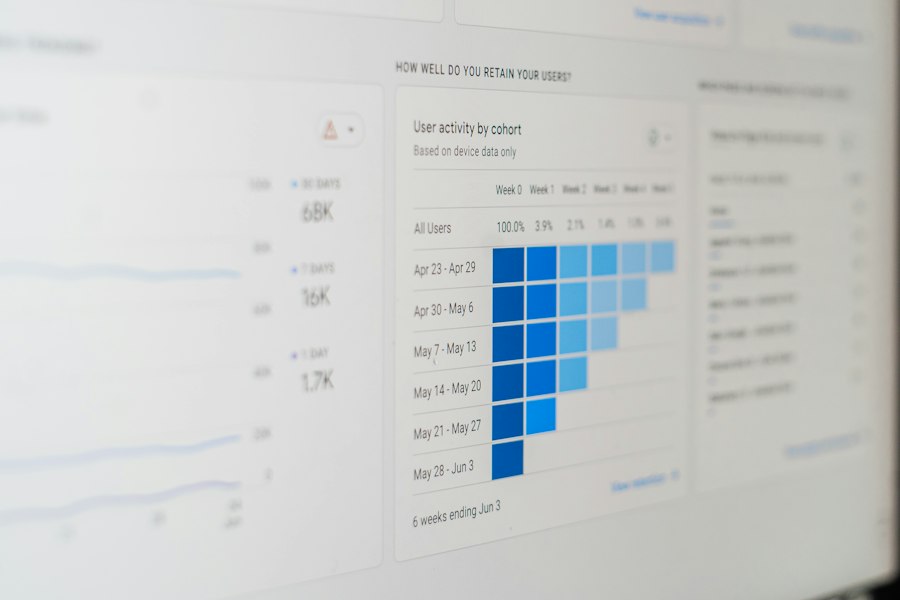
Data is your best friend when it comes to understanding how your website is performing. Use analytics tools like Google Analytics to track key metrics:
- Website Traffic: How many visitors are coming to your site?
- Traffic Sources: Where are your visitors coming from (search engines, social media, referrals)?
- Bounce Rate: What percentage of visitors leave your site after viewing only one page?
- Time on Site: How long are visitors spending on your website?
- Conversion Rates: How many visitors are completing your desired actions (purchases, form submissions)?
Regularly review this data to identify what’s working well and what needs improvement.
Continuous Improvement and Iteration
The digital landscape is constantly evolving, and so should your website. Treat your website as a living entity that requires ongoing attention.
- Analyze User Feedback: Pay attention to comments, emails, and customer service inquiries.
- A/B Testing: Experiment with different headlines, calls to action, or page layouts to see which performs better.
- Update Content Regularly: Keep your content fresh, relevant, and accurate.
- Stay Ahead of Trends: Keep an eye on new technologies and design trends that could benefit your business.
- Security Updates: Regularly update your website’s software and plugins to protect against security threats.
By embracing a mindset of continuous improvement, you’ll ensure your website remains a powerful asset that fuels your small business growth for years to come.
FAQs
What is a website growth plan for small businesses moving online?
A website growth plan for small businesses moving online is a strategic roadmap that outlines the steps and actions needed to establish and expand an online presence. It includes goals, target audience analysis, content strategy, SEO optimization, social media integration, and performance tracking.
Why is a website growth plan important for small businesses?
A website growth plan is important for small businesses as it helps them establish a strong online presence, reach a wider audience, increase brand visibility, drive traffic to their website, generate leads, and ultimately grow their business. It provides a structured approach to achieving online success.
What are the key components of a website growth plan for small businesses?
Key components of a website growth plan for small businesses include defining business goals, identifying target audience, conducting competitor analysis, developing a content strategy, optimizing for search engines (SEO), integrating social media, setting up analytics for tracking performance, and regularly reviewing and updating the plan.
How can small businesses measure the success of their website growth plan?
Small businesses can measure the success of their website growth plan by tracking key performance indicators (KPIs) such as website traffic, conversion rates, lead generation, engagement metrics, social media reach, search engine rankings, and sales revenue. Regular monitoring and analysis of these metrics help in evaluating the effectiveness of the plan.
What are some tips for small businesses to effectively implement a website growth plan?
Some tips for small businesses to effectively implement a website growth plan include setting realistic goals, understanding their target audience, creating high-quality and relevant content, optimizing for search engines, engaging with customers on social media, monitoring performance metrics, adapting to changes in the online landscape, and seeking professional help if needed.









Add comment