

You’re probably wondering if free SSL and backups are really worth it for your website. The short answer? Absolutely, yes. These aren’t just bells and whistles; they’re fundamental for security, trust, and peace of mind. Think of them as the essential locks and insurance policy for your online presence. Let’s break down why and how you can make the most of them without breaking the bank.
So, what exactly is this “SSL” everyone talks about? It stands for Secure Sockets Layer, and its main job is to encrypt the data that travels between your website and your visitors. This means any information exchanged – like login credentials, credit card details, or even just form submissions – is scrambled and unreadable to anyone trying to snoop.
Why SSL Matters for Trust and SEO
You’ve likely seen those little padlocks in your browser bar, and maybe even a “Not Secure” warning on some sites. That padlock signifies an SSL certificate is active.
Building Visitor Confidence
In today’s online world, people are more aware of security than ever. If your website doesn’t have SSL, visitors will see a “Not Secure” warning in their browser. This is a huge red flag. They’ll be hesitant to enter any personal information, and many will simply click away. Having SSL builds immediate trust. It tells visitors that you take their privacy seriously.
Google’s Preference
Google actually uses SSL as a minor ranking signal. While it’s not the be-all and end-all for SEO, having an HTTPS (the secure version of HTTP) site can give you a small boost in search results. More importantly, browsers are increasingly flagging non-HTTPS sites, which can negatively impact your ranking and user experience.
Different Types of SSL Certificates (and Why Most Don’t Need to Pay)
SSL certificates come in various flavors: Domain Validated (DV), Organization Validated (OV), and Extended Validation (EV).
Domain Validated (DV) Certificates: The Standard Free Option
For most websites – blogs, small businesses, personal portfolios – a DV certificate is all you need. These are the easiest to obtain and are often offered for free by hosting providers. They simply verify that you own the domain name.
Organization Validated (OV) and Extended Validation (EV): When You Might Need More
OV certificates involve more validation of your organization’s identity, and EV certificates require the most rigorous checks, often resulting in a prominent green bar in the browser. These are typically for e-commerce sites handling high volumes of sensitive transactions or large corporations where extensive identity verification is crucial. For the vast majority, the free DV certificates are perfectly adequate and secure.
In addition to understanding how free SSL and backups enhance hosting value, it’s essential to consider the performance aspects of your website. An insightful article that delves into this topic is “Accelerate Your WordPress Site: Mastering Core Web Vitals for 2025,” which discusses the importance of optimizing your site’s speed and user experience. You can read more about it here: Accelerate Your WordPress Site: Mastering Core Web Vitals for 2025. This resource complements the discussion on hosting value by highlighting how performance metrics can significantly impact your site’s success.
Free SSL: How Hosting Providers Make it Easy
The good news is that most reputable web hosting providers now include free SSL certificates as part of their hosting packages. This has become a standard offering, much like domain registration or email accounts.
What to Look For in a Hosting Provider for Free SSL
When choosing a host, keep an eye out for mentions of “free Let’s Encrypt SSL” or similar. Let’s Encrypt is a non-profit certificate authority that provides free, automated, and open SSL certificates.
Automatic Installation and Renewal
The best hosting providers will handle the installation and renewal of your free SSL certificate automatically. This means you don’t have to lift a finger. Once your website is set up, the SSL will be active, and it will renew itself before it expires. This is a massive convenience.
Easy Integration with Your Website
Whether you’re using a CMS like WordPress, a website builder, or custom code, a good host will ensure the free SSL integrates seamlessly. You shouldn’t have to be a technical wizard to get it working. Often, it’s as simple as clicking a button in your hosting control panel.
Common Free SSL Providers and How They Work
Let’s Encrypt is the most common provider of free SSL certificates.
Let’s Encrypt: The Powerhouse of Free SSL
Let’s Encrypt automates the process of obtaining and renewing SSL certificates. Their goal is to make encryption available to everyone. Many hosting companies integrate with Let’s Encrypt to offer this service to their customers.
How it’s Issued
Your hosting provider, using Let’s Encrypt’s API, will verify that you control the domain you’re trying to secure. Once verified, a certificate is issued and installed on your server. This process typically happens automatically and can be done for every domain and subdomain you have.
Backups: Your Digital Safety Net

Imagine pouring hours into building your website, creating content, and growing your audience, only to have it all disappear in an instant. That’s where backups come in. A backup is essentially a copy of your entire website – files, databases, and all – stored separately.
Why Regular Backups Are Non-Negotiable
This isn’t a luxury; it’s a necessity. Websites can be lost for many reasons, and having a recent backup is your quickest and easiest way to recover.
Protection Against Data Loss
The most obvious reason is data loss. This can happen due to:
- Hacking: Malicious actors can delete or corrupt your website data.
- Server Failures: While rare with good hosting, hardware can fail.
- Human Error: Accidental deletions or incorrect code changes can cause irreversible damage.
- Software Glitches: Updates to your CMS, plugins, or themes can sometimes go wrong.
Faster Recovery Times
If something goes wrong, a backup allows you to restore your website to a previous working state quickly. Without one, you might face a lengthy, expensive, and frustrating rebuilding process.
Free Backup Solutions: What to Expect from Your Host
Similar to free SSL, many hosting providers offer free backup solutions. However, the quality and frequency of these free backups can vary.
Understanding Free vs. Paid Backup Features
Free backups are usually automated and may occur daily or weekly, depending on your hosting plan. They typically provide a basic level of protection. Paid backup solutions often offer more frequent backups (hourly), longer retention periods, and more granular restore options.
What to Check for in Your Host’s Free Backup Offering
When evaluating hosting plans, look for details about their backup policy.
Frequency of Backups
How often are backups taken? Daily is ideal, but weekly is a minimum for most active websites. If your site is very dynamic with frequent content updates, you’ll want a host that offers more frequent backups or the ability to create your own on demand.
Retention Period
How long are backups kept? Some hosts might only keep a few days’ worth, while others might store them for weeks or months. A longer retention period gives you more options if a problem isn’t discovered immediately.
Ease of Restoration
How easy is it to restore a backup? Can you do it yourself through your control panel, or do you need to contact support? A self-service option is generally preferable for speed and convenience.
What’s Included in the Backup
Does the backup include your website files and your database? Both are essential for a complete restoration.
Maximizing Your Free SSL and Backup Value
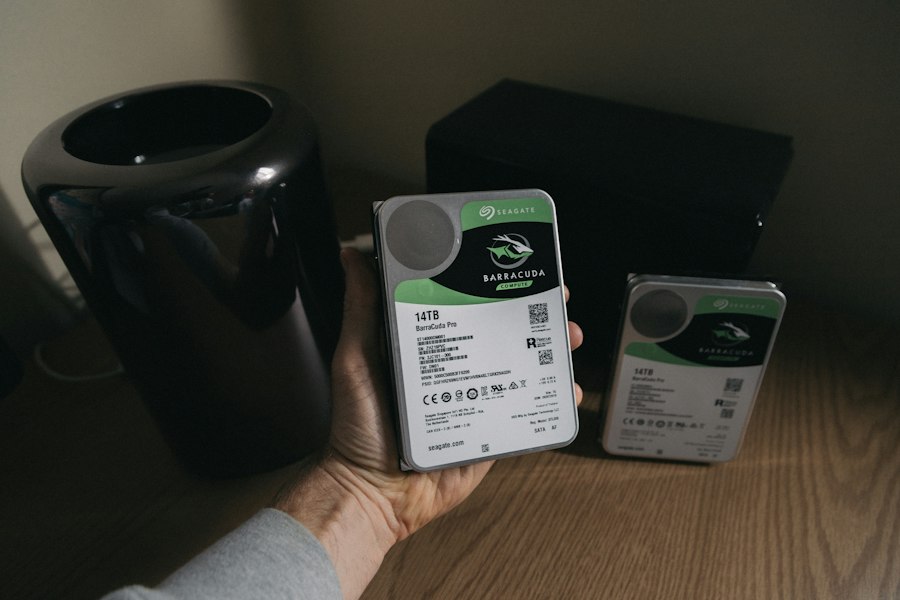
Now that you know why they’re important, let’s talk about getting the most out of the free options.
Proactive Checks for SSL and Backups
Don’t just set it and forget it. A little proactive checking goes a long way.
Verifying Your SSL Certificate
Periodically, check your website in a browser. Does it show the padlock? Click on it to see the certificate details. Ensure it’s valid and issued for your domain. Most free SSLs from hosts auto-renew, but it’s good practice to confirm it’s working, especially after making significant changes to your site or hosting setup.
Testing Your Backup Restoration Process (If Possible)
This is where you might need to check your host’s specific offerings. Some hosts allow you to perform a test restore to a staging environment. If this is an option, take advantage of it! It’s the best way to ensure your backups are actually usable when you need them. Even without a test restore, familiarize yourself with the backup and restore process in your hosting control panel. Know where to find your backups and what steps are involved in initiating a restore.
Understanding Limitations and When to Consider Upgrades
While free options are fantastic, they do have limitations.
What “Free” Might Not Cover
- Granularity of Restoration: Free backups might only allow for a full site restore. If you accidentally deleted a single image or a specific post, you might have to restore the entire site, potentially losing newer content.
- Storage Space: Your host’s free backup storage might be limited. If you have a very large website, you might run out of space.
- Off-Site Backups: Most free backups are stored on the same servers as your website. If a catastrophic server failure occurs, both your live site and your backups could be lost.
When to Invest in Premium Backup Solutions
If your website is mission-critical for your business, handles significant transactions, or contains irreplaceable data, you might want to consider a paid backup solution. These often offer:
- More frequent backups (hourly, real-time).
- Longer retention periods (months, years).
- Off-site storage (cloud backups).
- More flexible restore options (file-level restore).
- Dedicated backup management tools.
In the ever-evolving landscape of web hosting, understanding the importance of security and data protection is crucial for enhancing overall value. A recent article discusses how reseller hosting can create opportunities for passive income, which aligns well with the benefits of free SSL certificates and regular backups in improving hosting services. By incorporating these features, hosting providers not only attract more clients but also ensure a reliable and secure experience for their users. For more insights on generating recurring revenue through hosting solutions, you can read the full article on passive income with reseller hosting.
Implementing Free SSL and Backups: A Practical Guide
| Metrics | Free SSL | Backups |
|---|---|---|
| Security | Provides encrypted connection | Ensures data recovery in case of issues |
| Trust | Boosts visitor confidence | Offers peace of mind to website owners |
| SEO | May improve search engine rankings | Prevents loss of valuable content |
| Value | Enhances hosting package without extra cost | Adds extra layer of protection for data |
The implementation process is usually straightforward, thanks to modern hosting.
Step-by-Step: Enabling Free SSL with Your Host
This will vary slightly depending on your hosting provider’s control panel (e.g., cPanel, Plesk, custom panel).
- Log in to Your Hosting Account: Access your account dashboard.
- Find the SSL/TLS Section: Look for an option related to “SSL/TLS,” “Security,” or “SSL Certificates.”
- Select Your Domain: Choose the domain you want to secure.
- Install Let’s Encrypt (or Similar): There will typically be an option to “Install,” “Enable,” or “Generate” a free SSL certificate, often specifically mentioning Let’s Encrypt.
- Wait for Propagation: It might take a few minutes for the certificate to be issued and installed. Your host’s dashboard should indicate the status.
- Force HTTPS (Optional but Recommended): Once installed, you’ll want to ensure all traffic is redirected to HTTPS. Some hosts offer a simple toggle for this, or you may need to add a rule to your
.htaccessfile (for Apache servers) or equivalent for other server types.
Step-by-Step: Setting Up and Accessing Free Backups
Again, this is host-dependent.
- Log in to Your Hosting Account: Access your dashboard.
- Locate the Backup Section: Look for options like “Backups,” “Backup Manager,” or “Site Backup.”
- Understand Automated Backups: Note how frequently your host performs automated backups. This is usually set by default.
- Manual Backups (If Available): Many hosts allow you to create a manual backup on demand. This is useful before making major site changes.
- Accessing Backups for Restoration: Find the section that lists your available backups. There should be an option to “Restore” from a specific backup point. Follow the on-screen prompts carefully.
- Downloading Backups (If Allowed): Some hosts allow you to download a copy of your backup to your local computer. This is a good idea for an extra layer of security.
Common Pitfalls and How to Avoid Them
Even with free services, you can run into snags if you’re not careful.
Issues with SSL Installation
- Domain Not Propagated: If your domain is newly registered or its DNS records haven’t fully updated, SSL might fail to install. Give it some time.
- Too Many Subdomains: Free SSLs often cover multiple subdomains, but there might be limits. Check your host’s documentation.
- Mixed Content Warnings: After SSL is installed, if parts of your website still load over HTTP (e.g., images or scripts linked directly with
http://), your browser might still show a warning. You’ll need to update these links tohttps://. Many SEO or site audit tools can help identify these.
Problems with Backup Management
- Forgetting to Check: The biggest pitfall is assuming backups are happening without verification. Check your hosting dashboard regularly.
- Overwriting Backups: If you don’t understand how your host’s backup system works, you might inadvertently overwrite important backup points.
- Not Knowing Where Backups Are Stored: If your backups are only on the same server, a major server outage means you lose everything. If your host offers off-site storage, ensure it’s configured.
- Attempting a Restore Without Understanding the Impact: A full site restore will revert your site to the state it was in at the time of the backup. This means any content or changes made after that backup will be lost. Plan carefully and consider staging environments if possible.
Conclusion: The Smart and Secure Choice
Free SSL and backups aren’t just perks; they are foundational elements for any serious online presence. They protect your visitors, enhance your credibility, and safeguard your hard work against unforeseen events. By understanding what’s available, knowing how to implement them with your hosting provider, and being aware of potential limitations, you can effectively maximize their value. Don’t overlook these essential tools – they are a crucial part of building and maintaining a secure and trustworthy website.
FAQs
What is SSL and how does it improve hosting value?
SSL (Secure Sockets Layer) is a security protocol that encrypts data transmitted between a website and its visitors. It improves hosting value by providing a secure and trustworthy environment for users to interact with the website, which can lead to increased trust, better SEO rankings, and protection against cyber threats.
What are the benefits of free SSL for website hosting?
Free SSL for website hosting provides several benefits, including improved security, better search engine rankings, increased user trust, and protection against data breaches. It also helps to create a more professional and credible online presence for businesses.
How do backups improve hosting value?
Backups are essential for hosting value as they provide a safety net in case of data loss, website crashes, or security breaches. They ensure that website data can be restored quickly and easily, minimizing downtime and potential loss of revenue. Backups also offer peace of mind for website owners, knowing that their data is secure and recoverable.
What are the advantages of free backups for website hosting?
Free backups for website hosting offer advantages such as cost savings, convenience, and added security. They allow website owners to easily restore their data without incurring additional expenses, and they provide an extra layer of protection against unforeseen events that could compromise website data.
How do free SSL and backups contribute to the overall value of hosting services?
Free SSL and backups contribute to the overall value of hosting services by enhancing security, reliability, and user experience. They help to build trust with website visitors, protect against potential threats, and minimize the impact of data loss or downtime. Additionally, they demonstrate a hosting provider’s commitment to offering comprehensive and high-quality services to their customers.









Add comment