
Before you even think about hosting or WordPress, the most crucial first step is to solidify your e-commerce vision. This isn’t about dreaming of endless sales; it’s about practical, strategic thinking. You need to clearly define what you’re selling, to whom you’re selling it, and what makes your offering unique. This foundational work will directly influence every subsequent decision, from your platform choice to your marketing strategy.
Defining Your Product or Service Landscape
What tangible or intangible goods will you be offering? This is the core of your business. Consider the following:
Identifying Your Niche
Are you focusing on a broad category or a specific segment? A niche market often allows for more targeted marketing and less direct competition. For example, instead of “clothing,” you might choose “sustainable activewear for women.”
Inventory Management Style
Will you hold your own stock, use dropshipping, or offer digital products? Each method has significant implications for your operational needs, upfront investment, and profit margins.
- Physical Inventory: This requires space, sourcing, and fulfillment processes.
- Dropshipping: You partner with suppliers who ship directly to your customers. This reduces your inventory burden but means less control over shipping times and product quality.
- Digital Products: Think e-books, courses, software. This eliminates physical inventory but requires robust digital delivery systems and robust anti-piracy measures.
Product Sourcing and Quality Control
Where will your products come from? Establishing reliable suppliers and maintaining consistent quality is paramount for customer satisfaction and repeat business.
Understanding Your Target Audience
Who are you trying to reach with your products? A deep understanding of your ideal customer will shape your website design, marketing messages, and product selection.
Demographics and Psychographics
Go beyond basic age and location. Consider their interests, values, online behavior, and purchasing habits. What problems are they trying to solve with your products?
Customer Needs and Pain Points
What are your potential customers looking for? What challenges are they facing that your products can address? Your website needs to communicate how you solve these problems effectively.
Differentiating Your Brand
In a crowded e-commerce landscape, standing out is essential. What makes your store unique and memorable?
Unique Selling Propositions (USPs)
What specific benefits do you offer that your competitors don’t? This could be exceptional customer service, exclusive product lines, or a strong ethical stance.
Brand Voice and Personality
How will your brand communicate? Your brand voice should resonate with your target audience and be consistent across all your touchpoints.
If you’re considering launching an e-commerce website using WordPress hosting, it’s essential to understand the different hosting options available to you. A related article that can provide valuable insights is titled “What is Shared Hosting? Is It Good for You?” This article discusses the pros and cons of shared hosting, which can be a cost-effective solution for new e-commerce sites. You can read more about it here: What is Shared Hosting? Is It Good for You?.
Choosing the Right Tools: WordPress and WooCommerce Explained
Once you have a clear vision, it’s time to consider the technical infrastructure. WordPress, initially a blogging platform, has evolved into a powerful content management system (CMS) capable of hosting robust e-commerce sites through its WooCommerce plugin. Understanding these tools is fundamental to building your online store.
The Power of WordPress: More Than Just a Blog
WordPress’s widespread adoption and open-source nature make it a versatile and accessible choice for many aspiring e-commerce entrepreneurs.
What is WordPress?
WordPress is a free and open-source content management system (CMS) that allows you to create and manage websites and blogs. Its user-friendly interface, vast ecosystem of themes and plugins, and active community support have made it the most popular website creation platform.
- Content Management: You can easily create, edit, and organize all types of content, from product descriptions to blog posts.
- Customization: A plethora of themes allows you to dictate the visual appearance of your site, and plugins extend its functionality beyond basic features.
- Scalability: WordPress can support small personal blogs to large enterprise-level websites, including e-commerce stores.
Why WordPress for E-commerce?
While WordPress isn’t natively an e-commerce platform, its adaptability is its strength.
- Cost-Effectiveness: The WordPress core is free. While you’ll invest in hosting and potentially premium themes/plugins, it often represents a more budget-friendly starting point compared to some proprietary e-commerce platforms.
- Flexibility and Customization: The ability to integrate WooCommerce and then further customize with countless plugins gives you unparalleled control over your store’s features and functionality.
- SEO Friendliness: WordPress is built with search engine optimization in mind, and with the right plugins and practices, your store can rank well in search results.
- Large Community and Support: If you encounter issues or need guidance, there’s a massive global community of WordPress users and developers ready to help.
WooCommerce: The E-commerce Engine
WooCommerce is the most popular e-commerce plugin for WordPress, transforming a standard WordPress site into a fully functional online store.
What is WooCommerce?
WooCommerce is a free, open-source plugin that adds e-commerce capabilities to your WordPress website. It provides all the essential features needed to sell products online, manage inventory, process payments, and ship orders.
Key Features of WooCommerce
- Product Management: Easily add, categorize, and manage an unlimited number of products, including physical goods, digital downloads, and even affiliate products.
- Shopping Cart and Checkout: Streamlined and customizable cart and checkout processes to minimize cart abandonment.
- Payment Gateway Integration: Seamless integration with popular payment gateways like Stripe, PayPal, Square, and many others.
- Shipping Options: Configure various shipping methods, zones, and rates based on product weight, dimensions, and destination.
- Tax Calculation: Built-in tools to help you calculate and apply sales taxes based on your location and your customers’.
- Reporting and Analytics: Track sales, inventory levels, customer behavior, and other key metrics to inform your business decisions.
Essential WooCommerce Extensions
While WooCommerce provides a strong core, its extensibility is where its true power lies.
- Payment Gateways: Specific plugins to connect your store to preferred payment processors.
- Shipping Carriers: Integrations with FedEx, UPS, USPS, and others for real-time shipping rates and label printing.
- Marketing Tools: Plugins for email marketing, social media integration, and customer reviews.
- Product Add-ons and Customizations: Allow customers to personalize products with options like engraving, custom colors, or extended warranties.
- Subscription Services: Enable recurring payments for membership sites or subscription boxes.
Navigating WordPress Hosting: Your Website’s Home

Your WordPress hosting is the foundation upon which your entire e-commerce operation will be built. It’s where your website’s files reside and how it’s made accessible to the world. Choosing the right hosting provider and plan is a critical decision that impacts your site’s speed, security, and reliability.
Understanding Hosting Types
Not all hosting is created equal. The type of hosting you select will depend on your current needs and projected growth.
Shared Hosting
This is the most budget-friendly option, where your website shares server resources with other websites.
- Pros: Inexpensive, good for beginners and small businesses with low traffic.
- Cons: Performance can be affected by other sites on the server, limited scalability, less control over server environment.
- Suitability for E-commerce: Generally not recommended for established e-commerce businesses due to potential performance issues during peak traffic. Might be a starting point for a very small, niche store with minimal expected sales initially.
Virtual Private Server (VPS) Hosting
A VPS offers more dedicated resources than shared hosting, as your website is allocated a virtualized portion of a physical server.
- Pros: Better performance and reliability than shared hosting, more control over server environment, scalable.
- Cons: More expensive than shared hosting, requires some technical knowledge for management (unless you opt for managed VPS).
- Suitability for E-commerce: A good step up for growing e-commerce stores that have outgrown shared hosting. It offers a more stable environment for handling increased traffic.
Dedicated Hosting
With dedicated hosting, you rent an entire physical server for your website.
- Pros: Maximum performance, security, and control; ideal for very high traffic and resource-intensive applications.
- Cons: Most expensive option, requires significant technical expertise to manage.
- Suitability for E-commerce: Best for large, established e-commerce businesses with consistently high traffic volumes and complex operational needs.
Managed WordPress Hosting
This specialized hosting is optimized specifically for WordPress websites, with providers handling many of the technical aspects of website management.
- Pros: Enhanced performance, security, automatic updates, backups, and expert WordPress support.
- Cons: Can be more expensive than basic shared or VPS hosting, often more restrictive in terms of server customization.
- Suitability for E-commerce: An excellent choice for e-commerce businesses that want to focus on selling rather than server maintenance. Many managed WordPress hosts offer plans specifically tailored for WooCommerce.
Key Factors When Choosing a Host for E-commerce
Your hosting should be robust enough to handle the demands of an online store.
Performance and Speed
Website speed directly impacts user experience and conversion rates. Slow-loading pages will drive customers away.
- Server Location: Choose a host with data centers geographically close to your primary customer base.
- SSD Storage: Solid-state drives are significantly faster than traditional hard drives.
- Caching: Built-in caching mechanisms (server-side and browser caching) can dramatically improve load times.
- Content Delivery Network (CDN) Support: CDNs distribute your website’s static content across multiple servers globally, delivering it faster to users.
Security Features
E-commerce sites handle sensitive customer data, making robust security non-negotiable.
- SSL Certificate: Essential for encrypting data transmitted between your website and your customers, indicated by “https://” in the URL and a padlock icon. Many hosts offer free SSL certificates.
- Malware Scanning and Removal: Regular scans to detect and remove malicious software.
- Firewalls: Protecting your site from unauthorized access.
- DDoS Protection: Safeguarding against distributed denial-of-service attacks that can bring your site down.
- Regular Backups: Automated backups are crucial for disaster recovery. Ensure you know where these are stored and how to restore them.
Scalability and Uptime Guarantees
As your business grows, your hosting needs will change.
- Uptime Guarantees: Look for hosts that offer at least 99.9% uptime. Any downtime means lost sales.
- Easy Upgrading: The ability to seamlessly upgrade your hosting plan as your traffic and resource needs increase without significant disruption.
Customer Support
When something goes wrong, you need reliable and responsive support.
- 24/7 Availability: E-commerce doesn’t sleep, and neither should your support.
- Multiple Support Channels: Phone, live chat, and ticket systems.
- WordPress Expertise: Ideally, your host’s support team should have a good understanding of WordPress and WooCommerce.
Installing and Setting Up WordPress and WooCommerce
With your hosting in place, it’s time to get your hands dirty with the actual setup. Most reputable hosts offer one-click WordPress installations, simplifying the initial process considerably.
One-Click WordPress Installation
This is the standard and easiest way to get WordPress running on your hosting account.
Locating the Installer in Your Hosting Control Panel
Your hosting provider’s control panel (e.g., cPanel, Plesk) will typically have an application installer or autoinstaller section.
Selecting WordPress and Following Prompts
Choose WordPress from the list of available applications, and follow the on-screen instructions to select your domain name, create an administrator username and password, and specify a database name.
Initial WordPress Configuration
Once WordPress is installed, you’ll want to perform some basic configurations.
Setting Your Site Title and Tagline
This is the first thing visitors see in their browser tab and can influence your brand identity.
Configuring Permalinks
Permalinks are the permanent URLs for your blog posts and pages. For SEO purposes, it’s advisable to use a structure that includes the post name.
- Navigate to Settings > Permalinks.
- Select the “Post name” option.
- Click “Save Changes”.
General Settings Review
Check your time zone, language, and other essential settings under Settings > General.
Installing and Activating WooCommerce
This is the step that transforms your WordPress site into an e-commerce powerhouse.
Downloading the WooCommerce Plugin
You can typically download the latest version of WooCommerce directly from the WordPress Plugin Directory or from the official WooCommerce website.
Uploading and Installing the Plugin
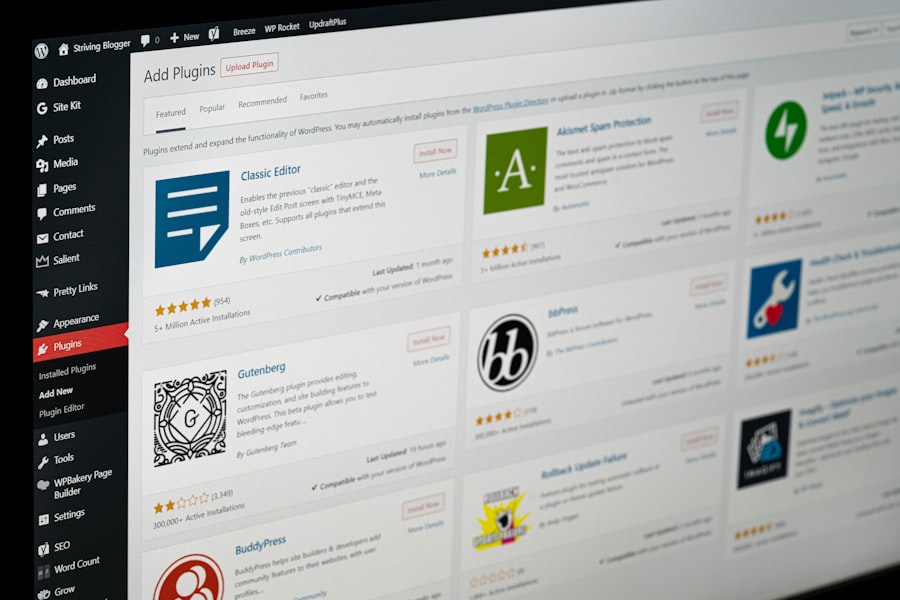
- In your WordPress dashboard, navigate to Plugins > Add New.
- Click “Upload Plugin.”
- Choose the WooCommerce ZIP file you downloaded and click “Install Now.”
- Once installed, click “Activate Plugin.”
Running the WooCommerce Setup Wizard
Upon activation, WooCommerce will usually launch a setup wizard to guide you through the essential store settings.
- Store Details: Enter your store’s physical address, currency, and the types of products you plan to sell.
- Payments: Select your preferred payment gateways. You can configure these in detail later within WooCommerce settings.
- Shipping: Set up your shipping zones and initial shipping rates.
- Recommended Plugins: WooCommerce may suggest installing additional plugins like Jetpack or Mailchimp. You can choose to install these now or later.
- Theme: WooCommerce is designed to work with most WordPress themes, but it recommends choosing a theme that is e-commerce-ready.
When embarking on the journey of creating an e-commerce website with WordPress hosting, understanding the technical aspects of your website’s performance is crucial. A related article that delves into this topic is about the speed differences between NVMe and SSD drives, which can significantly impact your site’s loading times and overall user experience. You can read more about this important consideration in the article on NVMe vs SSD speed differences for dynamic websites. This knowledge will help you make informed decisions about your hosting options and ensure your online store runs smoothly.
Designing Your E-commerce Store: Themes and Customization
| Steps | Details |
|---|---|
| Choose a Domain Name | Select a unique and easy-to-remember domain name for your e-commerce website. |
| Select WordPress Hosting | Choose a reliable and secure WordPress hosting provider for your website. |
| Install WordPress | Install the WordPress platform on your hosting server to start building your website. |
| Install E-Commerce Plugin | Choose and install a suitable e-commerce plugin like WooCommerce to add online store functionality. |
| Customize Website Design | Customize the website design and layout to create a unique and appealing online store. |
| Add Products | Upload product images, descriptions, and prices to populate your online store. |
| Set Up Payment Gateway | Integrate a secure payment gateway to accept online payments from customers. |
| Launch and Promote | Launch your e-commerce website and promote it through marketing and advertising channels. |
The visual presentation of your online store is critical for attracting customers and conveying professionalism. WordPress offers immense flexibility in this regard, largely through its vast selection of themes.
Choosing a WooCommerce-Compatible Theme
Not all WordPress themes are built with e-commerce in mind. Selecting a theme designed for WooCommerce will ensure seamless integration and a better user experience.
Factors to Consider in a Theme
- Responsiveness: The theme must adapt flawlessly to all screen sizes (desktops, tablets, smartphones). This is non-negotiable for e-commerce.
- Customization Options: How much control do you have over the theme’s colors, fonts, layouts, and header/footer?
- Speed and Performance: A bloated theme can significantly slow down your website. Look for lightweight, well-coded themes.
- WooCommerce Integration: Does the theme properly display WooCommerce pages like Shop, Product, Cart, and Checkout?
- Plugin Compatibility: Ensure the theme works well with other essential plugins you intend to use.
- Support and Updates: Are regular updates provided to ensure compatibility with WordPress and WooCommerce, and is there reliable support?
Popular Theme Sources
- WordPress.org Theme Directory: Offers a wide range of free and premium themes.
- Premium Theme Marketplaces: Sites like ThemeForest, Elegant Themes (Divi), and Astra offer feature-rich, professionally designed themes (often with dedicated WooCommerce features).
Customizing Your Theme for Brand Identity
Once you’ve chosen a theme, you’ll want to tailor it to reflect your brand.
Using the WordPress Customizer
The WordPress Customizer (Appearance > Customize) is your primary tool for real-time theme adjustments.
- Site Identity: Upload your logo, favicon, and set your site title and tagline.
- Colors and Typography: Adjust color schemes and select fonts that align with your brand.
- Header and Footer: Configure the layout and content of these critical areas.
- Widget Areas: Add widgets to your sidebars and footers for navigation, social links, or featured products.
Understanding Theme Options Panels
Many premium themes come with their own dedicated options panels, offering more granular control over design and functionality beyond the standard Customizer.
Essential Pages for Your E-commerce Store
Beyond your product listings, specific pages are vital for a functional and trustworthy online store.
Homepage
Your homepage is your virtual storefront. It needs to make a strong first impression.
- Clear Call to Actions (CTAs): Guide visitors to popular products, categories, or promotions.
- Featured Products/Collections: Showcase your best offerings.
- Brand Story/Value Proposition: Briefly communicate what makes you unique.
Shop Page
This is where customers browse your entire product catalog.
- Product Display Options: How products are arranged, filtered, and sorted.
- Search and Filtering: Essential for users to find what they need quickly.
Product Pages
The individual pages for each of your products are where sales are made.
- High-Quality Images and Videos: Essential for showcasing your products.
- Detailed Product Descriptions: Address features, benefits, and specifications.
- Clear Pricing and Add-to-Cart Button: Make it easy for customers to purchase.
- Customer Reviews: Build trust and provide social proof.
- Related Products/Upsells/Cross-sells: Encourage further purchases.
Cart Page
A clear and intuitive cart page is crucial for reducing abandoned carts.
- Summary of Items: Clearly list products, quantities, and prices.
- Option to Update Quantities or Remove Items: User control.
- Shipping Estimator: Allow customers to get an idea of shipping costs before checkout.
Checkout Page
The final hurdle before a sale. It needs to be streamlined and secure.
- Guest Checkout Option: Don’t force registration immediately.
- Multiple Payment Options: Cater to different customer preferences.
- Clear Order Summary: Reiterate the customer’s order and total cost.
About Us Page
Build trust by sharing your story and mission.
- Your Brand’s Narrative: Why you started your business.
- Team Information (if applicable): Humanize your brand.
- Company Values: What’s important to you.
Contact Us Page
Make it easy for customers to get in touch.
- Contact Form: A convenient way for customers to send inquiries.
- Email Address and Phone Number: Offer multiple contact methods.
- Physical Address (if applicable): Especially important for brick-and-mortar stores.
Privacy Policy and Terms of Service
These legal pages are essential for compliance and building customer trust.
- Privacy Policy: How you collect, use, and protect customer data.
- Terms of Service: The rules and guidelines for using your website and purchasing products.
Populating Your Store: Adding Products and Content
With the technical and design foundations laid, you can now fill your store with your products and compelling content. This is where your e-commerce vision truly comes to life.
Adding Your First Products
The process of adding a product in WooCommerce is intuitive but requires attention to detail.
Product Types
WooCommerce supports several product types:
- Simple Product: A basic, standalone product with no variations.
- Grouped Product: A collection of related simple products that can be purchased individually.
- External/Affiliate Product: Links to products sold on other websites.
- Variable Product: A product with options like size, color, or material, each with its own price and inventory.
Essential Product Information
- Product Name: Clear, descriptive, and keyword-rich.
- Product Description: Detailed and persuasive, highlighting benefits and features. Use formatting like bullet points for readability.
- Product Data (SKU, Price, Inventory):
- SKU (Stock Keeping Unit): A unique identifier for each product.
- Regular Price and Sale Price: Clearly display pricing and any discounts.
- Inventory Management: Track stock levels to avoid overselling.
- Product Images and Gallery: Use high-resolution images that showcase your product from multiple angles. Add a featured image.
- Product Categories and Tags: Organize your products for easier navigation and SEO. Categories are broader, while tags are more specific keywords.
- Attributes and Variations (for Variable Products): Define attributes like “Color” and “Size” and then create individual variations for each combination.
Creating Engaging Content Beyond Products
A static product catalog isn’t enough. Engaging content builds relationships and drives traffic.
The Blog: Your Content Marketing Hub
A blog integrated with your e-commerce store is invaluable.
- SEO Benefits: Regularly published content attracts organic search traffic.
- Brand Authority: Establish yourself as an expert in your niche.
- Customer Engagement: Answer common questions, provide tutorials, and share industry news.
- Promotional Opportunities: Link your blog posts to relevant products.
Creating Educational and Informative Content
Think beyond promotional language. Educate your audience.
- How-to Guides: Show customers how to use your products effectively.
- Product Comparisons: Help customers make informed decisions.
- Industry Insights: Share your knowledge and perspectives.
Building Trust Through “About Us” and “FAQ” Pages
These pages are crucial for transparency and customer confidence.
- About Us: Tell your brand’s story.
- FAQ (Frequently Asked Questions): Proactively address common customer queries, saving time for both you and your customers.
Optimizing for Search Engines (SEO) Basics
Making your store discoverable is a continuous process.
Keyword Research
Identify the terms your target audience uses to search for products like yours.
On-Page SEO for Products and Content
- Use Keywords Naturally: Incorporate your target keywords in product titles, descriptions, and content.
- Optimized Images: Use descriptive alt text for all your images.
- Meta Titles and Descriptions: Craft compelling meta titles and descriptions for search engine results pages.
Installing and Configuring an SEO Plugin
Plugins like Yoast SEO or Rank Math can guide you through the on-page optimization process. These plugins provide suggestions for improving your content’s SEO score.
Launching and Growing Your E-commerce Business
The moment of go-live is exciting, but it’s just the beginning. The real work of growing your e-commerce business begins after launch, focusing on marketing, customer service, and continuous improvement.
Pre-Launch Checklist
Before you officially open your virtual doors, ensure everything is in order.
Thorough Testing
- Add Products to Cart: Test the entire purchase flow from adding items to the cart to completing checkout.
- Test Payment Gateways: Ensure all configured payment methods are functioning correctly.
- Test Shipping Calculations: Verify that shipping costs are accurately calculated for different locations.
- Cross-Browser and Cross-Device Testing: Check how your site appears and functions on different web browsers and devices.
- Form Submissions: Test contact forms, newsletter sign-ups, and any other forms on your site.
Legal Compliance
- Privacy Policy and Terms of Service: Ensure they are accessible and up-to-date.
- Cookie Consent Banner: Implement a mechanism for obtaining user consent for cookies, as required by regulations like GDPR.
Final Content Review
Proofread all product descriptions, page content, and any other text for errors.
Marketing Your E-commerce Store
Getting traffic to your store is essential.
Search Engine Optimization (SEO)
As mentioned, ongoing SEO efforts are crucial for organic discoverability.
- Technical SEO: Ensure your site is crawlable and indexable by search engines.
- Content Marketing: Regularly publish valuable content to attract and engage your audience.
- Link Building: Earn backlinks from reputable websites.
Social Media Marketing
Leverage platforms where your target audience spends their time.
- Engage with Followers: Respond to comments and messages.
- Share Product Updates and Promotions: Highlight new arrivals and special offers.
- Run Targeted Ad Campaigns: Reach a wider audience with paid social media advertising.
Email Marketing
Build an email list and nurture customer relationships.
- Welcome Series: Greet new subscribers and introduce your brand.
- Promotional Emails: Announce sales, new products, and special offers.
- Abandoned Cart Recovery: Remind customers of items left in their cart.
- Newsletters: Share valuable content and updates.
Paid Advertising (PPC)
Consider platforms like Google Ads and social media advertising for targeted campaigns.
- Google Shopping Ads: Showcase your products directly in Google search results.
- Facebook/Instagram Ads: Reach specific demographics and interests.
Providing Excellent Customer Service
Happy customers become repeat customers and brand advocates.
Prompt and Helpful Responses
Address customer inquiries and issues quickly and efficiently.
Clear Return and Refund Policy
Make it easy for customers to understand your policies.
Building a Community
Foster a sense of belonging around your brand.
- Encourage Reviews and Testimonials: Leverage positive feedback.
- Create Social Media Groups or Forums: Facilitate customer interaction.
Analyzing Performance and Iterating
Data is your best friend in e-commerce.
Tracking Key Metrics
- Traffic Sources: Where are your visitors coming from?
- Conversion Rate: What percentage of visitors are making a purchase?
- Average Order Value (AOV): The average amount spent per order.
- Customer Lifetime Value (CLV): The total revenue you can expect from a single customer.
- Bounce Rate: The percentage of visitors who leave your site after viewing only one page.
Using Analytics Tools
- Google Analytics: Essential for understanding website traffic and user behavior.
- WooCommerce Reports: Provides insights into your store’s sales and inventory.
Continuous Improvement
Use the data you collect to identify areas for improvement and make informed decisions about your marketing, product offerings, and website functionality. Regularly review and update your products, content, and marketing strategies to stay competitive.
FAQs
1. What is WordPress hosting and why is it recommended for e-commerce websites?
WordPress hosting is a type of web hosting specifically optimized for WordPress websites. It is recommended for e-commerce websites because it offers better performance, security, and support for WordPress-specific features and plugins.
2. What are the essential steps to start an e-commerce website with WordPress hosting?
The essential steps to start an e-commerce website with WordPress hosting include choosing a reliable WordPress hosting provider, installing WordPress, selecting and customizing an e-commerce theme, adding products and setting up payment gateways, and optimizing the website for performance and security.
3. What are some popular e-commerce plugins compatible with WordPress hosting?
Some popular e-commerce plugins compatible with WordPress hosting include WooCommerce, Easy Digital Downloads, WP eCommerce, and Ecwid. These plugins offer a range of features for setting up and managing an online store.
4. How can I ensure the security of my e-commerce website on WordPress hosting?
To ensure the security of your e-commerce website on WordPress hosting, you can use security plugins, keep WordPress and plugins updated, use strong passwords, enable SSL encryption, and regularly backup your website.
5. What are some tips for optimizing the performance of an e-commerce website on WordPress hosting?
Some tips for optimizing the performance of an e-commerce website on WordPress hosting include using a caching plugin, optimizing images, using a content delivery network (CDN), choosing a reliable hosting provider, and minimizing the use of unnecessary plugins and scripts.









Add comment