

You understand that a fast website is not merely a convenience; it is a necessity. In today’s digital landscape, user expectations for quick loading times are high, and search engine algorithms increasingly prioritize performance. One crucial factor impacting your website’s speed is network latency. Optimizing this aspect requires a methodical approach, focusing on technologies and configurations that minimize the time it takes for data to travel between your users and your server.
Network latency refers to the delay before a transfer of data begins following an instruction for its transfer. It is measured in milliseconds (ms) and represents the time a data packet takes to travel from its source to its destination and back. You recognize that high latency manifests as slow loading pages, unresponsive applications, and overall poor user experience. This directly affects your conversion rates, bounce rates, and ultimately, your bottom line.
Distinguishing Latency from Bandwidth
You often encounter the terms latency and bandwidth used interchangeably, but they represent distinct concepts. Bandwidth refers to the maximum amount of data that can be transferred over a network connection within a given period, typically measured in megabits per second (Mbps). Think of bandwidth as the width of a highway, determining how many cars can travel simultaneously. Latency, conversely, is the time it takes for a single car to travel from one point to another on that highway. You can have a very wide highway (high bandwidth), but if there are many traffic lights or detours (high latency), the journey will still be slow.
Factors Contributing to Latency
Several elements contribute to the overall network latency you experience. By understanding these, you can strategically address them.
Physical Distance Between Server and User
The most fundamental factor is geographical distance. Data cannot travel faster than the speed of light. If your server is in New York and your user is in Sydney, the inherent physical distance introduces a baseline latency that cannot be entirely eliminated. You acknowledge this as an unchangeable physical constraint.
Network Congestion
When a network experiences high traffic, similar to a congested road, data packets can be delayed as they wait for available capacity. This often happens during peak usage times on internet service provider (ISP) networks or within individual data centers. You monitor network usage to identify potential bottlenecks.
Quality of Network Infrastructure
The routers, switches, and cables that comprise the internet infrastructure play a significant role. Older, less efficient hardware or poorly maintained connections can introduce delays. Your hosting provider’s infrastructure directly influences this.
Server Load and Processing Time
While not strictly network latency, a heavily loaded server that struggles to process requests can introduce delays that mimic network latency from the user’s perspective. If your server is slow to respond, it adds to the overall perceived latency. You must differentiate between these two.
In the quest for improving user experience and ensuring seamless web performance, understanding network latency optimization techniques is crucial for web hosting. A related article that delves into enhancing your online presence through effective web hosting services can be found at Maximize Your Online Presence with Reliable Web Hosting Services. This resource provides valuable insights into how reliable hosting can significantly reduce latency and improve overall website performance.
Strategic Server Location and Content Delivery Networks (CDNs)
You understand that minimizing physical distance is your primary objective in reducing latency. This is where strategic server placement and CDNs become indispensable tools.
Choosing an Optimal Data Center Location
When selecting a web host, you evaluate their data center locations in relation to your target audience. If your primary users are in Europe, hosting your server in North America will inherently introduce higher latency for them, regardless of other optimizations. You aim for a data center geographically close to the majority of your users.
Geographic Distribution of Your Audience
You analyze your website analytics to determine the geographical distribution of your user base. This data directly informs your decision on data center location. If your audience is diverse globally, a single server location will not suffice.
Peering Agreements and Network Topology
Beyond physical distance, you consider the hosting provider’s peering agreements and network topology. Peering refers to the direct interconnection of internet networks. A provider with robust peering arrangements generally offers faster data pathways to a wider range of networks, bypassing intermediate hops that could introduce latency. You inquire about these details when assessing providers.
Implementing a Content Delivery Network (CDN)
A CDN is a geographically distributed network of proxy servers and their data centers. The goal of a CDN is to provide high availability and performance by distributing the service spatially relative to end-users. You employ a CDN to cache static content (images, CSS, JavaScript files) closer to your users.
How CDNs Reduce Latency
When a user requests content, a CDN routes the request to the nearest edge server, which then delivers the cached content. This dramatically reduces the physical distance data needs to travel for static assets. For dynamic content, the CDN can still reduce latency by offloading traffic from your origin server, allowing it to respond faster to un-cacheable requests. You configure your CDN meticulously to maximize its benefits.
Types of Content to Cache
You prioritize caching static assets such as images (JPG, PNG, GIF), stylesheets (CSS), JavaScript files, and videos. These files are typically large and do not change frequently, making them ideal candidates for CDN caching. You also investigate caching dynamic content that can be cached for a short period.
CDN Provider Selection and Configuration
You research various CDN providers, comparing their global network footprint, pricing models, and specialized features. Considerations include their ability to handle traffic spikes, security features, and integration with your existing infrastructure. Careful configuration of caching rules and invalidation policies is critical to ensure users always receive the most up-to-date content when necessary.
Network Path Optimization and Routing
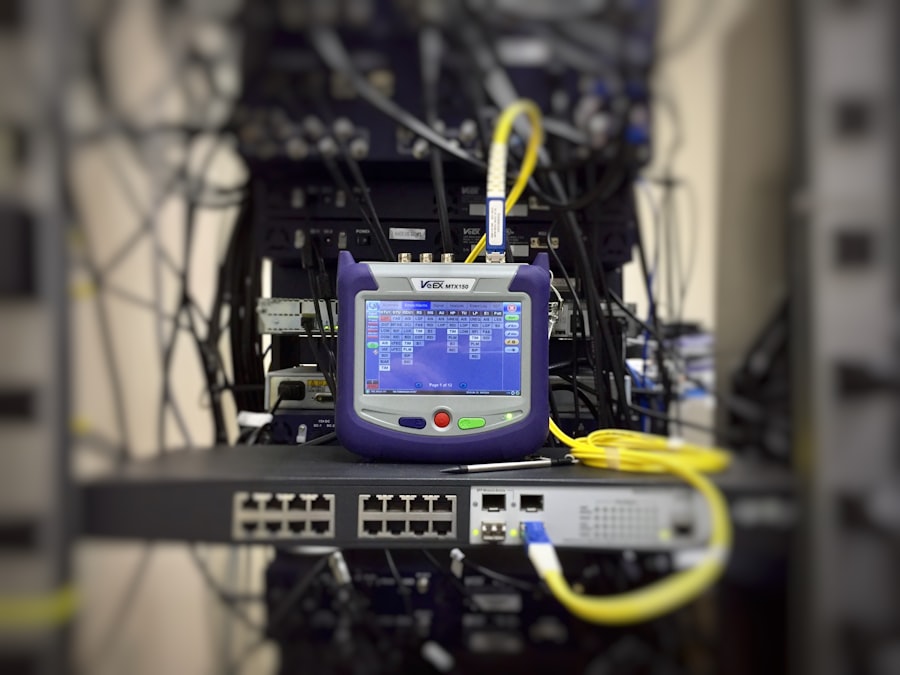
Even with optimal server placement and CDNs, the pathway data takes through the internet can still be suboptimal. You focus on techniques to ensure data travels along the fastest possible route.
Utilizing Border Gateway Protocol (BGP) Optimization
BGP is the routing protocol that makes the internet work. It determines the best paths for data packets to travel between different autonomous systems (AS), which are essentially large networks owned by ISPs and other organizations. You recognize that your hosting provider’s BGP configuration directly impacts network latency.
Anycast IP Addressing
Anycast is a network addressing and routing method in which datagrams from a single sender are routed to the topologically nearest node in a group of potential receivers, all identified by the same destination address. You employ Anycast IP addressing, often in conjunction with a CDN, to direct user requests to the closest server that can respond to that IP address. This significantly reduces latency by ensuring requests always hit the geographically nearest available server from a distributed network.
Smart Routing Algorithms
Some hosting providers and CDN services utilize “smart routing” algorithms that dynamically analyze network conditions in real-time. These algorithms identify and avoid congested or faulty network segments, rerouting traffic over faster paths. You leverage providers that offer such advanced routing capabilities.
Monitoring Network Routes (Traceroute)
You regularly use tools like traceroute (or tracert on Windows) to visualize the path your data takes from various locations to your server. This utility shows you each hop (router) along the path and the time it takes to reach each hop.
Identifying Bottlenecks and High Latency Hops
By analyzing traceroute results, you can identify specific routers or network segments where significant delays occur. This information can be invaluable for troubleshooting. While you cannot directly control every router on the internet, this knowledge helps you communicate issues effectively with your hosting provider or identify areas where a different network route via a CDN might be more beneficial.
Testing from Multiple Geographic Locations
You perform traceroutes from multiple geographic locations relevant to your user base. A good path from one region does not guarantee a good path from another. This comprehensive approach gives you a complete picture of your global network performance.
Server-Side Optimization and Resource Management

While much of network latency optimization focuses on the network itself, your server’s ability to process requests efficiently directly contributes to the overall perceived responsiveness. You address server-side factors to minimize internal delays.
Optimizing Web Server Configuration
Your web server (e.g., Apache, Nginx) plays a crucial role in how quickly requests are handled. You meticulously configure it for performance.
Keep-Alive Connections
You enable HTTP Keep-Alive connections. This allows multiple HTTP requests and responses to be sent over a single TCP connection, rather than opening a new connection for each request. This reduces the overhead of establishing new connections (which involves handshake latency) for every resource on your page.
GZIP Compression
You enable GZIP compression for text-based assets (HTML, CSS, JavaScript). This significantly reduces the size of data transmitted over the network, leading to faster download times and less data transfer, which indirectly mitigates latency by reducing the time required for data transmission.
Efficient Request Handling
You optimize your web server to handle requests efficiently. This might involve adjusting the number of worker processes/threads, setting appropriate timeout values, and ensuring your server configuration aligns with your application’s resource demands. Avoid excessively high or low values, finding a balance that supports traffic without overwhelming your server.
Database Optimization
If your website relies on a database, its performance is critical. Slow database queries can be analogous to network latency, causing delays in generating dynamic content. You treat database optimization as seriously as network optimization.
Indexing and Query Optimization
You ensure your database tables are properly indexed. Indices allow the database to locate data much faster without scanning entire tables. You also regularly review and optimize slow-running SQL queries, rewriting them for efficiency and ensuring they retrieve only the necessary data.
Database Caching
You implement database caching mechanisms (e.g., Redis, Memcached) to store frequently accessed query results. This allows your application to retrieve data from fast in-memory caches instead of repeatedly hitting the slower disk-based database, reducing response times.
Application Code Optimization
Your website’s application code (e.g., PHP, Python, Node.js) can introduce significant processing delays. You focus on clean, efficient code.
Minimizing Server-Side Processing
You strive to minimize the amount of server-side processing required for each request. This includes optimizing loops, reducing unnecessary database calls, and offloading tasks that are not critical to the immediate user experience.
Code Caching and Bytecode Caches
You utilize code caching mechanisms, such as OpCache for PHP, which pre-compiles scripts into bytecode, avoiding recompilation on every request. This reduces the CPU overhead and execution time of your application.
In the realm of web hosting, understanding the various factors that contribute to network latency is crucial for optimizing performance. One effective way to enhance your website’s speed is by utilizing dedicated servers, which can significantly reduce latency and improve user experience. For a deeper insight into the benefits of dedicated servers, particularly for e-commerce websites, you can explore this informative article on the advantages of dedicated servers for e-commerce websites at dedicated servers. By implementing the right strategies, you can ensure that your website operates smoothly and efficiently.
Network Protocol Optimizations
| Technique | Description |
|---|---|
| Content Delivery Network (CDN) | Stores cached copies of your website’s content in multiple locations around the world, reducing the distance between the user and the server. |
| Minification | Removes unnecessary characters from code without changing its functionality, reducing file size and improving load times. |
| Compression | Compresses files before they are sent over the network, reducing the amount of data that needs to be transmitted. |
| Browser Caching | Stores static files locally in the user’s browser, reducing the need to re-download them on subsequent visits. |
| Image Optimization | Reduces the file size of images without significantly impacting their visual quality, improving load times for image-heavy websites. |
Beyond infrastructure and server configurations, the protocols guiding data transmission offer further opportunities for latency reduction. You adopt modern protocols to enhance efficiency.
Leveraging HTTP/2 and HTTP/3
HTTP/1.1, the long-standing protocol, is prone to “head-of-line blocking,” where a single slow resource can delay all subsequent resources. You upgrade to newer versions of HTTP to bypass these limitations.
HTTP/2: Multiplexing and Server Push
You enable HTTP/2 on your web server. HTTP/2 introduces multiplexing, allowing multiple requests and responses to be sent concurrently over a single TCP connection, eliminating head-of-line blocking. It also offers “server push,” where the server can proactively send resources it anticipates the client will need, reducing the round trips required. This significantly reduces the total time to load a page.
HTTP/3: QUIC and UDP
You investigate and implement HTTP/3. This latest iteration of HTTP is built upon QUIC (Quick UDP Internet Connections), which runs over UDP instead of TCP. QUIC’s key benefits include faster connection establishment (0-RTT or 1-RTT handshakes), improved multiplexing (no head-of-line blocking even at the transport layer), and better handling of network changes (like switching between Wi-Fi and cellular). These features combine to offer superior performance and latency reduction, especially on unreliable networks.
Implementing TLS 1.3
Transport Layer Security (TLS) encrypts communication between your users and your server. While encryption adds a slight overhead, modern TLS versions minimize this impact. You ensure you are using TLS 1.3.
Reduced Handshake Latency
TLS 1.3 significantly reduces the number of round trips required during the handshake process compared to earlier versions (from two RTTs down to one, and even zero RTTs for subsequent connections). This directly translates to faster secure connections, reducing the latency introduced by encryption.
Enhanced Security and Performance
Beyond latency, TLS 1.3 offers stronger cryptographic algorithms and removes outdated, less secure options, improving both the security and overall efficiency of your encrypted traffic. You prioritize this upgrade as a standard practice for performance and security.
TCP Optimizations
At the transport layer, TCP (Transmission Control Protocol) is fundamental to reliable data transfer. You fine-tune TCP settings to enhance its performance.
TCP Window Scaling
You ensure TCP window scaling is enabled on your server. This feature allows TCP to negotiate larger window sizes, increasing the amount of data that can be in transit before an acknowledgment is required. This is particularly beneficial for high-bandwidth, high-latency connections, as it prevents idle times waiting for acknowledgments.
TCP Fast Open (TFO)
You investigate and enable TCP Fast Open (TFO) where appropriate. TFO allows data to be sent during the initial TCP handshake, reducing the latency for the first byte of data on subsequent connections to the same server. This needs support from both client and server operating systems and configurations.
By meticulously addressing network latency through these multifaceted strategies, from fundamental infrastructure choices to advanced protocol optimizations, you build a web presence that is not just functional, but demonstrably fast and responsive for your global user base. You understand that performance is an ongoing commitment, requiring continuous monitoring and adaptation.
FAQs
What is network latency in web hosting?
Network latency refers to the delay in data communication over a network. In the context of web hosting, it is the time it takes for data to travel from the server to the user’s device and vice versa.
Why is network latency important in web hosting?
Network latency is important in web hosting because it directly impacts the user experience. High latency can result in slow website loading times, which can lead to user frustration and decreased website performance.
What are some techniques for optimizing network latency in web hosting?
Some techniques for optimizing network latency in web hosting include using content delivery networks (CDNs), implementing caching mechanisms, minimizing the use of third-party resources, and optimizing server configurations.
How does using a content delivery network (CDN) help in reducing network latency?
A content delivery network (CDN) helps in reducing network latency by caching website content on servers located closer to the user’s geographical location. This reduces the distance data needs to travel, resulting in faster loading times.
What are the benefits of optimizing network latency for web hosting?
Optimizing network latency for web hosting can lead to improved website performance, faster loading times, better user experience, and potentially higher search engine rankings. It can also help in reducing server load and bandwidth usage.









Add comment