

You’re running a business, large or small, and your digital infrastructure is the lifeblood of your operations. Data flows constantly, applications hum efficiently, and customers interact seamlessly. But what happens when your physical or virtual servers, the very backbone of this infrastructure, need to change? This isn’t just about moving a few files; it’s about a complex, intricate ballet known as server migration. And while the thought of it might conjure images of risk and downtime, the reality is that modern technology has made server migration not just feasible, but remarkably safer and more efficient than ever before. You’re about to embark on a journey to understand this critical process, its complexities, and the technological marvels that safeguard your valuable data every step of the way.
Understanding the “Why” Behind Server Migration
Before delving into the “how,” it’s crucial to grasp the motivations that drive server migration. You don’t just migrate servers on a whim; there are often compelling reasons rooted in business growth, technological advancement, and operational efficiency. Recognizing these drivers will help you appreciate the necessity and value of a well-executed migration strategy.
Business Growth and Scalability Needs
Your business isn’t static; it’s constantly evolving. As your operations expand, so does your need for robust and scalable IT infrastructure. A server that once perfectly served your needs might now be struggling under an increased load of users, data, or applications. This can manifest as slower response times, frequent outages, or an inability to handle peak demand, all of which directly impact your customer experience and bottom line. Migrating to more powerful servers, whether physical or virtual, or expanding to a distributed architecture, becomes a necessity to support this growth. You’re essentially upgrading your digital engine to match the demands of your accelerating business. This often involves moving from on-premise servers to cloud environments, or from one cloud provider to another, to leverage their inherent scalability benefits.
Hardware Refresh and Obsolescence
Technology moves at a relentless pace. The servers you purchased a few years ago, while still functional, might be approaching their end-of-life. Older hardware is not only less powerful but also more prone to failure, less energy-efficient, and often lacks the latest security features. Maintaining aging infrastructure can become a costly endeavor, both in terms of repair expenses and the risk of unexpected downtime. Server migration in this context is about transitioning your data and applications to newer, more reliable, and more powerful hardware. This refresh allows you to take advantage of faster processors, more RAM, solid-state drives (SSDs), and improved networking capabilities, leading to significant performance gains and reduced operational risks. You’re not just replacing old equipment; you’re upgrading your foundational technology.
Cloud Adoption and Digital Transformation
The shift to cloud computing is one of the most significant technological trends of the past decade, and your business might be undergoing its own digital transformation. Moving your workloads from on-premise data centers to cloud platforms like AWS, Azure, or Google Cloud offers numerous advantages: increased agility, reduced operational costs (especially for hardware procurement and maintenance), enhanced scalability, and access to a vast array of managed services. Server migration in this scenario is often referred to as “cloud migration.” It’s a strategic move to modernize your IT infrastructure, improve disaster recovery capabilities, and enable greater innovation. You’re leveraging the power of distributed, virtualized resources to create a more resilient and flexible environment for your applications and data.
Cost Optimization and Efficiency Gains
Every business strives for efficiency and cost-effectiveness. Your existing server infrastructure might be incurring unnecessary expenses due to over-provisioning, inefficient resource utilization, or high maintenance costs for aging hardware. Server migration can be a powerful tool for cost optimization. By moving to more efficient servers, consolidating workloads onto fewer machines through virtualization, or adopting cloud services with pay-as-you-go models, you can significantly reduce your capital expenditures and operational costs. For instance, migrating to the cloud allows you to shift from a CapEx to an OpEx model, paying only for the resources you consume. This flexibility helps you align your IT spending more closely with your actual business needs, freeing up resources for other strategic initiatives. You’re not just moving servers; you’re optimizing your resource allocation.
In addition to understanding server migration and the technological advancements that enhance its safety, you may find it beneficial to explore how reliable web hosting services can further maximize your online presence. For insights on this topic, check out the article on web hosting services that discusses their importance in maintaining a robust online platform. You can read more about it here: Maximize Your Online Presence with Reliable Web Hosting Services.
The Intricacies of Server Migration: What It Entails

Server migration is not a monolithic task; it’s a multi-faceted process involving careful planning, execution, and validation. Understanding the various stages and components involved is essential for appreciating the technological safeguards that make it safer. You’re essentially orchestrating a complex data transfer and application re-platforming exercise, often with minimal disruption to ongoing operations.
Data Migration and Integrity
At its core, server migration involves moving data from one server to another. This isn’t just about copying files; it’s about ensuring that all data – databases, application files, operating system configurations, user profiles, and more – is transferred completely and without corruption. Data integrity is paramount. Any loss or alteration of data during migration can have catastrophic consequences for your business, leading to operational downtime, financial losses, and reputational damage. You need to account for data in transit, data at rest, and the various formats and dependencies that exist. This often involves specialized tools and techniques to ensure byte-for-byte fidelity and transactional consistency, especially for live databases.
Application Migration and Compatibility
Moving the data is only half the battle. Your applications, which rely on that data, also need to be migrated and configured to run correctly on the new server environment. This can be the most challenging aspect of migration, as applications often have complex dependencies on specific operating system versions, libraries, network configurations, and other services. You might encounter compatibility issues, performance bottlenecks, or unexpected errors if not handled correctly. This process can range from a simple “lift-and-shift” (rehosting) where the application is moved with minimal changes, to a more complex “re-platforming” where minor modifications are made to leverage new server capabilities, or even a full “refactoring” where the application is rewritten for cloud-native architectures. Thorough testing is critical to ensure that all applications function as expected post-migration.
Network Configuration and DNS Updates
Servers don’t operate in isolation; they are part of a larger network infrastructure. During migration, you’ll likely need to adjust network configurations, including IP addresses, subnet masks, firewall rules, and routing tables, to ensure the new server can communicate effectively with other systems and users. Crucially, Domain Name System (DNS) records will need to be updated to point to the new server’s IP address. This is often the final step that makes the transition seamless for end-users, redirecting their requests to the new location. However, DNS propagation can take time, and careful planning is needed to minimize any period of inaccessibility. You’re essentially updating the digital address book for your services.
Downtime Minimization Strategies
One of your primary concerns during any server migration is downtime. Every minute your services are unavailable translates to lost revenue, decreased productivity, and frustrated customers. Therefore, minimizing downtime is a critical objective. This often involves employing strategies like parallel operations, where the old and new servers run simultaneously for a period, allowing for gradual cutovers and rollback capabilities. Incremental data synchronization, where only changes are transferred after an initial full copy, also helps reduce the cutover window. The goal is to make the transition as invisible as possible to your end-users, ensuring business continuity throughout the process.
The Technological Arsenal: Making Migration Safer
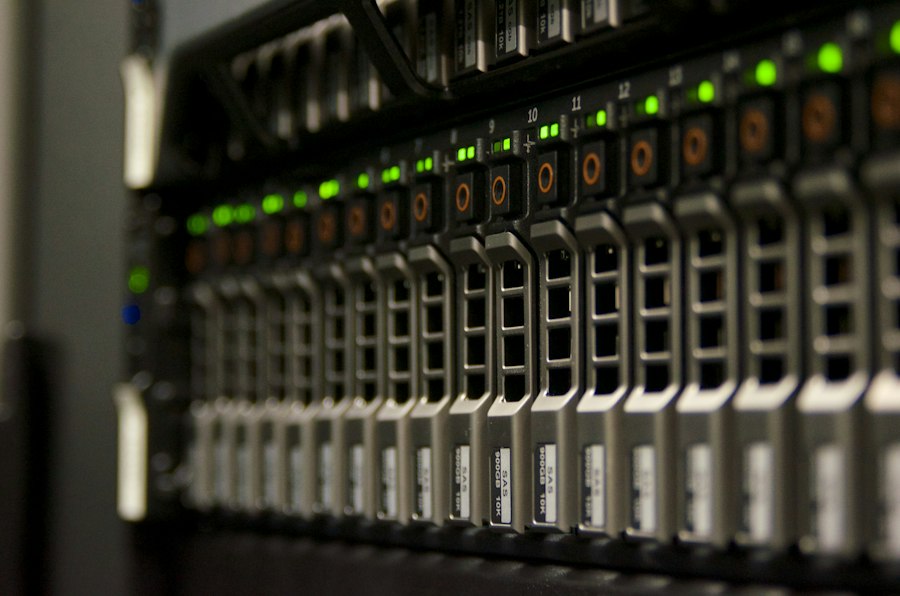
The perceived risks of server migration – data loss, extended downtime, application failures – have been significantly mitigated by advancements in technology. You’re no longer navigating this complex process with rudimentary tools; instead, you have a sophisticated arsenal of solutions at your disposal that make migrations more secure, more efficient, and more predictable.
Live Migration and Zero-Downtime Techniques
The holy grail of server migration is achieving zero downtime. While truly zero downtime is challenging for every scenario, technology has come incredibly close, especially in virtualized environments. Live migration, a cornerstone of hypervisor platforms like VMware vSphere vMotion, Microsoft Hyper-V Live Migration, and KVM live migration, allows you to move an entire running virtual machine from one physical server to another without any interruption to services. This is achieved by rapidly copying the VM’s memory and state to the destination server while keeping the source VM operational. Once the destination is synchronized, a very brief cutover occurs, often imperceptible to users. For databases, techniques like replication and log shipping allow you to keep a standby database constantly updated, enabling a rapid failover to the new server with minimal data loss. You’re essentially performing open-heart surgery on your infrastructure without stopping the patient’s heart.
Snapshotting and Rollback Capabilities
Before embarking on any significant change like server migration, you need a safety net. Snapshotting technology provides precisely that. A snapshot captures the entire state of a virtual machine at a specific point in time, including its disk image, memory, and configuration. If anything goes wrong during the migration – an application fails, data becomes corrupted, or the new environment doesn’t perform as expected – you can easily revert to the snapshot, effectively undoing the changes and returning to a known good state. This provides an invaluable rollback capability, significantly reducing the risk associated with complex migrations. You can experiment, test, and proceed with confidence, knowing you have an immediate escape hatch if needed.
Data Synchronization and Replication Tools
Ensuring data consistency and integrity during migration, especially for large datasets or actively changing data, is paramount. Modern data synchronization and replication tools automate this process, minimizing manual errors and reducing the cutover window. These tools can perform initial full copies of data and then continuously synchronize only the changes (delta replication) between the source and destination servers. This allows you to prepare the target environment with up-to-date data long before the actual cutover. For critical databases, tools like Change Data Capture (CDC) ensure that every transaction is mirrored to the new server, guaranteeing transactional consistency and enabling a near-instantaneous switchover with minimal data loss. You’re building a real-time copy, ready to take over at a moment’s notice.
Automated Migration Platforms and Orchestration
Manual server migrations are prone to human error, inconsistency, and can be incredibly time-consuming. Modern technology has responded with sophisticated automated migration platforms and orchestration tools. These solutions streamline the entire migration workflow, from discovery and assessment of the source environment to provisioning resources on the target, transferring data, configuring applications, and performing cutovers. They often leverage scripting (e.g., PowerShell, Python), infrastructure-as-code (IaC) principles (e.g., Terraform, Ansible), and specialized migration agents. By automating repetitive tasks and enforcing standardized procedures, these platforms significantly reduce the risk of errors, accelerate the migration process, and ensure consistency across multiple migrations. You’re no longer hand-crafting each step; you’re using a precise, automated factory.
Cloud Migration Services and Partner Ecosystems
When migrating to the cloud, you’re not alone. Major cloud providers (AWS, Azure, Google Cloud) offer a suite of purpose-built migration services designed to simplify and secure the transition. Services like AWS Server Migration Service (SMS), Azure Migrate, and Google Cloud Migrate for Compute Engine automate the replication of servers and applications from on-premises environments or other clouds. These services often include agent-based replication, automated image conversion, and robust monitoring capabilities. Beyond native services, a vast ecosystem of third-party migration tools and consulting partners specializes in specific migration challenges, offering expertise in complex application environments, large-scale data transfers, and regulatory compliance. You’re leveraging specialized tools and expert guidance to navigate the complexities of the cloud frontier.
Planning and Execution: A Safer Migration Journey
Even with the most advanced technology, a successful and safe server migration hinges on meticulous planning and careful execution. You can’t just throw technology at the problem; you need a strategic approach that anticipates challenges and minimizes risks.
Comprehensive Discovery and Assessment
Before you move anything, you need to know exactly what you have. This initial phase involves a thorough discovery and assessment of your current server environment. You’ll identify all servers, operating systems, applications, databases, network dependencies, and inter-server communications. Tools can automate this discovery, mapping out your application dependencies and resource utilization. This assessment helps you understand the complexity of the migration, identify potential compatibility issues, and determine the optimal migration strategy for each workload. You’re essentially taking a detailed inventory and drawing a blueprint of your current state.
Defining Your Migration Strategy (Rehost, Replatform, Refactor)
Based on your assessment, you’ll need to define a migration strategy for each application and workload. There isn’t a one-size-fits-all approach.
- Rehost (Lift and Shift): This is the simplest strategy, moving applications and data as-is to the new environment, often a virtual machine or cloud instance. It’s fast but doesn’t fully leverage new platform capabilities.
- Replatform (Lift, Tinker, and Shift): You make minor modifications to the application to take advantage of new features in the target environment, such as switching to a managed database service instead of self-hosting.
- Refactor (Re-architect): This involves redesigning and rewriting parts of the application to fully exploit cloud-native capabilities, like microservices or serverless functions. This offers the most long-term benefits but is also the most complex and time-consuming.
You’re choosing the right tool for the job, balancing speed, cost, and future benefits.
Pilot Migrations and Phased Rollouts
Never attempt a large-scale migration without first conducting pilot migrations. Choose a non-critical application or a subset of users to test the entire migration process end-to-end. This helps you identify unforeseen issues, refine your procedures, and validate your tools and strategies in a low-risk environment. Once the pilot is successful, you can move to a phased rollout, migrating workloads in batches rather than all at once. This approach allows you to learn from each phase, make adjustments, and minimize the blast radius if an issue arises. You’re progressively testing the waters before diving in.
Rigorous Testing and Validation
Testing is arguably the most critical component of a safe migration. After migrating a server or application, you must rigorously test its functionality, performance, and security in the new environment. This includes:
- Functional Testing: Ensuring all application features work as expected.
- Performance Testing: Verifying that response times and throughput meet requirements.
- Integration Testing: Confirming seamless communication with dependent systems.
- Security Testing: Checking that security configurations and access controls are correctly applied.
- User Acceptance Testing (UAT): Involving actual users to validate that the new environment meets their needs.
You’re leaving no stone unturned to ensure everything works perfectly before cutting over live traffic.
Communication and Stakeholder Management
Server migration is not just a technical exercise; it’s also a business one. Effective communication with all stakeholders – business users, department heads, IT staff, and even customers (if there’s anticipated downtime) – is crucial. Clearly articulate the migration plan, potential impacts, and expected benefits. Provide regular updates on progress and address any concerns promptly. Miscommunication can lead to confusion, frustration, and resistance, even if the technical migration is flawless. You’re managing expectations and building confidence throughout the journey.
In exploring the intricacies of server migration and the technological advancements that enhance its safety, it is also valuable to consider the broader implications of digital assets. For instance, understanding the potential of domain investments can provide insights into the evolving landscape of online presence and security. A related article discusses the resale value of PK domains and offers investment trends and predictions for 2025, which can be found here. This connection highlights how both server migration and domain investments are integral to maintaining a robust digital infrastructure.
Post-Migration Optimization and Monitoring
| Metric | Description | Impact of Technology | Typical Values / Examples |
|---|---|---|---|
| Downtime Duration | Time during which the server is unavailable due to migration | Automation and live migration tools reduce downtime significantly | Traditional: Hours; With Technology: Minutes to Seconds |
| Data Loss Risk | Probability of losing data during migration | Advanced backup and replication technologies minimize risk | Without tech: Moderate to High; With tech: Near Zero |
| Migration Speed | Rate at which data and services are transferred | High-speed networks and optimized protocols accelerate migration | Varies by data size; e.g., 1TB in hours vs. minutes |
| Error Rate | Frequency of errors occurring during migration | Monitoring and validation tools detect and correct errors automatically | Traditional: 5-10%; With tech: Less than 1% |
| Security Incidents | Number of security breaches or vulnerabilities exposed during migration | Encryption and secure protocols protect data in transit | Reduced by 70% or more with modern security tech |
| Cost Efficiency | Overall cost savings due to reduced manual labor and downtime | Automation and cloud tools lower operational expenses | Cost reduction up to 40% |
The migration doesn’t end when the cutover is complete. The period immediately following the migration is crucial for ensuring stability, optimizing performance, and continuously monitoring the new environment. You’ve reached the destination, but now you need to ensure the journey was worthwhile and sustainable.
Performance Monitoring and Tuning
Once your servers and applications are running in the new environment, continuous performance monitoring is essential. You’ll need to establish baselines and track key metrics such as CPU utilization, memory consumption, disk I/O, network latency, and application response times. Tools for application performance monitoring (APM) and infrastructure monitoring will become your eyes and ears. This monitoring helps you identify and address any performance bottlenecks that may emerge in the new environment. You might need to adjust resource allocations, fine-tune application configurations, or optimize database queries to achieve optimal performance. You’re not just hoping it works; you’re actively ensuring it thrives.
Cost Management and Resource Optimization
For migrations to the cloud, cost management becomes an ongoing effort. Cloud environments offer immense flexibility, but without careful management, costs can spiral. You’ll need to continuously monitor your cloud spending, analyze resource utilization, and identify opportunities for optimization. This might involve resizing instances (right-sizing), identifying idle resources that can be terminated, leveraging reserved instances or spot instances for suitable workloads, or taking advantage of automation to scale resources up and down based on demand. You’re ensuring that the financial benefits envisioned during planning are realized and sustained.
Security Posture Validation and Enhancement
The new server environment, especially in the cloud, might introduce new security considerations or require different security configurations. Post-migration, it’s critical to re-validate your security posture. This involves:
- Access Control Review: Ensuring that only authorized users and services have access.
- Network Security: Verifying firewall rules, security groups, and network ACLs.
- Data Encryption: Confirming that data at rest and in transit is properly encrypted.
- Vulnerability Scanning: Regularly scanning the new environment for potential weaknesses.
- Compliance Audits: Ensuring adherence to relevant industry regulations and internal policies.
You’re not just moving to a new house; you’re re-securing it to ensure continued safety.
Documentation and Knowledge Transfer
After a successful migration, updating your documentation is paramount. This includes updating server inventories, network diagrams, application configurations, disaster recovery plans, and operational procedures to reflect the new environment. Furthermore, ensure that your IT team is adequately trained and has the necessary knowledge to manage and troubleshoot the migrated systems. Knowledge transfer helps solidify the success of the migration and ensures long-term operational efficiency. You’re building institutional knowledge, not just moving machines.
Continuous Improvement and Future Planning
Server migration, even a single instance, should be viewed as part of an ongoing process of continuous improvement. Lessons learned from each migration can inform future strategies and improve overall efficiency. Regularly review your migration processes, tools, and outcomes. As your business and technology landscape continue to evolve, you may find yourself revisiting server migration for new workloads or further optimization. By embracing a mindset of continuous improvement and proactive planning, you ensure your IT infrastructure remains agile, robust, and aligned with your business objectives. You’re always looking forward, preparing for the next evolution.
FAQs
What is server migration?
Server migration is the process of transferring data, applications, and services from one server to another. This can involve moving from a physical server to a virtual server, between different cloud environments, or upgrading to a more powerful server. The goal is to improve performance, enhance security, or reduce costs.
Why is server migration necessary?
Server migration is necessary for various reasons, including the need for better performance, scalability, and reliability. Organizations may also migrate servers to take advantage of new technologies, improve security measures, or consolidate resources to reduce operational costs.
What are the common types of server migration?
The common types of server migration include physical-to-virtual (P2V) migration, virtual-to-virtual (V2V) migration, and cloud migration. P2V involves moving applications from a physical server to a virtual environment, while V2V refers to transferring applications between virtual servers. Cloud migration entails moving data and applications from on-premises servers to cloud-based servers.
How does technology enhance the safety of server migration?
Technology enhances the safety of server migration through various tools and techniques, such as automated migration software, data encryption, and backup solutions. These technologies help minimize downtime, ensure data integrity, and protect sensitive information during the migration process, reducing the risk of data loss or breaches.
What are the potential risks associated with server migration?
Potential risks associated with server migration include data loss, downtime, compatibility issues, and security vulnerabilities. If not properly managed, these risks can lead to disruptions in business operations, loss of critical data, and exposure to cyber threats. It is essential to conduct thorough planning and testing to mitigate these risks.









Add comment