

You operate a small business, likely with an eye fixed firmly on your bottom line. Every dollar spent on your online presence needs to justify itself. Website hosting, while a necessity, often appears as a nebulous expense. This guide aims to demystify the process, presenting hosting solutions that deliver performance without requiring a significant financial outlay. Understanding your options is the first step toward making an informed decision that benefits your business long-term.
Before you compare providers or parse through technical specifications, you must clearly define what your small business website requires. This foundational step prevents overspending on features you will not use or, conversely, selecting a plan that proves inadequate.
Website Type and Traffic Projections
Consider the nature of your website. Are you launching a simple informational brochure site, an e-commerce store with a hundred products, or a blog that anticipates frequent updates and visitor engagement?
- Static vs. Dynamic Content: A static website, built with HTML, CSS, and some JavaScript, typically demands less server resources. If your site primarily displays fixed information, a basic shared hosting plan might be sufficient. Dynamic websites, which include content management systems (CMS) like WordPress, e-commerce platforms like Shopify (which handles hosting internally for you), or custom applications, require more processing power and database access. These sites serve personalized content, interact with users, and often have backend logic.
- Anticipated Visitor Volume: Be realistic about how many visitors you expect initially and how that number might grow. A new business might only see a few dozen visitors a day. A growing business, however, could quickly scale to hundreds or thousands. Shared hosting environments are generally suitable for lower traffic volumes. When traffic spikes, these environments can become sluggish. Higher traffic often necessitates virtual private server (VPS) or even dedicated hosting, though the latter is usually outside a budget-conscious small business’s immediate scope. Overestimating traffic can lead to unnecessary expense; underestimating it can lead to a poor user experience and lost revenue.
Crucial Features for Small Business Websites
Beyond basic file storage, certain hosting features are non-negotiable for a professional and secure online presence.
- SSL Certificates: This is essential. An SSL (Secure Sockets Layer) certificate encrypts data transfer between your website and your visitors, protecting sensitive information like login credentials or payment details. Google also favors websites with SSL certificates in its search rankings. Many reputable budget hosts now offer free SSL certificates (often via Let’s Encrypt). Do not compromise on this. Without it, browsers will flag your site as “not secure,” deterring visitors.
- Domain Name Registration: You will need a domain name (e.g., yourbusiness.com). Many hosting providers offer domain registration, sometimes as a free perk for the first year with a new hosting plan. Always check the renewal price for the domain, as this can be a hidden cost. It is also possible to register your domain with a separate registrar and point it to your hosting provider. This offers more flexibility if you decide to switch hosts later.
- Email Hosting: Professional email addresses (e.g., info@yourbusiness.com) lend credibility. Many hosting plans include email hosting, allowing you to create multiple accounts. Some providers integrate with Google Workspace (Gmail for business) or Microsoft 365, offering superior email functionality at an additional cost. Decide if integrated hosting email is sufficient or if you prefer a more robust external solution.
- Backup Solutions: Accidents happen. Data corruption, cyberattacks, or user error can cripple your website. Your host should offer regular, automated backups, and more importantly, an easy way for you to restore your site from a backup. Confirm the frequency of backups (daily, weekly), how long backups are retained, and the procedure for restoration. Manual backup options are also a good failsafe.
When considering the best hosting solutions for small businesses with a limited budget, it’s also essential to focus on optimizing your website’s performance. A related article that provides valuable insights on this topic is available at How to Optimize Your Website’s Loading Speed and Improve User Experience. This resource offers practical tips that can help enhance your site’s loading speed, ultimately leading to a better user experience and potentially higher conversion rates, making it a perfect complement to your hosting strategy.
Shared Hosting: The Budget-Friendly Workhorse
For many small businesses starting out, shared hosting presents the most cost-effective solution. It is the entry point many businesses take when establishing their initial online presence.
How Shared Hosting Works and Its Limitations
With shared hosting, your website resides on a server alongside many other websites. All these websites share the server’s resources: CPU, RAM, and disk space. Think of it like living in an apartment building; you have your own space, but you share the building’s infrastructure (water, electricity, general maintenance).
- Cost-Effectiveness: This model allows hosting providers to offer services at a very low price point because the cost of maintaining the server infrastructure is distributed among many users.
- Ease of Use: Shared hosting typically comes with a user-friendly control panel (cPanel or similar) that simplifies website management, database creation, and email setup. This is ideal for those without extensive technical expertise.
- Performance Considerations: The primary drawback is resource contention. If another website on your shared server experiences a traffic surge or runs inefficient scripts, it can consume a disproportionate amount of shared resources, potentially slowing down your website. This is often referred to as the “noisy neighbor” effect. Your website’s performance is not entirely within your control.
- Security Implications: While hosts implement security measures, a vulnerability on one website in a shared environment could theoretically impact others, though reputable hosts employ isolation techniques to mitigate this risk.
Top Shared Hosting Providers for Small Budgets
Several providers consistently offer reliable shared hosting tailored for small businesses focusing on cost.
- Hostinger: Known for its extremely aggressive pricing, especially for longer-term commitments. They offer a custom control panel (hPanel) which is intuitive, and solid performance for the price point. Key features often include free SSL, daily backups on some plans, and a website builder. Their customer support response times are generally good.
- SiteGround (GrowBig/GoGeek plans): While slightly more expensive than some budget options, SiteGround offers premium shared hosting with excellent performance, robust security, and outstanding customer service. Their unique architecture is optimized for speed and WordPress. They include staging environments, advanced caching, and proactive server monitoring. The “GrowBig” plan is often a sweet spot for growing small businesses.
- Bluehost: A long-standing provider, particularly popular among WordPress users due to its one-click WordPress installation and official recommendation from WordPress.org. They offer competitive introductory pricing, a free domain name for the first year, and 24/7 support. The performance is generally adequate for new and low-traffic sites.
- HostGator: Another veteran in the hosting space, HostGator provides unmetered bandwidth and storage on many plans, a free domain for the first year, and decent customer support. Their shared hosting plans are straightforward and offer good value for basic websites.
- DreamHost: Offers strong introductory pricing, unlimited bandwidth and storage, and a free domain. They are known for their strong commitment to open-source technologies (like WordPress) and offer a 97-day money-back guarantee, which is significantly longer than many competitors. Their control panel is custom-built and user-friendly.
When evaluating these, pay close attention to renewal prices. The initial low price is often an introductory offer, and subsequent renewals can be significantly higher. Factor this into your long-term budget planning.
Virtual Private Server (VPS) Hosting: The Scalable Option
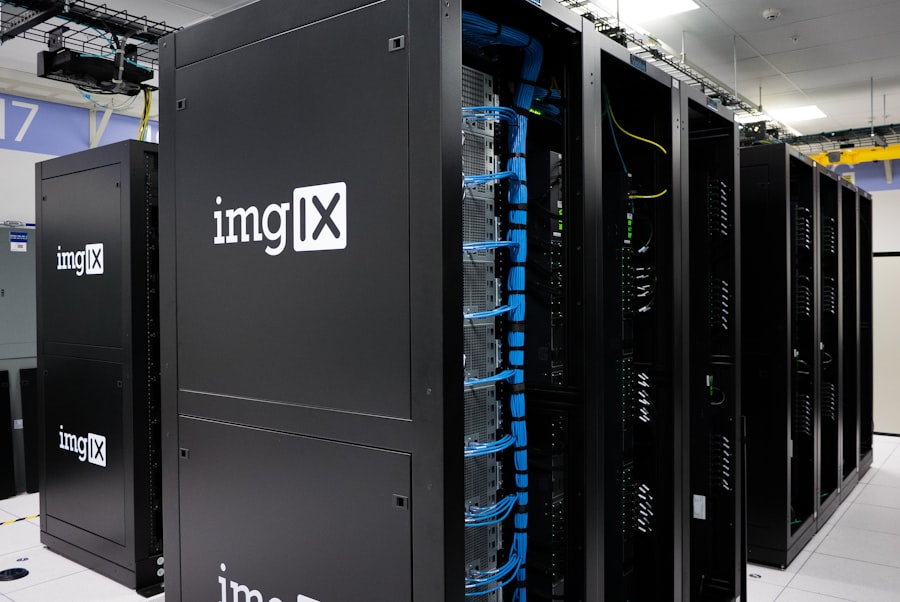
As your small business grows, shared hosting may eventually become restrictive. VPS hosting offers a bridge between shared hosting’s affordability and dedicated hosting’s power.
Benefits of VPS Hosting for Growth
VPS hosting divides a physical server into multiple virtual servers. Each VPS operates as a completely independent server with its own dedicated resources (CPU, RAM, storage) and operating system.
- Dedicated Resources: Unlike shared hosting, your VPS is allocated a specific amount of CPU and RAM that no other user can consume. This eliminates the “noisy neighbor” problem and provides consistent performance.
- Improved Performance and Reliability: With dedicated resources, your website will generally load faster and handle more traffic than on a shared plan. This directly impacts user experience and SEO.
- Increased Control and Customization: You have root access to your VPS. This means you can install custom software, configure server settings, and optimize your environment precisely to your website’s needs. This is a significant advantage for developers or businesses with specific application requirements.
- Enhanced Security: Because your environment is isolated, security breaches on other VPS instances on the same physical server are less likely to affect your website. You have more control over your security protocols.
When to Consider a Budget-Friendly VPS
VPS hosting is not necessary for every small business immediately, but it becomes valuable under specific circumstances.
- Growing Traffic: If your website starts receiving consistent, higher traffic (hundreds to thousands of visitors daily) and you notice performance degradation on shared hosting, a VPS is a logical upgrade.
- Resource-Intensive Applications: Running e-commerce platforms with extensive product catalogs, complex databases, or custom web applications often demands the dedicated resources a VPS provides.
- Specific Software Requirements: If your business needs to install server-side software not available or compatible with shared hosting environments, a VPS provides the flexibility to do so.
- Developer Environments: Developers often prefer VPS for staging or production environments due to the control and dedicated resources.
- Data Security and Compliance: For businesses with stricter data privacy or compliance requirements, the isolated nature of a VPS offers a more controlled security environment.
Accessible VPS Providers
Several providers offer managed or unmanaged VPS options at competitive prices, making them accessible to small businesses.
- DigitalOcean/Vultr (Unmanaged VPS): These are developer-focused cloud providers offering incredibly affordable unmanaged VPS instances (often called “droplets” or “instances”). You get root access and pay hourly, providing immense flexibility. However, “unmanaged” means you are responsible for all server administration, security, updates, and maintenance. This is ideal if you or someone on your team has strong Linux server administration skills.
- Contabo: Offers very high resource allocations (CPU, RAM, storage) for the price, making them attractive for performance-hungry applications on a budget. They provide both unmanaged and semi-managed options. Their data centers are primarily in Europe and the US.
- Hostinger VPS: Extends its budget-friendly approach to VPS hosting. They offer various plans with dedicated resources, SSD storage, and often include a custom control panel (hPanel) or cPanel add-on for easier management, bridging the gap between fully unmanaged and fully managed.
- InMotion Hosting VPS: Offers managed and unmanaged VPS with solid-state drives (SSDs) for faster performance. Their managed plans include server management and security updates, reducing the technical burden on you. They also provide good customer support.
Remember, “budget-friendly” for VPS often refers to the initial monthly cost. Factor in the time commitment required for managing an unmanaged VPS, or the additional cost for a managed service.
Managed WordPress Hosting: Focus on Your Business

If your small business website runs on WordPress, managed WordPress hosting can offer significant advantages, even if it appears slightly pricier than generic shared hosting.
Advantages for WordPress Users
Managed WordPress hosting specializes in optimizing the server environment specifically for WordPress. This niche focus delivers tangible benefits.
- Optimized Performance: Servers are configured with WordPress in mind, utilizing caching technologies (like Nginx, Redis) and resource allocation tailored for WordPress’s dynamic nature. This results in faster loading times for your visitors.
- Enhanced Security: Providers implement WordPress-specific security measures, including malware scanning, firewalls, brute-force protection, and proactive vulnerability patching. They often handle WordPress core updates automatically.
- Automatic Updates and Backups: The hosting company typically manages WordPress core updates, plugin updates, and provides robust daily backups, simplifying maintenance and reducing the risk of downtime.
- Expert Support: Support teams are usually highly knowledgeable about WordPress and can assist with WordPress-specific issues, not just basic server problems.
- Staging Environments: Many providers offer one-click staging environments, allowing you to test website changes, updates, or new plugins in a separate, identical copy of your site before pushing them live to your production site. This minimizes the risk of breaking your live site.
When Managed WordPress is a Smart Investment
While it carries a slightly higher price point, the value proposition often outweighs the cost for many small business owners.
- Time-Sensitive Business Owners: If your time is best spent running your business, not troubleshooting WordPress errors or performing server maintenance, managed hosting frees you from these technical burdens.
- Non-Technical Users: For those who are not comfortable with server administration or WordPress intricacies, managed hosting provides peace of mind and simplifies website management.
- Businesses Prioritizing Performance and Reliability: If your website is crucial for sales, lead generation, or delivering core services, the performance, security, and uptime guarantees of managed WordPress hosting are invaluable.
- E-commerce Stores on WooCommerce: WooCommerce (the e-commerce plugin for WordPress) can be resource-intensive. Managed WordPress hosting provides the optimized environment needed for a smooth online shopping experience.
Noteworthy Managed WordPress Providers
Several providers excel in delivering managed WordPress hosting at different budget points.
- Kinsta/WP Engine (Premium): While not strictly “budget” for single sites, their entry-level plans for agencies or multiple sites can be competitive. They offer enterprise-grade performance, dedicated resources, advanced caching, and truly exceptional support. For businesses where uptime and speed are paramount, these are top-tier choices.
- SiteGround (GrowBig/GoGeek with WordPress focus): As mentioned under shared hosting, SiteGround’s plans are highly optimized for WordPress, offering many managed features like staging, automatic updates, and specialized caching. They are a strong contender for managed WordPress even on their shared plans.
- DreamHost (DreamPress): Their DreamPress plans are a dedicated managed WordPress offering, providing more resources and WordPress-specific optimizations than their standard shared hosting. They offer strong performance, free SSL, and a custom control panel with WordPress features.
- Bluehost (WordPress Pro/Managed WordPress): Bluehost has dedicated managed WordPress plans that go beyond their basic shared offering. These plans provide more resources, enhanced security, marketing tools, and access to unique WordPress themes and plugins. While still budget-conscious, these are a step up in terms of features and performance from their basic shared plans.
When selecting, compare the specific features offered within the “managed” umbrella. Some providers offer extensive management, covering almost everything, while others provide a more semi-managed approach, requiring you to handle some aspects of your site.
When exploring the best hosting solutions for small businesses with a limited budget, it’s essential to consider not only affordability but also the reliability of the service. A related article that can provide valuable insights on maintaining your website’s performance is A Guide on How to Find and Fix 404 Pages. This resource highlights the importance of ensuring that your website remains functional and user-friendly, which is crucial for small businesses aiming to maximize their online presence without overspending.
Cloud Hosting: The Flexible and Resilient Choice
| Hosting Provider | Price | Storage | Bandwidth | Support |
|---|---|---|---|---|
| Bluehost | 2.95/month | 50GB | Unmetered | 24/7 |
| HostGator | 2.75/month | Unmetered | Unmetered | 24/7 |
| SiteGround | 6.99/month | 10GB | 10,000 visits | 24/7 |
Cloud hosting represents a paradigm shift from traditional single-server hosting. Rather than your site residing on one physical server, it leverages a network of interconnected servers.
How Cloud Hosting Differs and Its Advantages
In a cloud hosting environment, your website’s data and resources are distributed across multiple servers, forming a virtual “cloud.”
- Scalability on Demand: This is a key differentiator. If your website experiences an unexpected traffic surge, cloud hosting can automatically allocate additional resources (CPU, RAM) from the network to handle the load, preventing downtime. You pay for what you use, making it very flexible.
- High Availability and Reliability: Because your site isn’t tied to a single physical server, if one server fails, another takes over seamlessly. This provides a high degree of redundancy and uptime.
- Pay-as-You-Go Billing: Many cloud providers bill based on actual resource consumption (CPU cycles, data transfer, storage minutes). This can be cost-effective for websites with fluctuating traffic, as you only pay for the resources you actively utilize.
- Global Reach and Content Delivery Networks (CDNs): Cloud providers often have data centers in multiple geographical locations. This allows you to host your website closer to your target audience, reducing latency and improving loading times. Many integrate with CDNs, which cache your content on servers worldwide.
When Cloud Hosting Makes Sense for Budget-Conscious Businesses
While often associated with large enterprises, cloud hosting has become increasingly accessible for small businesses, especially those with specific needs.
- Fluctuating Traffic: If your business has seasonal peaks, runs viral marketing campaigns, or experiences unpredictable traffic patterns, cloud hosting prevents overspending on dedicated resources during low periods and ensures availability during high-demand times.
- E-commerce with Growth Potential: Online stores, particularly those planning significant growth or running extensive promotions, benefit from the scalability and reliability of cloud hosting. Downtime during a sale is lost revenue.
- Global Audience: If your small business serves customers in different regions, hosting on a cloud platform with global data centers can significantly improve website performance for your international visitors.
- High Performance Requirements: For applications or websites that demand consistent, high performance beyond what shared or basic VPS can offer, cloud hosting provides a robust foundation.
- Disaster Recovery Planning: The distributed nature of cloud hosting inherently improves disaster recovery capabilities, as your data is replicated across multiple servers.
Affordable Cloud Hosting Options
While some large cloud providers can be complex and expensive, several options cater to small business budgets.
- Cloudways: This platform acts as a managed layer over various underlying cloud infrastructure providers (DigitalOcean, Vultr, Linode, AWS, Google Cloud). You get the power and scalability of these giants but with an easy-to-use control panel and managed services (updates, backups, security, support) at a much more accessible price point. This is an excellent choice for non-technical users who want cloud benefits without the complexity.
- SiteGround Cloud: SiteGround offers its own cloud hosting solution, building on its reputation for performance and support. It provides fully managed cloud hosting with scalable resources, dedicated IP, and premium support, making it an attractive option for growing businesses already familiar with SiteGround.
- Linode: Similar to DigitalOcean and Vultr, Linode provides unmanaged cloud VPS instances at competitive prices. They offer a good balance of features and cost for those with server administration skills. They’ve recently focused on user experience improvements, making their platform more accessible.
- A2 Hosting (Cloud VPS): A2 Hosting offers cloud VPS options that provide a good balance of performance, flexibility, and affordability. They emphasize speed and developer-friendly features. They offer both managed and unmanaged options, allowing you to choose your level of technical involvement.
When going with cloud hosting, particularly with providers like Cloudways, review the pricing model carefully. Understand how resource usage translates to your bill, especially concerning data transfer (bandwidth).
Essential Hosting Features You Should Not Compromise On
Regardless of the hosting type you choose, some features are fundamental for any small business website. These are the non-negotiables that ensure your site is professional, secure, and functional.
Speed and Performance Optimization
Your website’s speed is paramount. Slow loading times frustrate visitors, increase bounce rates, and negatively impact your search engine rankings.
- SSD Storage (Solid State Drives): Always opt for hosting plans that use SSDs for storage instead of traditional HDDs (Hard Disk Drives). SSDs are significantly faster, leading to quicker data retrieval and better website performance.
- Caching Mechanisms: Your host should offer server-side caching or provide tools to implement caching plugins (for WordPress, for example). Caching stores frequently accessed data temporarily, allowing your website to load much faster for returning visitors. Look for Nginx, Varnish, Redis, or LiteSpeed Cache integration.
- Content Delivery Network (CDN) Integration: A CDN stores copies of your website’s static content (images, CSS, JavaScript) on servers globally. When a visitor accesses your site, the content is delivered from the closest server, reducing latency and accelerating loading times worldwide. Many hosts include free CDN services (like Cloudflare integration) or offer it as an add-on.
Security Measures
Your website is a business asset; protecting it and your visitors is crucial.
- Free SSL Certificate: This is an absolute must-have. Most reputable hosts now include a free SSL (often Let’s Encrypt). This encrypts data, builds trust, and is a Google ranking factor.
- Firewalls and DDoS Protection: Your host should have robust firewalls in place to block malicious traffic and protect against Distributed Denial of Service (DDoS) attacks, which can overwhelm your server and take your site offline.
- Regular Malware Scanning and Removal: Proactive scanning helps detect and remove malware before it causes significant damage. Some managed hosts include this as part of their service.
- Automated Backups and Easy Restores: Ensure your host provides regular, automated backups (daily is ideal) and, more critically, offers a simple process for you to restore your website from a backup if something goes wrong. Test this process if possible.
Customer Support and Uptime Guarantees
When issues arise, you need reliable help.
- 24/7 Availability: Website issues do not adhere to business hours. Ensure your host offers round-the-clock support via multiple channels (live chat, phone, support tickets).
- Technical Expertise: The support staff should be knowledgeable and able to resolve technical issues efficiently, not just provide canned responses. Read reviews about their support quality.
- Uptime Guarantee: Reputable hosts offer an uptime guarantee, typically 99.9% or higher. This signifies their commitment to keeping your website online. While 100% uptime is unrealistic, a strong guarantee demonstrates accountability.
- Money-Back Guarantee: A good money-back guarantee (30, 60, or 90 days) allows you to test the service without significant financial risk.
By focusing on these core features, you can ensure your small business website has a stable, secure, and fast foundation, regardless of your chosen hosting type or budget constraints. Your website is often the first interaction a potential customer has with your business; it must make a positive and reliable impression.
FAQs
1. What are the key factors to consider when choosing a hosting solution for a small business with a limited budget?
When choosing a hosting solution for a small business with a limited budget, it’s important to consider factors such as cost, reliability, scalability, customer support, and features offered.
2. What are some affordable hosting options for small businesses with limited budgets?
Some affordable hosting options for small businesses with limited budgets include shared hosting, cloud hosting, and VPS (Virtual Private Server) hosting. These options typically offer cost-effective plans with the flexibility to scale as the business grows.
3. How important is reliability and uptime for small businesses when choosing a hosting solution?
Reliability and uptime are crucial for small businesses when choosing a hosting solution. Downtime can result in lost revenue and damage to the business’s reputation, so it’s important to choose a hosting provider with a strong track record of reliability and high uptime guarantees.
4. What features should small businesses look for in a hosting solution to maximize their budget?
Small businesses should look for hosting solutions that offer essential features such as a user-friendly control panel, website builder tools, email hosting, security features, and e-commerce capabilities. These features can help maximize the value of the hosting solution within a limited budget.
5. How can small businesses with limited budgets ensure they receive adequate customer support from their hosting provider?
Small businesses can ensure they receive adequate customer support from their hosting provider by choosing a provider with a reputation for responsive and knowledgeable support. It’s also important to consider the availability of support channels such as phone, email, and live chat, as well as the provider’s commitment to customer satisfaction.









Add comment