
Before embarking on the journey of acquiring a dedicated server, pause and consider the significant undertaking before you. This is not a minor purchase; it is the commissioning of a digital edifice, a cornerstone for your online endeavors. The decision to rent or own a physical machine, solely at your disposal, is a strategic one, requiring a clear understanding of your needs, your ambitions, and your limitations. This guide aims to equip you with the essential considerations, acting as your compass on this vital path.
Harnessing the power of a dedicated server is like having your own private island. You control every aspect, from the architecture to the inhabitants. But before you claim your territory, you must comprehend the scale of your dominion and who, or what, will reside there. A thorough assessment of your current resource utilization is the bedrock of this decision, but it is equally crucial to gaze into the crystal ball and anticipate your future growth.
Assessing Your Current Resource Demands
- Processing Power (CPU): How many computations are your applications performing? Are you running resource-intensive processes like complex data analysis, video rendering, or high-traffic web applications? Understanding your CPU needs involves looking beyond simple core counts to the specific architecture and clock speed that best suits your workload. If your current hosting environment feels sluggish, constantly hitting its CPU limits, this is a red flag signaling the need for more independent processing muscle.
- Memory (RAM): RAM is the short-term memory of your server, crucial for quick access to frequently used data. Applications that handle large datasets, run multiple virtual machines, or require extensive caching will necessitate substantial RAM. Insufficient RAM will lead to your system constantly swapping data to slower storage, creating performance bottlenecks that feel like wading through treacle.
- Storage Capacity and Type: The sheer volume of data you need to store is a primary consideration. This includes website files, databases, application data, backups, and logs. Beyond capacity, the type of storage matters.
- HDD (Hard Disk Drive): Offers higher capacity at a lower cost, suitable for bulk storage where speed is less critical.
- SSD (Solid State Drive): Significantly faster, offering much quicker data read/write speeds. This is essential for applications where latency is a killer, such as databases or transactional websites.
- NVMe SSD: The bleeding edge of SSD technology, offering even higher speeds and lower latency, ideal for the most demanding I/O operations.
- Bandwidth and Network Traffic: How much data will be transferred to and from your server? This is a critical factor for websites with high visitor traffic, streaming services, or large file downloads. Exceeding allocated bandwidth can result in throttling or unexpected charges, significantly impacting your operational costs. Consider your peak traffic expectations rather than just your average.
Projecting Future Growth and Scalability
Your business is unlikely to remain static. What is sufficient today might be a distant memory tomorrow.
- Anticipating User Growth: If your online service is gaining traction, you must accommodate an increasing number of users. This will directly translate to higher demands on CPU, RAM, and bandwidth. A dedicated server allows for more predictable scaling than shared environments, but you must plan its expansion.
- New Applications and Services: Are you planning to launch new features, expand your product line, or integrate new software? Each of these additions will place new demands on your server’s resources. It’s prudent to factor in potential future resource allocation for these anticipated developments.
- Data Expansion: As your business grows, so too will your data. Databases will swell, logs will accumulate, and the need for archival storage will increase. Your storage strategy needs to be robust enough to handle this organic growth without requiring immediate upgrades.
Before making a decision on purchasing a dedicated server, it’s essential to consider various factors that can impact your choice. For a deeper understanding of the intricacies involved in selecting the right server for your needs, you might find it helpful to read the article titled “What You Should Know Before Buying a Dedicated Server” available at Hostings House Blog. This resource provides valuable insights and tips that can guide you through the process, ensuring you make an informed decision that aligns with your business requirements.
Evaluating Performance and Uptime Requirements
A dedicated server is your digital powerhouse, your operational engine. Its performance and reliability are paramount, akin to the precision of a finely tuned timepiece. You cannot afford for it to falter or to miss a beat.
Understanding “Uptime”
- The Ideal of 100% Uptime: In theory, every second your server is operational is a second of potential revenue or service. However, 100% uptime is an aspirational goal, practically unachievable due to maintenance, hardware failures, and unexpected events.
- Service Level Agreements (SLAs): When considering a dedicated server provider, scrutinize their SLA. This contract defines the guaranteed uptime percentage and the compensation you will receive if they fail to meet it. For mission-critical applications, an SLA of 99.9% or higher is essential. Even a small percentage difference in uptime can translate to hours or even days of downtime over a year, which can have devastating financial and reputational consequences.
- Factors Affecting Uptime: Understand what the SLA doesn’t cover. Planned maintenance, your own misconfigurations, or attacks against your server are typically your responsibility. The provider’s commitment is to the underlying infrastructure and their ability to keep it running.
Performance Metrics You Should Care About
- Latency: This is the time it takes for data to travel from the user to your server and back. High latency can make your website feel sluggish and unresponsive, frustrating users and potentially driving them to competitors. Factors like geographic location of the server and the network infrastructure play a significant role.
- Throughput: This refers to the amount of data that can be transferred over a period of time. It’s often measured in bits per second (bps), kilobits per second (Kbps), megabits per second (Mbps), or gigabits per second (Gbps). High throughput is essential for applications that handle large volumes of data, such as streaming services or file transfer protocols.
- IOPS (Input/Output Operations Per Second): This metric measures the number of read and write operations a storage device can perform per second. It’s particularly important for database-intensive applications where frequent data access is required. Higher IOPS indicate a more responsive storage system.
- Response Time: This is the total time it takes for your server to process a request and send a response. It encompasses network latency, server processing time, and disk I/O. Optimizing response time is critical for user experience.
Considering Control and Customization Options
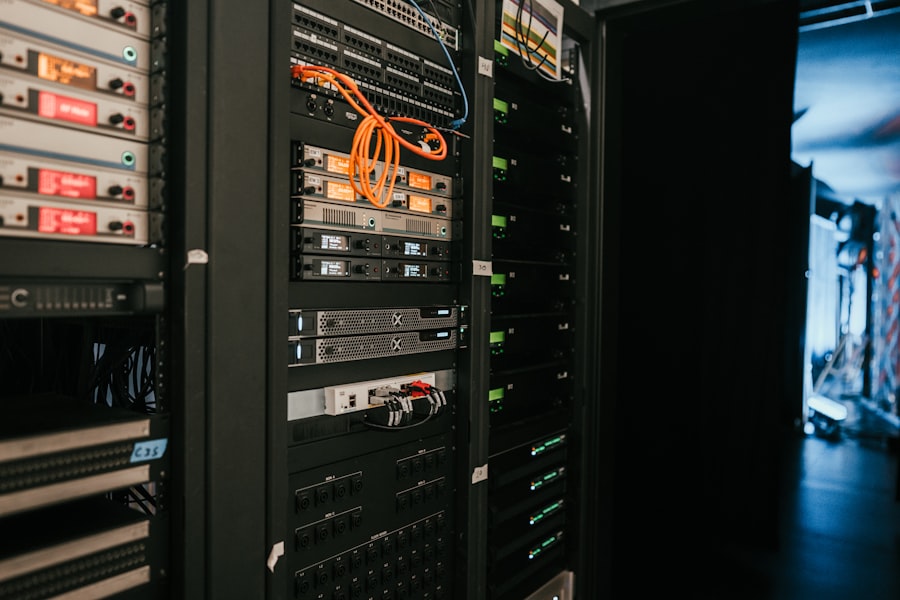
A dedicated server grants you the keys to the kingdom of your digital infrastructure. This level of control is both empowering and demanding. It’s akin to owning a classic car; you have the freedom to modify and tune it to your exact specifications, but you are also responsible for its maintenance and upgrades.
Operating System Choice
- Linux vs. Windows Server: This is often the first and most fundamental decision.
- Linux Distributions (e.g., Ubuntu, CentOS, Debian): Known for their stability, security, and open-source nature. They are highly customizable and popular for web servers, database servers, and development environments. The vast majority of web hosting infrastructure runs on Linux.
- Windows Server: Essential if your applications are built on the Microsoft stack, such as .NET applications, ASP.NET, or require specific Microsoft SQL Server functionalities. It offers a familiar graphical interface for those accustomed to Windows environments.
- Managed vs. Unmanaged:
- Unmanaged Dedicated Server: You are responsible for every aspect of server administration, including OS installation, patching, security hardening, software installation, and troubleshooting. This offers maximum control and potential cost savings but requires significant technical expertise.
- Managed Dedicated Server: The provider handles routine system administration tasks, such as OS updates, security monitoring, backups, and basic troubleshooting. This is an excellent option for those who need the power of a dedicated server but lack the in-house expertise to manage it effectively. You trade a degree of granular control for convenience and peace of mind.
Software and Application Stack
- Freedom to Install Anything: With a dedicated server, you are not constrained by the software limitations of shared or virtualized environments. You can install any compatible software or application your business requires. This includes custom-built applications, specialized databases, or specific development tools.
- Configuration and Optimization: You have the unfettered ability to configure and optimize your software stack for peak performance. This might involve fine-tuning web server configurations (e.g., Apache, Nginx), optimizing database settings, or implementing caching mechanisms tailored to your specific needs.
- Security Policies: You are in complete control of your security posture. This means you can implement custom firewall rules, intrusion detection systems, and other security measures aligned with your organization’s policies and regulatory requirements.
Analyzing Security and Backup Strategies
In the digital realm, security is not an afterthought; it is the very foundation upon which your operations rest. A dedicated server, while offering more isolation, still requires vigilant protection, just as a fortress needs its gates and guards. Backups are your insurance policy against the unforeseen.
Implementing Robust Security Measures
- Physical Security: Dedicated servers are housed in data centers, which generally have stringent physical security measures. However, your responsibility lies in hardening the software.
- Network Security:
- Firewalls: Configured to permit only necessary traffic and block malicious requests. You have the ability to set up sophisticated firewall rules.
- Intrusion Detection/Prevention Systems (IDS/IPS): Tools to monitor network traffic for suspicious activity and potentially block it.
- DDoS Mitigation: While providers often offer some level of DDoS protection, you might need to implement additional measures or subscribe to specialized services depending on the threat landscape you face.
- Server Hardening: This involves configuring your operating system and applications to minimize vulnerabilities. This includes:
- Regular Patching and Updates: Keeping your OS and all installed software up-to-date is non-negotiable.
- Strong Password Policies and Access Control: Implementing robust authentication and authorization mechanisms.
- Disabling Unnecessary Services: Reducing the attack surface by turning off any services that are not actively being used.
- Secure Configuration of Services: Ensuring all running services are configured with security best practices in mind.
- Malware Protection: Implementing anti-malware solutions to scan for and remove malicious software.
- SSL/TLS Certificates: Essential for encrypting data transmitted between your server and users, particularly crucial for e-commerce and sensitive information.
The Imperative of Data Backups
- Frequency and Retention: How often will you back up your data? For critical data, daily or even hourly backups might be necessary. How long will you retain these backups? This depends on your recovery point objectives (RPO) and any regulatory compliance requirements.
- Backup Types:
- Full Backups: Copying all data. Time-consuming but provides a complete restoration point.
- Incremental Backups: Only backing up data that has changed since the last backup (full or incremental). Faster and uses less storage.
- Differential Backups: Backing up all data that has changed since the last full backup.
- Backup Location: Storing backups off-site or in a separate location from your primary server is crucial. This protects your data in case of a catastrophic failure at the primary data center.
- Testing Your Backups: A backup is useless if it cannot be restored. Regularly test your backup and restore process to ensure its integrity and your ability to recover data when needed. The most common mistake is assuming a backup is functional without ever attempting a restore.
Before making the decision to invest in a dedicated server, it’s essential to understand the various factors that can influence your choice. For a comprehensive overview of how dedicated servers can enhance your website’s performance, you might find this article particularly useful. It delves into the benefits and considerations of dedicated hosting, which can help you make an informed decision. To explore this topic further, check out this insightful article that discusses how to unleash your website’s full potential with dedicated servers.
Weighing Cost and Budgetary Implications
| Metric | Description | Considerations |
|---|---|---|
| Processor (CPU) | Type and speed of the server’s CPU | Choose based on workload; multi-core for multitasking, high clock speed for single-threaded tasks |
| RAM | Amount of memory available | More RAM improves performance for applications and databases; consider future growth |
| Storage Type | HDD vs SSD | SSD offers faster read/write speeds; HDD offers more storage at lower cost |
| Storage Capacity | Total disk space available | Estimate based on data needs and backups |
| Bandwidth | Data transfer limit per month | Higher bandwidth needed for high traffic or large file transfers |
| Network Speed | Connection speed to the internet | Look for 1 Gbps or higher for better performance |
| Uptime Guarantee | Percentage of guaranteed server availability | Look for 99.9% or higher for critical applications |
| Security Features | Firewall, DDoS protection, and monitoring | Essential for protecting data and maintaining uptime |
| Managed vs Unmanaged | Level of server management provided | Managed servers include support and maintenance; unmanaged require technical expertise |
| Scalability | Ability to upgrade resources | Important for growing businesses to avoid downtime during upgrades |
| Support | Availability and quality of customer support | 24/7 support recommended for mission-critical servers |
The allure of a dedicated server is its power, but power comes at a price. Understanding the financial landscape is as vital as understanding the technical intricacies. This is a significant investment, and you must ensure it aligns with your financial capacity and strategic goals.
Upfront vs. Ongoing Costs
- Initial Setup Fees: Some providers may charge a one-time fee for setting up the server and initial configuration.
- Monthly or Annual Rental Fees: This is the primary ongoing cost, which varies significantly based on the server’s specifications, the provider, and the included services.
- Bandwidth Overage Charges: Exceeding your allocated bandwidth can lead to substantial unexpected costs. Be sure to understand the pricing structure for overages.
- Managed Services Fees: If you opt for a managed dedicated server, this will add to the monthly cost, reflecting the provider’s labor and expertise.
- Software Licensing: Some software, particularly Windows Server or specific control panels, may require separate licensing fees.
Budgeting for Scalability and Unexpected Needs
- Contingency Fund: It is wise to include a buffer in your budget for unexpected hardware failures, traffic spikes, or the need for additional resources.
- Future Upgrade Costs: Factor in the potential cost of upgrading your server’s RAM, CPU, or storage as your business grows. While dedicated servers offer upgrade paths, these usually involve downtime and additional expense.
- Managed Services Evolution: As your needs change, your managed service requirements might also evolve, potentially impacting costs.
Comparing Provider Pricing and Value
- Don’t Chase the Lowest Price: The cheapest option is not always the best. Consider the overall value, including the quality of hardware, the reliability of the network, the responsiveness of customer support, and the comprehensiveness of the SLA.
- Understanding What’s Included: Scrutinize what is included in the base price. Some providers may offer attractive base prices but charge extra for essential features like a control panel, additional IP addresses, or more robust monitoring.
- Long-Term Contracts: While longer contracts might offer lower monthly rates, ensure you are comfortable with the commitment. Flexibility can be worth a slightly higher short-term cost if your business needs are rapidly evolving.
By carefully considering these facets, you will be well-prepared to make an informed decision on a dedicated server that will serve as a robust and reliable engine for your digital ambitions. This journey requires diligence, foresight, and a clear understanding of your own digital landscape.
FAQs
What is a dedicated server?
A dedicated server is a physical server exclusively allocated to a single user or organization, providing full control over its resources, including CPU, RAM, storage, and bandwidth.
How does a dedicated server differ from shared hosting?
Unlike shared hosting, where multiple users share the same server resources, a dedicated server offers exclusive access to all hardware and software resources, resulting in better performance, security, and customization.
What factors should I consider before purchasing a dedicated server?
Key factors include the server’s hardware specifications (CPU, RAM, storage type and capacity), bandwidth and network speed, security features, server management options, uptime guarantees, and the provider’s customer support.
Is technical expertise required to manage a dedicated server?
Managing a dedicated server typically requires technical knowledge, especially if opting for an unmanaged server. However, many providers offer managed services where they handle maintenance, updates, and security.
What are the typical use cases for dedicated servers?
Dedicated servers are ideal for high-traffic websites, large databases, gaming servers, applications requiring high performance and security, and businesses needing full control over their hosting environment.









Add comment