

Choosing the right web hosting is a crucial step for any local shop or service company looking to establish a strong online presence. It’s the foundation upon which your entire digital storefront is built, influencing everything from website speed and reliability to security and search engine visibility. Don’t underestimate its importance; a poorly chosen host can lead to frustration, lost customers, and ultimately, missed business opportunities. This guide will walk you through the essential considerations to help you make an informed decision and select the best hosting for your local business.
Before you even start looking at hosting providers, you need to understand what your business actually needs. This isn’t a one-size-fits-all situation. The ideal hosting for a small, single-location bakery will be vastly different from that of a plumbing company serving an entire region. Take some time to honestly assess your current and future requirements.
Your Website’s Purpose and Functionality
What do you want your website to achieve? This is the most fundamental question.
Information Hub
Is your primary goal to simply provide basic information about your business – your address, phone number, operating hours, and a brief description of your services? If so, your needs will be relatively modest. You won’t need massive storage or high-bandwidth capabilities.
E-commerce Platform
Are you planning to sell products directly through your website? This significantly changes your hosting requirements. You’ll need a host that can handle online transactions securely, manage product catalogs, process payments, and potentially deal with fluctuating traffic during sales or promotions.
Appointment Booking and Scheduling
If your business relies on appointments (think salons, therapists, mechanics), you’ll need a website that integrates seamlessly with booking systems. This can put a strain on server resources, especially if you have a high volume of bookings.
Lead Generation and Contact Forms
Even if you’re not selling online, you likely want customers to be able to contact you easily. Robust contact forms and potentially even live chat features can increase customer engagement but also require reliable server performance.
Your Expected Traffic Volume
How many people do you anticipate visiting your website? Be realistic here.
Low Traffic (Under 100 visitors per day)
If you’re just starting out or have a very niche local business, you might expect minimal traffic. In this scenario, even the most basic hosting plans can suffice.
Moderate Traffic (100-500 visitors per day)
As your business grows and your online marketing efforts gain traction, you’ll likely see a steady increase in visitors. You’ll want a hosting solution that can handle this moderate load without slowing down.
High Traffic (500+ visitors per day)
If you’re a popular local establishment or run targeted online advertising campaigns, you might anticipate significant traffic. This will necessitate more robust hosting to ensure a smooth user experience. Consider the potential for traffic spikes during holidays or special events.
Your Technical Expertise
How comfortable are you with managing server settings, databases, and website maintenance? Your technical proficiency will influence the type of hosting you should consider.
Beginner-Friendly Needs
If you’re not tech-savvy, you’ll want a hosting provider that offers a user-friendly control panel (like cPanel or Plesk), excellent customer support, and managed services. This means the provider handles much of the technical heavy lifting for you.
Intermediate to Advanced Users
If you have some technical knowledge, you might be comfortable with more hands-on control, potentially even using the command line. This opens up more options, including unmanaged servers where you have full control but also full responsibility.
When selecting hosting for a local shop or service company, it’s crucial to consider not only the type of hosting but also the performance aspects that can impact your online presence. For instance, upgrading to faster NVMe storage can significantly enhance your website’s loading speed and overall performance, making it a vital consideration for businesses aiming to provide an optimal user experience. To learn more about the benefits of NVMe storage for business plans, you can read this informative article: Upgrade to Faster NVMe Storage for Business Plans.
Exploring Hosting Types: Finding the Right Fit for Your Business
Once you’ve clarified your needs, it’s time to delve into the different types of web hosting available. Each has its own advantages and disadvantages, and understanding them will help you make the best choice for your local business.
Shared Hosting: The Budget-Friendly Starting Point
Shared hosting is the most common and affordable option for small businesses, especially those just launching their online presence. As the name suggests, you share a server’s resources (CPU, RAM, disk space) with many other websites.
Pros of Shared Hosting
- Cost-Effective: This is the biggest advantage. It’s significantly cheaper than other hosting types, making it ideal for businesses with limited budgets.
- Easy to Use: Most shared hosting providers offer user-friendly control panels, making it simple to manage your website, emails, and domains.
- Managed Environment: The hosting provider typically handles server maintenance, security updates, and software patches, reducing your technical burden.
- Good for Low to Moderate Traffic: For businesses with a modest online audience, shared hosting is usually sufficient to handle the load.
Cons of Shared Hosting
- Performance Limitations: Because you’re sharing resources, your website’s speed and performance can be affected by the activity of other websites on the same server. “Noisy neighbors” can slow you down.
- Security Risks: While providers implement security measures, the shared nature means a security breach on one site could potentially impact others.
- Limited Customization: You have less control over server configurations and software installations compared to other hosting types.
- Scalability Issues: While some providers offer easy upgrades, significantly increasing traffic might eventually outgrow the limitations of shared hosting.
Virtual Private Server (VPS) Hosting: A Step Up in Power and Control
A Virtual Private Server (VPS) offers a good balance between the affordability of shared hosting and the power and control of a dedicated server. It essentially divides a physical server into multiple virtual servers, each with its own dedicated resources (CPU, RAM, storage).
Pros of VPS Hosting
- Dedicated Resources: You get a guaranteed allocation of CPU, RAM, and disk space, meaning your website’s performance won’t be as heavily impacted by other users.
- Improved Performance: Generally, VPS hosting offers better speed and reliability than shared hosting, crucial for e-commerce and feature-rich websites.
- Greater Control and Customization: You have more freedom to install custom software, configure server settings, and manage your environment.
- Enhanced Security: Your virtual server is isolated from others, offering a better level of security.
- Scalability: VPS plans are often designed to be scalable, allowing you to upgrade your resources as your business grows.
Cons of VPS Hosting
- Higher Cost: VPS hosting is more expensive than shared hosting, though still more affordable than dedicated servers.
- Requires More Technical Knowledge: While many providers offer managed VPS options, unmanaged VPS requires you to have a good understanding of server administration.
- Potential for Misconfiguration: If not managed correctly, misconfigurations can lead to security vulnerabilities or performance issues.
Cloud Hosting: Flexible, Scalable, and Reliable
Cloud hosting utilizes a network of interconnected servers, allowing your website’s resources to be distributed across multiple machines. This offers exceptional flexibility, scalability, and reliability.
Pros of Cloud Hosting
- High Scalability and Flexibility: You can easily scale your resources up or down on demand, paying only for what you use. This is ideal for businesses with fluctuating traffic or seasonal peaks.
- Excellent Reliability and Uptime: If one server in the network fails, your website can automatically be served from another, ensuring minimal downtime.
- Performance: Cloud hosting can offer very high performance, as resources are dynamically allocated.
- Pay-as-You-Go Pricing: Many cloud hosting providers offer flexible pricing models, which can be cost-effective if your resource needs vary.
Cons of Cloud Hosting
- Can Be Complex to Manage: Depending on the provider and the specific cloud platform, managing cloud resources can be more complex than traditional hosting.
- Cost Can Fluctuate: While pay-as-you-go can be beneficial, unpredictable traffic spikes can lead to unexpected billing increases if not managed carefully.
- Vendor Lock-in: Moving your website from one cloud provider to another can sometimes be challenging.
Managed WordPress Hosting: Optimized for the Most Popular CMS
If your local business relies on WordPress for its website, consider specialized managed WordPress hosting. These providers optimize their servers specifically for WordPress, offering enhanced performance, security, and support.
Pros of Managed WordPress Hosting
- Optimized Performance: Servers are fine-tuned for WordPress, leading to faster loading times and a better user experience.
- Enhanced Security: Providers often include advanced security measures, automatic malware scanning, and regular backups.
- Expert WordPress Support: You get access to support staff who are knowledgeable about WordPress, helping you troubleshoot issues quickly.
- Automatic Updates: WordPress core, themes, and plugins are often updated automatically, saving you time and effort.
- Staging Environments: Many offer staging sites, allowing you to test changes before deploying them live.
Cons of Managed WordPress Hosting
- Higher Cost: Typically more expensive than general shared hosting.
- Less Flexibility: You might have less freedom to install certain plugins or make deep server-level customizations.
- WordPress-Centric: Only suitable if your website is built on WordPress.
Key Factors to Evaluate When Choosing a Provider

Beyond the types of hosting, there are several critical factors you must consider when evaluating specific hosting providers. Don’t just look at price; dig deeper to ensure the provider aligns with your business’s needs and values.
Reliability and Uptime Guarantees
Your website needs to be accessible to your customers whenever they need it.
Understanding Uptime Metrics
- What is Uptime? Uptime refers to the percentage of time your website is operational and accessible on the internet.
- The Importance of 99.9% or Higher: Aim for providers that guarantee 99.9% uptime or higher. This translates to minimal downtime over a year. Even a small percentage of downtime can result in lost customers and revenue for a local business.
- Read the Fine Print: Understand what the uptime guarantee actually covers. Some guarantees exclude scheduled maintenance.
Speed and Performance
Website speed is not just about user experience; it’s a significant ranking factor for search engines like Google.
Factors Affecting Website Speed
- Server Location: Choose a provider with data centers geographically close to your primary customer base. This reduces latency.
- SSD Storage: Solid-State Drives (SSDs) are significantly faster than traditional Hard Disk Drives (HDDs) for data retrieval.
- Caching Mechanisms: Providers that offer built-in caching solutions can significantly speed up page loading times.
- Content Delivery Network (CDN): A CDN distributes your website’s static content (images, CSS, JavaScript) across multiple servers globally, delivering it to visitors from the closest server.
Security Features and Protocols
Protecting your website and customer data is paramount, especially if you handle sensitive information.
Essential Security Measures
- SSL Certificates: Essential for encrypting data transmitted between your website and visitors. Look for providers that offer free SSL certificates (often Let’s Encrypt) or easy integration.
- Firewalls and Intrusion Detection: Robust network security measures to protect against malicious attacks.
- DDoS Protection: Distributed Denial of Service attacks can bring your website down. Ensure your host offers protection.
- Malware Scanning and Removal: Regular scans to detect and remove malicious software.
- Regular Backups: Automatic and frequent backups are crucial. Ensure you can easily restore your website if something goes wrong.
Customer Support and Technical Assistance
When something goes wrong, you need reliable and responsive support.
What to Look For in Support
- Availability: Is support available 24/7? What channels are offered (phone, live chat, email, tickets)?
- Responsiveness: How quickly do they typically respond to inquiries?
- Knowledge Base and Documentation: A comprehensive knowledge base can help you solve common issues yourself.
- Expertise: Does their support team have the technical expertise to help you with your specific needs? For WordPress users, look for WordPress-specific support.
Scalability and Future Growth
Your business is not static, and your hosting shouldn’t be either.
Planning for Growth
- Easy Upgrade Paths: Can you easily upgrade your hosting plan (e.g., from shared to VPS, or to a higher-tier VPS) as your traffic or resource needs increase?
- Resource Management: Does the provider offer tools to monitor your resource usage, allowing you to anticipate when you might need to scale?
- Cost of Scaling: Understand the pricing structure for upgrading your plan to avoid unexpected expenses.
Evaluating Specific Hosting Providers: A Comparative Approach
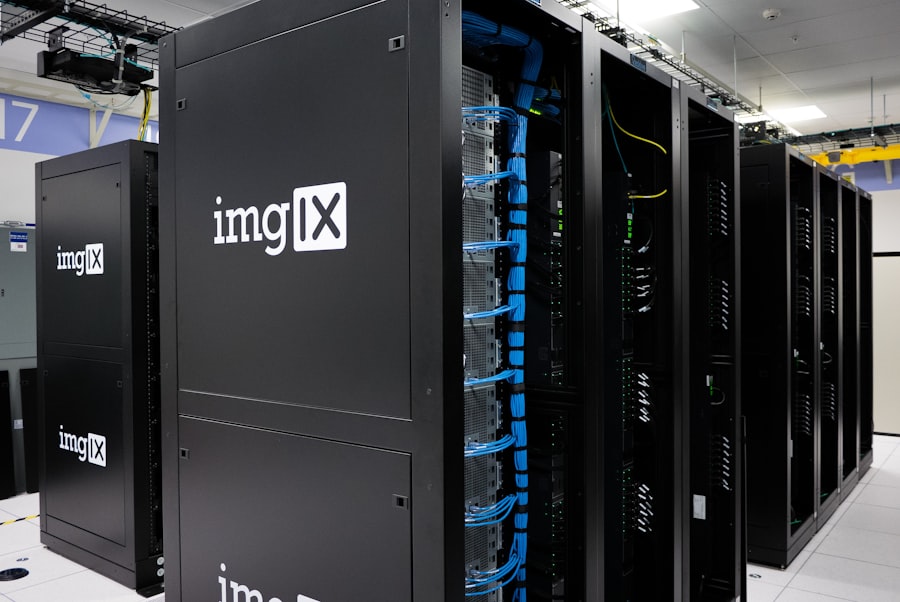
Now that you know what to look for, it’s time to start comparing actual hosting providers. Don’t fall for marketing hype; conduct thorough research and read reviews.
Researching and Comparing Providers
- Read Independent Reviews: Look for unbiased reviews from reputable tech websites and user forums. Pay attention to common complaints and praises.
- Check for Special Offers: Many providers offer introductory discounts, but be aware of renewal rates.
- Consider Your Budget: While price is a factor, it shouldn’t be the only factor. A cheap host that’s unreliable will cost you more in the long run.
- Look for Local or Niche Providers: Sometimes, smaller, more specialized providers can offer superior customer service and tailored solutions for local businesses.
Understanding Pricing Structures and Hidden Fees
The advertised price is rarely the final price.
Common Pricing Pitfalls
- Introductory vs. Renewal Rates: Many providers offer significant discounts for the first billing period, but renewal rates can be substantially higher.
- Add-on Costs: Be mindful of additional costs for features like website builders, email accounts, domain privacy, or extra security measures.
- Contract Lengths: Longer contracts often come with lower monthly rates, but can tie you into a service you might later outgrow or be unhappy with.
- Data Transfer and Storage Limits: Understand the limits on bandwidth and disk space. Exceeding these can incur hefty overage charges.
Free Trials and Money-Back Guarantees
| Factors to Consider | Importance |
|---|---|
| Uptime and Reliability | High |
| Speed and Performance | High |
| Customer Support | High |
| Security Features | High |
| Scalability | Medium |
| Cost | Medium |
| Location of Data Centers | Low |
A good hosting provider will stand by their service.
Utilizing Guarantees
- Test the Waters: A free trial allows you to test the hosting environment, control panel, and support without financial commitment.
- Risk-Free Exploration: A money-back guarantee provides a safety net if you find the service doesn’t meet your expectations after signing up. Ensure you understand the terms and conditions of the guarantee.
When selecting the right hosting for your local shop or service company, it’s essential to consider various factors that can impact your online presence. A related article that provides valuable insights on establishing an online platform is available here, where you can learn about the steps to take when starting a blog in 2023. Understanding these elements can help you make informed decisions that enhance your business’s visibility and customer engagement.
Making the Final Decision and Setting Up Your Hosting
You’ve done your research, compared providers, and have a shortlist. Now it’s time to make the final choice and get your website online.
The Setup Process
- Domain Name Registration: You’ll need a domain name (your website’s address, like yourbusiness.com). You can often register this through your hosting provider or a separate registrar.
- Choosing Your Plan: Select the hosting plan that best aligns with your current needs and anticipated growth.
- Installation and Configuration: Most providers offer one-click installations for popular content management systems (like WordPress). For more technical setups, follow the provider’s guides.
Migrating an Existing Website
If you already have a website, you’ll need to migrate it to your new host.
Migration Strategies
- Provider Assistance: Many hosting providers offer free website migration services, especially when you’re moving from a competitor. This can save you a lot of hassle.
- DIY Migration: If you have technical skills, you can migrate your website yourself by backing up your existing files and database and uploading them to the new server.
- Using Migration Plugins: For WordPress, various plugins can assist with the migration process.
Ongoing Management and Optimization
Hosting isn’t a set-it-and-forget-it service.
Post-Setup Essentials
- Regular Backups: Ensure your backup system is functioning correctly and that you know how to restore your site.
- Security Monitoring: Keep an eye on security alerts and updates.
- Performance Monitoring: Periodically check your website’s speed and make adjustments as needed.
- Stay Informed: Keep up-to-date with your hosting provider’s announcements and any changes to their services.
By carefully considering your needs, understanding the different hosting options, and diligently evaluating providers, you can select a hosting solution that serves as a reliable and powerful foundation for your local shop or service company’s online success. This investment in quality hosting will pay dividends in terms of customer satisfaction, search engine visibility, and ultimately, business growth.
FAQs
1. What factors should I consider when choosing hosting for a local shop or service company?
When choosing hosting for a local shop or service company, consider factors such as website speed, uptime, security, customer support, scalability, and pricing.
2. How important is website speed for a local shop or service company?
Website speed is crucial for a local shop or service company as it directly impacts user experience, search engine rankings, and overall customer satisfaction.
3. What type of hosting is recommended for a local shop or service company?
For a local shop or service company, it is recommended to choose a reliable and secure hosting provider that offers shared hosting, VPS hosting, or managed WordPress hosting based on the specific needs and budget of the business.
4. What security measures should I look for in a hosting provider for my local shop or service company?
When choosing a hosting provider for a local shop or service company, look for features such as SSL certificates, regular backups, malware scanning, firewalls, and secure data centers to ensure the security of your website and customer data.
5. How can I ensure that the hosting provider offers good customer support for my local shop or service company?
To ensure good customer support from a hosting provider, look for 24/7 availability, multiple support channels (such as phone, email, and live chat), knowledgeable and responsive support staff, and positive customer reviews.









Add comment