

We’ve all been there – navigating the complex, ever-evolving landscape of enterprise IT infrastructure. As our businesses grow, so too does our need for robust, reliable, and scalable hosting solutions. For many of us, especially those grappling with increasing traffic, heightened security demands, or specialized application requirements, shared hosting or even virtual private servers (VPS) simply won’t cut it anymore. This is where dedicated server hosting steps in, offering a level of control, performance, and security that’s hard to beat. In this comprehensive guide, we’ll delve deep into the world of dedicated servers, exploring why they’re the ultimate choice for enterprises and how we can make the most of them.
When we discuss enterprise-level operations, we’re talking about businesses with significant online presence, processing vast amounts of data, running critical applications, and often serving a global customer base. For us, downtime isn’t just an inconvenience; it’s a direct hit to our reputation and bottom line. Scalability isn’t a luxury; it’s a necessity for adapting to market demands. Security isn’t an afterthought; it’s a foundational pillar. This is precisely why we find dedicated server hosting to be an indispensable asset.
Unparalleled Performance and Resource Isolation
One of the most compelling reasons we opt for dedicated servers is the assurance of having exclusive access to all server resources. Unlike shared hosting, where we’re sharing CPU cycles, RAM, and disk I/O with numerous other tenants, a dedicated server means all those powerful components are solely ours. This translates directly into uncompromising performance.
- Consistent High Speeds: We experience minimal latency and maximum throughput, which is crucial for data-intensive applications, e-commerce platforms during peak seasons, and high-traffic content delivery.
- Guaranteed Resource Availability: No “noisy neighbours” consuming our allocated resources. Our applications run smoothly and predictably, regardless of what other clients on the same host are doing.
- Optimized Workloads: We can fine-tune the server environment precisely to the specifications of our applications, ensuring optimal performance for highly specialized software or databases.
Enhanced Security Measures
Security is paramount for us, especially when dealing with sensitive customer data, proprietary information, and mission-critical applications. Dedicated servers offer a substantial leap in security compared to other hosting options.
- Physical Isolation: Our server is physically separate from others, reducing the risk of cross-contamination from other users’ security breaches.
- Custom Security Configurations: We have root access, allowing us to implement granular security policies, choose our preferred firewalls, intrusion detection systems (IDS), and anti-malware software without restrictions.
- Dedicated IP Addresses: We get one or more dedicated IP addresses, which can improve email deliverability and SEO, and minimize risks associated with shared IPs.
- Compliance Requirements: For industries with stringent regulatory requirements (e.g., HIPAA, GDPR, PCI DSS), dedicated servers provide the isolated environment and control needed to achieve and maintain compliance.
Ultimate Control and Customization
The level of control we gain with a dedicated server is what truly sets it apart for enterprise use. We’re not limited by the hosting provider’s pre-configured environments.
- Root/Administrator Access: We have full administrative access to the server, allowing us to install any operating system (Linux distribution, Windows Server), software stack, or control panel we desire.
- Operating System Choice: We can select the OS that best suits our application requirements and development team expertise, be it CentOS, Ubuntu, Debian, Windows Server, etc.
- Software Stack Flexibility: From web servers like Apache, Nginx, LiteSpeed to database systems like MySQL, PostgreSQL, MSSQL, or specialized applications, we have the freedom to configure everything exactly as needed.
- Hardware Customization: Often, we can even specify the hardware components – CPU type, RAM capacity, storage drives (HDD/SSD/NVMe), and network interface cards – to perfectly match our performance needs.
Scalability for Growth
While the initial setup of a dedicated server provides a fixed set of resources, the underlying infrastructure and our control over it allow for significant vertical scalability.
- Hardware Upgrades: As our resource needs grow, we can easily upgrade CPU, RAM, or storage drives without migrating to a completely new server (often requiring just a simple reboot).
- Horizontal Scaling Readiness: Although dedicated servers are a form of vertical scaling, they lay the groundwork for effective horizontal scaling strategies. We can easily add more dedicated servers to our infrastructure to distribute load and build highly available, fault-tolerant architectures.
- Resource Monitoring and Planning: With full control, we can meticulously monitor resource utilization and proactively plan for upgrades or additional servers before performance bottlenecks impact our users.
For enterprises considering dedicated server hosting, it’s essential to understand the various benefits that dedicated servers can offer, particularly in the context of e-commerce. A related article that delves into this topic is titled “The Advantages of Dedicated Servers for E-Commerce Websites,” which highlights how dedicated servers can enhance performance, security, and scalability for online businesses. You can read more about it by visiting this link: The Advantages of Dedicated Servers for E-Commerce Websites.
Identifying Our Enterprise’s Specific Needs
Before we even begin looking at dedicated server providers, the most crucial step is for us to conduct a thorough internal assessment. We need to clearly define our enterprise’s unique requirements, as these will dictate the optimal server configuration and hosting solution. Without this clarity, we risk overspending or under-provisioning.
Application Workload Analysis
What applications will we primarily be running on this server? The answer to this question profoundly impacts our hardware and software choices.
- CPU-Intensive Applications: If we’re running complex calculations, machine learning models, video encoding, or heavy database queries, we’ll need servers with powerful, multi-core CPUs and high clock speeds.
- Memory-Intensive Applications: Databases (especially in-memory), large-scale analytics, and certain big data applications demand significant amounts of RAM. We should consider ECC (Error-Correcting Code) RAM for mission-critical operations to prevent data corruption.
- Storage-Intensive Applications: For applications with high I/O needs – frequent read/write operations, large file storage, or high-transaction databases – we’ll focus on high-speed NVMe SSDs or well-configured RAID arrays for both performance and data redundancy.
- Network-Intensive Applications: If we anticipate high inbound/outbound traffic, such as for content delivery networks (CDNs), video streaming, or heavy API traffic, a robust network interface and high bandwidth allocation are critical.
Data Storage Requirements
How much data do we plan to store, and what are its redundancy and access speed requirements?
- Storage Type:
- HDDs (Hard Disk Drives): Cost-effective for bulk storage where speed isn’t the absolute priority. Good for backups or archival.
- SATA SSDs (Solid State Drives): Offer a significant speed boost over HDDs at a reasonable price point. Suitable for general-purpose applications and databases.
- NVMe SSDs (Non-Volatile Memory Express): The fastest storage available, ideal for high-performance databases, critical applications, and low-latency requirements.
- RAID Configurations: For data redundancy and performance, we must implement RAID.
- RAID 0 (Stripping): Maximum performance, no redundancy. Risky for critical data.
- RAID 1 (Mirroring): Excellent redundancy, but half the storage capacity. Writes to two disks simultaneously.
- RAID 5/6 (Stripping with Parity): Good balance of performance, capacity, and redundancy. Can withstand one (RAID 5) or two (RAID 6) drive failures.
- RAID 10 (Striped Mirrors): Best of both worlds for performance and fault tolerance, but uses half the total disk capacity. Often our preferred choice for critical databases.
Security and Compliance Obligations
Our industry and the type of data we handle will dictate our security posture and compliance needs.
- Data Sensitivity: Is our data sensitive (e.g., PII, financial, health records)? This will influence our choice of data centers (geographic location, physical security), encryption protocols, and access controls.
- Regulatory Compliance: We must identify if we need to comply with standards like GDPR, HIPAA, PCI DSS, SOX, etc. This will significantly impact our server configuration, data storage practices, logging, and audit capabilities. We need a provider who understands and can help us meet these requirements.
Bandwidth and Network Needs
Predicting our bandwidth consumption is key to avoiding overage charges or performance bottlenecks.
- Current Traffic: Analyze current traffic patterns, including peak hours, average usage, and anticipated growth.
- Future Growth: Account for business expansion, marketing campaigns, and new product launches that could significantly increase traffic.
- Geographic Distribution: If our user base is global, we might consider multiple server locations or a robust CDN strategy.
Key Features to Look For in a Dedicated Server Provider

Once we have a clear understanding of our internal needs, we can begin evaluating potential dedicated server providers. While many tout similar features, a deeper dive into their offerings and operational practices is crucial for selecting the right partner for our enterprise.
Server Specifications and Customization
We should look for providers who offer a wide range of hardware configurations and the flexibility to customize them.
- Latest Generation Hardware: We want to ensure we’re getting modern CPUs (Intel Xeon, AMD EPYC), ample and fast RAM (DDR4/DDR5), and cutting-edge storage (NVMe SSDs).
- Customization Options: Can we upgrade components easily? Do they offer a variety of specific hardware add-ons or specialized networking cards?
- Dell/HP/Supermicro Servers: Reputable enterprise-grade hardware often indicates higher reliability and better support.
Network Infrastructure and Uptime Guarantee
The speed and reliability of the network are just as important as the server itself.
- Redundant Network: Look for providers with redundant network connections (multiple Tier-1 upstream providers) to ensure continuous connectivity.
- High Bandwidth Options: We need ample bandwidth, often starting from 1 Gbps port speeds, with options for 10 Gbps or higher for very demanding applications.
- SLA (Service Level Agreement): A strong SLA clearly outlines uptime guarantees (e.g., 99.9% or 99.99%) and specifies compensation in case of breaches. This is a critical legal document that protects our business.
- DDoS Protection: Enterprise attacks are common. Robust, always-on DDoS mitigation is a non-negotiable feature for us.
Data Center Locations and Security
The physical location and security of the data center have direct implications for performance, compliance, and disaster recovery.
- Geographic Proximity: For best performance, we generally want our servers located as close as possible to our primary user base.
- Tier Certifications: Look for data centers with strong Tier certifications (Tier III or Tier IV) which indicate high levels of redundancy, fault tolerance, and power availability.
- Physical Security: We expect multi-layered physical security, including biometric access, 24/7 surveillance, on-site personnel, and strict access controls.
- Environmental Controls: Power redundancy (UPS, generators), environmental monitoring (temperature, humidity), and advanced fire suppression systems are essential.
Support and Management Options
Even with complete control, we will inevitably need support from our hosting provider. The quality and availability of that support are crucial.
- 24/7/365 Technical Support: For enterprises, support should be available around the clock via multiple channels (phone, chat, ticket system).
- Response Times: What are the guaranteed response times for critical issues? An hour for a Sev 1 ticket should be a minimum.
- Managed vs. Unmanaged:
- Unmanaged: We’re responsible for everything from OS installation to security updates and application management. Requires a strong in-house IT team. Cost-effective.
- Managed: The provider handles OS patching, security updates, monitoring, and sometimes even application-specific support. More expensive, but reduces our operational burden. Often the preferred choice for enterprises who want to focus their internal resources on core business functions.
- Semi-Managed: A hybrid approach where the provider handles core infrastructure, and we manage applications.
- Proactive Monitoring: Does the provider offer proactive monitoring of server health, network status, and potential issues?
- Backup Solutions: Are robust, automated backup solutions (off-site, regularly tested) offered as part of the package or as an add-on? We must have a reliable disaster recovery plan.
Pricing Structure and Transparency
Understanding the total cost of ownership is vital for budgeting and avoiding hidden fees.
- Transparent Pricing: Clear pricing for hardware, bandwidth, IP addresses, managed services, and add-ons. No unexpected charges.
- Contract Terms: Flexible contract lengths (monthly, annual).
- Scalability Costs: How much will it cost to upgrade components or add additional servers as our needs evolve?
- Bandwidth Overage Charges: Understand how bandwidth is metered and what the costs are for exceeding allocated limits.
Setting Up and Managing Our Dedicated Server
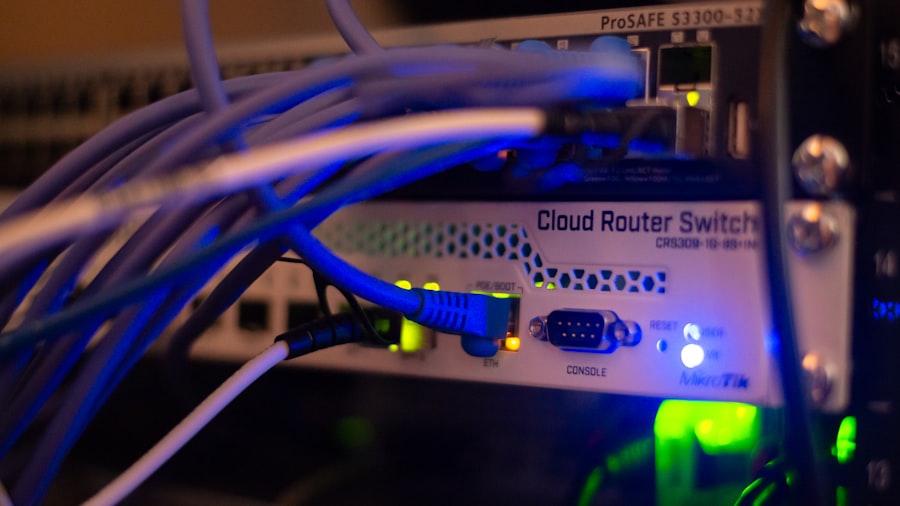
Once we’ve selected our ideal dedicated server provider and the server has been provisioned, the real work for our IT team begins. Effective setup and ongoing management are critical to maximizing the server’s potential and ensuring the continuous availability and performance of our enterprise applications.
Initial Server Configuration
This is where we lay the foundation for our entire infrastructure. Precision at this stage is paramount.
- Operating System Installation: We’ll choose our preferred OS (e.g., Debian, CentOS, Ubuntu, Windows Server), often provided as an install option by the host. We ensure it’s a minimal installation to reduce attack surface.
- Software Stack Deployment: This includes installing web servers (Nginx, Apache, IIS), database servers (MySQL, PostgreSQL, MSSQL), application runtimes (PHP, Python, Java), and any other dependencies.
- Network Configuration: Setting up static IP addresses, DNS, and ensuring proper network connectivity.
- Security Hardening: This is one of our most critical steps.
- SSH/RDP Security: Disabling root login via SSH, using strong passwords, implementing SSH key-based authentication, and changing default SSH port. For Windows, strong RDP passwords and network Level Authentication (NLA) are vital.
- Firewall Configuration: Setting up a robust firewall (e.g., iptables, UFW for Linux; Windows Firewall for Windows) to restrict access to only necessary ports.
- Regular Updates: Ensuring automatic or scheduled updates for the OS and all installed software to patch vulnerabilities.
- Intrusion Detection Systems (IDS/IPS): Deploying tools like Fail2Ban, Snort, or OSSEC to detect and thwart malicious activities.
- Security Audits: Regularly performing vulnerability scans and penetration testing.
Implementing Monitoring and Alerting
| Features | Benefits |
|---|---|
| High Performance | Ensures fast loading times and smooth operation of enterprise applications |
| Customization Options | Allows enterprises to tailor the server to their specific needs and requirements |
| Enhanced Security | Provides a secure environment for sensitive data and critical business operations |
| Dedicated Resources | Guarantees exclusive access to server resources for optimal performance |
| 24/7 Technical Support | Ensures assistance and troubleshooting at any time to minimize downtime |
We cannot manage what we do not monitor. Proactive monitoring helps us identify and resolve issues before they impact our users.
- Resource Monitoring: Tools like Nagios, Zabbix, Prometheus + Grafana, or specialized vendor-provided dashboards allow us to track CPU usage, RAM utilization, disk I/O, network traffic, and system load.
- Application Monitoring: Beyond server resources, we need to monitor the health and performance of our specific applications. This could involve APM (Application Performance Monitoring) tools or custom scripts.
- Log Management: सेंट्रलइजिंग logs from various services using tools like ELK Stack (Elasticsearch, Logstash, Kibana) or Splunk helps us quickly diagnose issues and comply with audit requirements.
- Alerting Systems: Configuring alerts for critical thresholds (e.g., CPU > 90% for 5 minutes, disk space > 95%) or service failures, delivered via email, SMS, or PagerDuty.
Backup and Disaster Recovery Strategies
A robust backup strategy is non-negotiable for enterprise operations. We cannot afford data loss.
- Automated Backups: Implementing daily, incremental, or full automated backups of all critical data and configurations.
- Off-site Storage: Storing backup copies in a separate physical location or cloud storage to protect against site-wide disasters.
- Backup Verification: Regularly testing our backups to ensure they are recoverable and intact. A backup that can’t be restored is worthless.
- Disaster Recovery Plan (DRP): Documenting a comprehensive DRP that outlines steps for recovering from various disaster scenarios, including roles, responsibilities, and communication protocols. This plan needs to be practiced and refined.
Ongoing Maintenance and Optimization
Our dedicated server environment isn’t a “set it and forget it” solution. Continuous maintenance is vital.
- Regular Software Updates: Keeping the OS, kernel, and all installed applications patched and up-to-date to mitigate security vulnerabilities and leverage performance improvements.
- Performance Tuning: Regularly reviewing server logs and monitoring data to identify performance bottlenecks. This might involve optimizing database queries, web server configurations, or application code.
- Disk Space Management: Periodically cleaning up old logs, temporary files, and unnecessary data to prevent disk exhaustion.
- Security Audits: Conducting periodic security audits and vulnerability assessments to ensure our defenses remain strong against evolving threats.
- Hardware Monitoring: Regularly checking hardware health, especially for drives (SMART data), to anticipate potential failures.
For enterprises considering dedicated server hosting, understanding the underlying technology is crucial for optimizing performance. A related article that delves into the speed differences between NVMe and SSD storage for dynamic websites can provide valuable insights. By exploring this resource, businesses can make informed decisions about their hosting solutions and ensure they select the best options to meet their specific needs.
Cost Considerations and ROI
While dedicated server hosting offers immense benefits, we recognize that it often represents a higher upfront and ongoing cost compared to shared or VPS solutions. For us, however, it’s not merely an expense; it’s a strategic investment that delivers tangible returns on investment (ROI). Understanding the cost structure and its value proposition is crucial for internal justification and budgeting.
Understanding the Cost Components
The total cost of a dedicated server isn’t just the advertised monthly fee. We need to factor in several other elements.
- Base Server Rental: This is the core monthly or annual cost for the selected hardware configuration (CPU, RAM, storage).
- Bandwidth Charges: Some plans include a fixed amount of bandwidth, while others charge based on consumption. Overages can significantly add to the bill. We should always clarify the bandwidth model (metered, unmetered, burstable).
- IP Addresses: Additional dedicated IP addresses beyond the standard one or two usually incur extra fees.
- Managed Services: If we opt for fully or semi-managed hosting, these services (OS updates, security patching, monitoring, support) will add to the monthly cost but reduce our internal labor costs.
- Software Licenses: Operating system licenses (e.g., Windows Server), control panel licenses (cPanel, Plesk), and specialized application licenses (e.g., database software) are often separate costs.
- Backup Solutions: While some basic backups might be included, robust, off-site, and versioned backup solutions are typically an additional expense.
- DDoS Protection: Advanced DDoS protection might be an add-on, especially for very high levels of mitigation.
- Setup Fees: While less common now, some providers might still charge a one-time setup fee.
Calculating the Return on Investment (ROI)
For us, the ROI of dedicated servers comes from several key areas, which often outweigh the higher direct costs.
- Reduced Downtime Costs: Every minute of downtime for an enterprise can cost thousands or even millions of dollars in lost revenue, productivity, and reputational damage. Dedicated servers significantly reduce the risk and duration of downtime due to their reliability and isolation.
- Improved Performance and User Experience: Faster load times, responsive applications, and a smooth user experience directly translate to higher conversion rates, increased customer satisfaction, and improved employee productivity. This generates more revenue and reduces churn.
- Enhanced Security and Compliance: Avoiding a data breach can save us millions in fines, legal fees, investigative costs, and customer reparations. Dedicated servers offer the necessary control and environment to meet stringent compliance requirements, preventing penalties and maintaining customer trust.
- Operational Efficiency: For enterprises, the increased control allows our IT team to optimize the server environment precisely for our applications, leading to more efficient resource utilization and better application performance. Managed services can free up our internal team to focus on strategic initiatives rather than routine server maintenance.
- Scalability for Growth: While a dedicated server is a single unit, it provides a stable foundation for horizontal scaling as our business expands. This allows us to handle increased traffic and data without completely overhauling our infrastructure, offering a clear path for future growth.
- Reputational Benefits: A consistently fast, secure, and reliable online presence reinforces our brand’s professionalism and trustworthiness.
When we evaluate dedicated server hosting, we look beyond the sticker price. We analyze the total cost of ownership against the potential losses from poor performance, security breaches, and downtime that often accompany less robust hosting solutions. For our enterprise, the peace of mind, performance gains, and security assurances offered by dedicated server hosting consistently justify the investment, allowing us to focus on our core business objectives without being hampered by infrastructure limitations. In essence, it’s an investment in the stability, security, and future growth of our digital operations.
FAQs
What is dedicated server hosting?
Dedicated server hosting is a type of web hosting where a client leases an entire server for their exclusive use. This means that the client has full control over the server’s resources and can customize it to meet their specific needs.
What are the benefits of dedicated server hosting for enterprises?
Dedicated server hosting offers enterprises greater reliability, security, and performance compared to shared hosting. It also provides more flexibility and scalability, allowing enterprises to handle high traffic volumes and resource-intensive applications.
What are the key features to consider when choosing a dedicated server hosting provider?
When choosing a dedicated server hosting provider, enterprises should consider factors such as server performance, reliability, security measures, customer support, and scalability options. It’s also important to assess the provider’s network infrastructure and data center facilities.
How does dedicated server hosting differ from other types of hosting?
Dedicated server hosting differs from other types of hosting, such as shared hosting and VPS hosting, in that it provides the client with exclusive access to the entire server. This means that the client has full control over the server’s resources and can customize it to meet their specific requirements.
What are some common use cases for dedicated server hosting in enterprises?
Enterprises often use dedicated server hosting for hosting high-traffic websites, running resource-intensive applications, managing large databases, and hosting mission-critical business applications. It is also commonly used for hosting e-commerce platforms and content management systems.









Add comment