

You are considering moving your website to a new domain. This is a significant decision, and one of your primary concerns should be the potential impact on your website’s performance. The good news is that with careful planning and execution, a domain transfer can be a seamless process with no discernible negative effects on your site’s speed, search engine rankings, or user experience. This article will guide you through the necessary steps and considerations to ensure a smooth transition.
Before you initiate any changes, it is crucial to grasp the fundamental mechanisms involved in a domain transfer. This understanding will empower you to make informed decisions and troubleshoot any potential issues that may arise.
The Role of DNS in Domain Propagation
The Domain Name System (DNS) is the internet’s phonebook. When someone types your domain name into their browser, DNS translates that human-readable name into an IP address, which directs their request to the server hosting your website. During a domain transfer, you are essentially updating this phonebook entry.
- DNS Records: These are the instructions within the DNS system that tell browsers where to find your website. Key records include A records (mapping a domain to an IP address), CNAME records (pointing a subdomain to another domain), and MX records (for email routing). You will need to carefully update these records during the transfer.
- Propagation Time: It takes time for DNS changes to propagate across the internet. This delay, known as propagation time, can range from a few minutes to up to 48 hours, depending on various factors like your old and new registrars, and the TTL (Time-To-Live) settings of your DNS records.
How Search Engines Index Your Site
Search engines, like Google, crawl and index your website to understand its content and rank it in search results. When you transfer a domain, you need to inform search engines about the change to maintain your existing rankings and authority.
- Crawling: Search engine bots visit your website to discover new and updated content.
- Indexing: The content discovered during crawling is then added to the search engine’s database.
- Ranking: Algorithms analyze indexed content to determine its relevance and authority for specific search queries.
When considering the transfer of domains, it’s essential to ensure that your website’s performance remains unaffected during the process. To further enhance your understanding of maintaining website integrity, you might find it helpful to read the article on the latest website security best practices. This resource provides valuable insights into safeguarding your site while managing domain transitions. You can check it out here: 12 Latest Website Security Best Practices in 2023.
Pre-Transfer Preparations: Laying the Groundwork for Success
A successful domain transfer begins long before you initiate the actual move. Thorough preparation is paramount to minimizing risks and ensuring a smooth transition.
Auditing Your Current Website
Before you prepare to transfer, conduct a comprehensive audit of your existing website. This will provide you with a baseline and identify any potential issues that need addressing before the move.
- Content Inventory: Make a list of all pages, posts, images, videos, and other media on your site. This will help you track any potential loss during the transfer.
- Internal Link Structure: Document your current internal linking strategy. You will need to ensure these links are updated to reflect your new domain.
- External Backlinks: Identify any significant backlinks pointing to your current domain. You will need to monitor these after the transfer and potentially reach out to webmasters for updates.
- Website Performance Metrics: Record your current website speed, uptime, and other relevant performance indicators. This will allow you to compare performance after the transfer.
- Search Engine Rankings: Document your current search engine rankings for key keywords. This provides a clear benchmark to assess the impact of the transfer.
Choosing Your New Domain and Registrar
The selection of your new domain and registrar are critical steps in the process. These choices can influence your website’s stability and your control over the domain.
- Domain Name Selection: Choose a domain name that is relevant, memorable, and easy to type. Consider your brand identity and future business goals.
- Registrar Reputation: Select a reputable domain registrar known for reliable service, competitive pricing, and robust security features. Research their customer support options and transfer policies.
- Transfer Eligibility: Ensure your new domain is eligible for transfer. Typically, a domain must be at least 60 days old and unlocked by your current registrar.
Backup Procedures: Your Safety Net
A comprehensive backup of your entire website is arguably the most important pre-transfer step. This provides a safety net in case any unforeseen issues arise during the migration process.
- Full Website Backup: Back up all website files, including your theme, plugins, images, and any custom code.
- Database Backup: Back up your website’s database, which contains all your content, user data, and settings.
- Verification of Backups: After creating backups, verify their integrity by attempting to restore them to a staging environment. This ensures they are functional and complete.
The Transfer Process: Step-by-Step Execution
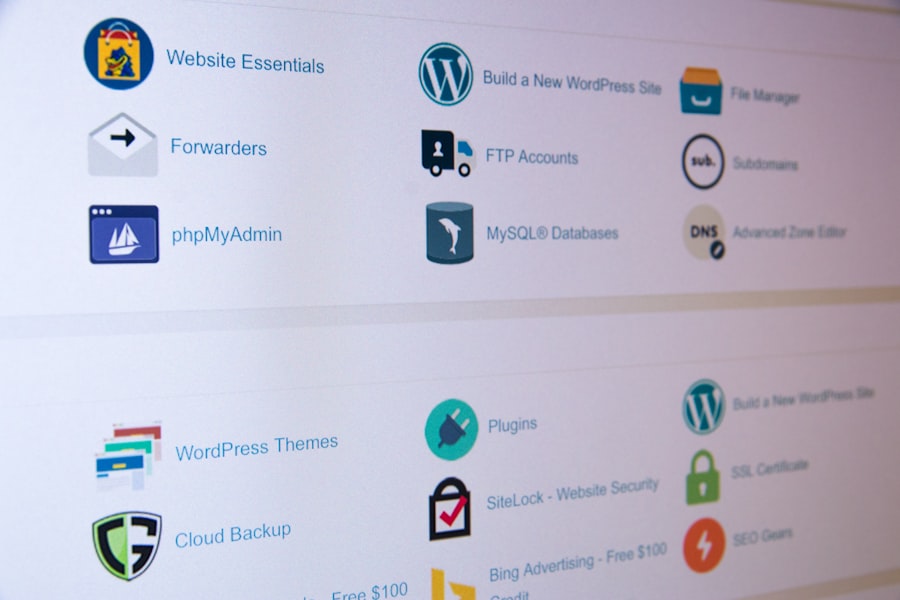
With thorough preparation complete, you can now proceed with the actual domain transfer. Following these steps meticulously will help ensure a smooth transition.
Initiating the Domain Transfer with Your New Registrar
Once you have chosen your new registrar, you will begin the transfer process through their platform.
- Authorization Code (EPP Code): Obtain the authorization code, also known as an EPP code or transfer key, from your current registrar. This code is required to authorize the transfer.
- New Registrar’s Transfer Interface: Navigate to your new registrar’s domain transfer section and enter your domain name and the authorization code.
- Payment and Confirmation: Complete the payment for the transfer and confirm the transfer initiation. You will likely receive email confirmations from both your old and new registrars.
Updating DNS Records to Point to Your Hosting
After the domain transfer has been initiated, you will need to update the DNS records of your new domain name to point to your website’s hosting server.
- Nameserver Update: The simplest method is to update the nameservers at your new registrar to those provided by your web hosting provider. This tells the internet that your hosting company is now responsible for managing your domain’s DNS.
- A Record Update: If you prefer to manage your DNS directly through your registrar, you will need to update the A record of your new domain to point to your hosting server’s IP address.
- Email Configuration: If you use custom email addresses associated with your domain, you will need to update your MX records to ensure email continues to function correctly.
Implementing 301 Redirects: Preserving SEO Equity
This is a critical step for maintaining your search engine rankings and ensuring a positive user experience. 301 redirects tell search engines and users that a page has permanently moved to a new location.
- Server-Level Redirects (Apache/Nginx): The most effective method is to implement 301 redirects at the server level. For Apache servers, this involves editing the
.htaccessfile. For Nginx, you configure redirects within the Nginx configuration file. This ensures that users and search engines are automatically sent to the new domain. - Wildcard Redirects: A wildcard redirect will redirect all traffic from your old domain to your new domain, maintaining the same URL structure. For example,
olddomain.com/page1would redirect tonewdomain.com/page1. - Individual Page Redirects: If your URL structure is changing significantly, you may need to implement individual 301 redirects for specific pages. This ensures that valuable inbound links pointing to old URLs are properly redirected.
- Testing Redirects: Thoroughly test all redirects after implementation to ensure they are working correctly and that no broken links exist.
Post-Transfer Validation and Optimization

The transfer itself is only part of the process. Rigorous validation and ongoing optimization are essential to confirm the transfer was successful and to maintain your website’s performance.
Verifying Website Functionality and Accessibility
Once DNS propagation is complete (typically within 24-48 hours), you need to meticulously verify that your website is fully operational on the new domain.
- Browser Compatibility: Test your website across various browsers (Chrome, Firefox, Safari, Edge) to ensure consistent display and functionality.
- Mobile Responsiveness: Confirm that your website remains responsive and fully functional on different mobile devices and screen sizes.
- Internal and External Links: Click through all internal links to verify they point to the correct pages on the new domain. Check external links to ensure they are still accurate.
- Forms and Interactive Elements: Test all forms, search functions, and other interactive elements to ensure they are working as expected.
- E-commerce Functionality: If you have an e-commerce site, conduct test purchases to confirm the entire checkout process, payment gateways, and order confirmations are functioning correctly.
Updating Search Engine Webmaster Tools
Communicating the domain change to search engines is vital for preserving your SEO.
- Google Search Console: Add your new domain as a property in Google Search Console. Use the “Change of Address” tool to inform Google about the domain transfer. This signals to Google that your site has moved.
- Bing Webmaster Tools: Similarly, add your new domain to Bing Webmaster Tools and inform them of the site move.
- Sitemap Submission: Submit an updated sitemap for your new domain to both Google Search Console and Bing Webmaster Tools. This helps search engines discover your new URLs quickly.
- Monitoring Crawl Errors: Regularly check for crawl errors in Search Console. Any 404 errors indicate problems with your redirects or missing pages.
Monitoring Performance Metrics and SEO Rankings
Ongoing monitoring is crucial to identify any post-transfer dips in performance or rankings and to take corrective action promptly.
- Traffic Analytics: Compare website traffic data from before and after the transfer. Tools like Google Analytics can provide insights into user behavior, bounce rates, and page views.
- Search Engine Rankings: Monitor your keyword rankings meticulously. While some temporary fluctuations are normal, a sustained drop in rankings requires investigation.
- Website Speed: Regularly test your website’s loading speed using tools like Google PageSpeed Insights. Address any performance bottlenecks that may emerge.
- Uptime Monitoring: Utilize uptime monitoring services to ensure your new domain remains consistently available to users.
- Server Logs: Review server logs for any unusual activity or error messages that might indicate underlying issues.
When considering the process of transferring domains, it’s essential to understand how such changes can impact your website’s performance. For those interested in optimizing their site speed during this transition, a related article discusses the differences between NVMe and SSD storage solutions, which can significantly affect dynamic websites. You can read more about this topic in the article on NVMe vs SSD speed differences. This information can help ensure that your website remains fast and efficient, even as you navigate the complexities of domain transfer.
Troubleshooting Common Domain Transfer Issues
| Step | Description |
|---|---|
| 1 | Choose a reliable domain registrar with good transfer support. |
| 2 | Backup your website files and database before initiating the transfer. |
| 3 | Update DNS records to point to the new domain without downtime. |
| 4 | Monitor website performance after the transfer to ensure everything is working properly. |
| 5 | Consider using a content delivery network (CDN) to improve website speed and performance. |
Even with meticulous planning, certain issues can arise during or after a domain transfer. Understanding common problems and their solutions will enable you to address them efficiently.
DNS Propagation Delays and Caching
The time it takes for DNS changes to fully propagate across the internet can lead to temporary access issues.
- Clearing DNS Cache: Advise users to clear their local DNS cache to ensure they are resolving the new domain’s IP address.
- Check DNS Records with Online Tools: Use online DNS lookup tools to verify that your domain’s DNS records are correctly pointing to your hosting server from various locations around the world.
- Wait for TTL Expiration: Understand that DNS records have a Time-To-Live (TTL) setting. If your old DNS records had a high TTL, it might take longer for them to expire and for new records to be picked up by all DNS resolvers.
Issues with 301 Redirects
Incorrectly implemented 301 redirects can lead to broken links, loss of SEO equity, and a poor user experience.
- Incorrect Syntax: Double-check the syntax of your redirect rules in your
.htaccess(Apache) or Nginx configuration file. A single incorrect character can render redirects ineffective. - Redirect Chains: Avoid creating redirect chains (e.g., olddomain.com -> olddomain.com/newfolder -> newdomain.com). This can slow down page loading and potentially dilute SEO signals.
- Missing Redirects: Ensure all relevant pages from your old domain have corresponding redirects to your new domain. Use tools to crawl your old site and identify any unre-directed URLs.
Temporary SEO Ranking Fluctuations
It is not uncommon to experience some temporary fluctuations in search engine rankings after a domain transfer.
- Patience: Understand that search engines need time to re-crawl and re-index your entire site under the new domain. Be patient during this period.
- Content Consistency: Ensure the content on your new domain is identical to or an improved version of your old domain’s content.
- Maintain Link Building Efforts: Continue to acquire high-quality backlinks to your new domain. This reinforces its authority.
- Monitor Core Web Vitals: Ensure your new domain maintains good Core Web Vitals metrics, as these are increasingly important for SEO.
By following these guidelines, you can undertake a domain transfer with confidence, ensuring your website continues to perform optimally without any adverse impact on its speed, search engine visibility, or user experience. The key is meticulous planning, careful execution, and vigilant post-transfer monitoring.
FAQs
1. What is domain transfer and how does it affect website performance?
Domain transfer is the process of moving a domain name from one registrar to another. When done incorrectly, it can affect website performance by causing downtime, impacting SEO, and disrupting email services.
2. What steps can be taken to transfer a domain without affecting website performance?
To transfer a domain without affecting website performance, it’s important to choose a reliable registrar, ensure minimal downtime during the transfer process, update DNS records carefully, and monitor website performance post-transfer.
3. How long does it take to transfer a domain without affecting website performance?
The time it takes to transfer a domain without affecting website performance can vary depending on the registrar and the domain’s current settings. Generally, it can take anywhere from a few hours to several days to complete the transfer process.
4. What are the potential risks of transferring a domain without considering website performance?
Risks of transferring a domain without considering website performance include downtime, loss of website traffic and SEO rankings, disruption of email services, and potential data loss if not backed up properly.
5. Are there any best practices to follow when transferring a domain to ensure website performance is not affected?
Best practices for transferring a domain without affecting website performance include conducting thorough research on the new registrar, backing up website data, updating DNS records carefully, monitoring website performance during and after the transfer, and seeking professional assistance if needed.









Add comment