

Registering a Domain for Your Startup: A Step-by-Step Guide
You’ve got a brilliant idea, a meticulously crafted business plan, and the drive to make it a reality. But before you can launch your groundbreaking product or service to the masses, you need a digital storefront. That digital storefront begins with a domain name. It’s your online address, a crucial part of your brand identity, and the first point of contact for many potential customers. The process of registering a domain might seem straightforward, but overlooking crucial details can lead to headaches down the line. This guide will walk you through the essential steps, ensuring you secure the perfect domain for your startup.
Before you even think about clicking “register,” you need to understand what makes a good domain name and what your options are. This foundational step will prevent you from making an impulsive decision you might later regret.
What Constitutes a Domain Name?
At its core, a domain name is a human-readable address for a location on the internet. Instead of typing in a complex IP address (like 192.0.2.1), you’ll use something like yourstartupname.com. This name is then translated by Domain Name System (DNS) servers into the corresponding IP address, allowing users to access your website.
The Importance of a Strong Domain Name for Your Startup
Your domain name is more than just an address; it’s a powerful branding tool. A well-chosen domain can:
- Enhance Brand Recognition: A memorable and relevant domain name makes it easier for customers to recall and return to your site. Consider how easily recognizable names like
google.comoramazon.comare. - Build Credibility and Professionalism: A secure and established domain name (especially with a reputable extension like .com) signals that your business is serious and trustworthy. Conversely, overly complicated or unprofessional domain names can raise suspicion.
- Improve Search Engine Optimization (SEO): While not the sole factor, incorporating relevant keywords into your domain name can provide a slight SEO boost. However, prioritize memorability and brand relevance over keyword stuffing.
- Facilitate Marketing and Communication: A clear and concise domain name is easier to share on business cards, marketing materials, social media, and in verbal communication.
Different Types of Domain Name Extensions (TLDs)
When you think of domain names, .com likely comes to mind first. However, there are many other top-level domains (TLDs) available, each with its own implications.
The Dominance of .com
The .com extension is the most popular and widely recognized TLD globally. It’s generally perceived as the most professional and trustworthy option. If your target audience is broad or international, aiming for a .com is usually your best bet. The challenge, however, is that many desirable .com domains are already taken.
Country Code Top-Level Domains (ccTLDs)
These are two-letter extensions specific to countries, such as .co.uk for the United Kingdom, .de for Germany, or .ca for Canada.
- Benefits: If your startup primarily serves a specific country, a ccTLD can signal local presence and build trust with that audience. They can also be more available than
.comdomains. - Considerations: For international startups, relying solely on a ccTLD might limit global appeal. You might consider registering both a
.comand a relevant ccTLD if your budget allows.
New Generic Top-Level Domains (gTLDs)
In recent years, the pool of available TLDs has expanded significantly. You’ll find options like:
.io: Popular among tech companies and startups, especially in the software and cryptocurrency space..ai: Gaining traction for artificial intelligence-focused businesses..tech: Directly signals a technology-related business..app: Excellent for mobile applications..store: Ideal for e-commerce businesses..org,.net, and others: While still relevant, they often carry different connotations..orgis traditionally associated with non-profit organizations, and.netwith network-related entities.
When choosing a gTLD, consider if it aligns with your niche and if your target audience will understand and trust it. While some gTLDs are becoming widely accepted, others are still niche.
When launching a startup business, registering a domain is a crucial first step, but it’s also important to ensure that your website functions smoothly after the registration process. For insights on maintaining a seamless online presence, you might find the article on fixing broken links particularly helpful. It provides valuable guidance on identifying and resolving 404 errors that could hinder user experience. You can read more about it in this article: A Guide on How to Find and Fix 404 Pages.
Brainstorming and Selecting Your Startup’s Domain Name
This is where creativity meets strategy. Don’t rush this process; invest time in thorough brainstorming.
Keep it Simple, Memorable, and Relevant
The golden rules of domain name selection:
- Simplicity: Avoid overly long or complex names. Shorter is generally better.
- Memorability: Can someone easily remember it after hearing it once? Say it out loud.
- Relevance: Does it accurately reflect your business or brand? Avoid misleading names.
Avoid Hyphens and Numbers
While technically allowed, hyphens and numbers can be problematic:
- Hyphens: They can make the domain harder to say and remember. People might forget to add them or add them incorrectly (e.g.,
your-startup.comvs.yourstartup.com). - Numbers: Similar to hyphens, numbers can be confusing. Is it “four” or “4”? This ambiguity can lead to lost traffic.
Research Competitors’ Domain Names
Understand what your competitors are using. This can provide inspiration and help you identify opportunities to stand out.
- What works for them?
- What are they missing?
- Are there opportunities to use a similar keyword with a different TLD?
Consider Future Growth and Scalability
While your startup might have a very specific focus now, think about where you want to be in 5-10 years.
- Will your current domain name still be relevant if you expand your product line or services? For instance, if you’re starting with “artisanalcoffees.com,” but plan to sell teas and pastries later, you might want a broader name.
- Avoid overly niche names that might limit you.
The Power of Keywords (Use Sparingly)
Incorporating relevant keywords into your domain name can offer a slight SEO advantage and help users understand what you do.
- Example: If you are a freelance web designer,
johnswebdesign.comis more descriptive thanjohnscreative.com. - Caution: Do not force keywords if it makes the name awkward or unmemorable. Brand recognition and memorability often trump keyword stuffing.
Legal Considerations: Trademark and Brand Infringement
This is a critical step that many overlook. Registering a domain that infringes on an existing trademark can lead to legal battles and the forced forfeiture of your domain.
Understanding Trademarks
A trademark is a name, phrase, symbol, or design that identifies and differentiates the source of goods or services of one party from those of others.
How to Check for Trademark Conflicts
- USPTO Trademark Database (United States): If you’re in the US, search the United States Patent and Trademark Office (USPTO) database for registered trademarks.
- WIPO Global Brand Database: For international businesses, the World Intellectual Property Organization (WIPO) Global Brand Database is a valuable resource.
- General Web Search: Conduct thorough searches for your desired domain name and variations on Google and other search engines. Look for businesses that use similar names, especially those in your industry.
- Consult a Legal Professional: For complete peace of mind, especially if your startup is poised for significant investment or growth, consult with an intellectual property attorney. They can conduct comprehensive trademark searches and advise on potential risks.
Check Domain Availability
Once you have a shortlist of potential domain names, you need to see if they are actually available for registration. This is where domain registrars come in.
Choosing a Domain Registrar
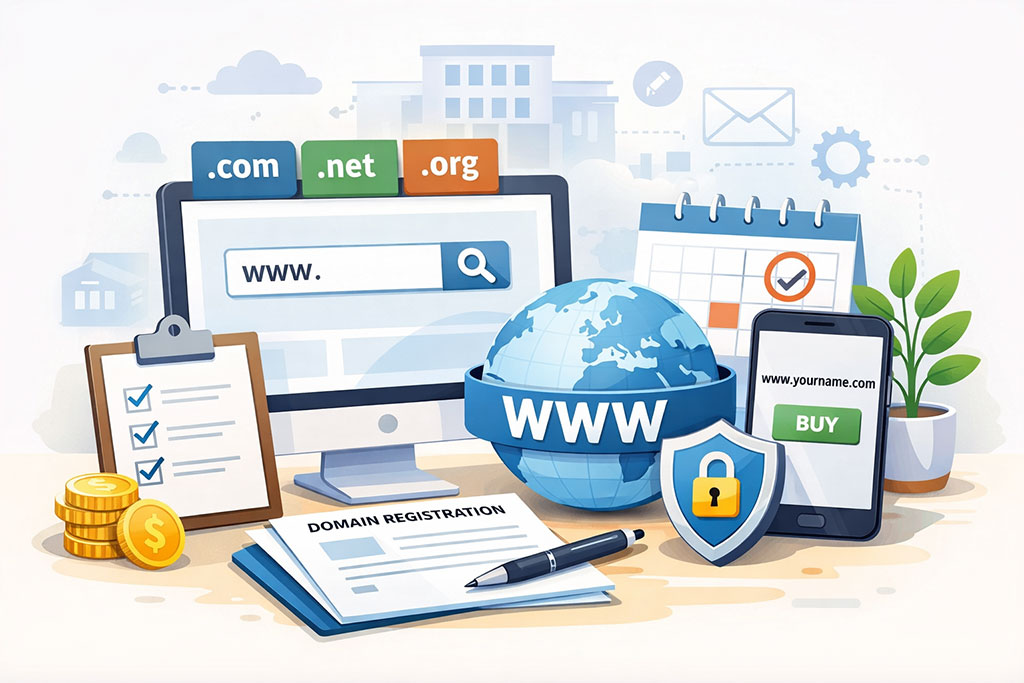
A domain registrar is a company accredited by ICANN (Internet Corporation for Assigned Names and Numbers) to register domain names. Think of them as the official gatekeepers.
What is a Domain Registrar?
They manage the reservation of domain names, ensuring that no two identical domain names are registered. They are your point of contact for buying, transferring, and managing your domain name.
Key Factors to Consider When Selecting a Registrar
Your choice of registrar can impact your experience with domain management. Look for:
- Pricing and Renewal Costs: Don’t just look at the initial registration price. Many registrars offer attractive first-year discounts, but renewal fees can be significantly higher. Compare renewal costs for the TLD you’re interested in across different registrars.
- User Interface and Control Panel: A user-friendly control panel makes managing your domain settings (like DNS records) much easier.
- Customer Support: When issues arise, reliable and responsive customer support is invaluable. Look for registrars that offer multiple support channels (phone, chat, email) and have a good reputation for helpfulness.
- Additional Services: Some registrars bundle services like WHOIS privacy, email hosting, or website builders. Evaluate if these bundled services are valuable to you or if you prefer to source them separately.
- Reputation and Reliability: Stick with well-established and reputable registrars. Avoid fly-by-night operations that might disappear or have poor service.
Popular Domain Registrar Options
Some of the most widely used and reputable domain registrars include:
- GoDaddy: One of the largest registrars, offering a wide range of services.
- Namecheap: Known for competitive pricing and a user-friendly interface.
- Google Domains: Integrates well with other Google services and offers a clean interface.
- Porkbun: Gaining popularity for its transparent pricing and good features.
- Hover: Focuses specifically on domain registration and email, aiming for simplicity.
Again, compare prices and features to find the best fit for your startup’s needs.
The Domain Registration Process: Step-by-Step
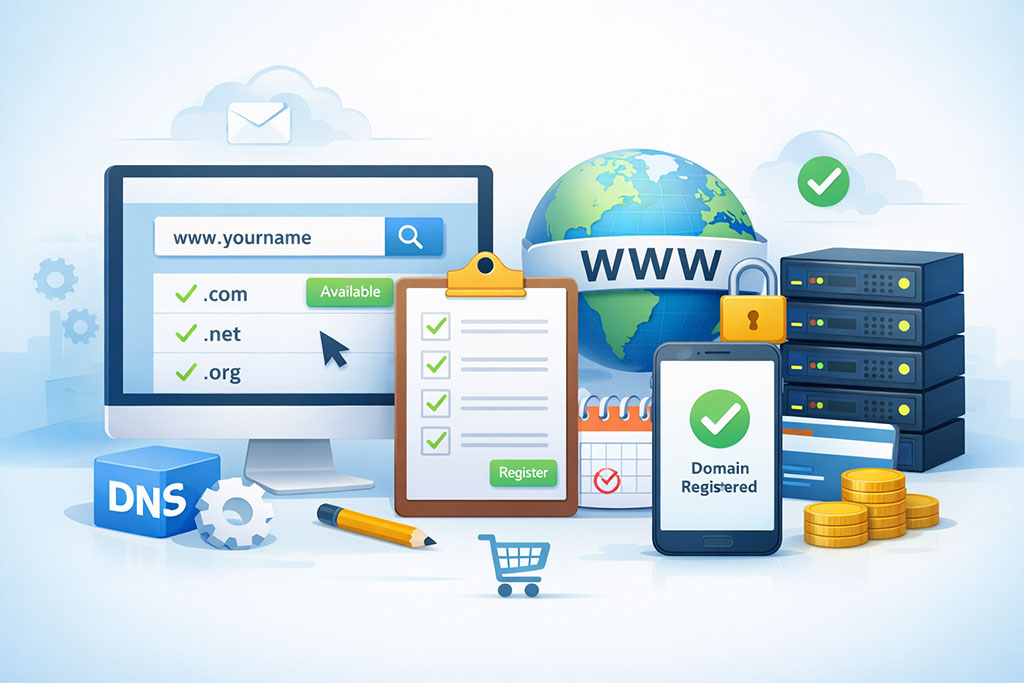
Now, let’s get down to the practicalities of securing your domain.
Step 1: Search for Domain Availability
This is the first action you’ll take on your chosen registrar’s website.
- Input Your Desired Domain: Type in your preferred domain name and TLD (e.g.,
mycoolstartup.com). - Review Suggestions: The registrar will tell you if it’s available. If not, they’ll usually suggest alternatives, including variations in TLDs or similar names.
- Consider Alternatives: If your first choice is unavailable, go back to your brainstorming list and try other options. Don’t be afraid to try different TLDs if they make sense for your brand.
Step 2: Add to Cart and Configure Options
Once you find an available domain you like, add it to your cart. This is where you’ll configure some important settings.
WHOIS Privacy (Domain Privacy)
- What is WHOIS Data? When you register a domain, your contact information (name, address, email, phone number) is typically made public in a WHOIS database.
- Why Purchase WHOIS Privacy? WHOIS privacy services replace your personal information with the registrar’s generic contact details. This protects you from spam, unwanted solicitations, and potential privacy breaches.
- Is it Essential? For most startups, it’s highly recommended for privacy and security reasons. Some registrars include it for free, while others charge a small annual fee.
Domain Lock (Registry Lock)
- What is Domain Lock? This feature prevents unauthorized transfers of your domain name. It adds an extra layer of security against domain hijacking.
- Recommendation: It’s a good practice to enable domain lock if available, especially once you’ve secured your domain and are confident in your choice.
Other Add-ons
You might be offered add-ons like email accounts, website builders, or SSL certificates. Evaluate if these are necessary or if you plan to use separate services. Bundled offers can sometimes be convenient, but ensure you’re not overpaying for services you don’t need.
Step 3: Provide Contact Information
You’ll need to provide accurate contact details.
- Registrant Contact: This is the primary owner of the domain name. Ensure this is accurate and associated with your business entity.
- Administrative Contact: This person is responsible for technical aspects like DNS. Can be the same as the registrant.
- Technical Contact: Similar to the administrative contact, handles technical inquiries.
- Billing Contact: The person responsible for payment.
Important: Make sure these details are up-to-date and accessible to authorized personnel within your startup. If you leave your company, ensure the contact information is updated to reflect new ownership or responsibilities.
Step 4: Payment and Confirmation
Complete the payment process. Registrars accept various payment methods.
- Review Your Order: Before finalizing, carefully review all the details of your registration, including the domain name, registration period, and any add-on services.
- Confirmation Email: After successful payment, you’ll receive a confirmation email. This email will usually contain your account login details and important information about your domain registration.
Step 5: Verify Your Domain (If Required)
Some new gTLDs require domain verification. You might receive an email asking you to click a link to confirm your ownership. This is a security measure to prevent fraudulent registrations.
When starting a new venture, securing a domain is just the first step in establishing your online presence. To further enhance your startup’s visibility, it is crucial to choose the right web hosting services that can support your business needs. For insights on how to maximize your online presence, you can refer to this informative article on reliable web hosting services. This resource will guide you in selecting a hosting provider that aligns with your goals, ensuring that your website runs smoothly and effectively attracts customers.
Managing Your Domain Name After Registration
Securing your domain is just the beginning. Ongoing management is crucial for maintaining its functionality and security.
Understanding DNS Records
Domain Name System (DNS) records are instructions that tell the internet how to find your website and other online services associated with your domain.
- A Records: Map domain names to IP addresses.
- CNAME Records: Create aliases for other domain names.
- MX Records: Specify mail servers responsible for receiving email for your domain.
- TXT Records: Used for various purposes, including email authentication (SPF, DKIM).
You’ll typically manage these through your domain registrar’s control panel. If you’re building a website, your web hosting provider will give you specific DNS records to configure.
Setting Up Email with Your Domain Name
Having an email address like yourname@yourstartup.com adds a significant layer of professionalism compared to generic free email providers.
- DNS Configuration: You’ll need to configure MX records in your DNS settings to point to your email provider’s servers.
- Common Email Providers: Google Workspace (formerly G Suite), Microsoft 365, Zoho Mail, or your web hosting provider may offer email services.
Renewing Your Domain Name
Domain names are registered for a specific period, usually one year or more.
- Automatic Renewal: Most registrars offer automatic renewal to prevent accidental expiration. Ensure your payment method is up-to-date.
- Manual Renewal: If you prefer manual renewal, mark your calendar to renew well before the expiration date.
- Expiration Consequences: If your domain expires, it can become available for others to register, leading to loss of your website, email, and online presence. There are grace periods, but it’s best to avoid them.
Protecting Your Domain from Hijacking and Theft
Domain hijacking is a serious threat where unauthorized individuals gain control of your domain name, potentially redirecting your website traffic or extorting payment.
- Strong Passwords and Two-Factor Authentication (2FA): Use strong, unique passwords for your registrar account and enable 2FA whenever possible.
- Domain Lock: As mentioned earlier, enable domain lock to prevent unauthorized transfers.
- Regularly Review Account Activity: Keep an eye on your registrar account for any suspicious activity.
- Be Wary of Phishing Attempts: Never click on suspicious links or provide your login credentials in response to unsolicited emails.
Transferring Your Domain Name
You might decide to move your domain registration from one registrar to another if you find a better service or pricing.
- Unlock Your Domain: You’ll typically need to unlock your domain at your current registrar.
- Obtain Authorization Code (EPP Code): You’ll need an authorization code from your current registrar to initiate the transfer.
- Initiate Transfer at New Registrar: Provide the EPP code to your new registrar to begin the transfer process.
- Confirmation: Both registrars will usually send confirmation emails. Transfers can take several days to complete.
By diligently following these steps, you’ll establish a solid digital foundation for your startup. Your domain name is a vital asset; treat its registration and management with the care and attention it deserves.
FAQs
1. What is a domain name and why is it important for a startup business?
A domain name is the address of your website on the internet. It is important for a startup business as it helps establish an online presence and brand identity.
2. How do I choose a domain name for my startup business?
When choosing a domain name for your startup business, consider a name that is easy to remember, relevant to your business, and reflects your brand. It should also be unique and not already in use by another company.
3. What are the steps to register a domain for a startup business?
The steps to register a domain for a startup business include choosing a domain registrar, searching for an available domain name, selecting a domain extension (e.g. .com, .net, .org), providing contact and payment information, and completing the registration process.
4. How much does it cost to register a domain for a startup business?
The cost of registering a domain for a startup business can vary depending on the domain registrar and the specific domain name and extension chosen. Prices typically range from $10 to $50 per year.
5. Are there any tips for managing and renewing a domain for a startup business?
To manage and renew a domain for a startup business, it is important to keep contact and payment information up to date, set up auto-renewal to avoid expiration, and consider purchasing multiple years of registration to secure the domain for the long term.









Add comment