

You are a small business owner navigating the intricate landscape of the digital world. Your online presence is not merely a virtual storefront; it is the very heart of your operations, the central nervous system connecting you with your customers. The foundation of this presence is your web hosting, and while its selection and maintenance might initially seem like a purely technical endeavor, you would be remiss to overlook the profound impact that astute analytics can have on its optimization. This article will guide you through understanding, implementing, and leveraging analytics to transform your hosting from a necessary expense into a strategic asset.
Think of your website as a bustling city and your hosting environment as the underlying infrastructure – the electricity grid, the road network, the water supply. If these systems are inefficient, your city falters. Similarly, an unoptimized hosting environment can cripple your online operations, leading to slow loading times, frequent downtime, and a poor user experience. You must recognize that your hosting is not a static entity; it is a dynamic ecosystem that requires constant monitoring and adjustment.
The Interplay of Hosting and Website Performance
Your hosting directly influences every facet of your website’s performance. High-quality hosting with ample resources ensures rapid page load times, which are critical for user retention and search engine rankings. Conversely, shared hosting that is oversaturated with other websites can lead to resource contention, causing your site to crawl. This directly impacts your conversion rates and overall business success. You need to understand that the resources allocated to your hosting – CPU, RAM, disk I/O – are not abstractions; they are the engines powering your website.
Decoding Core Hosting Metrics
To effectively optimize, you must first understand the metrics that define your hosting’s health. These include:
- Server Uptime: This metric indicates the percentage of time your server is operational and accessible. Downtime, a common nemesis for small businesses, can translate directly into lost sales and reputation damage. You should aim for 99.9% uptime or higher.
- Response Time (Time to First Byte – TTFB): This measures the time it takes for your server to respond to a user’s request. A slow TTFB suggests server-side issues or an overloaded server.
- Resource Utilization (CPU, RAM, Disk I/O): These metrics reveal how much of your server’s processing power, memory, and disk read/write capabilities are being used. Spikes in these metrics often indicate periods of high traffic or inefficient website code.
- Network Latency: This measures the delay in data transmission between your server and the user. High latency can be influenced by server location relative to your audience.
Understanding these metrics provides a baseline against which you can measure the impact of your optimization efforts.
To further enhance your understanding of optimizing small business hosting performance through analytics, you may find it beneficial to explore the article titled “Unleash Your Website’s Full Potential with Dedicated Servers: A Deep Dive.” This resource provides valuable insights into how dedicated servers can significantly improve website performance and reliability, which complements the strategies discussed in “How to Use Analytics to Improve Small Business Hosting Performance.” You can read the article here: Unleash Your Website’s Full Potential with Dedicated Servers: A Deep Dive.
Harnessing Internal Hosting Analytics for Strategic Decisions
Your hosting provider often furnishes you with a wealth of data, often presented within your hosting control panel (cPanel, Plesk, etc.). These internal analytics are your first line of defense and a treasure trove of operational insights. You should familiarize yourself with these tools, as they offer direct visibility into your server’s health.
Delving into Server Logs and Error Reports
Server logs are the historical records of every interaction with your website. They document user requests, server responses, and any errors encountered. Analyzing these logs can reveal patterns of malicious activity, broken links, or specific server-side errors that impede performance. You might find Apache or Nginx error logs, access logs, and more. For instance, a recurring 404 error for a specific page indicates a broken internal or external link you need to fix. Similarly, an unusual number of 500 errors points to server-side issues requiring immediate attention.
Monitoring Resource Consumption Trends
Regularly reviewing your CPU, RAM, and Disk I/O usage charts allows you to identify trends and anticipate future needs. If you consistently see your CPU utilization at 90% or higher during peak hours, it’s a clear signal that your current hosting plan might be insufficient. This proactive monitoring enables you to upgrade your hosting plan before performance bottlenecks severely impact your users. You can also spot unusual spikes that might indicate a distributed denial-of-service (DDoS) attack or an inefficient script running on your website.
Leveraging Bandwidth and Disk Space Overview
Bandwidth consumption directly correlates with the amount of data transferred to and from your website. High bandwidth usage often indicates high visitor traffic, but it can also signal the presence of large, unoptimized media files. Similarly, consistently approaching your disk space limit signifies the need for content organization, removal of old backups, or an upgrade to a larger storage plan. These seemingly mundane metrics are crucial for budgeting and planning your hosting infrastructure.
Integrating External Analytics for Comprehensive Insights
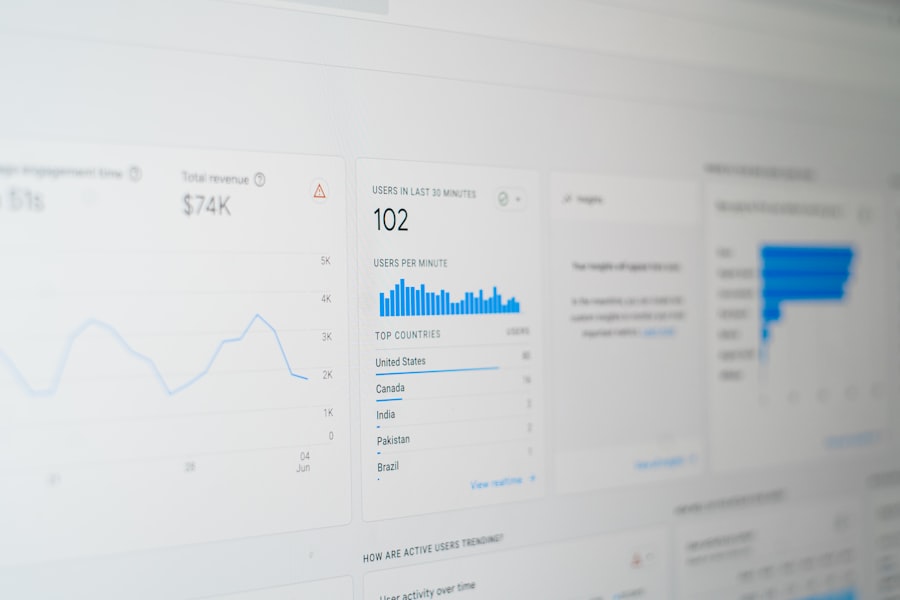
While internal hosting analytics provide a deep dive into server performance, external analytics tools offer a broader perspective, focusing on user behavior and broader website metrics. The synergy between these two types of analytics paints a complete picture of your online operations.
Google Analytics: Your User Behavior Compass
Google Analytics is an indispensable tool for any small business. It tracks visitor data, including where they come from, which pages they visit, how long they stay, and their conversion paths. When integrated with your hosting analytics, you can correlate spikes in visitor traffic (from Google Analytics) with corresponding increases in server resource utilization (from your hosting panel). This allows you to differentiate between genuine traffic surges and potential malicious activity that might be overloading your server.
Identifying Performance Bottlenecks with Page Timings
Within Google Analytics, you’ll find sections dedicated to site speed, including page timing reports. These reports show you the average time it takes for pages to load, and critically, they can highlight specific pages that are significantly slower than others. A slow page identified here might be due to unoptimized images, excessive JavaScript, or, when correlated with your hosting analytics, an underlying server-side issue.
Understanding Bounce Rate and its Hosting Implications
A high bounce rate – visitors leaving your site after viewing only one page – can be attributed to many factors. However, notoriously slow loading times are a significant contributor. By combining Google Analytics’ bounce rate data with your hosting’s server response times, you can determine if your hosting infrastructure is contributing to a poor first impression and driving potential customers away.
Search Console: SEO and Technical Health Data
Google Search Console provides crucial insights into how Google perceives your website. It reports on indexing issues, crawl errors, and site performance data relevant to search engine optimization (SEO).
Monitoring Core Web Vitals
Core Web Vitals – Large Contentful Paint (LCP), First Input Delay (FID), and Cumulative Layout Shift (CLS) – are critical user experience metrics that Google incorporates into its ranking algorithm. Your hosting directly impacts LCP and FID. Slow server response times will negatively affect LCP, and a server struggling to deliver resources promptly can exacerbate FID. Search Console will report on these vitals, allowing you to identify areas where your hosting might be hindering your SEO efforts.
Identifying Server-Related Indexing Issues
Search Console also reports on indexing issues and crawl statistics. If Google’s crawlers are encountering frequent timeouts or slow responses from your server, it can impede your website’s ability to be fully indexed and ranked. This direct feedback from Google’s perspective is invaluable for fine-tuning your hosting for search engine visibility.
Implementing Actionable Strategies Based on Analytical Insights

Collecting data is only half the battle; the true value lies in acting upon those insights. You must translate raw numbers and graphs into concrete adjustments to optimize your hosting. Think of yourself as a diagnostician and a mechanic, using data to identify problems and then implementing solutions.
Scaling Your Resources Responsibly
If your analytics consistently show high resource utilization (CPU, RAM) during peak hours, it’s a clear signal to consider upgrading your hosting plan. This might mean moving from shared hosting to a Virtual Private Server (VPS) or a dedicated server. Don’t wait until your website is frequently suffering from slow performance or downtime. Proactive scaling based on data prevents lost revenue and customer frustration. Conversely, if your hosting analytics reveal consistently underutilized resources, you might consider downgrading your plan, thus saving on unnecessary expenses.
Choosing the Right Hosting Type
- Shared Hosting: Cost-effective for small, low-traffic sites, but resource contention is a risk. Analytics can reveal if you’ve outgrown it.
- Virtual Private Server (VPS): Offers more dedicated resources and control, ideal for growing businesses. Analytics help you allocate resources effectively within your VPS.
- Dedicated Server: Provides maximum performance and control, suitable for high-traffic or resource-intensive applications. Analytics are crucial for monitoring its complex infrastructure.
- Cloud Hosting: Highly scalable and flexible, allowing you to pay only for the resources you use. Analytics are vital for understanding your usage patterns and managing costs.
Optimizing Website Content and Code
Sometimes, the bottleneck isn’t the server itself but inefficient website design. Analytics can guide your content and code optimization efforts.
Compressing and Optimizing Images
Large, unoptimized images are a common culprit for slow page load times. Your external analytics (Google Analytics page timing) will highlight pages with heavy image content. Utilize image compression tools and consider adopting modern image formats like WebP.
Minifying and Consolidating Code
Excessive JavaScript and CSS files, or unminified code, can add significant weight to your pages. Tools and plugins can automatically minify these files, combining them where possible to reduce HTTP requests. Your website’s code is like an engine; removing unnecessary parts and streamlining processes makes it run faster.
Implementing Caching Mechanisms
Caching stores static versions of your website pages, reducing the need for your server to regenerate content for every request. This significantly lightens the load on your server, improving response times. Server-side caching, browser caching, and CDN caching are all strategies you should explore, and analytics will demonstrate their effectiveness.
Geographic Considerations and Content Delivery Networks (CDNs)
If your analytics indicate a significant portion of your audience is geographically distant from your server, you’re experiencing higher network latency. This is where a Content Delivery Network (CDN) becomes invaluable.
Reducing Latency with CDNs
A CDN distributes your website’s static assets (images, CSS, JavaScript) across a global network of servers. When a user requests a page, these assets are delivered from the server closest to them, dramatically reducing latency and improving loading speeds. Your analytics will show you the geographic distribution of your audience, informing your decision to implement a CDN and in which regions to prioritize its deployment.
Analyzing CDN Performance
Once a CDN is in place, continue to monitor your website’s performance metrics through analytics. You should observe a measurable improvement in page load times, particularly for users located further away from your main server.
In the quest to enhance small business hosting performance through analytics, it’s also crucial to consider the process of migrating to a new web hosting provider when necessary. For those looking to make this transition smoothly, you can find valuable insights in a related article that provides a comprehensive step-by-step guide on how to migrate your website to a new web hosting provider. This resource can be particularly helpful in ensuring that your analytics setup remains intact during the move, allowing you to continue optimizing your hosting performance. To read more about this important process, check out the article here.
Future-Proofing Your Hosting: Continuous Monitoring and Adaptation
| Metric | Description | How to Use Analytics | Impact on Hosting Performance |
|---|---|---|---|
| Server Uptime | Percentage of time the hosting server is operational | Monitor uptime reports to identify downtime patterns | Improves reliability and customer trust |
| Page Load Time | Time taken for a webpage to fully load | Analyze load times to optimize server response and content delivery | Enhances user experience and SEO rankings |
| Bandwidth Usage | Amount of data transferred between server and users | Track bandwidth to prevent overages and optimize resource allocation | Ensures smooth performance during traffic spikes |
| Error Rate | Frequency of server errors (e.g., 500, 404) | Identify and fix recurring errors to improve stability | Reduces downtime and improves user satisfaction |
| Traffic Sources | Origin of visitors (direct, referral, search engines) | Analyze sources to tailor hosting resources for peak demand | Optimizes server load and marketing effectiveness |
| Concurrent Users | Number of users accessing the site simultaneously | Monitor peak concurrency to scale hosting resources accordingly | Prevents server overload and crashes |
| Conversion Rate | Percentage of visitors completing desired actions | Use analytics to correlate hosting performance with conversion trends | Improves business outcomes by enhancing site responsiveness |
Optimizing your hosting with analytics is not a one-time project; it is an ongoing process. The digital landscape is constantly evolving, your business grows, and your website traffic fluctuates. You must embrace a mindset of continuous monitoring and adaptation.
Setting Up Alerts and Automated Reports
Don’t wait for your website to crash to realize there’s a problem. Configure alerts within your hosting control panel or external monitoring tools to notify you of critical events, such as high CPU usage, low disk space, or server downtime. Automated reports can provide regular summaries of key metrics, allowing you to track trends without manually checking dashboards daily. This proactive approach allows you to address potential issues before they escalate.
Regularly Reviewing Your Analytics Data
Schedule regular intervals – weekly, monthly, quarterly – to meticulously review all your analytics data. Look for new trends, anomalies, and areas for further improvement. What worked last year might not be optimal this year. As your business scales, your hosting needs will inevitably change.
Benchmarking and Goal Setting
Establish benchmarks for your key performance indicators (KPIs) like average page load time, server response time, and uptime. Set realistic goals for improvement and use your analytics to track your progress towards these goals. For instance, if your average page load time is 3 seconds, set a goal to reduce it to 2 seconds within the next quarter, and then use your analytics to measure the impact of your optimization efforts.
Staying Informed About Hosting Technologies
The web hosting industry is dynamic, with new technologies and services emerging regularly. Keep abreast of advancements like HTTP/3, serverless computing, and new caching techniques. Your analytics data can help you evaluate whether adopting these new technologies would benefit your specific business needs and improve your hosting setup. This continuous learning ensures your hosting remains competitive and efficient.
By diligently applying analytics to your hosting strategy, you transform a passive necessity into an active contributor to your small business’s success. You move beyond assumptions and make data-driven decisions that enhance user experience, bolster SEO, and ultimately drive revenue. Your hosting is not just a place where your website lives; it is a vital engine that you must constantly maintain and refine using the powerful insights that analytics provide.
FAQs
What is the role of analytics in improving small business hosting performance?
Analytics helps small businesses monitor and evaluate their hosting environment by tracking metrics such as server uptime, load times, traffic patterns, and resource usage. This data enables informed decisions to optimize performance, enhance user experience, and reduce downtime.
Which key metrics should small businesses track to assess hosting performance?
Important metrics include server response time, uptime percentage, bandwidth usage, CPU and memory utilization, page load speed, and error rates. Monitoring these indicators helps identify bottlenecks and areas for improvement.
How can small businesses collect hosting performance data effectively?
Small businesses can use web analytics tools, server monitoring software, and hosting provider dashboards to gather performance data. Many hosting services offer built-in analytics features or integrate with third-party monitoring solutions.
What are common strategies to improve hosting performance based on analytics insights?
Strategies include upgrading hosting plans, optimizing website content and code, implementing caching mechanisms, using content delivery networks (CDNs), and regularly updating software to enhance security and efficiency.
How often should small businesses review their hosting analytics?
Regular reviews are recommended, typically on a weekly or monthly basis, to promptly detect performance issues and adapt to changing traffic patterns. Frequent monitoring ensures sustained optimal hosting performance.









Add comment