
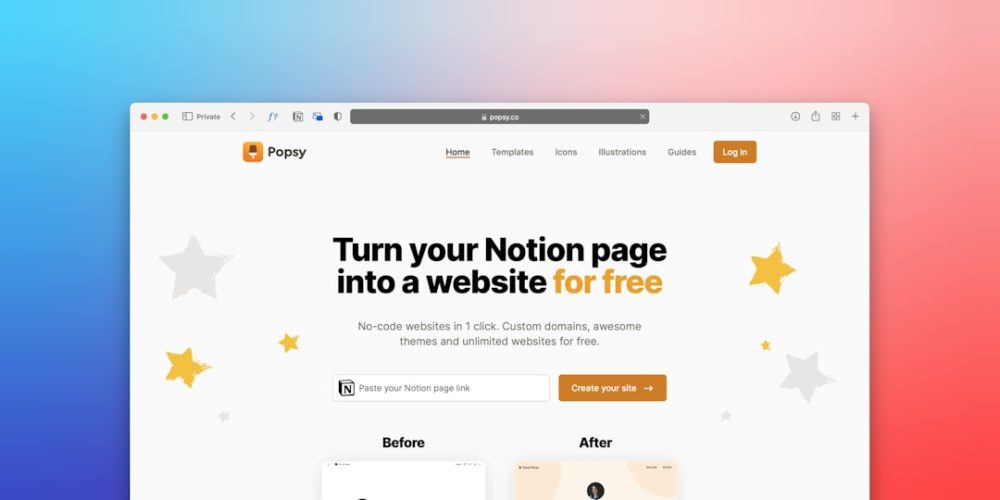
You’ve decided to launch a website. This guide will provide a structured approach to accomplishing that goal within a 24-hour timeframe. While challenging, this accelerated process focuses on efficiency and essential steps, treating your website launch as a sprint rather than a marathon. You will identify key decisions and execute them with precision, aiming for a functional, albeit basic, online presence.
Before you even consider design or content, a clear understanding of your website’s purpose and target audience is paramount. This initial phase acts as your compass, guiding all subsequent decisions.
1.1 Defining Your Website’s Purpose
What is the fundamental objective of your website? Is it to sell products, disseminate information, showcase a portfolio, or build a community? A single, well-defined purpose will streamline your choices. Think of it as a lighthouse, guiding ships to a specific shore. Without this clarity, your website risks becoming a digital rudderless ship.
- E-commerce Platform: If you intend to sell goods, your design and backend will necessitate specific features like product pages, shopping carts, and payment gateways.
- Informational Hub: For a blog or news site, content organization, readability, and search engine optimization (SEO) will take precedence.
- Portfolio Showcase: Visual appeal, high-resolution imagery, and clear navigation to display your work will be crucial.
- Community Forum: Features like user profiles, discussion threads, and moderation tools become central.
1.2 Identifying Your Target Audience
Who are you trying to reach? Understanding your typical visitor’s demographics, interests, and pain points will inform your website’s tone, content, and aesthetic. Imagine you are speaking directly to this person; what language would you use? What information would they find most valuable?
- Demographics: Age, gender, location, income level.
- Psychographics: Interests, values, lifestyle, online behavior.
- Needs and Pain Points: What problems does your website solve for them? What information are they seeking?
1.3 Competitor Analysis (Brief)
While a comprehensive competitor analysis can be extensive, for a 24-hour launch, focus on quickly identifying 2-3 direct competitors. Observe their website structure, primary features, and general aesthetic. This is not for imitation but to glean insights into industry standards and identify potential gaps you can fill. Think of it as scouting the terrain before you embark on your own journey.
- Key Features: What functionalities do they offer?
- Content Strategy: What kind of information do they provide?
- User Experience (UX): How easy is it to navigate their site?
1.4 Choosing Your Website Name (Domain Name)
Your domain name is your website’s address on the internet. It should be memorable, relevant to your purpose, and easy to type. Just as a physical address helps people find a building, your domain name guides users to your digital space.
- Relevance: Does it accurately reflect your brand or content?
- Memorability: Is it easy to recall?
- Availability: Check if your preferred domain name is actually accessible. Tools provided by domain registrars facilitate this.
- Top-Level Domain (TLD): While
.comis the most common and generally preferred, other TLDs like.org,.net, or country-specific ones like.co.ukmay be suitable depending on your purpose.
If you’re looking to enhance your newly launched website, you might find the article on website optimization particularly useful. Titled “8 Best Website Optimization Tips for 2023,” this resource provides valuable insights into improving your site’s performance and user experience. You can read it here: 8 Best Website Optimization Tips for 2023.
2. Infrastructure Essentials: Domain, Hosting, and Platform Selection
With your strategic decisions made, it’s time to acquire the fundamental components that will bring your website to life. This is akin to securing the land and building materials for your digital home.
2.1 Domain Name Registration
You need to purchase your chosen domain name from a domain registrar. This process typically takes minutes. Be prepared to provide contact information for administrative purposes.
- Reputable Registrars: GoDaddy, Namecheap, Google Domains are commonly used providers.
- Annual Renewal: Domain names are typically registered for one year at a time and require annual renewal.
2.2 Web Hosting Selection
Web hosting provides the server space where your website’s files will reside, making them accessible to users worldwide. Think of it as the plot of land upon which your digital home will be built. You need a reliable foundation.
- Shared Hosting: Most common and cost-effective for new, smaller websites. Your website shares server resources with other websites. Suitable for low-to-moderate traffic.
- Managed WordPress Hosting: Optimized specifically for WordPress sites, often offering enhanced security, speed, and support.
- Provider Reputability: Bluehost, SiteGround, HostGator are popular choices, often offering introductory discounts.
- Key Hosting Features to Consider (for a 24-hour launch):
- One-click WordPress Installation: Essential for speed.
- Free SSL Certificate: Crucial for security and SEO—it encrypts data between your website and users.
- Customer Support: Accessible support is vital if issues arise during your accelerated launch.
2.3 Choosing Your Website Platform (CMS)
A Content Management System (CMS) simplifies website creation and management, eliminating the need for extensive coding knowledge. For a 24-hour launch, a CMS is practically non-negotiable. It provides the framework, the ready-made walls and roof for your digital home.
- WordPress (Self-Hosted): The most popular CMS, powering over 40% of all websites. Offers immense flexibility, a vast ecosystem of plugins, and extensive community support. Your best bet for a rapid launch.
- Website Builders (e.g., Squarespace, Wix): These platforms offer drag-and-drop interfaces and integrated hosting, making setup extremely fast. However, they can be less flexible and scalable than self-hosted WordPress for future growth. While faster to set up, they often come with recurring subscription fees that can be higher than self-hosted WordPress for comparable features over time. For a 24-hour sprint, if minimal customization is paramount, they are viable, but the long-term flexibility of WordPress is harder to beat. (We’ll focus on WordPress for the remainder of this guide due to its balance of ease-of-use, flexibility, and cost-effectiveness for most users).
- Installation: Most reputable hosting providers offer one-click WordPress installation, which takes mere minutes. Once installed, log into your WordPress dashboard, which is your website’s control center.
3. Designing Your Digital Facade: Theme and Basic Customization

With the infrastructure in place, you begin shaping the visual identity and functionality of your website. This is where your digital home starts to take on its unique appearance.
3.1 Selecting a WordPress Theme
A WordPress theme dictates your website’s overall appearance and layout. For a rapid launch, choose a pre-built theme. Think of it as selecting a pre-designed architectural blueprint rather than drawing one from scratch.
- Free vs. Premium: Start with a well-regarded free theme that closely aligns with your desired aesthetic and functionality. Examples include Astra, GeneratePress, and OceanWP. These themes are lightweight, fast, and highly customizable. Premium themes offer more features and dedicated support but might introduce a learning curve that can hinder your 24-hour goal.
- Responsive Design: Ensure the theme is responsive, meaning it adapts seamlessly to various screen sizes (desktops, tablets, mobile phones). This is critical for user experience and SEO.
- Simplicity and Speed: Prioritize themes that are clean, easy to navigate, and known for fast loading times. Avoid overly complex themes with too many unnecessary features in this initial phase.
3.2 Essential Theme Customization
You will adjust the theme’s core elements to reflect your brand identity. Focus on the essentials to stay within your time limit.
- Site Title and Tagline: Found under ‘Settings > General’ in WordPress. These convey your website’s name and a brief description.
- Colors and Fonts: Most themes allow basic customization of primary and secondary colors, as well as font choices. Aim for consistency with any existing branding.
- Header and Footer: These are crucial navigation points and brand reinforcement areas.
- Logo Upload: Upload your logo (if available) to replace the default site title.
- Navigation Menu: Create your primary navigation menu (e.g., Home, About, Services, Contact) under ‘Appearance > Menus’. This is your website’s internal roadmap.
- Homepage Setup: Decide whether your homepage will display your latest blog posts or a static page. For most business or portfolio sites, a static homepage is preferable (‘Settings > Reading’).
4. Crafting Your Message: Content Creation and Structure

Content is the heart of your website – it’s the valuable information or products you’re offering. Even in a 24-hour sprint, you need to populate your digital home with essential furnishings.
4.1 Essential Pages
These are the fundamental building blocks of most websites. Focus on concise, clear content for each.
- Homepage: Your website’s storefront. It should clearly state what you do, who you serve, and offer a clear call to action (e.g., “Learn More,” “Shop Now”).
- About Us/About Me: Tell your story, explain your mission, build trust and credibility.
- Contact Us: Provide clear methods for visitors to reach you (email, phone, contact form). Include a physical address if applicable.
- Privacy Policy & Terms of Service: While perhaps not glamorous, these are legally important, especially if you collect user data or conduct transactions. Templates for these are widely available online and can be adapted quickly.
- Services/Products (if applicable): Detail your offerings with clear descriptions and benefits.
4.2 Content Strategy (Brief)
For this rapid launch, your content strategy is to get the minimum viable content live. This means focusing on clarity, conciseness, and delivering immediate value. Avoid lengthy prose; use bullet points and clear headings. Treat each piece of content as a valuable deposit in your digital bank.
- Key Information First: Place the most important information at the top of each page.
- Action-Oriented Language: Encourage visitors to take the next step.
- Visuals: Incorporate relevant images to break up text and enhance engagement. Ensure images are optimized for web (compressed) to maintain fast loading times. Free stock photo sites like Unsplash or Pexels can be utilized.
4.3 Setting Up Your Blog (Optional but Recommended)
Even if your primary purpose isn’t blogging, a blog section provides a platform for future content marketing, SEO, and engaging with your audience.
- Creating a Blog Page: In WordPress, create a new page named “Blog” (or similar) and assign it as your ‘Posts page’ under ‘Settings > Reading’.
- First Post (Optional): Consider publishing one introductory blog post to begin populating your feed. This could be a “Welcome” post or an introduction to your industry.
If you’re eager to get your website up and running quickly, you might find our Step-by-Step Guide to Launching Your Website in 24 Hours incredibly helpful. Additionally, once your site is live, it’s essential to ensure that all links are functioning properly. For insights on maintaining your website’s health, check out this informative article on how to find and fix 404 pages, which can help enhance user experience and improve your site’s SEO.
5. Final Touches and Launch Readiness
| Step | Task | Estimated Time | Key Metrics | Tools/Resources |
|---|---|---|---|---|
| 1 | Choose Domain Name & Register | 1 hour | Domain availability, Cost | Domain registrars (GoDaddy, Namecheap) |
| 2 | Select Web Hosting Provider | 1 hour | Server uptime %, Speed, Cost | Bluehost, SiteGround, HostGator |
| 3 | Install CMS or Website Builder | 1 hour | Installation time, Compatibility | WordPress, Wix, Squarespace |
| 4 | Choose & Customize Template | 3 hours | Design responsiveness, User experience | Theme marketplaces, Template editors |
| 5 | Create Essential Pages (Home, About, Contact) | 4 hours | Page load time, Content quality | Text editors, SEO tools |
| 6 | Set Up SEO Basics | 2 hours | Meta tags, Keywords, Sitemap | Yoast SEO, Google Search Console |
| 7 | Test Website Functionality & Mobile Responsiveness | 2 hours | Load speed, Mobile compatibility | Google Mobile-Friendly Test, GTmetrix |
| 8 | Launch Website & Monitor | 1 hour | Traffic, Uptime, Error reports | Google Analytics, Uptime Robot |
You’re approaching the finish line. This phase involves meticulous checks and the official act of making your website publicly accessible. This is the moment you unlock the doors to your digital home.
5.1 Essential WordPress Plugins
Plugins extend the functionality of your WordPress site. For a 24-hour launch, prioritize these core plugins.
- Security Plugin (e.g., Wordfence, Sucuri Security): Protects your site from malware and attacks. Essential from day one.
- SEO Plugin (e.g., Yoast SEO, Rank Math): Helps optimize your content for search engines. Even rudimentary configuration for basic pages is beneficial.
- Backup Plugin (e.g., UpdraftPlus): Creates copies of your website, allowing for restoration in case of data loss. Non-negotiable for disaster preparedness.
- Contact Form Plugin (e.g., Contact Form 7, WPForms Lite): Creates simple, functional contact forms for your ‘Contact Us’ page.
5.2 Pre-Launch Checklist
Before hitting the “publish” button, perform a thorough review.
- Content Review:
- Proofread: Check for typos and grammatical errors.
- Clarity: Is your message clear and concise?
- Completeness: Are all essential pages populated?
- Functionality Check:
- Navigation: Do all menu links work correctly?
- Forms: Do contact forms submit correctly?
- Images: Do all images load and display properly?
- Mobile Responsiveness: View your website on a mobile device and a tablet. Does it look good and function properly on smaller screens? (You can also use tools like Google’s Mobile-Friendly Test).
- External Links: If you have any outbound links, ensure they point to the correct destinations.
- Favicon: Upload a small browser icon (favicon) that appears in browser tabs. This adds a professional touch. Found under ‘Appearance > Customize > Site Identity’.
- Website Speed: While a deep optimization is beyond 24 hours, ensure images are compressed and avoid unnecessarily large files that could slow down your site. Themes play a large role here.
5.3 Google Search Console and Analytics Setup
These tools are crucial for monitoring your website’s performance and visibility. Setting them up now ensures you start collecting data from day one.
- Google Search Console (formerly Webmaster Tools): Allows you to submit your site to Google for indexing and monitors its performance in search results. Set up by verifying ownership of your domain.
- Google Analytics: Tracks website traffic, user behavior, and other vital metrics. Install the tracking code via a plugin or directly in your theme’s header.
5.4 The “Launch” Button
Once you have completed all the above steps and are satisfied with your website’s basic functionality and appearance, it’s time to make it live. If you’re using WordPress, this usually involves ensuring your site is not in “maintenance mode” (often set by some themes or plugins during initial setup) and that your hosting DNS settings have propagated correctly (which happens automatically shortly after domain registration and hosting setup).
Congratulations, you have successfully launched your website within 24 hours. This is the seed you have planted; nurturing it with ongoing content, optimization, and engagement will lead to its growth and flourishing. Remember, a website launch is a beginning, not an end. Ongoing maintenance, content updates, and further optimization will be crucial for long-term success.
FAQs
1. What are the essential steps to launch a website within 24 hours?
To launch a website within 24 hours, you need to choose a domain name, select a reliable web hosting service, design your website using a website builder or CMS, add your content, and finally, test and publish your site.
2. Can I create a professional-looking website quickly without coding skills?
Yes, many website builders like Wix, Squarespace, and WordPress offer user-friendly drag-and-drop interfaces that allow you to create a professional website quickly without any coding knowledge.
3. How do I choose the right domain name for my website?
Choose a domain name that is short, memorable, relevant to your brand or business, and easy to spell. It’s also important to check the availability of the domain and consider using keywords related to your niche.
4. What hosting options are best for launching a website fast?
Shared hosting and managed WordPress hosting are popular options for launching a website quickly. They offer easy setup, affordable pricing, and good performance for new websites.
5. How can I ensure my website is ready for visitors immediately after launch?
Before launching, test your website on different devices and browsers, check all links and forms, optimize loading speed, and ensure your content is clear and error-free. Also, set up basic SEO and analytics tools to monitor your site’s performance.







Add comment