

We know that for any online business, the website is our storefront, our communication hub, and often, our primary revenue generator. When our website is down, or sluggish, it’s not just an inconvenience; it’s a direct hit to our reputation, our customer satisfaction, and ultimately, our bottom line. That’s why ensuring our website uptime and performance isn’t a luxury; it’s a necessity. To achieve this, we need a robust monitoring strategy. This guide will walk us through the essential aspects of monitoring our website’s availability and speed, so we can proactively address issues before they impact our users.
We often think of monitoring as a reactive measure, something we do when a problem arises. However, the true power of monitoring lies in its proactive capabilities. We should aim to anticipate and prevent issues rather than just fix them after they’ve caused damage. For us, this means establishing systems that constantly check the health of our website, alerting us to potential problems long before our customers notice. This proactive approach saves us time, money, and the valuable trust of our users.
The Cost of Downtime
We’ve allexperienced the frustration of a website that’s down. We close the tab, we look elsewhere, and we often don’t give that site a second chance. For businesses, the cost of downtime can be staggering. It’s not just lost sales; it’s also the erosion of brand loyalty. We need to quantify this cost for our own operations. Understanding the financial implications of even a few minutes of downtime can be a powerful motivator to invest in comprehensive monitoring solutions.
- Direct Revenue Loss: Every minute our website is inaccessible is a minute we are not making sales or generating leads. This is the most immediate and quantifiable cost.
- Reputational Damage: A consistently unavailable or slow website creates a negative perception of our business. Customers lose trust, and word-of-mouth can quickly spread dissatisfaction.
- Loss of Customer Loyalty: Even if users return after an outage, the experience leaves a bad taste. They might seek out competitors who offer a more reliable online presence.
- Operational Disruptions: For businesses that rely heavily on their website for internal operations, downtime can halt critical processes and workflows, impacting productivity across the board.
- SEO Penalties: Search engines like Google penalize websites that are frequently unavailable or perform poorly. This can lead to a significant drop in search rankings, making it harder for new customers to find us.
The Impact of Poor Performance
Downtime is the most obvious problem, but poor performance – a slow-loading website – can be just as detrimental. In today’s fast-paced digital world, users expect instant gratification. If our website takes too long to load, they’ll simply leave. We need to recognize that perceived performance is as important as actual uptime.
- High Bounce Rates: Users are impatient. If our pages don’t load quickly, they’ll click away (bounce) before they even see our content or products, increasing our bounce rate.
- Reduced Conversion Rates: Slow loading times directly impact our ability to convert visitors into customers. Every extra second a page takes to load is a lost opportunity.
- Lower User Engagement: users are less likely to interact with our content, sign up for newsletters, or fill out forms if the experience is sluggish and frustrating.
- Negative User Experience: Ultimately, a slow website leads to a poor user experience, which is detrimental to our brand image and customer satisfaction.
Key Metrics to Monitor
To effectively monitor our website, we need to focus on specific metrics that provide actionable insights. Simply checking if the site is “up” isn’t enough. We need to understand the nuances of its performance.
- Uptime: The most basic metric, indicating the percentage of time our website is accessible to users. We should aim for the highest possible percentage, ideally 99.9% or higher.
- Response Time: How quickly our server responds to a request from a user’s browser. This is a crucial indicator of server health and network latency.
- Page Load Time: The total time it takes for a web page to fully load in a user’s browser. This includes downloading all assets like HTML, CSS, JavaScript, and images.
- Server Resource Utilization: Monitoring CPU, memory, and disk usage on our servers helps us identify potential bottlenecks before they cause performance issues.
- Error Rates: Tracking the frequency of HTTP error codes (e.g., 404 Not Found, 500 Internal Server Error) helps us identify underlying problems with our applications or infrastructure.
In addition to learning about how to monitor website uptime and performance, it’s also essential to address issues like broken links that can negatively impact user experience and SEO. For a comprehensive understanding of this topic, you can read the article on how to find and fix 404 pages, which provides valuable insights into maintaining a healthy website. Check it out here: A Guide on How to Find and Fix 404 Pages.
Types of Monitoring Tools We Need
To implement a comprehensive monitoring strategy, we need to leverage a variety of tools. No single tool can cover all our needs. We should consider a mix of external and internal monitoring solutions to get a holistic view of our website’s health.
External Monitoring (Synthetic Monitoring)
External monitoring involves simulating user interactions with our website from various geographical locations. This gives us an objective view of how our website appears to users around the world. We are essentially testing our website as if we were a visitor.
- Website Uptime Monitoring: This is the cornerstone of external monitoring. We set up checks at regular intervals to ensure our website is accessible from outside our network. If a check fails, we receive an alert.
- Page Speed Monitoring: These tools load our web pages from different locations and measure the time it takes for them to load. This helps us identify performance bottlenecks that might be specific to certain regions or network conditions.
- Transaction Monitoring: For critical user flows, such as the checkout process in an e-commerce store or a login process, we can set up synthetic transactions. This ensures that multi-step processes are functioning correctly and efficiently.
- API Monitoring: If our website relies on APIs for functionality, monitoring these endpoints externally is crucial to ensure they are responsive and returning correct data.
We should choose monitoring services that offer:
- Global Presence: Monitoring from diverse geographical locations to account for regional network issues.
- Customizable Check Intervals: The ability to adjust how frequently our website is checked.
- Detailed Performance Reports: In-depth analysis of loading times, waterfall charts, and performance breakdowns.
- Robust Alerting Mechanisms: Multiple channels for notifications (email, SMS, Slack, etc.) and configurable alert thresholds.
Internal Monitoring (Real User Monitoring – RUM)
While synthetic monitoring gives us controlled tests, Real User Monitoring (RUM) captures the actual experience of our live users. This data is invaluable because it reflects real-world conditions and user behavior, which can be influenced by factors like device type, browser, and network speeds.
- Capturing User Behavior: RUM tools inject a small JavaScript snippet into our webpages, which collects data on how users interact with our site. This includes page load times, time spent on page, clickstream data, and errors encountered.
- Identifying Performance Discrepancies: RUM can reveal performance issues that synthetic monitoring might miss, such as problems experienced only by users on specific mobile devices or in particular network environments.
- Understanding User Frustration: By analyzing metrics like session duration, bounce rates, and error occurrences from the user’s perspective, we can gain insights into where users might be experiencing frustration.
- Segmenting Performance Data: RUM allows us to break down performance data by browser, operating system, device type, geographical location, and even JavaScript errors. This granular analysis helps us pinpoint specific problem areas.
Key benefits of RUM for us include:
- True User Experience: It provides an unvarnished view of how our actual users perceive our website’s performance.
- Deeper Insights: It captures a broader range of user interactions and potential issues that synthetic tests might not simulate.
- Contextual Data: It offers context for performance issues, showing us who is experiencing them and under what conditions.
Server and Infrastructure Monitoring
Our website doesn’t exist in a vacuum; it runs on servers and other infrastructure. If our servers are overloaded or experiencing issues, our website will suffer. We need to monitor the health of our underlying systems.
- Server Health Checks: Monitoring CPU utilization, memory usage, disk space, and network traffic on our web servers. High resource utilization can indicate a need for scaling or optimization.
- Database Performance Monitoring: Databases are often the backbone of dynamic websites. We need to monitor query times, connection pools, and overall database responsiveness.
- Network Latency and Packet Loss: Monitoring the health of our network infrastructure, including routers, switches, and firewalls, is crucial to ensure smooth data flow.
- Application Performance Monitoring (APM): APM tools go deeper than server monitoring. They trace requests as they move through our application stack, identifying bottlenecks in code, database queries, and external service calls. This is essential for complex applications.
We should pay attention to:
- Threshold Alerts: Setting up alerts for when resource utilization breaches predefined thresholds.
- Log Analysis: Centralizing and analyzing server and application logs for error patterns and suspicious activities.
- Dependencies Mapping: Understanding how different components of our infrastructure interact and identifying potential single points of failure.
Setting Up Effective Alerting and Notifications
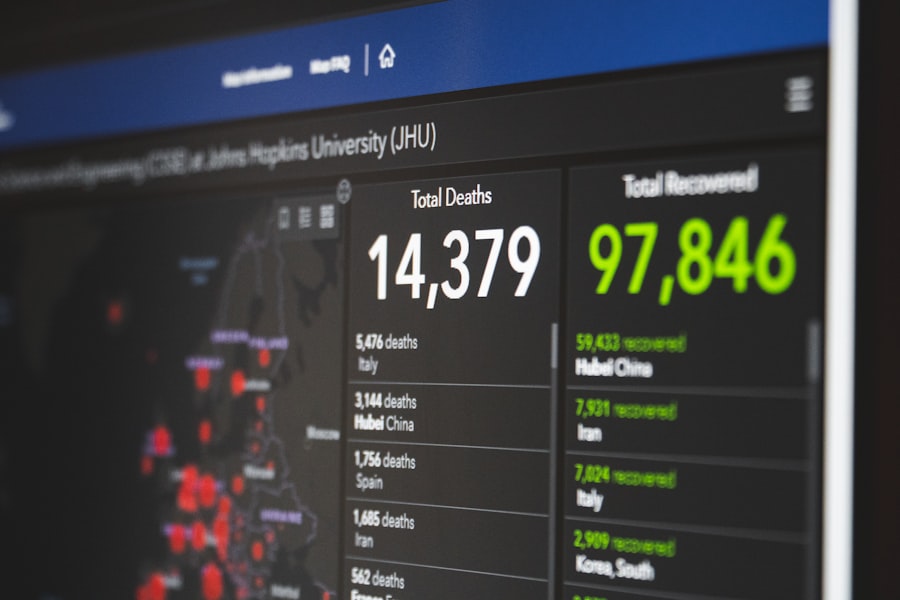
Monitoring is only effective if we are promptly notified when something goes wrong. A robust alerting system is crucial to minimize downtime and performance degradation. We need to establish clear communication channels and escalation paths.
Defining Alerting Thresholds
Simply setting up an alert isn’t enough; we need to define when an alert should trigger. This requires careful consideration of our acceptable performance levels.
- Uptime Thresholds: We should aim for 99.9% uptime, meaning we can tolerate very little downtime. An alert should trigger if our website is down for even a few minutes.
- Performance Thresholds: Defining acceptable response times and page load times for different critical pages. For example, our homepage should load within 2 seconds, while product pages might have a slightly higher acceptable threshold.
- Error Rate Thresholds: Setting alerts if the rate of specific error codes (e.g., 5xx server errors) exceeds a certain percentage over a given period.
- Resource Utilization Thresholds: Alerting when CPU, memory, or disk usage consistently exceeds a certain percentage (e.g., 80%).
Choosing Notification Channels
We need to ensure our alerts reach the right people at the right time. Using multiple notification channels increases the likelihood of prompt action.
- Email Notifications: A standard and reliable method for initial alerts.
- SMS Alerts: For critical issues, SMS messages provide immediate, urgent notification.
- Instant Messaging Integration (Slack, Microsoft Teams): Integrating alerts into our team’s collaboration tools ensures immediate visibility and discussion.
- PagerDuty or Similar Incident Management Platforms: These platforms are designed for serious incidents, allowing for on-call scheduling, escalation, and clear incident management workflows.
We should carefully consider:
- Severity Levels: Categorizing alerts by severity (e.g., informational, warning, critical) and tailoring notification methods accordingly.
- On-Call Rotations: For critical alerts, establishing a clear on-call rotation so that someone is always responsible for responding.
- Escalation Policies: Defining what happens if an alert is not acknowledged or resolved within a specific timeframe.
The Art of Alert Fatigue
One of the biggest challenges in setting up alerts is avoiding “alert fatigue.” If we are bombarded with too many non-critical alerts, we risk ignoring the important ones. This requires a thoughtful approach to tuning our monitoring systems.
- Regular Review and Tuning: Regularly review our alert configurations and adjust thresholds based on observed performance and incident history.
- Consolidate Alerts: Where possible, consolidate multiple related alerts into a single, more informative notification.
- Actionable Alerts: Ensure each alert provides enough context and actionable information for our team to quickly diagnose and resolve the issue.
- Deduplication: Implement mechanisms to avoid receiving multiple redundant alerts for the same underlying problem.
Developing a Response and Resolution Strategy

Monitoring isn’t just about detecting problems; it’s about having a plan to fix them quickly and efficiently. We need a well-defined incident response plan that outlines steps to take when an alert fires.
Incident Triage and Diagnosis
When an alert fires, the first step is to swiftly determine the nature and scope of the problem. This requires a structured approach to diagnosis.
- Initial Assessment: Quickly review the alert details to understand what is being reported (e.g., high response time, specific error code, server resource issue).
- Correlation of Alerts: Check if other alerts are firing simultaneously, which might indicate a broader system issue.
- Accessing Logs and Metrics: Dive into our monitoring dashboards, server logs, and APM tools to gather more specific information about the root cause.
- Reproducing the Issue (if possible): If the issue is specific to user interaction, attempt to reproduce it from different locations or devices to confirm its existence.
Communication During an Incident
Effective communication is paramount during an incident. Keeping stakeholders informed, both internally and externally, builds trust and manages expectations.
- Internal Communication: Immediately notify the relevant technical teams and management responsible for resolving the issue.
- External Communication: For publicly visible incidents, consider communicating with our users. This can be done via social media, a status page, or targeted email notifications. Honesty and transparency are key.
- Status Updates: Provide regular, concise updates on the progress of the resolution, even if there’s no significant new information.
Root Cause Analysis (RCA) and Post-Mortem
After an incident is resolved, it’s crucial to learn from it. A thorough root cause analysis and post-mortem process helps us prevent similar issues from occurring in the future.
- Identify the Underlying Cause: Go beyond the immediate trigger to understand the fundamental reason the incident occurred. Was it a faulty code deployment, a hardware failure, a misconfiguration, or something else?
- Document the Incident: Create a detailed record of the incident, including the timeline, impact, resolution steps, and lessons learned.
- Implement Preventative Measures: Based on the RCA, implement changes to our systems, processes, or documentation to prevent recurrence. This could include updating code, improving deployment procedures, enhancing monitoring, or providing additional training.
- Share Lessons Learned: Share the findings of the post-mortem with relevant teams to foster a culture of continuous improvement.
If you’re looking to enhance your website’s performance, you might find it beneficial to explore related strategies for building an effective online presence. One useful resource is an article on how to create a streamlined site, which can significantly impact both uptime and user experience. You can read more about this in the article on building a one-page website in 10 easy steps. By implementing these insights, you can ensure that your website not only remains operational but also engages visitors effectively.
Continuous Improvement and Optimization
| Metrics | Description |
|---|---|
| Uptime | The percentage of time that a website is operational and accessible to users. |
| Response Time | The time it takes for a website to respond to a request from a user’s browser. |
| Page Load Time | The time it takes for a web page to fully load in a user’s browser. |
| Error Rate | The percentage of requests to a website that result in an error or failure. |
| Downtime Incidents | The number of times a website experiences an outage or period of unavailability. |
Ensuring website uptime and performance is not a one-time task; it’s an ongoing process of monitoring, analyzing, and optimizing. We must commit to a cycle of continuous improvement.
Regularly Reviewing Monitoring Data
Our monitoring dashboards and reports are treasure troves of information. We should make it a habit to regularly review this data, even when there are no active incidents.
- Trend Analysis: Look for gradual increases in response times, error rates, or resource utilization. These subtle shifts can be early indicators of impending problems.
- Performance Baselines: Establish performance baselines during optimal periods and compare current performance against them.
- User Behavior Insights: Analyze RUM data to understand how users are interacting with our site and identify areas where they might be struggling.
Performance Tuning and Optimization
Based on our monitoring data, we can identify specific areas for performance enhancement.
- Code Optimization: Identify slow-running code, inefficient database queries, or excessive JavaScript execution and work to optimize them.
- Caching Strategies: Implement and fine-tune caching mechanisms (browser caching, server-side caching, CDN caching) to reduce load times.
- Image and Asset Optimization: Compress images, minify CSS and JavaScript files, and consider lazy loading for performance gains.
- Database Optimization: Regularly review database performance, index tables, and consider query optimization for faster data retrieval.
- Content Delivery Network (CDN): Utilize a CDN to distribute our website’s static assets across multiple servers globally, reducing latency for users.
Scalability Planning
As our website grows and traffic increases, our current infrastructure might reach its limits. Proactive scalability planning is essential to prevent future performance bottlenecks and downtime.
- Load Testing: Regularly perform load tests to simulate high traffic scenarios and identify breaking points in our infrastructure.
- Auto-Scaling: Implement auto-scaling solutions for our servers and databases to automatically adjust resources based on demand.
- Infrastructure Redundancy: Ensure critical components of our infrastructure have redundancy to avoid single points of failure.
- Capacity Planning: Based on historical data and projected growth, plan for future infrastructure needs.
By implementing a comprehensive monitoring strategy, defining clear alerting and response procedures, and committing to continuous improvement, we can significantly enhance our website’s uptime and performance. This will not only protect our business from the costly consequences of downtime and poor performance but also contribute to a superior user experience, fostering customer loyalty and driving our online success. Our vigilance in monitoring is our unwavering commitment to our users and our business.
FAQs
What is website uptime and why is it important to monitor?
Website uptime refers to the amount of time that a website is accessible and operational. It is important to monitor website uptime to ensure that the website is available to users and to identify any potential issues that may affect user experience and business operations.
What are some common methods for monitoring website uptime and performance?
Common methods for monitoring website uptime and performance include using website monitoring tools, implementing uptime monitoring services, utilizing performance testing tools, and setting up alerts for downtime and performance issues.
What are the key performance metrics to monitor for website uptime and performance?
Key performance metrics to monitor for website uptime and performance include response time, page load speed, server uptime, downtime frequency, and error rates. These metrics provide insights into the overall health and performance of a website.
How often should website uptime and performance be monitored?
Website uptime and performance should be monitored regularly, ideally on a continuous basis. This ensures that any issues or downtime are promptly identified and addressed, minimizing the impact on users and business operations.
What are the potential consequences of not monitoring website uptime and performance?
Not monitoring website uptime and performance can lead to negative impacts on user experience, loss of revenue, damage to brand reputation, and missed business opportunities. Additionally, it can result in increased customer churn and decreased customer satisfaction.









Add comment