

You are considering the operational backbone of many online services. A single server can only carry a limited load, a reality you quickly encounter as your web application or service gains traction. This is where multi-server hosting infrastructure becomes not just a convenience, but a necessity. By distributing your application across multiple machines, you are not merely adding resources; you are fundamentally altering your operational resilience and scalability characteristics.
Your journey into multi-server architecture often begins when the limitations of a single server become apparent. You might observe a slowdown in response times, intermittent outages, or an inability to handle peak traffic. These are clear indicators that your current setup is no longer adequate.
Performance Bottlenecks
You will notice performance degradation when a single component becomes overwhelmed. For instance, a database server might struggle under heavy query loads, or a web server might cap out on concurrent connections.
- CPU Saturation: Your server’s processor spends a disproportionate amount of time on a single task, leading to a backlog of other processes. You might see this during complex computational tasks or high concurrent user activity.
- Memory Exhaustion: Your application demands more RAM than is physically available, leading to frequent disk swapping, which is significantly slower than RAM access. This manifests as a dramatic slowdown across the board.
- Disk I/O Limitations: If your application heavily reads from or writes to storage, a single disk’s read/write speed can become the limiting factor. Database-intensive applications are particularly vulnerable to this.
- Network Throughput: The server’s network interface saturation can prevent timely data transfer, hindering user experience. This is especially relevant for content delivery networks or multimedia streaming services.
Ensuring High Availability
A single point of failure is a risk you cannot afford in a production environment. If your lone server experiences hardware failure, network interruption, or software errors, your service becomes unavailable.
- Hardware Redundancy: You duplicate critical hardware components, such as power supplies, network cards, and hard drives, to mitigate the impact of individual component failure. This is a foundational step in minimizing downtime.
- Network Redundancy: You implement multiple network paths and redundant network equipment to maintain connectivity even if one path fails. This ensures your users can still reach your servers.
- Geographic Distribution: You deploy your infrastructure across multiple data centers in different geographical locations. This protects against region-wide outages, natural disasters, or major network disruptions.
- Application-Level Failover: You design your application to detect and recover from failures in individual instances. If one server goes down, another automatically takes over its responsibilities without manual intervention.
Achieving Scalability
As your user base grows, your resource requirements will increase. A multi-server architecture enables you to scale your resources horizontally, adding more servers as needed, rather than upgrading a single, more powerful (and expensive) machine.
- Horizontal Scaling vs. Vertical Scaling: You add more machines to your infrastructure (horizontal) instead of upgrading the resources of an existing machine (vertical). Horizontal scaling is often more cost-effective and provides greater resilience.
- Elasticity: Your system can automatically adjust its resources up or down based on demand. This prevents over-provisioning during quiet periods and avoids performance degradation during peak times.
- Load Distribution: You distribute incoming requests across multiple servers, ensuring no single server becomes a bottleneck. This is crucial for maintaining consistent response times as traffic fluctuates.
For those looking to delve deeper into the world of multi-server hosting infrastructure, it is beneficial to explore how to effectively set up and manage your online presence. A related article that provides valuable insights on starting a blog in 2023 can be found here: How to Start a Blog in 2023. This resource offers practical tips that can complement your understanding of hosting solutions and enhance your overall web strategy.
Core Components of Multi-Server Architecture
To effectively distribute your application and achieve the benefits outlined, you will incorporate several key components into your infrastructure. Each plays a distinct role in managing traffic, storing data, and orchestrating services.
Load Balancers
Your load balancer is the entry point for all incoming traffic to your application. It acts as a traffic cop, intelligently distributing requests across your available web servers. This prevents any single server from becoming overwhelmed and ensures optimal resource utilization.
- Traffic Distribution Algorithms: You can configure your load balancer to use various algorithms, such as round-robin, least connections, or IP hash, to determine which server receives the next request. The choice depends on your specific application and traffic patterns.
- Health Checks: Your load balancer continuously monitors the health of your backend servers. If a server becomes unresponsive or fails a health check, the load balancer will stop sending traffic to it, preventing users from encountering errors.
- SSL Termination: Many load balancers can handle SSL/TLS encryption and decryption, offloading this computationally intensive task from your web servers. This can improve the performance of your application servers.
- Session Persistence: For applications that require users to maintain a persistent connection with a specific server (e.g., e-commerce shopping carts), your load balancer can be configured to direct subsequent requests from the same user to the same backend server. This is also known as “sticky sessions.”
Database Servers
Separating your database from your application servers is a fundamental principle in multi-server architectures. This allows your database to scale independently and often requires specialized configurations for performance and redundancy.
- Master-Slave Replication: You set up one database server as the master, handling all write operations, and one or more slave servers that replicate data from the master. Slaves can then handle read-heavy traffic, distributing the load and providing a read-only backup.
- Database Clusters: For even higher availability and write scalability, you might employ database clusters where multiple servers work together to manage data. Technologies like MySQL Cluster, PostgreSQL’s streaming replication, or NoSQL databases like Cassandra are examples.
- Sharding: When a single database instance cannot handle the volume of data or queries, you partition your data across multiple database servers. Each shard contains a subset of your data, allowing for parallel processing of queries.
- Caching Layers: You implement caching mechanisms (e.g., Redis, Memcached) in front of your database to store frequently accessed data in memory. This significantly reduces the load on your database by serving requests directly from the cache.
Application Servers
These are the workhorses that execute your application code, process user requests, and interact with the database. In a multi-server setup, you run multiple instances of your application server behind a load balancer.
- Stateless Applications: You design your application to be stateless, meaning that each request contains all the information needed to process it, without relying on session data stored on the server itself. This simplifies scaling and allows any application instance to handle any request.
- Containerization: You often deploy your application servers within containers (e.g., Docker). This provides consistent environments, simplifies deployment, and enhances portability across different server instances.
- Microservices Architecture: You break down your monolithic application into smaller, independent services. Each service can be developed, deployed, and scaled independently, offering greater flexibility and fault isolation.
Distributed Storage Solutions
Managing file uploads, static assets, and other persistent data across multiple servers requires specialized storage solutions that are accessible by all application instances.
- Network Attached Storage (NAS): You use a dedicated storage device connected to your network, providing centralized file access to multiple servers.
- Storage Area Network (SAN): You employ a high-speed network that allows servers to access shared storage devices directly at a block level, ideal for databases and other I/O-intensive applications.
- Object Storage: You use cloud-based object storage services (e.g., Amazon S3, Google Cloud Storage) for storing large amounts of unstructured data. These services offer high availability, scalability, and cost-effectiveness.
- Distributed File Systems: You implement file systems that span multiple servers, providing a unified view of data across your cluster. Examples include GlusterFS or Ceph.
Designing a Resilient Multi-Server Infrastructure

Building a robust multi-server architecture involves more than just adding components. You must consider how these components interact and how the overall system will behave under various conditions. Resilience is achieved through redundancy, monitoring, and automated recovery mechanisms.
Redundancy at Every Layer
You ensure that no single point of failure exists at any level of your infrastructure. This principle guides your choices from hardware to software.
- Load Balancer Redundancy: You deploy multiple load balancers in an active/passive or active/active configuration to ensure that if one fails, another takes over seamlessly.
- Server Redundancy: You provision N+1 or N+M servers for your application and database layers, meaning you have at least one or more spare servers ready to take over if others fail.
- Network Redundancy: You implement redundant network switches, routers, and multiple internet service providers (ISPs) to prevent network outages.
- Power Redundancy: You utilize redundant power supplies (A and B feeds), uninterruptible power supplies (UPS), and generators in data centers to ensure continuous power delivery.
Automated Monitoring and Alerting
You cannot manage what you do not measure. Comprehensive monitoring is essential for identifying issues before they impact users and for understanding the performance of your system.
- System Metrics: You track CPU utilization, memory usage, disk I/O, network throughput, and other critical server-level metrics.
- Application Metrics: You monitor application-specific performance indicators, such as request latency, error rates, database query times, and user session counts.
- Log Aggregation: You collect logs from all your servers into a centralized system (e.g., ELK stack, Splunk). This allows for efficient troubleshooting and analysis of events across your infrastructure.
- Alerting Thresholds: You configure alerts to notify your operations team when specific metrics exceed predefined thresholds, indicating a potential problem. This enables proactive intervention.
Disaster Recovery Planning
Even with the most robust infrastructure, unforeseen events can occur. You must have a plan in place to recover your services in the event of a major outage or disaster.
- Regular Backups: You implement a consistent and automated backup strategy for all critical data, including databases, configuration files, and application code. You also regularly test your restore procedures.
- Failover Procedures: You define clear, documented procedures for switching to redundant systems or disaster recovery sites in the event of a primary system failure.
- Recovery Point Objective (RPO): You determine the maximum acceptable amount of data loss that can occur during an incident. This influences your backup frequency and replication strategies.
- Recovery Time Objective (RTO): You establish the maximum acceptable downtime for your service after an incident. This dictates the speed and efficiency of your recovery processes.
Operational Considerations and Management
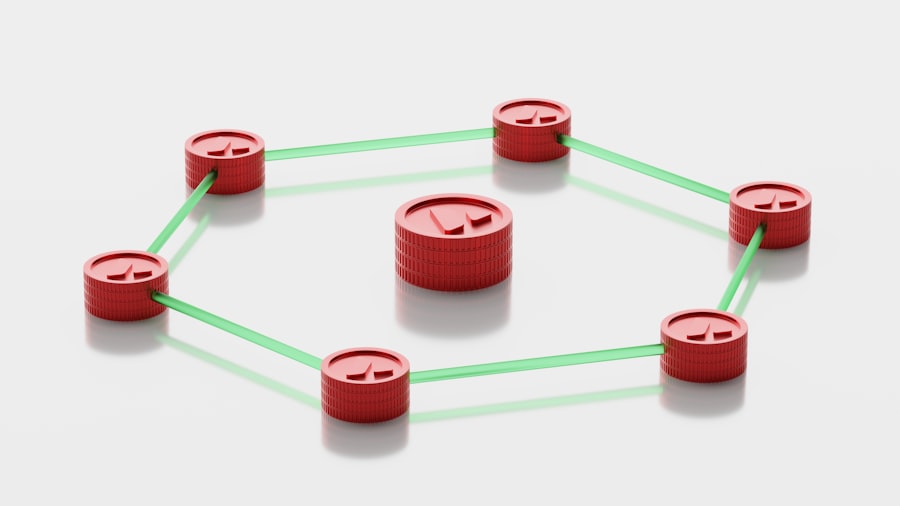
Deploying a multi-server setup is one aspect; effectively operating and managing it is another. Your operational practices will significantly influence the reliability and stability of your infrastructure.
Configuration Management
Manually configuring multiple servers is error-prone and inefficient. You automate configuration tasks to ensure consistency and repeatability.
- Infrastructure as Code (IaC): You define your infrastructure configuration in code (e.g., using Terraform, Ansible, Chef, Puppet). This allows you to version control your infrastructure, provision resources consistently, and maintain desired states.
- Centralized Configuration: You manage application and server configurations from a central repository, pushing updates to all relevant servers simultaneously. This prevents configuration drift.
- Automated Deployment: You implement automated pipelines for deploying new code and configuration changes to your servers. This reduces manual errors and speeds up release cycles.
Orchestration and Automation
As your infrastructure grows, manual management becomes impossible. You leverage orchestration tools to manage and scale your servers and services.
- Container Orchestration: You use tools like Kubernetes or Docker Swarm to deploy, scale, and manage containerized applications across a cluster of servers. This automates many operational tasks.
- Cloud Management Platforms: If you are operating in a cloud environment, you use the cloud provider’s management console and APIs to automate resource provisioning, scaling, and monitoring.
- Scripting and Automation: You develop scripts to automate repetitive tasks, such as server provisioning, software installation, and routine maintenance.
Security Best Practices
Securing a multi-server environment is more complex than securing a single server, as there are more attack surfaces and inter-server communication paths.
- Network Segmentation: You segment your network into different zones (e.g., web, application, database) and implement firewall rules to control traffic flow between these zones. This limits the blast radius of a potential breach.
- Access Control: You implement strict access controls (least privilege principle) for all servers and services. Only authorized personnel or services should have access to specific resources.
- Vulnerability Management: You regularly scan your servers and applications for known vulnerabilities and apply security patches promptly.
- Intrusion Detection/Prevention Systems (IDS/IPS): You deploy IDS/IPS to monitor network traffic for malicious activity and block potential attacks.
When exploring the complexities of multi-server hosting infrastructure, it’s essential to consider how performance optimization plays a crucial role in enhancing user experience. A related article that delves into this topic is available at Mastering Core Web Vitals, which provides insights on improving website speed and efficiency. Understanding these principles can significantly impact the effectiveness of a multi-server setup, ensuring that resources are utilized effectively to deliver fast and reliable service.
Common Multi-Server Architectures
| Metrics | Description |
|---|---|
| Server Uptime | The percentage of time that the servers are operational and accessible. |
| Server Response Time | The time it takes for a server to respond to a request from a client. |
| Bandwidth Usage | The amount of data transferred to and from the servers over a specific period of time. |
| Server Scalability | The ability of the servers to handle an increasing workload by adding more resources. |
| Server Security | The measures in place to protect the servers from unauthorized access and cyber threats. |
Several architectural patterns have emerged to address specific scaling and availability challenges. You will select an architecture based on your application’s requirements, traffic patterns, and budget.
N-Tier Architectures
This is a classic and widely adopted architecture where your application is logically divided into distinct layers, or “tiers,” each running on dedicated servers.
- Web Tier: You place web servers (e.g., Nginx, Apache) in this tier to handle incoming HTTP requests and serve static content. They often proxy requests to the application tier.
- Application Tier: You deploy your application logic and business processing in this tier. These servers execute your code and interact with the database tier.
- Database Tier: You dedicate servers to manage and store your application’s data. This tier is typically isolated from direct external access for security reasons.
Microservices Architecture
You break down your application into independent, loosely coupled services, each designed to perform a specific business function. Each microservice can be developed, deployed, and scaled independently.
- Independent Deployment: You can update or scale individual services without affecting the entire application, leading to faster development cycles and improved resilience.
- Technology Diversity: You can use different programming languages and databases for different microservices, allowing you to choose the best tool for each specific task.
- Increased Complexity: Managing a large number of independent services introduces challenges in terms of monitoring, inter-service communication, and overall system observability.
Event-Driven Architecture
In this architecture, components communicate through events. When something happens in one part of your system, an event is generated and broadcast, which other components can subscribe to and react to.
- Asynchronous Communication: Components do not need to be directly aware of each other, promoting loose coupling and improved scalability.
- Message Queues: You use message queues (e.g., RabbitMQ, Apache Kafka, Amazon SQS) to reliably store and deliver events between services.
- Scalability for Processing: You can easily scale event consumers independently to handle fluctuating workloads, as processes can be added or removed without impacting the event producers.
Serverless Architectures (Function as a Service)
While not strictly “multi-server” in the traditional sense, serverless approaches still rely on a vast multi-server infrastructure managed by cloud providers. You write and deploy functions without provisioning or managing servers.
- Event-Triggered Execution: Your code runs in response to specific events, such as an HTTP request, a file upload, or a database change.
- Automatic Scaling: The cloud provider automatically scales your functions up or down based on demand, eliminating the need for you to manage server capacity.
- Pay-per-Execution: You are billed only for the compute resources consumed by your functions when they are actively running, which can be cost-effective for intermittent workloads.
You have a clear understanding that multi-server hosting infrastructure is complex, spanning various components and requiring meticulous planning and ongoing management. You implement these architectural patterns and operational best practices to build and maintain robust, scalable, and highly available online services. This is not a trivial undertaking, but the benefits in performance, reliability, and the ability to grow your application meaningfully outweigh the initial complexity.
FAQs
What is multi server hosting infrastructure?
Multi server hosting infrastructure refers to a setup where multiple servers are used to host and manage a website or application. This setup allows for better performance, scalability, and redundancy compared to single server hosting.
What are the benefits of multi server hosting infrastructure?
Some benefits of multi server hosting infrastructure include improved performance, better scalability to handle increased traffic or resource demands, increased redundancy and fault tolerance, and the ability to distribute workloads across multiple servers.
How does multi server hosting infrastructure work?
In a multi server hosting infrastructure, the workload is distributed across multiple servers, with each server handling a specific aspect of the hosting environment such as web serving, database management, or application processing. Load balancers are often used to evenly distribute incoming traffic across the servers.
What are the different types of multi server hosting infrastructure?
There are several types of multi server hosting infrastructure, including load balanced hosting, clustered hosting, and cloud hosting. Load balanced hosting distributes incoming traffic across multiple servers, clustered hosting involves multiple servers working together as a single system, and cloud hosting uses a network of virtual servers to provide resources.
What are some considerations for implementing multi server hosting infrastructure?
When implementing multi server hosting infrastructure, it’s important to consider factors such as server hardware and software compatibility, network infrastructure, security measures, backup and disaster recovery plans, and ongoing maintenance and monitoring requirements. Additionally, it’s important to consider the potential cost and complexity of managing multiple servers.









Add comment