
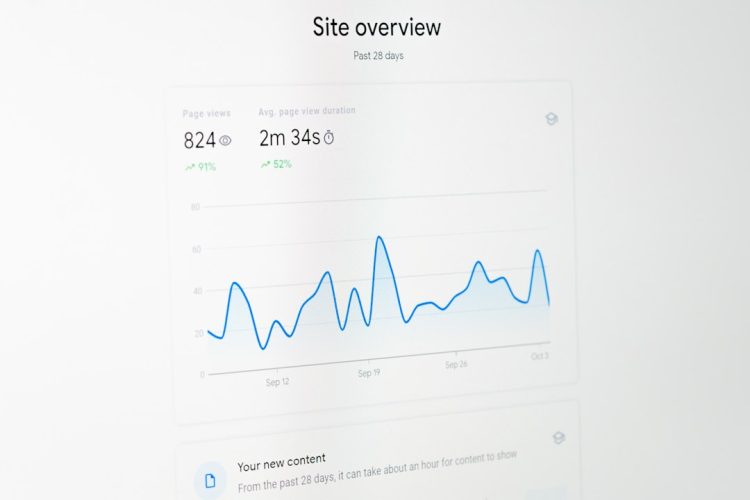
You’re ready to take your website to the next level. You understand that a slow, unreliable online presence isn’t just a minor inconvenience; it’s a direct threat to your business, your brand, and your user engagement. In today’s hyper-connected world, where attention spans are measured in milliseconds and competition is fierce, a high-performance website isn’t a luxury – it’s a necessity. This article will guide you through the intricate world of modern hosting solutions, helping you make informed decisions that will empower your website to soar.
Before you dive into the technical details of various hosting options, you need to internalize why performance matters so profoundly. It’s not just about flashy loading screens; it’s about a foundational impact on every aspect of your online presence.
The Impact of Website Performance
Imagine yourself as a user. You click a link, wait… and wait… then give up and go to a competitor. This isn’t just anecdotal; it’s a universal experience.
- User Experience (UX) and Engagement: A fast website is a pleasant website. Users are more likely to stay, explore, and convert when pages load instantly. Slow sites lead to frustration, high bounce rates, and a negative perception of your brand. You simply can’t afford to alienate potential customers or readers with sluggishness.
- Search Engine Optimization (SEO): Google and other search engines prioritize fast-loading websites in their rankings. Why? Because they want to provide the best possible experience for their users. A slow site will inevitably be penalized, meaning your audience might never even find you. Improving your core web vitals isn’t just good practice; it’s a cornerstone of modern SEO.
- Conversion Rates: Whether you’re selling products, generating leads, or encouraging sign-ups, website speed directly impacts your bottom line. Every second of delay can translate into a significant drop in conversions. For e-commerce sites, this can mean millions in lost revenue. You need to provide a frictionless path to purchase.
- Brand Perception and Trust: A professional, fast-loading website instills confidence and credibility. It tells your visitors that you care about their experience. Conversely, a clunky, slow site can make your business appear unprofessional or unreliable, eroding trust before you’ve even had a chance to connect.
- Scalability and Future Growth: As your website grows, so do your hosting demands. Choosing a performance-oriented solution from the start ensures that your infrastructure can handle increased traffic, more complex functionalities, and expanding content without crumbling under pressure.
Identifying Your Website’s Needs
Before you even think about specific hosting providers, you need to perform an honest assessment of your website. This isn’t a one-size-fits-all solution; your perfect hosting environment will be unique to you.
- Traffic Volume and Predictions: How many visitors do you anticipate? Do you have seasonal spikes? Are you launching a major marketing campaign that could drive a surge in traffic? Understanding your current and projected traffic is crucial.
- Website Type and Complexity: Are you running a simple static blog, a complex e-commerce store with thousands of products, a resource-heavy web application, or a media-rich portfolio? The type of content and functionality dictates your resource needs.
- Resource Requirements (CPU, RAM, Storage): Does your website process heavy computations, run complex databases, or store large files? Different applications have different demands for processing power, memory, and disk space.
- Geographic Audience: Where are most of your users located? Hosting your website closer to your audience can significantly reduce latency and improve load times. This often involves choosing a data center in a strategic location or utilizing a Content Delivery Network (CDN).
- Technical Expertise Level: Are you comfortable with server administration, command-line interfaces, and complex configurations? Or do you prefer a highly managed, intuitive control panel experience? Your technical comfort level will heavily influence your choice.
When considering how to build a high-performance website with modern hosting solutions, it’s also important to be aware of common pitfalls that can hinder your success. For instance, beginners often face challenges that can affect their website’s performance and user experience. To learn more about these issues and how to navigate them, check out this insightful article on 11 Common Blogging Mistakes and How to Navigate Them as Beginners. This resource provides valuable tips that can complement your efforts in creating a robust online presence.
Exploring Modern Hosting Solutions
The landscape of web hosting has evolved dramatically. Gone are the days when shared hosting was the only affordable option. Today, you have a plethora of powerful, flexible, and scalable solutions at your fingertips.
Shared Hosting (With Caveats)
This is often where you begin, due to its low cost and ease of use. However, for a high-performance website, it typically isn’t the final destination.
- Pros: Incredibly affordable, easy to set up for beginners, often comes with a user-friendly control panel like cPanel. It’s suitable for small personal blogs or websites with very low traffic.
- Cons: Resources (CPU, RAM, disk I/O) are shared among many other websites on the same server. This means performance can be highly inconsistent and subject to the “noisy neighbor” effect. If another site on your server experiences a traffic spike or runs a resource-intensive script, your site’s performance will suffer. Security can also be a greater concern due to shared environments.
- Performance Takeaway: While a good starting point for a very basic site, shared hosting is generally not suitable for high-performance requirements, especially as your traffic grows. You’ll quickly hit its limitations.
Virtual Private Servers (VPS)
A significant step up from shared hosting, VPS provides a more isolated and controlled environment.
- How it Works: A physical server is partitioned into several virtual servers, each acting like an independent machine with its own dedicated resources (CPU cores, RAM, storage). You get root access, allowing for greater customization.
- Pros: Better performance and reliability compared to shared hosting. You have dedicated resources, meaning other websites won’t directly impact your performance. Greater control and flexibility over the server environment. More secure due to isolation.
- Cons: Requires more technical knowledge to manage (unless you opt for a “managed VPS”). Costs more than shared hosting. Some providers can still oversell resources, so choose a reputable one.
- Performance Takeaway: VPS is an excellent compromise for growing websites that need more power and control than shared hosting but aren’t ready for the leap to dedicated servers. It offers good performance stability for moderate traffic.
Dedicated Servers
The pinnacle of traditional hosting, offering maximum performance, security, and control.
- How it Works: You lease an entire physical server exclusively for your website(s). You have full control over the hardware, operating system, and software stack.
- Pros: Unparalleled performance and reliability. All server resources are yours, ensuring consistent speed and responsiveness. Highest level of security and customization. Ideal for high-traffic websites, complex applications, and sensitive data.
- Cons: Significantly more expensive than VPS. Requires advanced technical expertise for server setup, maintenance, and security. Downtime due to hardware failure can be critical if not properly handled (e.g., redundant setups).
- Performance Takeaway: If peak performance, absolute control, and maximum security are your non-negotiables, a dedicated server is a strong contender. Be prepared for the associated costs and management overhead.
Cloud Hosting (The Modern Powerhouse)
Cloud hosting has revolutionized the industry, offering unmatched scalability and flexibility.
- How it Works: Instead of relying on a single physical server, your website is hosted on a network of interconnected virtual servers, drawing resources from a vast pool. This distributed nature is key.
- Pros: Unmatched Scalability: Easily scale resources up or down on demand to handle traffic fluctuations. You pay only for what you use. High Availability and Reliability: If one server fails, another takes over seamlessly, minimizing downtime. Geographic Redundancy: Often allows for hosting across multiple data centers, improving global reach and resilience. Flexibility: Wide array of services (compute, storage, databases, managed services).
- Cons: Can be more complex to configure initially. Cost can become unpredictable if not carefully monitored (pay-as-you-go model). Requires a good understanding of cloud architecture to optimize for cost and performance.
- Performance Takeaway: For high-performance websites with fluctuating traffic, global audiences, or complex application needs, cloud hosting (e.g., AWS, Google Cloud, Azure) is often the superior choice. It provides the elasticity to handle sudden spikes and consistently deliver speed.
Managed WordPress Hosting
If your website is built on WordPress (which accounts for a significant portion of the internet), specialized WordPress hosting can be a game-changer for performance.
- How it Works: These providers optimize their server environments specifically for WordPress. They often include features like server-level caching, automatic updates, performance monitoring, enhanced security, and expert WordPress support.
- Pros: Optimized performance for WordPress out-of-the-box. Proactive security, backups, and updates reduce your workload. Expert WordPress support can resolve issues quickly. Often includes built-in CDN integration.
- Cons: Typically more expensive than generic shared or even some VPS plans. Can be less flexible if you need extensive custom server configurations outside of WordPress.
- Performance Takeaway: For any serious WordPress site, managed WordPress hosting provides a significant performance boost without requiring deep server administration knowledge. It’s an investment that pays off in speed, security, and peace of mind.
Essential Performance-Boosting Features

Beyond the core hosting type, several features and technologies can dramatically enhance your website’s performance, regardless of your chosen solution. You need to scrutinize what each provider offers.
Content Delivery Networks (CDNs)
A CDN is no longer an optional extra; it’s a fundamental component of a high-performance website.
- How it Works: A CDN stores copies of your static website content (images, CSS, JavaScript) on servers (Points of Presence or PoPs) located strategically around the world. When a user requests your site, the content is delivered from the closest PoP, reducing latency.
- Benefits: Dramatically faster content delivery for global audiences. Reduces the load on your origin server. Improves website security by filtering malicious traffic and mitigating DDoS attacks.
- Key Providers: Cloudflare, Akamai, MaxCDN (StackPath), Amazon CloudFront. Many hosting providers include basic CDN integration or offer it as an add-on. You should absolutely leverage this.
Caching Mechanisms
Caching is paramount for performance, preventing your server from doing the same work repeatedly.
- Browser Caching: Instructs users’ browsers to store copies of static files for faster loading on subsequent visits.
- Server-Side Caching: Stores dynamic content on the server so it doesn’t need to be regenerated for every request. This can be implemented at various levels:
- Object Caching (e.g., Memcached, Redis): Caches database queries and other frequently accessed data.
- Page Caching: Caches fully rendered HTML pages, serving them instantly without processing PHP scripts.
- Opcode Caching (e.g., Opcache): Stores compiled PHP code in memory, preventing repeated compilation.
- Benefits: Reduces server load, speeds up page load times dramatically, especially for dynamic sites. Less resource utilization means your server can handle more traffic. You need robust caching configured at multiple levels to extract maximum performance.
Modern Web Servers & Technologies
The underlying software running your server can also impact performance.
- Nginx vs. Apache: While Apache is widely used, Nginx is often favored for high-performance websites due to its event-driven architecture, which handles concurrent connections more efficiently, especially for serving static files. Many modern stacks use Nginx as a reverse proxy in front of Apache or PHP-FPM.
- HTTP/2 (and soon HTTP/3): These newer protocols significantly improve how browsers and servers communicate, allowing for parallel loading of resources over a single connection, reducing latency. Ensure your hosting provider supports them.
- PHP Versions: Always use the latest stable version of PHP (e.g., PHP 8.x). Each new version brings significant performance improvements and security enhancements. Outdated PHP versions are a major drag on performance.
- Database Optimization: Using fast databases (e.g., optimized MySQL, PostgreSQL) and ensuring they are properly configured and indexed is critical, especially for data-intensive applications.
Security Enhancements
A secure website is inherently a high-performance website. Security breaches disrupt service and can lead to significant downtime and data loss.
- SSL/TLS Certificates (HTTPS): Essential for security, SEO, and user trust. Modern hosting providers often include free SSL (e.g., Let’s Encrypt). HTTPS also enables HTTP/2 for faster communication.
- DDoS Protection: Protects your site from malicious distributed denial-of-service attacks that can bring your server to its knees.
- Firewalls (WAF/Server-level): Web Application Firewalls (WAFs) filter malicious traffic before it reaches your server, while server-level firewalls restrict unwanted connections.
- Regular Backups: While not directly a performance feature, reliable daily backups are crucial for recovery in case of emergencies, ensuring minimal downtime if a security incident or server crash occurs.
- Malware Scanning and Removal: Proactive monitoring for malware ensures your site remains clean and secure, preventing performance degradation caused by malicious scripts.
Choosing the Right Provider and Plan

Now that you understand the options and essential features, it’s time to zero in on a hosting provider. This decision is as critical as your choice of hosting type.
Researching Hosting Providers
Don’t just pick the first ad you see. Due diligence here will save you headaches down the road.
- Reputation and Track Record: Look for established providers with a proven history of reliability and customer satisfaction. Read reviews on independent sites (Trustpilot, G2, etc.).
- Customer Support: This is paramount, especially if you’re not a seasoned sysadmin. Evaluate their response times, availability (24/7?), and the quality of their support channels (live chat, phone, tickets). Do they offer specialized support for your platform (e.g., WordPress expertise)?
- SLA (Service Level Agreement): What uptime guarantees do they offer? A good SLA should promise at least 99.9% uptime and detail compensation for breaches.
- Scalability Options: Can you easily upgrade or downgrade your plan as your needs change? Look for seamless scaling without requiring complex migrations.
- Pricing Structure and Transparency: Understand all costs – setup fees, renewal rates (often higher than introductory offers), add-on costs (backups, security features). Avoid providers with hidden fees.
Key Factors to Weigh
Beyond the general provider research, these factors are specific to your performance goals.
- Data Center Location: As mentioned, choosing a data center geographically close to your target audience is crucial for reducing latency.
- Resource Allocation (CPU, RAM, Storage, Bandwidth): Don’t just look at disk space. Pay attention to CPU cores, RAM, and monthly bandwidth. Ensure these align with your identified needs. “Unlimited” bandwidth often comes with unspoken fair-usage policies.
- Specific Software Support: If your website relies on a particular database (PostgreSQL, MongoDB) or programming language version (Python 3.9, Node.js 16), ensure the host fully supports it.
- Control Panel and Management Tools: Do you prefer cPanel, Plesk, or a custom dashboard? Do they offer easy access to logs, analytics, and backup management?
- Monitoring and Analytics: Do they provide tools to monitor your server resources, uptime, and website performance? This helps you identify and address issues proactively.
When considering how to build a high-performance website with modern hosting solutions, it’s essential to also focus on security to protect your site from potential threats. A related article that delves into this topic is available at 12 Latest Website Security Best Practices in 2023, which provides valuable insights on safeguarding your online presence while ensuring optimal performance. By combining effective hosting strategies with robust security measures, you can create a reliable and efficient website that meets the needs of your users.
Optimizing Your Website Beyond Hosting
| Metrics | Description |
|---|---|
| Page Load Time | The time it takes for a web page to load completely |
| Uptime | The percentage of time that a website is operational and accessible |
| Server Response Time | The time it takes for the server to respond to a request from a browser |
| Scalability | The ability of the hosting solution to handle increased traffic and resource demands |
| Security | The measures in place to protect the website and its data from cyber threats |
Even the most robust hosting solution won’t fully compensate for an unoptimized website. You have a crucial role to play in ensuring your site performs at its best.
Image Optimization
This is often the lowest-hanging fruit for performance improvements. Large images are a primary cause of slow loading times.
- Compression: Use tools like TinyPNG or online image compressors to reduce file sizes without significant loss of quality.
- Proper Scaling: Serve images at the dimensions they are displayed. Don’t upload a 4000px wide image only to display it at 400px.
- Next-Gen Formats: Leverage formats like WebP, which offer superior compression compared to JPEG and PNG. Browsers are increasingly supporting these.
- Lazy Loading: Defer the loading of images that are not immediately visible in the user’s viewport. This significantly speeds up initial page load.
Code Optimization (CSS, JavaScript, HTML)
Clean and efficient code runs faster.
- Minification: Remove unnecessary characters (whitespace, comments) from your CSS, JavaScript, and HTML files to reduce their size.
- Concatenation: Combine multiple CSS files into one, and multiple JavaScript files into one, to reduce the number of HTTP requests. (Though with HTTP/2, this is less critical than it once was, it can still offer benefits).
- Asynchronous Loading: Load non-critical JavaScript and CSS asynchronously or defer their loading until after the main content is rendered. This prevents render-blocking.
- Remove Unused Code: Regularly audit your themes and plugins for unused CSS and JavaScript that add bloat.
Database Optimization
For dynamic sites (especially WordPress), a bloated or unoptimized database can be a major bottleneck.
- Regular Maintenance: Optimize your database tables. Many CMSs offer tools for this.
- Clean Up Revisions and Transients: For WordPress, clear out old post revisions, spam comments, and expired transients that accumulate over time.
- Use Indexes: Ensure your database tables have appropriate indexes on frequently queried columns to speed up data retrieval. You’ll likely need a developer for this.
Browser & Client-Side Optimizations
Leverage the power of the user’s browser to enhance performance.
- Leverage Browser Caching: Configure your server to send appropriate HTTP caching headers (Cache-Control, Expires) to tell browsers how long to cache your content.
- Prioritize Above-the-Fold Content: Ensure that the content visible immediately upon page load (above the fold) loads as quickly as possible.
- Reduce Redirects: Each redirect adds latency. Minimize them wherever possible.
By meticulously evaluating your needs, understanding the modern hosting landscape, and diligently optimizing your website’s elements, you can create a high-performance online presence that delights your users, ranks well in search engines, and drives your success. The investment in robust hosting and proactive optimization is an investment in your future.
FAQs
1. What are modern hosting solutions for high performance websites?
Modern hosting solutions for high performance websites include cloud hosting, virtual private servers (VPS), dedicated servers, and managed WordPress hosting. These solutions offer scalability, reliability, and performance optimization features.
2. How does cloud hosting contribute to high performance websites?
Cloud hosting allows websites to utilize resources from multiple servers, providing scalability and flexibility. This results in improved website performance, as it can handle sudden traffic spikes and maintain uptime.
3. What are the benefits of using a virtual private server (VPS) for hosting a high performance website?
VPS hosting offers dedicated resources and greater control over server configurations, leading to improved website performance. It also provides scalability and security features, making it suitable for high traffic websites.
4. How can dedicated servers contribute to building a high performance website?
Dedicated servers provide exclusive access to all server resources, ensuring consistent performance for high traffic websites. They offer customization options, high security, and reliable uptime, making them ideal for demanding web applications.
5. What is managed WordPress hosting and how does it help in building a high performance website?
Managed WordPress hosting is specifically optimized for WordPress websites, offering features such as automatic updates, caching, and security enhancements. This results in improved website speed, performance, and reliability.









Add comment