
You’re ready to share your expertise, build your brand, and connect with a wider audience. A professional blog is your digital storefront, your thought leadership platform, and your direct line to potential clients or collaborators. And when it comes to creating a powerful, flexible, and scalable blog, WordPress hosting is your go-to solution. This isn’t just about setting up a few pages; it’s about crafting an online presence that reflects your professionalism and amplifies your message.
Before you dive into the nitty-gritty, it’s crucial to grasp why WordPress hosting is the undisputed champion for professional blogs. It’s not just a content management system; it’s a vast ecosystem designed to empower you.
What is WordPress?
You might already be familiar with the name, but let’s reiterate its significance. WordPress is an open-source content management system (CMS) that allows you to create, manage, and publish content on the web. It powers over 43% of all websites on the internet, from small personal blogs to massive corporate sites. Its popularity stems from its flexibility, user-friendliness, and extensive community support.
Why Not Free Blog Platforms?
You might be tempted by free blog platforms like Blogger or Tumblr. While they offer a quick entry point, you’ll quickly hit a wall with their limitations. With free platforms, you:
- Lack Customization: Your blog will look generic and be difficult to brand.
- Have Limited Functionality: Advanced features are often locked behind paywalls or simply unavailable.
- Don’t Own Your Content: The platform often retains significant control over your content and can even shut down your blog without warning.
- Struggle with SEO: Optimizing your blog for search engines is significantly harder.
- Are Subject to Ads: Many free platforms inject their own advertisements onto your site, detracting from your professional image.
WordPress hosting, on the other hand, gives you complete ownership and control.
The Role of Hosting in Your Professional Blog
WordPress itself is just the software. To make it accessible on the internet, you need hosting. Think of hosting as the land your house (your WordPress site) is built on. A reliable hosting provider offers:
- Server Space: Where all your website files (text, images, videos) are stored.
- Bandwidth: The amount of data that can be transferred from your site to visitors.
- Uptime Guarantees: Ensures your website is almost always accessible to your audience.
- Security: Protects your site from malicious attacks and data breaches.
- Speed Optimization: Ensures your pages load quickly, improving user experience and SEO.
Choosing the right hosting is as critical as choosing the right theme.
If you’re looking to enhance your blogging experience and potentially increase your online sales, you might find it beneficial to explore how business hosting can play a crucial role in your success. For insights on this topic, check out the article on how business hosting can boost your online sales and revenue. This resource complements your journey in creating a professional blog with WordPress hosting by highlighting the importance of choosing the right hosting solution for your business needs.
Setting Up Your Foundation: Domain and Hosting
The first tangible steps in crafting your professional blog involve securing your digital identity and a place for it to live.
Choosing a Memorable Domain Name
Your domain name is your online address. It’s how people will find you, and it’s a critical part of your brand. When selecting one, consider these points:
- Relevance: Does it clearly indicate what your blog is about or who you are?
- Memorability: Is it easy to remember and spell? Avoid obscure words or complex combinations.
- Brand Alignment: Does it reflect your personal or professional brand?
- Availability: Check if your desired domain is available. Popular extensions like
.comare highly sought after. - Keywords (Optional but Helpful): Including a relevant keyword can sometimes help with search engine recognition, but don’t force it if it makes the name clunky.
Selecting Your WordPress Hosting Provider
This is a crucial decision. You have several types of hosting to choose from, each with its own pros and cons:
- Shared Hosting: Most affordable, suitable for new blogs with low traffic. You share server resources with many other websites.
- Managed WordPress Hosting: Optimized specifically for WordPress. Offers excellent performance, enhanced security, automatic updates, and dedicated support. Often pricier but worth the investment for a professional blog.
- VPS (Virtual Private Server) Hosting: Provides more resources and control than shared hosting, essentially giving you a “virtual” dedicated server. Good for growing blogs with moderate traffic.
- Dedicated Hosting: You get an entire server to yourself. Expensive, best for very high-traffic sites or complex applications.
For a professional blog, managed WordPress hosting is often the sweet spot. It provides the performance, security, and convenience you need without the steep learning curve or cost of a dedicated server. Look for providers that offer:
- One-Click WordPress Installation: Simplifies the setup process.
- Free SSL Certificate: Essential for security and SEO.
- Daily Backups: Protects your content from data loss.
- Scalability: Allows your hosting plan to grow with your blog’s traffic.
- Excellent Customer Support: Crucial for troubleshooting any issues.
Installing WordPress
Once you’ve purchased your domain and hosting, the installation process is usually straightforward. Most reputable hosting providers offer a one-click WordPress installation through their control panel (cPanel or a proprietary interface).
- Log in to your hosting account.
- Locate the “WordPress” or “Auto Installer” icon.
- Follow the prompts: You’ll typically choose your domain, a site title, an admin username, and a strong password.
- Click “Install.”
Within minutes, your WordPress site will be live. You’ll receive an email with your admin login details, allowing you to access your WordPress dashboard.
Crafting Your Professional Aesthetics: Themes and Customization
Your blog’s appearance is your first impression. A professional, clean, and responsive design instills trust and keeps visitors engaged.
Choosing a Professional WordPress Theme
The WordPress theme dictates the look and feel of your blog. There are thousands of themes available, both free and premium.
- Free Themes: Good for getting started, but often lack advanced features, customization options, and dedicated support.
- Premium Themes: A worthwhile investment. They come with robust features, regular updates, dedicated support, and often include page builders for easy customization.
When selecting a theme, prioritize these characteristics:
- Responsiveness: Essential for mobile users. Your theme must look good and function well on all devices (desktops, tablets, smartphones).
- Clean Design: Avoid cluttered themes. Professionalism often equates to simplicity and ease of navigation.
- Speed Optimization: A fast-loading theme improves user experience and SEO.
- Customization Options: Look for themes that allow you to easily change colors, fonts, layouts, and add your logo without needing to code.
- Reputation and Reviews: Check reviews and demos before purchasing. Ensure the theme developer has a good track record and offers support.
- SEO Friendliness: Some themes are built with better SEO practices in mind.
Popular premium themes like Astra, GeneratePress, Kadence, and OceanWP are highly recommended for their flexibility and performance.
Essential Customization for Branding
Once your theme is installed, it’s time to make it truly yours.
- Upload Your Logo: Replace the default site title with your professional logo. This is a cornerstone of your brand identity.
- Choose a Color Scheme: Select colors that align with your brand and are visually appealing. Use tools like Adobe Color Wheel or Coolors to find harmonious palettes.
- Select Professional Fonts: Typography significantly impacts readability and aesthetic. Choose clean, legible fonts for your body text and a complementary font for headings.
- Customize Your Header and Footer: These areas are often overlooked but are crucial for navigation, branding, and legal information (privacy policy, terms of service).
- Create Key Pages:
- About Page: Tell your story, highlight your expertise, and connect with your audience.
- Contact Page: Provide clear ways for visitors to reach you (contact form, email address).
- Privacy Policy & Terms of Service: Legally required, especially if you collect user data or offer services.
- Services/Portfolio Page (if applicable): Showcase your work and offerings.
Powering Up Your Blog: Plugins and Functionality
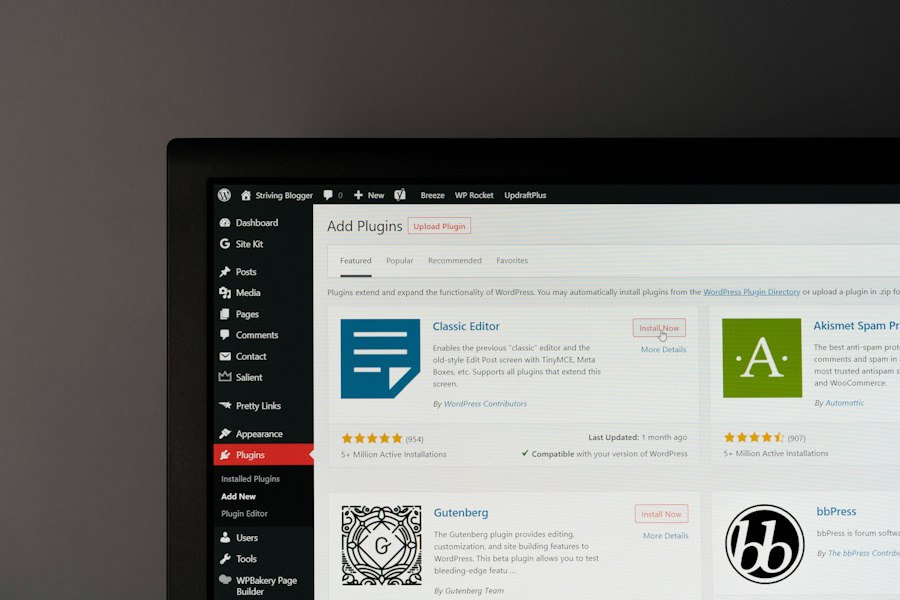
WordPress’s true strength lies in its extensibility through plugins. These small software additions enhance your blog’s functionality, security, and performance without requiring any coding.
Must-Have Plugins for a Professional Blog
While the specific plugins you need will vary, some are universally beneficial for any professional blog.
- Security Plugin (e.g., Wordfence, Sucuri Security): Essential for protecting your site from malware, brute-force attacks, and other vulnerabilities. This is non-negotiable.
- SEO Plugin (e.g., Yoast SEO, Rank Math): Helps you optimize your content for search engines, improve visibility, and track your performance. These plugins guide you through on-page SEO best practices.
- Caching Plugin (e.g., WP Super Cache, LiteSpeed Cache, WP Rocket): Improves your site’s loading speed by storing static versions of your pages, reducing server load. Speed is a ranking factor and critical for user experience.
- Backup Plugin (e.g., UpdraftPlus, BackWPup): Automates regular backups of your entire website, ensuring you can restore it if anything goes wrong. Your hosting provider might offer backups, but an additional plugin adds an extra layer of security.
- Contact Form Plugin (e.g., Contact Form 7, WPForms): Allows visitors to easily contact you without revealing your email address, reducing spam.
- Anti-Spam Plugin (e.g., Akismet): Protects your comment section from spam bots, keeping your blog clean and professional.
- Analytics Plugin (e.g., MonsterInsights): Integrates Google Analytics with your WordPress dashboard, providing valuable insights into your audience, traffic sources, and content performance.
Optimizing for Performance and User Experience
Plugins aren’t just for features; they’re also for making your blog faster and more enjoyable to use.
- Image Optimization Plugins (e.g., Smush, Imagify): Compresses and optimizes images without sacrificing quality, significantly reducing page load times. Large images are often the biggest culprit for slow websites.
- Minification Plugins (often included in caching plugins): Reduces the size of your CSS, JavaScript, and HTML files by removing unnecessary characters, leading to faster loading.
- Broken Link Checker: Identifies dead links on your site, which can harm user experience and SEO.
- Social Sharing Plugins (e.g., Shareaholic, Social Warfare): Make it easy for your readers to share your content on social media, expanding your reach.
Remember to only install plugins you genuinely need. Too many plugins can slow down your site and create security vulnerabilities. Regularly review and update your plugins.
Creating a professional blog with WordPress hosting can significantly enhance your online presence, and understanding the importance of website performance is equally crucial. For instance, if you’re looking to improve your blog’s loading speed and overall efficiency, you might find it beneficial to explore how faster NVMe storage can boost your business. You can read more about this in the article how faster NVMe storage can boost your business. This knowledge can complement your blogging efforts by ensuring that your site runs smoothly and efficiently.
Creating Compelling Content and Maximizing Reach
| Step | Action | Key Metrics/Considerations | Tools/Plugins |
|---|---|---|---|
| 1 | Choose a WordPress Hosting Provider |
|
Bluehost, SiteGround, WP Engine |
| 2 | Install WordPress |
|
One-click installers (Softaculous, Fantastico) |
| 3 | Select a Professional Theme |
|
Astra, GeneratePress, Divi |
| 4 | Install Essential Plugins |
|
Yoast SEO, Wordfence, WP Rocket |
| 5 | Create Quality Content |
|
Grammarly, Hemingway Editor |
| 6 | Optimize for SEO |
|
Yoast SEO, Google Analytics |
| 7 | Promote Your Blog |
|
Mailchimp, Buffer, Google Analytics |
| 8 | Maintain and Update Regularly |
|
UpdraftPlus, Wordfence |
Your professional blog is only as good as the content you produce. High-quality, valuable content is what attracts and retains your audience.
Developing a Content Strategy
Don’t just write for the sake of writing. Approach your content creation strategically.
- Define Your Niche: What specific area of expertise will you focus on? A narrower niche often leads to more dedicated readers.
- Identify Your Target Audience: Who are you writing for? What are their pain points, questions, and interests?
- Keyword Research: Use tools like Google Keyword Planner, SEMrush, or Ahrefs to find terms your target audience is searching for. Incorporating these keywords naturally into your content will boost your SEO.
- Content Calendar: Plan your content in advance. A calendar helps you maintain consistency and ensures a steady flow of fresh material.
- Content Pillars: Develop a few core topics or “pillars” that you’ll consistently write about, establishing your authority in those areas.
- Vary Content Formats: Don’t just stick to text. Consider incorporating:
- How-to guides: Step-by-step instructions.
- Listicles: Easy-to-digest lists.
- Case studies: Real-world examples of your work.
- Interviews: Insights from industry experts.
- Infographics: Visually appealing data.
- Videos: Engaging multimedia content.
Writing High-Quality Blog Posts
Every post should reflect your professionalism and deliver value.
- Compelling Headlines: Craft headlines that grab attention and accurately reflect your content. Use power words and numbers.
- Engaging Introduction: Hook your reader immediately. State the problem or question your post will address.
- Clear Structure: Use headings (H2, H3), bullet points, and short paragraphs to make your content scannable and easy to read.
- Valuable Content: Provide actionable advice, unique insights, and well-researched information. Answer your audience’s questions thoroughly.
- Strong Call to Action (CTA): Tell your readers what you want them to do next (e.g., “Sign up for my newsletter,” “Leave a comment,” “Read more posts”).
- Proofread Meticulously: Typos and grammatical errors erode credibility. Use tools like Grammarly or Hemingway Editor.
Leveraging SEO for Visibility
Even the best content won’t be seen if it’s not optimized for search engines.
- On-Page SEO:
- Keyword Integration: Naturally weave your target keywords into your title, headings, introduction, body, and conclusion.
- Meta Description: Write a concise, compelling summary of your post that includes your keyword. This appears in search results.
- Image Alt Text: Describe your images using relevant keywords. This helps search engines understand your images and improves accessibility.
- Internal Linking: Link to other relevant posts on your blog, keeping visitors on your site longer and distributing “link juice.”
- External Linking: Link to authoritative external sources when appropriate, adding credibility.
- Technical SEO (largely handled by your plugins and theme):
- Site Speed: Ensure your site loads quickly.
- Mobile-Friendliness: Your site must be responsive.
- SSL Certificate: HTTPS is a ranking factor.
- XML Sitemap: Helps search engines discover all your content. Your SEO plugin will generate this for you.
- Off-Page SEO:
- Backlinks: Get other reputable websites to link to your content. This is a strong signal of authority to search engines.
- Social Media Promotion: Share your posts on relevant social media platforms.
- Guest Posting: Write for other blogs in your niche, linking back to your own.
Creating a professional blog with WordPress hosting can be an exciting venture, and understanding the various hosting options available is crucial for success. For those interested in expanding their knowledge about hosting types, you might find it helpful to read about reseller hosting and how it works. This information can provide insights into different hosting solutions that may benefit your blogging experience. To learn more, check out this informative article on reseller hosting.
Maintaining and Growing Your Professional Blog
A professional blog is not a “set it and forget it” endeavor. Ongoing maintenance and strategic growth are essential for long-term success.
Regular Maintenance Tasks
Neglecting your blog can lead to security vulnerabilities, slow performance, and a poor user experience.
- WordPress Core Updates: Always keep WordPress itself updated to the latest version. These updates often include security patches and new features.
- Theme Updates: Update your theme regularly to ensure compatibility and security.
- Plugin Updates: Keep all your plugins updated. Outdated plugins are a common entry point for hackers.
- Daily Backups: Verify that your automated backups are working correctly.
- Security Scans: Run regular security scans (if your security plugin offers this) to detect any malicious activity.
- Database Optimization: Periodically optimize your WordPress database to keep it running efficiently. Many caching or optimization plugins offer this feature.
- Comment Moderation: Regularly check and respond to comments. Delete spam to maintain a professional environment.
- Broken Link Check: Periodically scan for and fix any broken links on your site.
Analyzing Performance and Adapting
To grow your blog, you need to understand what’s working and what isn’t.
- Google Analytics: Dive deep into your analytics data:
- Audience Demographics: Who are your visitors?
- Traffic Sources: Where are they coming from?
- Top Pages: Which posts are most popular?
- Bounce Rate: How quickly are visitors leaving your site? (A high bounce rate might indicate poor content or slow loading).
- Time on Page: How long are visitors spending on your content?
- Google Search Console: Monitor your search performance:
- Search Queries: What keywords are people using to find you?
- Crawl Errors: Are there any issues preventing Google from indexing your site?
- Core Web Vitals: Google’s metrics for user experience, including loading speed and interactivity.
- A/B Testing: Experiment with different headlines, calls to action, or page layouts to see what resonates best with your audience.
- Reader Feedback: Encourage comments and solicit feedback through surveys or social media. Your audience can provide invaluable insights.
Strategies for Continued Growth
Once your blog is established, focus on expanding your reach and impact.
- Email List Building: Implement an email opt-in form. An email list is one of your most valuable assets, allowing you to directly communicate with your audience. Offer a lead magnet (e.g., an e-book, checklist, exclusive content) to encourage sign-ups.
- Social Media Engagement: Don’t just post links; actively engage with your followers. Ask questions, respond to comments, and participate in relevant discussions.
- Networking: Connect with other bloggers and professionals in your niche. Collaboration (guest posting, joint webinars) can expose your blog to new audiences.
- Repurpose Content: Turn blog posts into social media threads, videos, podcasts, or infographics. Maximize the mileage of your existing content.
- Evergreen Content: Create content that remains relevant and valuable over time, continuously attracting organic traffic.
- Monetization (Optional): As your blog grows, you might consider monetization strategies like:
- Affiliate Marketing: Promoting products or services and earning a commission.
- Selling Your Own Products/Services: Directly offering your expertise or digital products.
- Sponsored Content: Partnering with brands for paid posts.
- Advertising: Displaying ads on your site.
Crafting a professional blog with WordPress hosting is a journey, not a destination. It requires dedication, continuous learning, and a commitment to providing value to your audience. But with the right foundation, consistent effort, and smart strategies, your blog can become a powerful asset, solidifying your authority, expanding your network, and ultimately, driving your professional success.
FAQs
What is WordPress Hosting?
WordPress Hosting is a type of web hosting specifically optimized for WordPress websites. It offers features such as one-click WordPress installation, automatic updates, and enhanced security to ensure optimal performance for WordPress sites.
Why choose WordPress Hosting for a professional blog?
WordPress Hosting is recommended for professional blogs because it is designed to meet the specific needs of WordPress websites. It offers better performance, security, and support for WordPress plugins and themes, making it easier to create and maintain a professional blog.
How do I create a professional blog with WordPress Hosting?
To create a professional blog with WordPress Hosting, you first need to sign up for a WordPress Hosting plan with a reliable web hosting provider. Then, you can install WordPress with a few clicks, choose a professional theme, customize your blog’s design, and start creating high-quality content to attract and engage your audience.
What are the benefits of using WordPress for a professional blog?
WordPress is a popular content management system that offers a wide range of benefits for professional bloggers. Some of the key benefits include a user-friendly interface, customizable themes and plugins, search engine optimization (SEO) tools, and a large community of developers and users for support and resources.
How can I optimize my professional blog for better performance with WordPress Hosting?
To optimize your professional blog for better performance with WordPress Hosting, you can follow best practices such as choosing a lightweight theme, optimizing images and videos, using caching plugins, enabling lazy loading, and regularly updating WordPress, themes, and plugins. Additionally, you can consider upgrading to a higher-tier WordPress Hosting plan for more resources and better performance.









Add comment