
When you’re ready to launch your website, one of the first and most crucial decisions you’ll face is choosing the right hosting plan. It’s like picking the foundation for your digital home – get it wrong, and everything else can crumble. This guide is designed to equip you with the knowledge to navigate the often-confusing world of web hosting, ensuring you make an informed choice that aligns with your needs and budget. We’ll break down the different types of hosting, explore key features to consider, and help you compare plans like a pro.
Before you can compare plans, you need to understand the fundamental building blocks. Web hosting essentially provides the server space where your website’s files reside, making them accessible to visitors on the internet. Different hosting types offer varying levels of control, performance, and scalability. Choosing the right type is the first step towards finding a plan that suits you.
Shared Hosting: The Entry-Level Option
Think of shared hosting like living in an apartment building. You share the server’s resources – CPU, RAM, and disk space – with many other websites. This makes it the most affordable option, perfect for beginners, small personal blogs, and very small businesses with minimal traffic.
Advantages of Shared Hosting
- Cost-Effectiveness: This is the biggest draw. Because resources are pooled, the cost per user is significantly lower. You’re not paying for an entire server’s upkeep.
- Ease of Use: Shared hosting providers typically offer user-friendly control panels (like cPanel or Plesk) that simplify website management. You don’t need to be a technical expert to upload files, create email accounts, or manage databases.
- Managed Environment: The hosting provider handles server maintenance, security updates, and technical issues. This takes a lot of the burden off your shoulders.
- Good for Beginners: If you’re just starting and your website is unlikely to attract a massive audience, shared hosting is an excellent place to begin. It allows you to get online without a huge initial investment.
Disadvantages of Shared Hosting
- Limited Resources: The primary drawback is that you’re sharing. If one website on the server experiences a traffic surge or uses excessive resources, it can negatively impact the performance of your website. This can lead to slower loading times.
- Security Concerns: While providers implement security measures, sharing a server with numerous other websites inherently increases the risk of security breaches. A vulnerability on one site could potentially affect others.
- Lack of Control: You have limited control over the server’s configuration and software. You can’t install custom software or make deep system-level changes.
- Performance Variability: Your website’s speed can fluctuate depending on the activity of other users on the server.
Virtual Private Server (VPS) Hosting: A Step Up in Control
Imagine moving from an apartment to a townhouse. With VPS hosting, a single physical server is partitioned into multiple virtual servers. Each virtual server operates independently, with its own dedicated portion of resources and its own operating system. This gives you more control and better performance than shared hosting.
Advantages of VPS Hosting
- Dedicated Resources: While still sharing a physical server, you have guaranteed dedicated resources (CPU, RAM). This means the performance of your website is less likely to be affected by other users.
- Greater Control: You have root access, allowing you to install custom software, configure server settings, and have more flexibility in managing your environment.
- Scalability: VPS plans are generally more scalable than shared hosting. You can often easily upgrade your resources as your website grows.
- Improved Security: With your own isolated environment, you have better security than on a shared server. You can implement your own security measures.
- Root Access: This is a significant advantage for developers or those who need to fine-tune their server environment.
Disadvantages of VPS Hosting
- Higher Cost: VPS hosting is more expensive than shared hosting due to the dedicated resources and increased control.
- Requires Technical Knowledge: While not as demanding as dedicated hosting, managing a VPS requires a certain level of technical expertise, especially if you opt for an unmanaged VPS. You’ll be responsible for server maintenance, security patching, and updates.
- Potential for Misconfiguration: If you’re not careful with server configuration, you could inadvertently create security vulnerabilities or performance issues.
Dedicated Hosting: The Ultimate Control and Performance
This is like owning your own detached house. With dedicated hosting, you rent an entire physical server exclusively for your website. This provides you with maximum control, performance, and security. It’s typically chosen by large businesses, high-traffic websites, and applications with specific or demanding resource needs.
Advantages of Dedicated Hosting
- Maximum Performance: You have the entire server’s resources at your disposal, ensuring optimal speed and responsiveness for your website.
- Complete Control: You have full root access and complete control over the server’s hardware and software. You can customize it to your exact specifications.
- Enhanced Security: Since you’re not sharing the server with anyone, you have a significantly higher level of security. You can implement stringent security protocols.
- Scalability (Hardware Level): While you can’t instantly “add” resources like with a VPS, you can often upgrade hardware components or move to a more powerful server when needed.
- No “Bad Neighbor” Effect: You’ll never be slowed down or affected by other users’ activity.
Disadvantages of Dedicated Hosting
- High Cost: This is the most expensive hosting option. You’re paying for the entire server and its maintenance.
- Requires Advanced Technical Expertise: Managing a dedicated server demands significant technical knowledge. You’ll be responsible for everything from operating system installation and configuration to security, backups, and troubleshooting. This is why managed dedicated servers are often preferred.
- Responsibility for Maintenance: If you opt for an unmanaged dedicated server, you bear the full responsibility for all server maintenance, including software updates, security patches, and hardware issues.
Cloud Hosting: Flexible and Scalable Power
Cloud hosting is a bit different. Instead of relying on a single server, your website is hosted on a network of interconnected servers. This offers incredible flexibility and scalability. Think of it like a distributed system where resources can be dynamically allocated as needed.
Advantages of Cloud Hosting
- High Scalability and Flexibility: This is the standout feature. You can easily scale your resources up or down based on demand. If your website experiences a sudden surge in traffic, the cloud can automatically allocate more resources to handle it.
- Reliability and Uptime: Due to its distributed nature, if one server in the network fails, your website will seamlessly switch to another, ensuring high uptime.
- Pay-as-you-Go Pricing: Many cloud hosting providers offer a pay-as-you-go model, meaning you only pay for the resources you actually consume. This can be cost-effective, especially for sites with fluctuating traffic.
- Performance: Cloud infrastructure is designed for high performance and can handle significant traffic loads.
Disadvantages of Cloud Hosting
- Complexity: Understanding and managing cloud hosting environments can be more complex than traditional hosting, especially for beginners.
- Cost Can Be Unpredictable: While pay-as-you-go can be beneficial, if not monitored closely, resource consumption can lead to unexpectedly high bills.
- Vendor Lock-in: Migrating away from a specific cloud provider can sometimes be challenging due to proprietary technologies and services.
- Security Responsibility: While providers secure the infrastructure, you are still responsible for securing your applications and data within the cloud environment.
Managed WordPress Hosting: Specialized for WordPress Users
If you’re solely focused on running a WordPress website, managed WordPress hosting is a specialized option worth considering. These plans are optimized for WordPress performance, security, and ease of use, with support specifically tailored to the platform.
Advantages of Managed WordPress Hosting
- Optimized Performance: Servers are fine-tuned for WordPress, leading to faster loading times and better overall performance.
- Enhanced Security: Providers often implement specialized WordPress security measures, including malware scanning, firewalls, and automatic updates for themes and plugins.
- Automatic Updates: Core WordPress, themes, and plugins are often automatically updated, saving you time and ensuring security.
- Expert WordPress Support: You get access to support staff who are deeply knowledgeable about WordPress.
- Staging Environments: Many plans offer staging environments, allowing you to test changes and new features on a copy of your site before deploying them to your live website.
Disadvantages of Managed WordPress Hosting
- Higher Cost: These plans are generally more expensive than basic shared hosting.
- Limited to WordPress: You can typically only host WordPress sites on these plans. If you want to host other types of websites, you’ll need a different solution.
- Less Customization: Due to the “managed” nature, you might have less freedom to customize server settings compared to VPS or dedicated hosting.
When considering the best hosting plans for your website, it’s essential to not only compare the features and pricing but also to understand how different storage options can impact your site’s performance. For instance, an article that delves into the advantages of using NVMe storage can provide valuable insights into how faster data access speeds can enhance your website’s efficiency. You can read more about this topic in the article titled “Boost Your Business with Faster NVMe Storage” available at this link.
Key Features to Consider When Comparing Hosting Plans
Once you’ve identified the type of hosting that best suits your needs, you’ll need to delve into the specific features offered by different providers. These features can significantly impact your website’s performance, security, and your overall experience.
Uptime Guarantees: The Backbone of Accessibility
Your website’s uptime refers to the percentage of time it’s accessible to visitors. A high uptime guarantee is crucial for maintaining credibility and preventing lost revenue or engagement.
Understanding Uptime Percentages
- 99.9% Uptime: This means your site will be down for approximately 8.76 hours per year.
- 99.99% Uptime: This translates to about 52.56 minutes of downtime per year.
- 99.999% Uptime: This is the “five nines” guarantee, meaning your site will be down for only about 5.26 minutes per year.
What to Look for in an Uptime Guarantee
- Service Level Agreement (SLA): Reputable providers will have a clear SLA that outlines their uptime commitment and what happens if they fail to meet it (e.g., credits towards your hosting bill).
- Real-World Performance: While a guarantee is important, research independent reviews and monitoring services to see if the provider consistently delivers on their promises.
Storage Space: How Much Room Do You Need?
This refers to the amount of disk space allocated to your website files, databases, and emails. The amount you need depends on the size and complexity of your website.
Estimating Your Storage Needs
- Small Websites (Blogs, Portfolios): A few gigabytes (GB) might be sufficient.
- Medium-Sized Websites (Small Businesses, E-commerce): 10GB to 50GB is a common range.
- Large Websites (E-commerce with many products, Media-heavy sites): 50GB and beyond, or even unmetered storage if offered.
Beyond Simple Storage: SSD vs. HDD
- Solid State Drives (SSDs): These are much faster than traditional Hard Disk Drives (HDDs) and significantly improve website loading times. Most modern hosting plans will offer SSD storage.
- Hard Disk Drives (HDDs): Slower and less expensive, often found in older or very basic hosting plans.
Bandwidth: The Data Traffic Flow
Bandwidth refers to the amount of data transferred between your website and its visitors over a specific period (usually per month). It’s essentially the pipe through which your website’s content flows.
Understanding Bandwidth Consumption
- Page Size: Larger pages with more images and videos consume more bandwidth.
- Traffic Volume: The more visitors you have, the more bandwidth you’ll use.
- Content Delivery: Streaming video or large file downloads will significantly increase bandwidth usage.
Metered vs. Unmetered Bandwidth
- Metered Bandwidth: You have a specific limit. Exceeding it can lead to extra charges or your site being temporarily suspended.
- Unmetered Bandwidth: This sounds appealing, but it almost always has an “acceptable use policy” in the fine print. It essentially means you won’t be charged for exceeding a reasonable amount, but extremely high usage might still be scrutinized.
Control Panel: Your Website’s Command Center
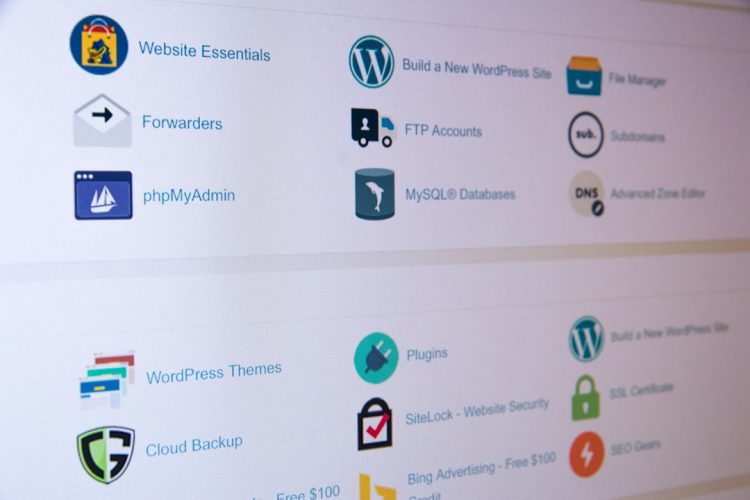
The control panel is a graphical interface that allows you to manage your website’s various aspects, such as files, databases, email accounts, and domain names.
Popular Control Panels
- cPanel: One of the most widely used and user-friendly control panels, known for its intuitive interface.
- Plesk: Another popular choice, often favored by Windows hosting environments, and also very user-friendly.
- DirectAdmin: A lightweight and efficient control panel, often found on VPS and dedicated servers.
- Custom Panels: Some providers develop their own proprietary control panels, which can be either very good or quite clunky, depending on the implementation.
What to Look for in a Control Panel
- Ease of Use: If you’re not technically savvy, a user-friendly interface is paramount.
- Feature Set: Does it offer all the tools you need (file manager, FTP access, database management, email setup, etc.)?
- Documentation and Support: Is there good documentation available, and does your hosting provider offer support for it?
Email Accounts: Staying Connected
Most hosting plans include the ability to create custom email addresses using your domain name (e.g., info@yourwebsite.com).
Factors to Consider
- Number of Accounts: How many email addresses do you need?
- Storage per Account: How much space is allocated to each email inbox?
- Features: Does it support webmail, POP3, IMAP, and SMTP access? Are there features like spam filtering and auto-responders?
SSL Certificates: Securing Your Site
An SSL (Secure Sockets Layer) certificate encrypts the connection between your website and its visitors, making data transmission secure. This is essential for trust, SEO, and e-commerce.
Types of SSL Certificates
- Free SSL Certificates (Let’s Encrypt): Many hosting providers now offer free SSL certificates, which is a great benefit for most users.
- Paid SSL Certificates: Offer different levels of validation and warranty.
Why SSL is Crucial
- Trust and Credibility: Browsers display a padlock icon, signaling to visitors that your site is secure.
- SEO Benefits: Google prioritizes HTTPS (sites with SSL) in its search rankings.
- Data Protection: Essential for any site collecting sensitive user information.
Backups: Your Safety Net
Regular backups are vital for protecting your website from data loss due to hardware failures, hacking, or accidental deletions.
What to Look for in Backup Solutions
- Frequency: How often are backups performed (daily, weekly)?
- Retention Period: How long are backups stored?
- Ease of Restoration: Can you easily restore your website from a backup if needed?
- On-Demand Backups: Can you create a manual backup whenever you want?
Comparing Pricing and Value: Getting the Most Bang for Your Buck
Price is often a major factor in your decision, but it’s essential to look beyond the sticker price and consider the overall value offered.
Introductory vs. Renewal Pricing
Many hosting providers offer heavily discounted introductory rates for the first term (e.g., 1-3 years). Be sure to check the renewal prices, which can be significantly higher.
Pro Tips for Pricing
- Compare Renewal Rates: Always ask about or look for the renewal pricing.
- Look for Long-Term Discounts: Committing to longer terms can often lead to substantial savings.
- Avoid Overpaying for Unused Features: Don’t pay for features you won’t use.
Hidden Fees and Upsells
Be vigilant about hidden fees, such as setup fees, domain privacy fees, or excessive upsells during the checkout process.
Common Hidden Fees
- Domain Registration/Transfer Fees: Some “free” domains might have hidden costs.
- Website Builder Upsells: If you don’t need a website builder, decline the upsell.
- Add-ons: Be cautious of add-ons that aren’t essential for your current needs.
Money-Back Guarantees

A money-back guarantee allows you to try a hosting service risk-free. Most providers offer a 30-day guarantee, but some extend this to 90 days or more.
What to Check in a Money-Back Guarantee
- The Fine Print: Understand the terms and conditions, including any exclusions.
- Prorated Refunds: Some providers offer prorated refunds for unused portions of your term after the initial guarantee period.
Customer Support: Your Lifeline When Things Go Wrong
| Factors to Consider | Shared Hosting | VPS Hosting | Dedicated Hosting |
|---|---|---|---|
| Cost | Low | Medium | High |
| Performance | Shared resources | Dedicated resources | Fully dedicated resources |
| Scalability | Limited | High | High |
| Control | Low | Medium | High |
| Security | Shared environment | Isolated environment | Isolated environment |
When you encounter a problem, reliable and responsive customer support can be a lifesaver.
Support Channels: How Can You Get Help?
- Live Chat: Ideal for quick questions and immediate assistance.
- Phone Support: Good for more complex issues or when you need to speak with someone directly.
- Email/Ticket System: Suitable for less urgent matters or when you need detailed explanations.
- Knowledge Base/FAQ: A self-service resource for common questions and troubleshooting.
What to Look for in Customer Support
- 24/7 Availability: Essential for critical issues that can arise at any time.
- Response Times: How quickly do they typically respond to inquiries?
- Quality of Support: Are the support staff knowledgeable, friendly, and helpful?
- Specialized Support: If you’re using a specialized hosting type (like managed WordPress), does the support team have expertise in that area?
When considering how to compare hosting plans before making a purchase, it’s essential to understand the fundamentals of web hosting itself. A great resource that delves into this topic is an article that explains what web hosting is and how it works, which can provide valuable insights for your decision-making process. You can read more about it here. Understanding these basics will help you evaluate different hosting options more effectively and choose the plan that best fits your needs.
Making Your Final Decision: A Step-by-Step Approach
You’ve armed yourself with knowledge; now it’s time to put it to use.
Step 1: Define Your Needs
Before you even start looking at providers, clearly outline your requirements.
Questions to Ask Yourself
- What type of website are you building (blog, e-commerce, portfolio, business site)?
- How much traffic do you anticipate in the short term and long term?
- What is your budget?
- What is your technical expertise level?
- Are there any specific features you absolutely need (e.g., specific programming language support, staging environments)?
Step 2: Research and Shortlist Providers
Based on your needs, start researching hosting providers that offer the type of hosting you require. Read reviews, compare features, and look at their pricing structures.
Where to Find Information
- Independent Review Sites: Websites that focus on web hosting reviews.
- User Forums and Communities: Get insights from real users.
- Provider Websites: Directly compare their offerings.
Step 3: Compare Plans and Features in Detail
Once you have a shortlist, dive deep into comparing specific plans from each provider. Create a spreadsheet to track key features, pricing, and support options.
Building Your Comparison Matrix
- Hosting Type: Shared, VPS, Dedicated, Cloud, Managed WordPress.
- Price (Introductory & Renewal): Note the cost for the first term and subsequent terms.
- Storage: SSD/HDD, GB allocated.
- Bandwidth: Metered/Unmetered, data cap.
- Uptime Guarantee: Percentage and SLA details.
- Control Panel: cPanel, Plesk, etc.
- SSL Certificate: Free/Paid.
- Email Accounts: Number, storage.
- Backups: Frequency, retention, restoration process.
- Customer Support: Channels, availability, average response time.
- Money-Back Guarantee: Duration and terms.
Step 4: Test Support (If Possible)
Before committing, use the live chat or a quick email inquiry to test the responsiveness and helpfulness of the provider’s customer support. This can give you a good indication of what to expect when you actually need their help.
Step 5: Make Your Choice and Start Building!
After careful consideration and comparison, you should feel confident in making your decision. Don’t be afraid to start with a more basic plan if you’re unsure and upgrade later as your needs evolve. The most important thing is to get your website online with a solid foundation. Remember, choosing the right hosting plan is an investment in your online success.
FAQs
What factors should I consider when comparing hosting plans?
When comparing hosting plans, it’s important to consider factors such as price, storage space, bandwidth, uptime guarantee, customer support, and additional features like email accounts, SSL certificates, and website builders.
What are the different types of hosting plans available for comparison?
The main types of hosting plans available for comparison are shared hosting, VPS (Virtual Private Server) hosting, dedicated hosting, and cloud hosting. Each type has its own advantages and disadvantages, so it’s important to consider your specific needs when comparing them.
How can I determine the reliability of a hosting provider before making a purchase?
To determine the reliability of a hosting provider, you can look for customer reviews and ratings, check the provider’s uptime guarantee, and research their reputation in the industry. It’s also a good idea to reach out to their customer support to see how responsive and helpful they are.
What are some common pitfalls to avoid when comparing hosting plans?
Some common pitfalls to avoid when comparing hosting plans include only focusing on price, overlooking the importance of customer support, not considering scalability options, and neglecting to check for hidden fees or limitations.
What are some additional features to look for when comparing hosting plans?
When comparing hosting plans, it’s important to look for additional features such as free domain registration, website migration assistance, security features like SSL certificates and regular backups, and any specific tools or software that may be important for your website or business.









Add comment