

So, you’ve decided to launch a website – fantastic! Whether you’re building a personal blog, an e-commerce store, a portfolio, or a business platform, your website needs a home online. That home is provided by a web hosting plan. Choosing the perfect hosting plan isn’t a simple task; it’s a critical decision that will impact your website’s performance, security, and scalability. This guide will walk you through the essential considerations, helping you navigate the sometimes-overwhelming world of web hosting.
Before you even start looking at hosting providers, you need to conduct a thorough self-assessment of your website. This foundational step is crucial because it dictates the type of hosting, resources, and features you’ll require. Don’t gloss over this – a clear understanding here will save you headaches (and money) down the line.
What is the Purpose of Your Website?
Are you creating a simple informational site, a dynamic blog with lots of images and videos, or a complex e-commerce platform with thousands of products? Each of these has different resource demands.
- Personal Blog/Portfolio: Typically requires less resources, focusing on uptime and ease of use.
- Small Business Website: Needs reliability, better performance, and possibly e-commerce capabilities.
- E-commerce Store: Demands high security, robust performance, scalability, and dedicated resources for transactions.
- Forum/Community Site: Requires strong database support and potentially higher processing power for concurrent users.
- Web Application: Often needs specific software environments, powerful processing, and robust database management.
What is Your Estimated Traffic Volume?
This is a major determining factor for resource allocation. Will your website attract a few dozen visitors a day, hundreds, or thousands? Or are you expecting viral bursts of traffic?
- Low Traffic (under 1,000 visitors/month): Shared hosting is often sufficient and cost-effective.
- Moderate Traffic (1,000 – 10,000 visitors/month): Shared hosting might still work, but you might start considering VPS for better performance.
- High Traffic (10,000 – 100,000 visitors/month): VPS or dedicated hosting becomes almost a necessity to ensure smooth operation.
- Very High Traffic (100,000+ visitors/month): Dedicated servers, cloud hosting, or enterprise solutions are needed.
What Kind of Content Will You Host?
Text-heavy sites are lighter than those with high-resolution images, videos, and interactive elements.
- Static HTML/CSS: Very lightweight, minimal server resources.
- Image Galleries/Portfolios: Requires more storage and good bandwidth.
- Video Content: Demands significant storage and high bandwidth, potentially requiring specialized video hosting or a CDN (Content Delivery Network).
- Dynamic Content (databases, user-generated content): Needs more processing power and robust database support.
What Technologies Will Your Website Use?
Are you building your site with WordPress, Joomla, Drupal, or a custom framework? Do you need specific programming languages like PHP, Python, Ruby, or Node.js? What about database technologies like MySQL, PostgreSQL, or MongoDB?
- CMS (Content Management Systems) like WordPress: Many hosts optimize specifically for these.
- Custom Applications: You might need root access and the ability to install specific software, leaning towards VPS or dedicated servers.
When selecting the perfect hosting plan for your website, it’s essential to consider not only the features and pricing but also how the hosting environment can impact your site’s performance. For instance, understanding how to optimize your website’s loading speed can significantly enhance user experience and retention. To delve deeper into this topic, you can explore this insightful article on optimizing your website’s loading speed, which provides valuable tips that can complement your hosting plan decision.
What is Your Budget?
Your budget is a practical constraint that will help narrow down your options. While it’s tempting to go for the cheapest option, remember that hosting is an investment in your website’s success. Cutting corners here can lead to poor performance and security issues.
- Entry-Level Budget: Shared hosting.
- Mid-Range Budget: VPS hosting.
- High-End Budget: Dedicated hosting, cloud hosting.
When selecting the ideal hosting plan for your website, it’s also crucial to consider the security measures that come with it. A related article, How to Improve Your Website Security: 6 Powerful Tips, provides valuable insights on enhancing your website’s security, which can be a significant factor in your hosting decision. By understanding the security features offered by different hosting plans, you can better protect your online presence while ensuring optimal performance.
Exploring Different Types of Hosting
Now that you have a clear picture of your website’s requirements, let’s dive into the various hosting types available. Each has its own advantages and disadvantages in terms of cost, performance, security, and control.
Shared Hosting
This is an excellent starting point for most new websites. With shared hosting, your website shares server resources (CPU, RAM, disk space) with many other websites. Think of it like living in an apartment building – you all share the same utilities and infrastructure.
- Pros: Most affordable option, easy to set up and manage (often comes with cPanel or Plesk), suitable for small blogs, personal sites, and small business sites with low to moderate traffic.
- Cons: Performance can be affected by other websites on the server (the “noisy neighbor” effect), limited resources, less control, and potential security vulnerabilities if another site on the server is compromised.
- Best For: Beginners, small businesses, personal blogs, low-traffic sites.
Virtual Private Server (VPS) Hosting
VPS hosting offers a significant upgrade from shared hosting. While you still share a physical server with other users, a hypervisor software partitions that server into multiple isolated virtual machines. Each VPS operates like a dedicated server, with its own allocated resources (CPU, RAM, storage) and operating system. It’s like having your own dedicated apartment within the building.
- Pros: Better performance and reliability than shared hosting, guaranteed resources, root access (more control over server environment), better security, scalable.
- Cons: More expensive than shared hosting, requires some technical knowledge (especially if unmanaged), resources are still tied to the physical server’s capacity.
- Best For: Growing businesses, e-commerce stores, developers, websites with moderate to high traffic, those needing custom software installations.
Dedicated Hosting
With dedicated hosting, you get an entire physical server all to yourself. This means all of the server’s resources are exclusively yours, offering the highest level of performance, security, and control. It’s like owning your own house, with nobody else sharing your resources.
- Pros: Maximum performance and reliability, complete control over the server environment, enhanced security, customizable server configurations, ideal for very high-traffic sites and resource-intensive applications.
- Cons: Most expensive hosting option, requires significant technical expertise for server management (unless you opt for managed dedicated hosting).
- Best For: Large enterprises, very high-traffic websites, mission-critical applications, resource-intensive web applications.
Cloud Hosting
Cloud hosting is a flexible and scalable option that uses a network of interconnected virtual servers. Instead of relying on a single physical server, your website operates across multiple servers, distributing its load and providing redundancy. If one server goes down, another seamlessly takes over. Think of it as having an entire neighborhood of houses, where you can move your belongings to any house at any time.
- Pros: High scalability (easily adjust resources up or down on demand), high reliability and uptime (due to redundancy), pay-as-you-go pricing model (often billed hourly or by usage), powerful and flexible.
- Cons: Can be more complex to set up and manage, costs can fluctuate with usage and become high if not monitored carefully, requires a good understanding of cloud architecture for optimal use.
- Best For: Websites with fluctuating traffic, large-scale applications, businesses requiring high availability, those looking for ultimate scalability.
Managed Hosting (Often an Add-on Service)
Managed hosting isn’t a distinct type of hosting in the same way as shared or VPS. Instead, it refers to a service level where the hosting provider takes care of server management tasks for you. This can be applied to shared, VPS, dedicated, or cloud hosting.
- Pros: The provider handles server maintenance, updates, security patches, backups, and often performance optimization, freeing you to focus on your website content. Reduced technical burden.
- Cons: More expensive than unmanaged counterparts, less control over server configurations (as the host manages it).
- Best For: Users who lack technical expertise, businesses that want to outsource server management, anyone who prioritizes convenience and peace of mind.
Key Factors to Consider When Comparing Providers
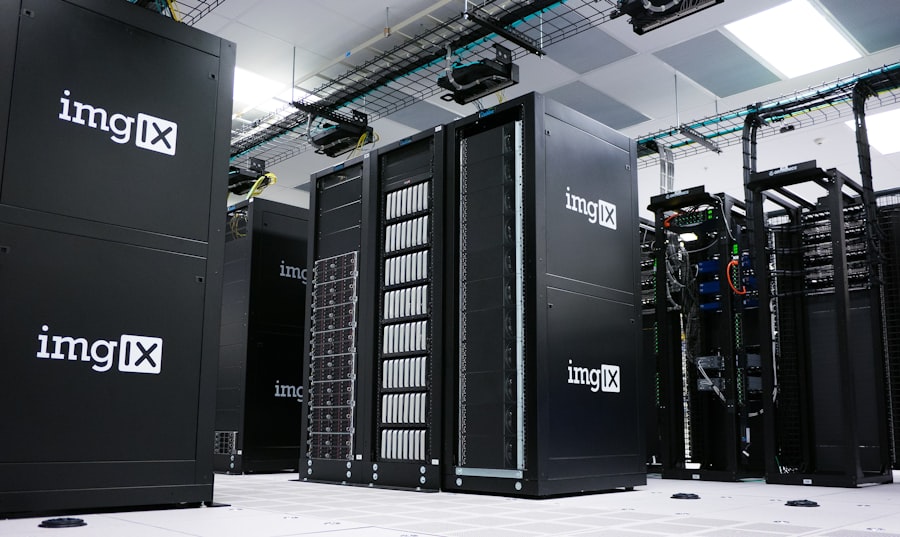
Once you’ve narrowed down the type of hosting you need, it’s time to evaluate individual providers. Here are the critical factors that will distinguish a good host from a problematic one.
Uptime and Reliability
Your website needs to be accessible 24/7. Look for providers that offer a high uptime guarantee, typically 99.9% or higher. Anything less means your website will be down for a noticeable amount of time each year, potentially losing visitors and revenue.
- SLA (Service Level Agreement): Check the host’s SLA for their uptime guarantee and what compensation they offer if they fail to meet it.
- Monitoring and Redundancy: Inquire about their monitoring systems, power backups, and redundant infrastructure.
Performance (Speed)
Website speed is paramount for user experience and SEO. Slow-loading websites frustrate visitors and can lead to higher bounce rates and lower search engine rankings.
- Server Hardware: Look for modern hardware, SSD (Solid State Drives) instead of older HDDs, and sufficient RAM.
- Global Data Centers: If your audience is global, choose a host with data centers close to your target visitors.
- CDN (Content Delivery Network) Integration: A CDN can significantly speed up content delivery by caching your website’s static files across a global network of servers. Many hosts offer this as an add-on or integrated feature.
- Caching Mechanisms: Server-side caching can dramatically improve loading times for dynamic content.
Security Features
Your website is a valuable asset, and it needs robust protection against cyber threats. Good security features are non-negotiable.
- SSL Certificates: Essential for encrypting data between your visitors’ browsers and your server. Many hosts offer free SSL (Let’s Encrypt).
- DDoS Protection: Protects your site from Distributed Denial of Service attacks.
- Firewalls: Both hardware and software firewalls to filter malicious traffic.
- Malware Scanning and Removal: Proactive detection and removal of malicious software.
- Regular Backups: Automated daily or weekly backups are crucial for disaster recovery. Ensure you can easily restore your site from these backups.
- Server Hardening: Measures taken by the host to secure the server environment.
Scalability Options
Your website will hopefully grow, and your hosting plan should be able to grow with it. Ensure the host offers easy upgrade paths.
- Seamless Upgrades: Can you easily upgrade from shared to VPS, or from VPS to a more powerful tier, without significant downtime or migration hassles?
- Resource Allocation: Does the host allow you to easily add more CPU, RAM, or storage as needed?
Customer Support

When things go wrong (and inevitably, sometimes they do), prompt and knowledgeable support is invaluable.
- Availability: Is support available 24/7/365?
- Channels: Do they offer multiple support channels (live chat, phone, email, ticketing system)?
- Knowledge Base/Tutorials: A comprehensive library of self-help resources can be very useful.
- Reputation: Read reviews and testimonials about their support quality.
Control Panel and Ease of Use
For most users, an intuitive control panel simplifies website management.
- cPanel/Plesk: These are industry-standard control panels that offer a user-friendly interface for managing domains, databases, emails, files, and more.
- Custom Control Panels: Some hosts develop their own, which can be excellent or terrible. Check reviews.
- One-Click Installers: For popular CMS like WordPress, Joomla, or Drupal, one-click installers make setup incredibly easy.
Pricing and Renewal Costs
While budget is a factor, look beyond the initial promotional price.
- Renewal Rates: Many hosts offer heavily discounted first-term pricing, but renewal rates can be significantly higher. Always check these.
- Hidden Fees: Look for charges for migrations, additional email accounts, or specific features that might be bundled elsewhere.
- Money-Back Guarantee: A good money-back guarantee (e.g., 30-day) allows you to test the service without risk.
Advanced Considerations and Best Practices
| Factors to Consider | Shared Hosting | VPS Hosting | Dedicated Hosting |
|---|---|---|---|
| Cost | Low | Medium | High |
| Performance | Basic | Better | Best |
| Resources | Shared | Dedicated | Exclusive |
| Control | Limited | More | Full |
| Scalability | Limited | Good | Excellent |
Once you’ve covered the basics, a few more nuanced elements can tip the scale in favor of one provider over another.
Data Center Location
The physical location of your server matters. The closer your server is to your target audience, the faster your website will load for them.
- Proximity to Audience: If your target audience is primarily in Europe, choose a data center in Europe.
- SEO Impact: While not a direct ranking factor, faster load times (influenced by data center location) can positively impact SEO.
- Legal & Compliance: Be aware of data residency laws (like GDPR) that might require data to be stored in specific geographic regions.
Backup and Restore Policy
Don’t just assume your host has you covered. Understand their backup policy thoroughly.
- Frequency: How often are backups performed (daily, weekly)?
- Retention: How long are backups stored?
- Restore Process: How easy is it to restore your site from a backup? Is there a fee for restoration?
- Your Own Backups: Even with host backups, it’s a critical best practice to maintain your own offsite backups.
Email Hosting
Most hosting plans include email services, but the quality can vary.
- Storage Limits: How much storage is allocated per mailbox?
- Number of Accounts: How many email accounts can you create?
- Spam Filtering: Effective spam filtering is essential.
- Webmail Interface: Is the webmail interface user-friendly?
Domain Name and DNS Management
Your hosting plan and domain name often go hand in hand, though they are separate services.
- Domain Registration Services: Does the host offer domain registration? Sometimes it’s free for the first year.
- DNS Management: Can you easily manage your DNS records through their control panel?
Developer Features and Environment
If you’re a developer or plan to use specific development tools, these features are important.
- Staging Environment: A separate area to test changes before pushing them live to your production site.
- Version Control (Git): Integration with Git for seamless code deployment.
- SSH Access: Secure shell access for command-line management (primarily on VPS and dedicated).
- Specific Software Versions: Support for particular versions of PHP, Python, databases, etc.
By meticulously evaluating these factors against your website’s specific requirements and your budget, you’ll be well-equipped to choose the perfect web hosting plan. Remember, this isn’t a “set it and forget it” decision. As your website grows and evolves, you may need to revisit your hosting choices and upgrade to ensure continued optimal performance and success. Start smart, stay informed, and your website will have a sturdy foundation to thrive.
FAQs
1. What factors should I consider when choosing a hosting plan for my website?
When choosing a hosting plan for your website, consider factors such as the amount of traffic your website receives, the type of content you will be hosting, the level of technical support you require, and your budget.
2. What are the different types of hosting plans available for websites?
There are several types of hosting plans available, including shared hosting, VPS (Virtual Private Server) hosting, dedicated hosting, and cloud hosting. Each type offers different levels of resources, control, and scalability.
3. How can I determine the amount of bandwidth and storage I need for my website?
To determine the amount of bandwidth and storage you need for your website, consider factors such as the size of your website, the number of visitors you expect, and the type of content you will be hosting. You can also consult with a hosting provider for guidance.
4. What level of technical support should I look for in a hosting plan?
The level of technical support you should look for in a hosting plan depends on your own technical expertise and the complexity of your website. Some hosting plans offer 24/7 support, while others may have limited support hours.
5. What are some important security features to consider when choosing a hosting plan?
When choosing a hosting plan, consider security features such as SSL certificates, regular backups, malware scanning and removal, and DDoS protection. These features can help protect your website and its data from potential threats.









Add comment