

So, you need hosting for your PHP, MySQL, and CMS website? The good news is, it’s not as complicated as it might seem. The “best” hosting really boils down to understanding your site’s needs and matching them with the right provider. Think of it like picking a toolbox – you wouldn’t get a massive professional set for a few simple DIY tasks, and you wouldn’t get a tiny keychain multi-tool for major construction.
Let’s break down what matters and what to look for. We’ll cover the different types of hosting, key features to consider, and how to avoid common pitfalls. The goal is to get you set up with reliable hosting that won’t break the bank or give you headaches down the line.
Understanding Your Website’s Foundation: PHP, MySQL, and CMS
Before we dive into hosting plans, it’s crucial to grasp what these terms actually mean for your website’s hosting requirements.
PHP: The Engine of Your Dynamic Website
PHP is a server-side scripting language. This means the code runs on the web server, not in the visitor’s browser. When someone visits your site, the server processes the PHP code, generates HTML, and then sends that HTML to the visitor’s browser. This is what makes websites dynamic – think user logins, content management, forms, and interactive elements.
What this means for hosting: You need a hosting provider that actively supports PHP. Most shared hosting plans do, but it’s worth checking the specific PHP version they offer. Newer versions often bring performance improvements and security updates. Some advanced applications might require specific PHP extensions to be enabled, so if you’re using a less common CMS or a custom application, it’s wise to inquire about this.
MySQL: The Data Hub
MySQL is a popular relational database management system (RDBMS). Think of it as a highly organized filing cabinet where your website stores all its information. For a CMS like WordPress, Joomla, or Drupal, this includes your posts, pages, user data, settings, and more. PHP scripts interact with the MySQL database to retrieve and store this information, making your website’s content accessible and manageable.
What this means for hosting: You need a hosting plan that provides MySQL database support. Again, this is standard for most web hosting, but you should verify the number of databases you can create and their size limits. For larger sites with a lot of content or high traffic, database performance and dedicated resources can become more important.
CMS: The Content Management System
A CMS (Content Management System) is a software application that allows you to create, manage, and modify content on your website without needing specialized technical knowledge. Examples include WordPress (by far the most popular), Joomla, Drupal, and many others. These systems are built using PHP and rely heavily on MySQL databases to function.
What this means for hosting: Most CMS platforms have specific hosting recommendations. While many will run on basic shared hosting, some can become quite resource-intensive. For instance, a small personal blog on WordPress might be fine on the cheapest shared plan, but a large e-commerce store built on WooCommerce (a WordPress plugin) will likely need more powerful hosting. Many hosts offer “CMS-optimized” plans, which can be a good starting point, but it’s still essential to understand the underlying resources.
When selecting the right hosting for PHP MySQL and CMS websites, it’s also essential to consider the overall user experience, including how to manage common issues like broken links. For insights on this topic, you can refer to a related article that discusses strategies for identifying and resolving 404 errors, which can significantly impact your website’s performance and user satisfaction. Check out the article here: A Guide on How to Find and Fix 404 Pages.
Core Hosting Features That Matter for PHP/MySQL/CMS
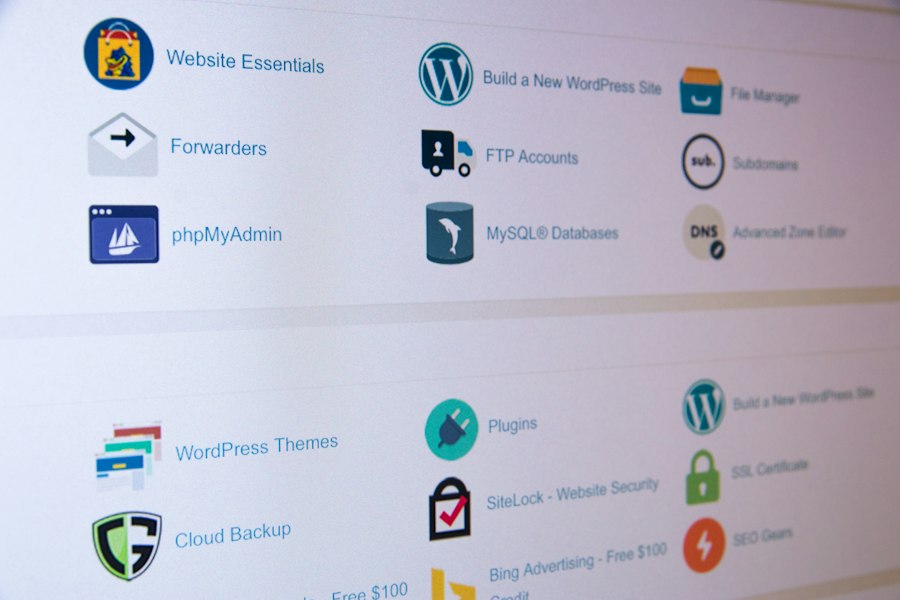
Beyond just supporting PHP and MySQL, several specific features directly impact the performance, security, and manageability of your website.
Server Environment and Performance
This is perhaps the most critical aspect. You want your website to load quickly and respond promptly.
Speed and Resource Allocation
- RAM and CPU: These are the brain and muscle of the server. More RAM means the server can keep more data readily available, and more CPU power means it can process tasks faster. Shared hosting environments divide these resources among many users. If one site on the server is hogging resources, it can slow down everyone else. For PHP/MySQL sites, especially CMS ones with database queries, ample RAM and CPU are vital for smooth operation.
- SSD Storage: Solid State Drives (SSDs) are significantly faster than traditional Hard Disk Drives (HDDs). Websites hosted on SSDs will load pages and access databases much quicker. This is a non-negotiable feature for any serious website.
- Caching Mechanisms: Many hosting providers implement server-level caching (like Varnish or Redis). This stores frequently accessed content so it doesn’t need to be generated from scratch every time, dramatically speeding up load times. CMS sites, in particular, benefit from effective caching.
- Server Location: Choose a server location that is geographically close to your target audience. If most of your visitors are in North America, a server in North America will generally offer faster load times than one in Australia.
Database Management and Limits
Your MySQL database is the backbone of your dynamic content.
Number of Databases and Size
- Database Count: Most shared hosting plans allow for one or a few databases. If you plan to run multiple independent websites or complex applications, you might need a plan that offers more.
- Database Size: This is the maximum storage space allocated to your databases. A small blog might only need a few hundred megabytes, but a busy e-commerce site with thousands of products and orders can quickly outgrow this. Always check the limits and consider your growth.
- Database User Limits: Some plans limit the number of database users you can create. This is usually not an issue for a single CMS installation, but it’s worth noting.
Security Features: Protecting Your Digital Assets
Your website, and the data it holds, needs robust protection.
SSL Certificates and Firewalls
- SSL Certificates: Essential for encrypting data transmitted between your website and visitors. This is crucial for any site that collects personal information (logins, forms) and is a major ranking factor for search engines (Google prefers HTTPS). Many hosts offer free Let’s Encrypt SSL certificates.
- Firewalls (WAFs): Web Application Firewalls (WAFs) protect your website from common web attacks like SQL injection and cross-site scripting (XSS). Some hosts offer them as part of their security package.
- Malware Scanning and Removal: Regular scans can detect and remove malicious software before it causes significant damage. Some providers include this service, while others require you to manage it yourself.
- Regular Backups: Automated, regular backups are non-negotiable. If something goes wrong (a hack, a bad update, a server issue), you need to be able to restore your site quickly. Check how often backups are performed and how easy it is to restore them.
Scalability and Growth Potential
Your hosting should be able to grow with your website.
Uptime Guarantees and Upgrade Paths
- Uptime Guarantees: Look for providers offering a high uptime guarantee (e.g., 99.9%). This signifies their commitment to keeping your website online. While 100% is rare, anything below 99.5% can mean significant downtime over a year.
- Easy Upgrades: As your traffic increases or your content grows, you’ll likely need more resources. A good host makes it easy to upgrade your plan (e.g., from shared to VPS or dedicated) without significant downtime or hassle.
- Traffic Limits (Bandwidth): Bandwidth refers to the amount of data transferred from your website to visitors. Most shared hosting plans offer “unlimited” bandwidth, but this often has a fair usage policy. If you expect very high traffic, check the actual limits or consider plans with higher dedicated bandwidth.
Navigating Hosting Types: Which is Right for You?
Different hosting types cater to different needs and budgets. Understanding these distinctions will help you choose the most appropriate one.
Shared Hosting: The Entry-Level Option
This is the most common and affordable type of hosting. You share a server’s resources (CPU, RAM, disk space) with many other websites.
Pros and Cons
- Pros:
- Cost-Effective: Significantly cheaper than other options.
- Easy to Use: Typically managed by the hosting provider, making it beginner-friendly.
- Sufficient for Small Sites: Perfect for personal blogs, small business websites, and low-traffic informational sites.
- Cons:
- Resource Limitations: Performance can be affected by other websites on the same server (“noisy neighbors”).
- Less Control: You have limited access to server configurations.
- Security Concerns: While providers implement security measures, the shared environment inherently carries more risk.
- Scalability Issues: Can struggle to handle sudden traffic spikes.
Ideal for: New websites, personal blogs, small business informational sites, and projects with predictable, low traffic. It’s a great starting point for most PHP/MySQL/CMS users.
VPS Hosting: A Step Up in Performance and Control
A Virtual Private Server (VPS) is like having your own dedicated slice of a physical server. The server is partitioned into multiple virtual environments, each with its own allocated resources (RAM, CPU, disk space).
Pros and Cons
- Pros:
- Dedicated Resources: You’re not directly affected by other users’ traffic.
- More Control: You have root access and can install custom software or configure the server more extensively.
- Better Performance: Generally faster and more stable than shared hosting.
- Scalable: Easier to upgrade resources as needed.
- Cons:
- More Expensive: Costs more than shared hosting.
- Requires More Technical Skill: While many providers offer managed VPS, unmanaged VPS requires server administration knowledge.
- Still “Virtual”: While better than shared, it’s not a completely isolated physical server.
Ideal for: Growing websites, e-commerce stores, medium-sized businesses, or sites that have outgrown shared hosting and need better performance and more control over their environment.
Dedicated Hosting: The Powerhouse Solution
With dedicated hosting, you rent an entire physical server for your exclusive use. You have complete control over its hardware and software.
Pros and Cons
- Pros:
- Maximum Performance: All server resources are yours, leading to the best speed and stability.
- Complete Control: Full root access, ability to customize everything.
- Enhanced Security: Isolation from other users significantly improves security.
- Ideal for High Traffic: Handles massive traffic volumes and demanding applications.
- Cons:
- Most Expensive: The most costly hosting option.
- Requires Advanced Technical Expertise: Demands skilled server administration.
- Overkill for Many: Unnecessary for most small to medium-sized websites.
Ideal for: Large enterprises, high-traffic websites, complex applications, and businesses with very specific security or performance requirements.
Managed WordPress Hosting (and other CMS-specific options)
Many providers offer hosting specifically tailored for popular CMS platforms like WordPress. These plans often come with pre-installed CMS, automatic updates, enhanced security, and performance optimizations designed for that specific platform.
Pros and Cons
- Pros:
- Optimized for Performance: Built to run a specific CMS as efficiently as possible.
- Convenience: Often includes features like automatic updates, backups, and staging environments.
- Expert Support: Support staff are usually highly knowledgeable about the specific CMS.
- Enhanced Security: Features like malware scanning and firewalls are often tailored for CMS vulnerabilities.
- Cons:
- Can Be More Expensive: Might cost more than a comparable standard shared hosting plan.
- Less Flexibility: May have restrictions on what software you can install or how you can configure the server.
- Platform Lock-in: Designed for one CMS, so switching CMS can be more challenging.
Ideal for: Users who want a hassle-free experience with a specific CMS and are willing to pay a premium for optimized performance and specialized support.
Key Considerations When Choosing a Provider
Once you have an idea of the hosting type, selecting a provider is the next step. It’s not just about price; service and reliability are paramount.
Support: Your Lifeline in a Crisis
When something goes wrong, you need help, and you need it fast.
Availability and Expertise
- 24/7 Support: For critical websites, round-the-clock support is a must.
- Support Channels: Do they offer phone, live chat, and ticket support? Live chat is often the quickest for immediate issues.
- Knowledge Base and Documentation: A comprehensive knowledge base can help you solve common problems yourself.
- Response Time and Quality: Look for reviews that discuss how quickly and effectively support issues are resolved. Are the support staff knowledgeable about PHP and MySQL?
Pricing and Value for Money
The cheapest option isn’t always the best. Look at what you’re getting for your money.
Hidden Fees and Renewal Costs
- Introductory vs. Renewal Prices: Many hosts offer heavily discounted rates for the first term, but renewal prices can be significantly higher. Be aware of these differences.
- Hidden Fees: Watch out for setup fees, migration fees, or charges for essential services that are sometimes an add-on.
- Money-Back Guarantees: A good provider will offer a trial period or a money-back guarantee so you can test their service risk-free.
- Resource Limits: Understand the exact limits on storage, bandwidth, databases, and CPU/RAM usage. “Unlimited” often has fine print.
User Interface and Ease of Management
Even with good support, a user-friendly control panel makes life easier.
cPanel and Alternatives
- Control Panel: Most hosts use cPanel, a popular and intuitive control panel for managing websites, databases, email accounts, and more. Plesk is another common alternative.
- Dashboard: A clean and well-organized dashboard makes it easy to find what you need.
- One-Click Installers: Tools like Softaculous or Fantastico allow you to easily install popular CMS like WordPress with just a few clicks.
When selecting the right hosting for PHP MySQL and CMS websites, it’s essential to consider various factors such as performance, security, and customer support. A helpful resource that can guide you through some common pitfalls in the blogging world is an article that discusses blogging mistakes and how to avoid them. Understanding these mistakes can enhance your overall web experience and ensure that your hosting choice aligns with your website’s goals.
Making Your Final Decision: A Practical Checklist
| Criteria | Recommended Specifications | Importance for PHP MySQL & CMS | Notes |
|---|---|---|---|
| PHP Version Support | PHP 7.4 or higher | High | Latest PHP versions improve performance and security |
| MySQL Version | MySQL 5.7 or higher / MariaDB 10.3+ | High | CMS platforms require modern database versions for compatibility |
| Database Limits | Unlimited or at least 1 GB storage | Medium | CMS sites can grow large with content and user data |
| Server Type | Linux-based (Apache/Nginx) | High | Most PHP CMS platforms are optimized for Linux servers |
| Control Panel | cPanel, Plesk, or similar | Medium | Ease of managing databases, files, and PHP settings |
| Uptime Guarantee | 99.9% or higher | High | Ensures website availability and reliability |
| Bandwidth | Unlimited or at least 100 GB/month | Medium | Supports traffic spikes and media-heavy CMS content |
| SSL Support | Free SSL (Let’s Encrypt) or paid SSL | High | Essential for security and SEO |
| Backup Options | Daily automated backups | High | Protects data integrity and allows recovery |
| Customer Support | 24/7 support with PHP & MySQL expertise | High | Quick resolution of technical issues |
| Scalability | Easy upgrade to VPS or dedicated hosting | Medium | Allows growth as website traffic increases |
To wrap things up, here’s a practical approach to selecting the right hosting for your PHP, MySQL, and CMS needs.
Step-by-Step Selection Process
- Assess Your Website’s Needs:
- Type of CMS: WordPress, Joomla, custom?
- Traffic Expectations: Low, medium, high? Will it spike?
- Content Volume: How much data will your database store?
- Technical Skill Level: Are you comfortable with server management, or do you need a managed solution?
- Budget: What can you realistically afford?
- Determine the Hosting Type: Based on your needs assessment, decide between shared, VPS, dedicated, or CMS-specific hosting. For most new PHP/MySQL/CMS websites, shared hosting is the starting point, with a clear path to VPS if needed.
- Research Potential Providers:
- Read Reviews: Look for independent reviews focusing on performance, uptime, and customer support. Pay attention to recent reviews.
- Check Feature Lists: Compare plans against the key features discussed earlier (SSD, RAM, CPU, SSL, backups, etc.).
- Examine Pricing Structures: Understand introductory rates, renewal costs, and any potential hidden fees.
- Verify PHP/MySQL Support: Ensure they support the versions and extensions you might need.
- Contact Support (Optional but Recommended): If you have specific questions or concerns, reach out to their pre-sales support. Their responsiveness can be a good indicator of their overall support quality.
- Start Small and Scale: If you’re unsure, it’s often best to start with a more affordable, yet reliable, shared hosting plan and have a plan for upgrading to VPS or a higher-tier plan as your site grows. Most reputable hosts make this transition smooth.
By following these steps and focusing on the actual requirements of your PHP, MySQL, and CMS website, you’ll be well-equipped to choose hosting that provides the stability, performance, and support you need to succeed online.
FAQs
What factors should be considered when choosing hosting for PHP MySQL and CMS websites?
Factors to consider include server reliability, speed, security features, scalability options, customer support, and compatibility with PHP, MySQL, and CMS platforms.
What is the importance of server reliability for hosting PHP MySQL and CMS websites?
Server reliability is crucial as it ensures that your website is accessible to visitors at all times. Look for hosting providers with high uptime guarantees to minimize downtime.
Why is speed an important consideration when selecting hosting for PHP MySQL and CMS websites?
Fast loading times are essential for user experience and SEO rankings. Choose a hosting provider with optimized servers and content delivery networks to ensure quick page loading.
How can security features impact the hosting of PHP MySQL and CMS websites?
Robust security features such as SSL certificates, firewalls, and malware protection are essential to protect sensitive data and prevent cyber attacks on your website and databases.
What scalability options should be looked for when choosing hosting for PHP MySQL and CMS websites?
Scalability options such as the ability to easily upgrade resources like storage and bandwidth are important as your website grows. Look for hosting providers that offer flexible plans to accommodate increasing traffic and data needs.









Add comment