

You’ve built your website. You poured your heart, soul, and countless hours into its creation. It’s a beautiful, functional digital space, and it’s starting to attract attention. More visitors are arriving, your content is resonating, and a spark of growth is igniting. This is an exciting time, but it also signals a crucial juncture. Your current hosting solution, perhaps a shared hosting plan that served you well in the early days, is starting to feel the strain. It’s time to talk about Virtual Private Server (VPS) hosting, the next logical step for your burgeoning online venture.
VPS hosting isn’t just a technical upgrade; it’s a strategic leap, a foundational shift that will empower your website to scale, perform, and flourish. Think of it as graduating from a busy co-living space to your own dedicated apartment. You still share the building (the physical server), but you have your own distinct, secured, and spacious living area with allocated resources and the freedom to customize. This guide is your blueprint for navigating this transition, ensuring you make the right choices and unlock the full potential of VPS hosting for your growing website.
Before you dive headfirst into choosing a provider and a plan, it’s essential to grasp the fundamental concept of VPS hosting. You’re moving beyond the one-size-fits-all approach of shared hosting, where your website shares not only server space but also all its resources (CPU, RAM, bandwidth) with numerous other websites. This can lead to performance issues for your site if another website on the same server experiences a traffic surge or runs resource-intensive applications.
The Virtualization Advantage
VPS hosting is made possible through a technology called virtualization. Imagine a powerful physical server in a data center. This single physical server is partitioned into multiple smaller, independent virtual servers. Each of these virtual servers acts as if it were a dedicated physical machine, complete with its own operating system, dedicated RAM, CPU cores, and storage space. This isolation is the key.
How Virtualization Creates Your Private Space
Your VPS is essentially a software container running on a larger, more robust physical server. The virtualization software (hypervisor) carves out these virtual environments, ensuring that what happens on one VPS does not affect any other VPS sharing the same physical hardware. This means you get predictable performance, enhanced security, and greater control over your hosting environment.
Key Differentiators from Shared Hosting
The differences between shared hosting and VPS hosting are significant and directly impact your website’s growth potential.
Resource Guarantee: No More Crowded Campsites
In shared hosting, resources are like a public park with limited benches. Everyone has to share, and if one person takes up too much space, others have to make do. With VPS, you have your own designated picnic table. You’re guaranteed a specific amount of RAM, CPU power, and disk space. This means your website’s performance isn’t at the mercy of your neighbors’ traffic spikes or resource demands.
Control and Customization: Your Digital Workshop
Shared hosting offers limited control. You typically can’t install custom software or modify server configurations beyond what the hosting provider allows. VPS hosting, on the other hand, grants you root access. This means you have administrator-level control over your server. You can install any software you need, configure it precisely to your requirements, and essentially build your own digital workshop tailored to your website’s specific needs.
Scalability: Growing with Your Ambitions
As your website grows, so too will its resource demands. Shared hosting often hits a ceiling quickly. Scaling up on a VPS is far more flexible. You can often upgrade your RAM, CPU, or storage with relative ease, without needing a disruptive migration to an entirely new server infrastructure. This flexibility is crucial for a growing business.
For those looking to enhance their website’s performance alongside exploring VPS hosting options, a related article that may be of interest is “7 Essential WordPress Optimization Plugins for 2025.” This resource provides valuable insights into optimizing your WordPress site, ensuring it runs smoothly and efficiently as it grows. You can read the article [here](https://blog.hostingshouse.com/7-essential-wordpress-optimization-plugins-for-2025/).
When is it Time to Upgrade to VPS?
Recognizing the signs that your current hosting is no longer sufficient is as important as understanding what VPS is. Ignoring these indicators can lead to frustrated visitors, lost revenue, and missed opportunities.
Performance Slumps and Slow Loading Times
This is often the first and most obvious symptom of an overloaded shared hosting plan. If your website is taking longer and longer to load, especially during peak traffic hours, it’s a clear sign that your current resources are being stretched too thin. Visitors are increasingly impatient, and slow load times are a major deterrent, directly impacting your search engine rankings and conversion rates.
The Impact of Slow Load Times on User Experience
A website that takes more than a few seconds to load can cause visitors to abandon it before they even see your content. This translates to a poor user experience, higher bounce rates, and a negative perception of your brand. Think about your own online behavior – you’re likely to click away from a sluggish site.
The SEO Implications of Poor Performance
Search engines like Google prioritize fast-loading websites. Slow load times can negatively affect your search engine rankings, making it harder for potential visitors to discover your site organically. Google’s Core Web Vitals metrics, which include loading speed, are increasingly important for SEO success.
Website Errors and Downtime
Are you experiencing an increase in intermittent errors, “500 Internal Server Errors,” or unexpected downtime? These issues can arise when your shared hosting server is overloaded, unstable, or undergoing maintenance that impacts multiple users. While occasional glitches can happen, a frequent pattern suggests your hosting isn’t robust enough.
Unpredictable Resource Availability
When you’re on shared hosting, you’re susceptible to the “noisy neighbor” effect. If another website on your server experiences a massive traffic spike or runs a resource-hogging script, it can consume the server’s available resources, leading to instability and downtime for you.
Security Vulnerabilities on Shared Platforms
While reputable shared hosting providers implement security measures, the shared nature of the environment can sometimes present vulnerabilities. A security breach on another website hosted on the same server could potentially impact your site. VPS hosting offers a more isolated and secure environment.
The Need for Greater Control and Customization
Perhaps you have specific software you want to run, a particular database configuration you need, or a custom application you’ve developed. Shared hosting typically restricts such advanced customization. If you find yourself hitting these limitations, it’s a sign that you’ve outgrown the restricted environment.
Installing Specific Software or Applications
Do you need to run a particular Content Management System (CMS) extension, a specialized e-commerce plugin, or a unique development framework? With VPS, you have the freedom to install and configure the software that directly benefits your website’s functionality and user engagement.
Advanced Configuration and Optimization
If you’re technically inclined or have a developer who can leverage advanced server settings, a VPS allows you to fine-tune your server environment for optimal performance, security, and efficiency. This level of granular control is simply not available on shared hosting.
Handling Traffic Surges and Growth Projections
You’re anticipating a significant marketing campaign, a viral content piece, or a seasonal sales event that will bring a surge of traffic. Shared hosting can buckle under such pressure, leading to crashes and lost sales. A VPS, with its scalable resources, can comfortably handle these peaks and troughs.
Preparing for Marketing Campaigns and Product Launches
If you have a new product launch or a major marketing campaign on the horizon, it’s wise to ensure your infrastructure can handle the anticipated influx of visitors. A VPS provides the necessary headroom to avoid performance degradation and ensure a seamless user experience during these critical times.
The Long-Term Vision for Scalability
Even if you’re not experiencing immediate issues, if you have ambitious growth plans for your website, it’s strategic to upgrade to VPS proactively. This allows you to scale your resources incrementally as your traffic and needs increase, rather than facing a crisis later.
Choosing the Right VPS Plan for Your Growing Website
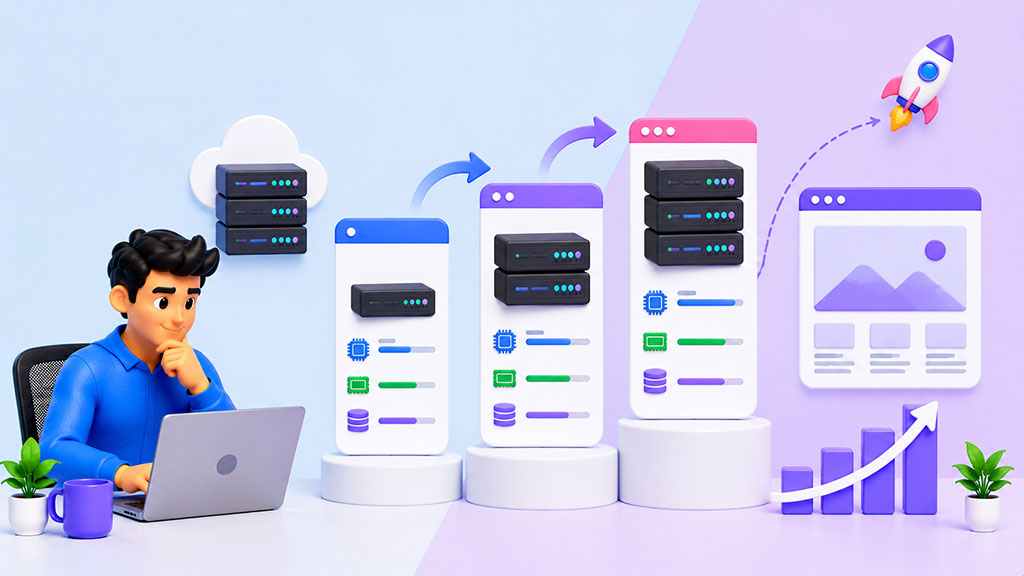
With the decision to upgrade made, the next challenge is selecting the right VPS plan from the myriad of options available. This involves understanding your current needs and future potential, and evaluating different configurations.
Understanding Key VPS Specifications
Each VPS plan will have specific resource allocations. Knowing what these mean is crucial for making an informed decision.
RAM (Random Access Memory): The Workshop’s Workbench Space
RAM is vital for your website’s speed. It determines how much data your server can hold in active memory for quick access. More RAM generally means faster processing and better handling of multiple simultaneous requests. For a growing website, you’ll likely need more than the basic 1GB or 2GB typically offered on entry-level VPS plans.
CPU Cores: The Brainpower of Your Server
CPU cores are the processing units that execute your website’s code and handle user requests. Having more CPU cores means your server can handle more complex tasks and a higher volume of traffic concurrently. Consider the type of content you serve – dynamic content and complex applications will benefit more from ample CPU power.
Storage (SSD vs. HDD): The Filing Cabinet for Your Data
Storage determines how much data your website can hold. Solid State Drives (SSDs) are significantly faster than traditional Hard Disk Drives (HDDs) and are highly recommended for VPS hosting. SSDs offer faster read/write speeds, leading to quicker website loading times.
Bandwidth: The Highway for Your Website Traffic
Bandwidth dictates how much data can be transferred between your server and your visitors over a given period. While many providers offer unmetered or generous bandwidth, it’s essential to understand your website’s average traffic and data consumption. For a growing site, ensure you have sufficient bandwidth to accommodate increasing visitor numbers and content.
Managed vs. Unmanaged VPS: Who’s in Charge of the Engine?
This is a critical decision that impacts both your technical burden and your cost.
Unmanaged VPS: For the Tech-Savvy and Hands-On
With an unmanaged VPS, the hosting provider takes care of the server hardware and network. However, you are responsible for installing and managing the operating system, security updates, software installations, and all other server administration tasks. This is ideal if you have the technical expertise or a dedicated IT team to handle these responsibilities. You gain maximum control but also assume maximum responsibility.
Managed VPS: For Peace of Mind and Focus on Growth
A managed VPS plan includes all the benefits of an unmanaged VPS, but the hosting provider also handles the server management for you. This includes installing and updating the operating system, applying security patches, managing backups, and providing technical support for server-related issues. This option frees you up to focus entirely on your website and business, without the burden of server administration.
Operating System Choice: Linux vs. Windows
The choice of operating system for your VPS depends largely on your website’s technology stack and your personal or development team’s familiarity.
Linux Distributions (e.g., Ubuntu, CentOS): Open Source Powerhouse
Linux is a popular choice for VPS hosting due to its open-source nature, flexibility, security, and affordability. It’s highly customizable and powers a vast majority of the web. If your website is built on PHP, Python, Ruby, or uses frameworks like WordPress, Joomla, or Drupal, Linux is likely your go-to choice.
Windows Server: For .NET and Microsoft Technologies
If your website is built using Microsoft technologies like ASP.NET or requires a SQL Server database, then a Windows VPS is necessary. While generally more expensive than Linux, it provides the native environment for these applications.
Scalability Options Offered by Providers
When looking at VPS plans, examine how easy it is to scale up your resources. A good VPS provider will offer flexible scaling options.
Easy Upgrades and Downgrades
Can you easily upgrade your RAM, CPU, or storage with minimal downtime? Providers that allow for quick and painless resource adjustments are ideal for growing websites. Some even offer instant scaling.
Resource Pooling and Cloud VPS
Some advanced VPS solutions leverage cloud infrastructure, allowing for more dynamic resource allocation and scalability. These can offer greater flexibility and resilience.
Migrating Your Website to a VPS: A Step-by-Step Approach
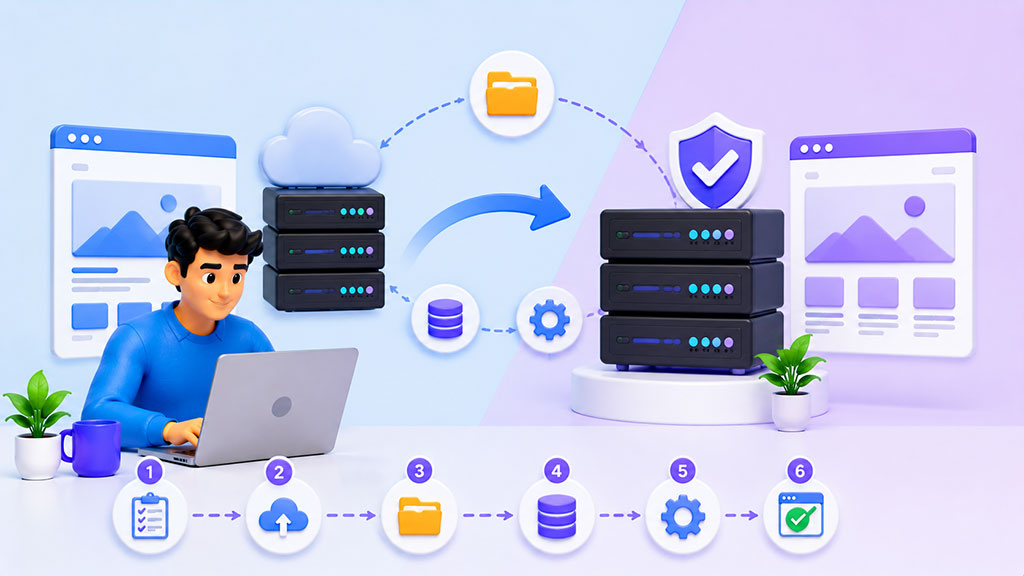
The prospect of migrating your live website can seem daunting, but with careful planning and execution, it’s a manageable process that opens up a world of new possibilities.
Pre-Migration Checklist: Laying the Groundwork
Before you even touch your live website, thorough preparation is key.
Step 1: Back Up Everything
This cannot be stressed enough. Before making any changes, create a complete backup of your current website files and database. Store this backup in a secure, off-site location. Most hosting providers offer backup tools; ensure you use them effectively.
Step 2: Assess Your Current Website’s Resource Usage
Understand how much CPU, RAM, and bandwidth your website currently consumes. This data will help you select the most appropriate VPS plan. You can often find this information in your current hosting control panel or through website analytics tools.
Step 3: Choose Your VPS Provider and Plan
Based on your resource assessment and the considerations discussed earlier, select a reputable VPS provider and a plan that meets your current needs and allows for future growth.
Step 4: Set Up Your New VPS Environment
Once you’ve signed up with a provider, you’ll receive login credentials for your new VPS. If you’ve opted for an unmanaged VPS, you’ll need to install your chosen operating system, web server software (like Apache or Nginx), database (like MySQL), and any other necessary applications. Managed VPS clients will typically have a control panel pre-configured.
The Migration Process: Moving Your Digital Assets
Executing the actual migration requires precision.
Step 5: Transfer Your Website Files
Using an FTP client (like FileZilla) or SSH, upload your backed-up website files to the appropriate directory on your new VPS. Ensure file permissions are set correctly.
Step 6: Import Your Database
Connect to your new VPS’s database server and import your website’s database from your backup. This is typically done using a tool like phpMyAdmin or through the command line.
Step 7: Update Your DNS Records
This is the crucial step that points your domain name to your new VPS IP address. You’ll need to access your domain registrar’s control panel and update the A records and CNAME records to point to your new VPS. It’s important to note that DNS propagation can take some time to update globally.
Post-Migration Testing and Optimization
Once the DNS has updated, it’s time to ensure everything is working flawlessly.
Step 8: Thoroughly Test Your Website
Navigate through your website, testing all your pages, forms, interactive elements, and any specific functionalities. Ensure that your CMS is logging in correctly and that all links are working.
Step 9: Implement Basic Security Measures
Even with a managed VPS, it’s good practice to reinforce security. This includes setting up strong passwords, enabling firewalls, and potentially installing security plugins or software.
Step 10: Monitor Performance and Make Adjustments
Keep a close eye on your website’s performance, resource usage, and any error logs. You may need to fine-tune your server configuration or upgrade your VPS resources if you observe any issues.
For those looking to enhance their online presence, understanding the nuances of web hosting is crucial. A related article that delves into this topic is available at Maximize Your Online Presence with Reliable Web Hosting Services, which provides valuable insights on how to choose the right hosting solutions to support your growing website. By exploring these resources, you can make informed decisions that will help your startup thrive in the digital landscape.
Maximizing Your Website’s Potential with VPS Hosting
Your growing website will become an increasingly attractive target for malicious actors. Robust security is paramount.
SSL Certificates: Encrypting Traffic
Ensure you have a valid SSL certificate installed to encrypt communication between your website and visitors. This is essential for trust, security, and SEO.
Regular Security Audits and Updates
Schedule regular security scans of your VPS. Keep all software, including your operating system, web server, and CMS, updated with the latest security patches.
Firewall Configuration and Intrusion Detection
Configure your server’s firewall to block unnecessary ports and services. Consider implementing intrusion detection systems (IDS) to monitor for suspicious activity.
Leveraging Scalability for Uninterrupted Growth
The beauty of VPS lies in its scalability. Plan for future needs.
Proactive Resource Monitoring
Continuously monitor your VPS’s resource utilization. This proactive approach allows you to anticipate when you’ll need to scale up resources before your website experiences performance degradation.
Planning for Traffic Spikes
If you anticipate a sudden and significant increase in traffic (e.g., due to a successful marketing campaign), you can preemptively upgrade your VPS resources to handle the load without flinching.
Exploring Containerization and Cloud-Native Solutions
As your website and infrastructure mature, you might explore more advanced solutions like Docker containers or Kubernetes for even greater flexibility and scalability.
Conclusion: Your Website’s Solid Ground for Future Success
Moving to VPS hosting is a strategic investment in your website’s future. It provides the performance, control, and scalability necessary to accommodate your growth, delight your visitors, and achieve your online ambitions. Embrace the transition, leverage the power of your new hosting environment, and watch your website flourish. You’ve built a strong foundation, and with VPS, you’re setting the stage for even greater achievements.
FAQs
What is VPS hosting?
VPS hosting stands for Virtual Private Server hosting. It is a type of web hosting that uses virtualization technology to create a dedicated portion of a physical server for each user. This allows for greater control, customization, and scalability compared to shared hosting.
How is VPS hosting beneficial for growing websites?
VPS hosting is beneficial for growing websites because it offers more resources, flexibility, and control compared to shared hosting. With VPS hosting, users have dedicated resources such as CPU, RAM, and storage, which can be scaled up as the website grows. This ensures better performance, security, and reliability for the website.
What are the key features to consider when choosing a VPS hosting provider?
When choosing a VPS hosting provider, it is important to consider factors such as server reliability, performance, scalability, security, customer support, and pricing. Additionally, features such as SSD storage, root access, and easy-to-use control panels can also be important considerations.
What are the differences between managed and unmanaged VPS hosting?
Managed VPS hosting includes services such as server setup, maintenance, security updates, and technical support provided by the hosting provider. Unmanaged VPS hosting, on the other hand, requires users to handle server management tasks themselves. Managed VPS hosting is suitable for users who prefer to focus on their website content and leave the technical aspects to the hosting provider.
How can I migrate my website to a VPS hosting environment?
Migrating a website to a VPS hosting environment typically involves transferring website files, databases, and configurations from the current hosting provider to the new VPS server. This process may vary depending on the hosting providers involved, but typically involves using tools such as FTP, SSH, and database management tools to transfer the necessary files and data. It is recommended to consult with the VPS hosting provider for specific migration instructions and support.









Add comment