

You understand the critical importance of a positive customer experience. In today’s digital landscape, that experience begins the moment a user attempts to access your website. A slow website is not merely an inconvenience; it is a barrier to engagement, a deterrent to conversion, and a direct assault on customer satisfaction. You need to recognize that every millisecond counts, and optimize your website’s speed is not an option, but a necessity for your sustained success.
You might think a few extra seconds loading time is negligible, but this perspective is fundamentally flawed. Modern internet users have developed an expectation of immediacy. When your website fails to meet this expectation, the consequences are immediate and measurable.
User Experience Degradation
When your website loads slowly, you are essentially testing your visitors’ patience. A significant percentage of users will abandon a page if it takes more than a few seconds to load. You have likely experienced this yourself; you click a link, wait, and if nothing happens quickly, your hand moves to the back button. This immediate departure means lost opportunities for engagement, whether that is reading content, browsing products, or completing a purchase. The initial impression of your brand is tarnished because of a technical deficiency.
Reduced Conversion Rates
For e-commerce sites, a slow loading speed directly translates to lost sales. Imagine a customer painstakingly navigating your product catalog, deciding on an item, and then being faced with a sluggish checkout process. This scenario often leads to cart abandonment. You are presenting them with a final hurdle that many will not bother to jump. Similarly, for lead generation websites, slow forms or delayed page transitions discourage potential leads from completing their submissions. You are literally leaving money on the table.
Negative SEO Implications
Search engines, particularly Google, prioritize user experience. A fast-loading website is considered a positive signal for search engine rankings. Conversely, a slow website is penalized. If your competitors are offering a faster experience, their sites will likely rank higher than yours, making it harder for potential customers to even discover your brand. You are undermining your visibility in the very places customers look for solutions.
Increased Bounce Rate
The bounce rate measures the percentage of visitors who navigate away from your site after viewing only one page. A high bounce rate indicates dissatisfaction and a lack of engagement. When your website loads slowly, visitors are less likely to explore further pages, clicking away before they even get a chance to see your valuable content. You are effectively driving potential customers away before they have the chance to appreciate what you offer.
Improving website speed is crucial for enhancing customer experience, and understanding the broader implications of online presence can also be beneficial. For instance, the article on the resale value of PK domains discusses investment trends and predictions for 2025, which highlights the importance of having a fast and efficient website to attract potential buyers and investors. You can read more about it in this insightful piece: The Resale Value of PK Domains: Investment Trends and Predictions for 2025.
Identifying Your Website Speed Bottlenecks
Before you can improve your website’s speed, you must first understand what is making it slow. This requires a systematic approach to analysis. Do not make assumptions; use data.
Utilizing Website Speed Testing Tools
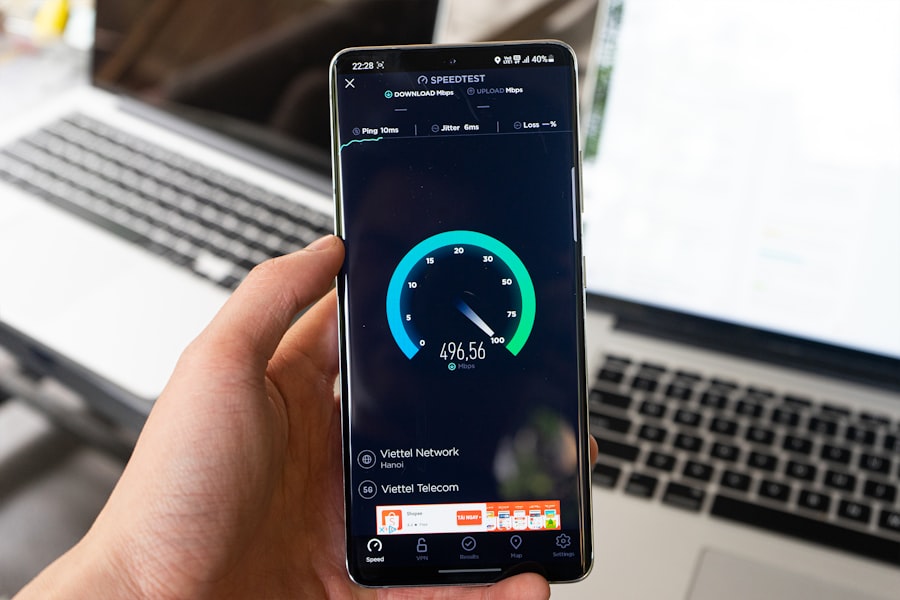
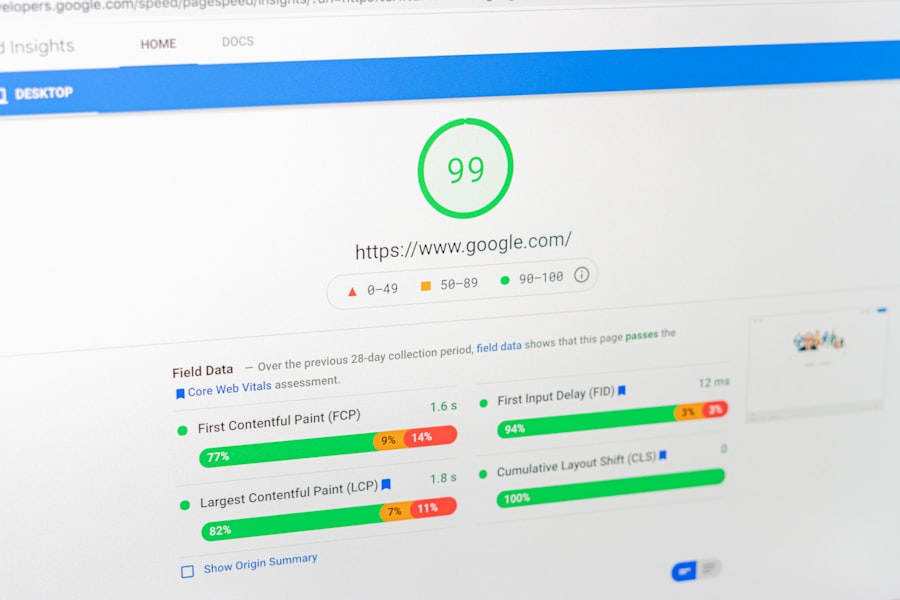
Several free and premium tools are available to help you diagnose speed issues. Tools such as Google PageSpeed Insights, GTmetrix, and Pingdom Tools provide comprehensive reports on your website’s performance. These tools analyze various aspects of your site, offering scores and actionable recommendations. You need to use these tools regularly, not just once.
Interpreting Performance Reports
When you receive a performance report, it will highlight areas such as server response time, render-blocking resources, image optimization, and caching. Do not be intimidated by the technical jargon. Most tools provide explanations and links to resources that can help you understand the metrics. Focus on the “Opportunities” or “Recommendations” sections, as these directly point to areas where you can make improvements. You should prioritize the recommendations that offer the biggest impact for the least amount of effort.
Analyzing Server Response Time
The time it takes for your server to respond to a user’s request is a fundamental speed factor. A slow server can negate all your other optimization efforts. This can be due to poor hosting, an inefficient server configuration, or an overloaded database. You might need to consider upgrading your hosting plan or migrating to a more robust server environment if your server response time is consistently high.
Understanding Render-Blocking Resources
Render-blocking resources, typically JavaScript and CSS files, prevent your browser from displaying content until they are fully loaded. This creates a perceived delay for the user. You need to identify these files and implement strategies to defer or asynchronously load them.
Implementing Core Speed Optimization Strategies
Once you have identified your bottlenecks, you can begin to implement a range of optimization strategies. These strategies often involve a combination of server-side, client-side, and content-related adjustments.
Optimizing Images
Images often constitute the largest portion of a web page’s file size. Unoptimized images severely impact loading times. You need to:
Compressing Images Without Loss of Quality
Use image compression tools and techniques to reduce file sizes without noticeable degradation in visual quality. Formats like WebP offer superior compression to traditional JPG and PNG. You might also consider using vector graphics for logos and icons where appropriate.
Resizing Images to Appropriate Dimensions
Do not upload images at resolutions far exceeding their display dimensions. If an image will be displayed at 500 pixels wide, do not upload a 2000-pixel wide version. Resize images to their intended display size before uploading them. You are wasting bandwidth and processing power if you do not.
Implementing Lazy Loading for Images
Lazy loading defers the loading of images that are not immediately visible in the user’s viewport. As the user scrolls down, these images are loaded just before they come into view. This dramatically improves the initial page load time. You should implement this for all images below the fold.
Leveraging Browser Caching
Browser caching allows a user’s browser to store static files (like images, CSS, and JavaScript) locally after their first visit. For subsequent visits, these files are loaded from the local cache, significantly speeding up the repeat visit experience. You need to configure your web server to set appropriate cache-control headers.
Minifying CSS, JavaScript, and HTML
Minification involves removing unnecessary characters from your code, such as whitespace, comments, and line breaks, without affecting functionality. This reduces file sizes and, subsequently, download times. You can use build tools or plugins to automate this process.
Utilizing a Content Delivery Network (CDN)
A CDN distributes your website’s static content (images, CSS, JavaScript) to multiple servers located around the world. When a user requests your website, the content is served from the geographically closest server, reducing latency and improving loading speeds. This is particularly beneficial if your audience is geographically diverse. You should consider a CDN for any website with a global reach.
Optimizing Server Response Time and Hosting
Your hosting infrastructure plays a crucial role in overall website speed. You need to ensure your server is performing optimally.
Choosing a Reliable and Fast Hosting Provider
Invest in high-quality hosting. Shared hosting can be economical, but it often comes with performance limitations due to shared resources. Consider upgrading to a Virtual Private Server (VPS) or dedicated hosting if your traffic demands it. You get what you pay for in hosting.
Optimizing Database Performance
If your website uses a database (common for content management systems like WordPress), ensure it is optimized. Regularly clean up your database, optimize tables, and implement proper indexing to speed up queries. You need to make sure your database is not being burdened unnecessarily.
Advanced Website Speed Enhancement Techniques
Once you have implemented the core strategies, you can explore more advanced techniques to further refine your website’s performance. These often require a deeper technical understanding but can yield substantial improvements.
Eliminating Render-Blocking Resources
As mentioned previously, render-blocking resources impede initial page rendering. You should:
Deferring JavaScript Execution
Load JavaScript files asynchronously or defer their execution until after the primary content of the page has loaded. This allows the user to see content faster.
Optimizing CSS Delivery
Inline critical CSS (the styling needed for the above-the-fold content) directly in your HTML and load the rest of your CSS asynchronously. This ensures that the essential styling is available immediately.
Implementing HTTP/2
| Metrics | Recommendations |
|---|---|
| Page Load Time | Optimize images, minify CSS and JavaScript, use browser caching |
| Mobile-Friendly Design | Use responsive design, prioritize content, minimize redirects |
| Server Response Time | Upgrade hosting, enable compression, reduce server requests |
| Browser Rendering | Avoid render-blocking resources, prioritize above-the-fold content |
| Content Delivery Network (CDN) | Implement a CDN, optimize for global delivery, leverage caching |
HTTP/2 is a newer version of the HTTP protocol that offers significant performance improvements over HTTP/1.1. It allows for multiplexing (multiple requests and responses over a single connection), header compression, and server push. You need to ensure your server and hosting support HTTP/2 and configure it accordingly.
Reducing Redirects
Each redirect adds an extra round trip time (RTT) to the page loading process. You should minimize the number of redirects on your website. Where redirects are necessary, implement them efficiently. Avoid long redirect chains.
Focusing on Mobile-First Optimization
Given the prevalence of mobile browsing, you must prioritize mobile performance. Google’s mobile-first indexing means that the mobile version of your site is the primary version for indexing and ranking. You need to ensure your mobile site loads quickly and provides an excellent user experience, irrespective of network conditions. This includes responsive design, optimized image delivery for smaller screens, and efficient code.
Improving website speed is crucial for enhancing customer experience, and one important aspect to consider is the security of your hosting plan. A reliable hosting provider can significantly impact both the speed and security of your website. For insights on ensuring your hosting plan is up to the task, you might find this article on shared hosting security particularly helpful. By addressing both speed and security, you can create a more seamless and trustworthy environment for your visitors.
Continuous Monitoring and Improvement
Website speed optimization is not a one-time task. The digital landscape is constantly evolving, with new technologies and user expectations emerging regularly. You need to maintain a proactive approach.
Regular Performance Audits
Schedule regular performance audits using the tools mentioned earlier. Monitor your website’s speed trends over time. Identify any new bottlenecks that may arise due to new content, plugins, or third-party scripts.
Staying Updated with Best Practices
Keep informed about the latest web performance best practices and technologies. The web development community regularly publishes new insights and techniques for speeding up websites. You should subscribe to industry blogs and forums.
Testing After Every Major Update
Whenever you make significant changes to your website, whether it is adding new features, updating your CMS, or installing new plugins, you must test your website’s speed. These changes can often introduce new performance issues if not carefully managed. You need to verify that your optimizations are still in effect and no new bottlenecks have been created.
By consistently applying these principles and techniques, you will not only boost your website’s speed but also cultivate an enhanced customer experience that fosters loyalty, drives conversions, and strengthens your brand’s online presence. You are building a foundation for sustainable digital success.
FAQs
1. Why is website speed important for customer experience?
Website speed is important for customer experience because it directly impacts user satisfaction and engagement. Slow loading times can lead to higher bounce rates and lower conversion rates, ultimately affecting the overall customer experience.
2. What are some ways to improve website speed?
Some ways to improve website speed include optimizing images, minifying CSS and JavaScript files, leveraging browser caching, using a content delivery network (CDN), and reducing server response time.
3. How does website speed impact SEO?
Website speed is a ranking factor in Google’s search algorithm, so a faster website can positively impact SEO. Additionally, faster loading times can lead to higher crawl rates and better indexation, ultimately improving a website’s search engine visibility.
4. What tools can be used to measure website speed?
There are several tools available to measure website speed, including Google PageSpeed Insights, GTmetrix, Pingdom, and WebPageTest. These tools provide insights into various performance metrics and offer recommendations for improvement.
5. How can improving website speed benefit businesses?
Improving website speed can benefit businesses by enhancing user experience, increasing customer satisfaction, reducing bounce rates, improving conversion rates, and ultimately driving more revenue. Additionally, it can positively impact brand reputation and customer loyalty.









Add comment