

You’ve identified a niche, developed a product or service, and assembled a team. Now, one of the foundational steps in launching your startup online is securing your digital address: your domain name, and the infrastructure to host it. This isn’t a decision to be taken lightly; it forms the bedrock of your online presence and influences your brand’s perception, search engine visibility, and long-term scalability. This guide will walk you through the essential considerations for choosing the perfect domain and hosting solution for your burgeoning enterprise.
Before diving into the specifics of selection, it’s crucial to grasp the fundamental relationship between a domain name and web hosting. They are distinct but interdependent components of your online infrastructure.
What is a Domain Name?
Think of your domain name as your street address on the internet. It’s the unique identifier that users type into their browser to reach your website (e.g., yourstartup.com). It translates a complex numerical IP address (like 192.168.1.1) into a memorable, human-readable name.
What is Web Hosting?
If your domain name is your street address, then web hosting is the physical land and building where your website’s files and data reside. A web host provides the server space, bandwidth, and other resources necessary for your website to be accessible to users 24/7. Without hosting, your domain name would point to an empty lot.
The Connection
When a user types your domain name into their browser, a system called the Domain Name System (DNS) translates that domain name into the IP address of your web host’s server. The browser then sends a request to that server, which retrieves your website’s files and displays them to the user. This seamless process relies on both your domain and hosting functioning correctly.
For those looking to deepen their understanding of web presence, a related article that complements the “Startup Guide to Choosing the Right Domain and Hosting” is available on the Hosting’s House blog. This resource offers valuable insights into optimizing your website’s performance and enhancing user experience. You can read more about it by visiting this link.
Choosing Your Domain Name: Crafting Your Online Identity
Your domain name is more than just an address; it’s a critical component of your brand identity and a primary way customers will locate you. Careful consideration here can significantly impact your startup’s future.
Reflecting Your Brand
Your domain name should instantly communicate who you are and what you do.
Keep it Relevant
It should ideally include your startup’s name or a clear indicator of your industry or core offering. If your startup is “InnovateTech Solutions,” then “innovatetechsolutions.com” is an obvious choice. Avoid names that are overly generic or unrelated to your business, as this can confuse potential customers.
Maintain Brand Consistency
If you already have a brand name, aim for your domain name to be an exact match or a close variation. This reinforces your brand across all communication channels. Deviations can dilute brand recognition and make it harder for customers to find you.
Avoid Hyphens and Numbers (Generally)
While permissible, hyphens and numbers can make your domain name harder to remember, say aloud, and type correctly. Users may forget them or place them incorrectly, leading to lost traffic. There are exceptions, particularly if numbers are integral to your brand name, but proceed with caution.
Prioritizing Memorability and Simplicity
A memorable domain name is a valuable asset, reducing the effort required for customers to return to your site.
Aim for Brevity
Shorter domain names are easier to recall and type. While two-word domains are common, strive to keep the overall length manageable. Long, convoluted names increase the likelihood of typos and frustration.
Ensure Easy Pronunciation
If your domain name is difficult to pronounce, it will be difficult to share verbally. Test it by saying it aloud to several people. Does it flow naturally, or do people stumble over it?
Avoid Ambiguity or Misspellings
Intentional misspellings can be creative, but they often lead to confusion and lost traffic. Similarly, words that sound similar to others or have alternative spellings can cause issues. A safe bet is to stick to clear, unambiguous language.
Selecting the Right Top-Level Domain (TLD)
The TLD is the suffix at the end of your domain name (e.g., .com, .org, .net). This choice has implications for your perceived legitimacy and target audience.
The Dominance of .com
For most startups, .com remains the gold standard. It is the most recognized, trusted, and often, the default TLD users assume. If yourstartup.com is available, secure it. The vast majority of established businesses operate under .com, lending it an air of professionalism and stability.
Exploring Alternatives: .co, .io, .net, and Others
If your desired .com is unavailable, consider alternatives.
- .co: Often seen as a respectable alternative to .com, particularly for commercial entities.
- .io: Popular among tech and startup companies, often associated with “input/output.”
- .net: Originally intended for network-related businesses, but widely used as a general alternative.
- .org: Primarily for non-profit organizations; using it for a for-profit business can cause confusion.
- Country-Code TLDs (ccTLDs): Such as .de for Germany or .uk for the United Kingdom. If your startup exclusively targets a specific country, a ccTLD can reinforce local presence. However, if you plan for global expansion, a generic TLD like .com is generally preferred.
- New gTLDs: A myriad of new generic TLDs like .app, .tech, .store, .online, etc., are available. While they can be relevant and memorable for specific niches, they still lack the universal recognition and trust of .com. Use them if they strongly align with your brand, but consider acquiring the .com if you can, even if just for redirection.
Conducting a Thorough Search and Securing Your Name
Once you have a list of potential names, thorough research is paramount.
Availability Check
Utilize domain registrars (GoDaddy, Namecheap, Google Domains) to check the availability of your preferred names across various TLDs. Be prepared for your first few choices to be taken.
Trademark Search
Before finalizing your domain, perform a trademark search to ensure your chosen name doesn’t infringe on existing trademarks. This is a critical step to avoid future legal complications. Tools like the USPTO TESS database (for the US) or similar national trademark offices can assist. A quick Google search can also reveal existing businesses operating under the same or similar names.
Social Media Handle Availability
Check if your chosen name, or a close variation, is available as a handle on key social media platforms (Facebook, Twitter/X, Instagram, LinkedIn, etc.). Consistency across your digital presence is beneficial for brand building.
Consider Purchasing Variations
If yourstartup.com is your primary domain, consider purchasing closely related TLDs like yourstartup.co or common misspellings to prevent competitors or cybersquatters from acquiring them and diverting your traffic. These can then be redirected to your main website.
Selecting Your Hosting Solution: The Foundation of Performance

Your web host is responsible for making your website accessible and performant. The right choice depends on your startup’s current needs, future growth projections, and technical expertise.
Assessing Your Current Needs
Be realistic about your immediate requirements. Overpaying for features you don’t need is inefficient, but under-provisioning can lead to performance issues.
Website Type and Content
- Static HTML/CSS site: Requires minimal resources. Shared hosting is typically sufficient.
- WordPress/CMS site: A bit more resource-intensive, especially with plugins and themes. Managed WordPress hosting or slightly more robust shared hosting is appropriate.
- E-commerce store (e.g., WooCommerce, Shopify): Demands higher uptime, security, and performance. Dedicated e-commerce hosting or a strong VPS is often recommended.
- Web application with dynamic functionalities: Requires significant processing power, database access, and often custom configurations. VPS, dedicated servers, or cloud hosting are suitable.
Expected Traffic Volume
- Low traffic (hundreds/day): Shared hosting is budget-friendly and capable.
- Moderate traffic (thousands/day): Look towards VPS or higher-tier shared hosting plans.
- High traffic (tens of thousands/day or more): Dedicated servers or scalable cloud hosting are necessary to maintain performance.
Technical Expertise
- Beginner/Non-technical: Managed hosting solutions (shared, managed WordPress) handle most technical aspects for you.
- Intermediate: VPS offers more control but requires some Linux command-line familiarity.
- Advanced/Developer: Dedicated servers or cloud hosting provide maximum control and customization but demand significant technical knowledge.
Understanding Hosting Types
There are several primary types of web hosting, each with its advantages and disadvantages concerning cost, performance, and control.
Shared Hosting
Imagine living in an apartment building where you share resources with other tenants.
Pros
- Cost-effective: The most economical option, ideal for startups on a tight budget.
- Ease of use: Typically comes with user-friendly control panels (cPanel) and managed services.
- Maintenance handled: The host manages server maintenance, security updates, and infrastructure.
Cons
- Performance limitations: Resources (CPU, RAM) are shared, so other websites’ traffic spikes can affect your site’s performance.
- Limited control: You have minimal control over server configurations.
- Security risks: While hosts implement security measures, a vulnerability on one shared site could potentially affect others.
Virtual Private Server (VPS) Hosting
A step up from shared hosting, a VPS gives you a virtual dedicated server within a larger physical server. It’s like having your own partitioned apartment within the building.
Pros
- Improved performance: Dedicated resources mean consistent performance, less affected by “noisy neighbors.”
- Greater control: Root access allows for custom software installations and configuration changes.
- Scalability: Easier to upgrade resources (RAM, CPU) as your needs grow.
Cons
- Higher cost: More expensive than shared hosting.
- Technical knowledge required: Managing a VPS often demands some server administration skills, especially for unmanaged plans.
- Setup time: Can take more time to configure initially compared to shared hosting.
Dedicated Hosting
You get an entire physical server to yourself. This is like owning your own house, with no shared resources.
Pros
- Maximum performance: All server resources are exclusively yours, ensuring optimal speed and reliability.
- Full control: Complete customization of hardware, software, and security settings.
- Enhanced security: No shared environment means isolation from other websites’ vulnerabilities.
Cons
- Highest cost: The most expensive hosting option.
- Significant technical expertise: Requires advanced server administration skills or the expense of hiring a dedicated system administrator.
- Maintenance responsibility: You or your administrator are responsible for all software updates, security patches, and server monitoring (unless it’s a fully managed dedicated server).
Cloud Hosting
This type of hosting leverages a network of interconnected servers, distributing your website across multiple machines. It’s like having your resources spread across a vast, elastic data center.
Pros
- Extreme scalability: Easily scale resources up or down on demand, paying only for what you use. (Pay-as-you-go).
- High reliability and uptime: If one server fails, another in the network takes over seamlessly.
- Flexible: Offers immense customization and integration possibilities.
Cons
- Complex pricing: Can be difficult to estimate costs accurately due to the pay-as-you-go model.
- Technical complexity: Often requires a good understanding of cloud infrastructure.
- Vendor lock-in: Migrating from one cloud provider to another can be challenging.
Managed Hosting (Specific to CMS like WordPress)
This is not a separate hosting type but rather a service layer on top of shared, VPS, or cloud hosting, tailored for specific applications like WordPress. The host handles most, if not all, technical aspects.
Pros
- Optimized for performance: Server environments are fine-tuned for the specific CMS.
- Enhanced security: Often includes specialized security features and proactive monitoring.
- Automatic updates and backups: The host handles core software updates and regular backups.
- Expert support: Support teams are typically highly knowledgeable about the specific CMS.
Cons
- Higher cost: More expensive than general shared or unmanaged VPS hosting.
- Limited flexibility: You may have restrictions on certain plugins, themes, or server configurations.
Key Factors When Evaluating Hosting Providers
Beyond the general type of hosting, several crucial factors differentiate providers.
Uptime Guarantee
Your website needs to be accessible to your audience consistently. Look for providers offering 99.9% uptime or higher. This indicates their commitment to keeping your site online. Downtime equates to lost opportunities and frustrated customers.
Performance Metrics: Speed and Responsiveness
Website speed directly impacts user experience, SEO, and conversion rates.
Server Speed
Faster servers respond quicker to requests. Look for modern hardware, SSD (Solid State Drive) storage instead of older HDDs, and robust network infrastructure.
Global Server Locations (CDNs)
If your audience is geographically dispersed, a hosting provider with multiple data centers or integration with a Content Delivery Network (CDN) can significantly reduce loading times by serving content from a server closer to the user.
Security Measures
Protecting your website and customer data is paramount.
SSL Certificates
Ensure the host provides or facilitates the installation of SSL certificates (HTTPS). This encrypts data transferred between your website and users, is a search engine ranking factor, and builds user trust. Many hosts now offer free Let’s Encrypt SSL.
Firewalls and DDoS Protection
Robust firewalls protect against malicious traffic, and DDoS (Distributed Denial of Service) protection helps maintain uptime during attacks.
Malware Scanning and Removal
Proactive scanning and tools for malware removal are vital for maintaining a clean and secure website.
Regular Backups
Confirm the host performs regular, automated backups of your website data and provides an easy way to restore from them. Ideally, you should also implement your own backup strategy.
Scalability Options
Your startup will hopefully grow, and your hosting solution should be able to grow with it without requiring a complete migration.
Seamless Upgrades
Can you easily upgrade from shared to VPS, or VPS to dedicated, with minimal downtime?
Resource Elasticity
For cloud hosting, understand how easy it is to add or remove computational resources as needed.
Customer Support
When something goes wrong, timely and competent support is invaluable.
Availability
Look for 24/7/365 support via multiple channels (live chat, phone, email/ticket system).
Expertise
Are support staff knowledgeable and able to resolve technical issues efficiently, or do they simply offer canned responses? Customer reviews can be indicative here.
Response Times
How quickly do they typically respond to support requests? Even emergency support needs to be prompt.
Pricing and Payment Structure
Beyond the monthly fee, understand the full cost implications.
Renewal Rates
Many hosts offer attractive introductory rates that significantly increase upon renewal. Calculate your long-term costs.
Hidden Fees
Check for extra charges for features like domain privacy, site migration, or backups that might be included for free elsewhere.
Money-Back Guarantee
A 30-day money-back guarantee allows you to test the service without significant financial risk.
Look for these Additional Features
- One-Click Installers: For popular CMS like WordPress, Joomla, Drupal.
- Email Hosting: Capability to create professional email addresses using your domain (e.g., info@yourstartup.com).
- Database Support: Ensure compatibility with your database needs (MySQL, PostgreSQL, etc.).
- Control Panel: A user-friendly interface like cPanel or Plesk simplifies website management tasks.
The Selection Process: A Systematic Approach
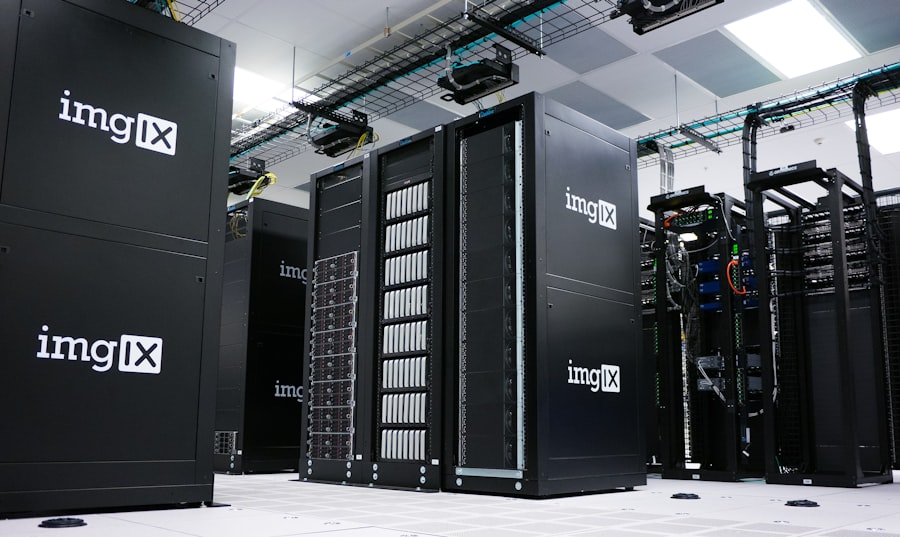
Making informed decisions about your domain and hosting requires a structured approach.
1. Define Your Requirements
Start by documenting your startup’s needs. How much traffic do you anticipate initially? What kind of website functionalities will you require? What is your budget for both the domain and hosting? What is your team’s technical comfort level?
2. Brainstorm Domain Names and Check Availability
Generate a list of potential domain names, prioritizing those that are short, memorable, relevant, and end in .com. Systematically check availability and social media handles. Conduct preliminary trademark checks.
3. Research Hosting Providers
Based on your defined requirements (website type, traffic, technical ability), narrow down the hosting types that are suitable. Then, research specific providers within those categories, paying close attention to uptime, performance, security, support, and scalability. Consult independent review sites and user testimonials, but exercise critical judgment.
4. Compare and Contrast
Create a comparison matrix for your top 2-3 hosting providers. List their features, pricing (including renewal rates), support options, and any specific guarantees. This structured comparison helps in making an objective decision.
5. Test and Evaluate (Where Possible)
| Factors | Domain | Hosting |
|---|---|---|
| Cost | Varies based on domain extension (.com, .net, etc.) | Monthly or yearly fee, depending on hosting provider and plan |
| Renewal | Renew annually or as per chosen duration | Renew monthly or annually |
| Support | Customer support for domain-related issues | 24/7 technical support for hosting-related problems |
| Scalability | N/A | Ability to upgrade to higher hosting plans as website traffic grows |
| Uptime | N/A | Guaranteed uptime percentage (e.g. 99.9%) |
If a host offers a free trial or a robust money-back guarantee, utilize it. This allows you to experience their services, test their support, and gauge performance firsthand before committing long-term.
6. Make Your Decision and Secure
Once you’ve weighed all factors, make your choice. Purchase your domain and set up your hosting account. Ensure your domain’s DNS records are correctly pointing to your web host’s servers. Most hosts will provide clear instructions or even handle this initial setup for you.
When embarking on the journey of establishing your online presence, understanding the nuances of domain and hosting choices is crucial. A related article that delves into the benefits of hybrid hosting solutions can provide valuable insights for your decision-making process. You can read more about it in this informative piece on hybrid hosting, which discusses how combining US infrastructure with local support can enhance your website’s performance and reliability.
Post-Selection Considerations and Best Practices
Securing your domain and hosting isn’t the finish line; it’s the starting point.
Domain Name Renewal
Ensure your domain name is set to auto-renew or that you keep meticulous records of its expiration date. Losing your domain to expiration can be a significant setback, potentially allowing competitors to acquire it.
Hosting Performance Monitoring
Regularly monitor your website’s performance. Utilize tools like Google Analytics, Google Search Console, or third-party monitoring services to track speed, uptime, and user behavior. Proactive monitoring can help identify and resolve issues before they impact your users.
Regular Backups (Redundancy)
While your host likely performs backups, it’s a best practice to implement your own regular backup strategy. This provides an additional layer of security in case of human error, major server issues, or malicious attacks.
Security Updates
Keep your website’s software (CMS, plugins, themes) and any other applications on your server regularly updated. Outdated software is a common vector for security vulnerabilities.
Ongoing Scalability Planning
As your startup grows, your hosting needs will evolve. Periodically review your hosting plan to ensure it still meets your demands. Proactively plan for upgrades rather than waiting for performance issues to arise.
Leveraging CDNs
Even with good hosting, a Content Delivery Network (CDN) can significantly improve your website’s speed and reliability, especially for global audiences. A CDN caches your website’s static content (images, CSS, JavaScript) on servers worldwide, delivering it to users from the closest location.
Choosing the perfect domain and hosting configuration for your startup requires strategic thought and due diligence. By understanding the core components, systematically evaluating your options, and prioritizing long-term growth and security, you can establish a robust online foundation that supports your startup’s journey to success. This initial investment in time and careful decision-making will yield dividends in terms of brand credibility, user experience, and overall operational efficiency.
FAQs
1. What is a domain name and why is it important for a startup?
A domain name is the address of your website on the internet. It is important for a startup as it represents the brand and helps customers find and remember the website.
2. What factors should a startup consider when choosing a domain name?
Startups should consider factors such as the relevance to their business, ease of spelling and pronunciation, length, and availability of the domain name.
3. What are the different types of web hosting options available for startups?
The different types of web hosting options available for startups include shared hosting, VPS hosting, dedicated hosting, and cloud hosting.
4. What factors should a startup consider when choosing a web hosting provider?
Startups should consider factors such as uptime reliability, customer support, scalability, security features, and pricing when choosing a web hosting provider.
5. How can a startup ensure the security of their website with their chosen hosting provider?
Startups can ensure the security of their website by choosing a hosting provider that offers SSL certificates, regular backups, firewalls, and other security features. Additionally, keeping software and plugins updated can also enhance website security.









Add comment