
The Evolving Landscape of WordPress Performance
As a website owner, you’re constantly striving for an exceptional online presence. In 2026, the demand for speed and responsiveness on WordPress websites will be more critical than ever. The digital world doesn’t slow down, and neither should your site. User expectations are higher, search engine algorithms are smarter, and the competition is fiercer. Ignoring performance isn’t an option; it’s a recipe for diminished traffic, frustrated visitors, and ultimately, lost opportunities. This year, the focus isn’t just on making your site “fast enough,” but on optimizing every aspect to deliver a seamless, instantaneous experience that keeps users engaged and Google happy. You need to be proactive, understanding the trends and implementing the solutions that will keep you ahead of the curve.
Core Web Vitals Beyond the Benchmark
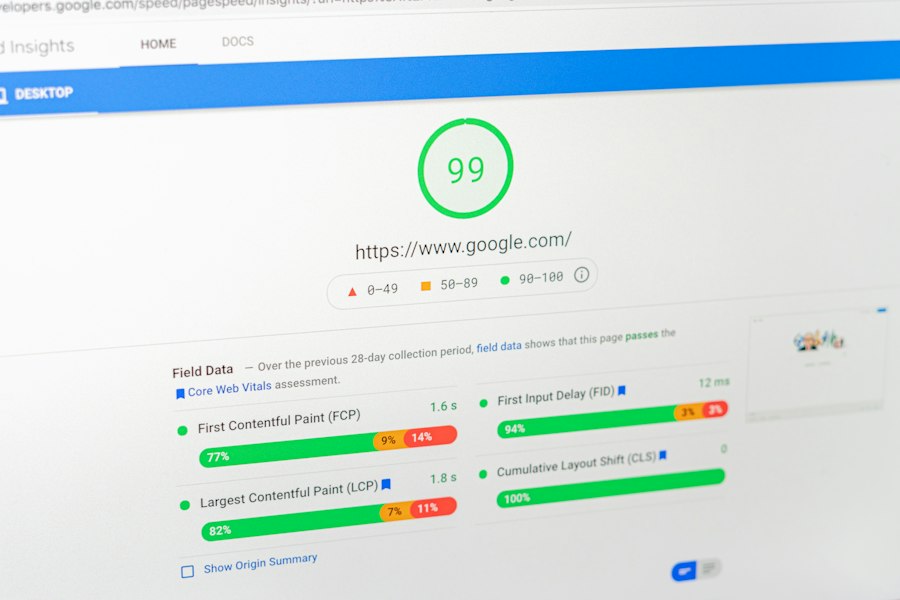
You’ve likely heard of Core Web Vitals (CWV) – Largest Contentful Paint (LCP), First Input Delay (FID), and Cumulative Layout Shift (CLS). In 2026, these metrics aren’t just checkboxes; they’re deeply ingrained into how search engines perceive the quality of your user experience. What was once a baseline for good performance has evolved into a dynamic benchmark that continually raises the bar. Google’s algorithms are becoming more sophisticated, not just measuring these vitals, but understanding the nuances of how they impact user interaction. A site that barely scrapes by with “good” scores might still find itself outranked by one that consistently delivers an “excellent” experience. This means you need to move beyond simply passing CWV and aim for a truly optimized, buttery-smooth experience.
For example, imagine two e-commerce sites selling similar products. Both pass CWV. However, one site loads its product images instantaneously, allows immediate interaction with filtering options, and has absolutely no layout shifts during the browsing process. The other site, while passing, still has a noticeable delay in image loading, a slight stutter when filtering, and a minor layout shift when a promotional banner finally appears. Which site do you think will convert more customers? Which site will Google favor in the long run? The answer is clear. Your goal isn’t just to be “good enough” but to be perceptibly superior.
Furthermore, expect the introduction of new, more granular metrics or the evolution of existing ones. Google is constantly refining its understanding of user experience, and this means the benchmarks will continue to shift. Staying informed about these changes through resources like the official Google Search Central blog will be crucial for you to adapt your optimization strategies effectively. Don’t wait for a penalty; anticipate the future and build a robust, performant WordPress site that truly delights your users.
As website owners look to enhance their WordPress performance in 2026, it’s essential to stay informed about various hosting options that can impact site speed and reliability. A related article that provides valuable insights into one such option is What is Reseller Hosting and How Does It Work?. This resource explains the benefits of reseller hosting and how it can be a strategic choice for those looking to optimize their WordPress sites while managing multiple projects or clients. Understanding these hosting trends can significantly influence performance outcomes in the coming years.
Advanced Image and Media Optimization Techniques
Images and media remain significant contributors to page bloat. While you might already be using basic compression and lazy loading, 2026 demands a more sophisticated approach. You can no longer afford to treat images as static elements; they are dynamic components that need to be delivered in the most efficient way possible, tailored to each user’s device and connection. This involves a multi-pronged strategy that goes beyond simply resizing and compressing.
Next-Gen Image Formats and Adaptive Delivery
You should already be embracing formats like WebP and AVIF. These next-generation formats offer superior compression without sacrificing visual quality, leading to significantly smaller file sizes. If you’re still relying solely on JPEG or PNG, you’re leaving performance on the table. However, simply converting existing images isn’t enough. You need to implement responsive image solutions that deliver the optimal image size and format based on the user’s viewport, device pixel ratio, and even their network conditions.
Consider a scenario where a user accesses your site on a high-resolution retina display via a fast Wi-Fi connection. They should receive a high-quality WebP image that utilizes the full potential of their screen. Now, imagine another user on a low-bandwidth mobile connection. They should receive a lower-resolution, highly compressed AVIF image to ensure a quick load time, even if it means a slight reduction in visual fidelity. This adaptive delivery isn’t just about loading different sizes; it’s about making intelligent decisions based on real-time user context. Solutions involving srcset attributes, and even server-side processing with image CDNs are essential tools in your arsenal. These technologies allow you to define multiple versions of an image, letting the browser choose the most appropriate one, minimizing unnecessary data transfer and improving load times significantly.
Video Optimization and Streaming
Video content is increasingly prevalent, but it’s also a major performance hog if not handled correctly. You need to move beyond simply embedding YouTube or Vimeo videos. While these platforms offer good streaming capabilities, you still have control over how they are integrated. Look into techniques like deferred loading for embedded videos, where the video player only loads when the user actively scrolls to it or clicks a placeholder image.
For self-hosted videos, you must prioritize efficient encoding, using modern codecs like H.265 (HEVC) and ensuring multiple resolutions are available. Implementing adaptive bitrate streaming (like HLS or DASH) is no longer a luxury but a necessity for optimal video performance. This allows the video player to switch between different quality streams based on the user’s bandwidth, preventing buffering and delivering a smoother viewing experience. Furthermore, consider using dedicated video hosting platforms that specialize in optimization and global delivery, rather than burdening your own web server. These platforms are engineered to deliver video efficiently across various networks and devices, ensuring your video content enhances rather than hinders your site’s performance.
The Rise of Serverless and Edge Computing
Traditional hosting models, while still viable, are facing increasing competition from serverless and edge computing solutions. For WordPress owners, these technologies offer unprecedented opportunities for speed, scalability, and reliability, especially for dynamic content and global audiences. You need to understand how these approaches can transform your site’s performance profile.
Serverless Functions for Dynamic WordPress Elements
Imagine offloading specific, compute-intensive tasks from your main WordPress server. This is where serverless functions shine. Instead of your server processing every request for dynamic elements like search results, custom form submissions, or complex calculations, you can deploy these functions to a serverless platform. When a user triggers one of these actions, the serverless function executes on demand, completely decoupled from your WordPress core.
This approach offers several advantages. Firstly, it reduces the load on your primary server, allowing it to focus on serving static and less dynamic content efficiently. Secondly, serverless functions are inherently scalable; they automatically provision resources as needed, so you don’t have to worry about spikes in traffic overwhelming your server. Thirdly, they can be deployed geographically closer to your users, reducing latency. For instance, if you have a WordPress site serving a global audience, a user in Europe might trigger a serverless function hosted in a European data center, even if your main WordPress server is in the US. This dramatically cuts down on the time it takes for dynamic content to be processed and delivered. You should investigate how services like AWS Lambda, Google Cloud Functions, or Azure Functions can integrate with your WordPress site to handle specific dynamic functionalities, thereby improving overall responsiveness.
Edge Caching and Content Delivery Networks (CDNs)
While CDNs have been a staple of performance optimization for years, 2026 sees their capabilities expanding significantly. Edge computing takes the concept of a CDN a step further, pushing not just static assets but also dynamic content and even application logic closer to the user. This means that a significant portion of your website’s interaction can occur at the “edge” of the network, bypassing your origin server entirely for many requests.
You should be looking beyond basic CDN services that only cache images and CSS. Advanced CDNs now offer features like edge caching for dynamic HTML, serverless functions at the edge (often called Edge Workers or similar), and even full-site delivery from the edge. This means that when a user requests a page, the CDN might deliver a cached version of the entire page, including dynamically generated content, from a server geographically close to them. If the content isn’t cached, or if it requires a specific dynamic action, that action might be executed by a serverless function at the edge, again, without needing to reach your origin server. This drastically reduces the Time To First Byte (TTFB) and overall load times, providing a truly global, high-performance experience for your users. Investing in a robust CDN that leverages edge computing principles will be a game-changer for your WordPress site’s speed and global reach.
Optimizing for WordPress Backend and Database
Performance isn’t just about what your users see; it’s also about the efficiency of your WordPress backend. A sluggish dashboard, slow content saving, or inefficient database queries can severely impact your productivity and indirectly affect frontend performance. In 2026, you need to ensure your backend is as lean and responsive as your frontend.
Database Optimization and Advanced Caching
Your WordPress database is the heart of your site, storing everything from posts and pages to comments and user data. Over time, it can become bloated and fragmented, leading to slower query times. You need to implement a proactive database maintenance strategy. This includes regularly cleaning up post revisions, spam comments, transient options, and orphaned data. Tools and plugins can automate many of these tasks, but you should also periodically review your database structure for inefficiencies.
Beyond cleanup, advanced database caching is paramount. While object caching (like Memcached or Redis) is already common, you should explore more granular caching strategies. This might involve caching specific database queries or even entire database tables that are frequently accessed but rarely change. The goal is to reduce the number of direct database calls your site makes, which are often the slowest part of a page load. By serving cached data instead, you can dramatically speed up backend operations and improve overall site responsiveness. Understanding your database’s workload through profiling tools can help you identify bottlenecks and apply targeted caching solutions.
Efficient Theme and Plugin Management
The adage “less is more” holds true for WordPress themes and plugins. While they extend functionality, poorly coded or excessive plugins can be major performance drains. In 2026, you need to adopt a minimalist and highly selective approach. Every plugin you install should be thoroughly vetted for its performance impact. Look for plugins that are actively maintained, well-coded, and specifically designed with performance in mind.
Consider a performance audit of your existing theme and plugins. Use tools to identify which ones are consuming the most resources, generating the most database queries, or injecting unnecessary JavaScript and CSS. Don’t be afraid to deactivate and uninstall plugins that are no longer essential or that offer redundant functionality. For your theme, choose a lightweight, performant base theme or a block-based theme built for speed. Modern block themes often generate cleaner code and offer better performance out-of-the-box compared to older, heavily feature-laden themes. If you’re using a custom theme, ensure it follows best coding practices, minimizes external script dependencies, and implements efficient asset loading. Regularly reviewing and optimizing your theme and plugin stack is an ongoing process that will yield significant performance dividends.
As website owners look ahead to 2026, staying informed about the latest WordPress performance trends is crucial for maintaining a competitive edge. One important aspect to consider is the type of hosting you choose, as it can significantly impact your site’s speed and reliability. For those curious about the benefits and drawbacks of different hosting options, exploring the concept of shared hosting can provide valuable insights. You can read more about this in the article on shared hosting, which discusses whether it is a suitable choice for your needs. For more information, check out this article.
Security and Performance Intertwined
| Performance Metric | 2024 Average | Projected 2026 Target | Importance for Website Owners | Recommended Action |
|---|---|---|---|---|
| Page Load Time (seconds) | 3.2 | 1.5 | Critical for user retention and SEO ranking | Optimize images, use caching, and implement CDN |
| Time to First Byte (TTFB) | 0.8 | 0.4 | Improves perceived speed and server responsiveness | Upgrade hosting, use faster DNS, and optimize backend |
| Core Web Vitals (LCP – Largest Contentful Paint) | 3.5 seconds | 1.2 seconds | Key Google ranking factor for user experience | Minimize render-blocking resources and lazy load content |
| Core Web Vitals (FID – First Input Delay) | 120 ms | 50 ms | Measures interactivity and responsiveness | Reduce JavaScript execution time and optimize event handlers |
| Core Web Vitals (CLS – Cumulative Layout Shift) | 0.15 | 0.05 | Ensures visual stability and user trust | Set size attributes for images and ads, avoid layout shifts |
| Mobile Page Speed Score | 65/100 | 85/100 | Mobile traffic dominates; speed impacts engagement | Use responsive design and AMP where appropriate |
| Server Uptime | 99.7% | 99.95% | Ensures website availability and reliability | Choose reliable hosting and implement monitoring tools |
| Database Query Time | 150 ms | 75 ms | Improves backend performance and page generation speed | Optimize queries, use indexing, and implement caching |
While often treated as separate concerns, security and performance are increasingly intertwined in 2026. A secure website is often a more performant one, and a performant website can better withstand certain types of attacks. You cannot afford to prioritize one over the other; they must be addressed holistically.
WAFs and DDoS Mitigation at the Edge
A Web Application Firewall (WAF) acts as a shield between your website and potential threats. In 2026, you should be deploying WAFs at the edge of the network, often integrated with your CDN provider. This means malicious traffic is blocked before it even reaches your WordPress server, significantly reducing the load on your origin server and preventing resource-exhaustion attacks. An unmitigated DDoS attack can bring even a highly optimized site to its knees, but a robust WAF and DDoS mitigation service at the edge can absorb and filter out malicious traffic, ensuring legitimate users can still access your site.
These advanced WAFs use machine learning and threat intelligence to identify and block a wide range of attacks, from SQL injection and cross-site scripting (XSS) to bot attacks and zero-day exploits. By offloading this security processing to the edge, you not only protect your site but also improve its performance by reducing the processing burden on your server. This proactive approach to security is essential for maintaining uptime and delivering a consistent user experience.
Secure Coding Practices and Minimal Bloat
Every line of code you or your developers add to your WordPress site has implications for both security and performance. In 2026, embracing secure coding practices is not just about preventing vulnerabilities but also about writing efficient, performant code. Bloated, inefficient code can introduce security loopholes and simultaneously slow down your site.
This means adhering to WordPress coding standards, sanitizing all user input, escaping all output, and using prepared statements for database interactions. Beyond direct security, consider the performance impact of your code. Are you loading unnecessary scripts or styles? Are you making excessive API calls? Are your custom functions optimized for speed? Regularly auditing your custom code for both security vulnerabilities and performance inefficiencies is critical. Tools for static code analysis can help identify potential issues before they become problems. By prioritizing clean, secure, and efficient code in your themes and plugins, you inherently build a more performant and resilient WordPress website. This mindset shift from viewing security as an add-on to integrating it into every aspect of development will be key to success in the coming years.









Add comment