
Choosing the right hosting for your WooCommerce store is not a trivial decision; it’s foundational to your business’s success. Your hosting environment directly impacts your website’s performance, security, and scalability. Think of it as the digital real estate your online shop occupies. If the foundation is weak, the entire structure is compromised. For an e-commerce platform like WooCommerce, where every second of downtime or every slow loading page can translate to lost sales and diminished customer trust, robust hosting is paramount.
Defining “WooCommerce Hosting”
First, let’s clarify what “WooCommerce hosting” actually means. While theoretically, any web hosting can support a WooCommerce store, dedicated WooCommerce hosting solutions are specifically optimized for the platform’s demands. This optimization often involves pre-installed WooCommerce, server configurations tailored for PHP and MySQL performance, and security measures designed to protect sensitive customer data and transactions. It’s not just about having enough storage space; it’s about having an environment that actively contributes to a smooth and efficient online shopping experience.
Key Performance Indicators Relevant to E-Commerce
When evaluating hosting, several key performance indicators (KPIs) should be at the forefront of your mind.
Website Speed and Load Times
This is arguably the most critical KPI for any e-commerce site. Studies consistently show a direct correlation between website speed and conversion rates. Customers are impatient; if your product pages take too long to load, they will likely abandon their carts and seek alternatives.
Impact of Slow Load Times on Conversion Rates
A delay of even a few seconds can lead to a significant drop in the number of transactions. For a WooCommerce store, this means fewer sales, a lower average order value, and ultimately, less revenue.
Factors Influencing Load Times (Beyond Hosting)
While hosting is a major player, other factors also influence load times. These include the size and optimization of your product images, the number and efficiency of your WordPress plugins, the theme you’ve chosen, and the caching mechanisms you have in place. However, a high-performance hosting environment forms the bedrock for these optimizations to be effective.
Uptime and Reliability
Your online store needs to be accessible 24/7. Any period of downtime means you are not making sales, and customers may perceive your business as unreliable. For e-commerce, uptime is not just about keeping your website online; it’s about keeping your business operational.
The Cost of Downtime for E-Commerce Businesses
Downtime can be incredibly costly. It means lost revenue during the outage period, potential damage to your brand reputation, and even a negative impact on your search engine rankings, as search engines penalize sites that are frequently unavailable.
Service Level Agreements (SLAs) Explained
When choosing a hosting provider, pay close attention to their Service Level Agreement (SLA). This legally binding contract outlines the minimum uptime guarantee offered. Look for guarantees of 99.9% or higher. It’s also important to understand what constitutes “downtime” according to the SLA and what recourse you have if these guarantees are not met.
Security
Handling customer data, including personal information and payment details, makes your WooCommerce store a target for cyber threats. Robust security measures are non-negotiable. Your hosting provider plays a significant role in implementing and maintaining these safeguards.
Protecting Sensitive Customer Data
Your hosting environment must be equipped to protect against common threats like malware, SQL injection, and brute-force attacks. This includes features like firewalls, malware scanning, and regular security updates.
SSL Certificates and Their Importance
An SSL certificate is essential for encrypting data transmitted between your store and your customers, indicated by “HTTPS” in the URL and a padlock icon. While many hosts offer free SSL certificates, ensure they are properly implemented and cover your entire domain.
Scalability
As your WooCommerce business grows, your hosting needs will change. Your hosting solution should be able to accommodate increased traffic and data demands without a significant dip in performance.
Preparing for Traffic Spikes and Business Growth
Whether you anticipate seasonal sales surges or steady organic growth, your hosting plan should offer a clear upgrade path. This could involve moving to a more powerful server, increasing bandwidth, or employing load balancing techniques.
Understanding Different Hosting Tiers
Hosting providers typically offer various tiers, from shared hosting to dedicated servers, each with different resources and capabilities. Understanding these tiers and how they align with your business’s current and future needs is crucial for making an informed decision.
For those looking to enhance their e-commerce experience, the WooCommerce Hosting Guide for E Commerce Websites is an invaluable resource. It provides insights into optimizing your online store for better performance and user experience. Additionally, you might find it beneficial to explore the article on why your e-commerce website needs a blog, which discusses how content can drive traffic and improve customer engagement. You can read more about it here: Why Your E-Commerce Website Needs a Blog.
Types of WooCommerce Hosting Explained
The world of web hosting can seem complex, with numerous options available. For WooCommerce, understanding the nuances of each type can help you select the most suitable environment for your store.
Shared Hosting
Shared hosting is the most affordable option. Multiple websites reside on a single server, sharing its resources like CPU, RAM, and bandwidth. This makes it an attractive entry point for new online stores with limited budgets and low traffic volumes.
Pros and Cons of Shared Hosting for WooCommerce
The primary pro is cost-effectiveness. However, the cons are significant for e-commerce. Performance can be inconsistent as you’re sharing resources with potentially many other sites. Security can also be a concern, as a vulnerability on one site on the server could, in theory, affect others. WooCommerce stores with a decent number of products, plugins, or regular traffic may quickly outgrow shared hosting.
When Shared Hosting Might Be Sufficient
If you are just starting, have a very small product catalog, and expect minimal initial traffic, shared hosting could be a temporary solution. However, it’s vital to monitor performance closely and be prepared to upgrade.
Alternatives for Budget-Conscious Beginners
Even when on a budget, consider looking for shared hosting plans specifically marketed for WordPress or WooCommerce, as they might have some pre-configurations. However, the fundamental limitations remain.
Virtual Private Server (VPS) Hosting
VPS hosting offers a step up in performance and control. A single physical server is partitioned into multiple virtual servers, each with its dedicated allocation of RAM, CPU, and storage. While you still share the physical hardware, your virtual environment is isolated from other users.
The Benefits of Dedicated Resources
Having dedicated resources means your store’s performance is less susceptible to the “noisy neighbor” effect. This leads to more consistent speeds and reliability, which are crucial for e-commerce.
Advantages for Growing WooCommerce Stores
VPS hosting offers a good balance of performance, control, and cost for growing WooCommerce stores. You gain more resources than shared hosting and can often customize your server environment to some extent.
Managed vs. Unmanaged VPS
With managed VPS, the hosting provider handles server maintenance, security updates, and technical support. With unmanaged VPS, you are responsible for all these tasks, requiring more technical expertise. For most WooCommerce store owners, managed VPS is the more practical choice unless you have in-house IT capabilities.
Cloud Hosting
Cloud hosting leverages a network of interconnected servers to power your website. Instead of being hosted on a single physical machine, your store’s data and resources are distributed across multiple servers. This offers exceptional scalability and reliability.
Flexibility and Scalability of Cloud Solutions
The core advantage of cloud hosting is its ability to scale resources up or down instantly as needed. If you experience a sudden surge in traffic, your hosting can automatically allocate more resources to handle it. This is ideal for e-commerce businesses with unpredictable traffic patterns or those expecting rapid growth.
Pay-as-You-Go Models and Cost Management
Many cloud hosting plans operate on a pay-as-you-go model, meaning you only pay for the resources you consume. This can be cost-effective if your traffic fluctuates significantly, but it requires careful monitoring to avoid unexpected bills.
Considerations for WooCommerce Cloud Hosting
When looking at cloud hosting for WooCommerce, ensure the provider offers easy integration with WordPress and WooCommerce. Look for features like automatic backups, robust security, and content delivery network (CDN) integration.
Dedicated Server Hosting
Dedicated hosting provides you with an entire physical server exclusively for your use. This offers the highest levels of performance, control, and security. It’s generally the most expensive option.
Unrivaled Performance and Control
With a dedicated server, you have complete control over the server environment, allowing for custom configurations and optimizations tailored specifically for your WooCommerce store. This translates to maximum speed and stability.
When a Dedicated Server is Justified
Dedicated servers are typically suited for very large WooCommerce stores with exceptionally high traffic volumes, complex custom functionalities, or strict security and compliance requirements.
The Cost and Management Overhead
The significant cost of a dedicated server is a major factor. Additionally, managing a dedicated server requires considerable technical expertise, or you’ll need to opt for a managed dedicated server plan, which further increases the expense.
Key Features to Look for in WooCommerce Hosting
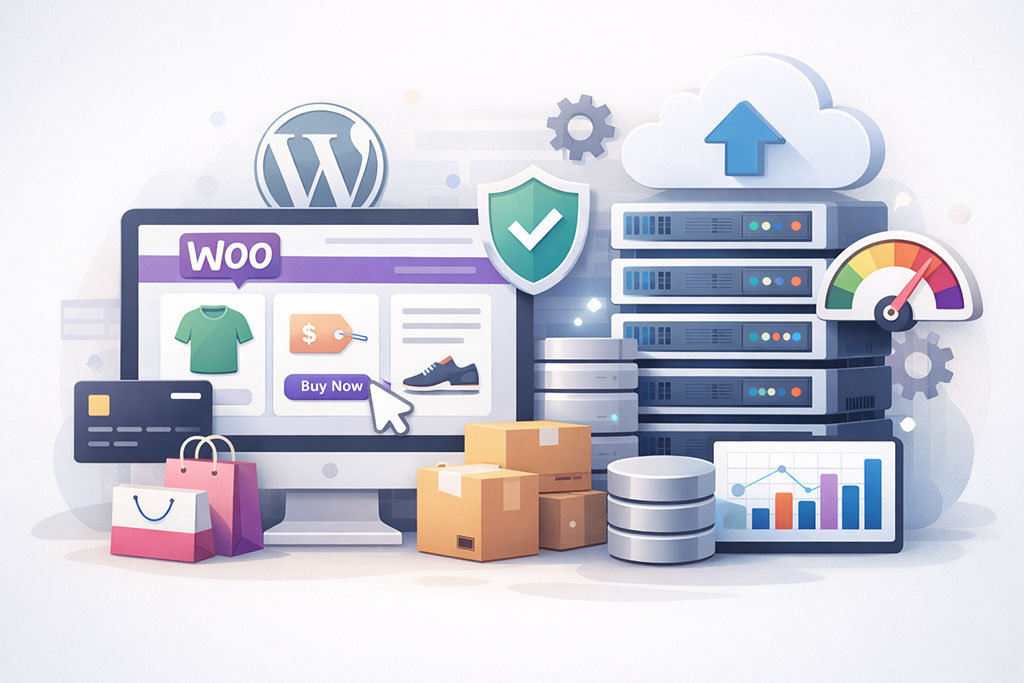
Beyond the type of hosting, specific features can significantly enhance your WooCommerce store’s performance, security, and manageability. Prioritizing these features will lead to a more robust and efficient online business.
Performance Optimization Features
For an e-commerce platform, speed is king. Look for hosts that actively implement technologies and configurations designed to accelerate your WooCommerce store.
Built-in Caching Solutions
Caching stores frequently accessed data, reducing the need to fetch it from the database every time. This dramatically speeds up page load times. Many top WooCommerce hosts offer advanced caching mechanisms like Varnish, Redis, or Memcached, often pre-configured for WooCommerce.
Understanding Different Caching Layers
It’s beneficial to understand how different caching layers work – server-side caching, object caching, and browser caching – and how your host implements them.
SSD Storage
Solid-State Drives (SSDs) are significantly faster than traditional Hard Disk Drives (HDDs). Choosing a host that uses SSD storage for your website’s files and databases will result in quicker data retrieval and faster page loads.
The Speed Advantage of SSDs
The difference in read/write speeds between SSDs and HDDs can be substantial, translating directly into a snappier user experience for your customers.
Content Delivery Network (CDN) Integration
A CDN distributes your website’s static content (images, CSS, JavaScript) across multiple servers globally. When a customer visits your store, content is delivered from the server geographically closest to them, reducing latency and speeding up load times. Many good WooCommerce hosts offer integrated or easily configurable CDN solutions.
Reducing Latency for Global Audiences
If you serve customers from different geographic locations, a CDN is crucial for ensuring a fast and consistent experience for everyone.
Security Measures and Certifications
Protecting your customers’ data is paramount. Your hosting provider should offer comprehensive security features to safeguard your store.
Malware Scanning and Removal
Regular scanning of your website for malware is essential. Proactive hosts will not only scan but also have processes in place for automatic removal or prompt notification and assistance if threats are detected.
Proactive Defense Against Cyber Threats
This feature acts as a crucial line of defense, helping to prevent your store from being compromised and protecting your customers’ information.
Regular Backups and Easy Restoration
Frequent, automated backups are non-negotiable. In the event of a data loss or a security incident, you need to be able to restore your store quickly and easily.
Disaster Recovery Planning
Look for hosts that provide daily or even more frequent backups with simple one-click restore options. Understand the backup retention policy and how many restore points are available.
DDoS Protection
Distributed Denial of Service (DDoS) attacks can overwhelm your server with traffic, making your website inaccessible. Many reputable hosts offer built-in DDoS mitigation to protect against such attacks.
Shielding Your Store from Traffic Overload
This is particularly important for e-commerce stores, as an attack can lead to significant financial losses during the downtime.
SSL Certificates (Free and Paid Options)
As mentioned, SSL certificates are vital for secure transactions. While many hosts offer free Let’s Encrypt SSL certificates, some may provide paid options with additional validation or features. Ensure your host supports easy SSL installation and renewal.
Encoding Sensitive Data for Secure Transactions
An SSL certificate builds trust with your customers, signaling that their personal and financial information is being handled securely.
Developer-Friendly Features
If you or your team plan to customize your WooCommerce store, certain developer-centric features will be beneficial.
Staging Environments
A staging environment allows you to test changes, new plugins, or theme updates on a private copy of your website before deploying them to your live store. This significantly reduces the risk of introducing errors that could impact your customers.
Testing Changes Safely Before Go-Live
This is an invaluable tool for maintaining a stable and functional WooCommerce store, especially when making frequent updates.
SSH Access and Git Integration
For more advanced users, Secure Shell (SSH) access allows you to manage your server via the command line, offering greater control and flexibility. Git integration facilitates version control for your code, making it easier to track changes and collaborate.
Enhancing Customization and Development Workflows
These features are standard for developers and offer powerful tools for building and maintaining complex e-commerce solutions.
PHP Version Control
WooCommerce relies on specific PHP versions for optimal performance and security. Your hosting provider should allow you to easily select and switch between different PHP versions, ensuring compatibility with the latest WooCommerce updates and plugins.
Ensuring Compatibility and Optimal Performance
Keeping your PHP version up-to-date is crucial for both security and performance.
Evaluating WooCommerce Hosting Providers: What to Look For
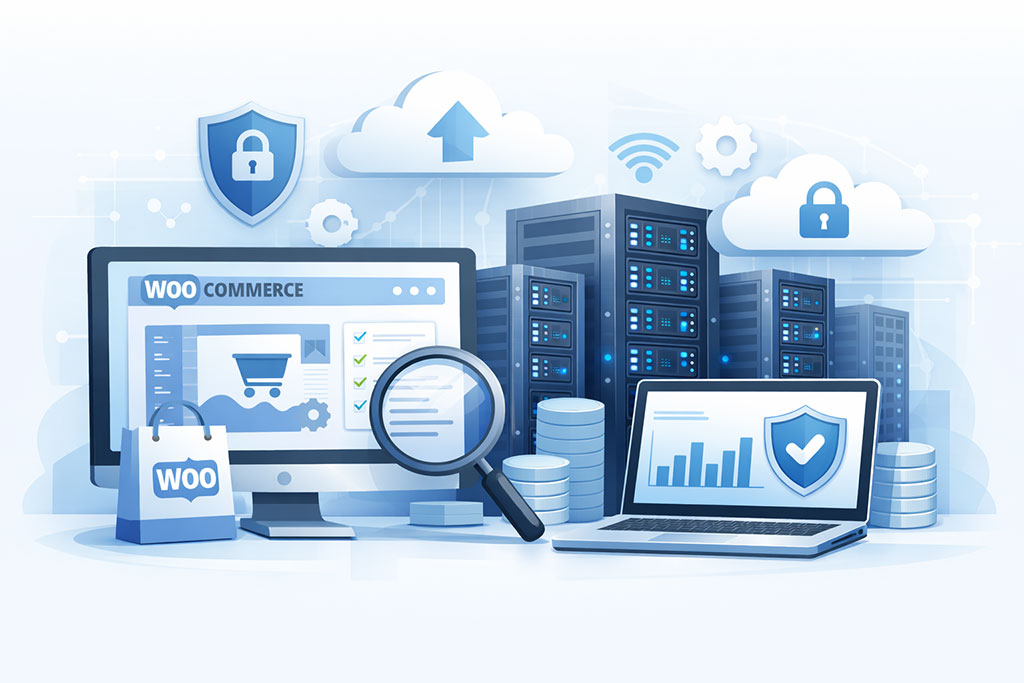
With numerous hosting providers in the market, each claiming to offer the best solution for WooCommerce, discerning the right one requires a structured approach. Focus on objective criteria rather than marketing hype.
Customer Support – Beyond the Basics
When things go wrong, responsive and knowledgeable customer support can be a lifesaver. Don’t just look at the availability of support, but also its quality.
24/7 Availability and Response Times
For an online business, downtime doesn’t adhere to business hours. Ensure your chosen host offers 24/7 support and investigate their average response times for different channels (live chat, phone, tickets).
The Importance of Prompt Resolution
Quick resolution of technical issues is critical to minimizing revenue loss and customer frustration.
Expertise in WooCommerce and WordPress
Ideally, your hosting provider’s support team should have a deep understanding of WordPress and WooCommerce. This means they can offer tailored advice and troubleshooting specific to your e-commerce setup.
Specialized Knowledge for E-Commerce Challenges
Support staff who understand the unique demands of e-commerce platforms can resolve issues more efficiently than general support agents.
Multiple Support Channels
Having access to support via phone, live chat, and email (or ticketing system) provides flexibility depending on the urgency and complexity of your issue.
Accessibility and Convenience for Users
Different users prefer different communication methods, so a variety of channels is beneficial.
Pricing and Value for Money
While cost is a significant factor, it shouldn’t be the only determinant. A cheap hosting plan with poor performance or unreliable support can end up costing you more in lost sales and headaches.
Transparent Pricing and Hidden Fees
Scrutinize pricing plans carefully. Look for transparency regarding renewal rates, as introductory prices are often much lower than subsequent renewal costs. Be wary of hidden fees for essential services.
Understanding the Total Cost of Ownership
Consider not just the monthly fee but also potential costs associated with upgrades, add-ons, and potential business losses due to poor performance.
Scalability of Plans and Upgrade Paths
Choose a host that offers clear and straightforward upgrade paths as your business grows. This means you can seamlessly move to a more powerful plan without significant disruption or a costly migration process.
Future-Proofing Your Hosting Investment
Anticipating your future needs and selecting a host that can accommodate them will save you time and money in the long run.
Included Features and Add-ons
Compare what is included in each plan. Does it come with SSL certificates, CDN, staging environments, or email accounts? Evaluate whether these included features represent good value compared to purchasing them separately.
Maximizing the Value Proposition of Your Hosting Package
A plan packed with useful, pre-configured features can offer significant cost savings and convenience.
User Reviews and Reputation
What are other WooCommerce store owners saying about their hosting experiences? Real-world feedback from users can offer invaluable insights.
Independent Review Sites and Forums
Look for reviews on reputable independent websites and in e-commerce or WordPress forums. Pay attention to recurring themes in both positive and negative feedback.
Gaining Unbiased Perspectives
These platforms often provide more honest and detailed accounts of user experiences than a provider’s own testimonials.
Provider’s Track Record and History
Research the hosting provider’s history. How long have they been in business? Have they had any major security breaches or service outages? A stable and reputable provider is generally a safer bet.
Assessing Stability and Trustworthiness
A long-standing reputation often signifies a reliable and well-managed company.
Uptime Guarantees and Performance Data
Beyond stated guarantees, look for independent uptime monitoring data if available. This can provide a more objective view of the provider’s reliability.
Verifying Promises with Real-World Data
Promises are one thing; actual performance is another.
For those looking to enhance their e-commerce experience, understanding the different types of hosting available is crucial. A great resource to explore is the article on business hosting, which provides insights tailored for beginners and can help you make informed decisions about your website’s infrastructure. You can read more about it in this business hosting guide. This information complements the WooCommerce Hosting Guide for E Commerce Websites by offering a broader perspective on how to choose the right hosting solution for your online store.
Optimizing Your WooCommerce Hosting Environment
As your WooCommerce business expands, your hosting environment needs to keep pace. Proactive scalability planning prevents performance bottlenecks.
Monitoring Traffic Patterns and Resource Usage
Regularly monitor your website’s traffic and server resource usage (CPU, RAM, bandwidth). This will help you identify when you are approaching your hosting plan’s limits.
Data-Driven Decisions for Resource Allocation
Understanding your usage patterns allows you to make informed decisions about when and how to scale.
Understanding Your Host’s Upgrade Options
Familiarize yourself with the upgrade process offered by your hosting provider. Is it a simple click of a button, or does it involve downtime and migration? The easier and faster the upgrade, the better.
Ensuring a Seamless Transition During Growth Phases
A smooth upgrade process minimizes disruption to your business operations.
Load Balancing and Content Delivery Strategies
For very high-traffic stores, load balancing distributes incoming traffic across multiple servers, preventing any single server from becoming overloaded. A CDN, as previously discussed, is also a critical component of a scalable content delivery strategy.
Distributing Demand to Maintain Performance
These techniques are essential for ensuring your store remains responsive even under heavy load.
When setting up an online store, choosing the right hosting solution is crucial for ensuring optimal performance and security. A related article that delves deeper into this topic is available, highlighting the benefits of dedicated servers specifically for e-commerce websites. You can read more about these advantages in this insightful piece on dedicated servers, which can help you make informed decisions for your WooCommerce hosting needs.
Choosing the Right Hosting Provider: A Pragmatic Approach
The decision of which WooCommerce hosting provider to select is crucial for your online store’s success. It requires careful consideration of your current needs, future aspirations, and the provider’s overall offering. Avoid being swayed by overly aggressive marketing and focus on tangible benefits.
Assessing Provider Specialization in E-Commerce
While many hosts offer WordPress hosting, some specifically cater to WooCommerce. These providers often have optimized server configurations, pre-installations, and support staff with specialized knowledge of e-commerce platforms.
Do They Offer WooCommerce-Specific Stacks?
Look for hosts that have optimized their server environments for WooCommerce, which may include specific PHP extensions, database tuning, and caching strategies tailored for e-commerce.
Performance Tailored for Online Stores
This specialization can translate to better speed and stability for your WooCommerce store.
Support Expertise in E-Commerce Functionality
A support team that understands common WooCommerce issues, such as payment gateway problems, shipping calculations, or inventory management, can save you significant time and frustration.
Resolving E-Commerce Specific Challenges Efficiently
When you encounter an issue, having support staff who can quickly diagnose and fix it is invaluable.
Evaluating Uptime Guarantees and Reliability Metrics
Beyond the stated percentage, understand what the guarantee actually covers and how consistently the provider meets it.
Looking Beyond the “99.9%” Promise
While 99.9% uptime is the industry standard, investigate how this is measured and what constitutes downtime. Also, look for historical uptime data from independent monitoring services if available.
Verifying Promises with Actual Performance Data
Actual performance often tells a more truthful story than marketing claims.
Redundancy and Disaster Recovery Measures
Inquire about the provider’s internal redundancy measures and disaster recovery plans. Do they have multiple data centers? What is their strategy for recovering from hardware failures or natural disasters?
Ensuring Business Continuity in Unexpected Events
Robust disaster recovery plans are essential for minimizing the impact of unforeseen events.
Considering Location of Servers
The physical location of your hosting server can impact your website’s speed.
Proximity to Your Target Audience
If your primary customer base is in a specific geographical region, choosing a hosting provider with data centers in or near that region can significantly reduce latency.
Reducing Travel Time for Data
The closer the server to the user, the faster the data travels.
Impact on SEO and Page Load Times
Search engines, particularly Google, consider page load speed as a ranking factor. Server location plays a role in this.
Optimizing for Both User Experience and Search Engine Visibility
Choosing strategically located servers benefits both your customers and your search engine ranking potential.
By approaching your WooCommerce hosting decision with a pragmatic mindset, focusing on essential features, researching providers thoroughly, and understanding your own business’s unique demands, you can establish a strong digital foundation for your e-commerce success.
FAQs
1. What is WooCommerce hosting?
WooCommerce hosting is a type of web hosting specifically optimized for WooCommerce, a popular e-commerce platform for WordPress. It is designed to provide the performance, security, and support necessary for running an online store.
2. What are the key features to look for in WooCommerce hosting?
Key features to look for in WooCommerce hosting include optimized server performance, SSL certificate support, automatic backups, scalability for traffic spikes, and 24/7 customer support.
3. How does WooCommerce hosting differ from regular web hosting?
WooCommerce hosting is specifically tailored to the needs of e-commerce websites, with a focus on performance, security, and support for the WooCommerce platform. Regular web hosting may not have the same level of optimization for e-commerce functionality.
4. What are the benefits of using WooCommerce hosting for an e-commerce website?
The benefits of using WooCommerce hosting include faster loading times, better security measures, specialized support for e-commerce functionality, and the ability to handle high levels of traffic and transactions.
5. What are some popular WooCommerce hosting providers?
Popular WooCommerce hosting providers include Bluehost, SiteGround, WP Engine, and Liquid Web. These providers offer specialized hosting plans tailored to the needs of WooCommerce users.









Add comment