
Strategic Planning and Goal Setting
Before you even think about design or code, you need a clear roadmap for your software company’s website launch. This initial planning phase is critical for defining your objectives, understanding your audience, and establishing the technical and content requirements that will drive the entire project. Skipping this step often leads to scope creep, budget overruns, and a website that fails to achieve its intended purpose. Think of it as laying the foundation for a skyscraper – without a solid base, the entire structure is unstable.
Defining Your Website’s Purpose and Objectives
What do you want your website to achieve? For a new software company, your objectives might be multifaceted. Are you primarily aiming for lead generation, showcasing your product, attracting talent, or establishing thought leadership? Perhaps it’s a combination of these. Be specific. Instead of “get more traffic,” aim for “increase qualified leads by 20% in the first six months post-launch.”
Your website’s purpose should directly align with your business goals. If your software is a B2B SaaS solution, your website will need to communicate value propositions clearly, offer demo requests, and provide extensive product documentation. If you’re launching a consumer-facing mobile app, your website might focus more on engaging visuals, app store links, and user testimonials. Outline at least three to five primary objectives and ensure they are SMART: Specific, Measurable, Achievable, Relevant, and Time-bound. This clarity will inform every subsequent decision, from content strategy to user experience design.
Identifying Your Target Audience and Their Needs
Who are you trying to reach? A common mistake is to try and appeal to everyone. For a software company, your audience might be developers, IT managers, small business owners, enterprise executives, or even individual consumers. Each segment has unique pain points, priorities, and preferred communication styles.
Develop detailed buyer personas. Give them names, job titles, daily challenges, and aspirations. What problems does your software solve for them? What information do they seek when visiting a website like yours? Understanding their journey – from initial awareness to considering a purchase – will help you tailor your content, navigation, and calls to action effectively. For example, if your target is a CTO, they might be looking for detailed technical specifications, security protocols, and integration capabilities. A small business owner, on the other hand, might prioritize ease of use, cost-effectiveness, and customer support. Conduct surveys, interviews, and competitive analysis to gain these insights.
Competitive Analysis and Market Positioning
Before you carve out your own digital space, take a good look at your competitors. Who are they? What do their websites look like? What are their strengths and weaknesses? This isn’t about copying them; it’s about learning from them and identifying opportunities to differentiate your software company.
Analyze their messaging, pricing structures, product features, and even their website’s user experience. What do they do well that you can emulate or improve upon? More importantly, where are the gaps? Is there a niche they’re missing? Can you offer a unique value proposition, a better user interface, or a more compelling story? Your website should clearly articulate what makes your software unique and why customers should choose you over the competition. This analysis will help you refine your value proposition and ensure your website’s messaging is distinct and impactful.
Budgeting and Resource Allocation
Launching a website, especially for a new software company, requires a clear understanding of financial and human resources. This isn’t just about the initial build; it’s about ongoing maintenance, updates, and marketing efforts.
Break down your budget into key areas: domain name and hosting, website design and development (which could involve agency fees, freelance developers, or in-house team salaries), content creation (copywriting, visuals, video), SEO and marketing tools, and ongoing maintenance. Be realistic. A robust, secure, and user-friendly website for a software company often requires a significant investment. Consider different options: using a website builder, hiring freelancers, or engaging a full-service agency. Allocate resources not just for the launch but for post-launch activities like A/B testing, analytics monitoring, and content updates. Ensure you have a contingency fund for unexpected issues or opportunities.
When launching a website for a new software company, it’s essential to consider not only the design and functionality but also how to optimize it for performance and user experience. A related article that can provide valuable insights on this topic is “8 Best Website Optimization Tips for 2023.” This resource offers practical strategies to enhance your website’s speed, usability, and overall effectiveness, ensuring that your new software company makes a strong impression online. You can read the article here: 8 Best Website Optimization Tips for 2023.
Technical Foundations and Infrastructure
Once your strategic plan is solid, it’s time to lay the technical groundwork. This phase involves making critical decisions about your website’s underlying technology, ensuring it’s robust, scalable, and secure enough to support your software company’s growth. A strong technical foundation prevents headaches down the line and ensures a smooth user experience.
Choosing Your Domain Name and Hosting Provider
Your domain name is your online address, and for a software company, it’s a crucial part of your brand identity. It should be memorable, easy to spell, and ideally, reflect your company or product name. Aim for a .com extension if available, as it’s the most recognized and trusted. Consider alternatives like .io or .tech if they better suit your specific software niche and your primary choice is unavailable. Check for trademark availability before finalizing your choice.
Selecting a reliable hosting provider is equally important. Your host stores all your website’s files and makes them accessible to users. Key considerations include:
- Reliability and Uptime: Your website needs to be accessible 24/7. Look for providers with a proven track record of high uptime percentages (e.g., 99.9%).
- Speed: Page loading speed is crucial for user experience and SEO. Choose a host with good server performance, SSD storage, and CDN integration options.
- Scalability: As your software company grows, your website traffic will likely increase. Ensure your hosting plan can scale with your needs without requiring a complete migration.
- Security Features: Look for features like SSL certificates (essential for HTTPS), daily backups, DDoS protection, and firewalls.
- Customer Support: Responsive and knowledgeable support is invaluable when issues arise.
- Cost: Compare pricing plans, but don’t solely base your decision on the cheapest option. Value and features are often more important.
For a new software company, a dedicated server or a high-performance VPS (Virtual Private Server) might be overkill initially. Shared hosting can be a cost-effective starting point, but consider managed WordPress hosting or cloud hosting solutions (like AWS, Google Cloud, or Microsoft Azure) for better performance and scalability as you grow.
Selecting a Content Management System (CMS) or Framework
The choice of your CMS or framework will significantly impact your website’s development process, flexibility, and ongoing management.
- WordPress: For many new software companies, WordPress remains a powerful and flexible choice. With a vast ecosystem of themes and plugins, it allows for rapid development and offers a user-friendly interface for content updates. It’s excellent for content marketing and blogging. However, it requires careful security management and plugin selection to avoid vulnerabilities.
- Custom Development: If your software company has highly unique requirements, complex integrations, or needs absolute control over every aspect of your site, custom development using frameworks like React, Angular, Vue.js (for the frontend) coupled with Node.js, Python/Django, Ruby on Rails (for the backend) might be necessary. This offers maximum flexibility but comes with higher development costs and longer timelines.
- Headless CMS: For companies that need a highly performant site with decoupled content management, a headless CMS (like Strapi, Contentful, or Sanity.io) combined with a static site generator (like Next.js or Gatsby) can be an excellent choice. This allows developers to build the frontend using modern tools while content editors manage content separately. It offers superior speed and security.
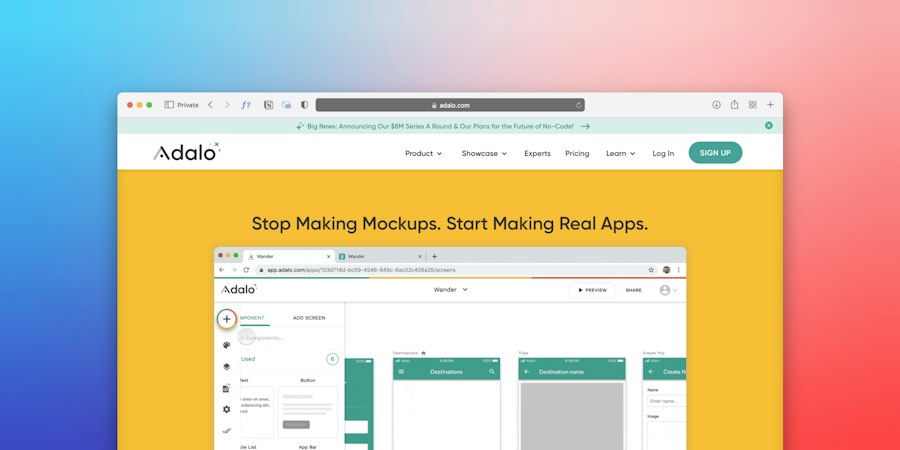
- Website Builders: Platforms like Squarespace or Wix offer drag-and-drop simplicity and can be quick to launch. While suitable for very basic marketing sites, they often lack the customization, scalability, and integration capabilities required for a growing software company. Use these with caution, especially if you anticipate complex features or integrations with your software products.
Consider your technical expertise, budget, desired level of customization, and future scalability when making this crucial decision.
Implementing Essential Security Measures
Security is paramount for any website, but especially for a software company that deals with intellectual property, potentially sensitive customer data, and needs to project an image of trustworthiness. A single security breach can severely damage your reputation.
- SSL Certificate (HTTPS): This is non-negotiable. An SSL certificate encrypts data exchanged between your website and visitors’ browsers, preventing eavesdropping and data tampering. It’s also a key SEO ranking factor and builds trust. Your hosting provider usually offers this, or you can obtain one from a certificate authority.
- Strong Passwords and Multi-Factor Authentication (MFA): Enforce strong, unique passwords for all administrative accounts and implement MFA for an extra layer of security.
- Regular Backups: Implement automated, regular backups of your entire website (files and database). Store these backups in a separate, secure location. In case of a data loss event, you’ll be able to restore your site quickly.
- Firewalls and DDoS Protection: Utilize web application firewalls (WAFs) to filter malicious traffic and protect against common web vulnerabilities. DDoS protection can prevent your site from being overwhelmed by traffic from malicious sources.
- Software Updates: Keep your CMS, plugins, themes, and server software updated to their latest versions. Developers constantly release patches for newly discovered security vulnerabilities.
- Security Scans and Audits: Regularly scan your website for malware and vulnerabilities. Consider professional security audits, especially if you handle sensitive user data.
- Content Security Policy (CSP): Implement a CSP to mitigate cross-site scripting (XSS) and other code injection attacks by specifying which dynamic resources are allowed to be loaded by the user agent.
Setting Up Analytics and Tracking Tools
Understanding how users interact with your website is crucial for optimization and strategic decision-making. Set up analytics tools from day one.
- Google Analytics 4 (GA4): This is the industry standard for website analytics. It tracks user behavior, traffic sources, conversion events, and much more. Configure it to track key metrics relevant to your software company, such as demo requests, trial sign-ups, whitepaper downloads, and contact form submissions.
- Google Search Console: This free tool from Google helps you monitor your website’s performance in Google Search results. It identifies indexing issues, provides keyword insights, and helps you understand how Google sees your site.
- Heatmaps and Session Recording Tools (e.g., Hotjar, Crazy Egg): These tools provide visual insights into user behavior, showing where users click, scroll, and spend their time. They can reveal usability issues and areas for improvement that traditional analytics might miss.
- Tag Manager (e.g., Google Tag Manager): This allows you to manage all your website’s tracking codes and scripts (for analytics, advertising, etc.) from a single interface, simplifying implementation and reducing the need for direct code modifications.
Properly configured analytics will give you the data needed to iterate, improve, and ultimately achieve your website’s objectives.
Design and Development Phase
With your strategic plan and technical foundations in place, you can now dive into the creative and construction aspects of your website. This is where your brand identity comes to life, and your software’s value proposition is translated into a compelling online experience.
Crafting a User-Centric Website Design
A beautiful website is good, but a user-friendly and intuitive website is essential, especially for a software company where complex products need to be easily understood. Your design should prioritize the user’s journey and interaction.
- Wireframing and Prototyping: Before diving into visual design, create wireframes (skeletal outlines) and prototypes (interactive mockups) of your key website pages. This allows you to test navigation, layout, and content placement without the distraction of colors and fonts. Get feedback early and iterate. This phase saves significant time and resources by catching usability issues before development.
- Intuitive Navigation and Information Architecture: Your website’s structure should make it easy for visitors to find what they’re looking for within a few clicks. Categorize your content logically (e.g., “Products,” “Solutions,” “Pricing,” “Resources,” “About Us,” “Contact”). Use clear, concise labels for menu items. A well-designed sitemap is crucial for both users and search engines.
- Mobile Responsiveness: This is non-negotiable in 2026. A significant portion of your audience will access your website from mobile devices. Your design must adapt seamlessly to various screen sizes and orientations, offering an optimal experience regardless of the device. Google also prioritizes mobile-first indexing.
- Brand Consistency: Your website is a direct extension of your software company’s brand. Ensure consistent use of your logo, color palette, typography, and imagery across all pages. This reinforces your brand identity and builds trust. Your website should visually communicate your company’s personality – whether it’s innovative, reliable, cutting-edge, or approachable.
- Visual Appeal and User Experience (UX): While functionality is key, aesthetics matter. A clean, modern, and professional design builds credibility. Use high-quality imagery, engaging videos, and interactive elements where appropriate. Focus on readability – choose legible fonts and ensure sufficient contrast between text and background. Avoid clutter and excessive animations that detract from the user experience.
- Clear Calls to Action (CTAs): Guide your users to the next step. Whether it’s “Request a Demo,” “Start Free Trial,” “Download Whitepaper,” or “Contact Sales,” your CTAs should be prominent, clear, and strategically placed on relevant pages.
Developing Core Website Pages and Functionality
This is where the actual building happens, translating your design into a functional website.
- Homepage: This is your digital storefront. It needs to quickly convey what your software company does, who it serves, and what unique value it offers. Include a strong hero section, clear value propositions, key product highlights, social proof (testimonials, client logos), and prominent calls to action.
- Product/Solutions Pages: Each of your software products or solutions needs dedicated pages. Detail features, benefits, use cases, technical specifications, and integration capabilities. Use screenshots, videos, and interactive demos to showcase functionality. Address common pain points your software solves.
- Pricing Page: Be transparent and clear with your pricing models. Offer different tiers if applicable, explain what’s included in each, and highlight any special offers. Consider a comparison table for easy understanding. Clearly outline any free trial options or demo availability.
- About Us/Team Page: Build trust and demonstrate your expertise. Share your company’s mission, vision, values, and the story behind your software. Introduce your leadership team and key personnel. This humanizes your brand and helps potential customers connect with you.
- Contact Us Page: Make it easy for visitors to get in touch. Include a contact form, email address, phone number, and physical address if applicable. Consider integrating live chat for immediate support.
- Blog/Resources Section: Crucial for content marketing and thought leadership. This section will host articles, whitepapers, case studies, and tutorials that demonstrate your expertise and provide value to your target audience.
- Legal Pages (Privacy Policy, Terms of Service): These are mandatory for compliance (e.g., GDPR, CCPA). Clearly outline how you collect, store, and use user data.
- Integration with Third-Party Tools: Integrate with your CRM (e.g., Salesforce, HubSpot), email marketing platform (e.g., Mailchimp, HubSpot), customer support systems (e.g., Zendesk, Intercom), and other tools essential for your business operations. Ensure seamless data flow.
Content Creation and Optimization for SEO
Content is king, especially for a software company looking to educate, engage, and convert visitors.
- High-Quality Copywriting: Your website copy needs to be clear, concise, compelling, and free of jargon (unless your audience is highly technical and expects it). Focus on benefits over features. Use storytelling to illustrate how your software solves problems. Ensure a consistent brand voice.
- Search Engine Optimization (SEO) Best Practices:
- Keyword Research: Identify relevant keywords your target audience uses to search for solutions like yours. Use tools like Google Keyword Planner, Ahrefs, or SEMrush.
- On-Page SEO: Optimize page titles, meta descriptions, header tags (H1, H2, H3), image alt text, and URL structures with your target keywords.
- Content Quality: Google rewards high-quality, authoritative, and relevant content. Your website should be a valuable resource for your audience.
- Internal Linking: Link relevant pages within your website to improve navigation and distribute “link equity.”
- Technical SEO: Ensure your website has a fast loading speed, is mobile-friendly, has a well-structured sitemap, and is free of broken links or crawl errors.
- Visual Content (Images, Videos, Infographics): Break up text with engaging visuals. Use high-resolution images of your product, team, and company culture. Explainer videos can effectively communicate complex software concepts. Infographics can present data in an easily digestible format.
- Call to Action (CTA) Copy: Craft persuasive and action-oriented CTAs that guide users toward conversion goals. Test different wordings to see what resonates best with your audience.
Pre-Launch Checklist and Testing
The development is mostly complete, but before you hit “go live,” a meticulous pre-launch checklist and rigorous testing are essential. This phase catches errors, ensures functionality, and verifies that your website is ready to make a strong first impression.
Comprehensive Functional Testing
Every interactive element and every piece of content needs to be thoroughly tested. Don’t assume anything works as intended; verify it.
- Cross-Browser Compatibility: Test your website on all major browsers (Chrome, Firefox, Safari, Edge) and their various versions to ensure consistent appearance and functionality. What looks perfect in Chrome might have layout issues in Safari.
- Device Responsiveness: Test your website across a range of devices – desktops, laptops, tablets, and smartphones (both iOS and Android) – with different screen sizes and resolutions. Check for responsive design breakpoints, ensuring content reflows correctly and interactive elements remain usable.
- Form Functionality: Every single form on your website (contact forms, demo requests, newsletter sign-ups, trial registrations) must be tested exhaustively. Submit forms, check for validation errors, and verify that submissions are correctly received (e.g., in your CRM, email inbox, or database). Test error messages and success messages.
- Link Validation: Check every internal and external link on your website to ensure they point to the correct destinations and that there are no broken links (404 errors). Use a link checker tool for efficiency.
- Interactive Elements: Test all buttons, dropdown menus, carousels, accordions, and other interactive elements. Ensure they function as expected and provide clear feedback to the user.
- Integrations: Verify that all third-party integrations (CRM, email marketing, payment gateways, analytics) are correctly configured and data is flowing seamlessly between systems. Perform test transactions if your site involves e-commerce or subscriptions.
- Performance Testing: While basic speed is covered by hosting, also test how your site performs under simulated load conditions. This is particularly important if you anticipate high traffic volumes upon launch or during specific campaigns.
Content Review and Quality Assurance
Even the best design can be undermined by poor content. This review is critical for polishing your messaging and maintaining professionalism.
- Proofreading and Editing: Meticulously proofread all text for typos, grammatical errors, and punctuation mistakes. Have multiple people review the content for a fresh perspective. Poor spelling or grammar can severely impact your credibility as a software company.
- Accuracy and Fact-Checking: Ensure all product features, specifications, pricing, and company information are 100% accurate and up-to-date. Outdated or incorrect information can mislead customers and lead to frustration.
- Brand Voice and Tone Consistency: Verify that the website content consistently reflects your software company’s brand voice and tone across all pages. Is it professional, innovative, friendly, technical? Whatever it is, it needs to be uniform.
- Image and Video Quality: Confirm that all images are high-resolution, correctly sized, optimized for web (fast loading), and free of pixelation. Ensure videos play correctly and are appropriately compressed. Check for proper alt text on all images for accessibility and SEO.
- Legal Compliance: Double-check that your privacy policy, terms of service, and any other legal disclaimers are present, accurate, and comply with relevant regulations (e.g., GDPR, CCPA).
- SEO Elements: Review all page titles, meta descriptions, header tags, and image alt text for proper keyword usage and optimal length. Ensure they are compelling and encourage clicks in search results.
Security Audit and Performance Optimization
Before launch, you need to ensure your website is both secure and fast. These are crucial for user experience and search engine rankings.
- Security Vulnerability Scan: Run a final security scan using tools like Sucuri SiteCheck or Wordfence (for WordPress) to identify any potential vulnerabilities that might have been introduced during development. Address any critical findings immediately.
- SSL Certificate Verification: Confirm that your SSL certificate is correctly installed and configured, forcing HTTPS across your entire site. Check for mixed content warnings.
- Performance Audit (Page Speed): Use tools like Google PageSpeed Insights, GTmetrix, or Pingdom Tools to analyze your website’s loading speed. Identify and address bottlenecks such as unoptimized images, excessive script usage, or inefficient caching. Aim for a fast load time, especially on mobile.
- Caching Configuration: Implement server-side and browser caching to store static assets and speed up subsequent page loads for returning visitors.
- Code Optimization: Minify HTML, CSS, and JavaScript files to reduce their size and improve loading times. Remove any unused code or resources.
- Broken Link Checks: Perform a final scan for broken internal and external links to avoid frustrating users and impacting your SEO.
Pre-Launch Marketing Preparations
While not directly part of the website itself, preparing your marketing strategy before launch is vital for a successful rollout.
- Announcements and Press Releases: Prepare your launch announcement for social media, email newsletters, and potentially a press release if your software launch warrants it.
- Social Media Integration: Ensure your social media sharing buttons are correctly configured and that your website looks good when shared on platforms like LinkedIn, Twitter, and Facebook (Open Graph tags).
- Email Marketing Setup: Prepare your initial email campaigns to announce the website launch, guide new visitors, and onboard trial users.
- PPC Campaign Readiness: If you plan to run paid advertising, ensure your landing pages are optimized and your campaigns are set up and ready to activate immediately after launch.
- Analytics Goals and Event Tracking: Verify that all your Google Analytics 4 goals and event tracking (e.g., for demo requests, trial sign-ups) are correctly configured and firing as expected. This data is critical for understanding post-launch performance.
When launching a website for a new software company, it’s essential to consider not only the technical aspects but also how to effectively engage your audience. A helpful resource that delves into the foundational steps of creating an online presence is an article on starting a blog, which can complement your website strategy. You can read more about it in this informative piece on how to start a blog in 2023. By integrating a blog into your website, you can share valuable content that attracts potential customers and establishes your brand’s authority in the software industry.
Post-Launch Strategy and Optimization
| Step | Task | Estimated Time | Key Metrics | Tools/Resources |
|---|---|---|---|---|
| 1 | Domain Registration & Hosting Setup | 1-2 days | Domain availability, Hosting uptime (99.9%+) | GoDaddy, Namecheap, Bluehost, AWS |
| 2 | Website Design & Development | 2-4 weeks | Page load speed ( | WordPress, Wix, Webflow, HTML/CSS, JavaScript |
| 3 | Content Creation (Product info, Blog, FAQs) | 1-2 weeks | Content quality score, SEO keyword ranking | Google Docs, Grammarly, SEMrush, Ahrefs |
| 4 | SEO Optimization | 1 week | Organic traffic, Bounce rate, Domain authority | Google Analytics, Google Search Console, Yoast SEO |
| 5 | Testing & Quality Assurance | 3-5 days | Bug count, Cross-browser compatibility | Selenium, BrowserStack, Lighthouse |
| 6 | Launch & Promotion | 1 week | Website traffic, Conversion rate, Social shares | Google Ads, Facebook Ads, Email marketing tools |
| 7 | Post-Launch Monitoring & Updates | Ongoing | Uptime, User feedback, Feature requests | Google Analytics, Hotjar, Customer feedback tools |
Congratulations, your software company’s website is live! However, the launch isn’t the end; it’s just the beginning. The real work of monitoring, improving, and optimizing your website starts now. A successful website is a living entity that continually evolves based on user feedback and performance data.
Monitoring Performance and Analytics
Immediately after launch, begin rigorously monitoring your website’s performance. The data you gather will be invaluable for making informed decisions.
- Traffic Monitoring: Keep a close eye on website traffic using Google Analytics 4. Track key metrics like unique visitors, page views, bounce rate, and average session duration. Look for unexpected spikes or drops in traffic that might indicate issues or opportunities.
- Conversion Rate Tracking: Monitor your primary conversion goals, such as demo requests, trial sign-ups, whitepaper downloads, or contact form submissions. Calculate your conversion rates and identify which pages are performing best (or worst) in driving these actions.
- User Behavior Analysis: Use tools like Google Analytics 4 to understand user flows – how visitors navigate through your site. Identify common entry and exit pages. Complement this with heatmaps and session recordings to gain visual insights into where users click, scroll, and encounter friction.
- Search Engine Performance: Regularly check Google Search Console for any crawl errors, indexing issues, or security warnings. Monitor your website’s keyword rankings and click-through rates (CTR) in search results. Look for sudden drops in organic visibility.
- Website Speed and Uptime: Continue to monitor your website’s loading speed and uptime. Tools like UptimeRobot can send alerts if your site goes down. Proactively address any performance degradation.
- Feedback Channels: Implement a clear feedback mechanism on your website, such as a simple survey widget or a dedicated feedback form. Encourage users to report bugs or suggest improvements. This direct feedback is invaluable.
Iterative Improvements and A/B Testing
Based on the data you collect, you’ll identify areas for improvement. A data-driven approach to optimization is key.
- Identify Pain Points: Use analytics to pinpoint pages with high bounce rates, low conversion rates, or areas where users drop off. Are there confusing navigation paths? Is the content unclear?
- Hypothesis Generation: Formulate hypotheses about why certain areas are underperforming. For example, “Changing the CTA button color from blue to orange will increase clicks by 15%.”
- A/B Testing (Split Testing): Use tools like Google Optimize (or integrated features in some CMS platforms) to run A/B tests. Create two versions of a page or element (A and B) and show them to different segments of your audience. Measure which version performs better against your defined goal. Test headlines, button colors, copy, images, layouts, and entire page sections.
- Iterative Design and Development: Continuously refine your website based on testing results and user feedback. This might involve small tweaks to text, major redesigns of specific sections, or the introduction of entirely new features. Adopt an agile mindset for website development.
- User Experience (UX) Audits: Periodically conduct formal UX audits or usability testing sessions with real users to uncover less obvious issues and gain qualitative insights.
Content Strategy and Ongoing SEO
Your content and SEO efforts should be continuous, not a one-time launch activity.
- Content Calendar: Develop and adhere to a content calendar for your blog and resource sections. Regularly publish high-quality, relevant articles, case studies, whitepapers, and videos that address your audience’s pain points and showcase your software’s value.
- Keyword Expansion: As your software company grows and evolves, continuously research new keywords and content opportunities. Target long-tail keywords that indicate higher purchase intent.
- Content Updates and Refreshing: Don’t let your content become stale. Regularly review and update existing blog posts, product pages, and resources to ensure they remain accurate, relevant, and optimized for current SEO best practices. This also signals to search engines that your site is active.
- Link Building: Actively pursue quality backlinks from authoritative websites in your industry. This could involve guest blogging, creating shareable content, or building relationships with influencers. Backlinks are a critical SEO ranking factor.
- Technical SEO Maintenance: Periodically re-audit your website for technical SEO issues. Ensure your sitemap is up-to-date, resolve any crawl errors, and maintain optimal page speed.
- Schema Markup: Implement structured data (Schema Markup) to help search engines better understand your content and potentially display rich snippets in search results (e.g., for reviews, product information, or FAQs).
Security and Maintenance Routines
Ongoing security and maintenance are non-negotiable for a healthy and reliable website.
- Regular Software Updates: Keep your CMS (WordPress, etc.), themes, and plugins updated to their latest versions. These updates often include security patches and performance improvements. Automate updates where possible, but always test them in a staging environment first.
- Daily Backups: Ensure your automated daily backups are consistently running and that you can successfully restore your website from them. Test your backup restoration process periodically.
- Security Scans: Schedule regular security scans of your website to detect malware, vulnerabilities, or unauthorized access.
- Database Optimization: Periodically optimize your website’s database to remove old revisions, spam comments, and transient data, which can improve performance.
- Broken Link Checks: Run automated broken link checks regularly and fix any broken links promptly.
- Monitor Server Logs: Keep an eye on your server logs for any unusual activity or error messages that might indicate issues.
- SSL Certificate Renewal: Ensure your SSL certificate is renewed before it expires to avoid security warnings and service interruption.
By embracing this continuous cycle of monitoring, optimizing, and maintaining, your software company’s website will not only launch successfully but will also evolve into a powerful, high-performing asset that consistently drives business growth and customer engagement.
FAQs
What are the first steps to take when launching a website for a new software company?
The first steps include defining your target audience, choosing a domain name that reflects your brand, and selecting a reliable web hosting service. Additionally, you should outline the key features and content you want to include on your website, such as product descriptions, company information, and contact details.
How important is website design for a software company?
Website design is crucial for a software company as it creates the first impression for potential customers. A well-designed website enhances user experience, builds credibility, and can significantly impact conversion rates. It should be visually appealing, easy to navigate, and optimized for both desktop and mobile devices.
What content should be included on a software company website?
A software company website should include essential content such as an overview of the software products or services offered, detailed product descriptions, customer testimonials, a blog for industry insights, and a contact page. Additionally, including a FAQ section can help address common inquiries from potential customers.
How can I optimize my website for search engines?
To optimize your website for search engines, focus on implementing SEO best practices such as using relevant keywords throughout your content, optimizing meta tags, and ensuring fast loading times. Additionally, creating high-quality backlinks and regularly updating your content can improve your website’s visibility in search engine results.
What tools can help in launching and managing a website?
There are several tools available to assist in launching and managing a website, including website builders like WordPress or Wix, analytics tools like Google Analytics for tracking performance, and SEO tools like SEMrush or Moz for optimization. Additionally, content management systems (CMS) can help streamline updates and maintenance.








Add comment