
Laying the Foundation: Understanding Your Needs and Goals
Before you even think about design or code, you need to deeply understand why you’re building this website and what you want it to achieve. For your home-based business, this isn’t just an online brochure; it’s a critical sales tool, a customer service portal, and a brand ambassador all rolled into one. You’re investing time and potentially money, so clarity at this stage is paramount.
Defining Your Target Audience and Business Objectives
Who are you trying to reach with this website? Are they local customers seeking a service, or a national audience looking for a unique product? Understanding your target audience’s demographics, their pain points, and how they typically search for solutions will guide every decision you make. If you sell handcrafted jewelry, your audience might be interested in artisanal quality and unique design, requiring high-resolution product photos and a story behind each piece. If you offer virtual assistant services, your audience is likely looking for professionalism, reliability, and clear service packages.
Simultaneously, articulate your business objectives. What specific actions do you want visitors to take? Do you want them to purchase a product, book a consultation, sign up for your newsletter, or simply learn more about your services? Setting clear, measurable goals – like “achieve 10 sales per month through the website” or “gain 50 newsletter subscribers within the first three months” – will give you a benchmark for success and help you prioritize features. Your website should be a direct extension of your business plan, not a standalone entity.
Choosing Your Platform: Website Builders vs. CMS
This is a pivotal decision that will impact your flexibility, cost, and technical effort. You essentially have two main paths: user-friendly website builders or more robust Content Management Systems (CMS).
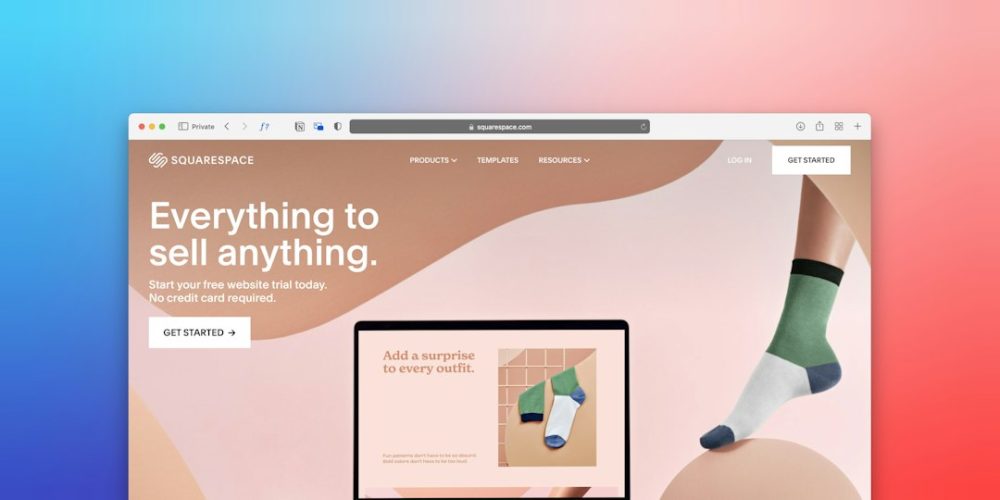
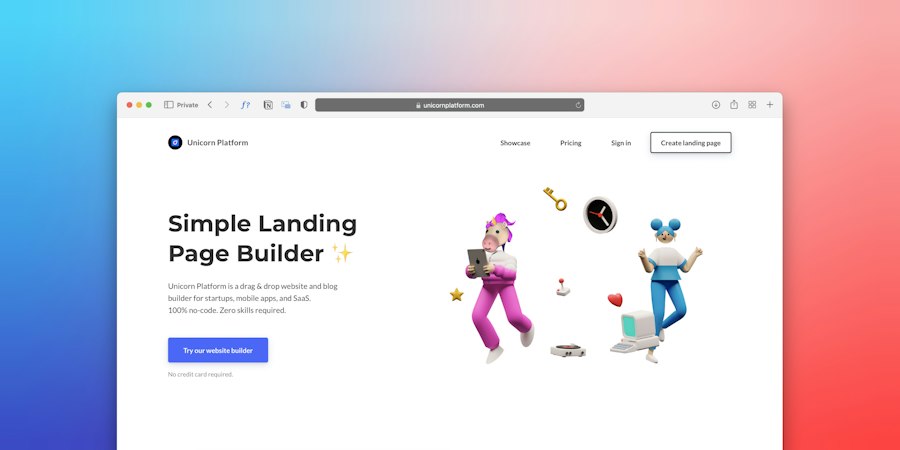
Website Builders (e.g., Wix, Squarespace, Shopify): These platforms are designed for ease of use, often employing drag-and-drop interfaces and pre-built templates. They handle hosting, security, and most technical aspects for you.
- Pros: Quick setup, no coding required, all-in-one solutions, excellent for beginners, generally lower initial cost.
- Cons: Limited customization options (you’re often constrained by the template and platform’s features), scalability can be an issue for complex needs, you don’t own the underlying code, and platform switching can be challenging.
- Best for: Small businesses with straightforward needs, those prioritizing speed and simplicity, and those with limited technical skills. If your primary goal is an online shop with minimal custom functionality, Shopify is an excellent choice. If you need a beautiful portfolio or service-based website without deep technical requirements, Wix or Squarespace can be ideal.
Content Management Systems (e.g., WordPress.org, Joomla, Drupal): These offer more power and flexibility but require a bit more technical know-how. WordPress, in particular, powers a significant portion of the internet.
- Pros: Unparalleled customization potential, ownership of your data and code, vast ecosystem of plugins and themes, highly scalable, excellent for SEO.
- Cons: Steeper learning curve, requires you to manage hosting and security (though managed WordPress hosting mitigates this), can incur higher costs for premium themes/plugins or developer help.
- Best for: Businesses anticipating significant growth, those needing highly specific functionalities, content-heavy websites, or those with some technical aptitude (or a budget for a developer). If you plan to blog extensively, sell many varied products, or integrate complex systems, WordPress with WooCommerce (for e-commerce) offers immense potential.
Your choice here will dictate the initial setup process, ongoing maintenance, and the overall trajectory of your website’s development. Consider your budget, your technical comfort level, and your long-term vision carefully. Don’t simply pick the cheapest or most popular; pick the one that best aligns with your business objectives and personal capabilities.
When creating a professional website for your home-based business, it’s essential to not only focus on design but also on optimization to ensure your site performs well. For valuable insights on enhancing your website’s performance, you can check out this related article on the “8 Best Website Optimization Tips for 2023” at this link. Implementing these tips can help improve your site’s loading speed, user experience, and overall effectiveness in attracting and retaining customers.
Designing for Impact: Aesthetics, Usability, and User Experience
Once you’ve chosen your platform, you’ll shift your focus to the visual and interactive aspects of your website. This isn’t just about making it look pretty; it’s about creating an intuitive, enjoyable experience that guides visitors towards your desired actions. Your website is often the first impression a potential customer has of your home-based business, so it needs to be professional, trustworthy, and effective.
Crafting Your Brand Identity Online
Your website is a digital extension of your brand. Consistency across all touchpoints is crucial for building recognition and trust. Before you start dragging and dropping elements or choosing colors, ensure you have a clear understanding of your brand’s visual identity.
- Logo: Your logo is the cornerstone of your brand. Ensure it’s professionally designed, scalable, and readily available in various formats for web use. It should be prominently displayed on your website, typically in the header.
- Color Palette: Select 2-4 primary and secondary colors that reflect your brand’s personality. Use tools like Adobe Color or Coolors to create harmonious palettes. Consider the psychological impact of colors; blues often convey trust, greens growth, and reds passion. Stick to this palette throughout your website for a cohesive look.
- Typography: Choose 2-3 fonts (a heading font, a body font, and an accent font) that are legible and align with your brand’s aesthetic. Google Fonts offers a vast selection of free, web-friendly fonts. Avoid using too many different fonts, as this can make your site look messy and unprofessional.
- Imagery: Use high-quality, relevant images and videos that resonate with your target audience. If you sell physical products, professional product photography is non-negotiable. For service-based businesses, consider professional headshots, images that evoke your service’s benefits, or high-quality stock photos that don’t look generic. Ensure all images are optimized for web (compressed) to maintain fast loading times.
A style guide, even a simple one, outlining these elements will serve as your blueprint for consistent branding across your website and other marketing materials.
Navigating with Ease: Intuitive Site Structure and Layout
A well-structured website guides visitors effortlessly to the information they need, preventing frustration and increasing conversion rates. Think of your website like a physical store: you want customers to easily find what they’re looking for without getting lost.
- Clear Navigation Menu: Your primary navigation menu (usually at the top of the page) should be simple, logical, and easy to understand. Common menu items include “Home,” “About Us,” “Services/Products,” “Portfolio/Gallery,” “Blog,” and “Contact.” Avoid jargon or overly clever menu labels; clarity is king. Consider dropdown menus for sub-categories if you have many pages, but don’t make them too deep (more than two levels can be confusing).
- Logical Page Hierarchy: Organize your content into a logical hierarchy. The “Home” page provides an overview, leading to main sections, which then lead to more detailed sub-pages. Use headings and subheadings within your content to break up text and improve readability.
- Whitespace: Don’t cram too much information onto a single page. Use ample whitespace (empty space) around elements to make your content easier to digest and improve visual appeal. This also helps draw attention to key elements like calls to action.
- Consistent Layout: Maintain a consistent layout across your website. Once a visitor learns how to navigate one page, they should be able to apply that knowledge to other pages. This includes consistent placement of your logo, navigation, footer, and other recurring elements.
- Mobile Responsiveness: This is absolutely critical. A significant portion of your audience will likely access your website from a smartphone or tablet. Your website must be designed to adapt and display beautifully on all screen sizes. Most modern website builders and CMS themes are “responsive” out-of-the-box, but always test your site thoroughly on various devices. Google prioritizes mobile-friendly websites in search results, so this isn’t just about user experience; it’s about visibility.
Compelling Content and Calls to Action
Even the most beautiful website is useless without compelling content that converts visitors into customers. Every piece of text, every image, and every video should serve a purpose: to inform, engage, and persuade.
- High-Quality Copywriting: Your text needs to be clear, concise, and compelling. Focus on the benefits you offer to your customers, not just the features of your products or services. Use a conversational tone that resonates with your target audience. Proofread meticulously; typos and grammatical errors erode credibility.
- Informative “About Us” Page: This is where you tell your story. Why did you start your home-based business? What’s your mission? What are your values? People buy from people, and a well-crafted “About Us” page builds trust and personal connection. Include a professional photo of yourself (if comfortable) to put a face to the business.
- Detailed Service/Product Pages: Clearly describe what you offer, including pricing (if applicable), features, benefits, and how the customer can purchase or engage. Use bullet points and short paragraphs to make information scannable.
- Effective Calls to Action (CTAs): A CTA tells your visitor exactly what you want them to do next. Examples include “Buy Now,” “Book a Free Consultation,” “Get a Quote,” “Sign Up for Our Newsletter,” or “Learn More.” CTAs should be prominent, clearly worded, and strategically placed. Use strong verbs and create a sense of urgency or benefit.
- Testimonials and Social Proof: Customer testimonials, reviews, and case studies are incredibly powerful. They build trust and validate your claims. Dedicate a section or page to showcasing positive feedback from satisfied customers. If you have any industry awards or certifications, display them proudly.
- Regularly Updated Blog/News Section: A blog is excellent for SEO, establishing your expertise, and providing valuable content to your audience. Share industry insights, tips related to your products/services, behind-the-scenes glimpses of your business, or answer common customer questions. Regularly updated content signals an active, engaged business.
Remember, your website isn’t a static billboard. It’s a dynamic tool that should continually evolve based on visitor behavior and business needs.
Optimizing for Visibility: Search Engines and Performance

Building a professional website is only half the battle; people need to be able to find it. This section focuses on making your website discoverable through search engines and ensuring it performs well for an optimal user experience.
Search Engine Optimization (SEO) Fundamentals
SEO is the process of optimizing your website to rank higher in search engine results (like Google) for relevant keywords. For a home-based business, good SEO can drive significant organic traffic, meaning visitors who find you naturally through search, without you paying for ads.
- Keyword Research: Identify the words and phrases your target audience uses when searching for your products or services. Tools like Google Keyword Planner, SEMrush, or Ahrefs can help you discover relevant, high-volume keywords. Focus on “long-tail keywords” (more specific phrases, like “handmade custom pet portraits near me” rather than just “pet portraits”) as they often have less competition and higher conversion intent.
- On-Page SEO: This involves optimizing individual pages on your website.
- Title Tags: Each page should have a unique, descriptive title tag (the text that appears in the browser tab and search results) that includes your primary keyword for that page.
- Meta Descriptions: These short summaries appear under your title tag in search results. While not a direct ranking factor, a compelling meta description can significantly improve click-through rates.
- Header Tags (H1, H2, H3): Use H1 for your main page title (only one per page), and H2, H3 for subheadings to structure your content. Include keywords naturally within these headings.
- Content Optimization: Integrate your chosen keywords naturally within your page content. Don’t “stuff” keywords; focus on writing high-quality, valuable content that answers user questions and satisfies their intent.
- Image Alt Text: Provide descriptive “alt text” for all images. This helps search engines understand what the image is about and improves accessibility for visually impaired users.
- Internal Linking: Link to other relevant pages within your own website. This helps search engines crawl your site, distributes “link juice,” and keeps visitors engaged.
- Google My Business (GMB): If your home-based business serves local customers (even if you deliver services remotely within a region), setting up and optimizing your GMB profile is critical. It helps you appear in local search results and on Google Maps. Ensure all information is accurate, upload photos, and encourage customers to leave reviews.
- XML Sitemaps: Generate and submit an XML sitemap to Google Search Console. This file lists all the important pages on your website, helping search engines crawl and index your site more effectively. Most website builders and WordPress SEO plugins (like Yoast SEO or Rank Math) will generate this automatically.
Website Performance: Speed and Security
Slow websites frustrate users and negatively impact your search engine rankings. A secure website builds trust and protects both you and your visitors.
- Page Speed Optimization:
- Image Optimization: This is often the biggest culprit for slow sites. Compress images without sacrificing quality before uploading them. Use appropriate formats (JPEG for photos, PNG for graphics with transparency, SVG for logos).
- Minify CSS and JavaScript: This reduces the size of your code files, allowing them to load faster. Many website builders and caching plugins do this automatically.
- Leverage Browser Caching: Instruct browsers to store elements of your website, so returning visitors experience faster load times.
- Choose a Reliable Host: If you’re using a CMS like WordPress, select a reputable web hosting provider known for speed and uptime. Shared hosting is typically the most affordable but can be slower than VPS or managed hosting plans.
- Content Delivery Network (CDN): For businesses with a global audience, a CDN stores copies of your website content on servers worldwide, delivering it to users from the closest server for faster loading.
- Website Security (SSL Certificate): An SSL certificate encrypts data transferred between your website and your visitors, protecting sensitive information like passwords and credit card details. Websites with SSL (indicated by “https://” in the URL and a padlock icon) are trusted more by users and prioritized by Google. Most hosting providers and website builders now include a free SSL certificate. Ensure yours is activated.
- Regular Backups: Implement a regular backup strategy for your website. Accidents happen, and data loss can be devastating. Most hosting providers offer backup services, and WordPress users have numerous plugin options. Ensure you can easily restore your site from a backup.
- Software Updates: If you’re using a CMS like WordPress, keep your core software, themes, and plugins updated. Updates often include security patches and performance improvements. Outdated software is a common vulnerability.
By focusing on these SEO and performance aspects, you’re not just building a website; you’re building a highly visible and reliable online presence for your home-based business.
Building Trust and Engagement: Beyond the Basics
A professional website for your home-based business isn’t just about selling; it’s about building lasting relationships with your customers. This involves fostering trust, providing value, and encouraging ongoing interaction.
Integrating Customer Service and Support
Excellent customer service can differentiate your home-based business from larger competitors. Your website should be a helpful resource, making it easy for customers to get answers and assistance.
- Comprehensive FAQ Page: Anticipate common questions and provide clear, concise answers on a dedicated FAQ page. This saves you time answering repetitive queries and empowers customers to find solutions independently. Organize questions into categories for easy navigation.
- Clear Contact Information: Make it effortless for customers to reach you. Include your business email address, phone number (if applicable), and a contact form on a dedicated “Contact Us” page. Consider including your business hours, especially if you have specific availability for calls or appointments.
- Live Chat (Optional but Recommended): For businesses with higher traffic or complex products/services, a live chat widget can provide instant support, greatly enhancing the customer experience. Many website builders and third-party services offer easy integration for live chat. This allows you to answer questions in real-time, often leading to higher conversion rates.
- Helpful Resources/Knowledge Base: If your products or services require explanation or ongoing support, consider a “Resources” or “Knowledge Base” section. This could include how-to guides, video tutorials, downloadable PDFs, or links to external resources that benefit your customers. This positions you as an expert and adds value beyond a simple transaction.
Leveraging Email Marketing and Social Media
Your website is the hub, but email and social media are powerful spokes that drive traffic back to it and cultivate deeper relationships.
- Email List Building: Your email list is one of your most valuable assets. Integrate email sign-up forms prominently on your website (e.g., in the footer, sidebar, or as a pop-up). Offer an incentive for signing up, such as a discount code, a free e-book, an exclusive tip sheet, or early access to new products/services. Use an email marketing platform like Mailchimp, Constant Contact, or ConvertKit to manage your list and send automated campaigns or regular newsletters.
- Consistent Email Communication: Use email to nurture leads, announce new products/services, share valuable content (from your blog!), offer promotions, and keep your audience engaged. Personalize your emails where possible and segment your audience for more targeted communication.
- Social Media Integration: Link to your active social media profiles (Facebook, Instagram, LinkedIn, Pinterest, etc.) from your website. Place social media icons in your header or footer. If your social media content is highly visual or interactive, consider embedding a live feed (e.g., Instagram grid) on a relevant page to showcase your activity.
- Shareable Content: Design your website content (especially blog posts) to be easily shareable on social media. Include social sharing buttons to encourage visitors to spread your message.
- Drive Social Traffic to Your Website: Don’t just post on social media; use your posts to direct followers back to specific pages on your website (e.g., “Click the link in bio to read our latest blog post” or “Shop our new collection directly from our website”). Your website is where conversions happen.
Collecting Feedback and Iterating
A professional website isn’t a “set it and forget it” project. It’s an ongoing process of improvement based on user behavior and feedback.
- Website Analytics (Google Analytics): Set up Google Analytics (or your website builder’s equivalent) to track key metrics. Monitor visitor numbers, popular pages, bounce rate, conversion rates, and traffic sources. This data provides invaluable insights into how users interact with your site, helping you identify areas for improvement.
- User Feedback Mechanisms: Consider adding a simple feedback form, a quick poll, or even just encouraging direct email feedback. Sometimes, the best insights come directly from your users.
- A/B Testing (Optional but Powerful): For more advanced optimization, consider A/B testing different versions of headlines, calls to action, or page layouts to see which performs better. Many website builders and marketing tools offer built-in A/B testing functionalities.
- Regular Content Updates: Keep your content fresh and relevant. Update old blog posts, revise product descriptions, and add new photos. Search engines favor websites with fresh, valuable content.
- Review and Refine: Periodically (e.g., quarterly or biannually), review your website as if you were a first-time visitor. Is it still easy to navigate? Are all links working? Is your message still clear and compelling? Are there any broken images or outdated information? Iterate based on your analytics, feedback, and evolving business needs.
By continuously engaging with your audience, providing exceptional support, and refining your online presence, you’ll ensure your website remains a powerful and effective tool for your home-based business, driving growth and building lasting customer loyalty.
When creating a professional website for your home-based business, it’s essential to consider various hosting options that can enhance your online presence. A related article discusses the benefits of hybrid hosting solutions, which combine the power of US infrastructure with local support in Lahore. This can be particularly advantageous for small business owners looking to optimize their website’s performance while ensuring reliable customer service. To learn more about how hybrid hosting can benefit your business, check out this insightful piece on hybrid hosting solutions.
Legal Compliance and Maintenance: Protecting Your Business
| Step | Task | Key Metrics | Estimated Time | Tools/Resources |
|---|---|---|---|---|
| 1 | Choose a Domain Name | Availability, Brand Relevance | 1-2 hours | Domain Registrars (GoDaddy, Namecheap) |
| 2 | Select a Web Hosting Service | Uptime %, Speed, Customer Support | 2-3 hours | Bluehost, SiteGround, HostGator |
| 3 | Design the Website Layout | User Experience, Mobile Responsiveness | 1-2 days | WordPress, Wix, Squarespace |
| 4 | Create Content | SEO Optimization, Readability Score | 2-4 days | Google Docs, Grammarly, Yoast SEO |
| 5 | Set Up E-commerce or Contact Forms | Conversion Rate, Form Completion Rate | 1-2 days | WooCommerce, Shopify, Contact Form 7 |
| 6 | Test Website Functionality | Load Time, Broken Links, Cross-browser Compatibility | 1 day | Google PageSpeed Insights, BrowserStack |
| 7 | Launch and Promote Website | Traffic, Bounce Rate, Social Shares | Ongoing | Google Analytics, Social Media Platforms |
In the digital landscape, running a professional website for your home-based business isn’t just about design and content; it also involves crucial legal considerations and ongoing technical maintenance. Ignoring these aspects can lead to significant problems, from legal penalties to website downtime.
Essential Legal Pages and Disclosures
To operate ethically and legally, especially when dealing with customer data or transactions, several specific pages and disclosures are typically required. These build trust and protect both you and your customers.
- Privacy Policy: This is non-negotiable, particularly if you collect any personal information from your visitors (e.g., names, email addresses for newsletters, shipping addresses for orders). Your privacy policy must clearly state what data you collect, how you collect it, why you collect it, how you use it, how you store it, how you protect it, and whether you share it with third parties. It should also outline users’ rights regarding their data. Tools like Iubenda or Termly can help you generate a compliant privacy policy tailored to your business and regional regulations (e.g., GDPR in Europe, CCPA in California).
- Terms and Conditions (or Terms of Service): This document outlines the rules and guidelines for using your website and engaging with your products or services. It covers aspects like acceptable use, intellectual property rights, disclaimers, limitations of liability, payment terms, refund policies, and dispute resolution. This legally binding agreement protects your business and clarifies expectations for your users.
- Refund Policy (for E-commerce): If you sell products or services, a clear and easily accessible refund or return policy is crucial. It should detail the conditions under which customers can return items, receive refunds, the timeframe for returns, and any associated costs. Transparency here minimizes customer disputes and builds confidence.
- Disclaimer (if applicable): If your business offers advice, information, or services where specific outcomes cannot be guaranteed (e.g., health coaching, financial advice, educational content), a disclaimer protects you from liability. It clearly states that the information provided is for general purposes only and should not be taken as professional advice.
- Cookie Policy (often integrated with Privacy Policy): If your website uses cookies (which most do, for analytics, tracking, or personalization), you need to inform users and, in many regions, obtain their consent. This policy explains what cookies are, which ones your site uses, and how users can manage their preferences. A cookie consent banner is often used to facilitate this.
Ensure these legal pages are easily accessible from your website’s footer and that they are regularly reviewed and updated as your business practices or regulations change.
Ongoing Website Maintenance and Security
A “set it and forget it” approach to website maintenance is a recipe for disaster. Regular upkeep is vital for security, performance, and ensuring your site remains an effective tool.
- Regular Backups: As mentioned before, schedule automated, regular backups of your entire website (files and database). Store backups in multiple locations (e.g., your hosting provider, a cloud storage service). Test your restore process periodically to ensure your backups are viable.
- Software Updates:
- CMS Core: If you’re on WordPress, Joomla, or Drupal, keep the core software updated to the latest version. These updates often include critical security patches and performance enhancements.
- Themes and Plugins: Ensure all your themes and plugins are also regularly updated. Outdated plugins are a common entry point for hackers. Before updating, always check for compatibility issues, especially if you have a complex setup, and ideally perform updates on a staging site first.
- Security Monitoring: Install a security plugin (for CMS like WordPress) that monitors for malicious activity, scans for malware, and helps prevent brute-force attacks. Services like Wordfence or Sucuri offer comprehensive security features.
- Broken Link Checks: Periodically check your website for broken links (links that lead to non-existent pages). Broken links frustrate users and can negatively impact your SEO. Tools like Google Search Console or online broken link checkers can help you identify these.
- Content Audit: Regularly review your website’s content to ensure it’s accurate, up-to-date, and relevant. Remove outdated information, refresh old blog posts, and ensure product/service details are current.
- Performance Monitoring: Continue to monitor your website’s loading speed and overall performance. Use tools like Google PageSpeed Insights to identify and address any slowdowns.
- SSL Certificate Renewal: Ensure your SSL certificate is always active and renewed before it expires. An expired SSL certificate will trigger security warnings in browsers, turning away potential customers.
- Database Optimization (for CMS): Over time, your CMS database can accumulate unnecessary data. Periodically optimize your database to keep it running efficiently. Many CMS optimization plugins can automate this.
By dedicating consistent effort to legal compliance and ongoing maintenance, you’re not just protecting your digital asset; you’re safeguarding your home-based business’s reputation, legal standing, and operational continuity. This proactive approach ensures your professional website remains a reliable and trusted cornerstone of your business for years to come.
FAQs
What are the essential steps to create a professional website for a home-based business?
The essential steps include defining your website’s purpose, choosing a domain name, selecting a web hosting service, designing the website layout, creating content, optimizing for search engines, and launching the site. After launch, ongoing maintenance and updates are crucial for keeping the site functional and relevant.
Do I need technical skills to build a website for my home-based business?
No, you do not necessarily need technical skills to build a website. Many website builders, such as Wix, Squarespace, and WordPress, offer user-friendly interfaces with drag-and-drop features that allow you to create a professional-looking site without coding knowledge.
How much does it typically cost to build a professional website?
The cost of building a professional website can vary widely depending on factors such as domain registration, hosting fees, design complexity, and whether you hire a professional developer. On average, you can expect to spend anywhere from $100 to $5,000 or more, depending on your specific needs and choices.
What features should I include on my home-based business website?
Essential features include a clear homepage, an about page, a services or products page, a contact page, and a blog for content marketing. Additionally, consider including testimonials, a portfolio, social media links, and an email subscription form to engage visitors and build your audience.
How can I ensure my website is optimized for search engines?
To optimize your website for search engines, focus on using relevant keywords in your content, optimizing meta tags and descriptions, ensuring mobile-friendliness, improving site speed, and building backlinks. Regularly updating your content and utilizing SEO tools can also help improve your site’s visibility in search engine results.









Add comment