

Understanding Your Local Customer
Building a customer-friendly website for local services isn’t about flashy design or complex features; it’s about deeply understanding the unique needs and behaviors of your local clientele. When someone in your community searches for a plumber, a hairdresser, or a dog walker, they’re not just looking for a service; they’re looking for a trusted, accessible, and reliable solution, often with a sense of urgency. Your website must reflect this immediate, geographically specific context. You need to put yourself in their shoes, considering what information they prioritize, what questions they have, and how they prefer to interact. This foundational understanding will guide every design and content decision you make, ensuring your website truly serves its purpose: connecting you with local customers and turning those connections into business.
Local Search Behavior and Intent
Think about how you search for local services. You likely use terms like “plumber near me,” “best pizza [your town],” or “hair salon [your zip code].” This indicates a strong geographical intent. Your customers aren’t just browsing; they have an immediate need and are looking for a local solution. Your website needs to be optimized for these types of searches. This means explicitly stating your service area, incorporating local keywords naturally throughout your content, and ensuring your Google My Business profile is meticulously maintained and linked. A user searching for “electrician” might be looking for general information, but a user searching for “emergency electrician [your neighborhood]” has a clear, urgent need, and your website should quickly confirm you can meet it. They want to know you’re nearby, available, and reputable, all within the first few seconds of landing on your page.
Identifying Your Target Local Audience
While you might serve an entire town, specific demographics within that town might be your ideal customers. Are you targeting young families needing childcare, retirees looking for home maintenance, or local businesses requiring IT support? Each segment has different priorities, levels of tech savviness, and preferred communication methods. For example, older demographics might appreciate clear, large fonts and straightforward navigation, while younger audiences might expect live chat or instant booking options. Understanding these nuances allows you to tailor your website’s language, imagery, and functionality. Conduct informal surveys, check local community forums, and analyze your existing customer base to build detailed customer personas. These personas will help you visualize your typical user and design a website that speaks directly to their needs and preferences, making them feel understood and valued.
Essential Information for Local Users
When a local customer lands on your site, what are the absolute must-haves? First and foremost, your contact information must be front and center: phone number, email, and physical address (if applicable). Many local users will want to call immediately. Second, clear articulation of your services and service area. Don’t make them guess if you serve their neighborhood. Third, hours of operation, especially if they are irregular or you offer emergency services. Fourth, pricing information or at least a clear call to action for a quote. Local customers often compare services based on price. Finally, social proof – testimonials, reviews, and case studies from other local customers. This builds trust and reinforces your local reputation. Failing to provide any of these essential pieces of information promptly can lead to frustration and a quick bounce off your site.
Building a customer-friendly website for local services is essential for attracting and retaining clients. To enhance the user experience further, it is crucial to optimize your website’s loading speed. A related article that provides valuable insights on this topic is available at How to Optimize Your Website’s Loading Speed and Improve User Experience. This resource offers practical tips to ensure your website not only looks great but also performs efficiently, helping you keep visitors engaged and satisfied.
Designing for Intuitive Local Navigation
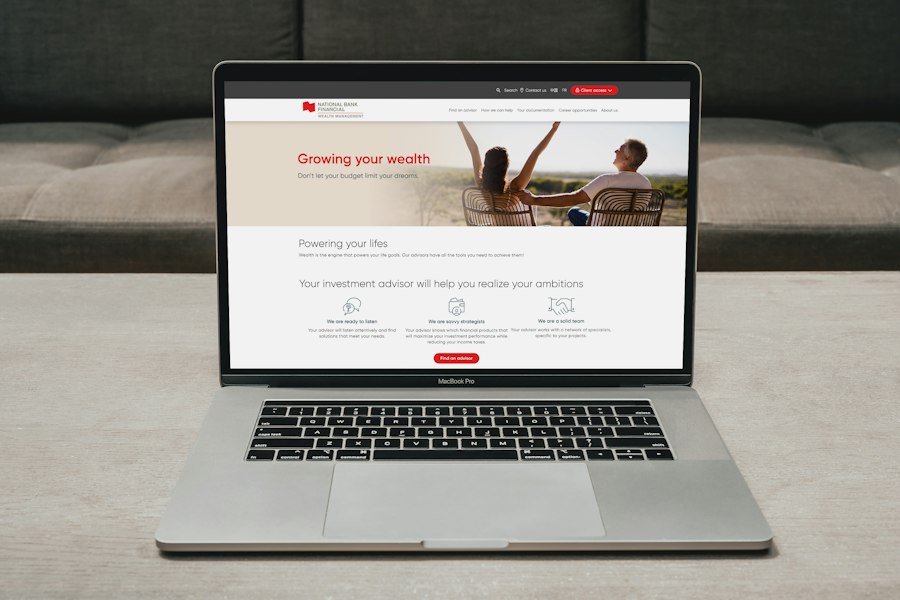
Your website’s navigation is the digital roadmap for your local customers. Just as you wouldn’t want to get lost trying to find a local business’s physical storefront, you don’t want your website visitors to get lost trying to find the information they need. Intuitive navigation means that users can easily and quickly find what they’re looking for, regardless of their tech proficiency. For local services, this often means streamlining menus, prioritizing key information, and using language that resonates with your community. A well-structured navigation system reduces frustration, keeps visitors on your site longer, and ultimately increases the likelihood of them becoming paying customers.
Streamlining Your Menu Structure
Too many menu items can overwhelm a user, especially when they’re looking for a specific local service. Your main navigation should be concise and logical. Think about the primary categories of information your local customers seek. For a plumbing service, this might be “Services,” “About Us,” “Testimonials,” “Contact,” and perhaps “Emergency Services.” Avoid jargon or overly clever headings; use clear, descriptive terms that directly reflect your offerings. Consider a “Services” dropdown that lists all your specific offerings (e.g., “Drain Cleaning,” “Water Heater Repair,” “Leak Detection”). This makes it easy for users to drill down to their specific need without getting lost. Prioritize mobile-first design for your menu, as many local searches happen on smartphones. A clear, responsive “hamburger menu” on mobile devices is crucial.
Clear Calls to Action (CTAs)
Every local service website needs prominent, unambiguous calls to action. These are the prompts that guide your visitors towards the next step. For local businesses, common CTAs include “Call Now,” “Get a Free Quote,” “Schedule Service,” “Book an Appointment,” or “Request a Consultation.” Your CTAs should be strategically placed throughout your site, particularly on your homepage, service pages, and contact page. Use contrasting colors to make them stand out, and use action-oriented language. Don’t make users search for how to contact you or book a service. If you offer emergency services, have a distinct “24/7 Emergency Service – Call Now!” button that is easily visible. The goal is to make it as effortless as possible for a local customer to take the desired action, transforming a visitor into a lead.
Mobile-First Responsiveness
This isn’t just a best practice; it’s a necessity for local services. A vast majority of local searches are performed on mobile devices. If your website isn’t fully responsive and optimized for various screen sizes, you’re alienating a significant portion of your potential customer base. A mobile-friendly website loads quickly, has large, tappable buttons, clear text, and an easily navigable menu. Test your website rigorously on different smartphones and tablets. Pay attention to how images scale, how forms display, and whether contact information is just a tap away. Google prioritizes mobile-friendly websites in its search rankings, meaning a poor mobile experience can directly impact your visibility in local search results. Invest in a responsive design from the outset; it’s non-negotiable for local success.
Building Trust and Credibility Locally
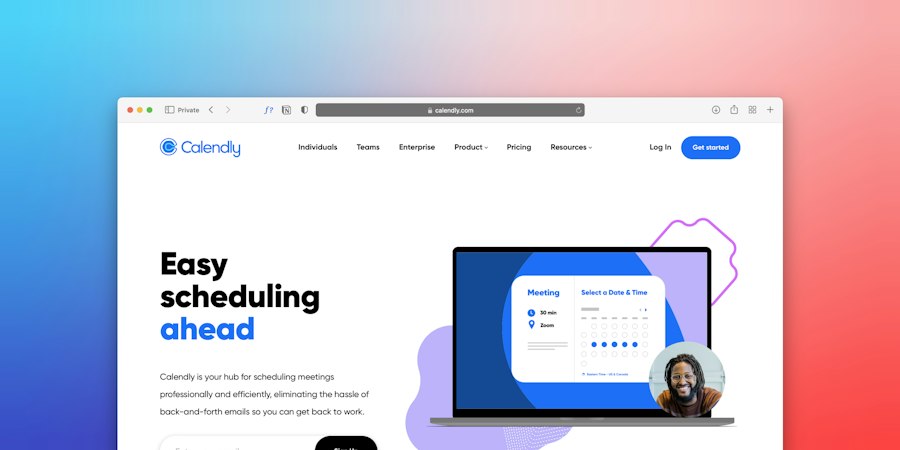
In the local service market, trust is paramount. Customers are inviting you into their homes, trusting you with their vehicles, or entrusting you with personal services. They want to know that you are reliable, professional, and genuinely care about their satisfaction. Your website needs to actively cultivate this trust by showcasing your expertise, celebrating your local connections, and providing ample social proof. Without a strong foundation of trust, even the most beautifully designed and functional website will struggle to convert visitors into loyal customers.
Showcasing Local Testimonials and Reviews
Nothing builds trust faster than genuine feedback from satisfied local customers. Dedicate a prominent section of your website to testimonials. Even better, integrate a system that displays reviews from platforms like Google My Business, Yelp, or Facebook directly on your site. Include customer names, locations (e.g., “Jane P. from Anytown West”), and ideally, photos. Video testimonials can be even more powerful. Respond to all reviews, both positive and negative, demonstrating your commitment to customer satisfaction. Actively solicit reviews from your happy customers, making it easy for them to provide feedback. Highlight positive reviews on your homepage and relevant service pages, reinforcing your reputation where it matters most.
Featuring Your Team and Local Roots
People connect with people, not just businesses. Introduce your team on your website with professional photos and brief bios. Highlight their experience, certifications, and perhaps a personal touch about why they enjoy serving the local community. Emphasize your business’s local roots: how long you’ve been serving the area, your involvement in local charities or events, and any awards or recognition you’ve received from local organizations. This humanizes your brand and fosters a sense of community. If you have a physical location, include photos of your premises. This transparency builds rapport and assures potential customers that they are dealing with real, invested individuals who are part of their community.
Transparent Pricing and Service Guarantees
Ambiguity around pricing can be a major deterrent. While you might not be able to list exact prices for every service (due to varying scope), be transparent about how you charge. Do you offer free estimates? Flat rates for certain services? An hourly rate? Clearly communicate your policy. If you offer service guarantees (e.g., “100% Satisfaction Guarantee,” “Workmanship Warranty”), highlight these prominently. These guarantees demonstrate confidence in your work and provide peace of mind to potential customers. Even if your prices aren’t the lowest, transparency and strong guarantees can differentiate you from competitors and build confidence in your value proposition.
Optimizing for Local Search Engine Visibility
Having a customer-friendly website is only half the battle; people need to be able to find it. For local services, this means appearing prominently in local search results when potential customers are searching for your offerings in your specific geographic area. Local SEO (Search Engine Optimization) is crucial for driving targeted traffic to your site and converting those searches into actual business. This involves a combination of on-site optimizations, strategic content creation, and leveraging local business listings.
Google My Business Optimization
Your Google My Business (GMB) profile is arguably the most critical component of your local SEO strategy. It’s often the first thing local customers see when searching for a service. Claim and meticulously optimize your GMB listing. Ensure your business name, address, phone number, and website are consistent with your website and other online listings (NAP consistency). Choose relevant categories, upload high-quality photos of your business, services, and team, and write a compelling business description. Actively encourage and respond to customer reviews on your GMB profile. Use the “Posts” feature to share updates, offers, and news. A well-optimized GMB profile significantly increases your visibility in the local pack and on Google Maps, driving direct leads to your business.
Local Keyword Research and Content Strategy
Don’t just guess what your customers are searching for. Conduct thorough local keyword research. Use tools like Google Keyword Planner, SEMrush, or Ahrefs to identify terms local residents use when seeking your services. This includes geographical modifiers like “[service] in [your town],” “[service] near me,” “[service] [your zip code],” and specific neighborhood names. Integrate these keywords naturally into your website’s content: on your homepage, service pages, and blog posts. Create dedicated landing pages for different services and even different service areas if you operate in multiple towns or distinct neighborhoods. Develop a content strategy that includes blog posts addressing common local customer questions or pain points (e.g., “Signs You Need a Plumber in [Your Neighborhood],” “Best Time to Schedule HVAC Maintenance in [Your Climate Zone]”). This not only improves SEO but also positions you as a local expert.
Building Local Citations and Backlinks
Citations are mentions of your business’s NAP (Name, Address, Phone number) on other websites, even without a direct link. Consistent citations across various local directories (Yelp, Yellow Pages, industry-specific directories) help search engines verify your business’s legitimacy and location. Aim for consistency across all listings. Backlinks, on the other hand, are links from other reputable websites back to yours. For local SEO, seek backlinks from local sources: local news sites, community blogs, chambers of commerce, and other non-competing local businesses. This signals to search engines that your website is a trusted and relevant authority within your local community, boosting your search rankings. Participate in local events, sponsor local teams, or collaborate with other local businesses to earn these valuable local backlinks.
Creating a customer-friendly website for local services is essential for attracting and retaining clients in today’s digital landscape. To enhance your website’s performance and user experience, consider exploring the benefits of upgrading to faster NVMe storage, which can significantly improve loading times and overall site responsiveness. For more insights on this topic, you can read the article on upgrading to faster NVMe storage. This upgrade can be a game-changer for your online presence, ensuring that potential customers have a seamless experience when visiting your site.
Sustaining and Evolving Your Online Presence
| Metric | Description | Recommended Value/Goal | Importance for Customer Friendly Website |
|---|---|---|---|
| Page Load Time | Time taken for the website to fully load | Under 3 seconds | Fast load times reduce bounce rates and improve user experience |
| Mobile Responsiveness | Website usability on mobile devices | 100% mobile-friendly pages | Majority of local users access via mobile; ensures accessibility |
| Contact Information Visibility | Ease of finding phone number, address, and email | Contact info visible on every page, preferably header/footer | Builds trust and facilitates quick communication |
| Navigation Simplicity | Ease of moving through the website | Clear menu with 5 or fewer main options | Helps customers find services quickly without confusion |
| Local SEO Optimization | Use of local keywords and Google My Business integration | High local search ranking (top 3 results) | Increases visibility to local customers searching for services |
| Customer Reviews and Testimonials | Display of authentic customer feedback | At least 10 recent positive reviews | Enhances credibility and trustworthiness |
| Clear Call-to-Action (CTA) | Buttons or links prompting user action (e.g., Book Now) | Visible CTA on homepage and service pages | Encourages user engagement and conversions |
| Accessibility Compliance | Website meets accessibility standards (e.g., WCAG 2.1) | AA level compliance | Ensures usability for all customers including those with disabilities |
| Security Features | Use of HTTPS and data protection measures | SSL certificate active on all pages | Protects customer data and builds trust |
| Service Descriptions | Clear, concise, and detailed descriptions of local services | Complete descriptions with benefits and pricing | Helps customers understand offerings and make informed decisions |
Building a customer-friendly website isn’t a one-time project; it’s an ongoing process. The digital landscape constantly evolves, as do customer expectations and your business needs. To ensure your website continues to be a powerful tool for local services success, you need to commit to regular maintenance, performance monitoring, and continuous improvement. Neglecting your website after launch is like opening a physical storefront and never cleaning it or updating your inventory; eventually, customers will stop coming.
Regular Website Maintenance and Updates
Just like any other valuable asset, your website requires regular maintenance. This includes updating software (CMS, plugins, themes) to ensure security and optimal performance, backing up your website data regularly, and checking for broken links or outdated information. Review your service pages annually to ensure they accurately reflect your current offerings and pricing. Keep your “About Us” page current with new team members or milestones. Regularly refresh your image galleries and testimonials. A well-maintained website signals professionalism and reliability, both to your customers and to search engines. Set a schedule for these tasks and stick to it, or consider hiring a professional to handle ongoing maintenance for you.
Monitoring Website Analytics and User Behavior
Tools like Google Analytics are invaluable for understanding how local customers interact with your website. Monitor key metrics such as:
- Traffic Sources: Where are your visitors coming from (organic search, GMB, social media, referrals)?
- Bounce Rate: How many visitors leave after viewing only one page? A high bounce rate could indicate issues with relevance or user experience.
- Time on Page: How long are users spending on your service pages or contact page?
- Conversion Rate: How many visitors complete a desired action (e.g., call, form submission, booking)?
- Top Pages: Which pages are most popular?
- Device Usage: Are most users on mobile or desktop?
Analyzing this data allows you to identify areas for improvement. For example, if a particular service page has a high bounce rate, you might need to clarify the content, improve the call to action, or enhance its mobile responsiveness. Understanding user behavior is key to continually optimizing your website for better local service success.
Soliciting and Incorporating Customer Feedback
Your customers are your best critics. Actively solicit feedback about their website experience. You can do this through short surveys, by asking directly after a service, or by monitoring social media comments. Did they find what they were looking for easily? Was the booking process smooth? Were there any confusing elements? Listen to their suggestions and concerns. Implementing changes based on direct customer feedback not only improves your website but also demonstrates that you value their input, fostering stronger customer relationships. This iterative process of feedback and improvement ensures your website remains genuinely customer-friendly and continues to meet the evolving needs of your local community.
FAQs
What are the key elements of a customer-friendly website for local services?
A customer-friendly website for local services should include clear navigation, responsive design, fast loading times, contact information, and easy access to service descriptions. Additionally, incorporating customer testimonials, a blog for relevant content, and a user-friendly booking or inquiry system can enhance the user experience.
How important is mobile optimization for local service websites?
Mobile optimization is crucial for local service websites as a significant portion of users access the internet via mobile devices. A mobile-friendly design ensures that your website is accessible and easy to navigate on smartphones and tablets, which can lead to higher engagement and conversion rates.
What role does local SEO play in building a customer-friendly website?
Local SEO is essential for attracting customers in your area. By optimizing your website with local keywords, creating a Google My Business profile, and ensuring your NAP (Name, Address, Phone number) information is consistent across platforms, you can improve your visibility in local search results, making it easier for potential customers to find your services.
How can I improve the loading speed of my website?
To improve your website’s loading speed, you can optimize images, minimize HTTP requests, use a content delivery network (CDN), enable browser caching, and reduce the use of heavy scripts. Regularly testing your website’s speed with tools like Google PageSpeed Insights can help identify areas for improvement.
What features should I include to enhance customer engagement on my website?
To enhance customer engagement, consider adding features such as live chat support, a blog with helpful articles, customer reviews and testimonials, social media integration, and a newsletter signup form. These elements encourage interaction and provide valuable information, helping to build trust and rapport with potential customers.









Add comment