

You’re building a business website. That’s fantastic! It’s your digital storefront, your 24/7 salesperson, and a crucial touchpoint for your customers. But before you get lost in the dazzling world of website design, there’s a fundamental, non-negotiable step you must get right: your hosting. Think of it as the foundation of your house; if it’s shaky, everything else will eventually crumble. Choosing the right web hosting provider and plan is paramount for your website’s performance, security, and ultimately, your business’s success. This isn’t a decision to be rushed or delegated without careful consideration. You need to understand the implications of your choices, because your website’s reliability and your users’ experience depend on it.
Before you even start comparing hosting plans, you need to have a clear understanding of what your website will do. This self-assessment is the bedrock of smart hosting decisions. Don’t just assume you know; actively think through these questions.
What is the Primary Purpose of Your Website?
Your website’s function will dictate its resource requirements. Is it a simple brochure site, a powerful e-commerce platform, a bustling blog, or an interactive web application?
Brochure Website: Minimal Demands
If your website’s main goal is to provide information about your business – your services, contact details, location – then its resource needs will be relatively low. These sites are typically static, meaning they don’t change frequently and don’t require a lot of server processing power.
- Content: Primarily text, images, and basic contact forms.
- Traffic: Likely moderate, with visitors browsing information rather than engaging in heavy transactions.
- E-commerce Functionality: None, or very limited (e.g., a simple inquiry form).
E-commerce Website: Resource Intensive
Selling products or services online is a demanding task. Your e-commerce site needs to handle transactions, manage inventory, process payments, and potentially cater to a high volume of concurrent users.
- Content: Product catalogs, high-resolution images, user accounts, shopping carts, payment gateways.
- Traffic: Can be highly variable, with spikes during sales or holiday seasons. Requires consistent availability and speed.
- Security: Absolutely paramount. Handling sensitive customer data means robust security measures are non-negotiable.
- Performance: Fast loading times are critical for conversions. Slow pages lead to abandoned carts.
Blog or Content-Heavy Website: Moderate to High Demands
While blogs might seem simple, if you’re publishing frequently, have many images, or expect a significant number of comments and social sharing, they can become resource-intensive.
- Content: Articles, images, videos, comment sections, social media integration.
- Traffic: Can grow rapidly with viral content, leading to high visitor numbers.
- Database Activity: Frequent updates and retrieval of posts and comments.
Web Application: Variable and Potentially High Demands
If you’re building a custom application, whether it’s a project management tool, a SaaS platform, or a dynamic service, your hosting needs will be highly specific and can range from moderate to extremely high, depending on complexity and user load.
- Content: Interactive features, user-generated content, complex databases, API integrations.
- Traffic: Can be unpredictable and require scalability.
- Performance: Responsiveness is key for user experience and productivity.
- Technical Requirements: Might require specific programming languages, server environments, or dedicated resources.
What is Your Estimated Monthly Traffic?
Be realistic, but also consider your growth trajectory. Starting too small can lead to performance issues, while overspending on capacity you don’t need is wasteful.
Low Traffic (Under 10,000 visitors/month):
Most shared hosting plans can handle this level of traffic comfortably.
Medium Traffic (10,000 – 50,000 visitors/month):
You might still be able to get by on a premium shared hosting plan, but you should start looking at more robust options like VPS.
High Traffic (50,000 – 200,000 visitors/month):
A Virtual Private Server (VPS) is likely your best bet, offering more dedicated resources and better performance.
Very High Traffic (200,000+ visitors/month):
You’ll almost certainly need a dedicated server or a managed cloud hosting solution.
What Kind of Content Will You Be Hosting?
The size and type of your files matter. Large media files require more storage and bandwidth.
Static Content (HTML, CSS, Images):
These are generally less demanding. However, if you have thousands of high-resolution images, it can add up.
Dynamic Content (Databases, User-Generated Content):
This requires more processing power and database management, impacting server load.
Large Files (Videos, Downloads):
These consume significant bandwidth. You need a hosting plan that offers ample bandwidth or allows for efficient content delivery.
When considering the best hosting options for your business website, it’s essential to evaluate various factors, including storage speed and performance. A related article that delves into this topic is “Upgrade to Faster NVMe Storage for Business Plans,” which discusses the advantages of NVMe storage and how it can significantly enhance your website’s performance. You can read more about it here: Upgrade to Faster NVMe Storage for Business Plans. This resource can provide valuable insights to help you make an informed decision about your hosting needs.
Exploring Different Hosting Types: A Comparative Look
Now that you’ve thought about your needs, let’s dive into the common types of web hosting. Each offers a different balance of cost, performance, and control.
Shared Hosting: The Budget-Friendly Entry Point
Shared hosting is like living in an apartment building. You share the server’s resources (CPU, RAM, disk space, bandwidth) with other websites. It’s the most affordable option, making it popular for startups and small businesses.
Pros:
- Cost-Effective: Significantly cheaper than other hosting types.
- Easy to Manage: The hosting provider handles server maintenance, security, and updates.
- Good for Beginners: Often comes with user-friendly control panels like cPanel or Plesk.
Cons:
- Limited Resources: Performance can be affected by other websites on the same server (“noisy neighbor” effect).
- Less Control: You have minimal control over the server environment.
- Security Risks: While providers implement security measures, shared environments can be more susceptible to widespread issues if one site is compromised.
- Scalability Limitations: While you can often upgrade your plan, there are limits to what shared hosting can accommodate.
When considering the best hosting options for your business website, it’s essential to understand the different types of storage available, as they can significantly impact your site’s performance. A related article discusses the speed differences between NVMe and SSD storage, which can help you make an informed decision. You can read more about this topic in the article on NVMe vs SSD speed differences for dynamic websites. This knowledge will empower you to choose a hosting solution that meets your business needs effectively.
Virtual Private Server (VPS) Hosting: The Middle Ground
VPS hosting is like having your own condo in an apartment building. You still share a physical server, but it’s partitioned into multiple virtual servers, each with its own dedicated resources (CPU, RAM, disk space). This offers more power, flexibility, and control than shared hosting.
Pros:
- Dedicated Resources: You get a guaranteed allocation of CPU, RAM, and disk space, leading to more consistent performance.
- Greater Control: You often have root access, allowing you to install custom software and configure the server environment.
- Scalability: Easier to scale up your resources as your website grows.
- Improved Security: Your environment is more isolated from other users on the physical server.
Cons:
- More Expensive than Shared Hosting: Costs are higher due to dedicated resources and greater control.
- Requires Technical Knowledge: You’ll need some technical expertise to manage a VPS, especially if you opt for an unmanaged plan. Managed VPS options are available, but they come at an increased cost.
- Responsibility for Maintenance: Depending on the plan, you might be responsible for server updates and security patching.
Dedicated Server Hosting: The Powerhouse
Dedicated hosting is like owning your own house. You have an entire physical server to yourself, with all its resources dedicated solely to your website. This offers the highest level of performance, control, and security, but it comes at a premium price.
Pros:
- Maximum Performance: All server resources are yours, leading to exceptional speed and responsiveness.
- Complete Control: You have full root access and can configure the server exactly as you need it.
- Enhanced Security: Your environment is completely isolated, offering the highest level of security.
- Scalability for Extreme Needs: Ideal for high-traffic websites, complex applications, and businesses with strict compliance requirements.
Cons:
- Most Expensive Option: Significantly more costly than shared or VPS hosting.
- Requires Advanced Technical Expertise: You are responsible for all server management, maintenance, security, and troubleshooting, unless you opt for a managed dedicated server.
- Resource Overkill: Can be overkill for smaller websites with moderate traffic.
Cloud Hosting: The Flexible and Scalable Giant
Cloud hosting utilizes a network of interconnected servers to host your website. Instead of being tied to a single physical machine, your website’s resources are distributed across multiple servers. This offers incredible flexibility and scalability.
Pros:
- High Scalability and Flexibility: Resources can be instantly scaled up or down based on demand, paying only for what you use.
- High Availability and Reliability: If one server fails, others can pick up the slack, minimizing downtime.
- Cost-Effective for Variable Traffic: You can handle traffic spikes without over-provisioning for average load.
- Managed Services: Many cloud providers offer managed services, easing the technical burden.
Cons:
- Can Be Complex to Understand: The architecture can be intricate, especially for beginners.
- Cost Can Be Unpredictable: While you pay for what you use, unexpected traffic spikes can lead to higher bills if not managed carefully.
- Requires Technical Expertise: While managed options exist, setting up and optimizing cloud environments often requires specialized skills.
Key Hosting Factors to Scrutinize: Beyond the Basics

Once you’ve identified the hosting type that best suits your needs, it’s time to dig into the specifics of what each provider offers. Don’t just look at the price tag; these factors are crucial for long-term success.
Uptime Guarantees: The Pillar of Reliability
Your website needs to be accessible to your customers, 24/7. Uptime refers to the percentage of time your website is online and operational. Even a small percentage of downtime can translate into lost revenue, damaged reputation, and frustrated visitors.
Understanding the Guarantee:
- Percentage vs. Actual Downtime: A 99.9% uptime guarantee sounds impressive, but it still allows for roughly 8.76 hours of downtime per year. A 99.99% guarantee reduces that to about 52 minutes per year. Aim for the highest percentage possible.
- SLA (Service Level Agreement): This is the contract that outlines the provider’s commitment to uptime and any compensation you might receive if they fail to meet it. Read this carefully.
- What’s Included/Excluded: Most SLAs exclude downtime due to scheduled maintenance, your own website errors, or force majeure events. Understand what the guarantee actually covers.
Bandwidth and Disk Space: The Capacity to Grow
These are the fundamental resources that determine how much data your website can transfer and store.
Bandwidth:
- What it is: The amount of data that can be transferred between your website and its visitors. Every image, page load, and download consumes bandwidth.
- Unlimited vs. Factual Limits: Be wary of “unlimited” bandwidth. It often comes with an acceptable use policy that can lead to throttling or suspension if you exceed certain “fair use” thresholds. Always check the fine print.
- Estimating Your Needs: Consider your average page size, estimated monthly visitors, and the type of content you host. Multiply these to get a rough idea of your monthly bandwidth needs. It’s better to slightly overestimate than underestimate.
Disk Space:
- What it is: The storage capacity on the server where your website files (HTML, images, databases, emails) are stored.
- Consider Your Content: If you host a lot of high-resolution images, videos, or large documents, you’ll need more disk space.
- Scalability: Can you easily increase disk space if you run out?
Speed and Performance: The Key to Engagement
In today’s fast-paced digital world, speed is king. Slow-loading websites frustrate users, increase bounce rates, and negatively impact your search engine rankings.
Server Location:
- Proximity Matters: Choose a hosting provider with data centers geographically close to your target audience. This reduces latency and speeds up loading times.
- Global Audience? If you have a global audience, consider providers with multiple data center locations or a Content Delivery Network (CDN).
SSD Storage:
- Solid State Drives (SSDs) are significantly faster than traditional Hard Disk Drives (HDDs). Websites hosted on SSDs will load noticeably quicker.
Caching Mechanisms:
- Server-side Caching: Many providers offer built-in caching solutions that store frequently accessed content, reducing server load and speeding up delivery.
- Browser Caching: Ensures that frequently visited elements of your website are stored locally on the user’s browser, so they don’t need to be re-downloaded on subsequent visits.
Content Delivery Network (CDN):
- What it is: A distributed network of servers that deliver your website’s static content (images, CSS, JavaScript) from the server closest to the user.
- Benefits: Reduces latency, improves loading speed, and can help handle traffic spikes. Essential for businesses with a global audience.
Security Features: Protecting Your Business and Your Customers
Your website is a valuable asset, and it’s a target for cybercriminals. Robust security measures are not an option; they are a necessity.
SSL Certificates:
- Essential for Trust and SEO: An SSL certificate encrypts the connection between your website and its visitors, indicated by “https” and a padlock icon in the browser. It’s crucial for protecting sensitive data and building trust. Many hosting providers offer free SSL certificates.
Firewalls and Intrusion Detection/Prevention Systems (IDS/IPS):
- First Lines of Defense: These systems monitor network traffic and block malicious activity before it reaches your website.
Malware Scanning and Removal:
- Proactive Protection: Regular scans can detect and remove malware before it causes significant damage. Some providers offer automated scanning and cleanup.
DDoS Protection:
- Mitigating Overload Attacks: Distributed Denial of Service (DDoS) attacks aim to overwhelm your website with traffic, making it inaccessible. Good hosting providers will have measures in place to mitigate these attacks.
Regular Backups:
- Your Safety Net: Automated, regular backups are non-negotiable. Ensure your provider offers reliable, frequent backups that you can easily restore from. Understand how often backups are performed and how long they are retained.
Email Security:
- Spam Filtering: Protect your inbox from unwanted messages.
- Virus Scanning: Ensures emails entering your account are free from malware.
Customer Support: Your Lifeline in Times of Need
When something goes wrong, you need to know you can get help quickly and effectively. Don’t underestimate the value of responsive and knowledgeable customer support.
Availability:
- 24/7 Support: Critical for businesses operating around the clock.
- Support Channels: Do they offer phone, live chat, email, or ticket support?
Response Time:
- How quickly do they respond? Look for providers known for prompt replies.
Expertise:
- Knowledgeable Staff: Can they actually solve your problems, or do they just read from a script?
Self-Help Resources:
- Knowledge Base and FAQs: A comprehensive library of articles and guides can help you solve common issues yourself.
Scalability and Future-Proofing: Growing with Your Business
Your business is not static, and your hosting should not be either. Choose a provider that allows you to easily scale your resources as your website grows and your traffic increases.
Easy Upgrades:
- Seamless Transitions: Can you easily upgrade your plan (e.g., from shared to VPS) without significant downtime or complex migration processes?
Resource Flexibility:
- On-Demand Scaling: Especially important with cloud hosting, where you can add or remove resources as needed.
Performance Guarantees as You Grow:
- Consistent Experience: Ensure that as you scale, your website’s performance doesn’t suffer.
Pricing and Hidden Costs: Read the Fine Print
The initial price is only one part of the equation. Be sure to understand all potential costs.
Renewal Rates:
- Introductory Offers: Many providers offer attractive introductory prices. Be aware that renewal rates are often significantly higher.
Setup Fees:
- Are there any upfront charges?
Add-on Costs:
- Domain Registration: Is it included or an extra charge?
- Email Accounts: Are there limits or additional fees?
- Backup Services: Are they included or premium features?
- Security Features: Some advanced security measures may come at an extra cost.
Control Panels and User Experience: Ease of Management
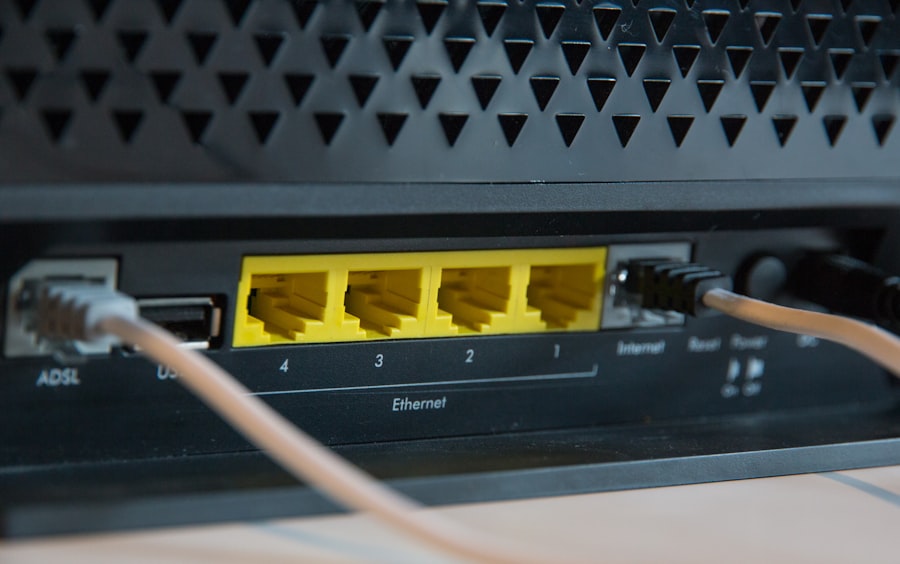
A user-friendly control panel makes managing your website, emails, databases, and other settings much easier.
Popular Control Panels:
- cPanel: Widely used, intuitive, and feature-rich.
- Plesk: Another popular option, known for its user-friendliness.
- Proprietary Panels: Some hosts have their own custom-built panels, which can be good but may have a steeper learning curve.
Ease of Use for Your Team:
- Can your team easily navigate and manage essential tasks?
Making Your Final Decision: A Checklist for Success
| Factors to Consider | Description |
|---|---|
| Uptime Guarantee | Check the hosting provider’s uptime guarantee to ensure your website is always accessible. |
| Bandwidth and Storage | Consider the amount of data transfer and storage space offered to accommodate your website’s needs. |
| Customer Support | Look for 24/7 customer support to address any technical issues or concerns promptly. |
| Security Features | Ensure the hosting provider offers robust security measures to protect your website from cyber threats. |
| Scalability | Choose a hosting plan that allows for easy scalability as your business grows. |
| Server Location | Consider the server location to ensure optimal website performance for your target audience. |
You’ve gathered a lot of information. Now, it’s time to consolidate and make a decision.
Create a Shortlist:
- Based on your needs and research, narrow down your choices to 2-3 providers.
Review Terms of Service and SLAs:
- Don’t skip this step! It’s crucial for understanding your rights and the provider’s responsibilities.
Consider Money-Back Guarantees:
- A generous money-back guarantee allows you to test a provider’s services with less risk.
Read Reviews and Testimonials:
- See what other customers are saying about their experience, especially regarding support and reliability.
Don’t Be Afraid to Ask Questions:
- Contact the sales and support teams of your shortlisted providers with any lingering questions. Their responsiveness can be a good indicator of their customer service.
Trust Your Gut:
- Sometimes, a provider just feels right. If you have a good feeling about their professionalism and their commitment to customer satisfaction, it’s worth considering.
Choosing the right web hosting for your business website is an investment in your online presence. By carefully considering your needs, exploring your options, and scrutinizing the key factors, you can make an informed decision that will set your business up for digital success. Don’t let this crucial step be an afterthought; it’s the bedrock upon which your online empire will be built.
FAQs
1. What factors should I consider before buying hosting for my business website?
Before buying hosting for your business website, consider factors such as uptime reliability, customer support, security features, scalability, and pricing.
2. How important is uptime reliability for a business website?
Uptime reliability is crucial for a business website as it ensures that your website is accessible to customers at all times. Look for hosting providers that offer at least 99.9% uptime guarantee.
3. What security features should I look for in a hosting provider for my business website?
When choosing a hosting provider for your business website, look for features such as SSL certificates, regular backups, DDoS protection, and malware scanning to ensure the security of your website and customer data.
4. Why is scalability important when choosing hosting for a business website?
Scalability is important for a business website as it allows your website to handle increased traffic and data as your business grows. Choose a hosting provider that offers scalable hosting plans to accommodate your business’s growth.
5. What are some common pricing models for hosting services for business websites?
Common pricing models for hosting services include shared hosting, VPS hosting, dedicated hosting, and cloud hosting. Consider your business’s needs and budget when choosing the right pricing model for your hosting.









Add comment