
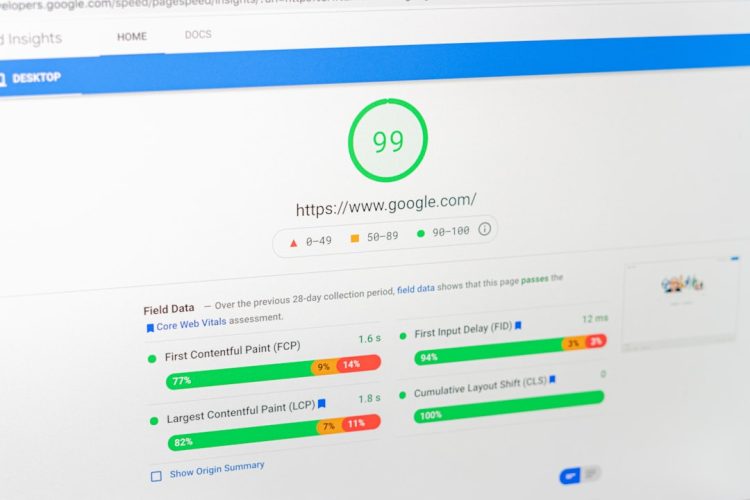
You’ve probably heard it before: in the digital realm, speed is king. A slow-loading website isn’t just an annoyance; it’s a direct detriment to your bottom line, your reputation, and your overall online presence. In today’s fast-paced world, users expect instantaneous results. If your website can’t deliver, they’ll simply move on to a competitor who can. This is where caching enters the picture as your powerful ally, a fundamental technique for dramatically improving your website’s performance, reducing server load, and ultimately, providing a superior user experience. This comprehensive guide will walk you through the intricacies of caching, showing you how to harness its power to transform your website into a lightning-fast digital engine.
Before you dive into the practical applications, you need a solid grasp of what caching actually is and how it functions. At its heart, caching is about storing frequently accessed data in a temporary, high-speed storage location. Think of it like this: if you constantly need to refer to a specific page in a large textbook, instead of going back to the main index and searching for it every single time, you’d probably dog-ear the page or write down its number. Caching applies this same principle to web resources.
What is Caching?
Caching involves making a copy of data or a computational result that is expensive to retrieve or compute, and storing it in a faster, more accessible location. When a request for that data comes in again, instead of going through the original, slower process, the cached copy is served. This significantly reduces the time and resources required to fulfill the request.
The Problem Caching Solves
Imagine a typical website visit. When a user requests a page, your server has to perform several actions:
- Database Queries: Retrieving content, user data, product information, etc.
- File I/O: Reading template files, images, CSS, JavaScript.
- Code Execution: Processing PHP, Python, Ruby, or other server-side scripts.
- Asset Assembly: Combining all these elements into a complete HTML page.
Each of these steps takes time and consumes server resources. If hundreds or thousands of users are making these requests simultaneously, your server can become overloaded, leading to slow response times, timeouts, and even crashes. Caching bypasses many of these steps for repeated requests, presenting the pre-processed or pre-rendered content directly.
The Benefits of Caching
The advantages of implementing a robust caching strategy are multi-faceted and impactful:
- Faster Load Times: This is the most obvious benefit. Cached content is delivered almost instantly, drastically improving the perceived speed of your website.
- Reduced Server Load: By serving cached content, your server expends fewer resources on repetitive tasks, freeing up capacity for more complex operations or handling a larger volume of users.
- Improved User Experience (UX): Users are more likely to stay on your site, engage with your content, and convert if their experience is smooth and fast. A slow site leads to frustration and abandonment.
- Better SEO Rankings: Search engines like Google prioritize fast-loading websites. Improved page speed can positively impact your search engine optimization efforts.
- Increased Scalability: With caching, your website can handle a greater number of concurrent users without needing to significantly upgrade your server infrastructure.
- Reduced Bandwidth Usage: In some caching scenarios, especially with CDN caching, cached assets are served from geographically closer locations, reducing the overall bandwidth required from your origin server.
In addition to understanding how website caching improves page speed and user experience, you may find it beneficial to explore the article on optimizing images for faster loading times. This resource provides valuable insights into how image compression and proper formatting can further enhance your website’s performance. For more information, visit this article.
Exploring Different Types of Caching
Caching isn’t a one-size-fits-all solution; it encompasses various techniques applied at different layers of your website’s architecture. Understanding these distinctions is crucial for implementing an effective caching strategy.
Browser Caching (Client-Side Caching)
This is the simplest and often most effective form of caching from a user’s perspective. When a user visits your website, their web browser (Chrome, Firefox, Safari, etc.) downloads various assets like images, CSS files, and JavaScript files. Browser caching instructs the browser to store these assets locally on the user’s device for a specified period.
- How it Works: Using HTTP headers like
Cache-ControlandExpires, your server tells the browser how long it should store particular assets. The next time the user visits your site (or another page on your site that uses the same assets), the browser checks its local cache first. If the asset is still valid, it uses the local copy instead of re-downloading it from your server. - Advantages: Dramatically speeds up repeat visits, reduces server load, and uses less bandwidth.
- Considerations: You need to set appropriate expiration times. If assets change frequently, short cache times are better. If assets are static (like your logo), long cache times are ideal.
Server-Side Caching
This type of caching occurs on your web server and prevents the server from repeatedly generating the same content. There are several forms of server-side caching.
Page Caching
This is arguably the most common and impactful form of server-side caching. When a user requests a page, your server fully processes it, generates the complete HTML, and then stores this entire HTML output in a cache. Subsequent requests for the same page are then served directly from this cached HTML, completely bypassing database queries, script execution, and template rendering.
- How it Works: The first user triggers the full page generation. A copy of the finished HTML is saved. Subsequent users get this saved HTML directly.
- Advantages: Massive performance gains, especially for static or semi-static content.
- Considerations: Invalidating cached pages when content changes (e.g., updating a blog post) is crucial to avoid serving outdated information.
Object Caching
Object caching focuses on storing the results of database queries or other complex data structures before they are rendered into a page. Instead of caching the entire HTML output, it caches specific data objects.
- How it Works: When your application makes a database query, the result of that query (e.g., a list of blog posts, product details) is stored in the cache. The next time the same query is made, the application retrieves the data from the cache instead of hitting the database.
- Examples: Memcached, Redis are popular object caching systems.
- Advantages: Reduces database load, improves the performance of dynamic elements, and provides granular control over what data is cached.
- Considerations: Requires more complex implementation within your application code.
Opcode Caching
For languages like PHP, when a script is executed, it’s first compiled into “opcodes.” Opcode caching stores these compiled opcodes in memory, so the server doesn’t have to recompile the script every time it’s run.
- How it Works: The first time a PHP script is executed, its opcodes are generated and cached. Subsequent executions use these cached opcodes.
- Examples: Opcache (built into PHP 5.5+), APC.
- Advantages: Speeds up PHP script execution, reducing CPU load.
- Considerations: Generally handled by server configurations; less direct application involvement.
Content Delivery Network (CDN) Caching
A CDN is a geographically distributed network of servers (called points of presence or PoPs) that work together to provide fast delivery of internet content. CDN caching involves storing copies of your static website assets (images, CSS, JavaScript, videos) on these servers located closer to your users.
- How it Works: When a user requests an asset, the CDN directs the request to the nearest PoP. If the asset is cached there, it’s delivered directly from that local server. If not, the CDN retrieves it from your origin server, caches it, and then delivers it to the user.
- Examples: Cloudflare, Akamai, Amazon CloudFront.
- Advantages: Reduces latency, improves global website speed, reduces load on your origin server, and offers DDoS protection.
- Considerations: Costs can increase with traffic volume. Proper configuration is key to avoid caching dynamic content.
Implementing Caching Strategies: A Practical Approach
Now that you understand the different types of caching, let’s explore how you can put these concepts into practice. The specifics will vary depending on your website’s technology stack, but the general principles remain consistent.
Choosing the Right Caching Tools
The tools you use will depend heavily on your platform.
- For WordPress:
- Page Caching Plugins: WP Super Cache, W3 Total Cache, LiteSpeed Cache. These are essential for any WordPress site.
- Object Caching: Often integrated with page caching plugins or via dedicated solutions like Redis/Memcached plugins.
- CDN Integration: Most major CDN providers have WordPress plugins for easy integration.
- For Custom PHP/Laravel/Symfony:
- Opcode Caching: Ensure Opcache is enabled and properly configured in your
php.ini. - Object Caching: Integrate Redis or Memcached into your application code for caching database queries and frequently accessed data.
- Page Caching: Implement custom page caching logic or use a reverse proxy like Varnish.
- For Node.js/Python/Ruby:
- Object Caching: Use in-memory caches (e.g., LRU cache in Node.js,
functools.lru_cachein Python) or external solutions like Redis/Memcached. - Reverse Proxies: Use Nginx or Varnish for page caching.
Configuring Browser Caching
You can configure browser caching by setting HTTP headers on your server.
- Apache (.htaccess):
“`apache
ExpiresActive On
ExpiresByType image/jpg “access 1 year”
ExpiresByType image/jpeg “access 1 year”
ExpiresByType image/gif “access 1 year”
ExpiresByType image/png “access 1 year”
ExpiresByType image/webp “access 1 year”
ExpiresByType text/css “access 1 month”
ExpiresByType application/javascript “access 1 month”
ExpiresByType application/pdf “access 1 month”
ExpiresByType application/x-shockwave-flash “access 1 month”
ExpiresByType image/x-icon “access 1 year”
ExpiresDefault “access 2 days”
Header set Cache-Control “max-age=31536000, public”
“`
- Nginx:
“`nginx
location ~* \.(jpg|jpeg|gif|png|webp|svg|ico|css|js)$ {
expires 365d;
add_header Cache-Control “public”;
}
“`
Remember to clear your server cache or restart services after making changes.
Implementing Server-Side Page Caching
- Using a Plugin (WordPress Example): Install and activate WP Super Cache. Go to its settings and enable “Caching On.” You might choose “Mod_Rewrite” for the fastest delivery method. Configure cache expiration times and rules for excluding specific pages (e.g., admin pages, shopping carts).
- Using a Reverse Proxy (Varnish): Varnish sits in front of your web server (Apache/Nginx). It intercepts requests, serves cached pages, and only forwards requests to your web server if a page isn’t in its cache. This requires server-level configuration and expertise.
Strategic Use of CDNs
Signing up for a CDN is relatively straightforward.
- Integration: After choosing a CDN (e.g., Cloudflare), you’ll typically change your domain’s DNS nameservers to point to the CDN. The CDN then acts as a proxy, handling all traffic.
- Configuration: Within the CDN’s dashboard, you’ll configure caching rules, specify which assets to cache, set cache expiration times, and potentially enable features like image optimization or minification.
Cache Invalidation and Management: The Unsung Hero
Caching is powerful, but it introduces a new challenge: how do you ensure users always see the most up-to-date content? This is where cache invalidation and effective management come into play. Serving stale content can be as detrimental as a slow website.
What is Cache Invalidation?
Cache invalidation is the process of removing or marking cached content as “stale,” forcing the system to retrieve or regenerate the fresh version of the data. Without proper invalidation, your users might see old product prices, outdated blog posts, or incorrect information.
Strategies for Cache Invalidation
- Time-Based Expiration (TTL – Time To Live): This is the simplest method. You set a specific time limit for cached items. After this time expires, the cached item is automatically removed or marked for regeneration.
- Use Cases: Content that changes predictably (e.g., daily news updates, weather forecasts), or assets like CSS/JS that might update periodically.
- Considerations: If content changes before the TTL, users will see stale data until the cache expires.
- Event-Based Invalidation: This is more dynamic and precise. When a specific event occurs (e.g., a blog post is updated, a product price changes, a comment is added), the relevant cached items are immediately invalidated.
- Use Cases: Highly dynamic content, e-commerce sites, user-generated content platforms.
- Implementation: Your application code or caching plugin needs to trigger invalidation upon these events. For example, a WordPress plugin might clear the cache for a specific post when it’s saved.
- Manual Invalidation/Purging: Sometimes you need to manually clear the entire cache or specific cached items.
- Use Cases: After a major site update, deploying new code, or troubleshooting issues.
- Implementation: Most caching plugins and CDN dashboards offer a “Clear Cache” or “Purge Cache” button.
Cache Busting
For browser caching, a common issue arises when you update a CSS or JavaScript file. Even if you deploy the new file, users might still have the old version cached in their browser. Cache busting solves this.
- How it Works: You append a unique query string or version number to the filename of your static assets. For example,
style.css?v=1.0becomesstyle.css?v=1.1after an update. Since the URL has changed, the browser treats it as a new file and downloads the fresh version. - Examples:
my-script.js?ver=20231027,main.css?id=abcdef123. - Automation: Many build tools (Webpack, Gulp) and CMSs automatically add these version strings during deployment.
Monitoring Your Cache
Just like any other critical system, your caching mechanisms need to be monitored.
- Cache Hit Ratio: This metric indicates how often your cache successfully serves a request versus how often it has to go to the origin server. A high cache hit ratio (e.g., 80%+) is generally desirable.
- Cache Size and Eviction Policies: Monitor how much memory or disk space your cache is consuming and understand its eviction policies (e.g., LRU – Least Recently Used) to prevent important items from being prematurely removed.
- Error Logs: Keep an eye on server logs for any cache-related errors or warnings.
Website caching plays a crucial role in enhancing page speed and user experience, but it is just one aspect of a broader strategy for optimizing website performance. For those looking to delve deeper into effective techniques, a related article offers valuable insights on various optimization methods. You can explore these strategies in the article about the 8 best website optimization tips for 2023, which complements the benefits of caching by addressing other essential factors that contribute to a seamless browsing experience.
Best Practices and Advanced Considerations
| Metrics | Improvement |
|---|---|
| Page Load Time | Reduced by caching static resources |
| Server Load | Decreased as cached content is served directly |
| User Experience | Enhanced with faster page rendering |
| Bandwidth Usage | Reduced by serving cached content |
To truly master caching, you need to go beyond the basics and adopt some advanced strategies and best practices.
Granular Caching
Don’t just cache entire pages indiscriminately. Identify components that are truly dynamic and those that are static.
- Fragment Caching: Cache specific parts of a page (e.g., a sidebar widget, a list of popular posts) instead of the whole page. This allows the main page to be mostly cached while dynamic fragments are still rendered in real-time.
- Edge Caching: CDNs can offer more sophisticated edge caching, allowing you to cache parts of pages or even personalize content at the edge of the network.
Minimizing Cacheable Content
While caching is good, some content simply shouldn’t be cached.
- User-Specific Content: Shopping carts, logged-in user dashboards, and personalized recommendations should generally not be cached to avoid serving incorrect or sensitive information to other users.
- Forms with Nonces: Forms often contain unique tokens (nonces) to prevent CSRF attacks. Caching forms can lead to invalid nonces and form submission failures.
- Analytics Scripts: These need to execute on every page view to accurately track user behavior.
Leveraging Cache Headers Effectively
Pay close attention to the Cache-Control header, which provides fine-grained control over caching behavior.
public: Can be cached by any cache (browser, CDN, shared proxy).private: Only the user’s browser can cache it. Not for shared caches.no-cache: Must revalidate with the origin server before serving a cached copy (doesn’t mean “don’t cache”).no-store: Never cache, always fetch from the origin.max-age=: Specifies the maximum time an object can be cached.s-maxage=: Similar tomax-agebut applies specifically to shared caches (like CDNs).
Database Query Caching
Beyond object caching, many database systems offer their own query caching mechanisms. Ensure these are properly configured if you’re experiencing database-related bottlenecks. However, be cautious; for highly dynamic data, relying solely on database query caching can sometimes be less efficient than application-level object caching, as database caches can be notoriously difficult to invalidate effectively.
Testing and Benchmarking
Never assume your caching strategy is working as intended.
- Page Speed Tools: Use tools like Google PageSpeed Insights, GTmetrix, WebPageTest to measure your load times before and after implementing caching.
- Server Monitoring: Track CPU usage, memory consumption, and database query load on your server to see the impact of caching.
- User Testing: Gather feedback from real users about their experience.
By diligently applying these principles and constantly refining your approach, you can transform your website from a sluggish digital presence into a nimble, high-performance platform that delights users and supports your online objectives. Caching isn’t just an optimization technique; it’s a fundamental pillar of modern web development, essential for success in today’s demanding digital landscape.
FAQs
1. What is website caching?
Website caching is the process of storing frequently accessed web page data temporarily in a cache. This allows for quicker retrieval of the data when the same page is requested again, improving page load times.
2. How does website caching improve page speed?
Website caching improves page speed by reducing the amount of time it takes to retrieve and load web page data. When a user visits a website, the cached data can be quickly accessed, resulting in faster page load times.
3. What are the benefits of website caching for user experience?
Website caching improves user experience by providing faster page load times, reducing waiting times for content to appear, and enhancing overall website performance. This can lead to increased user satisfaction and engagement.
4. What are the different types of website caching?
There are several types of website caching, including browser caching, server-side caching, and content delivery network (CDN) caching. Each type serves a specific purpose in improving page speed and user experience.
5. How can website owners implement website caching?
Website owners can implement website caching through various methods, such as using caching plugins, configuring server-side caching settings, and leveraging CDN caching services. It’s important to choose the right caching strategy based on the website’s specific needs and requirements.









Add comment