
You’ve poured your heart and soul into your WordPress site. You’ve crafted engaging content, designed a stunning layout, and meticulously optimized your images. But despite your best efforts, you might notice something: your site feels… sluggish. The loading spins, the slow-to-appear images, the frustrated users – these are the silent killers of user experience and SEO. If this sounds familiar, it’s time you considered a secret weapon for speed: a Content Delivery Network (CDN).
Imagine you’re running a popular coffee shop in New York City. People from all over the world want to try your famous mocha. If every single customer has to fly to New York to get their coffee, your single shop will quickly become overwhelmed, and the wait times will be unbearable. Now, imagine you open branches of your coffee shop in London, Tokyo, Sydney, and Buenos Aires. No matter where a customer is, they can get their mocha from the nearest branch, drastically reducing their wait time.
That’s precisely what a CDN does for your website. Instead of your website’s files (images, CSS, JavaScript, videos, and other static assets) being served from a single server – your origin server – a CDN copies these files to a globally distributed network of servers called “Points of Presence” (PoPs) or “edge servers.” When a visitor accesses your site, the CDN intelligently directs them to the closest available edge server.
The Problem with a Single Server
Without a CDN, every single request for your website’s content has to travel the full distance from the user’s browser to your hosting server and back. This “round trip time” (RTT) can be significant, especially if your user is on the other side of the world.
- Geographical Latency: The farther the user is from your server, the longer it takes for data to travel. Think of it like shouting across a football field versus whispering to someone right next to you.
- Server Overload: A sudden surge in traffic can overwhelm a single server, leading to slow loading times or even server crashes.
- Limited Bandwidth: Your hosting provider might have bandwidth limitations, meaning that if too many users try to access your site simultaneously, the data transfer can bottleneck.
How a CDN Solves These Problems
By distributing your content across multiple servers worldwide, a CDN addresses these core performance issues head-on.
- Reduced Latency: Content is served from the closest edge server, minimizing the physical distance data has to travel. This translates to faster loading times and a more responsive user experience.
- Improved Scalability: Edge servers absorb traffic spikes, preventing your origin server from being overwhelmed. This means your site remains fast and accessible even during peak traffic periods or viral moments.
- Enhanced Reliability: If one edge server goes down, the CDN automatically routes traffic to the nearest healthy server, ensuring continuous availability of your content.
- Offloading Work from Your Origin Server: By serving static assets, the CDN frees up your main server to focus on dynamic content generation (like database queries for WordPress posts), improving its overall performance.
For those looking to enhance their website’s speed and performance, a related article on effective strategies for WordPress performance optimization can be found at Hostings House Blog. This resource provides valuable insights into various techniques, including the use of Content Delivery Networks (CDNs), to ensure your WordPress site runs smoothly and efficiently, ultimately improving user experience and search engine rankings.
The Tangible Benefits You’ll Experience with a CDN
Implementing a CDN isn’t just about technical jargon; it delivers concrete advantages that directly impact your website’s success. You’ll see improvements across the board, from user happiness to your bottom line.
Supercharged Page Load Times
This is perhaps the most immediate and noticeable benefit. Studies consistently show that even a one-second delay in page load time can lead to a significant drop in page views, customer satisfaction, and conversions.
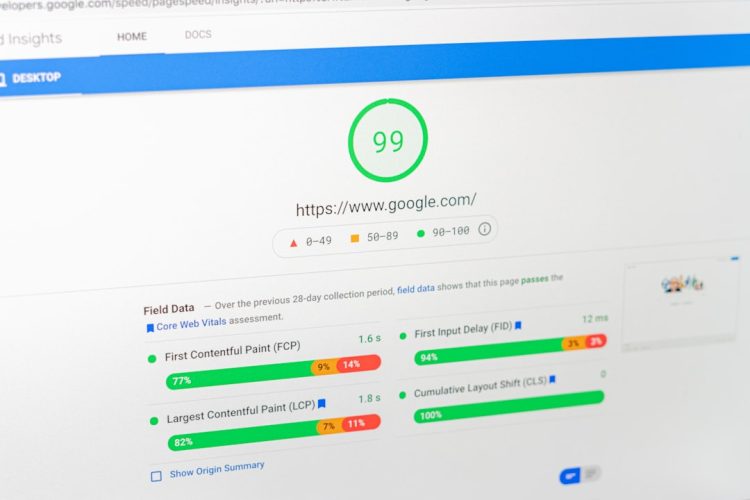
- Faster First Contentful Paint (FCP): The time it takes for the first piece of content to appear on screen. A CDN ensures this happens rapidly, reducing user impatience.
- Quicker Largest Contentful Paint (LCP): The time it takes for the largest content element (like a hero image or headline) to become visible. A CDN optimizes this crucial metric, improving perceived performance.
- Better Core Web Vitals: Google prioritizes user experience, and Core Web Vitals (LCP, FID, CLS) are key ranking factors. A CDN significantly boosts your LCP, positively influencing your SEO.
Improved User Experience and Engagement
Happy users are sticky users. When your site loads quickly and smoothly, you’ll see a direct impact on how people interact with your content.
- Lower Bounce Rate: Users are less likely to abandon your site out of frustration if it loads quickly.
- Higher Page Views: Users are more likely to explore multiple pages if the navigation feels snappy and responsive.
- Increased Conversions: For e-commerce sites, faster loading times directly correlate with higher sales and fewer abandoned carts. Even for blogs, quicker loading means more time spent reading, commenting, or subscribing.
Enhanced Search Engine Optimization (SEO)
Google openly states that page speed is a ranking factor. By speeding up your WordPress site, you’re not just pleasing your visitors; you’re also pleasing search engines.
- Google’s Preference for Speed: Google wants to provide the best possible experience to its users, and slow websites don’t fit that bill. A faster site signals quality to search algorithms.
- Better Crawlability: Search engine crawlers can index your content more efficiently when your site responds quickly, potentially leading to faster indexing of new content and updates.
- Improved User Signals: Reduced bounce rates, increased time on site, and higher page views (all influenced by speed) are positive user signals that search engines take into account.
Robust Security and DDoS Mitigation
CDNs aren’t just about speed; they also provide a crucial layer of defense against various online threats.
- DDoS Protection: Many CDNs offer built-in Distributed Denial of Service (DDoS) attack mitigation. By distributing traffic across their vast network, they can absorb and filter malicious requests before they reach your origin server, keeping your site online.
- Web Application Firewall (WAF): Some CDN providers include WAF functionalities, which can detect and block common web vulnerabilities like SQL injection and cross-site scripting (XSS) attacks.
- SSL/TLS Encryption: CDNs can manage and offload SSL/TLS encryption, securing your data during transit and often providing free SSL certificates.
How a CDN Integrates with Your WordPress Site

Integrating a CDN with WordPress is generally straightforward, thanks to dedicated plugins and well-documented processes. You won’t need to be a coding wizard to get started.
Choosing the Right CDN Provider
The first step is selecting a CDN provider that suits your needs and budget. There are many options available, each with its strengths.
- Cloudflare: A popular choice for beginners and advanced users alike, offering a free tier with basic CDN features and excellent security. Its global network is vast.
- KeyCDN: Known for its performance, ease of use, and competitive pricing. It’s a favorite among developers.
- Sucuri: While primarily a security service, Sucuri also offers excellent CDN capabilities, ideal if you prioritize comprehensive protection.
- StackPath (formerly MaxCDN): A robust CDN with a strong focus on technical performance and enterprise-grade features.
- Amazon CloudFront: AWS’s CDN service, highly scalable and integrated with other AWS services, but can be more complex to set up for beginners.
When choosing, consider factors like network size, pricing structure (bandwidth, requests, storage), security features, analytics, and ease of use/integration with WordPress.
The Setup Process: A General Overview
While the specifics vary slightly by provider, the general steps to integrate a CDN with your WordPress site are quite similar.
- Sign Up with a CDN Provider: Create an account and register your website.
- Integrate Your Domain: This is usually done by changing your DNS (Domain Name System) records. You’ll typically update your A records or CNAME records to point to the CDN’s servers. This tells the internet that your CDN is now handling requests for your domain.
- Configure CDN Settings: Within your CDN provider’s dashboard, you’ll configure various settings such as caching rules, compression, SSL, and perhaps even firewall rules.
- Install a WordPress CDN Plugin: This is where WordPress convenience comes in. Plugins like WP Rocket, W3 Total Cache, or CDN Enabler streamline the process of rewriting your static file URLs to point to the CDN.
- WP Rocket: A premium caching plugin that includes excellent CDN integration features. It automatically rewrites URLs and intelligently manages caching.
- W3 Total Cache: A comprehensive (and sometimes complex) caching plugin with robust CDN support. You can specify which file types (CSS, JS, images) should be served by the CDN.
- CDN Enabler: A simpler, lightweight plugin specifically designed to integrate CDNs by rewriting asset URLs. Great if you already have a caching solution and just need CDN integration.
These plugins essentially tell WordPress, “Hey, don’t serve these images and CSS files directly from my server anymore; tell the browser to get them from the CDN instead!”
Testing and Verification
Once configured, it’s crucial to verify that your CDN is working correctly.
- Inspect Page Source: View your website’s source code (usually by right-clicking and selecting “View Page Source” or “Inspect Element”). Look for URLs of your static assets (images, CSS, JS). They should now point to your CDN’s domain (e.g.,
https://yourdomain.cdnprovider.com/image.jpgorhttps://cdn.yourdomain.com/image.jpg). - Use Online Speed Test Tools: Tools like GTmetrix, PageSpeed Insights, and Pingdom Tools will show you details about where your assets are being loaded from. Look for responses coming from your CDN’s network.
- Clear Caches: Remember to clear your WordPress caching plugin’s cache, your CDN’s cache, and your browser cache after making changes to ensure you’re seeing the frescos version of your site.
Essential CDN Features You Should Look For

Not all CDNs are created equal. As you evaluate providers, keep an eye out for these key features that can significantly enhance your WordPress site’s performance and security.
Intelligent Caching and Purging
Caching is the heart of a CDN. The CDN stores copies of your content, so it doesn’t have to keep fetching them from your origin server.
- Cache-Control Headers: The ability to define how long assets should be cached (Time-to-Live or TTL) using
Cache-ControlHTTP headers. - Instant Purge: The option to immediately clear cached content from all edge servers. This is crucial when you make updates to your site and need the changes to appear instantly worldwide.
- Smart Caching Rules: Advanced rules that allow you to specify which URLs or file types should be cached, and under what conditions.
Image Optimization
Images often constitute the largest portion of a webpage’s size. Optimizing them without losing quality is vital.
- Automatic Image Compression: The CDN automatically compresses images to smaller file sizes without noticeable quality degradation.
- WebP Conversion: Automatic conversion of images to modern formats like WebP (or AVIF), which offer superior compression compared to traditional JPEGs and PNGs.
- Responsive Images (Srcset): Some CDNs can automatically generate different image sizes and serve the most appropriate one based on the user’s device and screen resolution.
Gzip/Brotli Compression
Text-based assets like HTML, CSS, and JavaScript can be significantly reduced in size through compression.
- Automatic Compression: The CDN should automatically apply Gzip or, even better, Brotli compression to eligible files, dramatically reducing their transfer size and speeding up delivery.
SSL/TLS Support
Security is paramount. You want your content delivered over a secure, encrypted connection.
- Free SSL Certificates: Many CDNs offer free SSL certificates (like Let’s Encrypt) and automatically manage their renewal.
- Flexible SSL Options: Support for various SSL modes, from full encryption to a more flexible setup, depending on your origin server’s configuration.
Analytics and Reporting
Understanding how your content is being delivered is important for optimization.
- Traffic Reports: Detailed insights into bandwidth usage, requests, and geographical distribution of your audience.
- Cache Hit Ratio: A metric indicating how often content is served directly from the CDN’s cache versus having to fetch it from your origin server. A higher cache hit ratio means better CDN performance.
- Performance Metrics: Data on load times, errors, and other relevant performance indicators.
For those looking to enhance their website’s speed and reliability, implementing a Content Delivery Network (CDN) is a crucial step in WordPress performance optimization. A CDN can significantly reduce load times by distributing content across multiple servers worldwide. If you’re interested in exploring more about how to choose the right hosting solution for your website, you might find this article on dedicated hosting particularly insightful, as it discusses the benefits of dedicated servers in improving overall performance.
Common Misconceptions About CDNs
| Metrics | Before Optimization | After Optimization |
|---|---|---|
| Page Load Time | 5.2 seconds | 2.1 seconds |
| Number of HTTP Requests | 78 | 32 |
| Page Size | 2.5 MB | 1.2 MB |
| Google PageSpeed Score | 65 | 90 |
While CDNs offer incredible benefits, you might encounter some misunderstandings. Let’s clear the air on a few common myths.
“My Hosting Provider is Fast Enough”
While a good hosting provider is essential, it addresses a different aspect of performance. Your host dictates the speed and reliability of your origin server. A CDN extends that speed globally. Even with the fastest hosting, geographical distance and traffic spikes remain challenges that only a CDN can effectively solve. Think of it as your hosting being a powerful engine, and the CDN being the high-speed global highway your content travels on.
“CDNs Are Only for Huge Websites”
This is a widespread misconception. While enterprise-level sites certainly benefit, even small blogs or local business sites can see significant improvements. In a competitive online landscape, every millisecond counts, regardless of your site’s size. Many CDN providers offer free tiers or very affordable plans suitable for smaller websites. You don’t need millions of visitors to justify the performance boost.
“CDNs Are Too Complicated to Set Up”
As you’ve learned, with the right WordPress plugins, integrating a CDN has become remarkably simple. While understanding the underlying technology can be complex, the practical implementation for most WordPress users involves a few clicks and some DNS changes. The benefits far outweigh the minimal effort required.
“CDNs Cost a Fortune”
While premium CDN services for high-traffic sites can indeed be an investment, there are numerous budget-friendly and even free options available. Cloudflare’s free tier, for example, offers significant performance and security improvements without
any cost. Other providers offer pay-as-you-go models or starter plans that are very affordable. The potential increase in conversions, better SEO, and improved user satisfaction often provide a strong return on investment.
For those looking to enhance their website’s speed and performance, a valuable resource can be found in the article on website optimization tips. Implementing a Content Delivery Network (CDN) is one of the key strategies discussed in this guide, which can significantly improve load times and overall user experience for WordPress sites. By leveraging a CDN, you can distribute your content more efficiently, ensuring that visitors from various locations access your site quickly and seamlessly.
Taking the Next Step: Implement Your CDN!
Hopefully, by now, you’re convinced of the transformative power a CDN can bring to your WordPress website. The digital landscape is fiercely competitive, and user patience is at an all-time low. Providing a fast, reliable, and secure experience isn’t just a luxury; it’s a necessity for success.
Don’t let slow loading times be the reason visitors abandon your site or search engines penalize you. Take the initiative, research the CDN providers mentioned (or others that catch your eye), and start the integration process. You’ll likely be surprised at how quickly you can see tangible improvements and how much more responsive your WordPress site becomes. Your users (and your analytics) will thank you. Go ahead, give your WordPress site the speed injection it deserves!
FAQs
What is a CDN and how does it improve WordPress performance?
A CDN, or Content Delivery Network, is a network of servers located in different geographic locations that deliver web content to users based on their location. By caching and delivering content from the nearest server, a CDN reduces the distance between the user and the server, resulting in faster load times and improved performance for WordPress websites.
How can I integrate a CDN with my WordPress website?
To integrate a CDN with your WordPress website, you can use a CDN service provider such as Cloudflare, MaxCDN, or Amazon CloudFront. These providers offer plugins or integration guides that allow you to easily connect your website to their CDN network.
What are the benefits of using a CDN for WordPress performance optimization?
Using a CDN for WordPress performance optimization offers several benefits, including faster load times, improved website security, reduced server load, better scalability, and enhanced user experience. Additionally, a CDN can help mitigate traffic spikes and distribute bandwidth more efficiently.
Are there any potential drawbacks to using a CDN for WordPress performance optimization?
While using a CDN can significantly improve WordPress performance, there are potential drawbacks to consider. These may include additional costs for using a CDN service, potential issues with caching dynamic content, and the need for proper configuration and monitoring to ensure optimal performance.
What are some best practices for optimizing WordPress performance using a CDN?
Some best practices for optimizing WordPress performance using a CDN include properly configuring caching settings, minifying and compressing files, leveraging browser caching, optimizing images, using a responsive design, and regularly monitoring and fine-tuning your CDN setup to ensure optimal performance.









Add comment