

The Dual Pillars of Digital Defense: Code and Hosting
You’ve envisioned it, perhaps even launched it – your website, a digital embodiment of your brand, your passion, or your enterprise. But as you pour resources into captivating design and compelling content, have you given equal thought to its foundational security? It’s a question often overlooked, yet profoundly critical. Many assume website security is a single, monolithic entity, a one-time fix. In reality, it’s a complex interplay, a delicate balance between two distinct, yet equally vital, components: the quality of your website’s underlying code and the robustness of your chosen hosting environment. To neglect one is to compromise the other, leaving your digital presence vulnerable to a myriad of threats, from data breaches and defacement to outright service disruption. Understanding this symbiotic relationship is not just a technicality; it’s a strategic imperative for anyone operating in the digital sphere. You need to grasp that your website’s fortress isn’t built on a single wall but on a robust foundation supported by two equally strong pillars, each requiring your diligent attention and proactive measures.
In the discussion of website security, it’s essential to recognize that both the quality of the code and the reliability of the hosting environment play crucial roles. For a deeper understanding of how hosting choices can impact your website’s security, you may find the article on Linux hosting particularly insightful. It explores the benefits of using Linux-based servers, which are known for their stability and security features. To read more about this topic, visit this article on Linux hosting.
The Foundation of Trust: Secure Code Practices

The code that powers your website is its very DNA. Just as a building with a weak foundation is destined to crumble, a website built on insecure code is inherently vulnerable. You might meticulously secure your server, but if the applications running on it are riddled with flaws, malicious actors will find their way in. This isn’t about mere functionality; it’s about the deliberate implementation of security at every stage of development.
Input Validation and Sanitization: Guarding the Gateway
Imagine your website as a house, and user input fields – forms, search bars, comment sections – as open windows. Without proper validation and sanitization, you’re leaving these windows wide open for anyone to throw anything inside, potentially damaging your interior or even gaining access to other parts of your home. You must assume all user input is malicious until proven otherwise.
Preventing Cross-Site Scripting (XSS)
XSS attacks occur when an attacker injects malicious client-side scripts into web pages viewed by other users. This can lead to session hijacking, data theft, and even defacement. Your code needs to meticulously escape or encode all user-supplied data before it’s rendered in the browser. You wouldn’t display potentially harmful content without checking it first, so why let your website do the same? This involves using appropriate encoding functions (e.g., HTML entity encoding) to neutralize any script tags or special characters that could be interpreted as code.
Mitigating SQL Injection
SQL Injection is perhaps one of the most infamous and devastating code-level vulnerabilities. Attackers manipulate database queries by injecting malicious SQL commands through input fields. If your code concatenates user input directly into SQL queries without proper sanitization, you’re essentially handing over the keys to your database. You could lose sensitive data, have your data modified, or even suffer a complete data deletion. The solution lies in using parameterized queries or prepared statements. These techniques separate the SQL code from the user-supplied data, ensuring that user input is treated as data, not as executable commands. It’s like separating ingredients from cooking instructions; you wouldn’t let someone rewrite your recipe simply by adding something to the ingredient list.
Authentication and Authorization: Knowing Who’s Who and What They Can Do
Just as you wouldn’t give everyone the same level of access to your physical business, your website needs robust mechanisms to verify user identity and control what they can do. Weak authentication and authorization are like leaving your office doors unlocked and giving every visitor a master key.
Strong Password Policies and Hashing
You’ve seen them before: requirements for complex passwords, minimum lengths, and special characters. These aren’t just annoyances; they’re essential defenses. Beyond simple strength, you must store passwords securely. Never store plain-text passwords. Instead, use strong, modern hashing algorithms (like Argon2, bcrypt, or scrypt) with appropriate salt values. Hashing transforms the password into a fixed-length string, making it irreversible. Salting adds a unique, random string to each password before hashing, further protecting against rainbow table attacks. You’re not just scrambling the lock; you’re using a different, unique lock for each user’s key.
Multi-Factor Authentication (MFA) Implementation
Even with strong passwords, single-factor authentication remains vulnerable to phishing and credential stuffing. Multi-Factor Authentication (MFA) adds an extra layer of security by requiring users to provide two or more verification factors to gain access. This could be something they know (password), something they have (a phone or security key), or something they are (biometrics). By implementing MFA, you dramatically reduce the risk of unauthorized access, even if an attacker manages to obtain a user’s password. It’s like requiring not only a key but also a fingerprint to enter a secure area.
Granular Role-Based Access Control (RBAC)
Not all users should have the same privileges. An administrator needs full control, while a content editor might only need access to specific sections. Implementing Granular Role-Based Access Control (RBAC) means defining roles with specific permissions and assigning users to those roles. This principle of least privilege ensures that users only have access to the resources absolutely necessary for their tasks. If an attacker compromises a low-privilege account, their ability to inflict damage is significantly limited. You wouldn’t give an intern access to your company’s financial records, so why would your website grant excessive privileges to every user?
Error Handling and Logging: Learning from Mistakes
Errors are inevitable in any software system. How your website handles these errors and what information it logs can have significant security implications. Poor error handling can inadvertently expose sensitive information, while inadequate logging can hinder incident response.
Avoiding Verbose Error Messages
When an error occurs, your website should present a user-friendly, generic message. You must never display detailed technical information like stack traces, database schema details, or server configuration paths directly to the user. This information, while helpful for developers, provides invaluable clues to attackers, helping them understand your system’s architecture and identify potential vulnerabilities. Think of it as not broadcasting your home’s blueprints to every passerby just because a light bulb blew out.
Comprehensive and Secure Logging
Conversely, detailed error information should be logged internally. Your website’s logging system is its memory, recording events, errors, and security-relevant activities. Comprehensive logs are crucial for monitoring, incident detection, and forensic analysis. You need to log failed login attempts, access to sensitive resources, system errors, and any suspicious activities. These logs must also be protected from unauthorized access and tampering. If your security system records a break-in but the recording itself is destroyed or easily altered, it serves little purpose. Ensure logs are stored securely, ideally on a separate, hardened server, and implement log rotation and retention policies.
The Digital Fortress: Secure Hosting Environment
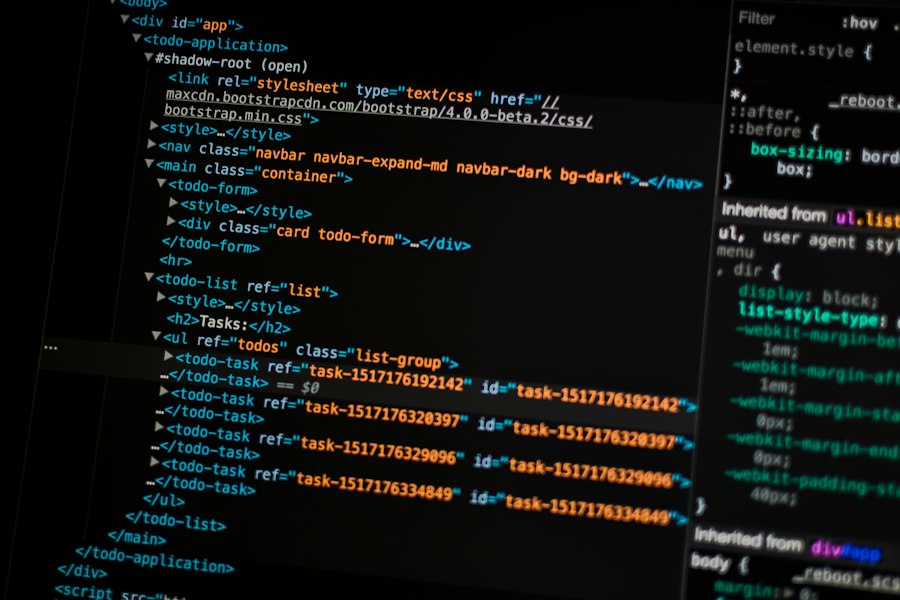
Even with perfectly written code, your website is only as secure as the infrastructure it resides on. Your hosting provider and the configuration of your server environment play a critical role in its overall security posture. This is the physical location and the surrounding defenses of your digital presence.
Server Configuration and Hardening: Building the Wall
Your server is the bedrock of your website. A poorly configured server is an open invitation for attackers, regardless of how secure your application code might be. Hardening a server involves meticulously configuring its operating system, services, and network settings to minimize vulnerabilities.
Operating System Security Patches
Like any software, server operating systems (Linux, Windows Server) have vulnerabilities that are discovered and patched regularly. You must ensure that your server’s operating system and all installed software are kept up-to-date with the latest security patches. Neglecting updates is like leaving your doors unlocked even after the manufacturer sends you a stronger set of keys. Automated patching systems can help, but regular manual verification is also crucial.
Disabling Unnecessary Services
Every running service on a server represents a potential attack vector. You should disable any services that are not absolutely essential for your website’s operation. For example, if you’re not using FTP, disable the FTP server. If you don’t need remote desktop access, turn it off. The fewer services running, the smaller the attack surface. It’s like removing unnecessary windows and doors from your house; fewer entry points mean fewer chances for intruders.
Secure File Permissions
File permissions dictate who can read, write, or execute files on your server. Incorrect permissions can allow attackers to upload malicious files, modify legitimate ones, or gain unauthorized access. You need to implement the principle of least privilege for file permissions: only grant the minimum necessary permissions to files and directories. For instance, your web server user might need read access to your website’s files, but it generally shouldn’t have write access to critical configuration files or executable scripts.
Network Security: Guarding the Perimeter
Beyond the server itself, the network infrastructure surrounding your website plays a crucial role in its defense. This involves firewalls, intrusion detection systems, and secure communication protocols.
Firewall Configuration
A firewall acts as your website’s gatekeeper, controlling incoming and outgoing network traffic based on predefined security rules. You should configure your firewall to allow only essential traffic (e.g., HTTP/HTTPS on ports 80/443, SSH on a non-standard port if used for administration) and block everything else. This significantly reduces the chances of unauthorized access and protects against various network-based attacks. It’s like having a security guard at the entrance, checking IDs and refusing entry to anyone without proper authorization.
Intrusion Detection/Prevention Systems (IDS/IPS)
Intrusion Detection Systems (IDS) monitor network traffic for suspicious activity and alert administrators, while Intrusion Prevention Systems (IPS) can actively block malicious traffic. Implementing an IDS/IPS adds an extra layer of real-time monitoring and defense, helping to detect and mitigate attacks that might bypass your primary firewall rules. This is your active surveillance system, identifying and stopping threats as they occur.
Secure Sockets Layer/Transport Layer Security (SSL/TLS)
SSL/TLS certificates encrypt the communication between your website and its users, protecting sensitive data (like login credentials, personal information, and payment details) from eavesdropping and tampering. Implementing HTTPS (HTTP over SSL/TLS) is no longer optional; it’s a fundamental requirement for website security and user trust. Search engines also penalize non-HTTPS sites. You’re not just protecting data; you’re building trust with your visitors by ensuring their interactions with your site are private and secure.
Backup and Recovery: The Safety Net
Even with the best security measures, incidents can happen. A robust backup and recovery strategy is your ultimate safety net, ensuring that you can restore your website to a working state quickly after an attack or data loss event.
Regular and Automated Backups
You need to implement a system for regular, automated backups of your entire website – including both files and databases. The frequency of backups should be determined by how often your website’s content changes. Daily backups are often a good starting point. You wouldn’t risk losing all your important documents if your computer crashed, so why risk your entire website?
Offsite Backup Storage
Storing backups on the same server as your website is risky. If the server is compromised or suffers a hardware failure, your backups could be lost too. You must store backups in an offsite location, ideally in a separate geographical area, to protect against localized disasters or server compromise. This is like having a spare key to your house stored with a trusted friend, far away from your home itself.
Disaster Recovery Plan and Testing
Having backups is only half the battle. You also need a well-defined disaster recovery plan outlining the steps to restore your website from backups in the event of an incident. Furthermore, you must regularly test your recovery process to ensure it works as expected. A backup system that you haven’t tested is an untested assumption, and in security, assumptions can be catastrophic. You wouldn’t just buy a fire extinguisher; you’d also know how to use it.
The Interdependence: When One Fails, Both Suffer
It’s critical to understand that code quality and hosting choices are not independent entities that can compensate for each other’s weaknesses. Instead, they are inextricably linked, forming a chain where the weakest link determines the overall strength.
The Best Code on a Weak Host
Imagine you’ve developed an impeccably secure web application, free of common vulnerabilities, hardened against all known threats. You’ve followed every best practice, audited your code thoroughly, and implemented multi-factor authentication. Now, you deploy this masterpiece on a cheap, unmanaged shared hosting account. This host uses outdated server software, has lax firewall rules, shares resources with hundreds of other, potentially insecure websites, and lacks any form of intrusion detection.
What happens? An attacker might exploit a vulnerability in the hosting provider’s infrastructure, gain root access to the shared server, and then move laterally to your website’s files, completely bypassing your application’s robust security. They could deface your site, inject malware, or steal your database, all without ever directly exploiting a flaw in your code. Your secure code is like a bank vault with an open door in a poorly guarded building. The vault itself is strong, but the building’s weakness makes it irrelevant.
Vulnerable Code on a Fortified Host
Conversely, consider deploying a website with known SQL injection vulnerabilities, weak authentication mechanisms, and verbose error messages on a top-tier, enterprise-grade hosting platform. This host boasts state-of-the-art firewalls, regularly updated operating systems, an advanced IPS, and dedicated resources.
An attacker could easily exploit the SQL injection vulnerability in your code, gaining access to your database despite the hosting provider’s robust perimeter defenses. The firewall might block network-level attacks, but it cannot prevent an attack that leverages a flaw in your application logic, which it perceives as legitimate web traffic. The IPS might detect some patterns, but a well-crafted SQL injection can often fly under the radar of signature-based detection. In this scenario, your fortified hosting environment is like a well-guarded perimeter around a house where the doors and windows are wide open. The guards can’t stop someone who’s already been let inside by the occupant.
The Synergistic Threat
The most dangerous scenario arises when both code quality and hosting choices are compromised. This creates a synergistic effect, where vulnerabilities in one area amplify the risks posed by weaknesses in the other. A poorly coded application on an insecure host is not just twice as vulnerable; it’s exponentially more so. Attackers have multiple avenues of attack, and a compromise in one area can lead to easier exploitation of others. For example, if your code has a directory traversal vulnerability and your hosting provider has misconfigured file permissions, an attacker could potentially read sensitive server configuration files, escalating their privileges and causing widespread damage. You’ve essentially left multiple doors and windows open in an unguarded building.
Understanding the intricacies of website security is essential for any online presence, and a related article that delves deeper into this topic is available for those interested. It highlights the latest best practices that can significantly enhance your site’s defenses. You can read more about these strategies in the article on website security best practices for 2023, which complements the discussion on how both code quality and hosting environments play critical roles in safeguarding your website.
Continuous Vigilance: An Ongoing Commitment
| Aspect | Code Security | Hosting Security |
|---|---|---|
| Primary Focus | Secure coding practices, input validation, authentication, and authorization | Server configuration, network security, physical security, and uptime |
| Common Vulnerabilities | SQL Injection, Cross-Site Scripting (XSS), Cross-Site Request Forgery (CSRF) | Unpatched software, weak firewall rules, DDoS attacks, insecure server access |
| Impact of Breach | Data leakage, unauthorized access, compromised user accounts | Website downtime, data loss, server takeover |
| Mitigation Techniques | Code reviews, static analysis, secure frameworks, regular updates | Firewalls, intrusion detection systems, regular patching, secure backups |
| Responsibility | Developers and QA teams | Hosting providers and system administrators |
| Example Metrics | Number of vulnerabilities found per 1000 lines of code, code coverage in security tests | Server uptime percentage, number of detected intrusion attempts, patch update frequency |
Website security is not a one-time project; it’s an ongoing process that demands continuous vigilance and adaptation. The threat landscape is constantly evolving, with new vulnerabilities discovered and new attack techniques emerging daily. You cannot simply set up your website and forget about its security.
Regular Security Audits and Penetration Testing
You need to schedule regular security audits of your codebase and your hosting environment. These audits should ideally be conducted by independent third-party experts. Penetration testing (pen testing) goes a step further by simulating real-world attacks to identify weaknesses before malicious actors do. Think of it as hiring a professional burglar to test your home security system. They’ll try every trick in the book to find a way in, and then provide you with a report on how to fix the vulnerabilities.
Vulnerability Management and Patching
Beyond scheduled audits, you must implement a robust vulnerability management program. This involves actively monitoring for new vulnerabilities in your chosen frameworks, libraries, and server software, and promptly applying patches as they become available. Subscribe to security advisories and maintain an inventory of all software components used. Delaying patches is a common cause of security breaches.
Employee Training and Awareness
Often, the weakest link in security is the human element. Your team members, from developers to content managers, need to be trained on security best practices. This includes understanding phishing attacks, safe password management, secure coding principles, and identifying suspicious activity. A well-informed team acts as an additional layer of defense. You wouldn’t expect your employees to operate complex machinery without training, so why would you expect them to navigate the digital world securely without it?
Incident Response Planning
Despite all your preventative measures, a security incident might still occur. Having a well-defined incident response plan is crucial. This plan should outline the steps to take immediately after a breach is detected, including containment, eradication, recovery, and post-incident analysis. A clear plan minimizes damage, speeds up recovery, and helps prevent future incidents. You wouldn’t wait for a fire to start before figuring out how to extinguish it; you’d have an escape plan and fire extinguishers ready.
Understanding the intricacies of website security is essential for any online presence, and it often hinges on both the quality of the code and the reliability of the hosting environment. For those looking to delve deeper into the relationship between hosting solutions and website performance, a related article on reseller hosting can provide valuable insights. You can read more about it in this informative piece on reseller hosting and how it impacts your overall website strategy.
The Bottom Line: Shared Responsibility, Holistic Security
Ultimately, the security of your website is a shared responsibility. While your developers are accountable for writing secure code and your hosting provider for maintaining a secure infrastructure, you, as the website owner or administrator, bear the ultimate responsibility for ensuring both pillars are strong. You must actively choose reputable hosting, demand secure development practices, and invest in ongoing security measures.
Ignoring either code quality or hosting choices is akin to building a house with a strong foundation but flimsy walls, or vice versa. Both are essential, and their combined strength dictates the resilience of your digital presence. In an increasingly hostile digital landscape, taking a holistic approach to website security is not merely an option; it is an absolute necessity for protecting your data, your reputation, and your customers. Your website’s longevity and success depend not on a single security solution, but on a comprehensive strategy that embraces the critical interplay between impeccable code and an unyielding hosting environment.
FAQs
What is the role of code in website security?
The code of a website is crucial for security as it dictates how the site functions and interacts with users. Poorly written or outdated code can introduce vulnerabilities that hackers can exploit, such as SQL injection or cross-site scripting (XSS). Regular code reviews and updates are essential to patch security flaws and ensure robust protection against potential threats.
How does hosting affect website security?
Website hosting plays a significant role in security because it determines the server environment where the website operates. A reputable hosting provider typically offers security features such as firewalls, DDoS protection, and regular backups. Conversely, a low-quality host may lack these protections, making the website more susceptible to attacks and data breaches.
What are common vulnerabilities in website code?
Common vulnerabilities in website code include SQL injection, cross-site scripting (XSS), cross-site request forgery (CSRF), and insecure direct object references. These vulnerabilities can allow attackers to manipulate databases, steal sensitive information, or perform unauthorized actions on behalf of users. Regular security audits and code reviews can help identify and mitigate these risks.
Why is it important to choose a secure hosting provider?
Choosing a secure hosting provider is vital because they implement various security measures to protect your website from attacks. A secure host will offer features like SSL certificates, regular security updates, malware scanning, and intrusion detection systems. These measures help safeguard your website’s data and maintain user trust, which is essential for any online business.
How can website owners improve both code and hosting security?
Website owners can improve security by regularly updating their code and using secure coding practices, such as input validation and sanitization. Additionally, they should choose a reputable hosting provider that offers robust security features. Implementing regular backups, using strong passwords, and enabling two-factor authentication can further enhance security for both code and hosting environments.









Add comment