

The Intuitive Interface: Navigating Your Digital Domain
When you embark on the journey of creating and maintaining a website, the sheer volume of tasks can feel overwhelming. From managing files and databases to setting up email accounts and installing applications, each aspect demands attention. This is where cPanel steps in, acting as your central command center, simplifying complex server operations through an intuitive graphical user interface (GUI). Instead of wrestling with command-line prompts or juggling multiple standalone tools, you’re presented with a unified dashboard that categorizes and organizes every essential function. Imagine a meticulously labeled toolbox where every wrench, screwdriver, and drill bit has its designated place, making it effortless to find and use the right tool for the job. That’s the power of cPanel’s interface – it’s designed with the user in mind, making advanced server management accessible even if you’re not a seasoned developer.
The visual layout of cPanel is one of its most significant strengths. Upon logging in, you’re greeted with a series of clearly defined sections, each dedicated to a specific category of tasks. These sections are typically adorned with easily recognizable icons and descriptive text, immediately informing you of their purpose. You won’t find yourself guessing which menu item controls your email or where to upload your website files; it’s all laid out logically and transparently. This intuitive organization drastically reduces the learning curve associated with website management. Instead of spending hours deciphering obscure technical jargon or poring over lengthy documentation, you can quickly locate the desired function and execute your task. This efficiency is invaluable, especially for small business owners, bloggers, or anyone who wears multiple hats and cannot afford to dedicate excessive time to the technicalities of server administration.
Streamlined Access to Core Functions
At the heart of cPanel’s usability lies its ability to consolidate access to all critical website management features. You’ll find sections dedicated to files, databases, domains, email, security, software, and metrics, among others. Each of these main sections branches out into more specific tools, all accessible with just a few clicks. For example, within the “Files” section, you’ll discover the File Manager, a web-based interface that allows you to upload, download, edit, and organize all the files on your server. This eliminates the need for external FTP clients for many basic operations, further streamlining your workflow. Similarly, the “Databases” section provides direct access to MySQL Databases, phpMyAdmin, and PostgreSQL Databases, giving you granular control over your website’s data storage. This centralized control empowers you to manage every aspect of your website without ever leaving the cPanel environment.
The consistency in the interface also contributes significantly to its ease of use. Once you understand the basic navigation and where to find certain types of tools, you can confidently explore new sections and functions, knowing that the underlying logic and design principles remain consistent throughout. This reduces mental fatigue and allows you to focus on the task at hand rather than struggling with a constantly changing interface. Whether you’re a beginner launching your first website or an experienced developer managing multiple projects, cPanel’s intuitive design ensures that you spend less time on administration and more time on creating and growing your online presence.
Reducing the Learning Curve for New Users
One of the biggest hurdles for individuals new to website ownership is the technical complexity often associated with server administration. Without cPanel, setting up a website can feel like trying to build a complex machine without an instruction manual. You’d need to understand various command-line tools, configuration files, and server protocols, which can be daunting and time-consuming. cPanel effectively acts as that instruction manual, translating complex technical processes into understandable, clickable actions. Its user-friendly design means that even someone with minimal technical experience can quickly learn to perform essential tasks such as creating email accounts, setting up subdomains, or installing a content management system like WordPress.
The visual cues and clear labels within cPanel accelerate the learning process. For instance, creating a new email account involves navigating to the “Email” section, clicking on “Email Accounts,” and then filling out a simple form. There’s no need to understand the underlying mail server configurations; cPanel handles all the intricate details behind the scenes. This abstraction of complexity is crucial for making website management accessible to a broader audience, democratizing the ability to have an online presence. By removing these technical barriers, cPanel empowers individuals and small businesses to focus on their content, products, and services, rather than getting bogged down in server minutiae.
If you’re interested in understanding the broader implications of user-friendly web management tools, you might find the article on the importance of intuitive website interfaces particularly enlightening. This article discusses how platforms like cPanel can streamline the management process for users of all skill levels. You can read more about it here: Importance of Intuitive Website Interfaces.
Comprehensive Toolset: Empowering Your Website’s Growth
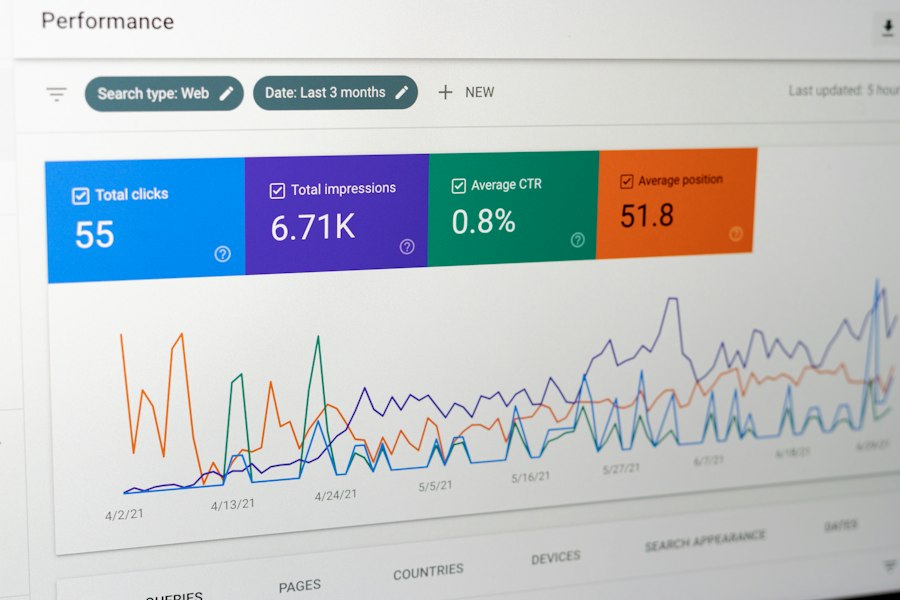
Beyond its intuitive interface, cPanel distinguishes itself by offering a comprehensive suite of tools that cater to virtually every aspect of website management. It’s not just a pretty face; it’s a powerhouse packed with functionalities designed to support your website from its inception through its continued growth and evolution. Think of it as having an entire IT department at your fingertips, all condensed into a single, accessible platform. This extensive collection of features eliminates the need to purchase or integrate numerous third-party tools, saving you both time and money. Every tool is integrated seamlessly, working in harmony to provide a cohesive management experience.
From managing your digital assets to ensuring robust security and optimizing performance, cPanel provides the infrastructure you need to maintain a healthy and thriving online presence. This holistic approach means you can handle everything from a simple blog to a complex e-commerce store directly from your cPanel dashboard. The integration of these tools is a significant advantage, as it ensures compatibility and reduces the likelihood of conflicts that can arise when piecing together disparate solutions. You have a single point of control for all your website’s vital organs, making management incredibly efficient.
Effortless File and Database Management
The backbone of any website is its files and databases. Your website’s content, code, images, and user data are all stored within these critical components. cPanel offers robust and user-friendly tools for managing both. The File Manager, a staple feature, allows you to navigate through your server’s directory structure, upload and download files, create and delete directories, edit text files directly, and even compress or extract archives. This web-based interface mimics the functionality of a desktop file explorer, making it instantly familiar and easy to use. Whether you need to upload a new image, modify a CSS file, or back up a critical script, the File Manager makes these tasks straightforward.
Equally important are the database management tools. Most modern websites, especially those built with content management systems (CMS) like WordPress, Joomla, or Drupal, rely heavily on databases to store dynamic content. cPanel provides direct access to MySQL Databases, allowing you to create new databases, manage user privileges, and repair or optimize existing databases. For more advanced users, phpMyAdmin is seamlessly integrated, offering a powerful web-based interface for managing MySQL databases directly. With phpMyAdmin, you can browse tables, execute SQL queries, import and export data, and perform a wide range of database administration tasks. This level of control over your database ensures that your website’s data is always organized, accessible, and performing optimally.
Seamless Domain and Email Configuration
Managing your domain names and professional email accounts is crucial for establishing and maintaining your brand’s online identity. cPanel simplifies these processes significantly. Within the “Domains” section, you can easily add new domain names, create subdomains (e.g., blog.yourdomain.com), and set up parked domains or add-on domains, all with a few clicks. The DNS Zone Editor allows you to manage your domain’s DNS records, giving you control over where your domain points, how email is routed, and other essential configurations. This centralized control over your domain infrastructure ensures that your website is always accessible and correctly configured.
For professional communication, cPanel’s email management tools are indispensable. You can create multiple email accounts associated with your domain (e.g., info@yourdomain.com, support@yourdomain.com), set up email forwarders to redirect incoming messages, and configure autoresponders for automated replies. Spam filtering tools like Apache SpamAssassin help protect your inboxes from unwanted junk mail, while mailing lists allow you to send updates to groups of subscribers. The ability to access webmail clients directly from cPanel (such as Roundcube, Horde, or SquirrelMail) means you can check your professional email from any web browser, without needing to configure a desktop email client. This comprehensive email solution reinforces your brand’s professionalism and streamlines communication.
One-Click Application Installers
One of the most appealing features of cPanel for both beginners and experienced users is the integration of one-click application installers, most notably Softaculous Apps Installer. This powerful tool provides access to hundreds of popular web applications, including content management systems (CMS), e-commerce platforms, forums, wikis, and more. Want to launch a WordPress blog? A few clicks through Softaculous, and your WordPress installation is ready. Need an online store? Install OpenCart or PrestaShop just as easily.
This functionality revolutionizes the way websites are created and managed. Instead of manually downloading application files, creating databases, configuring settings, and uploading everything via FTP, Softaculous automates the entire process. It handles the database creation, file placement, and initial configuration, leaving you free to focus on customizing your website and adding content. This not only saves an immense amount of time but also significantly reduces the chances of errors during installation, making it accessible to individuals without advanced technical skills. The availability of such a vast library of applications, ready to be installed instantly, accelerates website development and empowers users to leverage cutting-edge web technologies effortlessly.
Robust Security Features: Protecting Your Digital Asset
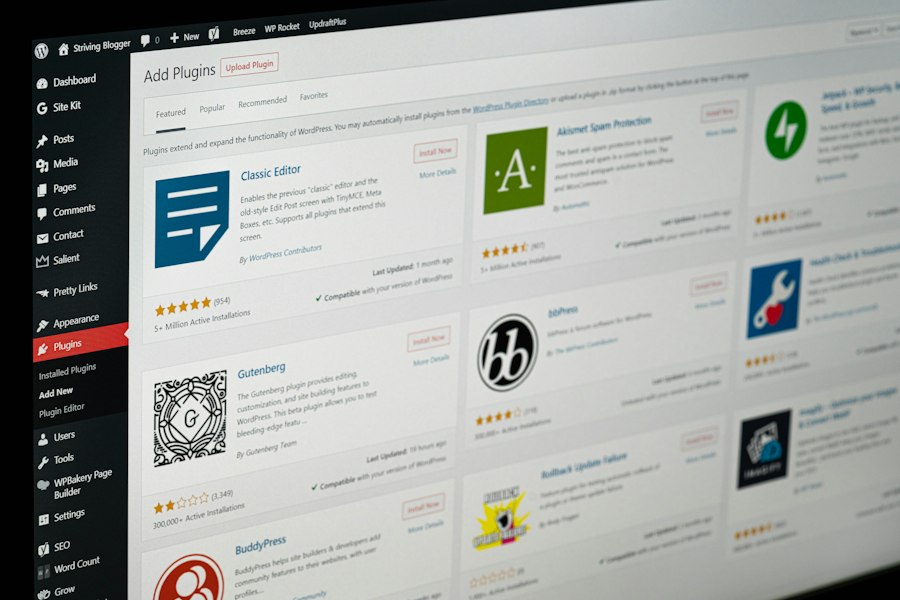
In today’s digital landscape, website security is paramount. A compromised website can lead to data breaches, loss of customer trust, damage to your brand reputation, and even legal repercussions. Recognizing this critical need, cPanel integrates a suite of robust security features designed to protect your website from various threats. While no system can guarantee 100% immunity, cPanel provides you with the essential tools to build strong defenses and mitigate risks effectively. It’s about empowering you to take proactive steps to safeguard your online presence, ensuring the integrity and availability of your website.
These security features cover multiple layers of protection, from user access control and directory protection to SSL certificate management and IP blocking. By centralizing these tools within the cPanel interface, it simplifies the process of implementing and managing your website’s security posture. You don’t need to be a cybersecurity expert to deploy many of these protections; cPanel makes them accessible and understandable, allowing you to focus on your business while knowing your website is better protected.
SSL/TLS Manager for Encrypted Connections
One of the most fundamental security measures for any website is the use of SSL/TLS certificates. These certificates encrypt the data exchanged between your website and your visitors’ browsers, protecting sensitive information like login credentials, personal data, and payment details from eavesdropping. Beyond security, an SSL certificate is crucial for building trust with your audience and is a significant ranking factor for search engines like Google, which prioritizes HTTPS-enabled sites.
cPanel’s SSL/TLS Manager makes the process of obtaining, installing, and managing SSL certificates remarkably easy. Many hosting providers now offer free SSL certificates, such as Let’s Encrypt, which can be installed directly through cPanel with a few clicks. This automation removes the complexity traditionally associated with SSL certificate management. You can generate Certificate Signing Requests (CSRs), install certificates, and manage private keys all from a single interface. This ensures that your website visitors always connect via a secure, encrypted channel, fostering trust and improving your website’s standing in search results.
IP Blocker and Hotlink Protection
To combat malicious traffic and resource theft, cPanel offers practical tools like the IP Blocker and Hotlink Protection. The IP Blocker allows you to prevent specific IP addresses or IP ranges from accessing your website. This is incredibly useful if you notice suspicious activity, brute-force login attempts, or spam coming from particular sources. By blocking these malicious IPs, you can prevent unauthorized access and reduce the load on your server from unwanted traffic. It’s a simple yet effective way to blackhole problematic visitors.
Hotlink Protection is another valuable security feature, particularly for websites that host a lot of images or media. Hotlinking occurs when another website directly links to your images or files, effectively using your bandwidth without hosting the content themselves. This can significantly increase your hosting costs and slow down your website for legitimate visitors. cPanel’s Hotlink Protection prevents other websites from directly embedding your images or files, ensuring that your bandwidth is used exclusively by your own website and your content remains under your control. This preserves your resources and ensures your site performs optimally.
Password Protection and Security Advisors
Beyond network-level security, cPanel provides tools to secure specific areas of your website and advises on overall security best practices. The “Directory Privacy” feature allows you to password-protect specific directories on your website, preventing unauthorized access to sensitive files or administrative areas. This adds an extra layer of security, requiring a username and password before anyone can view the contents of those directories. It’s ideal for protecting development environments, client-specific content, or confidential information.
Furthermore, cPanel often includes security advisors or scanners that can help identify potential vulnerabilities in your website’s configuration or installed applications. Tools like “ModSecurity” (a web application firewall) can be managed through cPanel, offering an additional layer of defense against common web attacks. The “Two-Factor Authentication” feature (often available as part of cPanel’s security settings) adds an extra layer of security to your cPanel login itself, requiring a second verification step in addition to your password. These integrated security measures empower you to take a proactive approach to website protection, safeguarding your digital assets from various threats.
Performance Optimization Tools: Speeding Up Your Site
In the fast-paced digital world, website performance is no longer a luxury; it’s a necessity. Slow loading times can frustrate visitors, increase bounce rates, and negatively impact your search engine rankings. Google and other search engines prioritize fast-loading websites, making optimization a critical component of any successful online strategy. cPanel recognizes this need and provides a range of tools designed to help you optimize your website’s performance, ensuring a smooth and responsive experience for your users.
These tools allow you to manage various aspects that affect speed, from caching mechanisms to content delivery. By leveraging cPanel’s built-in optimization features, you can significantly improve your website’s loading times without needing advanced technical knowledge or having to integrate complex third-party solutions. This directly contributes to higher user engagement, better conversion rates, and improved search engine visibility.
Caching Mechanisms and Compression
One of the most effective ways to improve website speed is through caching and compression. Caching stores frequently accessed data temporarily, so subsequent requests for the same data can be served much faster without needing to be reprocessed by the server. cPanel hosting often includes options to enable various caching mechanisms. For instance, you can typically configure server-side caching solutions like LiteSpeed Cache (if your host uses LiteSpeed web server) or leverage browser caching through .htaccess rules, all managed within your cPanel. These caching layers drastically reduce the time it takes for your pages to load, especially for repeat visitors.
Alongside caching, cPanel allows you to enable Gzip compression. Gzip compresses your website’s files (HTML, CSS, JavaScript) before they are sent to the user’s browser, reducing the overall file size and therefore the amount of data that needs to be transferred. Smaller file sizes translate directly to faster loading times. Enabling Gzip compression is usually a straightforward process within cPanel, often found under the “Optimize Website” tool, where you can select which content types to compress. This simple optimization can have a significant impact on your website’s speed and user experience.
Advanced DNS Control
While DNS (Domain Name System) primarily dictates where your domain points, advanced DNS control through cPanel can indirectly contribute to performance. By optimizing your DNS records, you can ensure that your website’s lookup times are as fast as possible. cPanel’s DNS Zone Editor gives you full control over A records, CNAME records, MX records, and other DNS entries.
For example, you can configure your DNS to point to a Content Delivery Network (CDN) service. While CDNs themselves are external services, cPanel makes the integration process seamless by allowing you to easily update your domain’s CNAME records to route traffic through the CDN. A CDN distributes your website’s static content (images, CSS, JavaScript) across a global network of servers. When a user visits your site, the content is served from the server geographically closest to them, significantly reducing latency and improving loading speeds, especially for an international audience. The ability to manage these critical DNS settings directly within cPanel makes implementing such performance enhancements much more accessible.
Website Metrics and Resource Monitoring
Understanding how your website is performing and consuming server resources is crucial for optimization. cPanel provides a suite of tools for monitoring website metrics and server resource usage, giving you insights into potential bottlenecks or areas for improvement. The “Visitors” and “Awstats” tools offer detailed statistics about your website traffic, including page views, unique visitors, referral sources, and more. Analyzing this data can help you understand user behavior and identify popular content, which can then inform your content strategy and resource allocation.
Crucially, cPanel also provides insights into your server resource usage, including CPU usage, memory usage, and disk space. This monitoring allows you to identify if your website is hitting its resource limits, which can lead to slow performance or even downtime. If you notice consistent high resource usage, it might indicate that your website needs optimization, a different hosting plan, or that certain scripts are inefficient. By providing these transparent metrics, cPanel empowers you to proactively address performance issues before they significantly impact your users. This visibility is invaluable for maintaining a high-performing website and ensuring a consistent user experience.
If you’re exploring the benefits of cPanel hosting for simplifying website management, you might also find it interesting to read about how reseller hosting can create passive income opportunities. This approach not only allows you to manage multiple websites efficiently but also opens up avenues for recurring revenue. For more insights on this topic, check out the article on passive income through reseller hosting.
Automation and Convenience: Streamlining Your Workflow
| Feature | Description | Benefit | Impact on Website Management |
|---|---|---|---|
| User-Friendly Interface | Intuitive graphical interface for managing hosting tasks | Reduces learning curve for beginners | Speeds up routine tasks like email setup and file management |
| One-Click Installations | Easy installation of popular CMS and apps like WordPress | Saves time and avoids manual configuration errors | Enables quick website deployment and updates |
| Automated Backups | Scheduled backups of website files and databases | Protects data and simplifies recovery | Minimizes downtime and data loss risks |
| Email Management | Create and manage email accounts, forwarders, and filters | Centralizes communication tools | Improves professional communication and organization |
| Security Features | Includes SSL management, IP blocking, and firewall settings | Enhances website protection | Reduces vulnerability to attacks and unauthorized access |
| Resource Monitoring | Real-time stats on bandwidth, disk usage, and CPU load | Helps optimize website performance | Prevents overuse and ensures smooth operation |
| File Management | Built-in file manager for uploading and editing files | Eliminates need for external FTP clients | Facilitates quick content updates and troubleshooting |
| Domain Management | Manage multiple domains and subdomains easily | Supports website expansion and organization | Simplifies handling of multiple projects or brands |
The true power of cPanel lies not just in its comprehensive feature set, but also in its ability to automate routine tasks and provide unparalleled convenience. Website management can be a repetitive process, involving regular backups, updates, and maintenance. cPanel is designed to take the burden of these mundane tasks off your shoulders, freeing up your time to focus on content creation, marketing, and growing your business. By streamlining workflows and offering automated solutions, cPanel transforms potentially time-consuming chores into quick, efficient processes.
This automation is particularly beneficial for individuals and small businesses with limited technical staff or time. It ensures that critical maintenance tasks are performed regularly and correctly, reducing the risk of data loss or security vulnerabilities, all without requiring constant manual intervention. The convenience factor of having everything in one place, coupled with automated processes, makes cPanel an indispensable tool for efficient website management.
Automated Backups and Restoration
Data loss is a website owner’s worst nightmare, whether due to a server crash, a malicious attack, or an accidental deletion. Regular backups are therefore a non-negotiable aspect of website maintenance. cPanel makes this critical task incredibly easy through its “Backup” and “Backup Wizard” tools. You can generate full website backups, including all files, databases, email accounts, and configurations, with just a few clicks. These backups can then be downloaded to your local machine for safekeeping.
Many cPanel hosting providers also offer automated daily, weekly, or monthly backups as part of their service, which can be managed and restored directly through your cPanel interface. This level of automation provides immense peace of mind, knowing that a recent copy of your website is always available. In the event of an unforeseen issue, the restoration process is equally straightforward, allowing you to quickly revert your website to a previous, functional state, minimizing downtime and potential data loss. This robust backup and restoration capability is a cornerstone of responsible website management, and cPanel handles it with remarkable simplicity.
Cron Jobs for Scheduled Tasks
For tasks that need to run at specific intervals without manual intervention, cPanel offers “Cron Jobs.” Cron jobs are scheduled commands that the server executes automatically at predefined times. This feature is incredibly versatile and can be used for a wide range of automated tasks. For example, you might set up a cron job to automatically delete old temporary files, run a script to update a database, send out daily email reports, or execute a custom backup script.
Setting up a cron job through cPanel is straightforward. You define the command you want to run, specify the frequency (e.g., every hour, daily at midnight, every Monday), and cPanel handles the rest. This automation is a powerful tool for maintaining server hygiene, ensuring data freshness, and running custom processes without you needing to be constantly logged in. It’s a key feature for efficiency, allowing your website to perform necessary background operations autonomously.
Subaccounts and Reseller Options
For those managing multiple websites or wishing to offer hosting services themselves, cPanel provides convenient options for creating subaccounts and often integrates with WHM (Web Host Manager) for reseller functionality. With subaccounts (sometimes referred to as additional cPanel accounts), you can segment your hosting space, giving different clients or projects their own independent cPanel interface. This isolates each website’s environment, enhancing security and organization.
When combined with WHM (which is typically accessed alongside cPanel in reseller hosting packages), you gain the ability to create and manage multiple cPanel accounts for individual customers. This includes setting resource limits, branding the cPanel interface, and completely managing your own hosting business. This level of hierarchical control and convenience makes cPanel an attractive solution for developers, agencies, and entrepreneurs looking to manage multiple client websites or enter the web hosting market themselves. The ease of setting up new accounts and managing them centrally through WHM, while still providing individual clients with the user-friendly cPanel interface, truly streamlines operations at scale.
FAQs
What is cPanel hosting?
cPanel hosting is a type of web hosting service that uses cPanel, a popular control panel software, to help users manage their websites and server settings easily through a graphical interface.
What features does cPanel hosting offer for website management?
cPanel hosting offers a wide range of features including file management, email management, database management, domain management, security settings, and one-click installations of popular web applications like WordPress.
How does cPanel hosting make website management easier?
cPanel hosting simplifies website management by providing an intuitive interface that allows users to perform various tasks such as creating email accounts, managing files, setting up databases, and installing software without needing advanced technical knowledge.
Can I use cPanel hosting if I am not tech-savvy?
Yes, cPanel hosting is designed to be user-friendly, making it suitable for beginners and users with limited technical skills. The graphical interface and step-by-step guides help users navigate and manage their websites easily.
Is cPanel hosting suitable for all types of websites?
Yes, cPanel hosting is versatile and can be used for various types of websites, including personal blogs, business websites, e-commerce sites, and more. It offers the flexibility and tools needed to manage different aspects of website hosting efficiently.








Add comment