

You’re standing at the digital doorstep, ready to launch your online presence, and the first hurdle is picking the right tool to build your website. It’s a crucial decision, especially for beginners, as the wrong choice can lead to frustration, wasted time, and a website that doesn’t quite hit the mark. Two of the most popular contenders vying for your attention are website builders and WordPress. Both offer pathways to a functional website, but they cater to different needs and skill levels. So, when you’re just starting out, which one is truly best for you? Let’s dive in and explore the realities of each.
Before you can decide, you need to grasp the fundamental nature of each platform. Think of it like choosing between a pre-fabricated home kit and building a house from scratch with specialized tools and materials.
Website Builders: The All-in-One Solution
When you hear “website builder,” picture a service that provides everything you need under one roof. These are typically cloud-based platforms designed with ease of use as their paramount objective. They aim to demystify website creation, allowing you to drag and drop elements, choose from pre-designed templates, and publish your site with minimal technical knowledge.
The Convenience Factor
The biggest draw of a website builder is its sheer convenience. You sign up, select a template, customize it with your content, and voilà – your website is live. There’s very little in the way of setup or technical maintenance on your end. You don’t need to worry about hosting, security updates, or finding separate plugins for basic functionalities. It’s all bundled in.
The User Interface: Drag, Drop, Done
The hallmark of a website builder is its intuitive drag-and-drop interface. You’ll see a visual representation of your webpage, and you can simply click and drag text boxes, images, buttons, and other elements into place. This visual approach makes it incredibly easy to see what your website will look like as you’re building it, reducing guesswork.
All-Inclusive Pricing Models
Website builders usually operate on a subscription model. You pay a monthly or annual fee, and in return, you get access to their tools, hosting, and often a domain name (sometimes free for the first year). This predictable cost can be appealing for budget-conscious beginners.
WordPress: The Powerful and Flexible Open Source Giant
WordPress, on the other hand, is a bit like a versatile toolbox. It’s an open-source content management system (CMS) that offers immense power and flexibility, but it requires a slightly steeper learning curve and more active involvement. You can think of it in two main forms: WordPress.com and WordPress.org. While similar in name, they are distinct.
WordPress.com: The Managed Version
WordPress.com is the more beginner-friendly, hosted version. It’s similar to website builders in that hosting is included, and they handle many of the technical aspects. However, it retains more of the core WordPress flexibility, with varying levels of customization depending on your plan.
WordPress.org: The Self-Hosted Powerhouse
This is the version most people refer to when they talk about “WordPress” in its full glory. It’s free to download and use, but you are responsible for securing your own web hosting, installing WordPress, and managing all updates, security, and backups. This might sound daunting, but it’s where the real power lies.
Open Source and Community-Driven
WordPress.org is open-source, meaning its code is publicly available and can be modified. This has fostered a massive global community of developers and users who contribute to its growth. This community is a huge asset, offering a wealth of free themes, plugins, and support resources.
The Modularity of Themes and Plugins
The magic of WordPress.org lies in its themes and plugins. Themes control the design and layout of your website, and there are tens of thousands of free and premium options available. Plugins add functionality – imagine wanting an online store, a contact form, or an SEO optimization tool. There’s likely a plugin for that. This modularity allows you to build a website that is precisely tailored to your needs, evolving as your needs change.
If you’re exploring the differences between website builders and WordPress to determine which is better for beginners, you might find it helpful to read a related article that offers practical guidance on creating a website. Check out this informative piece on how to build a one-page website in just ten easy steps, which can provide you with valuable insights regardless of the platform you choose. For more details, visit this article.
Ease of Use: Who Wins the Beginner’s Race?
This is arguably the most critical factor for anyone just dipping their toes into website creation. You want to get your site up and running without pulling your hair out.
Website Builders: The Champion of Simplicity
When it comes to immediate ease of use, website builders generally take the crown. Their primary design goal is to make complex tasks simple.
The Visual Drag-and-Drop Advantage
As mentioned, the drag-and-drop interface is a game-changer for beginners. You don’t need to understand HTML, CSS, or any coding languages. You can see your changes in real-time, making the design process feel more like playing with digital building blocks. This immediate visual feedback significantly reduces the intimidation factor.
Streamlined Setup and Launch
Getting started with a website builder is typically a matter of minutes. You sign up, pick a template, add your content, and hit publish. Hosting, security, and domain connection are usually handled automatically or with simple guided steps. This speed is incredibly appealing when you’re eager to get your project online.
Limited Customization, but Enough for Most
While the ease of use is a massive plus, it often comes with a trade-off: limited customization. You’re often confined to the options and features provided by the builder. While you can change colors, fonts, and layouts within the template’s framework, you can’t fundamentally alter the underlying structure or add highly specialized features without resorting to workarounds or upgrading to more expensive plans. However, for many beginners, the built-in features are more than sufficient for a professional-looking website.
WordPress: The Gradual Learning Curve
WordPress, particularly WordPress.org, presents a more gradual learning curve. It’s not as immediately intuitive as a website builder, but the investment in learning pays off in terms of power and flexibility.
Initial Setup: A Bit More Involved
The initial setup for WordPress.org requires more steps. You’ll need to:
- Purchase Web Hosting: This involves choosing a hosting provider and selecting a plan.
- Install WordPress: Most hosting providers offer one-click WordPress installation, which simplifies this process, but it’s still an extra step.
- Choose a Theme: You’ll need to find and install a theme that suits your aesthetic.
- Install Plugins: You’ll likely need to install plugins for essential functionalities like contact forms, SEO, and security.
The WordPress Dashboard: Powerful but Dense
The WordPress dashboard is where you manage your entire website. It’s incredibly powerful, offering granular control over every aspect. However, for a complete beginner, it can appear a bit overwhelming. There are many menus, settings, and options that might not be immediately clear.
The Power of Learning: Unlocking Potential
The effort you put into learning WordPress is rewarded with unparalleled customization. You can modify themes, build custom layouts with page builders (which act like visual editors within WordPress), and integrate almost any third-party service imaginable through plugins. Once you understand the fundamentals, you gain a level of control that website builders simply can’t match.
Flexibility and Customization: Going Beyond the Basics

What if your website needs to do more than just display information? What if you have specific design ideas or want to add unique features down the line? This is where flexibility and customization become paramount.
Website Builders: Designed for Specificity, Limited Scope
Website builders are designed to be straightforward. They offer a curated set of tools and features, which makes them easy to use but also limits their adaptability.
Template-Driven Design
The core of customization in a website builder is choosing and adapting a template. You can change colors, fonts, images, and rearrange sections. However, you are largely working within the pre-defined structure of that template. If you want to heavily deviate from the original design, you might find yourself hitting limitations.
Built-in Features and Limited Extensibility
Website builders typically come with a range of built-in features like contact forms, galleries, and basic e-commerce capabilities. These are convenient, but you generally can’t add new types of functionality that aren’t offered by the platform itself. If you need a live chat integration that isn’t native, or a very specific type of booking system, you might be out of luck.
“App Stores” or Integrations
Some website builders offer “app stores” or integrations with third-party services. This allows you to add some extra functionality, but it’s often a more contained ecosystem compared to the vast plugin library of WordPress.
WordPress: The Ultimate Canvas for Your Vision
WordPress, especially WordPress.org, offers a level of flexibility and customization that is virtually limitless. It’s the platform that can grow with your ambitions, no matter how big or small.
The Endless World of Themes
With tens of thousands of free and premium themes available, you can find a design that perfectly matches your brand and vision. More importantly, you can often customize these themes extensively, tweaking layouts, colors, typography, and even adding your own CSS for truly unique looks.
The Power of Plugins: Functionality on Demand
This is where WordPress truly shines. The plugin repository is a treasure trove of functionality. Need an online store? Install WooCommerce. Want to build a membership site? Use MemberPress. Require advanced SEO tools? Yoast SEO or Rank Math. The sheer volume and diversity of plugins mean that whatever you want your website to do, there’s almost certainly a plugin to achieve it.
Custom Development Possibilities
For those with slightly more technical know-how, or if you’re willing to hire a developer, WordPress allows for complete custom theme and plugin development. This means you can build anything you can imagine, from highly specialized e-commerce solutions to unique interactive features.
Page Builders: Visual Customization within WordPress
To bridge the gap between visual editing and the power of WordPress, popular page builder plugins like Elementor, Beaver Builder, and Divi offer drag-and-drop interfaces directly within the WordPress environment. These tools provide the ease of a website builder while still leveraging the full power and flexibility of WordPress.
Cost and Pricing: What Will You Actually Spend?
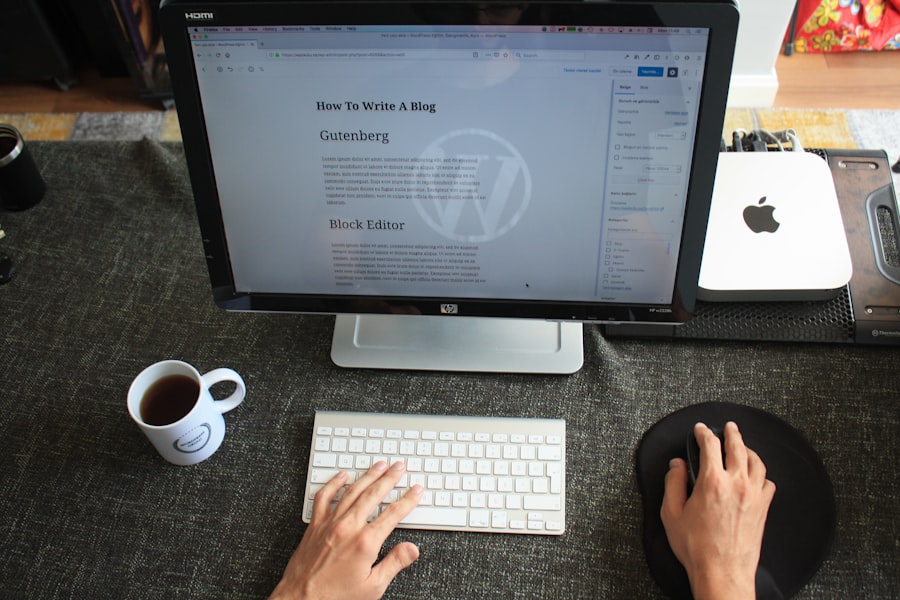
The financial aspect is always a consideration. You want a solution that fits your budget, both now and in the future.
Website Builders: Predictable Monthly Subscriptions
Website builders typically operate on a straightforward subscription model. This makes budgeting predictable, which can be very helpful for beginners.
Tiered Plans for Different Needs
Most website builders offer several pricing tiers, ranging from a free basic plan (often with limitations and branding) to premium plans with more features, storage, and bandwidth. You generally pay a monthly or annual fee for access to their platform and services.
What’s Included?
- Hosting: Always included.
- Website Builder Tools: Access to their drag-and-drop editor and features.
- Templates: A selection of pre-designed templates.
- Security: Handled by the platform.
- Domain Name: Often included for the first year, then renews at a standard rate.
- Customer Support: Varies by plan, with higher tiers usually getting priority support.
Hidden Costs and Limitations
While the monthly fee seems straightforward, be aware of potential limitations:
- Bandwidth and Storage: Free or lower-tier plans often have strict limits.
- E-commerce Functionality: Advanced e-commerce features often require higher-tier plans or have transaction fees.
- Branding: Free plans usually display the builder’s branding.
- Scalability: As your website grows or you need more advanced features, you may need to upgrade to more expensive plans, which can become costly over time.
WordPress: Variable Costs, Potentially Lower Long-Term
WordPress.org starts “free” in terms of software, but you’ll have recurring costs for hosting and other services. The overall cost can be lower long-term, but it’s more variable initially.
The Free Software, Paid Services Model
The WordPress software itself is free and open-source. However, you must pay for:
- Web Hosting: This is your primary recurring cost. Prices vary greatly depending on the provider and the plan you choose, from a few dollars a month for basic shared hosting to hundreds for dedicated servers.
- Domain Name: Typically around $10-$20 per year.
- Premium Themes and Plugins (Optional): You can use free options, but premium themes and plugins often offer more features, better support, and higher quality design. These can range from a one-time purchase to an annual subscription.
Cost Breakdown for WordPress.org:
- Budget: You can get started for as little as $5-$10 per month for shared hosting and a free theme/plugins.
- Mid-Range: For better performance and more features, expect to spend $20-$50 per month on hosting and potentially some premium theme/plugin costs.
- High-End: For high-traffic sites or specialized needs, costs can range from $100+ per month for managed WordPress hosting or VPS.
WordPress.com Pricing
WordPress.com offers its own tiered pricing, which includes hosting and their platform. Their plans range from free (with significant limitations) to business plans that offer more robust features, but they are generally more expensive than self-hosting WordPress.org and offer less overall flexibility.
When considering the best platform for beginners, many people often compare Website Builders and WordPress. A related article that can provide valuable insights into optimizing your WordPress experience is available at Mastering Core Web Vitals. This resource highlights essential techniques for improving site performance, which can be particularly beneficial for those who choose WordPress as their website-building tool. Understanding these aspects can help beginners make a more informed decision about which platform suits their needs best.
SEO and Scalability: Growing Your Online Presence
| Criteria | Website Builder | WordPress |
|---|---|---|
| Ease of Use | Very easy for beginners | Requires some learning curve |
| Customization | Limited customization options | Highly customizable |
| Flexibility | Less flexible | Highly flexible |
| Cost | Usually comes with a monthly fee | Open source and free, but requires hosting |
| Support | Good customer support | Relies on community support |
As your website gains traction, you’ll want it to be discoverable by search engines and capable of handling increased traffic and functionality.
Website Builders: SEO-Friendly, but with Caveats
Website builders have significantly improved their SEO capabilities over the years, making them a perfectly viable option for many beginners.
Built-in SEO Tools
Most website builders now offer basic to intermediate SEO features directly within their editor. This can include:
- Meta Tag Editing: Ability to customize titles and descriptions.
- Image Alt Text: For image optimization.
- URL Structure Control: To create clean, readable URLs.
- Sitemap Generation: To help search engines crawl your site.
Limitations in Advanced SEO
While good for beginners, website builders may lack the granular control needed for advanced SEO strategies that WordPress offers. You might not be able to:
- Fine-tune robots.txt or .htaccess files.
- Implement complex schema markup with ease.
- Utilize the full range of specialized SEO plugins that offer in-depth analytics, content optimization suggestions, and advanced linking tools.
Scalability: Hitting a Ceiling
Website builders are generally designed for smaller to medium-sized websites. While they can handle a decent amount of traffic, they might struggle with very high volumes or complex functionalities. If your website outgrows the platform’s capabilities, migrating to a different system can be a significant undertaking.
WordPress: The SEO Powerhouse and Scalability King
WordPress is renowned for its SEO-friendliness and its almost limitless scalability, making it a favorite for businesses and individuals looking for long-term growth.
Unmatched SEO Control with Plugins
The true power of WordPress for SEO lies in its vast array of specialized plugins.
- Yoast SEO and Rank Math: These are industry-leading plugins that provide comprehensive tools for on-page optimization, content analysis, readability checks, XML sitemap generation, and much more. They guide you through the process of creating SEO-friendly content.
- Speed Optimization Plugins: Tools like WP Rocket can significantly improve your website’s loading speed, a crucial SEO factor.
- Schema Markup: Plugins allow for easy implementation of structured data, helping search engines understand your content better.
Seamless Scalability
WordPress’s modular nature and open-source foundation make it incredibly scalable.
- Handling Traffic: With appropriate hosting and optimization, WordPress sites can handle millions of visitors.
- Adding Functionality: As your needs evolve, you can simply install new plugins or develop custom solutions without needing to rebuild your entire website.
- Migration: While migrating a WordPress site can involve some technical steps, it’s generally more straightforward than migrating from a proprietary website builder platform.
Support and Community: Getting Help When You Need It
When you’re starting out, having access to reliable support and a helpful community can make all the difference.
Website Builders: Centralized and Direct Support
Website builders offer direct support from the company itself. This can be a significant advantage for beginners seeking quick answers.
Direct Customer Service Channels
You can typically expect support through:
- Knowledge Bases/FAQs: Extensive libraries of articles and tutorials.
- Email Support: Often available, with response times varying by plan.
- Live Chat: Frequently offered on higher-tier plans for immediate assistance.
- Phone Support: Less common, usually reserved for premium business plans.
Pros and Cons of Direct Support
- Pros: Answers come directly from the platform provider, so they are specific to their system. You’re dealing with one point of contact.
- Cons: Support can be limited on free or basic plans. You’re relying on the company to provide solutions, and if they don’t have a feature you need, they likely can’t create it for you.
WordPress: Community-Powered and Self-Sufficient
WordPress relies heavily on its massive, active, and passionate community for support. This means a wealth of free resources, but also a need for self-reliance.
The Power of the WordPress Community
- Official WordPress Forums: A place to ask questions and get help from other users and experienced developers.
- Unofficial Blogs and Websites: Thousands of websites and blogs dedicate themselves to providing WordPress tutorials, tips, and troubleshooting advice.
- YouTube Tutorials: A seemingly endless supply of video guides for almost any WordPress-related task.
- Facebook Groups and Online Communities: Dedicated groups where you can connect with other WordPress users.
Premium Support Options
While the community is vast, you can also find paid support:
- Premium Theme/Plugin Support: Developers of paid themes and plugins usually offer dedicated customer support.
- Managed WordPress Hosting: Many hosting providers offer managed WordPress hosting, which includes expert support for WordPress-specific issues.
- Freelancer Marketplaces: Websites like Upwork and Fiverr connect you with WordPress developers and designers for hire.
Pros and Cons of Community Support
- Pros: Incredible breadth of information available for free. You can learn from the collective experience of millions of users. Solutions to almost any problem can be found.
- Cons: You need to be comfortable searching for answers and piecing together information. There isn’t always a single point of contact to resolve your issue directly. Some solutions might be outdated or require technical understanding.
So, Which is Best for YOU?
After breaking down website builders and WordPress across key areas, the ultimate decision hinges on your individual needs, your comfort level with technology, and your long-term goals.
Choose a Website Builder If:
You are a complete beginner with very little technical experience and want to get a professional-looking website online as quickly and easily as possible.
- Your Goals: Launching a simple blog, a basic portfolio, a small business website with essential information, or a landing page.
- Your Budget: You prefer a predictable monthly cost and don’t foresee needing highly specialized functionality.
- Your Time: You have limited time for learning and want to focus on creating content.
- Key Benefits: Extreme ease of use, drag-and-drop interface, all-in-one solution, minimal technical responsibility.
Your website will primarily serve to inform visitors, showcase your work or services, and provide contact information. You don’t anticipate needing complex e-commerce features, membership areas, or highly custom integrations in the near future. You value simplicity and speed over ultimate flexibility.
Choose WordPress (WordPress.org) If:
You’re willing to invest a little time in learning to gain maximum control and flexibility for your website.
- Your Goals: Building a scalable business, a content-heavy blog, an online store (even a small one), a membership site, or any website that you envision growing and evolving significantly over time.
- Your Budget: You’re comfortable with variable costs and are looking for a potentially more cost-effective solution in the long run, especially as your site scales.
- Your Time: You are willing to dedicate some time to learning and configuration to unlock powerful features.
- Key Benefits: Unmatched flexibility, endless customization, access to a vast ecosystem of themes and plugins, strong SEO capabilities, and long-term scalability.
You want complete control over your website’s design, functionality, and data. You anticipate needing to add advanced features later on, such as complex e-commerce integrations, booking systems, forums, or custom user experiences. You understand that with greater power comes a slightly greater responsibility for management, but you are eager to harness that power.
The Hybrid Approach: WordPress with Page Builders
Don’t forget that you can get the best of both worlds. If you love the idea of visual drag-and-drop editing but want the power and flexibility of WordPress, consider using a page builder plugin like Elementor or Beaver Builder with WordPress.org. This allows you to achieve a website builder-like experience for design while still benefiting from the full WordPress ecosystem.
Ultimately, the “best” platform is the one that empowers you to achieve your online goals without unnecessary frustration. Take some time to assess your own needs and priorities, and you’ll be well on your way to making the right choice for your digital journey.
FAQs
1. What is a website builder?
A website builder is a tool that allows users to create and customize a website without the need for coding or technical skills. It typically offers a drag-and-drop interface and pre-designed templates for easy website creation.
2. What is WordPress?
WordPress is a content management system (CMS) that allows users to create and manage websites and blogs. It offers a wide range of customization options and features, and it is known for its flexibility and scalability.
3. What are the advantages of using a website builder for beginners?
Website builders are user-friendly and require no coding knowledge, making them ideal for beginners. They often come with hosting and domain services, and they offer a range of templates and design options for easy customization.
4. What are the advantages of using WordPress for beginners?
WordPress offers a high level of customization and flexibility, allowing beginners to create unique and professional-looking websites. It also has a large community and extensive support resources, making it easy to find help and guidance.
5. Which is better for beginners, a website builder or WordPress?
The choice between a website builder and WordPress depends on the specific needs and preferences of the beginner. Website builders are easier to use and require no technical knowledge, while WordPress offers more flexibility and scalability for those willing to invest time in learning its features.









Add comment