

You’re looking to supercharge your website and deliver lightning-fast page loads to your visitors. That’s a smart move. In today’s digital landscape, speed isn’t just a nice-to-have; it’s a critical component of user experience, search engine ranking, and ultimately, your website’s success. If your pages are sluggish, you’re not just frustrating users; you’re losing them. This comprehensive guide will equip you with the essential techniques to maximize your hosting performance and achieve blazing-fast page delivery. We’ll dive deep into the nuances of hosting, optimization, and strategic choices that can make a monumental difference.
Before you even think about tweaking code or implementing advanced caching strategies, you need to ensure your hosting is up to par. This is where everything begins, and a weak foundation will always hold you back, no matter how much optimization you attempt. Think of it like building a house; a solid foundation is paramount.
Choosing the Right Hosting Type: Shared, VPS, or Dedicated
Your first critical decision is the type of hosting best suited for your needs. Each comes with its own performance characteristics and cost implications.
Shared Hosting: The Entry Point
You’ve likely encountered shared hosting, where your website resides on a server alongside many other websites. This is often the most budget-friendly option, making it attractive for beginners and small personal blogs.
- Pros: Inexpensive, easy to manage, often comes with one-click installers for popular CMSs.
- Cons: Performance is highly variable and depends heavily on the activity of other sites on the same server. You have limited control over server resources, and a “noisy neighbor” can significantly slow down your site. This is generally the least performant option for serious websites.
Virtual Private Server (VPS) Hosting: A Step Up in Control and Resources
VPS hosting offers a more dedicated environment. You still share a physical server with others, but you receive a virtualized portion of its resources, including dedicated CPU, RAM, and storage. This isolation provides greater stability and predictable performance.
- Pros: Improved performance over shared hosting, more control over server configurations, dedicated resources that aren’t directly impacted by other users’ traffic spikes.
- Cons: More expensive than shared hosting, requires a bit more technical knowledge to manage, though many providers offer managed VPS options.
Dedicated Server Hosting: The Pinnacle of Control and Performance
With dedicated hosting, you have an entire physical server to yourself. This gives you absolute control over resources, security, and software configurations. It’s the ultimate solution for high-traffic websites, e-commerce stores, and applications with demanding performance requirements.
- Pros: Maximum performance and stability, complete control over the server environment, enhanced security.
- Cons: Significantly more expensive, requires advanced technical expertise for management and maintenance, or a substantial budget for managed services.
Server Location Matters: Proximity to Your Audience
The physical location of your hosting server plays a surprisingly significant role in page load times. Data travels at the speed of light, but even so, the distance it needs to cover impacts latency – the time it takes for data to travel from the server to your user’s browser.
- Minimizing Latency: Ideally, your server should be located geographically close to the majority of your target audience. If your primary audience is in North America, hosting your server on the East Coast of the US will generally result in faster load times for them than hosting it in Asia.
- Leveraging Content Delivery Networks (CDNs): While server location is important, CDNs are crucial for global audiences. CDNs are networks of distributed servers that cache your website’s content in various geographical locations. When a user requests your site, they are served from the CDN server closest to them, drastically reducing latency and improving delivery speeds worldwide. Think of it as having copies of your website available in many different cities.
Understanding Server Resources: CPU, RAM, and Disk I/O
These are the fundamental components that dictate your server’s processing power and its ability to handle requests.
- CPU (Central Processing Unit): This is the “brain” of your server. More powerful CPUs and more cores allow your server to process requests and execute code faster. For dynamic websites that rely heavily on server-side processing (like WordPress with many plugins), a robust CPU is essential.
- RAM (Random Access Memory): RAM is your server’s short-term memory. It’s where actively used data and applications are stored for quick access. If your server runs out of RAM, it has to resort to using slower storage (swap space), which severely degrades performance. Websites with high traffic, complex databases, or that run numerous applications will benefit from more RAM.
- Disk I/O (Input/Output): This refers to how quickly your server can read from and write to its storage. Using Solid State Drives (SSDs) instead of traditional Hard Disk Drives (HDDs) offers a massive performance boost. SSDs have no moving parts, allowing for near-instantaneous data access. For websites that frequently access databases or load large files, enterprise-grade SSDs are a game-changer.
For those interested in enhancing their website’s performance, exploring various hosting optimization techniques for faster page delivery is essential. A related article that delves deeper into the benefits of dedicated servers, which can significantly improve hosting efficiency, is available at Dedicated Server: What Is It and When to Use It?. This resource provides valuable insights into when to consider a dedicated server for optimal website performance and speed.
Optimizing Your Website’s Code and Content: Streamlining for Speed
Once you have a robust hosting foundation, you can focus on optimizing your website itself. This is where you trim the fat and ensure your content is delivered efficiently.
Image Optimization: The Silent Performance Killer
Images are often the largest contributors to a webpage’s file size. Unoptimized images can dramatically increase load times.
Compression Techniques: Reducing File Size Without Sacrificing Quality
There are two main types of compression:
- Lossless Compression: This method reduces file size by removing redundant data without any loss of image quality. You can often achieve significant reductions with lossless compression without visible degradation. Tools like TinyPNG or ImageOptim are excellent for this.
- Lossy Compression: This method removes some image data that is less perceptible to the human eye, resulting in smaller file sizes than lossless compression. While it can reduce quality slightly, it’s often the preferred method for web images where minor imperceptible differences are acceptable for the sake of speed. Tools like ShortPixel or Adobe Photoshop’s “Save for Web” feature allow for controlled lossy compression.
Choosing the Right Image Format: JPEG, PNG, GIF, or WebP
Different image formats are suited for different purposes. Understanding these differences can help you make smarter choices.
- JPEG: Best for photographs and images with a wide range of colors and gradients. It uses lossy compression.
- PNG: Ideal for graphics with transparency, logos, and images with sharp lines or text. It uses lossless compression and supports transparency.
- GIF: Primarily used for simple animations. For static images, PNG or JPEG are generally better choices due to file size and quality.
- WebP: A modern image format developed by Google that offers superior lossless and lossy compression for images on the web. It generally provides smaller file sizes than JPEG and PNG at comparable quality. Browser support for WebP is now widespread, making it a highly recommended format.
Lazy Loading Images: Deferring the Load
Lazy loading is a technique where images are loaded only when they are about to become visible in the user’s viewport. Instead of loading all images at once when the page initially loads, they are fetched as the user scrolls down the page.
- JavaScript Libraries: Numerous JavaScript libraries can implement lazy loading with ease. Most modern CMSs also offer built-in lazy loading functionality or plugins that enable it.
- Benefits: Significantly reduces the initial page load time, especially for pages with many images. It also conserves bandwidth for users who don’t scroll through the entire page.
Minifying HTML, CSS, and JavaScript: Removing the Clutter
Minification is the process of removing unnecessary characters (like whitespace, newlines, and comments) from your code files without altering their functionality.
- Impact on File Size: Even seemingly small amounts of whitespace add up, especially in large codebases. Minification can lead to substantial reductions in file sizes, resulting in faster downloads.
- Tools and Plugins: Most popular CMSs have plugins that automate the minification process. Online tools are also available for manual minification if needed.
- Combining Files: Another related optimization is to combine multiple CSS or JavaScript files into single files. This reduces the number of HTTP requests the browser needs to make, which can significantly speed up loading times.
Browser Caching: Storing Content Locally for Faster Re-visits
Browser caching is a powerful technique that instructs the user’s browser to store copies of your website’s files (like HTML, CSS, JavaScript, and images) locally. When a user revisits your site, their browser can load these files from its cache instead of downloading them again from your server.
- Leveraging HTTP Headers: Caching is controlled through HTTP headers, specifically
Cache-ControlandExpiresheaders. Your web server (or CDN) sends these headers with your website’s files. - Setting Appropriate Expiration Times: You can set how long these files should remain cached. For static assets that rarely change (like your CSS or logo), you can set long expiration times. For more dynamic content, shorter expiration times or a strategy that invalidates the cache when content changes is necessary.
- Impact on Returning Visitors: This is particularly beneficial for returning visitors, as their experience will be dramatically faster after the initial load.
Advanced Caching Strategies: Beyond the Basics
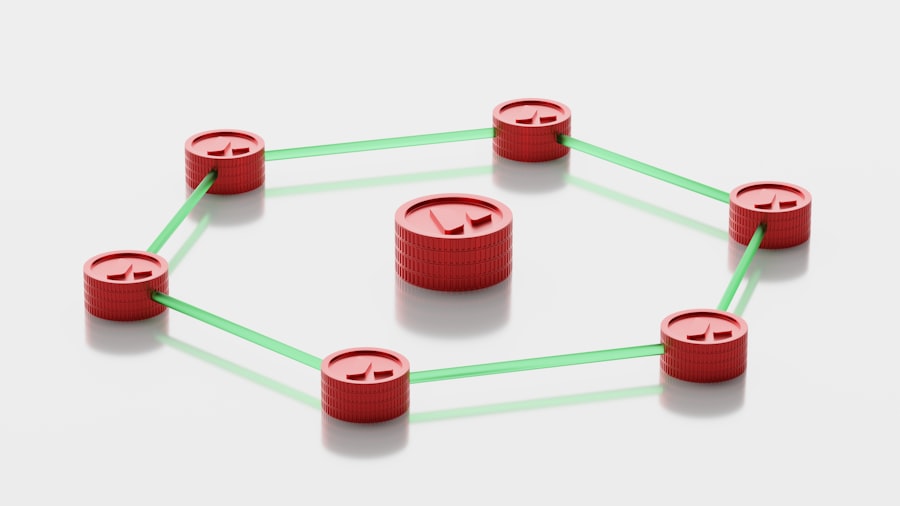
While browser caching is essential, there are more advanced caching techniques that can offer even greater performance gains by storing pre-rendered versions of your pages.
Server-Side Caching: Storing Rendered Pages
Server-side caching involves storing fully rendered HTML pages on your server. When a user requests a page, instead of dynamically generating it every time (which can be resource-intensive for complex sites), the server can serve the pre-generated cached version.
- Page Caching: This is the most common form of server-side caching. For CMSs like WordPress, plugins like WP Super Cache, W3 Total Cache, or WP Rocket are highly effective at implementing page caching.
- Object Caching: This technique caches specific database query results or complex computations, making them available for rapid retrieval without needing to re-execute the query or computation. Solutions like Redis or Memcached are popular for object caching.
- Database Caching: Some database systems offer their own caching mechanisms to store frequently accessed data within the database itself, reducing the need to access disk storage.
Content Delivery Networks (CDNs): Distributing Your Content Globally
As mentioned earlier, CDNs are crucial for delivering content quickly to a global audience. They act as a distributed network of proxy servers that cache your website’s static assets (images, CSS, JavaScript, etc.) in multiple geographical locations around the world.
- How CDNs Work: When a user requests your website, they are directed to the CDN server that is geographically closest to them. This server then delivers the cached content, bypassing the need to fetch it directly from your origin server.
- Benefits of CDNs:
- Reduced Latency: Significantly lowers the time it takes for data to reach the user.
- Improved Uptime: If your origin server experiences an outage, the CDN can often continue to serve cached content, keeping your site accessible.
- Reduced Server Load: By offloading traffic to the CDN, your origin server experiences less strain.
- Enhanced Security: Many CDNs offer built-in security features like DDoS mitigation.
- Choosing a CDN Provider: Popular CDN providers include Cloudflare, Akamai, Amazon CloudFront, and Sucuri. Factors to consider include pricing, network coverage, ease of integration, and additional features.
Full Page Caching vs. Fragment Caching
Within server-side caching, there’s a distinction between caching an entire page and caching specific parts of it.
- Full Page Caching: The entire HTML output of a page is stored as a static file. This is the most effective for performance if the page content is largely static for all users.
- Fragment Caching: Only specific dynamic “fragments” or sections of a page are cached. This is useful for pages with personalized content or live data, where caching the entire page might not be feasible.
Optimizing Your Database: The Heart of Dynamic Websites

If your website relies on a database (like most Content Management Systems do), its performance directly impacts your page load times. A slow database can be a significant bottleneck.
Database Indexing: Speeding Up Queries
Database indexing is akin to creating an index in a book. It allows the database to quickly locate specific records without having to scan the entire table.
- How Indexing Works: When you create an index on a table column, the database creates a separate data structure that stores the values from that column in a sorted order, along with pointers to the original rows. This allows for much faster lookups.
- Identifying Slow Queries: You can use database performance tools or analysis to identify slow-running queries that are consuming excessive resources. You can then determine if adding an index to relevant columns would improve their performance.
- Use with Caution: While indexing is usually beneficial, over-indexing can also have negative performance implications, as writing data to the database becomes slower. It’s essential to index strategically based on your query patterns.
Database Optimization and Maintenance: Keeping Things Tidy
Like any system, your database requires regular maintenance to perform optimally.
- Regular Cleanup: Remove old and unnecessary data, such as revisions in WordPress or expired session data.
- Table Optimization: Many database systems have tools to optimize tables, which can defragment data and improve performance.
- Query Optimization: Analyze and rewrite inefficient SQL queries. This might involve using more specific
WHEREclauses, avoidingSELECT *, and utilizing appropriate joins. - Choosing the Right Database Engine: For MySQL, understanding the differences between InnoDB and MyISAM and choosing the appropriate one for your needs can impact performance. InnoDB is generally preferred for its transaction support and row-level locking.
Caching Database Queries (as mentioned in advanced caching)
Reiterating its importance, caching frequently executed database queries is a highly effective way to reduce database load and speed up page generation.
In the quest for improved website performance, exploring various strategies is essential, and one valuable resource is the article on reseller hosting, which discusses how different hosting solutions can impact page delivery speeds. By understanding the nuances of hosting options, website owners can make informed decisions that enhance their site’s loading times and overall user experience.
Choosing the Right Server Technologies and Software: The Engine Under the Hood
| Technique | Description |
|---|---|
| Content Delivery Network (CDN) | Using a CDN to distribute content across multiple servers globally for faster delivery to users. |
| Browser Caching | Storing website files on the user’s device so they don’t need to be re-downloaded on subsequent visits. |
| Gzip Compression | Compressing website files before sending them to the user’s browser to reduce file size and speed up delivery. |
| Minification of CSS and JavaScript | Removing unnecessary characters from code to reduce file size and improve load times. |
| Image Optimization | Compressing and resizing images to reduce file size without sacrificing quality. |
The software and technologies running on your server play a crucial role in how efficiently your website operates.
PHP Version: Stay Updated for Performance Gains
PHP is the scripting language that powers many popular websites and applications, including WordPress. Newer versions of PHP are not only more secure but also significantly offer substantial performance improvements.
- Backward Compatibility: While newer PHP versions are generally backward compatible to a good extent, it’s always advisable to test your website thoroughly after an upgrade.
- Benefits of Latest Versions: Each major PHP release brings performance enhancements, often through improved algorithms, memory management, and execution speed. You’re likely leaving performance on the table by using an outdated PHP version.
Web Server Software: Apache vs. Nginx
The web server software is responsible for handling incoming requests and serving your website’s files. Apache and Nginx are the two most popular choices, each with its strengths.
- Apache: A mature and highly configurable web server known for its flexibility and extensive module support. It uses a process-driven or thread-driven model.
- Nginx: Known for its high performance, efficiency, and scalability, especially for serving static content and handling a large number of concurrent connections. It uses an event-driven, asynchronous architecture.
- Performance Considerations: Nginx often outperforms Apache in scenarios involving high concurrency and static file delivery due to its efficient architecture. Many modern hosting environments are optimized for Nginx or offer it as a superior option for performance-critical sites.
Enabling GZIP Compression: Compressing Data Before Sending
GZIP compression is a data compression method that can be enabled on your web server. It compresses your website’s files (HTML, CSS, JavaScript, etc.) before sending them to the user’s browser. The browser then decompresses them.
- Significant File Size Reductions: GZIP compression can significantly reduce the size of text-based files, leading to faster download times.
- Server Configuration: You can enable GZIP compression through your web server’s configuration files (e.g., Apache’s
.htaccessfile or Nginx’s configuration). - Browser Support: All modern browsers support GZIP decompression, so you don’t need to worry about compatibility issues.
Leveraging HTTP/2 or HTTP/3: Faster Communication Protocols
HTTP (Hypertext Transfer Protocol) is the foundation of data communication on the web. Newer versions, HTTP/2 and HTTP/3, offer significant performance enhancements over the older HTTP/1.1.
- HTTP/1.1 Limitations: HTTP/1.1 suffers from “head-of-line blocking,” where a single slow request can hold up all subsequent requests. It also requires multiple TCP connections, adding overhead.
- HTTP/2 Advantages:
- Multiplexing: Allows multiple requests and responses to be sent concurrently over a single TCP connection, eliminating head-of-line blocking.
- Header Compression: Reduces the overhead of HTTP headers.
- Server Push: Allows the server to send resources to the client that it anticipates the user will need, before the client even requests them.
- HTTP/3 Advantages: Builds upon HTTP/2 and uses QUIC protocol (built on UDP) instead of TCP, which further improves performance, especially on unreliable networks, by reducing connection establishment latency and mitigating head-of-line blocking at the transport layer.
- Implementation: Ensure your web server and hosting provider support these protocols. Most modern hosting environments offer HTTP/2, and HTTP/3 support is becoming increasingly common.
By diligently applying these techniques, you’ll transform your website from a sluggish contender into a high-performing speedster. Remember that optimization is an ongoing process, and regular testing and monitoring are key to maintaining peak performance. You’ve got the knowledge; now go forth and build a faster web experience for your users!
FAQs
What are hosting optimization techniques for faster page delivery?
Hosting optimization techniques for faster page delivery include using a content delivery network (CDN), optimizing server configurations, implementing caching mechanisms, and using efficient coding practices.
How does using a content delivery network (CDN) improve page delivery speed?
A content delivery network (CDN) distributes website content across multiple servers located in different geographic locations, allowing for faster delivery of content to users by serving it from the nearest server.
What are some server configuration optimizations that can improve page delivery speed?
Server configuration optimizations for faster page delivery include using solid-state drives (SSDs) for storage, enabling gzip compression, leveraging HTTP/2 protocol, and optimizing server software settings.
What caching mechanisms can be implemented to improve page delivery speed?
Caching mechanisms such as browser caching, server-side caching, and database query caching can be implemented to store frequently accessed data and reduce the need for repeated processing, resulting in faster page delivery.
How can efficient coding practices contribute to faster page delivery?
Efficient coding practices such as minimizing HTTP requests, reducing file sizes, optimizing images, and using asynchronous loading techniques can improve page delivery speed by reducing load times and improving overall website performance.









Add comment