

You’re here because you understand the need for a website that performs. In today’s digital landscape, a slow, unreliable, or insecure website isn’t just an inconvenience – it’s a liability. It drives away customers, harms your search engine rankings, and ultimately impacts your bottom line. You might have dabbled with shared hosting, wrestled with VPS management, or even considered dedicated servers, only to find yourself spending more time on maintenance than on what truly matters: your content, your business, your mission. This is where managed WordPress hosting enters the picture. It’s not just a service; it’s a strategic partnership designed to liberate you from the technical burden and empower your online presence to truly flourish.
Before you dive into the benefits, you need a clear picture of what managed WordPress hosting actually entails. It’s more than just a place for your website files; it’s a specialized environment meticulously crafted and optimized for WordPress. Think of it as a luxury apartment built specifically for your WordPress site, complete with dedicated caretakers.
What Sets It Apart from Regular Hosting?
You might be wondering, “Isn’t all hosting for WordPress?” While many hosting providers support WordPress, true managed hosting goes several steps further. It’s about proactive management and specialized infrastructure.
- Shared Hosting: You share resources heavily with hundreds, sometimes thousands, of other websites. It’s cheap, but performance is inconsistent, security is often basic, and you’re largely on your own for WordPress maintenance. You’re responsible for updates, security, and troubleshooting.
- VPS Hosting: You get dedicated resources on a virtual server. This offers more power and isolation than shared hosting, but it’s unmanaged by default. You become the system administrator, responsible for server setup, security hardening, software updates (OS, web server, database), and WordPress optimization. This requires significant technical expertise.
- Dedicated Hosting: You get an entire physical server. Maximum power and isolation, but also the highest cost and the greatest technical responsibility if unmanaged.
- Managed WordPress Hosting: This is where the magic happens. The hosting provider handles all the server-side technicalities and often several WordPress-specific tasks. You get optimized servers, pre-configured for WordPress, with a team of experts constantly monitoring and maintaining the environment.
Core Components You Can Expect
When you sign up for managed WordPress hosting, you’re investing in a comprehensive package that covers a multitude of essential services. These aren’t optional add-ons; they’re integral parts of the offering.
- Server Optimization: Servers are specifically tuned for WordPress, utilizing caching technologies (object caching, page caching), CDN integration, and optimized PHP and database configurations to deliver blazing-fast page load times.
- Automatic Updates: Your hosting provider often handles core WordPress updates, theme updates, and plugin updates for you, or provides robust staging environments to test them safely before pushing live. This saves you significant time and reduces the risk of compatibility issues.
- Enhanced Security: You benefit from proactive security measures like malware scanning, intrusion detection, firewalls, and DDoS protection, alongside regular security audits. This substantially lowers your risk of being hacked.
- Daily Backups: Critical for disaster recovery, managed hosts perform automatic daily (or even more frequent) backups of your entire site, including files and database, often offering easy one-click restore options.
- Expert Support: You gain access to a support team that specializes in WordPress. They understand common issues, plugin conflicts, and performance bottlenecks, providing much more targeted and effective assistance than general hosting support.
- Staging Environments: A crucial feature for development, staging sites allow you to make changes, test updates, or experiment with new features without affecting your live production site. One-click push-to-live functionality makes deployments seamless.
- Scalability: Managed hosts are designed to handle traffic spikes, with infrastructure that can scale to accommodate unexpected surges in visitors without your site going down.
- Developer-Friendly Tools: While many tasks are managed, you still get access to tools like Git integration, SSH access, WP-CLI, and database management tools for advanced customization.
In exploring the benefits of managed WordPress hosting, it’s essential to consider how it compares to other hosting options, such as shared hosting. For a deeper understanding of shared hosting and its implications for website performance and management, you can read the article on this topic at What is Shared Hosting? Is it Good for You?. This article provides insights that can help you determine whether managed WordPress hosting is the right choice for improving your operational efficiency.
The Prime Advantage: Time and Cost Savings
You know the saying, “time is money.” With managed WordPress hosting, you’re not just buying server space; you’re buying back your valuable time and mitigating unforeseen expenses.
Reclaiming Your Precious Time
Consider how much time you currently dedicate to server admin tasks. Installation, configuration, security hardening, troubleshooting. All that time could be spent on growth-oriented activities.
- Focus on Content and Business Growth: No longer will you be bogged down by server errors, update failures, or security breaches. Your focus shifts completely to creating compelling content, engaging with your audience, developing new products, and driving your business forward.
- Reduced Troubleshooting: A significant portion of support tickets for self-managed sites revolve around server performance, plugin conflicts, or security issues that managed hosts proactively address. When problems do arise, their specialized team can diagnose and resolve them much faster.
- Streamlined Development Workflow: Staging environments eliminate the fear of breaking your live site. You can develop features, test integrations, and implement changes confidently, knowing you have a safety net and an easy way to push approved changes live.
Mitigating Hidden Costs You Might Overlook
The “cheap” hosting option often comes with hidden costs that accumulate rapidly. Managed hosting, while appearing more expensive upfront, often proves to be more cost-effective in the long run.
- Avoidance of Downtime Losses: Every minute your site is down means lost sales, damaged reputation, and potential customer churn. Managed hosting’s uptime guarantees and robust infrastructure minimize this risk significantly.
- Reduced Need for IT Staff/Consultants: For businesses, a managed host effectively acts as your outsourced WordPress IT department. You save on salaries, benefits, and the headache of finding and retaining specialized talent.
- Prevention of Security Breaches: The cost of a security breach can be catastrophic – data recovery, reputation damage, legal fees, loss of customer trust. Proactive security measures from managed hosts significantly reduce this risk, saving you from immense financial and reputational fallout.
- Optimization Efficiency: Managed hosts constantly optimize their stack for WordPress. If you were to achieve the same level of performance on a VPS, you’d need to invest in premium caching plugins, a CDN, and potentially a server administrator, escalating costs and complexity.
Uncompromised Performance and Reliability
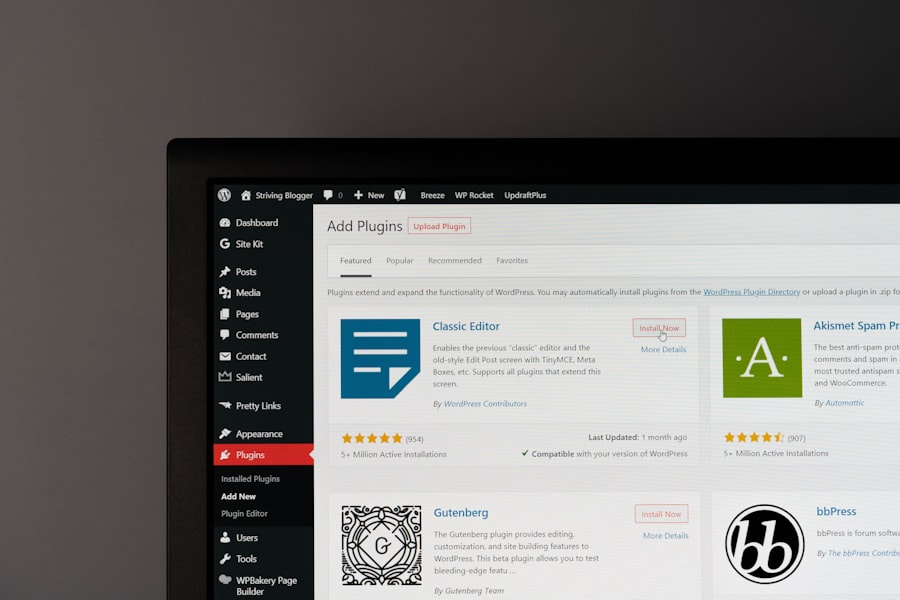
You want a website that’s not just online, but lightning-fast and consistently available. Managed WordPress hosting delivers on this promise with purpose-built infrastructure and expert oversight.
Blazing-Fast Load Times
Speed isn’t just a luxury; it’s a necessity. Google prioritizes fast-loading sites, and users abandon slow ones. Managed hosts are engineered for speed.
- Nginx/LiteSpeed Web Servers: These high-performance web servers are often preferred over Apache for their ability to handle more concurrent connections and deliver content faster.
- Advanced Caching Mechanisms: Beyond standard WordPress caching plugins, managed hosts implement server-side caching (e.g., Redis, Varnish, object caching) to serve static content almost instantly and reduce database queries.
- Content Delivery Networks (CDNs): Many managed plans include or integrate seamlessly with CDNs, which cache your static assets (images, CSS, JS) on servers globally, delivering them to users from the closest geographic location and dramatically speeding up content delivery.
- PHP Optimization: Managed hosts typically offer the latest, optimized versions of PHP (e.g., PHP 8.x), which provide significant performance improvements over older versions.
- SSD Storage: All reputable managed WordPress hosts utilize Solid State Drives (SSDs) for all their storage, offering vastly superior read/write speeds compared to traditional HDDs.
Rock-Solid Uptime Guarantees
Your website needs to be accessible 24/7. Managed hosts understand this and provide robust guarantees backed by resilient infrastructure.
- Redundant Infrastructure: Servers are often housed in data centers with redundant power supplies, multiple internet connections, and failover systems to ensure continuous operation even in the event of hardware failure.
- Proactive Monitoring: Sophisticated monitoring systems constantly check server health, network traffic, and website availability. Any anomaly triggers immediate alerts to the technical team, allowing for swift intervention before issues escalate.
- Isolated Environments: While still sharing physical servers in some cases, managed hosts employ techniques like containerization or virtual machines to isolate your site’s resources, preventing issues on one site from affecting others.
- Load Balancing: For enterprise-level managed hosting, load balancers distribute incoming traffic across multiple servers, ensuring optimal performance and preventing any single server from becoming overwhelmed.
Fortifying Your Digital Presence: Robust Security
In an era of increasing cyber threats, you can’t afford to compromise on security. Managed WordPress hosting provides a multi-layered defense to protect your valuable assets.
Proactive Threat Detection and Prevention
Managed hosts don’t wait for things to go wrong; they actively work to prevent them.
- Web Application Firewalls (WAFs): These intelligent firewalls sit in front of your web server, filtering malicious traffic and blocking common attack vectors like SQL injection and cross-site scripting (XSS) before they even reach your WordPress installation.
- Malware Scanning and Removal: Regular, automated scans detect and quarantine malicious code. Some providers even offer guaranteed malware removal as part of their service.
- Intrusion Detection Systems (IDS): These systems monitor network traffic and system logs for suspicious activity, alerting administrators to potential breaches.
- Brute-Force Protection: Automated systems track and block repeated failed login attempts, protecting your admin panel from brute-force attacks.
- SSL Certificates: Most managed hosts offer free SSL certificates (e.g., Let’s Encrypt) and enforce HTTPS, encrypting data between your users and your server, building trust and improving SEO.
Simplified Security Management for You
While the heavy lifting is done for you, managed hosting also simplifies your role in maintaining security.
- Managed Updates: Automatic or assisted core WordPress, theme, and plugin updates are crucial for security, as many vulnerabilities are patched in new releases. You don’t have to remember to do them, reducing your exposure.
- Secure Server Configuration: The server environment itself is hardened according to best practices, with unnecessary ports closed, secure user permissions, and robust firewall rules.
- Access Control: Managed hosting often provides granular access control for your team members, allowing you to define who has access to specific areas without sharing primary login credentials.
- Security Audits: Reputable providers undergo regular security audits and penetration testing to ensure their infrastructure remains robust against emerging threats.
Managed WordPress hosting not only enhances operational efficiency but also plays a crucial role in securing your website. For instance, understanding the different types of SSL certificates can significantly impact your site’s security and user trust. You can read more about this in the article on SSL certificates, which explains the differences between EV and DV certificates and helps you determine which one is best suited for your needs. By integrating managed hosting with proper security measures, you can ensure a seamless and safe experience for your visitors.
Beyond the Basics: Advanced Features for Growth
| Metrics | Improvements |
|---|---|
| Website Uptime | Managed hosting ensures high uptime, reducing downtime and improving operational efficiency. |
| Security | Enhanced security measures protect the website from threats, reducing the risk of downtime and data loss. |
| Performance | Optimized server configurations and caching improve website speed and performance, enhancing operational efficiency. |
| Automatic Updates | Managed hosting providers handle updates, ensuring the website is always running on the latest software versions. |
| Technical Support | 24/7 expert support reduces troubleshooting time and improves overall operational efficiency. |
Once your foundation is solid, managed WordPress hosting provides the tools and environment to truly accelerate your growth and simplify complex development tasks.
Streamlined Development Workflows
You need an environment that supports efficient iteration and deployment, not one that hinders it.
- One-Click Staging Sites: This is a game-changer. Create an exact copy of your live site with a single click. Test new plugins, themes, or code without fear. Once satisfied, push the changes back to your live site, often with another single click. This drastically reduces the risk of breaking your production site.
- Version Control Integration (Git): For developers, native Git integration allows for seamless code deployment directly from your repositories, enabling true continuous integration and deployment (CI/CD) pipelines.
- WP-CLI Access: The WordPress Command Line Interface (WP-CLI) allows power users and developers to manage WordPress installations, plugins, themes, and content from the command line, automating many tasks and speeding up development.
- SSH Access: Secure Shell (SSH) access provides a secure way to access your server’s command line, enabling advanced diagnostics, file management, and server interaction.
- Database Access Tools: Easy access to phpMyAdmin or similar tools for database management and optimization is typically provided.
Scalability for Uninterrupted Growth
Your success shouldn’t be limited by your hosting. Managed WordPress hosting is built to scale with your needs.
- Elastic Scaling: Many providers architect their infrastructure to allow for dynamic resource allocation. If your site experiences a sudden surge in traffic, resources can be automatically scaled up to accommodate the demand, preventing slowdowns or crashes.
- Cloud-Based Infrastructure: The best managed WordPress hosts leverage robust cloud platforms (like Google Cloud Platform or AWS), providing inherent redundancy, flexibility, and global reach for ultimate scalability and reliability.
- Global Data Centers: For businesses with an international audience, the option to host your site in data centers closer to your target users reduces latency and improves load times.
- Dedicated Resources Available: As your site grows, you can easily upgrade your plan to access more dedicated CPU, RAM, and storage, ensuring your site always has the resources it needs.
Managed WordPress hosting not only enhances operational efficiency but also plays a crucial role in optimizing website performance. For those looking to delve deeper into this topic, a related article discusses how to improve your site’s speed and user experience by mastering core web vitals. You can read more about it in this insightful piece on accelerating your WordPress site. By understanding these elements, businesses can further leverage managed hosting solutions to achieve better results.
Making the Right Choice: Selecting Your Managed Host
You’re convinced of the benefits, but how do you choose the right managed WordPress host for your specific needs? Not all providers are created equal.
Key Factors to Evaluate
Consider these aspects carefully before committing to a provider.
- Performance Metrics: Look for transparent information on average load times, server response times, and the technologies they use (Nginx, Redis, CDN, latest PHP). Often, hosts will provide case studies or benchmarks.
- Support Quality and Availability: Is support available 24/7? What channels do they offer (live chat, phone, tickets)? Are their support staff genuinely WordPress experts, or general IT? Read reviews specifically about their support.
- Pricing and Plan Structure: Compare different tiers and understand what’s included. Be wary of extremely low prices, as they often hide limitations or upsells. Also, consider renewal rates, which can be higher than introductory offers.
- Security Features: Beyond the basics, inquire about specific firewalls, malware removal guarantees, and their approach to zero-day vulnerabilities.
- Backup and Restore Options: How frequently are backups taken? How easy is it to restore your site to a previous state? Do they offer off-site backups?
- Staging Environment Functionality: How easy is it to create, manage, and push changes from staging to live? Can you merge databases?
- Developer Tools: If you’re a developer or work with one, check for SSH, WP-CLI, Git integration, and easy access to logs.
- Scalability Options: What happens when your traffic surges? Can you easily upgrade or downgrade plans? Is their infrastructure designed for elastic scaling?
- Reputation and Reviews: Don’t just rely on marketing material. Read independent reviews on trusted sites (e.g., G2, Trustpilot, industry blogs) to get an unbiased perspective on user experiences.
A Final Word of Advice
You’re making a crucial investment in your online future. Don’t rush the decision. Take advantage of free trials if available, ask detailed questions of their sales and support teams, and always think long-term. Your managed WordPress host should be a partner that enables your success, not a hurdle that consumes your time and resources. By choosing wisely, you empower yourself to build, grow, and innovate with confidence, knowing that the technical heavy lifting is expertly handled, allowing you to focus on what you do best.
FAQs
What is managed WordPress hosting?
Managed WordPress hosting is a service where the hosting provider takes care of all the technical aspects of running a WordPress website. This includes security, speed, WordPress updates, daily backups, website uptime, and scalability.
How does managed WordPress hosting improve operational efficiency?
Managed WordPress hosting improves operational efficiency by offloading the technical tasks of managing a website to the hosting provider. This allows businesses to focus on their core operations and strategic initiatives, rather than spending time and resources on website maintenance.
What are the key benefits of managed WordPress hosting?
The key benefits of managed WordPress hosting include improved website performance, enhanced security, automatic updates, daily backups, expert support, scalability, and time savings for businesses.
How does managed WordPress hosting impact website security?
Managed WordPress hosting enhances website security by providing features such as automatic security updates, malware scanning and removal, firewalls, and DDoS protection. This helps to protect websites from potential security threats and vulnerabilities.
What types of businesses can benefit from managed WordPress hosting?
Businesses of all sizes can benefit from managed WordPress hosting, especially those that rely on their website for customer acquisition, lead generation, and revenue generation. It is particularly beneficial for small and medium-sized businesses that may not have the resources to manage their website infrastructure internally.









Add comment