

As a WordPress site owner, you are responsible for the security of your digital property. One of the most pervasive and insidious threats you face is the brute force attack. This article details the mechanisms of brute force attacks and outlines pragmatic strategies for their mitigation, ensuring the integrity of your WordPress login system.
Brute force attacks represent a persistent and automated attempt to gain unauthorized access to a system by systematically trying numerous combinations of usernames and passwords. These attacks do not rely on sophisticated exploits but rather on sheer computational power and the statistical probability of guessing correct credentials.
The Mechanics of Brute Force
In essence, a brute force attack operates like a digital lock-picking enterprise. Automated scripts, often referred to as ‘bots,’ iterate through vast dictionaries of common usernames and passwords, or generate random combinations, attempting to match them against your WordPress login portal. The success of such an attack hinges on several factors, including the complexity of your credentials, the persistence of the attacker, and the robustness of your defensive measures. A common scenario involves bots repeatedly targeting the /wp-login.php or /wp-admin URLs, attempting to submit login forms at a high rate.
Motivations Behind Brute Force
Attackers seldom engage in brute force for mere amusement. Their motivations are typically rooted in financially driven objectives or malicious intent. This can include:
- Website Defacement: Gaining control to alter the appearance or content of your site.
- Malware Distribution: Injecting malicious code to infect visitors or further compromise other systems.
- SEO Spam: Utilizing your site’s authority to inject unwanted links or content, often for black-hat SEO purposes.
- Data Theft: Accessing sensitive user data, e.g., customer information, for financial gain or identity theft.
- Resource Hijacking: Leveraging your server resources for illicit activities, such as cryptocurrency mining or launching further attacks.
To further enhance the security of your WordPress site, it’s essential to not only focus on securing your login page from brute force attacks but also to optimize your website for better performance. A related article that provides valuable insights on this topic is titled “8 Best Website Optimization Tips for 2023.” You can read it for effective strategies that can improve your site’s speed and overall user experience. For more information, visit 8 Best Website Optimization Tips for 2023.
Implementing Two-Factor Authentication (2FA)
Two-Factor Authentication (2FA), often referred to as Multi-Factor Authentication (MFA), stands as one of the most effective defenses against brute force attacks. It introduces an additional layer of security beyond the traditional username and password, significantly elevating the difficulty for unauthorized access. This mechanism has been widely cited as capable of blocking approximately 99% of automated bots and credential stuffing attempts.
How 2FA Works
With 2FA enabled, even if an attacker successfully guesses your username and password, they would still require a second form of verification to log in. This second factor is typically something you “have” (e.g., a smartphone, a hardware token) or something you “are” (e.g., a fingerprint, facial recognition). For WordPress, the most common implementations involve an app-generated code (Time-based One-Time Password – TOTP), a confirmation via email, or a hardware security key.
Choosing a 2FA Solution
Several plugins facilitate the integration of 2FA into your WordPress site. Your selection should consider ease of use, security features, and compatibility.
- Dedicated 2FA Plugins: Plugins such as “Two Factor” or “Security Ninja” are purpose-built for providing 2FA functionalities. They often support various methods, including app-based authentication, email codes, and sometimes even FIDO2-compliant hardware keys.
- Security Suite Plugins: Comprehensive security plugins like “Wordfence Security” often include 2FA as part of their broader security offerings. These can be advantageous if you are seeking an integrated solution for multiple security concerns.
- Advanced Authentication Methods (2026 Trends): As security evolves, technologies like passkeys are gaining prominence. Passkeys offer a phishing-resistant, passwordless login experience, often leveraging biometric authentication on devices. Hardware keys such as YubiKey provide an even stronger physical layer of security, creating a cryptographic challenge-response mechanism that is highly resistant to sophisticated attacks. These advanced methods are becoming increasingly prevalent as recommended standards.
Limiting Login Attempts
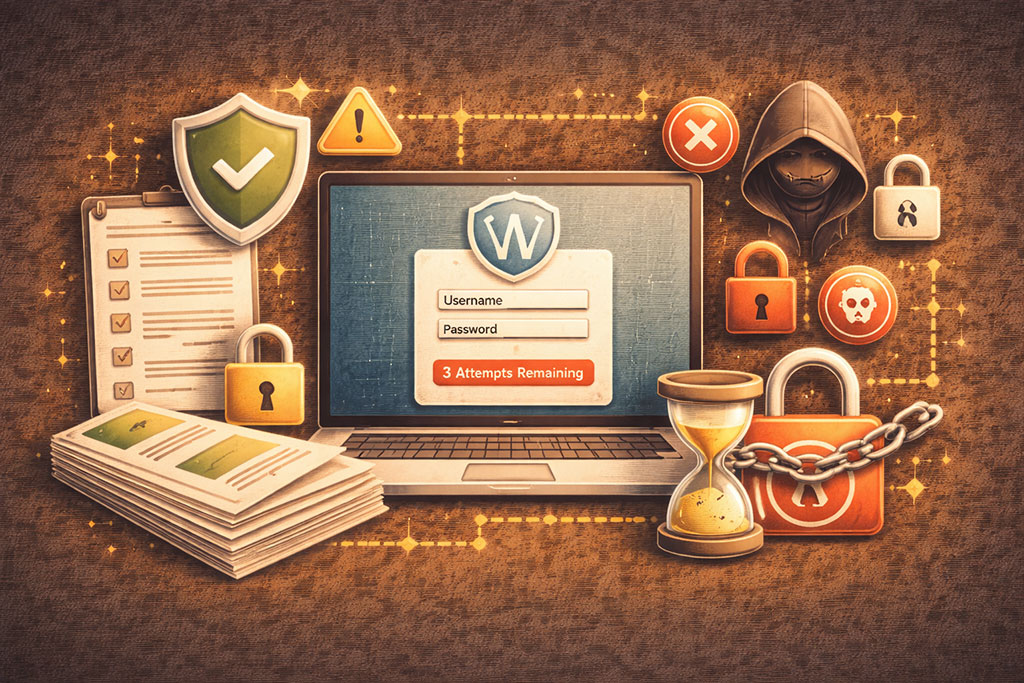
Brute force attacks are inherently reliant on the ability to make an unlimited number of login attempts. By imposing strict limits on these attempts from a particular IP address, you can effectively thwart automated bots and significantly impede a human attacker. This strategy introduces friction into the attacker’s process, often leading them to abandon their efforts.
Configuration of Login Limits
The most effective login limit strategies involve a progressive lockout mechanism. This means that after a certain number of failed attempts, the system imposes a temporary lockout on the originating IP address, with the duration increasing with subsequent failed attempts.
- Attempt Thresholds: A common recommendation is to set the limit to three failed login attempts. This allows for legitimate users to make minor typing errors without being immediately locked out.
- Lockout Duration: Following three failed attempts, an initial lockout period of approximately 15 minutes is a standard practice. If the same IP continues to attempt logins after the lockout expires and fails again, a longer lockout period (e.g., 30 minutes, 1 hour, or even permanent) can be enforced.
- Notification Systems: Configure your plugin to send email notifications to the site administrator when a lockout occurs. This provides valuable early warning of potential brute force activity.
Plugins for Limiting Attempts
Several WordPress plugins specialize in limiting login attempts, providing an intuitive interface for configuring these parameters.
- Limit Login Attempts Reloaded: This is a widely used and highly rated plugin specifically designed for this purpose. It offers granular control over attempt limits, lockout durations, and provides statistics on blocked attempts. It analyzes login behavior and rate limits suspicious activity, effectively serving as a behavioral firewall for your login page.
Obscuring the Login URL

The default WordPress login URL (/wp-admin or /wp-login.php) is universally known. This common knowledge provides attackers with a consistent entry point to target. By changing or hiding this URL, you are effectively moving the target, forcing attackers to expend additional resources discovering the new login path, an effort many automated bots are not programmed to undertake.
Strategies for URL Obscuration
This technique does not rely on encryption but rather on obscurity, making the path to your login form unpredictable.
- Renaming the Login Path: Instead of
/wp-login.php, you can set your login URL to something unique and non-obvious, such as/secure-admin-panelor/dashboard-access-portal. This renders automated scripts that target the default URL ineffective. - Custom Login Pages: Some plugins allow you to create entirely custom login pages that might not even contain the common WordPress branding, further distancing your login from standard WordPress installations.
Plugins for URL Obscuration
Dedicated plugins facilitate the process of modifying your login URL without requiring direct file edits.
- WPS Hide Login: This lightweight plugin offers a straightforward way to change your WordPress login URL to anything you desire. It is designed to be easily configurable and minimally impactful on site performance.
- iThemes Security (Pro): As part of its extensive security suite, iThemes Security includes a feature to change the WordPress login URL. This feature is often integrated with other security hardening options within the plugin.
- Quarterly Rotation (2026 Advice): For enhanced security, particularly for high-value targets, consider rotating your custom login URL quarterly. This proactive measure prevents attackers from relying on a static, known alternative path over extended periods, making their reconnaissance efforts futile in the long term.
To enhance the security of your WordPress login page against brute force attacks, it’s essential to understand the broader context of web hosting solutions that can impact your site’s safety. For instance, exploring different hosting options can provide insights into how to better protect your website. A relevant article that delves into this topic is available here, where you can learn about the intricacies of reseller hosting and its implications for website security. By understanding these concepts, you can make informed decisions that bolster your site’s defenses.
Implementing reCAPTCHA on Forms
<?xml encoding=”UTF-8″>
| Security Measure | Description | Effectiveness | Implementation Difficulty | Additional Notes |
|---|---|---|---|---|
| Limit Login Attempts | Restricts the number of login attempts from a single IP address to prevent brute force attacks. | High | Easy | Can be implemented via plugins like “Limit Login Attempts Reloaded”. |
| Use Two-Factor Authentication (2FA) | Requires users to provide a second form of verification in addition to the password. | Very High | Medium | Popular plugins include Google Authenticator and Authy. |
| Change Default Login URL | Modifies the default wp-login.php URL to a custom one to reduce automated attacks. | Medium | Medium | Plugins like WPS Hide Login can be used. |
| Use Strong Passwords | Enforces complex passwords to make brute force guessing difficult. | High | Easy | WordPress has built-in strong password suggestions. |
| Enable CAPTCHA on Login | Adds CAPTCHA challenges to the login form to block automated bots. | High | Medium | Google reCAPTCHA is commonly used. |
| Disable XML-RPC | Prevents attacks via the XML-RPC interface which can be exploited for brute force. | Medium | Easy | Can be disabled via plugins or code snippets. |
| Implement IP Whitelisting | Restricts login access to specific IP addresses. | Very High | Hard | Best for sites with fixed IP users or admins. |
| Keep WordPress Updated | Ensures all security patches and updates are applied promptly. | High | Easy | Reduces vulnerabilities that can be exploited. |
reCAPTCHA, particularly Google’s reCAPTCHA service, is a powerful tool for distinguishing between human users and automated bots. By integrating reCAPTCHA into your WordPress login and other forms, you introduce a challenge that is generally easy for humans to solve but extremely difficult for bots, thus preventing automated brute force attempts.
How reCAPTCHA Functions
reCAPTCHA operates by presenting various challenges or background analysis to verify user identity.
- “I’m not a robot” Checkbox: The classic reCAPTCHA v2 presents a checkbox that, when clicked, often triggers a sophisticated risk analysis engine. If suspicion arises, it presents image-based puzzles (e.g., “select all squares with traffic lights”).
- Invisible reCAPTCHA: reCAPTCHA v2 also offers an “Invisible reCAPTCHA” option, which performs its checks in the background without requiring user interaction unless suspicious activity is detected.
- reCAPTCHA v3: This version operates entirely in the background, continuously monitoring user interactions on your site and assigning a score based on their behavior. If the score indicates a high probability of a bot, you can configure your site to block the action (e.g., login attempt) or present a further challenge.
Integrating reCAPTCHA into WordPress
Adding reCAPTCHA to your WordPress login page, comment forms, and other critical interaction points is typically achieved through plugins.
- Advanced Google reCAPTCHA: Plugins like “Advanced Google reCAPTCHA” allow you to easily integrate various versions of Google reCAPTCHA into your WordPress site. They often provide settings for applying reCAPTCHA to login forms, registration forms, comment forms, and even specific custom forms.
- Maintaining Updates: Ensure that your reCAPTCHA plugin and the reCAPTCHA API keys are consistently
updated. Google frequently refines its reCAPTCHA algorithms to counter new bot evasion techniques, and outdated implementations may become less effective over time.
Enforcing Strong Password Policies and General Security Hardening
While two-factor authentication provides a robust secondary defense, the primary defense remains strong, unique passwords. A weak password acts as a skeleton key, potentially negating the benefits of other security measures if an attacker gets lucky early in their brute force attempts. Alongside strong passwords, several foundational security practices significantly harden your WordPress installation against a wide array of attacks, including brute force.
The Imperative of Strong Passwords
A strong password is not merely a formality; it is a critical barrier against unauthorized access. Characteristically, a strong password possesses:
- Length: A minimum of 12-16 characters is widely recommended. The longer the password, the exponentially more difficult it is to crack through brute force or dictionary attacks.
- Complexity: Incorporate a mix of uppercase and lowercase letters, numbers, and special characters. This increases the character set an attacker must consider, expanding the search space dramatically.
- Uniqueness: Never reuse passwords across different websites or services. A breach on one site could compromise your WordPress login if you share credentials.
- Randomness: Avoid easily guessable information such as personal dates, common words, or sequences (e.g., “password123”). Consider using a reputable password manager to generate and store complex, random passwords.
Implementing Password Policies
You can enforce strong password policies within WordPress, either natively or through security plugins.
- Native WordPress Settings: While basic, WordPress allows you to define user roles with different capabilities, indirectly influencing password strength by requiring stronger passwords for administrator accounts.
- Security Plugins for Enforcement: Plugins like “iThemes Security” or “Wordfence” offer features to enforce minimum password strength requirements, preventing users from setting weak passwords. Some can even compel existing users to change weak passwords upon their next login.
- Deleting Default Usernames: The default “admin” username is a primary target for brute force attacks. If your site still uses “admin,” create a new administrator account with a unique username, assign it administrator privileges, and then delete the “admin” user. Ensure all content attributed to “admin” is correctly reassigned during this process. This removes a known variable for attackers.
- Combining with 2FA: The synergistic effect of strong passwords and 2FA cannot be overstated. Even if a strong password is eventually guessed, the 2FA layer acts as a safety net, making unauthorized access virtually impossible.
Mandatory HTTPS/SSL Encryption
Encrypting communique between your visitors’ browsers and your server via HTTPS (Hypertext Transfer Protocol Secure) is no longer an optional best practice; it is a fundamental security requirement. For your WordPress login, this is paramount.
- Encryption of Credentials: HTTPS ensures that all data transmitted, including usernames and passwords, is encrypted. This prevents eavesdropping and interception by malicious actors (man-in-the-middle attacks) attempting to capture login credentials as they travel across the network. Without HTTPS, credentials are sent in plain text, akin to shouting your password in a public space.
- SSL Certificate Management: Your site requires an SSL (Secure Sockets Layer) certificate to enable HTTPS. These certificates should be kept current and renewed automatically whenever possible. Many hosting providers offer free SSL certificates (e.g., Let’s Encrypt) and auto-renewal services.
- Forcing HTTPS on Admin Areas: Configure your WordPress site, and ideally your server, to force HTTPS for all connections, especially those to the
/wp-adminand/wp-login.phpareas. This ensures that even if a user attempts to access these pages via an unencrypted HTTP link, they are automatically redirected to the secure HTTPS version. By 2026, forcing HTTPS across all administrative areas is considered a baseline security standard.
Additional 2026 Security Considerations
The landscape of cyber security is continually evolving. Proactive adaptation to emerging threats and technologies is essential for sustained protection.
- AI-Driven Update Scheduling: Leveraging AI-powered tools to intelligently schedule WordPress core, plugin, and theme updates can optimize security and prevent vulnerabilities from lingering. These systems can analyze update criticality, compatibility, and potential conflicts, ensuring updates are applied efficiently with minimal disruption.
- Behavioral Biometrics: Beyond traditional 2FA, behavioral biometrics analyze unique user patterns—such as typing rhythm, mouse movements, or how you interact with your device—to confirm identity. While complex to implement, this offers an additional, passive layer of authentication that is highly resistant to impersonation. Some advanced 2FA plugins may begin to integrate simpler forms of behavioral analysis.
- Incident Automation: Implementing automated incident response workflows can drastically reduce the time to detect and mitigate security breaches. This includes automated alerts for suspicious login activity, auto-blocking of malicious IPs, and automated backups triggered by anomaly detection.
- Security Questions via 2FA Plugins: For recovery scenarios or additional verification for certain actions, incorporating security questions (e.g., “What was your first pet’s name?”) via 2FA plugins can add another layer of protection. These questions should be unique to the user and not easily discoverable through public information.
By meticulously implementing these strategies, you fortify your WordPress login system against the incessant assault of brute force attacks, significantly reducing your site’s vulnerability and safeguarding your digital presence.
FAQs
What is a brute force attack on a WordPress login page?
A brute force attack is a method used by hackers to gain unauthorized access to a WordPress site by systematically trying numerous username and password combinations until the correct one is found.
Why is it important to secure the WordPress login page?
Securing the login page helps prevent unauthorized access, protects sensitive data, maintains website integrity, and reduces the risk of your site being compromised or used for malicious activities.
What are common methods to protect the WordPress login page from brute force attacks?
Common methods include using strong passwords, limiting login attempts, enabling two-factor authentication, changing the default login URL, and implementing security plugins that monitor and block suspicious activity.
Can changing the default WordPress login URL improve security?
Yes, changing the default login URL (usually /wp-login.php) to a custom URL can reduce the risk of automated brute force attacks by making it harder for attackers to locate the login page.
Are security plugins effective in preventing brute force attacks on WordPress?
Yes, security plugins can be very effective as they offer features like login attempt limits, IP blocking, CAPTCHA integration, and real-time monitoring, all of which help mitigate brute force attacks.









Add comment