

In the dynamic digital landscape, a well-optimized website is essential for success. WordPress users benefit from numerous optimization plugins designed to enhance site performance. These tools improve loading times, increase search engine rankings, and create better user experiences.
Understanding optimization plugins is critical as they streamline website functionality and ensure efficient operation. WordPress optimization plugins offer comprehensive performance improvements beyond just speed enhancements. They provide various features including image compression and caching solutions that address multiple aspects of website management.
Implementing these tools creates a more responsive and engaging visitor experience. Effective use of WordPress optimization plugins can transform a standard website into a high-performance platform that meets contemporary user expectations.
Key Takeaways
- Optimizing your WordPress site is crucial for improved speed, SEO, and user experience.
- Choosing the right optimization plugins depends on factors like compatibility, features, and ease of use.
- WP Rocket, Smush, Yoast SEO, W3 Total Cache, Imagify, and Autoptimize are among the top plugins for 2025.
- Each plugin targets specific optimization areas such as caching, image compression, SEO, and code minification.
- Combining multiple specialized plugins can significantly enhance overall website performance and ranking.
Importance of Optimizing Your WordPress Website
Optimizing your WordPress website is not merely a technical necessity; it’s a strategic move that can influence your online presence. In an age where attention spans are fleeting, a slow-loading website can deter potential visitors and lead to high bounce rates. When you optimize your site, you enhance its speed and responsiveness, which directly correlates with user satisfaction.
A well-optimized site not only keeps visitors engaged but also encourages them to explore further, increasing the likelihood of conversions. Moreover, search engines like Google prioritize fast-loading websites in their rankings. If you want your content to be discoverable, optimizing your site is imperative.
By improving loading times and overall performance, you increase your chances of ranking higher in search results. This visibility can lead to more organic traffic, which is essential for growing your audience and achieving your business goals. In essence, optimizing your WordPress website is a multifaceted approach that benefits both user experience and search engine visibility.
Criteria for Choosing the Best Optimization Plugins
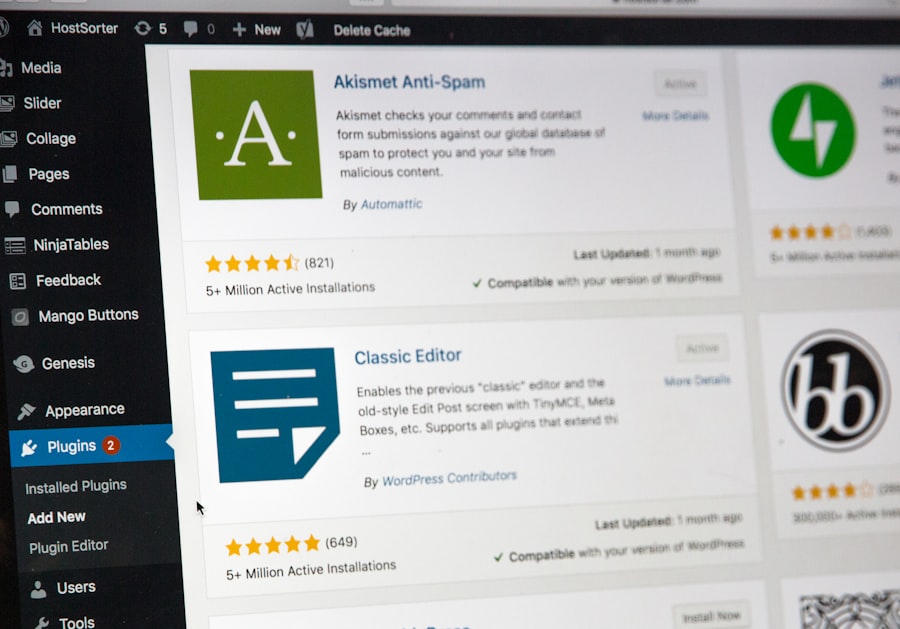
When it comes to selecting the best optimization plugins for your WordPress site, several criteria should guide your decision-making process. First and foremost, consider the specific needs of your website. Are you looking to improve loading speed, enhance SEO, or optimize images?
Identifying your primary goals will help you narrow down your options effectively. Additionally, compatibility with your existing theme and other plugins is crucial; you want to ensure that the new plugin won’t cause conflicts or disrupt your site’s functionality. Another important factor is user reviews and ratings.
Before committing to a plugin, take the time to read feedback from other users. This can provide valuable insights into the plugin’s performance and reliability. Furthermore, consider the level of support offered by the plugin developers.
A well-supported plugin with regular updates is more likely to remain functional and secure over time. Lastly, look for plugins that offer a balance between features and ease of use; you want tools that are powerful yet intuitive enough for you to navigate without frustration.
The Top 7 Essential WordPress Optimization Plugins for 2025
As we look ahead to 2025, several optimization plugins stand out as essential tools for any WordPress user. These plugins have been carefully selected based on their features, user feedback, and overall effectiveness in enhancing website performance. By incorporating these tools into your WordPress site, you can ensure that it remains competitive in an increasingly crowded digital space.
Each plugin offers unique functionalities that cater to different aspects of optimization, making them invaluable assets for any website owner. From caching solutions that dramatically improve loading times to SEO tools that help you climb search engine rankings, these top seven plugins cover all bases. Whether you’re running a personal blog or a business website, these optimization plugins will empower you to create a faster, more efficient online presence.
As we delve into each plugin in detail, you’ll gain insights into how they can specifically benefit your site and help you achieve your optimization goals.
Plugin 1: WP Rocket
| Plugin Name | Primary Function | Speed Improvement | Key Features | Compatibility |
|---|---|---|---|---|
| WP Rocket | Caching & Performance Optimization | Up to 40% faster load times | Page caching, cache preloading, gzip compression, lazy loading | WordPress 5.0+, PHP 7.2+ |
| Autoptimize | Minification & Aggregation | Reduces CSS/JS size by 30-50% | Minify scripts/styles, defer JS, optimize Google Fonts | WordPress 4.9+, PHP 5.6+ |
| Smush | Image Optimization | Improves page speed by 20-35% | Lossless compression, lazy load images, bulk smush | WordPress 4.0+, PHP 5.6+ |
| Perfmatters | Script Management & Optimization | Reduces HTTP requests by 25% | Disable unused scripts, DNS prefetch, lazy load iframes | WordPress 4.9+, PHP 7.0+ |
| Asset CleanUp | Asset Management | Improves load time by 15-30% | Unload unused CSS/JS per page, minify assets | WordPress 4.9+, PHP 5.6+ |
| Lazy Load by WP Rocket | Lazy Loading Images & Videos | Reduces initial page load by 20% | Lazy load images, iframes, videos, responsive support | WordPress 4.9+, PHP 5.6+ |
| Cloudflare | CDN & Security | Improves global load times by 50% | CDN, DDoS protection, automatic caching, SSL | All WordPress versions |
WP Rocket is often hailed as one of the best caching plugins available for WordPress users. Its primary function is to improve loading times by creating static HTML files from your dynamic WordPress site. This means that when a visitor accesses your site, they receive a pre-generated version rather than having to wait for PHP scripts to run each time.
What sets WP Rocket apart from other caching plugins is its user-friendly interface and comprehensive features. You don’t need to be a tech expert to configure it; the setup process is straightforward and intuitive.
Additionally, WP Rocket includes features like lazy loading for images and videos, database optimization, and CDN integration. These functionalities work together seamlessly to ensure that your site remains fast and efficient. By choosing WP Rocket, you’re investing in a tool that not only boosts performance but also simplifies the optimization process.
Plugin 2: Smush

Images play a crucial role in web design and content presentation; however, they can also be a significant factor in slowing down your website if not optimized properly. Smush is an image optimization plugin designed specifically for WordPress users who want to enhance their site’s performance without sacrificing image quality. This plugin automatically compresses images as you upload them, ensuring that they are optimized for web use while maintaining their visual appeal.
One of the standout features of Smush is its bulk smushing capability, allowing you to optimize multiple images at once with just a few clicks. This can save you considerable time if you have a large media library. Additionally, Smush offers features like lazy loading and image resizing, which further contribute to improved loading times.
By incorporating Smush into your optimization strategy, you can ensure that your images enhance rather than hinder your website’s performance.
Plugin 3: Yoast SEO
Search engine optimization (SEO) is an essential aspect of any successful online presence, and Yoast SEO is one of the most popular plugins available for this purpose. This powerful tool helps you optimize your content for search engines by providing real-time feedback on various SEO factors such as keyword usage, readability, and meta descriptions. With Yoast SEO, you can ensure that each piece of content you publish is primed for maximum visibility.
Beyond its content analysis features, Yoast SEO also offers technical SEO functionalities such as XML sitemaps and breadcrumb navigation. These features help search engines crawl and index your site more effectively, improving your chances of ranking higher in search results. The user-friendly interface makes it easy for even those with limited SEO knowledge to implement best practices on their sites.
By utilizing Yoast SEO, you’re equipping yourself with the tools necessary to enhance your site’s discoverability and drive organic traffic.
Plugin 4: W3 Total Cache
W3 Total Cache is another powerful caching plugin that can significantly improve your WordPress site’s performance. It works by caching static files and serving them to users instead of generating pages dynamically each time someone visits your site. This reduces server load and speeds up page delivery times, which is particularly beneficial during high-traffic periods.
In addition to caching capabilities, W3 Total Cache offers features such as minification of CSS and JavaScript files, which reduces file sizes and improves loading speeds further. The plugin also supports content delivery networks (CDNs), allowing you to distribute your content across multiple servers worldwide for faster access by users regardless of their location. With W3 Total Cache installed on your site, you’ll notice a marked improvement in performance metrics, leading to better user experiences and potentially higher search engine rankings.
Plugin 5: Imagify
Imagify is another excellent image optimization plugin that focuses on compressing images without compromising quality. It allows you to optimize images in various formats such as JPEG, PNG, and GIF with just a few clicks. Imagify offers three levels of compression—normal, aggressive, and ultra—giving you control over how much compression is applied based on your needs.
One of the standout features of Imagify is its ability to automatically optimize images upon upload while also providing bulk optimization options for existing images in your media library. This means that whether you’re starting fresh or have an extensive collection of images already on your site, Imagify can help streamline the process of ensuring they are all optimized for web use. By integrating Imagify into your workflow, you’ll enhance both loading speeds and overall site performance.
Plugin 6: Autoptimize
Autoptimize is a powerful plugin designed to optimize your site’s front-end performance by aggregating and minifying CSS and JavaScript files. This process reduces file sizes and decreases the number of HTTP requests made when users access your site—two critical factors in improving loading times. By streamlining these elements, Autoptimize helps create a smoother browsing experience for visitors.
In addition to minification capabilities, Autoptimize also offers options for optimizing images and lazy loading them as users scroll down the page. This means that images will only load when they are about to enter the viewport rather than all at once when the page loads. This feature not only speeds up initial loading times but also conserves bandwidth for users on mobile devices or slower connections.
By implementing Autoptimize on your WordPress site, you’re taking significant steps toward enhancing its overall performance.
Conclusion and Final Thoughts
In conclusion, optimizing your WordPress website is an essential practice that can yield significant benefits in terms of speed, user experience, and search engine visibility. By leveraging powerful optimization plugins like WP Rocket, Smush, Yoast SEO, W3 Total Cache, Imagify, and Autoptimize, you can create a high-performing site that meets the demands of today’s users while standing out in an increasingly competitive digital landscape. As you explore these plugins further and implement them on your site, remember that optimization is an ongoing process rather than a one-time task.
Regularly monitoring performance metrics and staying updated with new features or best practices will ensure that your website remains optimized over time. By prioritizing optimization now, you’re setting yourself up for long-term success in the ever-changing world of online content creation and digital marketing.
If you’re looking to enhance your WordPress site’s performance, you might find the article on top security features your web host should offer particularly useful. While optimizing your site for speed is crucial, ensuring that your hosting environment is secure can also significantly impact your site’s overall performance and reliability. Together with the optimization plugins discussed in “Speed Up WordPress: 7 Optimization Plugins You Need in 2025,” these insights can help you create a robust and efficient online presence.
FAQs
What are WordPress optimization plugins?
WordPress optimization plugins are tools designed to improve the performance, speed, and overall efficiency of a WordPress website. They help reduce load times, optimize images, manage caching, and enhance user experience.
Why is it important to speed up a WordPress website?
Speeding up a WordPress website improves user experience, reduces bounce rates, boosts search engine rankings, and increases conversion rates. Faster websites are more likely to retain visitors and perform better in competitive online environments.
How do optimization plugins speed up a WordPress site?
Optimization plugins speed up a WordPress site by implementing techniques such as caching, image compression, minification of CSS and JavaScript files, lazy loading, database optimization, and content delivery network (CDN) integration.
Are optimization plugins compatible with all WordPress themes and plugins?
Most optimization plugins are designed to be compatible with a wide range of WordPress themes and plugins. However, compatibility can vary, so it is recommended to test plugins on a staging site before deploying them on a live website.
Can I use multiple optimization plugins at the same time?
Using multiple optimization plugins simultaneously can sometimes cause conflicts or redundant functionality. It is best to choose a single comprehensive plugin or carefully combine plugins that complement each other without overlapping features.
Do optimization plugins require technical knowledge to use?
Many optimization plugins offer user-friendly interfaces and automated settings, making them accessible to users with limited technical knowledge. However, some advanced features may require basic understanding of website performance concepts.
Will optimization plugins affect my website’s design or functionality?
Properly configured optimization plugins should not negatively affect your website’s design or core functionality. However, incorrect settings or plugin conflicts can cause issues, so it is important to back up your site and test changes thoroughly.
Are optimization plugins free or paid?
There are both free and premium optimization plugins available. Free versions often provide essential features, while paid versions offer advanced options, better support, and additional performance enhancements.
How often should I update my optimization plugins?
Optimization plugins should be updated regularly to ensure compatibility with the latest WordPress version, improve security, and benefit from new performance features. Most plugins notify users when updates are available.
Can optimization plugins improve SEO?
Yes, by improving website speed and performance, optimization plugins can positively impact SEO rankings. Faster loading times contribute to better user experience and are favored by search engines like Google.









Add comment