

You’re navigating the complex landscape of software development, and soon, you’ll be asking yourself: “How do I get this application from my machine into production efficiently and reliably?” The answer, increasingly, lies within the realm of containerization. This technology has fundamentally reshaped how applications are built, deployed, and managed, promising a more agile, scalable, and consistent delivery pipeline.
Let us explore the future of application deployment through the lens of containerization.
Imagine you’ve spent weeks, perhaps months, crafting a brilliant piece of software. It works flawlessly on your development machine, a carefully curated environment where every dependency and configuration is just right. You decide it’s time to share it with the world, or at least with your colleagues in the staging environment. Suddenly, the wheels fall off. The application throws errors, dependencies clash, and the production server, with its slightly different operating system version or subtly different library configurations, acts like a hostile alien planet. This is the “it works on my machine” problem, a perennial thorn in the side of developers.
The Traditional Deployment Paradigm: A Fragile Ecosystem
Before containerization gained widespread adoption, deploying applications often involved a more manual and intricate process. Think of it like trying to transplant a delicate orchid, complete with its specific soil, humidity, and light requirements, into a completely different greenhouse.
Virtual Machines: A Heavier Solution
One of the earlier attempts to address this isolation was through virtualization. This involved using hypervisors to create entire virtual machines (VMs), each running its own operating system, kernel, and then your application on top.
The Overhead of a Full OS
While VMs offered a degree of isolation, they came with significant overhead. Each VM essentially duplicated the resources of a physical machine, including a full operating system. This meant considerable disk space, memory, and CPU cycles were consumed for each instance, even if your application only needed a small fraction of those resources. Deploying and managing a large number of VMs became akin to managing a fleet of individual houses, each with its own foundation, walls, and roof, and you need to maintain all of them independently.
The Containerization Revolution: Bundling the Essentials
Containerization offers a more streamlined and lightweight approach. Instead of a full operating system, a container bundles only the application’s code, its runtime, system tools, system libraries, and settings – everything needed to run the application. This bundle then runs as an isolated process on top of the host operating system’s kernel.
Lightweight Isolation: Like Packing a Suitcase for a Trip
Think of a container as a perfectly packed suitcase. It contains precisely what you need for your specific journey – your clothes, toiletries, and a good book. It doesn’t include the entire house you’re leaving behind. This suitcase (the container) can be easily transported and unpacked anywhere, and you know all your essentials will be there, ready to go. This is the core idea: isolating the application and its direct dependencies, not the entire operating system.
Shared Kernel, Separate Processes
The magic lies in the shared kernel. All containers on a host machine share the host’s operating system kernel. This dramatically reduces the resource footprint compared to VMs. You are essentially running multiple independent processes, each with its own confined environment, rather than multiple operating systems.
In exploring the transformative impact of containerization on application deployment, it’s essential to consider related insights that further illuminate this trend. For instance, an article titled “The Advantages of Microservices Architecture” discusses how microservices complement containerization by enabling more agile and scalable application development. You can read more about this synergy in the article here: The Advantages of Microservices Architecture. This connection highlights the broader shift towards modular application design, making containerization an even more compelling choice for modern software deployment.
Understanding Key Containerization Concepts: The Building Blocks
To truly grasp the impact of containerization, you need to understand its fundamental components. These are the tools and concepts that allow you to build, run, and manage your isolated application environments.
Images: The Blueprint for Your Application
An image is the read-only template that contains the instructions for creating a container. It’s like a recipe card that details all the ingredients and steps required to bake a specific cake. When you build an application image, you’re essentially defining its entire environment, from the base operating system essentials to your application code and its dependencies.
Layered Architecture: Efficiency in Construction
Container images are built in layers. Each instruction in your Dockerfile (a common way to define image builds) creates a new layer. This layered approach is incredibly efficient. If multiple images share common base layers, those layers are only stored once on the host system, saving disk space. Think of it like building with Lego bricks; if several models use the same foundational bricks, you don’t need to create new bricks for each one.
Immutability: Predictable Deployments
Once built, an image is immutable. This means it cannot be changed. If you need to update your application or its dependencies, you create a new image. This immutability is a powerful concept for ensuring consistency and reproducibility. You always know exactly what you’re deploying because the image is a static artifact.
Containers: The Running Instances
A container is a runnable instance of an image. It’s the actual, live application environment created from the blueprint. When you “run” an image, you’re launching a container. Continuing the recipe analogy, if the image is the recipe, the container is the actual cake that’s baked and ready to be served.
Isolation and Sandboxing: A Secure Enclosure
Each container runs in its own isolated environment, a sandbox that separates it from other containers and the host system. This isolation prevents conflicts between applications and enhances security. A runaway process in one container typically won’t affect another.
Resource Management: Controlling the Appetite
You can configure resource limits for containers, dictating how much CPU, memory, and network bandwidth they can consume. This prevents a single application from hogging all the system resources and ensures fair allocation.
Orchestration: Managing Your Container Ecosystem
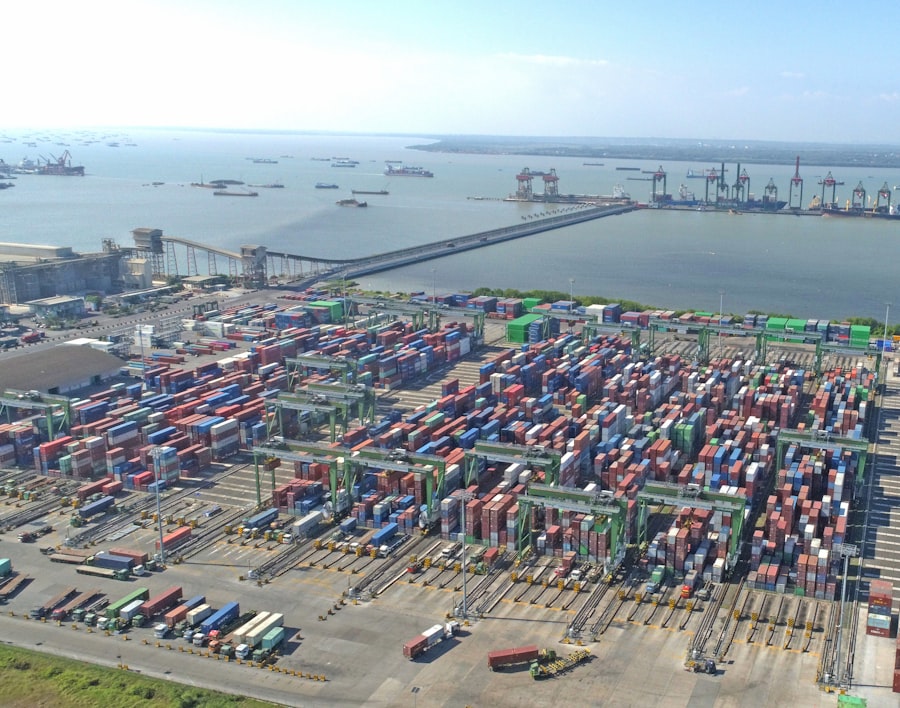
As you move beyond running a few containers to managing dozens, hundreds, or even thousands, you face a new set of challenges. Manually starting, stopping, scaling, and networking these containers becomes an impossible task. This is where container orchestration comes into play. Think of it as the conductor of a massive orchestra, ensuring all the instruments play in harmony and at the right time.
Kubernetes: The De Facto Standard
Kubernetes, often abbreviated as K8s, has emerged as the dominant force in container orchestration. Originally developed by Google, it’s now an open-source project managed by the Cloud Native Computing Foundation (CNCF). You’ll find that a significant 96% of organizations are either using or evaluating Kubernetes, and Gartner predicts its adoption will reach 80% by 2026. This widespread adoption highlights its crucial role in modern application deployment.
Declarative Configuration: Telling, Not Doing
Kubernetes uses a declarative approach. You describe the desired state of your application – how many replicas you want, what resources they need, how they should be networked – and Kubernetes works to achieve and maintain that state. You’re not issuing commands to start or stop; you’re declaring your intentions.
Automated Scaling: Adapting to Demand
Kubernetes can automatically scale your applications up or down based on predefined metrics, like CPU usage or network traffic. This ensures your application has the resources it needs during peak times and conserves resources during lulls, a crucial aspect for cost-efficiency and user experience.
Self-Healing Capabilities: Resilience Built-In
If a container fails or a node (a physical or virtual machine running containers) goes down, Kubernetes automatically restarts the failed containers or reschedules them onto healthy nodes. This built-in resilience ensures your applications remain available.
Other Orchestration Tools: Niche Solutions
While Kubernetes reigns supreme, other orchestration tools exist, often catering to specific needs or smaller-scale deployments. Docker Swarm, for instance, offers a simpler orchestration solution that integrates directly with Docker. However, for most enterprise-level deployments, Kubernetes is the clear leader.
The Evolving Landscape: Trends Shaping the Future
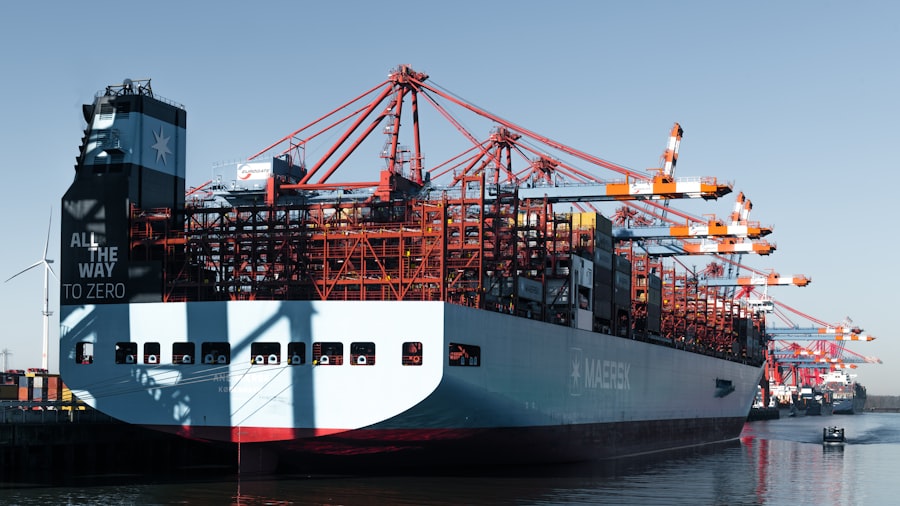
The containerization space is not static; it’s a dynamic environment constantly evolving with new technologies and methodologies. You’ll see how these trends are pushing the boundaries of what’s possible with application deployment.
The Rise of Platform Engineering: Simplifying Complexity
As mentioned, organizations are increasingly moving towards a hybrid and multi-cloud strategy, managing an average of over 20 clusters across more than 5 environments. This complexity necessitates a more streamlined approach to providing development teams with the tools and infrastructure they need. This is where platform engineering steps in.
Internal Developer Platforms (IDPs): A Self-Service Model
Platform engineering focuses on building internal developer platforms (IDPs) that abstract away much of the underlying infrastructure complexity. These platforms aim to provide developers with a self-service portal, allowing them to provision, deploy, and manage their applications with ease. You can expect to see 55% adoption of platform engineering practices in 2025, accelerating to 80% by 2026.
GitOps: Infrastructure as Code
A key enabler of platform engineering is GitOps, which leverages Git as the single source of truth for both application code and infrastructure configuration. Tools like Argo CD and Flux are instrumental in this, automating the deployment process and significantly reducing developer cognitive load, potentially by 40-50%.
AI and Edge Computing Integration: New Frontiers
The convergence of AI and containerization is opening up new possibilities. Kubernetes is becoming a unified platform for managing AI/ML workloads, facilitating AI inference and deployment at the edge. Furthermore, the integration with WebAssembly (Wasm) is enabling lightweight, secure, and portable execution of code across various environments.
The Edge and 5G Synergy: Bringing Computing Closer
The proliferation of 5G networks and initiatives like smart cities, particularly in regions like the Asia-Pacific, are driving the demand for edge computing. Containerized applications, deployed closer to the data source, can now process information in real-time, enabling low-latency applications and services. India’s cloud market, for example, is expected to reach USD 13.5 billion by 2026, heavily tied to containerization adoption.
Extending Life for Existing Infrastructure: VM Migration
While containers are often seen as an alternative to traditional infrastructure, you’ll also witness their integration with existing systems. For instance, the convergence with VMs is crucial for enterprises planning to migrate away from older VMware environments, with 33% of enterprises already planning such an exit.
DevOps and Security Advancements: A Seamless and Secure Pipeline
Containerization is a natural fit for DevOps practices, enabling faster and more frequent releases. The surge in CI/CD pipelines, with 84% of organizations reporting smoother deployments, is a testament to this.
Enhanced Security Measures: Hardening the Defenses
Security is paramount, and containerization offers several advancements. Techniques like eBPF (extended Berkeley Packet Filter) provide deep visibility and control over network traffic within containers. Zero-trust security models are being implemented, and the use of hardened container images minimizes the attack surface.
Serverless Containers: On-Demand Scalability
The rise of serverless containers offers on-demand scalability. You only pay for the compute time your application actually uses, and it automatically scales to zero when not in use. This is particularly beneficial for event-driven workloads and microservices.
In exploring the transformative impact of containerization on application deployment, it’s essential to consider how performance optimization plays a crucial role in this evolution. A related article that delves into enhancing website performance is available here, where it discusses strategies for improving site speed and user experience. By mastering core web vitals, developers can ensure that their containerized applications not only deploy efficiently but also perform optimally in real-world scenarios. This synergy between deployment methods and performance metrics highlights the future direction of application development.
The Economic Imperative: Market Growth and Future Outlook
| Metric | Description | Value/Impact | Source/Reference |
|---|---|---|---|
| Deployment Speed | Time taken to deploy applications using containers vs traditional methods | Containers reduce deployment time by up to 70% | Docker Inc. Performance Reports |
| Resource Utilization | Efficiency in CPU and memory usage with containerized apps | Containers use 40% less memory on average | Cloud Native Computing Foundation (CNCF) |
| Scalability | Ability to scale applications dynamically with container orchestration | Supports thousands of containers scaling in minutes | Kubernetes Case Studies |
| Portability | Ease of moving applications across environments | Containers run consistently across 95% of cloud and on-premise platforms | Gartner Research |
| Isolation & Security | Level of process isolation and security improvements | Reduces attack surface by isolating app processes | OWASP Container Security Guidelines |
| Cost Efficiency | Reduction in infrastructure and operational costs | Up to 30% cost savings in cloud resource usage | Forrester Total Economic Impact Study |
| Continuous Integration/Continuous Deployment (CI/CD) | Improvement in automation and deployment frequency | Deployment frequency increased by 50% with containerized CI/CD pipelines | Jenkins User Reports |
The impact of containerization isn’t just technical; it’s also economic. The market for containerization is experiencing substantial growth, underscoring its strategic importance for businesses.
Market Growth Projections: A Rapid Expansion
The application container market is projected to reach USD 12.64 billion in 2026, with a compound annual growth rate (CAGR) of 23.05%. By 2031, it’s expected to soar to USD 35.62 billion. This rapid expansion indicates a strong market demand and a significant shift in how organizations are investing in their application infrastructure.
Regional Dominance and Growth: North America and Asia-Pacific
North America currently holds a significant 38.8% share of the market and is expected to continue its lead. However, the Asia-Pacific region is poised for the fastest growth, with a projected CAGR of 12.5%. This growth is fueled by factors such as increasing digital transformation initiatives, the adoption of 5G technologies, and the development of smart cities.
Cloud Dominance: The Preferred Deployment Environment
The future of application deployment is undeniably cloud-centric. By 2035, the cloud mode is expected to capture a commanding 75.5% share of the market. This trend highlights the increasing reliance on cloud platforms for flexibility, scalability, and cost-efficiency.
Hybrid and Multi-Cloud Strategies: Navigating Complexity
While the cloud is dominant, hybrid and multi-cloud strategies are also on the rise, with a CAGR of 24.05%. Organizations are increasingly adopting a multi-cloud approach to avoid vendor lock-in, leverage best-of-breed services from different providers, and improve resilience. This necessitates robust orchestration and management capabilities, further emphasizing the importance of tools like Kubernetes.
As you reflect on these trends, it’s clear that containerization is not just a fleeting technology but a fundamental shift in how you will build, deploy, and manage your applications. Embracing these concepts and staying abreast of the evolving landscape will be crucial for navigating the future of software delivery.
FAQs
What is containerization in application deployment?
Containerization is a method of packaging an application along with its dependencies, libraries, and configuration files into a single, lightweight, and portable container. This allows the application to run consistently across different computing environments.
How does containerization differ from traditional virtualization?
Unlike traditional virtualization, which uses a hypervisor to run multiple operating systems on a single physical machine, containerization shares the host operating system’s kernel and isolates applications at the process level. This results in faster startup times, lower resource usage, and greater efficiency.
Why is containerization considered the future of application deployment?
Containerization offers benefits such as portability, scalability, consistency across environments, and simplified management. These advantages enable faster development cycles, easier updates, and better resource utilization, making it a preferred approach for modern application deployment.
What are some popular containerization platforms?
Popular containerization platforms include Docker, Kubernetes, OpenShift, and containerd. These tools provide the infrastructure and orchestration capabilities needed to build, deploy, and manage containerized applications effectively.
Can containerized applications run on any operating system?
Containerized applications are designed to be portable across different environments, but they rely on the host operating system’s kernel. Typically, containers built for Linux can run on any Linux distribution, and Windows containers require a Windows host. However, tools like Docker Desktop enable running Linux containers on Windows and macOS through virtualization layers.








Add comment