

You’ve poured your heart into crafting compelling WordPress forms and lead pages, designing them to capture attention and convert visitors into valuable leads. But even the most brilliant design and copy can fall flat if your hosting isn’t up to the task. Choosing the right hosting isn’t just a technical detail; it’s a foundational decision that directly impacts your forms’ performance, your lead pages’ effectiveness, and ultimately, your conversion rates. This isn’t a “set it and forget it” choice; it’s an ongoing optimization that demands careful consideration. You need a hosting environment that can handle sudden traffic surges, protect sensitive data, and deliver a consistently fast experience. Without it, your carefully constructed lead generation funnel could become a leaky bucket.
Understanding Your Forms and Lead Page Needs
Before you even begin looking at hosting providers, you need to conduct a thorough self-assessment of your current and future needs. Your WordPress forms and lead pages aren’t just static content; they are interactive elements that demand specific resources from your server. Understanding these demands is the first critical step in making an informed hosting decision. You wouldn’t buy a race car to drive to the grocery store, nor would you buy a family sedan to compete in Formula 1; the same principle applies to hosting.
The Volume and Complexity of Your Forms
Consider how many forms you currently have, and how many you anticipate creating in the near future. Are you running a handful of simple contact forms, or are you deploying dozens of multi-step surveys, complex order forms, or intricate quizzes across your site? Each form, especially those with conditional logic, file uploads, or integrations with third-party services (like CRMs or email marketing platforms), consumes server resources. More forms and more complex logic mean higher demands on your CPU and RAM. Think about the types of fields you’re using. Text fields are lightweight, but file upload fields, especially for large documents or images, can quickly consume bandwidth and storage. Your hosting needs to be able to handle not just the forms themselves, but also the data they collect.
Anticipated Traffic and Conversion Rates
Traffic is arguably the most significant factor influencing your hosting choice. Are you expecting a few dozen visitors a day, or are you planning a massive marketing campaign that could drive thousands or even tens of thousands of users to your lead pages simultaneously? High traffic spikes can easily overwhelm under-resourced hosting, leading to slow loading times, server errors, and ultimately, lost leads. Every second your lead page takes to load can significantly reduce your conversion rate. Beyond raw traffic numbers, consider your expected conversion rate. If 10% of your visitors are completing a form, that’s 10% of your traffic interacting with your server’s backend processes. A hosting plan that can comfortably handle your peak traffic without breaking a sweat is essential for maintaining a positive user experience and maximizing conversions.
Data Storage, Security, and Compliance
The data you collect through your forms is invaluable, but also a significant responsibility. You need to consider how much data you’ll be storing, what type of data it is (personally identifiable information, credit card details, etc.), and what compliance regulations (like GDPR, HIPAA, or CCPA) apply to your business. Hosting providers offer varying levels of storage space, database performance, and crucially, security features. Look for robust firewalls, DDoS protection, regular backups, and SSL certificates as standard. If you’re handling sensitive customer data, you might need dedicated IP addresses, advanced intrusion detection systems, and even specialized compliance certifications from your host. Losing customer trust due to a data breach is far more costly than investing in proper hosting.
Essential Integrations and Their Demands
Your WordPress forms and lead pages rarely operate in a vacuum. They are often integrated with other services to automate workflows, nurture leads, and analyze performance. Common integrations include email marketing platforms (Mailchimp, ConvertKit), CRM systems (Salesforce, HubSpot), payment gateways (Stripe, PayPal), and analytics tools (Google Analytics). Each integration involves communication between your server and external services. While these are often API calls, they still consume server resources and can introduce latency if your hosting isn’t optimized. For example, if your form submission triggers multiple API calls to update a CRM and send an email, your server needs to process those requests efficiently. Ensure your hosting allows for easy integration and doesn’t impose restrictions that could hinder your lead generation efforts.
When selecting the right hosting for your WordPress forms and lead pages, it’s essential to consider various factors that can impact your site’s performance and user experience. For beginners looking to enhance their blogging journey, understanding common pitfalls is crucial. You can gain valuable insights by reading this related article on 11 Common Blogging Mistakes and How to Navigate Them as Beginners, which highlights key mistakes to avoid and strategies to improve your online presence.
Key Hosting Features for Optimal Form Performance

Once you understand your specific needs, you can begin to evaluate hosting providers based on a set of critical features. These features are not just buzzwords; they are the technical underpinnings that directly impact the speed, reliability, and security of your WordPress forms and lead pages. Investing in these areas will pay dividends in user experience and conversion rates. Think of these as the fundamental components of a high-performance machine.
Speed and Performance Optimization
Speed is paramount. Every millisecond counts when it comes to user engagement and conversions. Slow-loading forms and lead pages are notorious for high bounce rates. Your hosting provider plays a crucial role in delivering a fast experience.
Server Response Time and Uptime Guarantee
Server response time is the time it takes for a web server to respond to a request. A low server response time means your forms and lead pages start loading faster. Look for hosting providers that consistently achieve low response times. Equally important is an uptime guarantee. This is the percentage of time your website is expected to be accessible. A 99.9% uptime guarantee is a common industry standard, meaning your site will be down for less than 9 hours a year. For critical lead generation assets, you want your site to be available as close to 100% of the time as possible. Downtime means lost leads and revenue.
CDN Integration for Global Reach
A Content Delivery Network (CDN) is a geographically distributed network of proxy servers and their data centers. When you use a CDN, your static content (like images, CSS, JavaScript, and even some form assets) is cached on servers located closer to your users. This significantly reduces latency and speeds up loading times, especially for a global audience. If your audience is geographically dispersed, a CDN is not just a nice-to-have; it’s essential for ensuring your lead pages load quickly for everyone, regardless of their location. Many reputable hosting providers offer built-in CDN solutions or easy integration with popular CDN services.
Caching Mechanisms and Server-Side Optimization
Caching stores copies of your website’s files so that subsequent requests can be served faster. There are various levels of caching, from browser caching to server-side caching. Your hosting provider should offer robust server-side caching mechanisms (like Varnish, Redis, or Memcached) or at least support popular WordPress caching plugins. Beyond caching, server-side optimization includes technologies like PHP 7.4+ or PHP 8+, which offer significant performance improvements over older versions. Look for hosts that stay current with the latest server technologies and actively optimize their environments for WordPress.
Robust Security Features
Security breaches can decimate trust and lead to severe financial and legal repercussions, especially when dealing with sensitive form data. Your hosting provider is your first line of defense.
SSL Certificates and Data Encryption
An SSL (Secure Sockets Layer) certificate is non-negotiable for any website, especially those with forms. It encrypts the data transferred between your user’s browser and your server, protecting sensitive information like names, email addresses, and payment details from eavesdropping. Most reputable hosts offer free SSL certificates (like Let’s Encrypt) as standard, or provide easy ways to purchase and install premium certificates. Ensure your entire site, particularly your forms and lead pages, is served over HTTPS.
Firewalls, Malware Scanning, and DDoS Protection
Your hosting provider should implement comprehensive security measures. This includes powerful firewalls (both network and web application firewalls) to block malicious traffic, regular malware scanning to detect and remove threats, and DDoS (Distributed Denial of Service) protection to safeguard against overwhelming attacks that could take your site offline. These preventative measures are critical for maintaining the integrity and availability of your lead generation assets.
Regular Backups and Disaster Recovery
Even with the best security, accidents can happen. A crucial feature is automatic, regular backups of your entire website (files and database). Your host should offer easily restorable backups, preferably with multiple restore points. Understanding their disaster recovery plan – how quickly they can get your site back online after a major incident – is also vital. You want to minimize any potential downtime that could interrupt your lead capture efforts.
Scalability and Resource Allocation
Your lead generation efforts are likely to grow, and your hosting needs to grow with them without requiring a complete migration every time you hit a new traffic milestone.
Easy Upgrade Paths and Resource Monitoring
A good hosting provider will offer clear and straightforward upgrade paths from one plan to another (e.g., from shared to VPS, or from a smaller VPS to a larger one). You shouldn’t have to rebuild your site to scale up. Furthermore, your hosting control panel should provide clear metrics on your resource usage (CPU, RAM, bandwidth). This allows you to monitor your performance and anticipate when an upgrade might be necessary, preventing performance bottlenecks before they impact your users.
Flexible CPU, RAM, and Storage Options
Different hosting plans offer varying amounts of CPU cores, RAM, and storage. For complex forms and high-traffic lead pages, you’ll need sufficient CPU to process submissions and run WordPress efficiently, ample RAM for active processes, and enough storage for your website files, database, and any uploaded media. Ensure your chosen plan allows you to expand these resources as your needs evolve without incurring disproportionate costs.
Support and Management
Even if you’re technically adept, you’ll eventually need help. The quality and availability of customer support can be a deal-breaker.
24/7 Expert WordPress Support
Look for hosting providers that offer 24/7 support through multiple channels (live chat, phone, email). Crucially, ensure their support staff are knowledgeable about WordPress and can assist with issues directly related to your forms and lead pages, not just general server problems. A dedicated WordPress support team understands the nuances of the platform and can provide more effective solutions.
Managed WordPress Hosting Benefits
Managed WordPress hosting is specifically optimized for WordPress websites. This often includes automatic WordPress core updates, plugin and theme updates, enhanced security tailored for WordPress, and proactive performance monitoring. For busy marketers who want to focus on lead generation rather than server maintenance, managed hosting can be an excellent investment, offloading many technical responsibilities.
Different Types of Hosting and Their Suitability
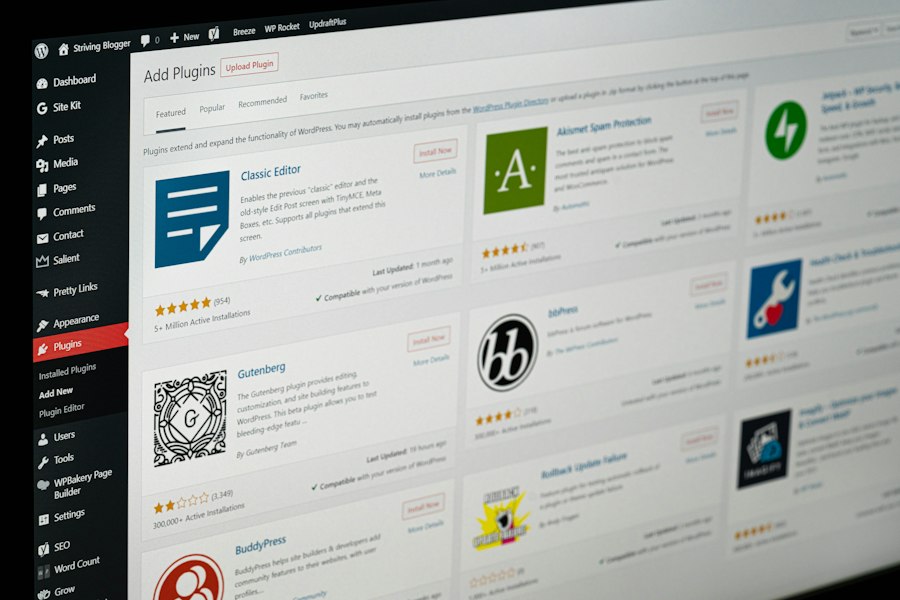
With your needs assessed and key features in mind, you can now consider the different types of hosting available. Each type offers a unique balance of cost, performance, security, and control. Understanding these differences will help you align your budget with your performance requirements.
Shared Hosting: Entry-Level for Small-Scale Forms
Shared hosting is the most common and cheapest form of web hosting. Your website shares server resources (CPU, RAM, storage, bandwidth) with many other websites.
Pros and Cons for Forms
Pros:
- Cost-effective: Extremely affordable, making it accessible for startups and small businesses.
- Easy to manage: Often comes with user-friendly control panels like cPanel.
- Good for low traffic: Suitable for websites with minimal traffic and simple forms that don’t demand much processing power.
Cons:
- Performance limitations: Resource sharing means that if another website on the same server experiences a traffic surge, your site’s performance can suffer (the “noisy neighbor” effect). This can lead to slow form submissions and lead page loading times.
- Security risks: While providers try to isolate accounts, a compromise on one site could potentially affect others on the same server.
- Limited scalability: Not designed for high traffic or complex, resource-intensive forms. You’ll quickly outgrow it as your lead generation efforts scale.
When it’s Appropriate
Shared hosting is best for very small businesses, personal blogs, or brand new websites that are just starting to gather leads. If your forms are simple (e.g., a basic contact form) and your lead pages receive minimal traffic, shared hosting might be a viable, temporary solution to get you started on a tight budget. However, be prepared to upgrade as your lead generation efforts gain traction.
VPS Hosting: The Balanced Choice for Growing Leads
A Virtual Private Server (VPS) offers a significant upgrade from shared hosting. While you still share a physical server with other users, a hypervisor partitions that server into multiple virtual machines, each with its own dedicated resources (CPU, RAM, storage).
Advantages for WordPress Forms
Advantages:
- Dedicated resources: Your forms and lead pages won’t be affected by other websites on the server. You get a guaranteed amount of CPU and RAM, ensuring more consistent performance.
- Improved security: Greater isolation means a security breach on another VPS won’t directly compromise your environment.
- Root access (often): Provides more control over the server environment, allowing for custom configurations and software installations that can further optimize form performance.
- Scalability: Easier to scale resources up or down as your needs change, often with just a few clicks.
Considerations for Resource Allocation
While VPS offers dedicated resources, you still need to choose the right amount. If your forms are complex, involve many integrations, or you anticipate significant traffic spikes to your lead pages, you’ll need a VPS with ample CPU cores and RAM. Over-provisioning is better than under-provisioning to avoid performance bottlenecks. Regular monitoring of your resource usage is crucial to ensure you’re getting the most out of your VPS without hitting limits.
Dedicated Hosting: Ultimate Power for High-Volume Campaigns
Dedicated hosting means you rent an entire physical server, with no resource sharing whatsoever. You have full control over the server’s hardware, operating system, and software.
When to Opt for a Dedicated Server
When to opt:
- Extremely high traffic: Ideal for websites receiving millions of visitors per month or running large-scale, high-stakes marketing campaigns that drive massive traffic surges.
- Maximum performance and control: You need absolute top-tier performance for extremely complex forms, custom lead generation applications, or heavy database interactions.
- Strict security and compliance: For businesses handling highly sensitive data or operating under stringent regulatory compliance requirements (e.g., HIPAA), a dedicated server provides the highest level of isolation and control.
- Customization needs: When you require specific server configurations, operating systems, or software that isn’t available on shared or VPS platforms.
Management Responsibilities
With a dedicated server, you typically have full root access and control, but this comes with significant management responsibilities. You are responsible for server setup, operating system updates, security patches, software installations, and ongoing maintenance. While some providers offer “managed dedicated hosting,” where they handle these tasks, it’s crucial to understand your level of involvement and ensure you have the technical expertise (or budget for a managed service) to handle it effectively.
Managed WordPress Hosting: Focus on Your Leads, Not Your Server
Managed WordPress hosting is a specialized type of hosting environment specifically optimized for WordPress. It can be built on shared, VPS, or even dedicated infrastructure, but the key differentiator is the level of service and optimization provided.
Specific Benefits for Forms and Lead Pages
Benefits:
- Optimized performance: Servers are fine-tuned for WordPress, often including server-side caching, CDN integration, and specific PHP optimizations that directly benefit form loading and submission speeds.
- Enhanced security: Many managed hosts offer proactive security monitoring, malware removal, and WordPress-specific firewall rules, protecting your valuable lead data.
- Automatic updates and backups: The host typically handles WordPress core updates, plugin updates (often with staging environments), and daily backups, reducing your administrative burden.
- Expert support: Support teams are usually WordPress specialists, capable of troubleshooting issues related to plugins, themes, and form functionality.
- Staging environments: Many providers offer one-click staging environments, allowing you to test new forms, plugins, or theme changes without affecting your live lead pages.
Cost vs. Convenience for Marketers
Managed WordPress hosting is generally more expensive than standard shared or even some unmanaged VPS options. However, for marketers and business owners who want to focus on content, campaigns, and conversions rather than server maintenance, the convenience, performance, and peace of mind can be well worth the investment. It essentially buys you back time and reduces the risk of technical issues impacting your lead generation efforts.
Evaluating Hosting Providers: What to Look For
Once you’ve narrowed down the type of hosting you need, the next step is to evaluate specific providers. This isn’t just about comparing price tags; it’s about assessing their track record, their technology stack, and their commitment to customer satisfaction. A cheap host might seem appealing upfront, but it could cost you dearly in lost leads and headaches down the line.
Reputation and Reviews
Start by researching the provider’s reputation. What do other users say about them?
Independent Review Sites and Forums
Check independent review websites like G2, Trustpilot, or HostAdvice. Pay attention to user reviews, looking for recurring themes regarding uptime, speed, customer support, and ease of use. While a few negative reviews are normal, a consistent pattern of complaints about specific issues should be a red flag. Engage with webmaster forums and WordPress communities; these are excellent places to get unfiltered opinions and recommendations from experienced users.
Case Studies and Testimonials
While official testimonials on a provider’s website should be taken with a grain of salt (as they are curated), they can still offer insight into the types of clients they serve. Look for any case studies that specifically highlight performance improvements or successful scaling for businesses similar to yours.
Technology Stack and Infrastructure
The underlying technology your host uses directly impacts your forms’ performance and security.
Server Hardware and Network Quality
Inquire about the quality of their server hardware (e.g., SSD vs. HDD, latest generation processors). SSDs (Solid State Drives) are significantly faster than traditional HDDs and are crucial for quick database queries and file access, both of which are vital for forms. Also, ask about their network infrastructure: are they using redundant network connections, peering with multiple Tier-1 providers, and do they have robust DDoS protection at the network level? A strong network minimizes latency and maximizes uptime.
Supported PHP Versions and Database Technology
Ensure the host supports the latest stable versions of PHP (e.g., PHP 7.4+ or PHP 8+). Newer PHP versions offer substantial performance improvements and better security. For databases, ensure they use MySQL or MariaDB and offer sufficient database resources. WordPress heavily relies on its database, and a slow database can severely hinder form submission times.
Control Panel and Ease of Use
A user-friendly control panel (like cPanel, Plesk, or a custom interface) simplifies managing your website, domains, databases, and emails. Look for features that make it easy to install WordPress, manage SSL certificates, create backups, and monitor resource usage. The easier it is to navigate, the less time you’ll spend on technicalities and more time on lead generation.
Pricing and Value
While not the only factor, pricing is undeniably important. But don’t just look at the headline price.
Renewal Rates and Hidden Fees
Many hosting providers offer attractive introductory rates that jump significantly upon renewal. Always check the renewal price before committing. Also, be wary of hidden fees for features like backups, SSL certificates (if not included), or migration services. Understand the total cost of ownership over the long term.
Money-Back Guarantees and Trial Periods
A good host will offer a money-back guarantee, typically for 30 days. This allows you to test their services without financial risk. Some might even offer free trial periods. Use these opportunities to thoroughly test your forms and lead pages for speed, reliability, and functionality.
Customer Support Quality
When your forms aren’t working or your lead pages are down, timely and effective support is invaluable.
Availability and Response Times
Does the host offer 24/7 support? What are their typical response times for chat, tickets, and phone calls? Fast response times are crucial, especially for urgent issues impacting your lead generation.
Knowledge and Effectiveness of Support Staff
Beyond availability, assess the quality of their support. Are the staff knowledgeable about WordPress? Can they help troubleshoot specific form plugin issues or diagnose server-side problems impacting your lead pages? Look for hosts with a reputation for competent and helpful support, not just quick, generic responses. Test them out with a pre-sales question related to your specific form needs.
When selecting the right hosting for your WordPress forms and lead pages, it’s essential to consider various factors that can impact your site’s performance and user experience. A related article that delves into the importance of domain strategy for businesses is available at The Power of PK and COM: A 2025 Domain Strategy for Pakistani Businesses. This resource highlights how choosing the right domain can enhance your online presence, which is crucial when optimizing your forms and lead pages for better conversion rates.
Post-Selection Optimization and Monitoring
| Criteria | Description | Recommended Metrics | Importance for WordPress Forms & Lead Pages |
|---|---|---|---|
| Server Uptime | Percentage of time the hosting server is operational and accessible | 99.9% or higher | Ensures forms and lead pages are always available to users |
| Loading Speed | Time taken for pages to load fully | Under 2 seconds | Improves user experience and reduces bounce rates on forms and lead pages |
| Security Features | Measures to protect data and prevent breaches (SSL, firewalls, backups) | SSL certificate, daily backups, malware scanning | Protects sensitive lead data and form submissions |
| Scalability | Ability to handle increased traffic and data volume | Easy upgrade options, resource allocation flexibility | Supports growth in form submissions and lead generation campaigns |
| Compatibility | Support for WordPress and popular form plugins | PHP 7.4+, MySQL 5.6+, plugin compatibility | Ensures smooth integration and functionality of forms and lead pages |
| Customer Support | Availability and quality of technical assistance | 24/7 support, WordPress expertise | Helps quickly resolve issues affecting forms and lead pages |
| Storage & Bandwidth | Amount of disk space and data transfer allowed | At least 10 GB storage, unmetered bandwidth | Accommodates form data and traffic without interruptions |
| Backup & Restore | Frequency and ease of restoring data backups | Daily backups with one-click restore | Prevents data loss of form entries and lead information |
Choosing the right host is a significant step, but your work isn’t over. Continuous optimization and monitoring are crucial to ensure your WordPress forms and lead pages continue to perform at their best. Think of it as regularly tuning a high-performance engine to maintain peak efficiency.
Regularly Monitor Performance Metrics
Don’t just set it and forget it. Actively monitor how your forms and lead pages are performing.
Uptime, Load Times, and Server Resource Usage
Use uptime monitoring services (many free and paid options exist) to get real-time alerts if your site goes down. Regularly check your lead page load times using tools like Google PageSpeed Insights, GTmetrix, or Pingdom. Pay attention to server response times. Your hosting provider’s control panel should provide metrics on CPU usage, RAM usage, and bandwidth. If you consistently hit limits, it’s a clear sign you need to upgrade your plan or optimize your site further. Spikes in resource usage can indicate either a successful marketing campaign (good problem!) or an issue like a bot attack or inefficient code (bad problem!).
Form Submission Success Rates and Errors
Beyond overall site performance, specifically monitor your form submission success rates. Are forms being submitted reliably? Are there any errors being reported? Many form plugins offer logging features that can help identify issues. Look for drops in conversion rates on your lead pages; often, this can be linked back to a performance issue that’s driving users away before they can complete a form.
Optimize Your WordPress Installation
Even the best hosting can’t compensate for a poorly optimized WordPress site.
Efficient Form Plugins and Database Optimization
Choose lightweight and well-coded form plugins. While popular, some robust plugins can be resource-intensive. If you’re only using basic forms, consider a simpler solution. Regularly optimize your WordPress database. Over time, your database can become bloated with post revisions, spam comments, and transient data. Plugins like WP-Optimize or WP-Sweep can help clean up and optimize your database, improving form submission speed.
Image Optimization and Lazy Loading
Large, unoptimized images are a common culprit for slow lead pages. Compress your images before uploading them, or use a plugin like Smush or EWWW Image Optimizer to do it automatically. Implement lazy loading for images and videos, so they only load when they enter the user’s viewport, significantly speeding up initial page load times.
Caching Plugins and CDN Integration
Even if your host offers server-side caching, a good WordPress caching plugin (like WP Rocket, LiteSpeed Cache, or W3 Total Cache) can further enhance performance by optimizing various aspects of your site, including page caching, browser caching, and minification of CSS/JavaScript. Ensure your CDN is properly configured and actively serving your static assets, especially for lead pages that rely on rich media.
Implement Robust Security Practices
Your hosting provides a strong foundation, but you also have a role to play in securing your forms and lead data.
Strong Passwords and User Role Management
This is basic but critical. Use strong, unique passwords for your WordPress admin, hosting account, and database. Implement proper user role management, granting only the necessary permissions to each user. Never use “admin” as a username.
Regular WordPress, Plugin, and Theme Updates
Keep your WordPress core, themes, and all plugins updated to their latest versions. Updates often include critical security patches. Delayed updates leave your site vulnerable. Before updating, always back up your site and ideally test updates in a staging environment if your host provides one.
Malware Scanning and Security Plugins
Beyond your host’s server-side scanning, consider installing a WordPress security plugin like Wordfence or Sucuri Security. These plugins can offer additional firewall protection, malware scanning, brute-force attack prevention, and file integrity monitoring, providing an extra layer of defense for your forms and lead pages.
By proactively monitoring your performance, optimizing your WordPress installation, and maintaining strong security practices, you can ensure your chosen hosting effectively supports your lead generation efforts, helping your forms and lead pages convert at their highest potential.
FAQs
What factors should I consider when choosing hosting for WordPress forms and lead pages?
When selecting hosting for WordPress forms and lead pages, consider factors such as uptime reliability, speed, customer support, scalability, and security features. Additionally, ensure that the hosting provider supports the specific plugins you plan to use for forms and lead generation.
Is shared hosting suitable for WordPress forms and lead pages?
Shared hosting can be suitable for small websites with low traffic, but it may not provide the performance and reliability needed for high-traffic forms and lead pages. For better performance, consider VPS or managed WordPress hosting options that offer dedicated resources.
How important is SSL certification for hosting WordPress forms?
SSL certification is crucial for hosting WordPress forms, as it encrypts data transmitted between users and your website, ensuring security and privacy. Additionally, having an SSL certificate can improve your site’s SEO ranking and build trust with visitors.
Can I use any hosting provider for WordPress forms and lead pages?
Not all hosting providers are optimized for WordPress. It’s essential to choose a hosting provider that specifically supports WordPress and offers features like one-click installations, automatic updates, and compatibility with popular form plugins.
What type of support should I expect from a hosting provider for WordPress?
A good hosting provider for WordPress should offer 24/7 customer support through multiple channels, such as live chat, phone, and email. Additionally, they should have a knowledge base or documentation to help you troubleshoot common issues related to forms and lead pages.








Add comment