

Preparing for Your Digital Transition
Embarking on the journey of moving your offline business online is an exciting, albeit sometimes daunting, prospect. Before you even think about domain names or website designs, you need to lay the groundwork. This initial preparation phase is crucial for ensuring a smooth transition and setting your online venture up for success. Think of it as mapping out your destination before you even start the engine. A well-thought-out plan will save you time, money, and frustration down the line.
Defining Your Online Goals
Before you build anything, ask yourself why you’re moving online. Is convenience your primary driver, offering customers 24/7 access to your products or services? Are you looking to expand your reach beyond your local geographical area? Perhaps you want to streamline operations, automate customer service, or simply create a digital storefront that complements your physical one. Be specific. Instead of “I want more sales,” try “I want to increase online sales by 20% within the first six months.” Having clear, measurable goals will inform every decision you make about your website, from its features to its marketing strategy. These goals will act as your compass, guiding you through the countless choices you’ll face.
Identifying Your Target Audience Online
Just as you understand your brick-and-mortar customers, you need to understand your online audience. Are they the same people? What are their online habits? What platforms do they frequent? What problems do they need solving, and how can your business provide the solution digitally? Consider demographics, psychographics, and their online behavior. Are they tech-savvy millennials who prefer mobile experiences, or are they a more mature demographic who appreciate clear, easy-to-navigate desktop sites? Understanding your target audience will impact your website’s design, content, and even the language you use. Creating buyer personas – fictional representations of your ideal customers – can be an incredibly helpful exercise here.
Inventorying Your Products or Services for Online Sale
Not everything translates perfectly from offline to online. Take a thorough inventory of your current offerings. For physical products, consider logistics: shipping costs, packaging, and inventory management. For services, think about how they can be delivered virtually. Can consultations be done via video call? Can courses be offered through a learning management system? Document each product or service, noting its description, pricing, relevant images, and any specific requirements for online delivery. This detailed inventory will be the foundation of your online catalog and will help you anticipate potential challenges. Don’t forget about digital products if they’re relevant, such as e-books, downloadable guides, or online courses, as these often have a much simpler fulfillment process.
Assessing Your Current Digital Assets
What do you already have in place digitally? Do you have an existing social media presence? A mailing list? Professional photographs of your products? A logo and brand guidelines? Even if your online presence is minimal, an audit of existing assets can give you a head start. Identify what you can repurpose and what you’ll need to create from scratch. High-quality product photography, for instance, is absolutely essential for an e-commerce site. If you don’t have professional photos, factor in the time and cost to get them done. Similarly, consistent branding across all your online platforms will build trust and recognition.
If you’re considering transitioning your offline business to an online platform using WordPress, it’s essential to also think about your hosting options. A related article that can provide valuable insights is titled “Why Dedicated Hosting is the Perfect Solution for Your Website.” This article discusses the benefits of dedicated hosting, which can enhance your website’s performance and security as you establish your online presence. You can read more about it by following this link: Why Dedicated Hosting is the Perfect Solution for Your Website.
Setting Up Your WordPress Foundation

WordPress is a powerhouse for online businesses, offering unparalleled flexibility and a vast ecosystem of tools. Getting started with WordPress involves a few critical steps that form the bedrock of your online presence. These steps are fundamental, and getting them right from the beginning will save you headaches down the line.
Choosing a Domain Name and Web Hosting
Your domain name is your online address, so choose it wisely. Aim for something memorable, easy to spell, and reflective of your brand. Try to keep it as short as possible and avoid hyphens or numbers if you can. Once you’ve brainstormed a few options, check their availability. Along with your domain, you’ll need web hosting. This is where your website’s files will live on the internet. There are many hosting providers, each offering different plans and features. For a new business, shared hosting is often the most economical starting point, but consider managed WordPress hosting for better performance and support specifically tailored to WordPress sites. Look for features like SSL certificates (essential for security and SEO), daily backups, and good customer support. Reliability and speed are key, as a slow or frequently down website will deter potential customers.
Installing WordPress
Once you have your domain and hosting, installing WordPress is usually a straightforward process. Most reputable hosting providers offer a one-click WordPress installation tool in their control panel (like cPanel or Plesk). If not, you can manually install it by downloading the WordPress software, creating a database, and uploading the files via FTP. While slightly more technical, detailed guides are readily available online for manual installation. After installation, you’ll be able to access your WordPress dashboard – the backend of your website where all the magic happens. Familiarize yourself with this interface, as it will be your command center for managing your online business.
Selecting a Theme for Your Business
A WordPress theme dictates the visual appearance and layout of your website. There are thousands of free and premium themes available. When choosing, prioritize themes that are:
- Responsive: They must look good and function well on all devices (desktops, tablets, smartphones).
- Fast-loading: Website speed is crucial for user experience and SEO.
- Business-appropriate: The aesthetic should align with your brand and industry.
- Customizable: You’ll want to be able to change colors, fonts, and layouts to match your branding.
- Well-supported: Look for themes with good documentation and active developer support.
Premium themes often offer more features, better design quality, and dedicated support. Popular choices like Astra, GeneratePress, and Kadence are highly versatile and work well with page builders, which we’ll discuss next. Install your chosen theme via the Appearance > Themes section in your WordPress dashboard.
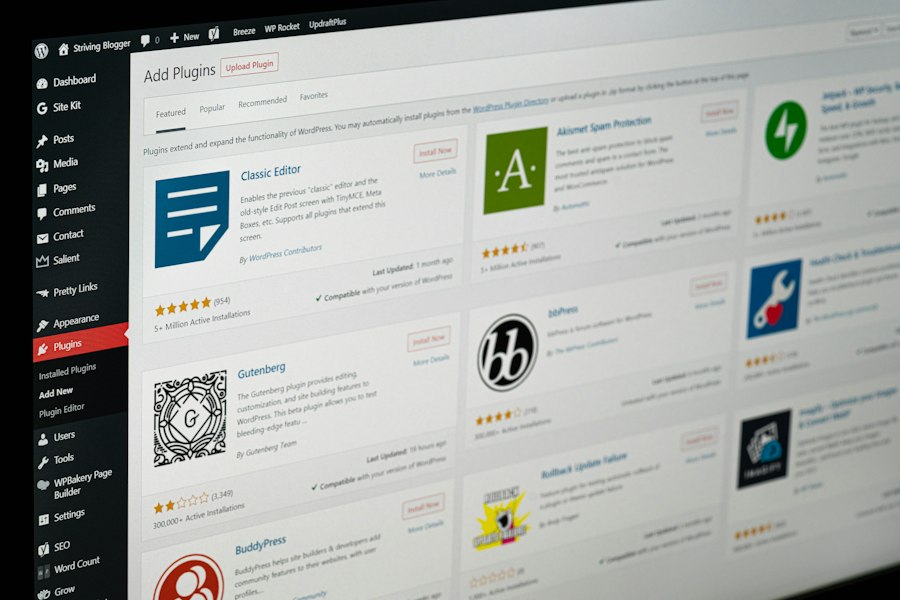
Essential WordPress Plugins for Business
Plugins extend the functionality of your WordPress site. For a business moving online, several types of plugins are almost universally essential:
- Security: Plugins like Wordfence or Sucuri will protect your site from malware and attacks.
- SEO: Yoast SEO or Rank Math help you optimize your content for search engines to attract more organic traffic.
- Backup: UpdraftPlus or BackupBuddy ensure you have regular backups of your entire site, a critical safeguard against data loss.
- Performance/Caching: WP Rocket or LiteSpeed Cache speed up your website by optimizing files and serving cached versions of your pages.
- Contact Forms: WPForms or Contact Form 7 allow customers to easily get in touch with you.
- Page Builder (Optional but Recommended): Plugins like Elementor or Beaver Builder provide a drag-and-drop interface for creating custom page layouts without coding, making design accessible to everyone.
Install plugins via the Plugins > Add New section in your WordPress dashboard. Remember, while plugins are powerful, installing too many can slow down your site. Choose wisely.
Building Your Online Presence with WordPress
With your WordPress foundation in place, it’s time to start populating your site with content and features that will serve your customers and showcase your business. This is where your website truly starts to take shape.
Creating Key Business Pages
Every business website needs a core set of pages to inform visitors and establish credibility.
- Homepage: This is often the first impression. It should clearly communicate what your business does, who it serves, and what action you want visitors to take. Include prominent calls-to-action (CTAs).
- About Us Page: Tell your story. What’s your mission, your values, and what makes your business unique? People connect with authentic stories.
- Services/Products Page: Detail what you offer. For services, explain the benefits, process, and pricing. For products, showcase them with high-quality images, detailed descriptions, and clear pricing.
- Contact Us Page: Provide multiple ways for customers to reach you – a contact form, email address, phone number, and physical address if applicable. Include a map if you have a physical location.
- Privacy Policy and Terms & Conditions: These are crucial for legal compliance, especially if you’re collecting customer data or selling products. Consult legal advice for precise wording relevant to your region.
Use a consistent brand voice and visual style across all pages to build brand recognition and trust.
Setting Up Your E-commerce Store with WooCommerce
If you’re selling products or services directly from your website, WooCommerce is the go-to solution for WordPress. It’s a free plugin that transforms your WordPress site into a fully functional online store.
- Installation: Install and activate WooCommerce from the Plugins menu. A setup wizard will guide you through initial configurations like your store’s location, currency, and product types.
- Product Setup: Navigate to Products > Add New to begin adding your inventory. For each product, you’ll input:
- Product Name and Description
- Images (gallery included)
- Price (regular and sale price)
- Inventory (SKU, stock quantity, backorders)
- Shipping (weight, dimensions, shipping class)
- Attributes (color, size, etc., for variations)
- Categories and Tags
- Payment Gateways: Configure how you’ll accept payments. WooCommerce integrates with popular options like Stripe, PayPal, Square, and many others. Go to WooCommerce > Settings > Payments to set these up.
- Shipping Methods: Define your shipping zones, methods (flat rate, free shipping, local pickup), and costs under WooCommerce > Settings > Shipping.
- Taxes: Set up your tax rates based on your location and legal requirements in WooCommerce > Settings > Tax.
WooCommerce offers immense flexibility, with numerous extensions available for advanced features like subscriptions, bookings, and more complex shipping rules.
Optimizing Your Site for Search Engines (SEO Basics)
For customers to find you online, your website needs to be visible in search engines like Google. This is where Search Engine Optimization (SEO) comes in.
- Keyword Research: Identify the words and phrases your target audience uses when searching for your products or services. Tools like Google Keyword Planner can help.
- On-Page SEO:
- Titles and Meta Descriptions: Craft compelling, keyword-rich titles and descriptions for each page. These appear in search results.
- Content Optimization: Integrate your keywords naturally into your page content, headings (H1, H2, H3), and image alt text.
- Image Optimization: Compress images to improve load times and use descriptive alt text.
- Internal Linking: Link relevant pages within your website to help users and search engines navigate your site.
- Technical SEO: Ensure your site is mobile-friendly, loads quickly, and has a clear site structure. An SSL certificate (HTTPS) is also a must for SEO and security.
- XML Sitemaps: Generate and submit an XML sitemap (SEO plugins can do this) to Google Search Console to help search engines crawl your site more effectively.
SEO is an ongoing process. Regularly review your content, monitor your rankings, and adapt your strategy.
Integrating Essential Marketing Tools
Your website isn’t just a static brochure; it’s a dynamic marketing platform. Integrate tools that help you connect with your audience and drive conversions.
- Email Marketing: Connect your WordPress site to an email marketing service like Mailchimp, Constant Contact, or ConvertKit. Use forms (often via plugins) to capture email addresses for newsletters, promotions, and updates.
- Social Media: Add social sharing buttons to your content and links to your social media profiles. Consider embedding your social feeds if relevant.
- Analytics: Google Analytics is indispensable. Install it on your site to track visitor behavior, traffic sources, popular pages, and conversions. This data is invaluable for understanding your audience and improving your website.
- CRM (Customer Relationship Management): If you provide services or have complex sales cycles, consider integrating a CRM system (or a plugin that connects to one) to manage customer interactions and sales leads directly from your WordPress environment.
These integrations transform your website into a powerful hub for attracting, engaging, and retaining customers.
Launching and Promoting Your Online Business
Launching your website is a significant milestone, but it’s just the beginning. To succeed, you need to actively promote your online presence and ensure it remains functional and secure.
Pre-Launch Checklist
Before you hit the “live” button, run through a critical checklist to catch any last-minute issues.
- Content Review: Proofread all text for typos, grammatical errors, and factual accuracy. Ensure all images are high-quality and correctly sized.
- Functionality Test: Test every form, button, link, and e-commerce checkout process. Make a test purchase to ensure payment gateways and shipping calculations work correctly.
- Mobile Responsiveness: Check your site on various devices and screen sizes to ensure it looks and functions perfectly on all of them.
- Security Audit: Ensure your SSL certificate is active, security plugins are configured, and a strong administrator password is set.
- Backup Confirmation: Verify that your backup solution is active and has performed a recent backup.
- SEO Check: Confirm your SEO plugin is configured, titles and meta descriptions are in place, and your XML sitemap is ready for submission.
- Analytics Setup: Double-check that Google Analytics code is correctly installed and tracking data.
- Favicon: Upload a favicon (the small icon in the browser tab) for brand recognition.
- Remove Placeholder Content: Ensure no Lorem Ipsum text or demo content remains.
A thorough pre-launch check prevents embarrassing errors and ensures a professional debut.
Announcing Your Online Launch
Once you’re confident your site is ready, it’s time to tell the world!
- Existing Customer Base: Inform your current offline customers through email newsletters, in-store signage, flyers, or even a personal announcement. Offer them an exclusive discount or incentive for their first online purchase.
- Social Media: Make a big splash on all your social media channels. Share exciting visuals, behind-the-scenes content, and direct links to your new website. Run a launch contest or giveaway.
- Email Marketing: Send out a dedicated launch announcement email to your subscriber list, highlighting key features and benefits of your new online store.
- Public Relations (if applicable): If your launch is significant, consider sending a press release to local media or relevant industry publications.
- Google My Business: Update your Google My Business profile with your new website URL if you haven’t already.
Make it an event! The more excitement you generate, the more initial traffic you’ll attract.
Driving Traffic to Your New Website
Getting your website live is one thing; getting visitors to it is another. Focus on a multi-pronged approach:
- Search Engine Optimization (SEO): Continue optimizing your content, building high-quality backlinks, and monitoring your search rankings. SEO is a long-term strategy but builds sustainable organic traffic.
- Social Media Marketing: Actively engage with your audience, share valuable content, run targeted ads, and drive traffic directly to your product pages or blog posts.
- Email Marketing: Nurture your email list with regular newsletters, promotions, and valuable content. Email remains one of the most effective marketing channels.
- Paid Advertising (PPC): Consider Google Ads or social media ads (Facebook/Instagram Ads). These can provide immediate traffic and help you reach specific demographics. Start with a small budget and scale up as you see results.
- Content Marketing: Start a blog on your WordPress site. Write articles that address your audience’s pain points, provide solutions, and showcase your expertise. Share these articles across your social channels.
- Local SEO: If you have a physical location, ensure your Google My Business profile is fully optimized with accurate information, photos, and customer reviews.
Diversifying your traffic sources is key to a robust online presence.
When transitioning your offline business to an online platform using WordPress, it’s essential to consider the infrastructure that will support your e-commerce operations. A related article discusses the benefits of dedicated servers for e-commerce websites, which can significantly enhance performance and security. You can read more about it in this insightful piece on the advantages of dedicated servers for your online business. By ensuring you have the right hosting solution, you can provide a seamless shopping experience for your customers. For more information, check out the advantages of dedicated servers for e-commerce websites.
Maintaining and Growing Your Online Business
| Step | Action | Key Metrics | Tools/Plugins | Estimated Time |
|---|---|---|---|---|
| 1 | Choose a Domain and Hosting | Domain availability, Hosting uptime (99.9%+) | Bluehost, SiteGround, GoDaddy | 1-2 days |
| 2 | Install WordPress | Installation time, WordPress version (latest) | One-click installers (cPanel, Softaculous) | 30 minutes |
| 3 | Select and Customize a Theme | Theme responsiveness, Load speed (under 3s) | Astra, OceanWP, Divi | 1-3 days |
| 4 | Set Up E-commerce Functionality | Number of products, Payment gateway options | WooCommerce, Easy Digital Downloads | 2-4 days |
| 5 | Create Essential Pages | Pages created (Home, About, Contact, Shop) | Elementor, Gutenberg Editor | 1-2 days |
| 6 | Optimize for SEO | Page speed score, Keyword rankings | Yoast SEO, Rank Math | 1-2 days |
| 7 | Set Up Payment and Shipping | Payment methods enabled, Shipping zones configured | WooCommerce Payments, ShipStation | 1-2 days |
| 8 | Test Website Functionality | Bug count, User experience feedback | Browser testing tools, Google Analytics | 1-2 days |
| 9 | Launch and Promote | Traffic volume, Conversion rate | Google Ads, Social Media Platforms | Ongoing |
Your website isn’t a “set it and forget it” endeavor. Regular maintenance and continuous improvement are essential for its long-term success and growth.
Regular Website Maintenance
Neglecting your website can lead to security vulnerabilities, slow performance, and a poor user experience.
- Updates: Regularly update your WordPress core, themes, and plugins. These updates often include security patches, bug fixes, and new features. Create a backup before updating.
- Backups: Ensure your automatic backup solution is working correctly and performing backups regularly. Store backups in multiple locations (e.g., local and cloud).
- Security Checks: Monitor your security plugin for any alerts, scan for malware regularly, and use strong, unique passwords.
- Performance Optimization: Periodically check your website speed using tools like Google PageSpeed Insights. Optimize images, clear caches, and review server performance.
- Broken Links: Use a broken link checker plugin or online tool to identify and fix any broken internal or external links, which can negatively impact SEO and user experience.
- Database Optimization: Over time, your WordPress database can become cluttered. Use plugins to optimize and clean it up periodically.
Schedule these tasks (daily, weekly, or monthly) to keep your site healthy and secure.
Analyzing Performance and Adapting
Data is your friend. Regularly review your website’s performance to understand what’s working and what’s not.
- Google Analytics: Dive into your Google Analytics reports. Which pages are most popular? Where are users dropping off? What are your conversion rates? What traffic sources are most effective?
- WooCommerce Reports: If you have an e-commerce store, analyze your sales reports. Which products are bestsellers? What’s your average order value?
- Search Console: Monitor your Google Search Console for any crawl errors, indexing issues, and search queries that lead users to your site.
- User Feedback: Pay attention to customer reviews, comments, and direct feedback. This qualitative data is just as important as quantitative metrics.
Use these insights to make informed decisions. If a particular product page has a high bounce rate, maybe the description needs work or the images aren’t compelling enough. If a marketing channel isn’t performing, re-evaluate your strategy for it.
Expanding Your Online Offerings
Once your initial online business is stable, consider ways to expand and grow.
- New Products/Services: Introduce new offerings based on market demand, customer feedback, or seasonal trends.
- Content Marketing: Double down on your blog. Create more valuable content, experiment with different formats (video, infographics), and establish yourself as a thought leader in your niche.
- Online Courses/Workshops: If you have expertise, package it into digital courses or live online workshops.
- Membership Site: Consider creating a members-only area for exclusive content, community forums, or premium resources.
- Affiliate Marketing: Explore partnerships with complementary businesses where you promote each other’s products or services.
- Internationalization: If appropriate, consider expanding to new markets by offering multi-language support and international shipping.
The digital landscape is constantly evolving. Staying agile, continuously learning, and being willing to adapt are the hallmarks of a successful online business. By following these steps, you can successfully transition your offline business into a thriving online enterprise with WordPress.
FAQs
Can I use WordPress to create a website for my offline business?
Yes, WordPress is a versatile platform that can be used to create a website for any type of business, including offline businesses. It offers a user-friendly interface and a wide range of customization options to suit your business needs.
What are the benefits of moving my offline business online with WordPress?
Moving your offline business online with WordPress can help you reach a wider audience, increase your visibility, and attract new customers. It also allows you to provide online services, sell products, and engage with your customers in new ways.
Do I need any technical skills to set up a website for my offline business with WordPress?
No, you do not need to have advanced technical skills to set up a website for your offline business with WordPress. The platform offers many user-friendly tools and resources that make it easy for beginners to create and manage a website.
Can I integrate e-commerce features into my WordPress website for my offline business?
Yes, WordPress offers a variety of e-commerce plugins, such as WooCommerce, that allow you to easily set up an online store on your website. These plugins provide features like product listings, shopping carts, payment gateways, and more.
How can I promote my offline business effectively after moving it online with WordPress?
After moving your offline business online with WordPress, you can promote it effectively by utilizing digital marketing strategies such as search engine optimization (SEO), social media marketing, email marketing, and online advertising. These strategies can help you drive traffic to your website and attract new customers to your business.









Add comment