
So, you’ve decided to expand your digital footprint beyond a single website. Perhaps you’re launching several businesses, building a portfolio of client sites, or dabbling in different niche blogs. Whatever your motivation, managing multiple websites effectively requires a strategic approach to hosting. This isn’t just about finding the cheapest option; it’s about finding a solution that caters to your current needs and allows for future growth.
Before you even start looking at hosting providers, you need to conduct a thorough self-assessment. This crucial first step will prevent you from overspending on features you don’t need or, worse, underspending and bottlenecking your operations.
Website Volume and Traffic Expectations
How many websites are you planning to host right now? Is it two, five, ten, or even more? More importantly, what kind of traffic do you anticipate for each of these sites? A personal blog with a few hundred visitors a month has vastly different requirements than an e-commerce store expecting thousands of daily transactions.
- Low Traffic: If your sites are primarily informational or hobby-based with minimal traffic, shared hosting or a basic VPS might suffice.
- Moderate Traffic: For growing blogs, small business sites, or portfolio sites with steadily increasing visitors, a more robust VPS or even a dedicated server could be necessary.
- High Traffic: E-commerce sites, popular news portals, or web applications with unpredictable traffic spikes will demand high-performance solutions like dedicated servers, cloud hosting, or specialized WordPress hosting.
Resource Requirements for Each Website
Beyond just traffic, consider what each of your websites actually does. Do they all run on WordPress? Are some custom-coded applications? Do they heavily rely on databases or extensive media libraries?
- CPU: Processor power is crucial for handling requests and running scripts. Websites with complex functionalities or heavy database interactions will demand more CPU.
- RAM: Random Access Memory is where your website’s active data is stored. Insufficient RAM leads to slow loading times and potential crashes, especially under load.
- Storage: How much disk space do you need? This isn’t just about the files themselves but also databases, backups, and email accounts. Do you need SSD for faster performance, or is traditional HDD sufficient for archival purposes?
- Bandwidth: This refers to the amount of data your server can transfer over a period. High-traffic sites with lots of images, videos, or downloadable content will consume more bandwidth.
Future Growth and Scalability
Don’t just think about today; think about tomorrow. Will your website portfolio grow? Will individual sites experience significant traffic surges? Choosing a hosting solution that can easily scale up (or down) without major migrations is a significant advantage. This foresight can save you considerable time, effort, and potential downtime in the long run.
When considering how to choose hosting for multiple websites, it’s essential to also think about your domain strategy. A related article that delves into this topic is “The Power of .pk and .com: A 2025 Domain Strategy for Pakistani Businesses,” which discusses the importance of selecting the right domain extensions to enhance your online presence. You can read more about it here: The Power of .pk and .com. This article provides valuable insights that can complement your hosting decisions by aligning your domain choices with your business goals.
Exploring Hosting Options for Multiple Websites
Once you have a clear understanding of your needs, you can start evaluating the different types of hosting available. Each has its own set of pros and cons, making certain options better suited for specific scenarios.
Shared Hosting (Multi-Domain Plans)
This is often the entry point for many website owners. Shared hosting means your websites reside on a server alongside many other users’ websites. Resources like CPU, RAM, and bandwidth are shared among all accounts on that server.
- Pros:
- Cost-Effective: Typically the cheapest option available.
- Ease of Use: Managed by the hosting provider, so you don’t need technical expertise.
- Good for Small Sites: Suitable for personal blogs, small business sites, or static websites with low traffic.
- Cons:
- Resource Limitations: Performance can suffer if another website on the same server experiences a traffic spike or resource hogging.
- Limited Control: You have minimal control over server configurations.
- Security Concerns: While providers implement security measures, a breach on one site can potentially affect others on the same server.
- Best For: Individuals or small businesses with a few low-traffic websites that are not mission-critical and have budget constraints.
Virtual Private Servers (VPS)
A VPS is a step up from shared hosting. While you still share a physical server with other users, a hypervisor partitions the server into multiple virtual machines, each acting as an independent server. You get dedicated resources (CPU, RAM, storage) and root access.
- Pros:
- Improved Performance: Dedicated resources mean more stable and predictable performance.
- Greater Control: Root access allows you to install custom software, configure server settings, and have more flexibility.
- Scalability: Easier to upgrade resources (CPU, RAM) as your needs grow.
- Better Security: Isolation from other users reduces the risk of cross-contamination.
- Cons:
- More Technical Knowledge Required: If you opt for an unmanaged VPS, you’ll need to handle server administration tasks. Managed VPS options exist but come at a higher cost.
- Higher Cost than Shared Hosting: Still more affordable than dedicated servers, but a noticeable jump from shared plans.
- Best For: Growing businesses, developers, or individuals needing more control and better performance than shared hosting, but aren’t ready for the expense or complexity of a dedicated server.
Dedicated Servers
With a dedicated server, you get an entire physical server all to yourself. This means all the resources are exclusively yours, offering maximum performance, control, and security.
- Pros:
- Maximum Performance: No resource sharing, leading to optimal speed and reliability.
- Full Control: Complete root access, allowing for extensive customization and software installation.
- Enhanced Security: You control all security protocols and software.
- Ideal for High Traffic: Perfectly suited for large e-commerce sites, high-traffic web applications, or resource-intensive databases.
- Cons:
- High Cost: Significant investment compared to other options.
- Requires Advanced Technical Expertise: You’re responsible for all server management, maintenance, and security (unless you opt for a fully managed dedicated server plan, which adds to the cost).
- Best For: Large enterprises, very high-traffic websites, mission-critical applications, or those requiring specific server configurations and maximum security.
Cloud Hosting
Cloud hosting utilizes a network of virtual servers, allowing you to pool resources from multiple physical machines. This offers immense flexibility and scalability, as you can easily scale resources up or down based on demand.
- Pros:
- High Scalability: Effortlessly adjust resources in real-time to handle traffic spikes or growth.
- High Availability and Reliability: If one server fails, your website can be seamlessly moved to another in the cloud network, minimizing downtime.
- Pay-as-You-Go Pricing: You typically only pay for the resources you actually use.
- Global Reach: Content Delivery Networks (CDNs) are often integrated, improving loading times for global audiences.
- Cons:
- Complexity: Can be more complex to set up and manage, especially for beginners.
- Cost Can Be Unpredictable: While pay-as-you-go can be cost-effective, unexpected traffic spikes can lead to higher bills if not managed carefully.
- Vendor Lock-in: Migrating from one cloud provider to another can sometimes be challenging.
- Best For: Businesses with fluctuating traffic, web applications requiring high uptime, or those prioritizing scalability and flexibility.
Key Features to Look for in a Hosting Provider
Beyond the type of hosting, several crucial features will impact your experience managing multiple websites. Don’t overlook these details when making your final decision.
Multi-Domain Support and Management Tools
The core of hosting multiple websites lies in how easily you can add, configure, and manage them.
- Addon Domains: Does the plan allow for multiple “addon” domains, essentially separate websites under a single hosting account?
- Subdomains: Can you create subdomains easily for different sections of your sites (e.g., blog.yourdomain.com, shop.yourdomain.com)?
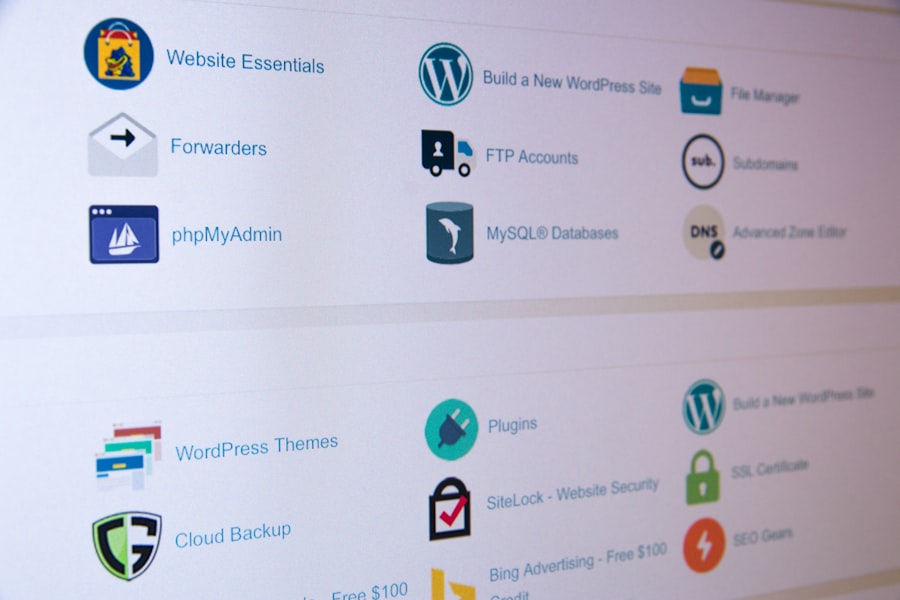
- Control Panel: A user-friendly control panel (like cPanel, Plesk, or a custom in-house panel) is invaluable. It should allow you to manage files, databases, email accounts, DNS settings, and security certificates for all your domains from a central interface. Look for features like one-click installers for popular CMS platforms.
Performance Optimizations
Speed is paramount for user experience and SEO. A good hosting provider will offer features to ensure your websites load quickly.
- SSD Storage: Solid-state drives significantly outperform traditional HDDs in read/write speeds, leading to faster website loading.
- Caching Mechanisms: Server-level caching (like Varnish, NGINX caching, or Memcached) can drastically reduce server load and improve page load times.
- Content Delivery Network (CDN) Integration: A CDN distributes your website’s static content (images, CSS, JavaScript) across multiple servers worldwide. When a user visits your site, the content is delivered from the server closest to them, speeding up delivery.
- Latest Software Versions: Ensure the host supports the latest versions of PHP, MySQL/MariaDB, and other relevant software, as these often come with performance improvements and security patches.
Security Features
With multiple websites, your attack surface increases. Robust security is non-negotiable.
- SSL Certificates: Essential for encrypting data between your website and visitors. Many hosts offer free Let’s Encrypt SSL certificates.
- DDoS Protection: Distributed Denial of Service attacks can bring your websites down by overwhelming them with traffic. Built-in DDoS protection is a valuable safeguard.
- Firewalls: Both hardware and software firewalls help protect your server from malicious traffic.
- Malware Scanning and Removal: Regular scans and tools to quarantine or remove malware are crucial.
- Automated Backups: Regular, reliable backups are your safety net. Ensure you understand the backup frequency, retention period, and ease of restoration.
Scalability and Upgrade Paths
As discussed earlier, your hosting should be able to grow with you.
- Easy Upgrades: Can you seamlessly upgrade your plan (e.g., from shared to VPS, or increase VPS resources) without significant downtime or complex migrations?
- Resource Monitoring: Does the host provide tools to monitor your resource usage so you can proactively address potential bottlenecks before they become problems?
Customer Support
When things go wrong, you need reliable help.
- Availability: Is support available 24/7/365?
- Channels: Do they offer multiple support channels (live chat, phone, ticket system)?
- Knowledgeable Staff: Are the support agents technically competent and able to quickly resolve issues related to your multiple websites?
- Response Times: What are their guaranteed response times for different types of issues?
Migration and Setup Considerations

Once you’ve chosen a hosting provider, the journey isn’t over. You’ll need to get your websites up and running.
Domain Management
If your domains are currently registered elsewhere, you’ll either need to transfer them to your new host (often a good idea for consolidation) or update their DNS settings to point to your new server. Your hosting provider will guide you through this process. Ensure you understand how to manage DNS records for each of your domains within their control panel.
Website Transfer
- Manual Migration: If you’re comfortable with FTP, databases, and file management, you can manually transfer your website files and databases. This requires careful attention to detail.
- Migration Tools/Plugins: Many CMS platforms (like WordPress) have plugins that can assist with migration.
- Host-Assisted Migration: Many reputable hosting providers offer free or paid migration services. This can be a huge time-saver and peace of mind, especially if you have multiple complex websites.
Setting Up Each Website
| Factors to Consider | Description |
|---|---|
| Number of Websites | Determine how many websites you plan to host to ensure the hosting plan can accommodate them all. |
| Bandwidth and Storage | Consider the amount of data transfer and storage space needed for all the websites combined. |
| Performance and Reliability | Look for a hosting provider that offers reliable uptime and fast loading speeds for all websites. |
| Scalability | Choose a hosting plan that allows for easy scalability as your websites grow in traffic and content. |
| Security Features | Ensure the hosting plan includes robust security measures to protect all the websites from potential threats. |
| Management Tools | Check for management tools that make it easy to handle multiple websites from a single dashboard. |
For each website you’re hosting, you’ll typically need to:
- Add the domain: As an addon domain or primary domain, depending on your hosting setup.
- Install your CMS/Application: Use one-click installers (if available) or manually upload files.
- Create a database: If your website requires one.
- Configure DNS: Ensure the domain correctly points to your hosting server.
- Install SSL: Activate an SSL certificate for each domain to ensure secure connections.
- Test Thoroughly: After setup, test every aspect of each website to ensure everything is functioning correctly.
When selecting hosting for multiple websites, it’s essential to consider various factors such as performance, scalability, and customer support. A related article that delves into the benefits of business hosting can provide valuable insights into how the right hosting solution can enhance your online presence. For more information on this topic, you can read about how business hosting can boost your online sales and revenue. This knowledge can help you make a more informed decision when choosing the best hosting option for your needs.
Ongoing Management and Best Practices
Choosing the right host is just the beginning. Effective ongoing management is key to keeping your multiple websites healthy and performing well.
Regular Backups
While your host might offer backups, it’s always a good idea to have your own independent backup strategy. This provides an extra layer of security. Use plugins or scripts to automate backups to a remote location (e.g., cloud storage).
Performance Monitoring
Keep an eye on your websites’ performance. Tools like Google Analytics, Google Search Console, and various uptime monitoring services can alert you to issues early. Monitor CPU, RAM, and disk usage within your hosting control panel to identify resource bottlenecks.
Security Audits and Updates
Regularly check your websites for vulnerabilities. Keep all your CMS platforms, themes, and plugins updated to their latest versions, as updates often include critical security patches. Use strong, unique passwords for all your accounts.
Resource Allocation
If you’re on a VPS or dedicated server, ensure you’re allocating resources efficiently. If one site is suddenly hogging resources, investigate why. You might need to optimize its code, images, or consider moving it to its own dedicated instance if it’s consistently demanding.
By carefully considering your needs, exploring the available options, scrutinizing key features, and implementing sound management practices, you can confidently choose the right hosting solution for your multiple websites and set yourself up for long-term digital success. Your digital empire awaits!
FAQs
1. What factors should be considered when choosing hosting for multiple websites?
When choosing hosting for multiple websites, factors to consider include the amount of storage and bandwidth needed, the ability to host multiple domains, the level of security and support provided, and the scalability of the hosting plan.
2. What are the benefits of choosing a hosting plan that allows for multiple websites?
Choosing a hosting plan that allows for multiple websites can provide cost savings, centralized management of all websites, and the ability to easily scale and grow your online presence.
3. What are some popular hosting options for multiple websites?
Popular hosting options for multiple websites include shared hosting, virtual private servers (VPS), and dedicated servers. Each option offers different levels of resources and control for hosting multiple websites.
4. How can I ensure that my hosting plan can handle multiple websites efficiently?
To ensure that your hosting plan can handle multiple websites efficiently, consider the amount of resources provided, the ability to add additional domains, and the performance and reliability of the hosting provider.
5. What are some tips for managing multiple websites on a single hosting plan?
Some tips for managing multiple websites on a single hosting plan include using a content management system (CMS) to streamline website management, regularly monitoring website performance and security, and optimizing websites for speed and search engine optimization (SEO).








Add comment