
You’re embarking on a journey to build websites that aren’t just visually appealing or functional, but are truly intelligent. You’re looking to power AI-ready websites, and that means your hosting infrastructure needs to be more than just a digital parking lot for your files. It needs to be a dynamic, powerful engine capable of supporting the complex demands of artificial intelligence. This isn’t a future dream; it’s a present reality. If you want your website to leverage AI for personalized user experiences, sophisticated analytics, predictive capabilities, or even generative content, you need to understand how your hosting infrastructure plays a critical, foundational role. This article will guide you through the essential considerations for powering your AI-ready website, ensuring your digital ambitions are met with robust and scalable support.
You might be thinking, “What’s so different about hosting an AI-ready website?” The answer lies in the computational intensity, data handling, and real-time processing that AI applications require. Traditional websites serve static content or execute relatively simple server-side scripts. AI, on the other hand, involves intricate algorithms, massive datasets, and often, continuous learning and adaptation. This translates directly to heightened demands on every aspect of your hosting environment.
The Need for Enhanced Computational Power
Your AI models, whether they’re performing natural language processing, image recognition, or predictive analytics, are computationally hungry. They require significant processing power to crunch numbers, execute complex calculations, and deliver results quickly. This means your hosting infrastructure needs to provide more than just basic CPU cycles.
CPU vs. GPU: Recognizing the Difference
You’ve likely heard about CPUs (Central Processing Units) and GPUs (Graphics Processing Units). While CPUs are excellent for general-purpose computing and sequential tasks, GPUs are designed for massively parallel processing, making them exceptionally well-suited for the matrix multiplications and tensor operations that underpin many AI algorithms. For AI-heavy workloads, relying solely on CPU-based hosting will be a bottleneck. You’ll need to ensure your hosting provider offers access to powerful CPUs, and more importantly, the option to leverage GPUs.
Understanding Core Count and Clock Speed
The number of CPU cores and their clock speed are crucial indicators of processing power. More cores allow for more simultaneous operations, while higher clock speeds mean each core can perform calculations faster. For AI, you’ll want to look for hosting plans that offer a generous number of high-performance cores.
The GPU Advantage for AI Workloads
If your AI applications involve deep learning, machine learning, or tasks like video analysis or complex simulations, GPUs are non-negotiable. They can accelerate these processes by orders of magnitude compared to CPUs. You’ll need to find hosting solutions that provide dedicated GPU instances or allow you to rent GPU-accelerated virtual machines.
Memory (RAM) Requirements: Fueling the Algorithms
AI models often operate on large datasets and require substantial amounts of Random Access Memory (RAM) to load and process this data efficiently. Insufficient RAM will force your applications to constantly swap data between memory and slower storage, leading to significant performance degradation.
Sufficient RAM for Data Loading
Consider the size of the datasets your AI models will be interacting with. If you’re training models on terabytes of data, or if your real-time inference requires loading large models into memory, you’ll need a commensurate amount of RAM. Hosting providers often offer tiered plans with varying RAM allocations.
Impact of Insufficient RAM on AI Performance
When your AI applications run out of RAM, they resort to using the hard drive as virtual memory. This “swapping” is drastically slower than accessing RAM, and it can cripple the performance of your AI, turning what should be near-instantaneous results into agonizingly slow ones.
Data Storage and Management: The Lifeblood of AI
AI models are only as good as the data they’re trained on and the data they process. Your hosting infrastructure must provide robust, scalable, and fast data storage solutions to support these needs.
Speed and Latency of Storage
The speed at which your AI can access its data directly impacts its performance. Traditional Hard Disk Drives (HDDs) are too slow for most AI workloads. You’ll need to prioritize Solid State Drives (SSDs) or even faster NVMe SSDs. Low latency is also crucial, meaning the time it takes to retrieve data from storage.
SSD and NVMe SSDs: The Performance Standard
SSDs offer significantly faster read and write speeds compared to HDDs. NVMe SSDs, in particular, are designed for maximum throughput and low latency, making them ideal for demanding AI applications.
The Importance of Low Latency Access
For real-time AI inference, where decisions need to be made in milliseconds, low latency storage is paramount. Every millisecond saved in data retrieval contributes to a snappier and more responsive user experience.
Scalability of Storage Solutions
As your AI models evolve and your data grows, your storage needs will increase. Your hosting infrastructure should offer flexible and scalable storage solutions that can grow with your demands without requiring significant downtime or complex migrations.
Elastic Storage: Growing On-Demand
Look for hosting providers that offer elastic storage options. This allows you to easily scale your storage capacity up or down as needed, ensuring you’re not overpaying for resources you don’t use, nor are you constrained by insufficient space.
Data Redundancy and Backup for Data Integrity
Your AI models are often trained on proprietary and valuable data. Ensuring data integrity through redundancy and robust backup solutions is essential. This protects you from data loss due to hardware failures or accidental deletions.
Network Bandwidth and Connectivity: The Data Highway
AI applications, especially those involving real-time interactions or large data transfers, rely heavily on high-speed and stable network connectivity.
Sufficient Bandwidth for Data Ingress and Egress
When your AI models need to ingest large amounts of data or when they transmit results back to users, they consume significant bandwidth. Insufficient bandwidth can lead to slow loading times, dropped connections, and a poor user experience.
Understanding Bandwidth Tiers and Limits
Hosting providers offer different bandwidth tiers. You need to understand the typical data transfer requirements of your AI applications and choose a plan that accommodates them. Be mindful of any data transfer caps, as exceeding them can incur substantial costs.
The Impact of Bottlenecks on Real-Time AI
For AI that powers real-time features like chatbots, personalized recommendations, or interactive data visualizations, network bottlenecks can be disastrous. Users expect immediate responses, and slow data transfer will prevent that.
Low Latency for Real-Time Interactions
Beyond raw bandwidth, latency – the time it takes for data to travel from its source to its destination – is critical for AI that requires real-time interaction. High latency can make even simple AI features feel sluggish and unresponsive.
Proximity to Your User Base
The physical location of your hosting servers relative to your target audience plays a significant role in latency. Consider geographically distributed data centers or Content Delivery Networks (CDNs) to minimize travel time for data.
Optimizing Network Paths
Advanced hosting providers may offer features or configurations that optimize network paths for lower latency, ensuring data travels the most efficient route.
In the ever-evolving landscape of digital technology, understanding how hosting infrastructure supports AI-ready websites is crucial for businesses aiming to enhance their online presence. For those interested in optimizing their websites further, a related article titled “Accelerate Your WordPress Site: Mastering Core Web Vitals for 2025” provides valuable insights into improving website performance and user experience. You can read it here: Accelerate Your WordPress Site: Mastering Core Web Vitals for 2025. This resource complements the discussion on hosting infrastructure by focusing on the technical aspects that contribute to a website’s readiness for AI integration.
Choosing the Right Hosting Model for AI
The “one-size-fits-all” approach to hosting is no longer sufficient for AI-ready websites. You need to select a hosting model that aligns with your specific AI workload, budget, and scalability needs.
Dedicated Servers: Uncompromising Power and Control
For the most demanding AI workloads, where maximum performance, control, and security are paramount, dedicated servers offer an unparalleled solution. You get an entire physical server at your disposal, free from the performance fluctuations of shared environments.
Benefits of Dedicated Infrastructure
With a dedicated server, you have direct access to all the CPU, RAM, and storage resources. This eliminates the “noisy neighbor” problem common in shared hosting, where other users’ activity can impact your website’s performance.
Maximum Resource Allocation
Every byte of RAM and every CPU cycle is yours to command. This is crucial for AI models that require sustained high performance without interruptions.
Enhanced Security and Customization
Dedicated servers offer a higher level of security as you’re not sharing resources with potentially untrusted parties. You also have complete control over the server’s operating system, software, and configurations, allowing for fine-tuned optimization of your AI environment.
Considerations and Costs
Dedicated servers come with a higher price tag than shared or VPS hosting. You’ll also be responsible for managing the server’s operating system and software, which may require in-house IT expertise or the hiring of managed services.
The Cost of Premium Performance
You’re paying for exclusive access to hardware. This premium price reflects the guaranteed performance and isolation you receive.
Management Overhead: Self-Managed vs. Managed
Decide if you have the internal resources to manage a dedicated server or if you’ll opt for a managed service where the provider handles the system administration, patching, and monitoring.
Virtual Private Servers (VPS): A Balance of Power and Affordability
VPS hosting offers a compelling middle ground, providing more resources and control than shared hosting but at a more accessible price point than dedicated servers. Your AI applications will run in a virtualized environment, giving you dedicated resources within a larger physical server.
Resource Isolation and Guaranteed Performance
While you share a physical server, your VPS is isolated from other users. This means your AI applications won’t be directly affected by their resource usage, providing a more predictable performance level.
Dedicated RAM and CPU Allocation
Your VPS will have a guaranteed allocation of RAM and CPU power, ensuring your AI models have the resources they need to operate consistently.
Root Access and Customization Potential
Most VPS plans provide root access, allowing you to install and configure the necessary software and libraries for your AI applications. This offers a good degree of customization.
Scalability and Cost-Effectiveness
VPS hosting is generally more scalable than shared hosting. You can often upgrade your resources (RAM, CPU, storage) with relative ease as your AI needs grow. This makes it a cost-effective option for many AI-ready websites, especially those in their growth phases.
Upgrading Resources as Your AI Matures
As your AI models become more sophisticated or your user base expands, you can easily scale your VPS resources without migrating to a completely new hosting solution.
The Sweet Spot for Many AI Startups
VPS offers a strong combination of performance, control, and affordability, making it an excellent choice for startups and businesses looking to experiment with or deploy AI-powered features.
Cloud Hosting: Ultimate Scalability and Flexibility
Cloud hosting is where true AI readiness often shines. Cloud platforms offer on-demand access to a vast pool of computing resources, allowing you to scale your infrastructure up or down dynamically based on your AI’s fluctuating demands.
Elasticity and On-Demand Resource Provisioning
The defining characteristic of cloud hosting is its elasticity. You can provision new servers, add more RAM, or increase storage capacity in minutes, perfectly aligning with the often unpredictable needs of AI development and deployment.
Auto-Scaling for Dynamic Workloads
Cloud platforms can be configured to automatically scale your resources based on predefined metrics, such as CPU utilization or incoming traffic. This ensures your AI applications remain performant even during peak loads.
Pay-as-You-Go Pricing Models
With cloud hosting, you typically pay only for the resources you consume. This can be highly cost-effective, especially for AI projects with variable resource requirements.
Access to Specialized AI Services and Hardware
Major cloud providers offer a rich ecosystem of managed AI services, including machine learning platforms, natural language processing APIs, and access to cutting-edge GPU instances.
Managed AI Platforms and Tools
Cloud providers offer services like Amazon SageMaker, Google AI Platform, and Azure Machine Learning, which streamline the process of building, training, and deploying AI models.
GPU Instances and Specialized Hardware
You can easily rent powerful GPU instances for deep learning tasks, or even specialized hardware like TPUs (Tensor Processing Units) for even greater AI acceleration.
Managed Hosting for AI: Expertise and Support
Regardless of the underlying hosting model (dedicated, VPS, or cloud), managed hosting can be a significant advantage for powering AI-ready websites. This means the hosting provider takes on the responsibility of managing the server infrastructure, allowing you to focus on your AI development.
Offloading System Administration Tasks
Managed hosting providers handle tasks like server setup, patching, security updates, performance monitoring, and troubleshooting. This frees up your valuable development time.
Focus on AI Development, Not Server Maintenance
Your team’s expertise is best applied to building and refining your AI models, not wrestling with server configurations or troubleshooting network issues.
Proactive Monitoring and Security
Managed hosting providers often offer proactive monitoring to detect and address potential issues before they impact your AI applications. They also implement robust security measures to protect your valuable data.
Access to AI-Specific Expertise
Some managed hosting providers specialize in supporting AI workloads and may have staff with expertise in AI deployment and optimization.
Tailored Solutions for AI Workflows
A managed provider with AI experience can help you choose the right hardware, configure the optimal software stack, and even offer guidance on deploying your specific AI models.
Faster Issue Resolution
When you encounter a problem, having a managed team with AI knowledge can lead to quicker and more effective resolutions.
Essential Infrastructure Components for AI Readiness
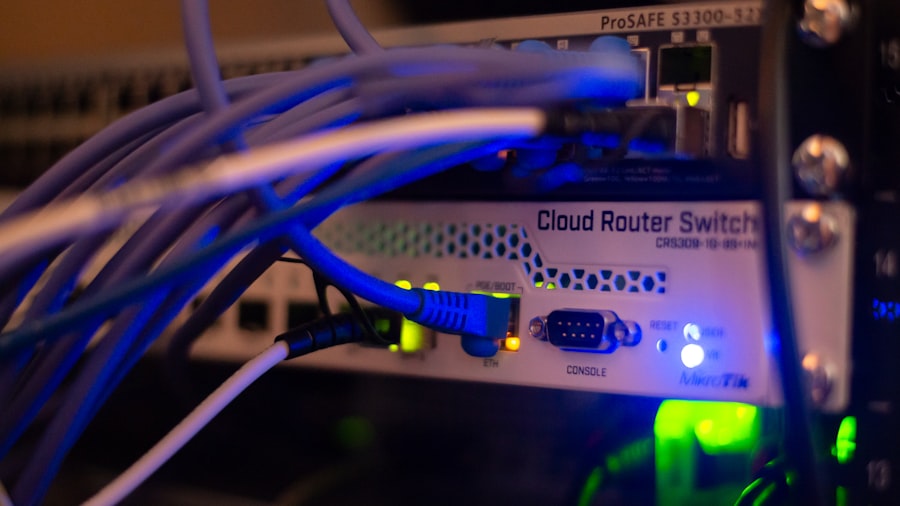
Beyond the core hosting model, several other infrastructure components are critical for a truly AI-ready website. These elements ensure your AI can function efficiently and seamlessly integrate with your web presence.
Robust Databases for Data Storage and Retrieval
Your AI models will likely rely on databases to store training data, user information, and the results of their computations. The performance and scalability of these databases are paramount.
High-Performance Database Solutions
Traditional relational databases might suffice for some AI applications, but for large-scale, complex AI, you might need to consider NoSQL databases or specialized data warehousing solutions.
NoSQL Databases for Flexibility and Scale
NoSQL databases (like MongoDB, Cassandra, or DynamoDB) are often better suited for handling large, unstructured, or semi-structured data that AI frequently works with. They offer horizontal scalability and flexible schemas.
Data Warehousing for Analytics and Training
For extensive data analysis and model training, a dedicated data warehouse can provide optimized storage and query performance.
Database Caching and Optimization
To ensure your AI can access data quickly, database caching mechanisms are essential. This involves storing frequently accessed data in faster memory to reduce the need for repeated disk access.
In-Memory Caching
Technologies like Redis or Memcached can be integrated to store frequently queried data in RAM, drastically reducing retrieval times.
Query Optimization Techniques
Ensuring your database queries are efficiently written and indexed is crucial. Poorly optimized queries can become significant bottlenecks for AI performance.
Containerization and Orchestration: Streamlining AI Deployments
Containerization technologies like Docker and orchestration platforms like Kubernetes have become indispensable for modern AI development and deployment. They offer a standardized and efficient way to package, deploy, and manage your AI applications.
Docker for Packaging and Portability
Docker allows you to package your AI application, its dependencies, and its configuration into a lightweight, portable container. This ensures your AI runs consistently across different environments.
Creating Consistent AI Environments
Docker eliminates the “it works on my machine” problem by providing a self-contained environment that can be deployed anywhere.
Faster Deployment Cycles
With Docker containers, you can spin up new instances of your AI applications quickly and easily, leading to faster deployment cycles.
Kubernetes for Scalability and Management
Kubernetes is an open-source system for automating deployment, scaling, and management of containerized applications. It’s the de facto standard for orchestrating AI workloads.
Automated Scaling and Load Balancing
Kubernetes can automatically scale your AI applications up or down based on demand and distribute incoming traffic across multiple instances.
Self-Healing and Resilience
Kubernetes can detect and replace failed containers, ensuring the continuous availability of your AI applications.
Content Delivery Networks (CDNs): Accelerating AI-Driven Content
If your AI-powered website generates dynamic content or provides personalized experiences, a CDN can play a vital role in delivering that content quickly to users worldwide.
Caching Dynamic Content
While traditionally used for static assets, CDNs can now cache dynamic AI-generated content at edge locations, reducing latency for users.
Reducing Latency for AI-Powered Responses
When your AI generates personalized recommendations, AI-written articles, or complex data visualizations, caching these outputs at CDN edge servers ensures they are delivered to users with minimal delay.
Improved User Experience for Global Audiences
A CDN distributes your content across multiple geographical locations, so users access it from the nearest server, resulting in faster load times and a better experience.
Offloading Traffic from Your Origin Servers
By serving cached content, CDNs significantly reduce the load on your origin servers, allowing them to focus on processing AI computations rather than simply delivering files.
Freeing Up Server Resources for AI Processing
When your origin servers are not bogged down with delivering static files, they have more capacity to handle the computationally intensive tasks of your AI models.
Security Considerations for AI-Ready Hosting

As you integrate AI into your website, security becomes even more critical. Your AI models and the data they process are valuable assets, and protecting them from unauthorized access and malicious attacks is paramount.
Data Encryption: Protecting Sensitive Information
Both data in transit and data at rest need to be encrypted to safeguard sensitive information that your AI applications might handle.
Encryption in Transit
Using SSL/TLS certificates for your website ensures that data exchanged between your users and your servers is encrypted.
Securing User Data and API Communications
This is crucial for protecting personal identifiable information (PII), financial data, or any other sensitive data that your AI might process or transmit.
Encryption at Rest
Encrypting your databases and storage volumes protects your data even if the physical storage media is compromised.
Protecting Training Data and Model Parameters
Your AI models themselves, along with their training data, should be protected by encryption at rest.
Access Control and Authentication: Limiting Exposure
Implementing strong access control mechanisms ensures that only authorized personnel and systems can access your AI resources and data.
Role-Based Access Control (RBAC)
RBAC allows you to define specific roles within your organization and assign permissions to those roles. This ensures users only have access to the resources they need.
Least Privilege Principle
Adhere to the principle of least privilege, granting users and applications only the minimum permissions necessary to perform their functions.
Secure Authentication Methods
Beyond basic passwords, consider multi-factor authentication (MFA) and secure API key management to further strengthen your authentication protocols.
Preventing Unauthorized Access to AI Models and Data
Strong authentication is your first line of defense against malicious actors attempting to gain access to your AI systems.
Regular Security Audits and Penetration Testing
Proactive security measures are essential. Regularly auditing your infrastructure and conducting penetration tests can help you identify and address vulnerabilities before they are exploited.
Identifying and Patching Vulnerabilities
Security audits and penetration tests help uncover weaknesses in your hosting environment, software configurations, and application code.
Simulating Real-World Attacks
Penetration testers simulate real-world attacks to test the resilience of your security defenses against sophisticated threats.
Staying Ahead of Evolving Threats
The threat landscape is constantly evolving. Regular security assessments ensure your defenses remain robust against new and emerging attack vectors relevant to AI systems.
In the ever-evolving landscape of digital technology, understanding how hosting infrastructure supports AI-ready websites is crucial for businesses aiming to enhance their online presence. A recent article explores the significance of local SEO strategies for Pakistani businesses, emphasizing the importance of optimizing websites to rank higher in near-me searches. This connection highlights how robust hosting solutions can improve website performance, ultimately benefiting local visibility and engagement. For more insights on this topic, you can read the article on local SEO for Pakistani businesses.
The Future of AI-Ready Hosting: Evolving Trends
| Hosting Infrastructure | Support for AI Ready Websites |
|---|---|
| Scalability | Ability to handle increased traffic and computational demands of AI algorithms |
| High Performance Computing (HPC) | Capability to process large datasets and complex AI models efficiently |
| Reliability | Ensuring minimal downtime and consistent availability for AI-powered features |
| Security | Protection against potential cyber threats and data breaches in AI applications |
| Flexibility | Adaptability to support various AI frameworks and tools |
The intersection of AI and hosting infrastructure is a rapidly evolving space. Staying informed about emerging trends will help you make informed decisions and future-proof your AI-ready website.
Serverless Computing for AI Inference
Serverless computing allows you to run your AI inference code without managing servers. You simply deploy your code, and the cloud provider handles the underlying infrastructure, scaling it automatically as needed.
Cost Efficiency and Scalability for Inference Tasks
This model can be incredibly cost-effective for AI inference, as you only pay for the compute time your code actually uses. It also offers excellent scalability.
Focus on Model Performance, Not Infrastructure Management
Developers can concentrate solely on optimizing their AI models for inference, leaving the operational aspects to the serverless platform.
Event-Driven Architectures
Serverless functions are well-suited for event-driven architectures, where your AI can react to triggers like new data uploads or user interactions.
Enabling Real-Time AI Responses
This can power highly responsive AI features that trigger actions based on specific events, such as real-time fraud detection or personalized content generation.
Edge Computing for Lower Latency AI
Edge computing moves computation closer to the data source or the end-user. This is particularly beneficial for AI applications that require extremely low latency.
Reducing Latency for Real-Time AI Applications
For AI applications like autonomous vehicles, industrial IoT, or augmented reality, milliseconds matter. Edge computing minimizes the travel time of data.
Processing Data Locally, Not in the Cloud
Instead of sending all data back to a central data center, AI processing happens on devices or local servers at the edge.
Enabling Offline AI Functionality
In scenarios where reliable internet connectivity is not guaranteed, edge computing allows AI applications to function even when offline.
Building Resilient AI Systems
This is crucial for mission-critical applications where continuous operation is essential, regardless of network availability.
Specialized AI Hardware and Cloud Offerings
The demand for AI acceleration is driving innovation in specialized hardware and cloud-based offerings.
AI-Optimized Processors (e.g., TPUs, NPUs)
Beyond GPUs, specialized processors like Google’s Tensor Processing Units (TPUs) and Neural Processing Units (NPUs) are designed to accelerate AI workloads even further.
Maximizing AI Computational Efficiency
These chips are engineered for the specific types of calculations that AI algorithms perform, leading to significant performance gains.
Managed AI Platforms and Services
Cloud providers are continuously expanding their suite of managed AI services, making it easier for businesses to leverage AI without deep in-house expertise.
Democratizing AI Development and Deployment
These platforms abstract away much of the complexity, allowing a wider range of businesses to integrate AI into their operations.
By understanding and strategically implementing these hosting infrastructure considerations, you can build websites that are not just ready for AI, but are powered by it, delivering intelligent, dynamic, and engaging experiences for your users. Your digital future depends on the robust foundation you lay today.
FAQs
1. What is hosting infrastructure for AI ready websites?
Hosting infrastructure for AI ready websites refers to the hardware, software, and network components that support the hosting and deployment of websites with artificial intelligence capabilities. This infrastructure includes servers, storage, networking, and other resources necessary to run AI algorithms and applications.
2. How does hosting infrastructure support AI ready websites?
Hosting infrastructure supports AI ready websites by providing the computational power and storage capacity needed to process and analyze large amounts of data, run machine learning algorithms, and deliver AI-driven features and functionalities to users. It also ensures high availability, scalability, and performance for AI applications.
3. What are the key components of hosting infrastructure for AI ready websites?
The key components of hosting infrastructure for AI ready websites include high-performance servers with GPUs or TPUs for accelerated computing, storage systems for managing large datasets, networking infrastructure for fast data transfer, and specialized software for AI development and deployment, such as frameworks and libraries for machine learning and deep learning.
4. Why is hosting infrastructure important for AI ready websites?
Hosting infrastructure is important for AI ready websites because it provides the necessary resources and capabilities to support the complex computational and data processing requirements of AI applications. Without a robust hosting infrastructure, AI ready websites may experience performance issues, scalability limitations, and inability to deliver AI-driven features effectively.
5. What are the considerations for choosing hosting infrastructure for AI ready websites?
Considerations for choosing hosting infrastructure for AI ready websites include the need for high-performance computing resources, support for specialized AI hardware and software, scalability to handle growing AI workloads, security and compliance requirements for sensitive AI data, and integration with AI development and deployment tools.









Add comment