

You’ve poured countless hours, boundless creativity, and significant resources into building and maintaining your website. It’s your digital storefront, your information hub, your online persona. But have you ever stopped to truly consider what would happen if, in an instant, it all vanished? What if your meticulously crafted content, your hard-earned customer data, your entire online presence simply ceased to exist? This isn’t a hyperbolic scenario from a dystopian novel; it’s a very real and unfortunately common occurrence in the fast-paced world of the internet. This is where the profound importance of daily backups for website recovery comes into sharp focus. You might think it’s a tedious task, an unnecessary expense, or something you’ll “get around to later.” However, you’re about to discover why making daily backups a non-negotiable part of your website management strategy is not just a good idea, but an absolute necessity for your peace of mind and the long-term success of your online venture.
You might believe your website is safe, tucked away on a reputable server, seemingly impervious to harm. But the digital landscape is a treacherous place, teeming with myriad threats that can compromise your data in an instant. Understanding these vulnerabilities is the first step towards appreciating the critical role of daily backups.
Human Error: The Most Common Culprit
Let’s face it, you’re human. And humans make mistakes. This isn’t an indictment; it’s a simple fact of life.
- Accidental Deletion: A misclick, a hurried selection, a momentary lapse in concentration – and an entire page, a crucial database table, or even your entire website directory can be gone in a flash. You might be performing routine maintenance, cleaning up old files, or experimenting with new features, and one wrong move can have devastating consequences.
- Incorrect Updates: You’re deploying a new plugin, updating your theme, or making a code change. What if the new version introduces a critical bug, or an incompatibility with your existing setup? Your website could crash, become unresponsive, or display broken content, rendering it unusable to your visitors.
- Configuration Mishaps: Tweaking server settings, modifying .htaccess files, or adjusting database parameters can be fraught with peril. A single incorrect character can bring down your entire site, leaving you with a cryptic error message and a lot of head-scratching.
Malicious Attacks: The Digital Underbelly
The internet is not always a friendly place. There are individuals and groups actively seeking to exploit vulnerabilities for their own nefarious purposes.
- Hacking and Unauthorized Access: Cybercriminals are constantly probing for weaknesses in websites, aiming to gain unauthorized access. Once inside, they can deface your site, steal sensitive customer data, inject malware, or even delete your entire database. You might become a victim of a targeted attack or simply be caught in a broader sweep for vulnerable sites.
- Malware and Virus Infections: Your website can become infected with malware, often without your immediate knowledge. This malware can then spread to your visitors, leading to blacklisting by search engines, reputation damage, and a complete loss of trust. Detecting and removing sophisticated malware can be a complex and time-consuming process.
- DDoS Attacks: Distributed Denial of Service (DDoS) attacks overwhelm your server with a flood of traffic, making your website inaccessible to legitimate users. While backups won’t prevent the attack itself, they become invaluable for quick recovery once the attack subsides and you need to restore your site to its pre-attack state.
Server Issues and Technical Glitches: Beyond Your Control
Sometimes, the problem isn’t with your website’s code or a malicious actor, but with the underlying infrastructure.
- Hardware Failure: Servers, like any other piece of machinery, can fail. Hard drives can crash, memory modules can malfunction, and power supplies can give out. If your hosting provider doesn’t have robust redundancy and backup systems (and you can’t always assume they do for your specific data), your website could be lost.
- Software Bugs: The software that powers your server – operating systems, web servers, database management systems – can also have bugs that lead to data corruption or system crashes. These are often unforeseen and can affect multiple websites on a shared server.
- Hosting Provider Errors: Even the most reputable hosting providers can make mistakes. A botched server migration, an accidental deletion of a client’s data, or a misconfigured update on their end can all lead to your website disappearing. While they might have their own backups, relying solely on them puts you at their mercy and their recovery timelines.
In addition to understanding the importance of daily backups for your website, it’s also essential to consider the hosting environment that supports your site. For instance, you might find it beneficial to read about the advantages of Linux hosting, which can offer enhanced performance and security features. To explore this topic further, check out the article on What is Linux Hosting?, where you can learn how the right hosting solution can complement your backup strategy and contribute to the overall stability of your website.
The Catastrophic Consequences of No Backups
Imagine the scene: you log in to your website, and instead of your familiar content, you see a blank screen, an error message, or worse, a message from a hacker. The immediate impact can be overwhelming, but the long-term repercussions can be even more severe.
Financial Losses: A Direct Hit to Your Bottom Line
When your website is down, your business effectively grinds to a halt.
- Lost Sales and Revenue: If you run an e-commerce site, every minute your site is down translates directly into lost sales. Even if you don’t sell products directly, your website might be crucial for lead generation, customer inquiries, or advertising revenue.
- Operational Disruptions: Your website might be integral to your internal operations – a client portal, an internal knowledge base, or a system for managing orders. Its unavailability can cripple your team’s productivity and efficiency.
- Repair and Recovery Costs: Without a backup, you’ll be faced with the monumental task of rebuilding your website from scratch, which can be incredibly expensive, requiring hours of developer time and potentially new design work. Even if you don’t rebuild from scratch, identifying and fixing the problem without a restore point can be a costly endeavor.
Reputation Damage: The Erosion of Trust
In the digital age, trust is paramount. A website outage or data breach can shatter that trust in an instant.
- Loss of Credibility: A website that is frequently down or inaccessible signals unreliability and unprofessionalism to your visitors and potential customers. They will quickly move on to a competitor.
- Negative Public Perception: If your website is defaced, serves malware, or suffers a data breach, the news can spread rapidly through social media and online reviews. Rebuilding a damaged reputation can take years and significant marketing efforts.
- Customer Churn: Existing customers who rely on your website for information, support, or services will become frustrated if they can’t access it. This frustration can easily lead to them taking their business elsewhere.
Search Engine Penalties: Vanishing from Visibility
Search engines like Google prioritize user experience. A website that is down or compromised will quickly fall out of favor.
- Lower Search Rankings: If Google crawls your site and finds it inaccessible or displaying errors, your search engine rankings will plummet. This means fewer people will find your website organically.
- De-indexing: In severe cases, especially with malware infections, Google might de-index your website entirely, meaning it will no longer appear in search results at all. Recovering from de-indexing is a long and arduous process.
- Loss of Organic Traffic: As your search rankings drop, so will your organic traffic – the free traffic that comes from search engine results. This can significantly impact your visibility and lead generation efforts.
The Power of Daily Backups: Your Digital Safety Net
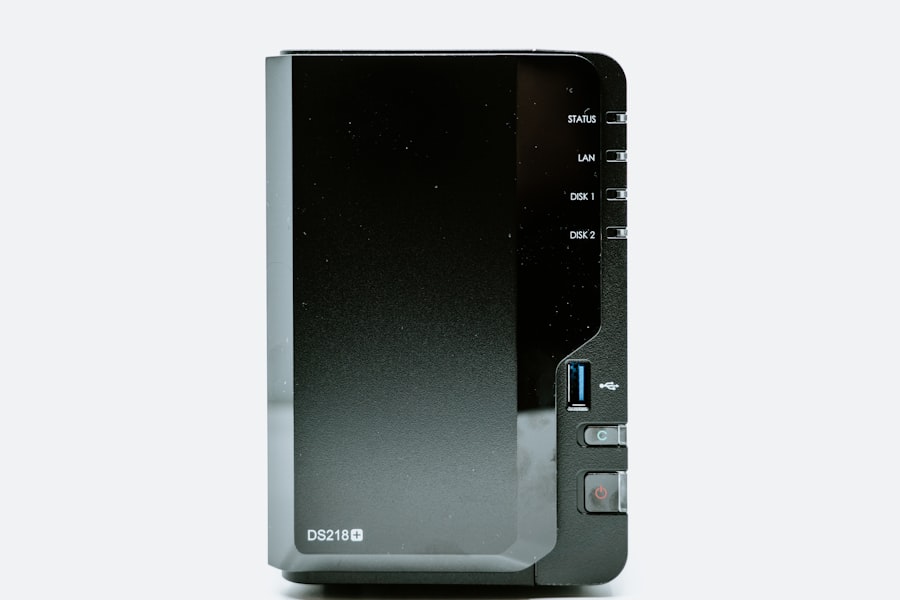
Now that you understand the risks and consequences, let’s explore why daily backups are your most potent defense. They are not merely an option; they are a fundamental component of responsible website ownership.
Rapid Recovery: Getting Back Online in Minutes, Not Weeks
This is the cornerstone benefit. With a recent, daily backup, you can reverse catastrophic events with remarkable speed.
- Minimizing Downtime: Instead of spending days or weeks trying to diagnose a problem and rebuild your site, you can restore a functional version in a matter of minutes or hours. This significantly reduces your financial losses and reputation damage.
- Stress Reduction: The panic and anxiety associated with a crashed website are immense. Knowing you have a recent backup drastically reduces this stress, allowing you to focus on the restoration process rather than on the potential loss.
- Simplified Troubleshooting: If you know exactly when your website went awry, you can restore to the previous day’s backup and then systematically introduce changes to identify the culprit. This is far easier than trying to pinpoint an issue in a completely broken environment.
Data Integrity and Preservation: Protecting Your Valuable Assets
Your website isn’t just code; it’s a repository of valuable information.
- Safeguarding Content: All your blog posts, product descriptions, images, videos, and static pages are protected. You won’t have to rewrite or re-upload content, saving you countless hours of effort.
- Customer Information Security: If you store customer data (even just email addresses for a newsletter), backups are crucial for recovery in case of a data breach or accidental deletion. While security measures are paramount, a backup provides an additional layer of protection.
- Configuration and Settings Retention: All your theme customizations, plugin settings, menu structures, and user roles are preserved, ensuring your site looks and functions exactly as it did before the incident.
Peace of Mind: The Priceless Intangible Benefit
Beyond the tangible benefits, daily backups offer something invaluable: peace of mind.
- Confidence in Experimentation: You can experiment with new features, plugins, or design changes without the paralyzing fear of breaking your site irrevocably. If something goes wrong, you can simply revert to the previous day’s backup.
- Reduced Anxiety: Knowing that your digital asset is protected allows you to focus on growing your business and serving your audience, rather than constantly worrying about potential disasters.
- Proactive Preparedness: You’re not reacting to a crisis; you’re prepared for it. This proactive approach saves you time, money, and a great deal of stress in the long run.
Implementing an Effective Daily Backup Strategy

Knowing the “why” is crucial, but you also need to understand the “how.” A robust daily backup strategy involves more than just clicking a button once in a while.
Choose the Right Backup Solution: Not All Backups Are Created Equal
There are various ways to back up your website, and the best choice for you depends on your website’s complexity, your technical comfort level, and your budget.
- Hosting Provider Backups: Many hosting providers offer automated backups as part of their service. While convenient, you must understand their retention policies (how long they keep backups), their restoration process (is it self-service or do you need to contact support?), and whether they back up your database and your files. Don’t rely solely on these; they are a good first line of defense but should be augmented.
- Plugin-Based Backups (for CMS platforms like WordPress): For content management systems (CMS) like WordPress, plugins like UpdraftPlus, BackWPup, or VaultPress offer comprehensive backup solutions. They allow you to schedule daily backups, store them in various locations, and often provide one-click restoration. These are highly recommended for most CMS users.
- Manual Backups: You can manually back up your website files via FTP/SFTP and your database via phpMyAdmin or command line. While effective, this method is time-consuming, prone to human error, and not practical for daily implementation for most users. It’s often reserved for very simple sites or as a supplementary measure.
- Server-Level Backups: If you have a VPS or dedicated server, you might configure server-level backup scripts that run daily, often using tools like rsync or specialized backup software. This offers a high degree of control but requires more technical expertise.
Where to Store Your Backups: The “Off-Site” Imperative
Having a backup is good, but where you store it is equally important. If your backup is on the same server that crashes, it’s useless.
- Cloud Storage: Services like Google Drive, Dropbox, Amazon S3, and OneDrive are excellent choices for off-site backup storage. They are reliable, scalable, and often offer generous free tiers or affordable plans. Many backup plugins integrate directly with these services.
- Remote Servers (SFTP/FTP): You can send your backups to a different server or a dedicated backup server via SFTP or FTP. This provides another layer of security, especially if you control the remote server.
- Local Storage (with caveats): While you can store backups on your local computer or an external hard drive, this shouldn’t be your primary off-site solution. Your local drive could fail, be stolen, or be affected by a local disaster. It’s best used as a temporary or secondary storage location.
Regular Testing: Don’t Assume, Verify
A backup that can’t be restored is as good as no backup at all.
- Perform Test Restorations: Periodically, you must test your backup and restoration process. This involves restoring your website to a staging environment or a local server to ensure that the backup is complete, uncorrupted, and can be successfully brought back online. This step is often overlooked but is absolutely critical.
- Check Backup Logs: Your backup solution should provide logs that indicate whether backups were successful or if any errors occurred. Review these logs regularly to catch potential issues before they become critical.
- Verify Backup Integrity: Some backup solutions offer integrity checks, which ensure that the backup files are not corrupted and are fully readable. Utilize these features if available.
In the digital landscape, ensuring the security and reliability of your website is paramount, and daily backups play a crucial role in this process. For those looking to enhance their website’s performance and safety, understanding the various types of hosting available can be beneficial. A related article discusses the different WordPress hosting types and features that contribute to a quality hosting experience, which can complement your backup strategy by providing a stable foundation for your site.
The Daily Habit: Making Backups a Routine
| Benefits of Daily Backups | Explanation |
|---|---|
| Protection Against Data Loss | Daily backups ensure that your website’s data is safe and can be restored in case of a mistake or data loss. |
| Quick Recovery | Having daily backups allows for quick recovery of your website after a mistake, minimizing downtime. |
| Peace of Mind | Knowing that your website is backed up daily provides peace of mind and reduces stress related to potential mistakes. |
| Protection Against Cyber Attacks | Backups can protect your website from cyber attacks by allowing you to restore to a previous, unaffected state. |
The word “daily” in “daily backups” is not merely a suggestion; it’s a core component of a resilient strategy.
- Automate, Automate, Automate: Manual backups are rarely daily backups. Set up automated schedules through your hosting provider, backup plugin, or server scripts. This ensures consistency and removes the burden of remembering to perform the task.
- Set Reminders for Verification: While automation handles the creation, you should still set a weekly or monthly reminder to check your backup logs and perform a test restoration. This ensures your automated system is functioning as intended.
- Adopt a “Set It and Forget It… But Check It” Mentality: The goal is to make backups a seamless, background process, but never take them entirely for granted. Regular checks are your insurance policy for your insurance policy.
In the complex and often unpredictable world of the internet, your website is a living, breathing entity. It requires constant care, attention, and most importantly, protection. By understanding the myriad threats that lurk online, recognizing the devastating consequences of website loss, and embracing the power of daily backups, you are not just safeguarding your digital assets; you are securing your future. Don’t wait for a disaster to strike. Implement a robust daily backup strategy today, and empower yourself with the peace of mind that comes from knowing your online presence is resilient, recoverable, and ready for whatever comes its way. Your website, and your business, will thank you for it.
FAQs
What are daily backups?
Daily backups are copies of your website’s data and files that are created and stored on a regular basis, typically once a day. These backups serve as a safety net in case something goes wrong with your website, allowing you to restore it to a previous state.
How can daily backups save your website after a mistake?
Daily backups can save your website after a mistake by providing a way to restore your website to a previous state before the mistake occurred. Whether it’s a coding error, accidental deletion of important files, or a security breach, having daily backups ensures that you can easily recover your website and minimize any potential damage.
What are the benefits of daily backups for website owners?
The benefits of daily backups for website owners include peace of mind knowing that their website’s data is safe and secure, the ability to quickly recover from mistakes or security breaches, and the ability to maintain business continuity in the event of a website outage or data loss.
How can website owners implement daily backups for their websites?
Website owners can implement daily backups for their websites by using backup plugins or services provided by their web hosting provider. These tools typically allow website owners to schedule automatic daily backups and store them securely in a remote location.
What are best practices for managing daily backups for a website?
Best practices for managing daily backups for a website include regularly testing the backup restoration process to ensure it works as intended, storing backups in a secure and remote location, and maintaining a backup retention policy to ensure that older backups are periodically replaced with newer ones.









Add comment