

You’ve invested time, effort, and possibly a good chunk of change into your WordPress website. You’ve crafted compelling content, designed an engaging layout, and optimized for speed. But have you truly considered the cornerstone of user interaction and content discoverability: your site’s search functionality? If you’re relying solely on the default WordPress search, you’re likely leaving a significant amount of potential on the table. This article will guide you through the process of enhancing your WordPress search, transforming it from a basic utility into a powerful tool that boosts performance and dramatically improves user experience.
Before you can effectively improve something, you need to understand its shortcomings. The default WordPress search, while functional, is quite basic in its approach. It’s akin to a general store when your users are looking for a specific boutique item.
The Problem of Relevance
When someone types a query into your search bar, they expect relevant results. The default WordPress search often struggles with this.
- Keyword Matching Over Context: It primarily relies on simple keyword matching. If your content doesn’t contain the exact phrase a user searches for, even if it’s conceptually related, it might not appear in the results. This can lead to frustration and missed opportunities.
- Lack of Synonym Recognition: Imagine a user searching for “laptop” on your electronics store and your site only having posts that use the word “notebook.” The default search won’t bridge that gap, leading to irrelevant or missing results.
- No Weighting for Importance: The default search doesn’t understand that a keyword in the title is likely more important than one in a comment. All instances are treated relatively equally, leading to a flat hierarchy of results.
Performance Bottlenecks on Larger Sites
As your WordPress site grows, so does its content. This directly impacts the performance of the default search.
- Database Intensive Queries: Each search query triggers a database query that scans through your posts, pages, and sometimes comments. On larger sites with tens of thousands of pieces of content, this can be incredibly resource-intensive, slowing down your server and the search process itself.
- Lack of Indexing Optimization: The default search doesn’t employ advanced indexing techniques that dedicated search solutions use. It re-scans the database each time, rather than quickly pulling from a pre-built, optimized index. This is a major factor in performance degradation.
Poor User Experience and Missed Conversions
Ultimately, ineffective search directly impacts your users’ experience and, consequently, your site’s goals.
- Frustration and Abandonment: If users can’t find what they’re looking for quickly, they’ll become frustrated and abandon your site, likely heading to a competitor. This directly translates to lost leads, sales, or readership.
- Limited Search Scope: The default search typically only covers posts and pages. What about custom post types, custom fields, product descriptions (if you’re running an e-commerce site), or even attached media metadata? These are often overlooked, hiding valuable content from your users.
- No Search Analytics: Without analytics, you have no idea what your users are searching for, what they aren’t finding, or how to improve your content strategy based on popular queries. This lack of insight is a significant disadvantage.
To further enhance your understanding of optimizing WordPress, you may find it beneficial to explore the article on creating a blank page in WordPress, which provides insights into effective page management. This can be particularly useful when improving search performance and user experience. For more details, check out the article here: Creating a Blank Page in WordPress.
Strategies for Enhancing WordPress Search
Now that you understand the limitations, let’s explore robust strategies to elevate your WordPress search. You’ll move beyond the basics and implement solutions that genuinely make a difference.
Leveraging Dedicated Search Plugins
The most straightforward and effective way to significantly upgrade your search capabilities is by utilizing a dedicated search plugin. These plugins are specifically designed to overcome the limitations of the default WordPress search.
- ElasticPress: This plugin integrates WordPress with Elasticsearch, a powerful, open-source search engine. It’s a fantastic choice for larger sites that need highly scalable and flexible search.
- Real-time Indexing: ElasticPress indexes your content in real-time, meaning new posts or updates are immediately searchable. This is crucial for dynamic sites.
- Advanced Querying: It allows for highly sophisticated queries, including fuzzy matching, stemming, phonetic matching, and geo-location search, offering users a much more forgiving search experience.
- Facet and Filter Support: With ElasticPress, you can easily implement faceted search, allowing users to narrow down results by categories, tags, custom taxonomies, and more. This is particularly valuable for e-commerce or large content archives.
- Scalability: Designed to handle vast amounts of data and high concurrent search requests, it’s ideal for high-traffic websites that experience performance issues with the default search.
- SearchWP: A premium plugin that offers a comprehensive and user-friendly solution without the need for external services like Elasticsearch. It’s a popular choice for many medium-to-large WordPress sites.
- Configurable Weighting: SearchWP allows you to assign different weights to content attributes (title, content, tags, categories, custom fields) to influence the relevance of search results. This means you can prioritize keywords in headings over those in the body.
- Search Everything: It truly lives up to its name, allowing you to index and search custom post types, taxonomies, comments, and even custom fields (including ACF fields), ensuring no relevant content is left out.
- Keyword Stemming and Synonym Support: Improves relevance by understanding variations of words and allowing you to define synonyms, so a search for “car” also returns “automobile.”
- Search Statistics: Provides valuable insights into what your users are searching for, helping you identify content gaps and popular topics.
- Relevanssi: Another powerful and highly configurable search plugin available in both free and premium versions. It’s a great option for those who want extensive control over their search.
- Partial Word Matching: Relevanssi can find results even if the user only types part of a word, improving the chances of a successful search.
- “Did you mean?” Suggestions: Helps users correct typos and find what they’re looking for even if their initial query was slightly off.
- Highlighting Search Terms: When users click on a search result, Relevanssi can highlight the searched terms within the post content, making it easier for them to quickly locate the relevant information.
- Custom Snippet Creation: You can control how search result excerpts are generated, ensuring they are more informative and enticing than the default.
Improving WordPress search performance and user experience is crucial for retaining visitors and enhancing engagement on your site. One effective way to achieve this is by upgrading your hosting infrastructure. For instance, switching to faster NVMe storage can significantly boost your website’s speed and responsiveness. If you’re interested in learning more about this upgrade and its benefits, you can read about it in this informative article on faster NVMe storage. This enhancement can lead to a smoother search experience for your users, ultimately contributing to a more successful website.
Implementing Search Engine Optimization (SEO) Best Practices
While plugins handle the technical heavy lifting, good old-fashioned SEO practices play a crucial role in ensuring your content is findable by any search mechanism, including your internal site search.
- Descriptive Titles and Headings: Use clear, concise, and keyword-rich titles and headings (H1, H2, H3, etc.) that accurately reflect the content of your pages and posts. These are often given more weight by search algorithms.
- Rich Keywords in Content: Naturally weave relevant keywords and phrases throughout your content. Avoid keyword stuffing, but ensure your main topics are well-represented. Think about the different ways a user might search for your content.
- Appropriate Tagging and Categorization: Properly categorize and tag your content. Categories should be broad topics, while tags are more specific keywords. This structured data aids in both external and internal search.
- Consistency is Key: Develop a consistent strategy for your tags and categories. Avoid creating duplicate tags or categories that serve the same purpose.
- Review and Refine: Periodically review your tags and categories to ensure they remain relevant and useful as your content evolves.
- Meaningful Meta Descriptions: While not directly affecting internal search ranking as much as content, compelling meta descriptions can improve click-through rates from external search engines, which indirectly benefits your site’s overall content discoverability. Internally, a good meta description provides a valuable snippet that helps users decide if a result is relevant.
Optimizing Search User Interface (UI) and Experience (UX)
Even with the most powerful search backbone, a poorly designed interface will hinder user adoption. The interface is where your users directly interact with your search.
- Prominent Search Bar Placement: Make your search bar easy to find. Common locations include the header, sidebar, or as a prominent icon (magnifying glass) that expands into a search field. Don’t make users hunt for it.
- Autocomplete and “Did You Mean?” Functionality: These features dramatically improve the user experience by reducing typing effort and guiding users towards successful searches.
- Autocomplete Suggestions: As users type, suggest popular or relevant queries. This saves time and helps users discover content they might not have thought to search for.
- “Did You Mean?” for Typo Correction: If a search yields no results or very few, offer suggestions for correctly spelled or related terms.
- Filtering and Faceted Search Options: For sites with a lot of content, especially e-commerce or large blogs, allow users to refine their results.
- Category Filters: Let users narrow results by specific categories.
- Tag Filters: Enable filtering by relevant tags.
- Custom Taxonomy Filters: If you use custom post types and taxonomies (e.g., product features, article topics), make them filterable.
- Date Range Filters: Useful for news sites or blogs where users might be looking for content from a specific period.
- Clear and Concise Search Results: Present results in an easy-to-digest format.
- Relevant Snippets: Show a short, descriptive snippet of the content that includes the search terms, helping users quickly assess relevance.
- Highlighted Keywords: Highlight the searched terms within the result snippet to draw attention to their presence.
- Pagination: For large result sets, use clear pagination to prevent information overload.
Advanced Techniques and Performance Considerations
Once you’ve tackled the basics, you can delve into more advanced techniques that further refine your search and ensure optimal performance, especially for high-traffic or content-rich sites.
Integrating with External Search Services
For sites with massive amounts of content or highly complex search requirements, offloading search to specialized external services can be a game-changer. These services are built for scale and offer features not easily replicated within WordPress itself.
- Algolia: A popular cloud-based search-as-a-service provider known for its incredible speed and developer-friendly API.
- Instant Search Experience: Algolia delivers search results in milliseconds, providing an almost instantaneous experience as users type.
- Typo Tolerance and Relevance Control: Highly sophisticated algorithms ensure users find what they’re looking for even with typos or ambiguous queries. You have fine-grained control over result relevance.
- Personalization and A/B Testing: Algolia allows for personalized search results based on user behavior and A/B testing of different search configurations to optimize performance.
- Scalability: Designed to handle billions of queries, making it suitable for the largest WordPress sites.
- Google Custom Search Engine (CSE): A free and easy-to-implement option for those who want Google’s search capabilities on their site without managing an external service themselves.
- Google’s Search Algorithm: Benefits from Google’s powerful search index and ranking algorithms.
- Ease of Setup: Relatively simple to integrate into your WordPress site.
- Ad Integration (Optional): Can display Google ads alongside your search results, potentially generating revenue, but this can also detract from the user experience.
- Customization Limitations: While you can customize the look and feel, it offers fewer advanced features and less control compared to dedicated plugins or services.
Optimizing Database and Server Performance
Even with powerful search solutions, the underlying infrastructure matters. Regular maintenance and optimization are crucial for overall site health and search responsiveness.
- Regular Database Optimization: Periodically optimize your WordPress database. This cleans up overhead, defragments tables, and improves query speeds. Many WordPress optimization plugins offer this feature.
- Caching Solutions: Implement robust caching (page caching, object caching, database caching). This reduces the load on your server, especially crucial for search, as cached search results can be delivered much faster.
- Client-Side Caching: Leverage browser caching for static assets to speed up subsequent page loads.
- Server-Side Caching (e.g., Varnish, Nginx FastCGI Cache): Significantly reduces the number of requests that hit your WordPress application and database.
- Powerful Hosting Environment: Invest in quality hosting. Shared hosting might suffice for small sites, but for larger sites or those implementing advanced search, a VPS, dedicated server, or managed WordPress host with optimized server stacks (Nginx, PHP-FPM) is essential.
- Ample RAM and CPU: Ensure your server has enough resources to handle the database queries and indexing processes associated with search.
- SSD Storage: Solid-state drives offer significantly faster read/write speeds compared to traditional HDDs, directly impacting database and search performance.
Utilizing Search Analytics
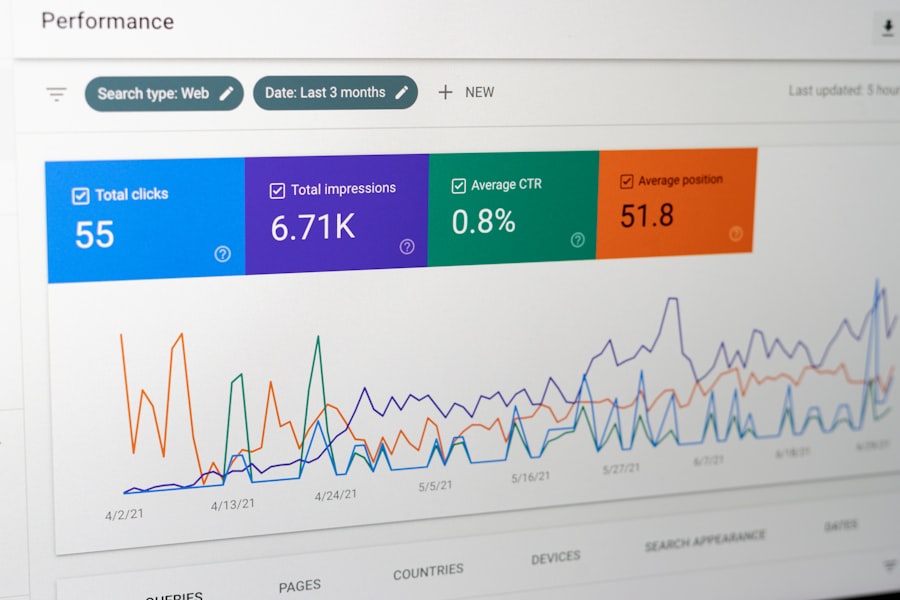
What gets measured, gets managed. Search analytics provide invaluable insights into how users interact with your search, allowing you to continually refine your content and search strategy.
- Google Analytics Search Tracking: Configure Google Analytics to track internal site search queries. This reports on search terms, number of results, and subsequent behavior.
- Identifying Popular Search Terms: Discover what your users are actively looking for. This can inform your content creation strategy.
- Spotting Gaps in Content: If users are searching for terms that yield no results, it indicates content gaps that you should address.
- Understanding User Intent: Analyze the queries to understand what problems or questions your users are trying to solve.
- Search Plugin Analytics: Many premium search plugins (like SearchWP and Relevanssi) offer their own built-in analytics dashboards, providing even more detailed insights specific to your internal search.
- Zero-Result Searches: Identify terms that return no results. These are critical signals for content creation opportunities or synonym additions.
- Top Search Queries: Understand your most frequently searched terms.
- Search Result Click-Through Rates: See which results users are clicking on, helping you evaluate the relevance of your algorithm.
- Actionable Insights: Don’t just collect data – act on it!
- Content Creation: Use popular queries as inspiration for new posts, articles, or product pages.
- SEO Refinements: Optimize existing content with high-performing keywords from your search analytics.
- Synonym Management: Add synonyms to your search solution based on common alternative terms users employ.
- Product/Service Development: If users are consistently searching for something you don’t offer, it might be an indicator of market demand.
Conclusion

Enhancing your WordPress search isn’t just about making your site look good; it’s about making it work harder for you and your users. By moving beyond the limitations of the default WordPress search, you empower your visitors to find exactly what they need, faster and more efficiently.
You’ve learned that implementing dedicated search plugins like ElasticPress, SearchWP, or Relevanssi can revolutionize relevance and performance. You understand the critical role of good SEO practices in making your content discoverable. Furthermore, optimizing your search UI/UX means creating an intuitive and frictionless experience, while advanced techniques like external search services and performance optimization ensure your site can handle growth.
But the journey doesn’t end there. By consistently analyzing your search data, you gain invaluable insights that allow you to continually refine your content strategy and further improve the search experience. A well-optimized search function isn’t just a convenience; it’s a powerful conversion tool, a cornerstone of user satisfaction, and a direct pathway to unlocking your website’s full potential. So, take these steps, invest in your search, and watch your user engagement and site performance soar.
FAQs
1. What are some common issues that can affect WordPress search performance and user experience?
Some common issues that can affect WordPress search performance and user experience include slow search results, irrelevant search results, and limited search functionality.
2. How can I improve WordPress search performance?
You can improve WordPress search performance by using a caching plugin, optimizing your database, and using a search plugin that offers advanced search functionality and customization options.
3. What are some ways to enhance user experience with WordPress search?
To enhance user experience with WordPress search, you can implement autocomplete suggestions, faceted search filters, and search result highlighting to help users find relevant content more easily.
4. Are there any best practices for optimizing WordPress search performance?
Some best practices for optimizing WordPress search performance include using a lightweight theme, optimizing images and media files, and minimizing the use of plugins that can slow down your website.
5. How can I measure the effectiveness of my WordPress search improvements?
You can measure the effectiveness of your WordPress search improvements by tracking search analytics, monitoring user engagement with search results, and gathering feedback from users about their search experience.









Add comment