

We’ve all been there – we stumble upon a fascinating website, or perhaps we’re contemplating acquiring a new domain for our business. The first question that often pops into our heads is, “Who owns this, and what’s its story?” Understanding domain ownership and history isn’t just a matter of curiosity; it’s a crucial step for a variety of reasons, from due diligence before a purchase to identifying potential cybersecurity threats or even simply appreciating the longevity of a digital presence. In this article, we’ll explore the various methods we employ to uncover these digital secrets, shedding light on the “who,” “what,” and “when” behind a domain name.
Before we dive into the nitty-gritty of checking ownership and history, let’s briefly revisit what a domain name actually is and why understanding its ownership is so important to us.
Understanding the Domain Name System (DNS)
We often think of a domain name like an address for a house on the internet. Instead of remembering complex IP addresses (like a series of numbers), we use human-readable names such as “google.com” or “ourcompany.net.” This system, known as the Domain Name System (DNS), acts as a global directory, translating these domain names into the numerical IP addresses that computers use to communicate. When we type a domain name into our browser, the DNS finds the corresponding IP address, directing us to the correct server where the website’s content is hosted.
The Significance of Domain Ownership
For us, knowing who owns a domain carries significant weight. It’s not just about satisfying a curious itch; it has practical implications:
- Buying or Selling Domains: If we’re looking to acquire an existing domain, verifying ownership is paramount. We need to ensure we’re negotiating with the legitimate owner to avoid scams and legal complications. Similarly, if we’re selling, we need to prove our ownership unequivocally.
- Legal and Intellectual Property Concerns: We might encounter websites illicitly using our trademarks or copyrighted material. Knowing the domain owner helps us pursue legal action or send cease-and-desist letters effectively.
- Cybersecurity and Phishing Detection: When we receive suspicious emails or encounter a website that looks a bit “off,” checking its domain ownership can reveal if it’s a legitimate entity or a malicious actor attempting to phish for information or distribute malware.
- Competitor Analysis and Market Research: Understanding who owns a competitor’s domain provides insights into their operations, business structure, and potential affiliations.
- Website Recovery and Troubleshooting: If a website we own goes down or experiences issues, knowing who our registrar is and having access to our ownership details is crucial for troubleshooting and recovery.
If you’re looking to understand more about domain ownership and history, you might find it helpful to explore the concept of business hosting as well. A related article that provides valuable insights on this topic is available at What is Business Hosting? A Beginner’s Guide. This guide can help you grasp the importance of choosing the right hosting service for your domain, which is crucial for maintaining ownership and ensuring a reliable online presence.
The Go-To Tool: Utilizing WHOIS for Ownership Information
Our primary and most reliable method for uncovering domain ownership is the WHOIS protocol. It’s essentially a public database that stores registration information for most domain names.
What is WHOIS? How Do We Use It?
WHOIS, which stands for “who is?”, is a query and response protocol that is widely used for querying databases that store the registered users or assignees of an Internet resource, such as a domain name or an IP address block. When we register a domain name, we are required to provide certain pieces of information, which are then stored in these public WHOIS databases.
To use WHOIS, we simply visit a WHOIS lookup service (there are many free ones available online, like ICANN WHOIS, DomainTools, or Namecheap WHOIS). We then enter the domain name we’re interested in, and the service will return the available registration details.
Decoding the WHOIS Output: Key Data Points We Look For
The information returned by a WHOIS query can be quite extensive, but there are several key data points we always scrutinize:
- Registrant Name: This is arguably the most important piece of information, identifying the individual or organization that officially owns the domain. However, due to privacy concerns, this information is often redacted or replaced with a “Proxy” or “Privacy Protection” service.
- Registrant Organization: If available, this tells us the company or entity the domain is registered under.
- Registrant Contact Information: This can include an email address, phone number, and physical address. Again, due to privacy, this is frequently masked.
- Registrar: This indicates the company through which the domain was registered (e.g., GoDaddy, Namecheap, Google Domains). Knowing the registrar is important because they manage the domain on behalf of the owner.
- Creation Date: This tells us when the domain was first registered, giving us a starting point for its history.
- Expiration Date: This shows us when the domain registration is set to expire.
- Last Updated Date: This indicates when the domain’s registration information was last modified.
- Name Servers: These are the servers that hold the DNS records for the domain, pointing it to its website’s hosting.
The Impact of GDPR and Privacy Protection on WHOIS
We’ve observed a significant change in WHOIS data availability since the advent of the General Data Protection Regulation (GDPR) in Europe. GDPR aims to protect the personal data of individuals, and as a result, registrars are now often obligated to redact or anonymize personal registrant information in WHOIS records, especially for individuals residing in GDPR-protected regions.
While this protects individual privacy, it can make our job of identifying the direct owner more challenging. When we see “Privacy Protection Service” or similar entries, it means the registrant has opted for a service that acts as an intermediary, shielding their personal details. In such cases, contacting the privacy protection service is usually the only way to potentially reach the actual owner, though they are under no obligation to forward our message.
Delving into the Past: Investigating Domain History
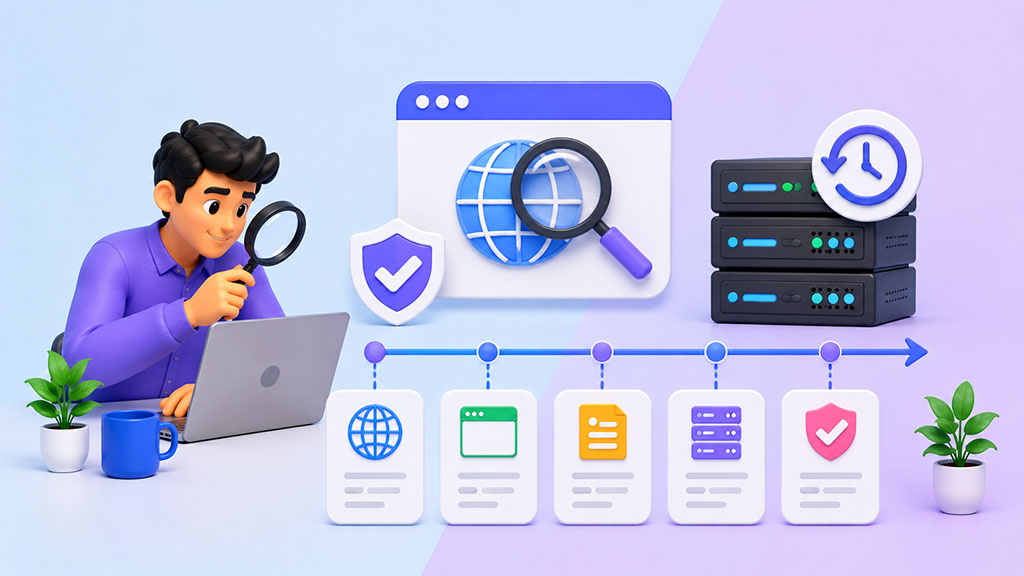
Understanding a domain’s history is as important as knowing its current ownership. It can reveal changes in ownership, previous content, and potential red flags.
Wayback Machine (archive.org): Our Digital Time Capsule
The Internet Archive’s Wayback Machine is an invaluable tool for us when we want to see how a website has evolved over time. It regularly crawls and archives websites, taking snapshots at different points in their history.
- How We Use It: We simply enter the domain name into the Wayback Machine’s search bar. It then presents us with a calendar view, highlighting the dates when snapshots were taken. We can click on specific dates to view how the website looked on that particular day, seeing its layout, content, and even some linked pages.
- What We Learn: From the Wayback Machine, we can uncover:
- Previous Website Designs and Content: This helps us understand if the site has changed its purpose or branding.
- Ownership Changes (Indirectly): A sudden, drastic change in website content or design often indicates a change in ownership, even if the WHOIS data is masked.
- Evidence of Malicious Activity: If a domain was previously used for spam, phishing, or other illicit activities, the Wayback Machine might contain snapshots of that content, helping us identify a potentially tainted history.
- Longevity and Authority: Observing a consistent and reputable online presence over many years can indicate a well-established entity.
Domain History Checkers: Specialized Tools for Deep Dives
While the Wayback Machine is great for visual history, several specialized domain history checkers offer a more structured approach to uncovering ownership changes. These tools often aggregate historical WHOIS data and other publicly available records.
- Services We Use: Examples include DomainTools (paid), WhoisXMLAPI (API-based, can offer historical data), and various free online “domain history” or “whois history” lookup tools.
- Insights Gained: These tools can sometimes reveal:
- Past Registrant Information: Even if current WHOIS is private, older records might expose previous owners’ details.
- Changes in Registrars: A domain moving between registrars can sometimes signal an ownership transfer or changes in management.
- Expiration and Re-registration Patterns: A domain repeatedly expiring and being re-registered might indicate a less stable history.
Beyond WHOIS and Archives: Alternative Investigative Avenues

When WHOIS data is private or we need more context, we employ other investigative techniques to piece together the ownership puzzle.
Checking for Publicly Available Contact Information
We often start by simply looking at the website itself.
- Contact Us Pages: Many legitimate websites have a “Contact Us” or “About Us” page that lists company names, addresses, phone numbers, or email addresses.
- Privacy Policies and Terms of Service: These legal documents often contain the legal name of the operating entity.
- Footer Information: The website’s footer may include copyright information or the name of the company that owns and operates the site.
- Social Media Profiles: Linking a domain to consistent social media profiles can confirm the identity of the owning entity.
Leveraging Google and Other Search Engines
Our trusty search engines are powerful investigative tools.
- Searching the Domain Name: A simple search of the domain name itself can reveal news articles, forum discussions, or other mentions that shed light on its history or ownership.
- Searching Registrant Email Addresses or Names: If we find an email address or a name in a non-private WHOIS record, we can search for those details to see if they are associated with other domains or businesses.
- Reverse Image Search (for Logos/Branding): If we find a unique logo or branding on the website, a reverse image search might reveal other websites using the same branding, potentially managed by the same owner.
Exploring DNS Records and IP Address Information
Advanced technical checks can sometimes offer clues.
- DNS Lookup Tools: Using tools like MXToolbox or Google’s DNS Lookup, we can check the domain’s MX (Mail Exchange) records. These records specify the mail servers for the domain, and sometimes the hostnames of these servers can point to a specific hosting provider or even a company if they run their own mail servers.
- IP Address Lookup: We can find the IP address associated with the domain and then perform an IP address lookup. This can tell us the hosting provider and the geographical location of the server, which can sometimes provide clues about the owner’s location or choice of infrastructure. While this rarely directly reveals the owner, it can offer context and help us narrow down possibilities.
If you’re interested in understanding domain ownership and history, you might also find it helpful to explore the concept of web hosting. This related article provides insights into what web hosting is and how it works, which can be essential for anyone managing a website. For more information, you can read the article here.
Common Scenarios and Our Strategies for Resolution
- Respecting Privacy: While we aim to uncover information, we respect the spirit of privacy protection. We avoid aggressive or invasive tactics. Our goal is information gathering for legitimate purposes, not harassment.
- Legal Compliance: We always ensure our methods comply with local and international laws, including data protection regulations like GDPR.
- Legitimate Purposes Only: We only conduct these investigations for legitimate reasons such as business acquisition, legal enforcement, cybersecurity, or academic research. We never use this information for malicious intent, spamming, or unwanted solicitations.
- Verifying Information: We never rely on a single source of information. We cross-reference data from multiple tools and sources to ensure accuracy and build a comprehensive picture.
By meticulously following these steps and adhering to ethical guidelines, we can effectively uncover domain ownership and history, empowering us with the knowledge needed to make informed decisions in the digital world. The internet is a vast and dynamic space, and understanding its underlying structure and the entities that populate it is a critical skill for us in today’s interconnected environment.
FAQs
1. What is domain ownership?
Domain ownership refers to the individual or organization that has registered a specific domain name with a domain registrar. This entity has the exclusive rights to use the domain for a specified period of time, typically through annual renewal.
2. How can I check domain ownership?
You can check domain ownership by performing a WHOIS lookup on a domain name. This can be done through various websites or domain registrars that offer WHOIS lookup services. By entering the domain name, you can view information about the registrant, administrative contact, and other details related to the domain ownership.
3. What is domain history?
Domain history refers to the historical records and information associated with a specific domain name. This may include details such as previous ownership, registration and expiration dates, changes in domain registrar, and any historical WHOIS data.
4. How can I check domain history?
You can check domain history by using domain history lookup tools or services provided by domain registrars. These tools can provide a comprehensive overview of a domain’s historical records, including past ownership, registration and expiration dates, and changes in domain registrar.
5. Why is it important to check domain ownership and history?
Checking domain ownership and history is important for various reasons, including verifying the legitimacy of a domain, investigating potential trademark infringement, and understanding the background of a domain before purchasing or using it. It can also help in identifying any past issues or controversies associated with the domain.









Add comment