

You are responsible for your website’s performance. In an era where user attention spans are fleeting and search engine algorithms prioritize speed, a slow-loading website is a significant liability. Your users expect instant gratification; if your site doesn’t deliver, they will move on. This article will guide you through understanding and implementing edge network technology to significantly boost your website’s speed and overall user experience.
Before delving into the solutions, it’s crucial to grasp why website speed is so important to you. It’s not merely a “nice-to-have” feature; it’s a fundamental requirement for online success.
User Experience and Engagement
Your users are your priority. When your website loads slowly, it creates friction in their journey. This friction translates to frustration, diminishing their likelihood of engaging with your content, products, or services. Imagine trying to browse a catalog online and each page takes several seconds to load. You would likely abandon the site. Similarly, slow load times can deter users from completing forms, making purchases, or even exploring your site further. Conversely, a fast website creates a seamless and enjoyable experience, encouraging deeper interaction and longer visits.
Search Engine Optimization (SEO) Implications
You are likely aware of the importance of search engine rankings. Google and other search engines prioritize fast-loading websites in their search results. A slow website can negatively impact your SEO performance, pushing your site lower in rankings and reducing your organic visibility. This is because search engines aim to provide the best possible experience for their users, and a swift, responsive website contributes significantly to that experience. Therefore, optimizing for speed is a direct investment in your SEO strategy.
Conversion Rates and Revenue
For businesses, website speed directly correlates with conversion rates. A delay of even a few hundred milliseconds can lead to a measurable drop in conversions. If your e-commerce site takes too long to display product pages or process checkouts, you risk losing sales. This impact extends beyond direct sales to lead generation, ad clicks, and any other measurable action you want users to take on your site. You are leaving money on the table if your website is slow.
Mobile Responsiveness and Global Reach
The majority of internet traffic now originates from mobile devices. Mobile networks can be slower and less reliable than broadband connections. Your website must perform well on mobile. Edge network technology is particularly beneficial in this context, ensuring that even users on less robust connections can access your site quickly. Furthermore, if you serve a global audience, the physical distance between your users and your hosting server can introduce significant latency. Edge networks inherently address these geographical challenges.
Edge network technology plays a crucial role in enhancing website speed by bringing content closer to users, thereby reducing latency and improving load times. For a deeper understanding of how hosting solutions can further optimize your website’s performance, you might find the article on dedicated hosting insightful. It discusses why dedicated hosting is an excellent choice for ensuring your website runs smoothly and efficiently. You can read more about it here: Why Dedicated Hosting is the Perfect Solution for Your Website.
The Bottlenecks of Traditional Hosting
To appreciate the value of edge network technology, you need to understand the limitations of traditional hosting architectures. These limitations often create the very speed issues you are working to resolve.
Single Point of Origin (SPOF)
With traditional hosting, your website’s data and files reside on a single server or a cluster of servers located in one geographical data center. This “single point of origin” design means that all requests, regardless of the user’s location, must travel to and from this central server. The further a user is from this server, the longer the data has to travel, leading to increased latency.
Latency and Round-Trip Time (RTT)
Latency refers to the delay before a transfer of data begins following an instruction for its transfer. In web terms, it’s the time it takes for a request from a user’s browser to reach your server, and for the server’s response to travel back. This “round-trip time” (RTT) is a critical factor in website speed. With a single point of origin, RTT can be excessively long for users located far from your server. Each element of your webpage – images, scripts, stylesheets – usually requires its own request/response cycle, accumulating latency.
Server Load and Scalability Challenges
A single server also faces limitations regarding the number of concurrent requests it can handle. During peak traffic periods, your server can become overloaded, leading to slow response times or even outright crashes. Scaling a traditional server infrastructure to handle traffic spikes can be complex and expensive, often requiring significant hardware upgrades or manual configuration. This reactive approach can leave you vulnerable to performance issues during unexpected traffic surges.
Introducing Edge Network Technology
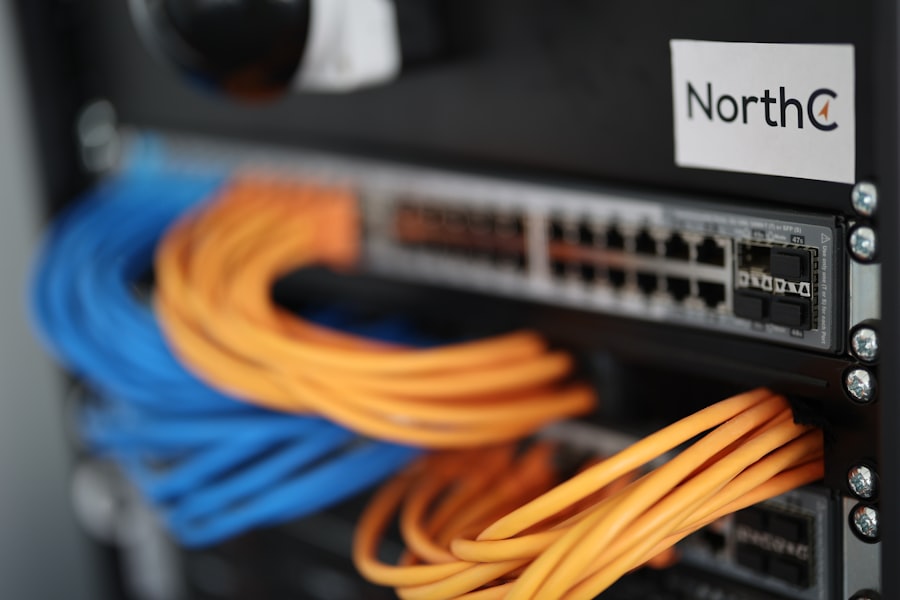
Now, let’s explore how edge network technology fundamentally changes this paradigm and addresses these traditional hosting limitations. You will see how it brings content closer to your users.
Content Delivery Networks (CDNs)
The most common and widely adopted form of edge network technology is the Content Delivery Network (CDN). A CDN is a geographically distributed network of proxy servers and their data centers. The primary purpose of a CDN is to deliver content to users from the edge of the network, which means from a server location closest to the user.
How CDNs Work
When a user requests content from your website, the request is routed to the nearest CDN server (also known as a Point of Presence, or PoP). If the CDN PoP has a cached copy of the requested content (e.g., images, CSS files, JavaScript files, videos), it delivers that content directly to the user. If the content is not cached, the CDN PoP fetches it from your origin server, caches it, and then delivers it to the user. Subsequent requests for the same content from users near that PoP will then be served directly from the cache.
Benefits of CDNs
- Reduced Latency: By serving content from a server geographically closer to the user, CDNs significantly reduce the physical distance data needs to travel, thus minimizing latency and RTT.
- Improved Load Times: Faster content delivery directly translates to quicker page load times for your users.
- Reduced Server Load: Your origin server offloads a significant amount of traffic to the CDN. This reduces the load on your main server, freeing up its resources to handle dynamic content or less frequently accessed assets, and improving its overall responsiveness.
- Enhanced Reliability and Availability: If one CDN PoP experiences an outage, traffic can be seamlessly rerouted to the next closest PoP, ensuring high availability for your content. CDNs also offer protection against DDoS attacks by absorbing and filtering malicious traffic.
- Scalability: CDNs are designed for massive scalability, easily handling sudden spikes in traffic without impacting your origin server’s performance.
Edge Computing and Serverless Functions
While CDNs primarily focus on caching and delivering static assets, edge computing takes this concept a step further. Edge computing refers to processing data closer to its source, rather than sending it all the way to a central data center. This means you can run code and perform computations at the edge of the network.
Moving Logic to the Edge
With edge computing, certain elements of your website’s logic or dynamic content generation can be executed at the CDN’s PoP. This might include:
- Authentication and Authorization: Performing initial user authentication checks at the edge before even touching your origin server.
- A/B Testing and Personalization: Delivering different content variants or personalized experiences based on user attributes, all managed at the edge.
- Image Optimization: Dynamically resizing, cropping, or compressing images at the edge based on the user’s device and connection speed.
- API Gateway Functionality: Routing API requests, applying rate limiting, or transforming requests/responses at the edge before they reach your backend APIs.
- Serverless Functions at the Edge (e.g., AWS Lambda@Edge, Cloudflare Workers): These allow you to deploy small, event-driven functions that execute in response to network events (like an HTTP request) directly at the CDN PoPs. This enables highly dynamic and responsive behaviors without the need to manage servers.
Advantages of Edge Computing
- Even Lower Latency for Dynamic Content: By executing logic closer to the user, you reduce the round-trip time for dynamic interactions that would otherwise require communication with your origin server.
- Enhanced Security: Edge functions can act as a perimeter defense, filtering malicious requests or enforcing security policies before traffic reaches your core infrastructure.
- Greater Flexibility and Customization: You gain more control over how content is delivered and processed at the network’s edge.
- Reduced Origin Server Strain: More processing offloaded from your main servers, further improving their performance and stability.
Implementing Edge Network Technologies

Now that you understand the benefits, let’s discuss the practical steps you can take to implement edge network technologies for your website. This involves both selection and configuration.
Choosing Your Edge Network Provider
You have several reputable providers to choose from, each with its own strengths and pricing models. Your choice should align with your budget, technical requirements, and global reach.
Leading CDN Providers
- Cloudflare: Known for its robust free tier, comprehensive security features, and extensive global network. It’s a popular choice for both small and large websites. Cloudflare Workers offer powerful edge computing capabilities.
- Akamai: A long-standing industry leader, Akamai offers highly scalable and sophisticated solutions, often favored by enterprise-level clients with complex requirements.
- Fastly: Valued for its real-time configurability, developer-friendly API, and rapid cache invalidation, making it suitable for dynamic content and frequent updates. Their Edge Cloud platform supports advanced edge computing.
- Amazon CloudFront: Integrated with AWS services, CloudFront is a strong choice if your existing infrastructure is already on AWS. It provides good performance and scalability.
- Google Cloud CDN: Similar to CloudFront, Google Cloud CDN integrates well with Google Cloud Platform services.
Factors to Consider During Selection
When evaluating providers, consider the following:
- Network Size and Global Presence: Does the provider have PoPs located strategically close to your target audience? A wider distribution generally means better performance.
- Pricing Model: Understand how they charge (e.g., by bandwidth, requests, features). Ensure it aligns with your budget and expected usage.
- Features Offered: Do they provide HTTP/2 support, DDoS protection, WAF (Web Application Firewall), image optimization, SSL/TLS certificates, and edge computing capabilities?
- Ease of Setup and Management: How straightforward is the configuration process? Is there good documentation and support?
- Integration with Existing Stack: Does it integrate seamlessly with your current hosting provider, CMS, or development tools?
Configuration and Optimization Best Practices
Once you’ve selected a provider, proper configuration is paramount to maximizing the benefits of edge network technology.
- Configure DNS Records: You will need to update your Domain Name System (DNS) records (specifically your CNAME or A records) to point to your CDN provider. This is the fundamental step that routes traffic through the edge network.
- Implement SSL/TLS: Always use SSL/TLS encryption for all traffic. Most CDN providers offer free or integrated SSL certificates. Encrypting traffic is crucial for security and is an SEO ranking factor.
- Cache Static Assets Aggressively: Configure your CDN to cache static files (images, CSS, JavaScript, fonts) for extended periods. These files change infrequently and are ideal candidates for long-term caching.
- Optimize Cache-Control Headers: Ensure your origin server sends appropriate
Cache-ControlHTTP headers (e.g.,max-age,public,immutable) to instruct the CDN and browsers on how long to cache content. - Enable Compression (Gzip/Brotli): Ensure your CDN is configured to compress text-based assets (CSS, JavaScript, HTML) using Gzip or Brotli. This reduces file sizes and speeds up delivery.
- Utilize Browser Caching: Encourage browsers to cache content by setting appropriate
Cache-Controlheaders. This further reduces requests to both the CDN and your origin server. - Purge Cache Strategically: Understand how to purge cached content (e.g., after website updates) to ensure users always see the latest version of your site. Most CDNs offer API or dashboard options for this.
- Leverage Edge Computing (If Applicable): Explore using edge functions for tasks like image resizing, A/B testing, or API rate limiting to offload more processing from your origin. Start with small, well-defined use cases.
- Monitor Performance: Regularly monitor your website’s performance using tools like Google PageSpeed Insights, GTmetrix, or WebPageTest. Pay attention to metrics like Largest Contentful Paint (LCP), First Input Delay (FID), and Cumulative Layout Shift (CLS) to gauge the impact of your edge network implementation.
Edge network technology has emerged as a game-changer in enhancing website speed and overall performance. By processing data closer to the end user, it significantly reduces latency and improves loading times, which is crucial for retaining visitors. For those looking to delve deeper into optimizing website speed and enhancing user experience, a related article can provide valuable insights. You can explore more about this topic in the article on optimizing your website’s loading speed. This resource offers practical tips that complement the benefits of edge network technology, ensuring a seamless online experience.
Measuring Success and Continuous Improvement
| Metrics | Description |
|---|---|
| Latency | The time it takes for a request to travel from the user’s device to the edge server and back. |
| Bandwidth | The maximum data transfer rate of a network or internet connection. |
| Caching | The process of storing frequently accessed data closer to the user’s location for faster retrieval. |
| Content Delivery Network (CDN) | A network of distributed servers that deliver web content to users based on their geographic location. |
| Website Speed | The time it takes for a website to load and become interactive for the user. |
Your work doesn’t end with implementation. You must continuously monitor and refine your approach to ensure sustained performance gains.
Key Performance Indicators (KPIs)
You need objective metrics to assess the impact of your edge network implementation.
- Page Load Time: This is the most direct measure. Track various metrics like Time to First Byte (TTFB), First Contentful Paint (FCP), and Largest Contentful Paint (LCP). Monitor these across different geographic regions and device types.
- Time to First Byte (TTFB): Measures the time it takes for your server to respond to a request. A significantly reduced TTFB indicates a well-configured CDN.
- Core Web Vitals: Google’s set of metrics focusing on user experience:
- Largest Contentful Paint (LCP): Measures the time it takes for the largest content element on the page to become visible.
- First Input Delay (FID): Measures the time from when a user first interacts with a page (e.g., clicks a button) to when the browser is able to begin processing that event.
- Cumulative Layout Shift (CLS): Measures the visual stability of a page; unexpected layout shifts can be jarring for users.
- Origin Server Load: Monitor the CPU, memory, and network utilization of your origin server. You should observe a significant reduction in these metrics after implementing a CDN, as much of the traffic is offloaded.
- CDN Cache Hit Ratio: This metric indicates the percentage of requests that are served directly from the CDN’s cache versus those that had to go back to your origin server. A high cache hit ratio (e.g., 80-95% or higher for static assets) signifies efficient caching.
Tools for Monitoring and Analysis
You have access to a variety of tools to track these KPIs and identify areas for further optimization.
- Google PageSpeed Insights: Provides a comprehensive report on your page’s performance on both mobile and desktop, including Core Web Vitals scores and specific recommendations.
- GTmetrix and WebPageTest: Offer detailed waterfall charts, performance grades, and suggestions for improvement. These tools allow you to test from various locations.
- Browser Developer Tools: The Network tab in your browser’s developer tools (e.g., Chrome DevTools, Firefox Developer Tools) allows you to inspect individual asset load times, request headers, and cache behavior.
- CDN Analytics Dashboards: Your CDN provider will typically offer an analytics dashboard showing metrics like cache hit ratio, bandwidth usage, and geographic distribution of requests. Use these to understand how your CDN is performing.
- Real User Monitoring (RUM) Tools: Tools like New Relic, Datadog RUM, or Dynatrace allow you to collect performance data directly from your actual users’ browsers. This provides invaluable insights into real-world performance experienced by your audience.
Edge network technology plays a crucial role in enhancing website speed by reducing latency and improving content delivery. By processing data closer to the user, it ensures that web pages load faster and provide a smoother browsing experience. For those interested in understanding how server choices can further influence performance, a related article discusses dedicated servers and their optimal use cases. You can read more about it in this insightful piece on dedicated servers.
Beyond Basic Implementation
Once you’ve established a solid foundation with edge network technology, you can explore more advanced strategies to further enhance your website’s speed and resilience.
Advanced Caching Strategies
You can fine-tune your caching beyond simple time-based expiration.
- Cache-Tagging and Purging: Implement cache-tagging (e.g., using A/B test or content IDs) to allow for more granular cache invalidation rather than a full purge. This ensures that only relevant content is updated in the cache while other well-performing elements remain served from the edge.
- Edge Cache Etag/If-Modified-Since Validation: Configure your CDN to validate cached content with your origin using Etag or If-Modified-Since headers. This reduces bandwidth and processing on your origin for fresh but unchanged content.
- Pre-fetching and Pre-loading: Use
rel="prefetch"orrel="preload"hints in your HTML to instruct browsers to proactively fetch resources that will likely be needed soon, or to prioritize critical resources. This can be managed and optimized by edge functions.
Security at the Edge (WAF and DDoS Protection)
The edge is an ideal location to implement security measures, protecting your origin server from threats.
- Web Application Firewall (WAF): Deploy a WAF at the edge to filter out malicious traffic before it reaches your application. WAFs can detect and block common web vulnerabilities like SQL injection, cross-site scripting (XSS), and directory traversal attacks. Many CDN providers offer integrated WAF solutions.
- DDoS Mitigation: Edge networks are inherently designed to absorb and mitigate Distributed Denial of Service (DDoS) attacks. Their distributed nature and high capacity can handle massive amounts of junk traffic without impacting your origin server. Ensure your provider offers robust DDoS protection.
- Bot Management: Implement bot management solutions at the edge to distinguish between legitimate and malicious bot traffic, preventing scraper bots, spam bots, and other automated threats from impacting your site’s performance and security.
Image and Media Optimization at the Edge
Images and videos often constitute the largest portion of a webpage’s weight. Optimizing them at the edge can yield significant speed improvements.
- Adaptive Image Delivery: Utilize edge computing to automatically deliver images in the most appropriate format (e.g., WebP, AVIF) and optimal dimensions based on the user’s device, browser, and network conditions.
- Lazy Loading: Implement lazy loading for images and videos, so they only load when they are about to become visible in the user’s viewport. This reduces initial page load times.
- Client Hints: Leverage HTTP Client Hints to allow content negotiation between the browser and the CDN, enabling the delivery of appropriately sized images without complex server-side logic by your origin.
By embracing edge network technology, you are not just making a superficial improvement to your website. You are fundamentally enhancing its architecture for performance, reliability, and security. This strategic investment will translate into a better user experience, improved search engine visibility, and ultimately, greater success for your online presence. You have the tools and the knowledge; now it’s up to you to implement them effectively.
FAQs
What is edge network technology?
Edge network technology refers to the use of distributed servers located closer to the end user, allowing for faster data transmission and reduced latency. This technology helps to improve website speed and performance by delivering content from servers located closer to the user’s location.
How does edge network technology impact website speed?
Edge network technology can significantly improve website speed by reducing the distance data needs to travel, resulting in lower latency and faster content delivery. This can lead to quicker page load times, improved user experience, and higher website performance.
What are the benefits of using edge network technology for websites?
The benefits of using edge network technology for websites include faster page load times, reduced latency, improved user experience, better website performance, and the ability to handle increased traffic more effectively. Additionally, edge network technology can help websites to better handle peak loads and improve overall reliability.
How does edge network technology work?
Edge network technology works by distributing content and applications across a network of servers located closer to the end user. When a user requests content from a website, the request is routed to the nearest edge server, which then delivers the content to the user. This reduces the distance data needs to travel, resulting in faster content delivery and improved website speed.
What are some examples of edge network technology providers?
Some examples of edge network technology providers include Cloudflare, Akamai, Fastly, and Amazon CloudFront. These providers offer edge computing and content delivery services that help websites improve speed, performance, and reliability through the use of distributed edge servers.









Add comment