

You’re standing on the precipice of something significant: launching your startup. The excitement is palpable, but so is the financial pressure. One of your most critical assets – your website – often feels like a bottomless pit of expenses. However, in 2026, you possess more tools and strategies than ever to build a professional, functional website without draining your seed money. This guide will walk you through the practical steps, technology choices, and operational considerations for launching your startup’s online presence cost-effectively.
Before you write a single line of code or choose a platform, you need a crystal-clear strategy. Without it, you’ll inevitably overspend and under-deliver. Think of this as your blueprint.
Defining Your Minimum Viable Website (MVW)
Your initial website doesn’t need to be a sprawling digital empire. It needs to be an MVW – a stripped-down version with just enough features to satisfy early adopters and validate your product or service.
- Core Functionality First: What are the absolute essentials? Is it lead capture, product demonstration, or simply establishing credibility? Resist the urge to add every feature you can imagine. Features can be added iteratively.
- Target Audience Focus: Who are you trying to reach? What information do they need to see? Tailor your content and navigation to their immediate concerns.
- Clear Call to Action (CTA): Every page should have a purpose. What do you want visitors to do? Sign up, contact you, download a demo? Make it obvious.
Content as a Cornerstone, Not an Afterthought
Content isn’t just filler; it’s the bedrock of your online presence. Without good content, even the most beautiful website fails.
- DIY Content Creation: In the early stages, you are often your best content creator. You intimately understand your product and your customers. Write your own copy, create simple graphics, and even record basic explainer videos.
- Leverage AI for Drafting and Ideas: While AI won’t replace human creativity entirely, tools like ChatGPT or Google Gemini can be invaluable for generating headlines, outlining blog posts, or even drafting initial product descriptions. Always review and refine AI-generated content for accuracy and brand voice.
- Repurpose Existing Assets: Do you have pitch decks, internal documents, or customer FAQs? These can often be repurposed into website content, saving significant time and resources.
Choosing Your Domain and Hosting Wisely
These are foundational elements, and making the wrong choice can lead to recurring costs and technical headaches.
- Affordable Domain Registration: Look for reputable registrars offering competitive rates for your desired domain. Avoid unnecessary upsells like privacy protection if your budget is extremely tight, though be aware of potential spam.
- Shared Hosting for Starters: For a brand new startup website, shared hosting is almost always sufficient and the most budget-friendly option. Providers like Bluehost, SiteGround, or HostGator offer plans for a few dollars a month. Focus on reliability and customer support. Avoid managed WordPress hosting initially, as it comes with a premium for features you likely won’t need yet.
- Scalability Consideration (Future): While you’re starting small, be aware that you might need to upgrade your hosting as your traffic grows. Ensure your chosen provider offers easy migration paths to VPS or dedicated hosting plans.
If you’re looking to launch a startup website on a tight budget in 2026, you might find valuable insights in the article about maximizing your website’s performance. This resource discusses how dedicated servers can enhance your site’s capabilities, ensuring that even with minimal investment, your online presence can thrive. For more information, check out the article here: Unleash Your Website’s Full Potential with Dedicated Servers: A Deep Dive.
Platform Selection for Maximum ROI
The platform you choose will dictate much of your development effort and ongoing costs. In 2026, the landscape is dominated by powerful, user-friendly options.
Open-Source CMS: The WordPress Advantage
WordPress continues to be the dominant Content Management System (CMS) for a reason: it’s incredibly versatile, supported by a massive community, and critically, free to use the core software.
- Themes for Aesthetics: Instead of custom design, start with a well-regarded free WordPress theme (e.g., Astra, GeneratePress, Kadence). These are highly customizable and often come with starter templates that accelerate development. If you can stretch your budget slightly, a premium theme (e.g., Avada, Divi – often around $50-$80 once-off) can offer even greater flexibility and support.
- Plugins for Functionality: Need SEO optimization? Contact forms? Analytics integration? There’s likely a free WordPress plugin for it. Be selective; too many plugins can slow down your site and create security vulnerabilities. Essential free plugins might include Yoast SEO, Contact Form 7, and a caching plugin like WP Super Cache.
- Community Support: The vast WordPress community means almost any problem you encounter has likely been solved and documented online. This free support network is invaluable when you don’t have a dedicated web development team.
Website Builders: Fast and User-Friendly
If your technical comfort level is low and you need something online yesterday, website builders are a viable option.
- Wix, Squarespace, Shopify (for E-commerce): These platforms offer drag-and-drop interfaces, integrated hosting, and a suite of tools. They simplify the process significantly.
- Subscription Model: Be aware that these platforms operate on a subscription model. While initial costs might seem low, these recurring fees can add up over time. Evaluate their pricing tiers carefully.
- Design Limitations: While they offer beautiful templates, you’re generally confined to their ecosystem. Extensive customisation can be difficult or impossible, which might become an issue as your brand evolves.
- Integrated E-commerce (Shopify): If your startup is an e-commerce business, Shopify is generally the go-to. It simplifies payment processing, inventory, and shipping, though its subscription can be higher than general website builders. For a lean startup, consider the Starter plan or Shopify Lite if you only need a basic sales channel on an existing site.
No-Code/Low-Code Platforms: The Middle Ground
These platforms bridge the gap between traditional coding and drag-and-drop builders, offering more flexibility than website builders without requiring deep programming knowledge.
- Webflow: Excellent for visually building highly customized, responsive websites. It gives designers more control than traditional builders while generating clean code. It has a steeper learning curve than Wix or Squarespace but offers greater design freedom.
- Bubble: If your startup requires more complex web applications (e.g., a marketplace, a social network), Bubble allows you to build sophisticated functionality without writing code. This is significantly more complex than a basic marketing site but potentially much cheaper than hiring custom developers.
- Steeper Learning Curve: While “no-code,” these platforms still require a logical understanding of how web applications function. Budget time for learning.
Design and Development on a Shoestring
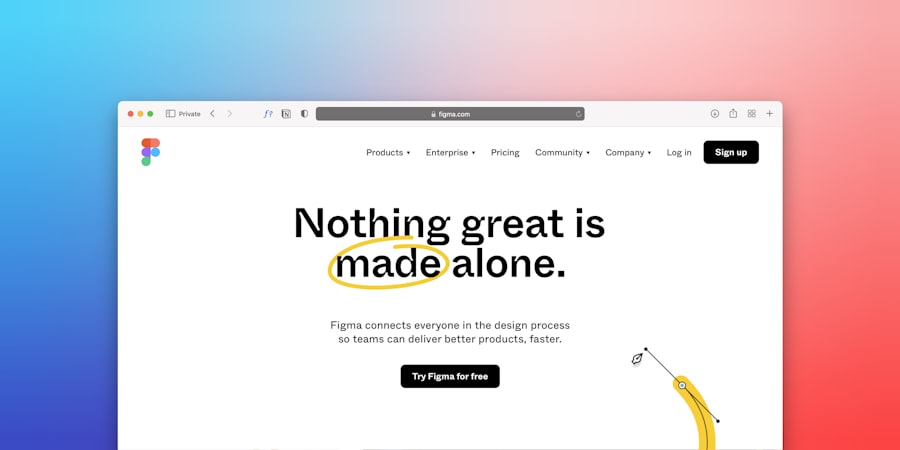
This is where many startups hemorrhage cash. You can achieve a professional look and feel without ballooning your budget.
Leveraging Free and Freemium Design Assets
You don’t need a high-priced graphic designer from day one. There’s a wealth of free resources available.
- Stock Photos and Icons: Sites like Unsplash, Pexels, and Pixabay offer high-quality, royalty-free images. Flaticon and Font Awesome provide free icon sets. Always check licenses for commercial use.
- Google Fonts: Access to hundreds of professional fonts for free. Stick to 2-3 complimentary fonts for consistency.
- Color Palettes: Tools like Coolors.co or Adobe Color help you generate harmonious color schemes, ensuring your site looks polished even with limited design expertise.
- Canva for Graphics: This intuitive online tool allows you to create professional-looking logos, social media graphics, and website banners with pre-designed templates, even with its free tier.
DIY Development and Learning Resources
You or a team member can take on the development if you’re willing to invest time.
- Online Tutorials and Courses: Platforms like YouTube, freeCodeCamp, Udemy (look for sales), and Coursera offer excellent web development courses (HTML, CSS, JavaScript, WordPress). Investing a few hours a week can quickly build foundational skills.
- Documentation and Forums: Every major platform (WordPress, Webflow, Squarespace) has extensive documentation and active user forums. These are your first stop for troubleshooting.
- Pre-built Templates (Customization): Instead of building from scratch, pick a well-designed template or theme and customize it. Focus on changing colors, fonts, and images to match your branding, rather than rebuilding layouts.
Optimizing for Speed and Mobile-Friendliness (Crucial for SEO and User Experience)
A slow or unresponsive site is a death knell for user engagement and Google rankings. These optimizations are largely free but require attention.
- Image Compression: Large images are the biggest culprits for slow loading times. Use online tools like TinyPNG or compressor.io to reduce file sizes without sacrificing quality. Always serve images in modern formats like WebP if your platform supports it.
- Browser Caching: Configure your website to cache static assets (like images, CSS, JavaScript) so returning visitors load your site faster. WordPress caching plugins do this automatically.
- Mobile Responsiveness: Ensure your site looks and functions perfectly on all devices (phones, tablets, desktops). Most modern themes and website builders are inherently responsive, but always test thoroughly.
- Minimalist Design: Fewer elements usually mean faster loading. Every extra image, font, or script adds to load time. Prioritize essential content and functionality.
Marketing and Analytics on a Budget
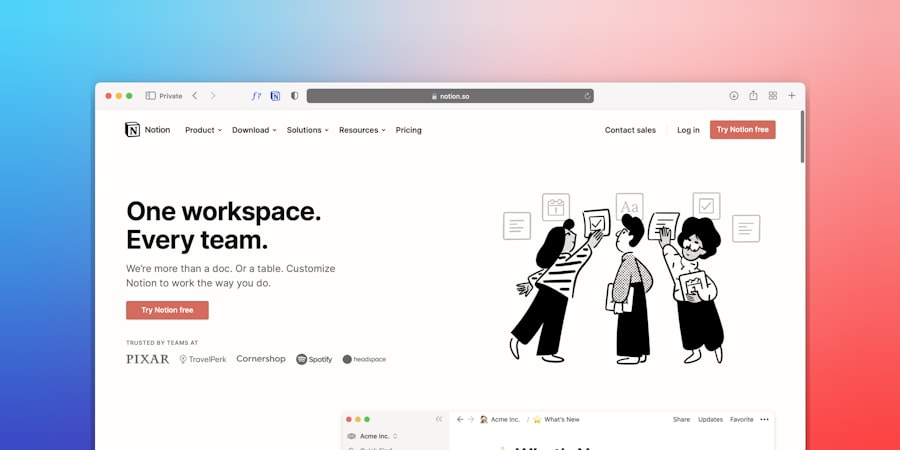
A beautiful website is useless if no one sees it. Effective marketing and data analysis don’t require immense spending.
Search Engine Optimization (SEO) Basics
Getting found on Google is critical. Implement basic SEO best practices from day one.
- Keyword Research (Free Tools): Use Google Keyword Planner (requires an Ads account but free to use), Ubersuggest (limited free searches), or even Google’s “People also ask” section to find relevant keywords your target audience is searching for.
- On-Page SEO: Optimize your page titles, meta descriptions, headings (H1, H2, H3), and content with your target keywords. Ensure your content is helpful and relevant.
- Content Marketing: Start a blog. Write about topics relevant to your industry and solutions your startup offers. This fuels your SEO efforts and establishes your authority. Even one well-researched article a month is a good start.
- Internal Linking: Link relevant pages within your website to each other. This helps users navigate and signals to search engines the relationship between your content.
Leveraging Free Social Media Channels
Social media is a powerful, free marketing tool. Identify where your target audience spends their time and focus your efforts there.
- Strategic Platform Choice: Don’t try to be everywhere. If your audience is B2B, LinkedIn is crucial. If it’s younger demographics, TikTok or Instagram might be more effective.
- Consistent Posting: Share valuable content – articles, behind-the-scenes glimpses, customer testimonials, product updates.
- Engagement: Respond to comments, answer questions, and participate in relevant discussions. Building a community takes time and genuine interaction.
- Link Back to Your Website: Every social media post should ideally drive traffic back to a specific, relevant page on your website (e.g., a blog post, a product page, your contact form).
Implementing Free Analytics
You can’t improve what you don’t measure. Google Analytics is a powerful, free tool to track website performance.
- Google Analytics 4 (GA4): Set up GA4 immediately. It provides insights into traffic sources, user behavior, conversions, and more. Understanding these metrics will guide your future website development and marketing efforts.
- Google Search Console: Connect your website to Google Search Console. It shows you how Google sees your site, what keywords you’re ranking for, any crawling errors, and helps you submit sitemaps for better indexing.
- Heatmaps and Session Recordings (Freemium): Tools like Hotjar (free tier available) offer heatmaps (showing where users click) and session recordings (watching anonymized recordings of user journeys). This qualitative data is invaluable for identifying user experience issues.
If you’re looking to launch a startup website on a tight budget in 2026, you might find it helpful to explore essential business tools that can streamline your efforts. A related article discusses the tech stack that solo entrepreneurs should consider, which can significantly enhance your productivity without breaking the bank. You can read more about these invaluable resources in the article on essential business tools for solo entrepreneurs. This information could be a game-changer as you navigate the challenges of starting your own venture.
Ongoing Maintenance and Security (Non-Negotiables)
| Step | Description |
|---|---|
| 1 | Choose a reliable and affordable web hosting provider |
| 2 | Use a free or low-cost website builder platform |
| 3 | Opt for a simple and clean website design to minimize costs |
| 4 | Utilize open-source or free website templates and themes |
| 5 | Focus on organic and low-cost marketing strategies such as social media and content marketing |
| 6 | Consider using free or affordable analytics tools to track website performance |
A website isn’t a “set it and forget it” asset. Regular maintenance and security are critical, especially on a budget. Neglecting them can lead to costly problems down the line.
Regular Backups
This is your safety net. If your site gets hacked, breaks, or you accidentally delete something crucial, a recent backup can save you.
- Automated Backups (Hosting/Plugins): Many hosting providers offer automated daily or weekly backups. If not, use a free WordPress plugin like UpdraftPlus to schedule regular backups to cloud storage (Google Drive, Dropbox).
- Off-site Storage: Ensure your backups are stored in a separate location from your server. If your server goes down, your backup won’t be lost with it.
- Test Your Backups: Periodically restore a backup to a staging environment (if your host offers it) or a local machine to ensure it’s working correctly.
Security Best Practices
Hackers target both large and small sites. Neglecting security can lead to data breaches, site defacement, and loss of customer trust.
- Strong Passwords: For all user accounts (hosting, WordPress admin, plugins). Use a password manager.
- Regular Updates: Keep your CMS (WordPress core), themes, and plugins updated. These updates often include critical security patches.
- SSL Certificate: This encrypts data between your website and users’ browsers. Most hosting providers offer free SSL certificates (like Let’s Encrypt). It’s essential for SEO and user trust.
- Firewall (Plugin/Hosting Level): A security plugin like Wordfence (free version for WordPress) can help detect and block malicious traffic. Your host may also offer server-level firewalls.
- Limit Admin Access: Only grant administrator privileges to those who absolutely need them. Use editor or contributor roles for others.
Monitoring and Performance Checks
Stay vigilant about your site’s health and performance.
- Uptime Monitoring (Free Tools): Services like UptimeRobot offer free plans to monitor your website’s availability and notify you if it goes down.
- Google PageSpeed Insights: Regularly check your website’s performance on both desktop and mobile. This tool provides actionable recommendations for improvement.
- Broken Link Checks: Use free online tools or WordPress plugins to identify and fix broken links, which hurt user experience and SEO.
Launching a startup website on a budget in 2026 is entirely achievable. It requires careful planning, smart tool selection, a willingness to learn, and a commitment to iterative improvement. By focusing on essential functionality, leveraging free and low-cost resources, and prioritizing security and performance, you can establish a robust online presence that supports your startup’s growth without breaking the bank. Your website isn’t just a cost; it’s an investment in your future. Make it a smart one.









Add comment